



MSI MPG 321CURX review 2026

Eneba Hub contains affiliate links, which means we may earn a small commission if you make a purchase through them—at no extra cost to you. Learn more


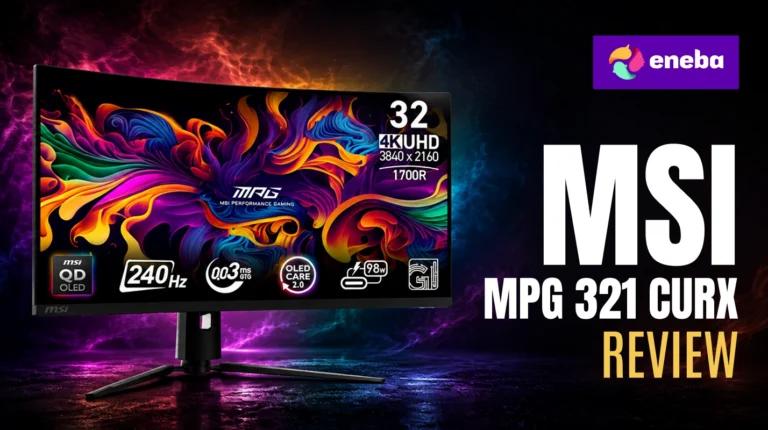
This MSI MPG 321CURX review cuts straight to the point: this is the 32-inch 4K QD-OLED curved gaming monitor that finally makes OLED accessible at an enthusiast price, and if you have been waiting for 4K OLED to land without a four-figure GPU requirement to match, the wait is over. I came to this MSI MPG 321CURX QD-OLED review after watching the 4K curved OLED category develop for a while – the idea of combining OLED’s perfect blacks with 4K resolution and 240Hz in a 32-inch form factor was compelling enough to examine closely, and the MSI MPG 321CURX is the most complete execution of that premise I’ve seen.
What separates this monitor from the IPS competition is the third-generation QD-OLED panel – it delivers Delta E less than or equal to 2 color accuracy alongside the kind of contrast ratio that IPS panels cannot physically produce. The 1700R curve is subtle enough to work at a desk without creating edge distortion, but present enough to increase depth in immersive games. The built-in KVM switch and 98W USB-C power delivery push it further into genuine daily-driver territory for anyone with more than one device on the desk.
My assessment focuses on three areas that matter most at this price: whether the QD-OLED panel delivers on its picture-quality promise in real gaming and content creation contexts, how the 240Hz at 4K trades off against lower-resolution alternatives, and whether the 1700R MSI MPG 321CURX curved gaming monitor form factor adds or subtracts from long-term comfort. The trade-off analysis covers the glossy screen, the GPU requirements to push 4K 240Hz, and the price premium over strong IPS competitors.
Jump to:
MPG 321CURX QD-OLED at a Glance
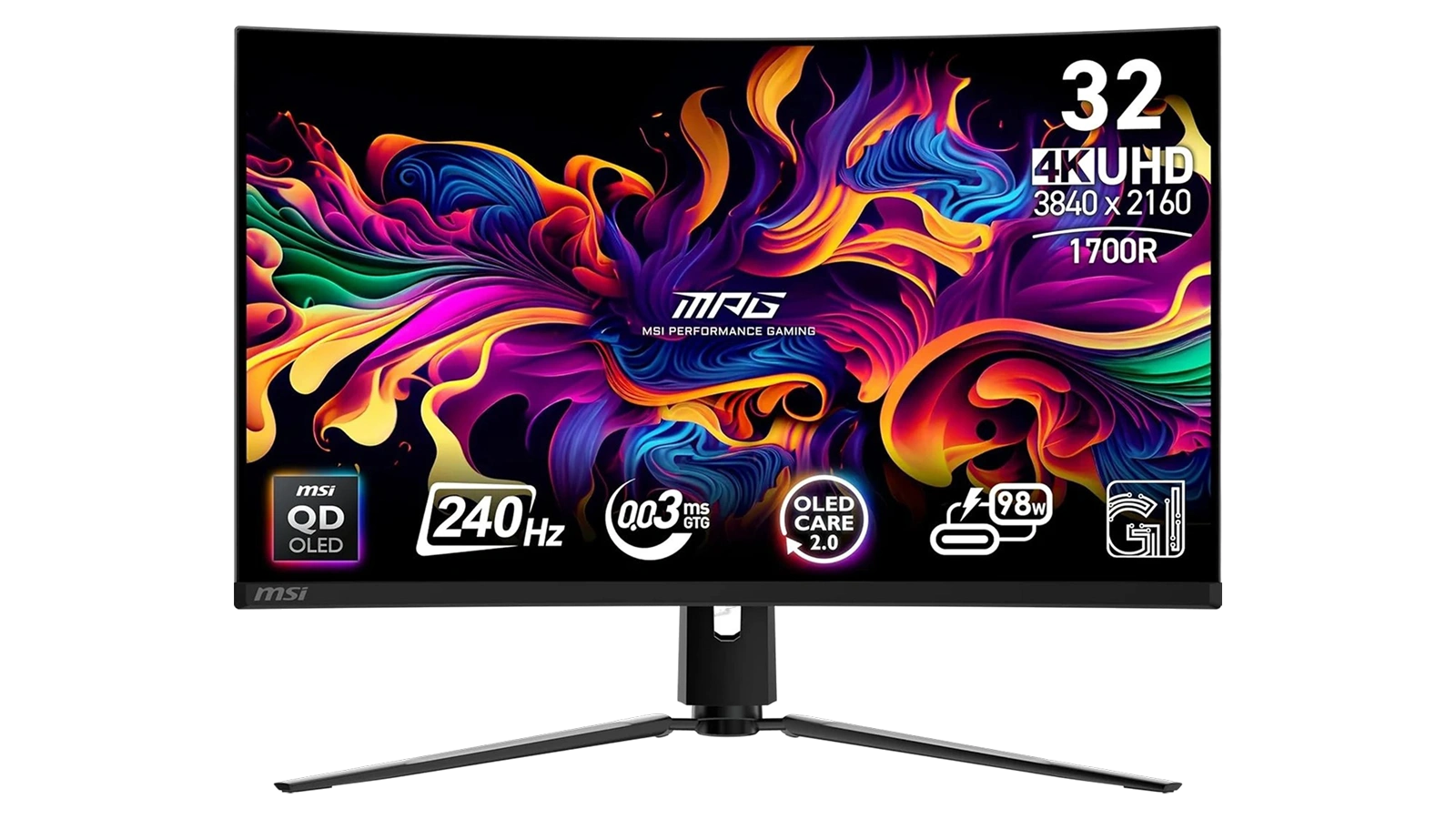
The MSI MPG 321CURX specs establish what you are working with before getting into the specifics – this is a high-specification display and the numbers tell that story clearly.
| Specs | Details |
|---|---|
| Screen Size | 32 Inches |
| Resolution | 3840 x 2160 (4K UHD) |
| Display Type | QD-OLED (Quantum Dot OLED) |
| Refresh Rate | 240 Hz |
| Response Time | 0.03ms GtG |
| Curve | 1700R |
| HDR | DisplayHDR True Black 400 |
| Contrast Ratio | 1,500,000:1 |
| Color Gamut | 98% |
| Adaptive Sync | G-Sync Compatible |
| Connectivity | HDMI 2.1, DisplayPort 1.4a, USB-C (98W PD) |
| USB Ports | 3x USB 2.0 |
| KVM | Yes (built-in) |
| VESA Mount | 100×100 mm |
| Warranty | 3 Years (burn-in coverage included) |
Key Features and Benefits
The MSI MPG 321CURX QD-OLED packs several features that address the specific limitations of IPS and VA monitors at this size and price. Here is what each one actually means for daily use.
Third-Generation QD-OLED Panel. The combination of quantum dot technology with OLED’s pixel-level lighting means colors are accurate and vivid without washing out in bright HDR scenes. Delta E less than or equal to 2 is the threshold below which color error becomes invisible to the human eye – this monitor hits that standard, which matters for photo work and video alongside gaming.
240Hz at Native 4K Resolution. Most 4K monitors top out at 144Hz or 160Hz. The MSI MPG 321CURX 4K 240Hz review consensus is clear: this is the standout spec combination in the 32-inch OLED segment – fast-paced games look noticeably smoother than the next tier down, and the 4K pixel density means textures stay sharp at any viewing distance.
Built-In MSI MPG 321CURX KVM Switch. One keyboard and mouse setup controls two computers simultaneously. For anyone with a gaming PC and a work laptop on the same desk, this removes the need for a separate switch or a second peripheral set. It is a practical feature that simplifies a multi-device desk without adding clutter.
USB-C with 98W Power Delivery. A single USB-C cable sends both the 4K 240Hz display signal and up to 98W of charging to a connected laptop. For MacBook Pro or high-end Windows laptop users, this cuts the cable count and keeps the desk organized without a separate charger or adapter.
OLED Care 2.0 Technology. MSI’s MSI MPG 321CURX burn-in prevention runs automatically when the monitor is off, not during active use. The pixel cleaning cycle takes around 5 minutes and requires no user input. The 3-year warranty covering burn-in specifically is rare at this price point and reflects MSI‘s confidence in the panel’s long-term reliability.
Console Mode via HDMI 2.1. The HDMI 2.1 port delivers full 48Gbps bandwidth, supporting PS5 and Xbox Series X gaming at 4K 120Hz. Console Mode optimizes the signal path for console input specifically – for anyone who games on both PC and console, this monitor handles both without a separate display.
Performance and Real-World Experience
The MSI MPG 321CURX QD-OLED is built for gaming, creative work, and productivity at the same desk. Here is how the hardware translates across different scenarios.
The 0.03ms GtG response time reflects how OLED per-pixel switching works differently from LCD technology. In fast-paced scenes, dark objects against dark backgrounds stay visually distinct rather than blurring into the surroundings. This matters most in competitive shooters and racing titles, where “fast IPS” panels still produce visible trailing in that specific scenario even at 240Hz. The MSI MPG 321CURX eliminates that class of artifact entirely.
Driving native 4K at consistent 240fps in demanding open-world games requires a top-tier GPU – RTX 4090 or RTX 4080 class. The ceiling is 240Hz, not the floor. In competitive titles with engine-optimized rendering and in less demanding games, mid-range cards can approach that ceiling at 4K. For most setups, the 240Hz refresh rate becomes fully useful in the titles where competitive response time matters most, and that alignment makes practical sense.
The 1700R curve at 32 inches produces a subtler effect than more aggressive curves at the same screen size. At standard desk distances of 24 to 30 inches, the curve increases depth in immersive single-player titles without creating edge distortion during normal desktop use or productivity work. The consistent focal plane across the full panel width reduces eye strain during long work sessions compared to a flat 32-inch panel at the same viewing distance – a benefit that gets less attention than the gaming specs, but is genuinely meaningful for a monitor that doubles as a workstation display.
The glossy screen finish requires attention to room positioning. Reflections become visible in bright rooms or with windows behind the viewer. A controlled lighting environment is where this panel performs at its peak. The trade-off is real but manageable – it is less a flaw than a placement consideration that comes with glossy OLED panels across the board.
| Pros | Cons |
|---|---|
| ✅ Perfect blacks and 1,500,000:1 contrast ratio produce HDR visuals that IPS and VA panels cannot match regardless of price ✅ 240Hz at native 4K keeps competitive gameplay fluid without sacrificing resolution – a rare combination in the 32-inch segment ✅ 0.03ms GtG response time eliminates ghosting in the fastest-paced games, including dark-on-dark motion where IPS alternatives still trail ✅ QD-OLED color accuracy with Delta E less than or equal to 2 makes photo editing and content creation reliable alongside gaming ✅ USB-C with 98W power delivery charges a laptop at full speed through a single cable while carrying the display signal ✅ Built-in KVM switch controls two computers with one keyboard and mouse – no separate switch required ✅ 3-year manufacturer warranty covers burn-in specifically – rare for an OLED panel at this price point | ❌ Glossy screen finish produces reflections in bright or window-facing rooms – positioning the monitor in a controlled lighting environment matters more here than it would with a matte IPS panel |
The MSI MPG 321CURX QD-OLED holds the top position because no competing 32-inch 4K gaming monitor combines a third-generation QD-OLED panel, 240Hz refresh rate, built-in KVM, and 98W USB-C power delivery at under $1,000. The Enebameter score of 8.7/10 reflects the panel quality, feature set, and 3-year burn-in warranty – a combination that IPS alternatives at this size cannot match for anyone who wants the best display their desk will hold.
The choice between the MSI MPG 321CURX QD-OLED and a high-end IPS monitor at similar pricing comes down to one question: do perfect blacks and true HDR matter to how you actually use a display? IPS panels at this price bracket deliver excellent color accuracy and brightness, but the contrast gap between IPS and OLED is a physical limitation, not a spec catch-up problem. For gaming in dark or semi-dark environments, for HDR film content, and for any scenario where the difference between deep shadow and genuine black changes the picture, the OLED advantage is consistent and clear. The IPS case holds mainly for anyone who works in brightly lit rooms where the glossy OLED screen becomes a liability.
“Upgrading to this monitor completely changed my perspective on gaming displays. The QD-OLED’s black levels are unlike any VA or IPS panel, and the color richness at 4K resolution makes even familiar games look like a different experience. MSI’s firmware support has been consistent, and the panel’s performance noticeably improved after updates. For anyone building a serious gaming setup, this is the display to center it around.” – ghostwheel77
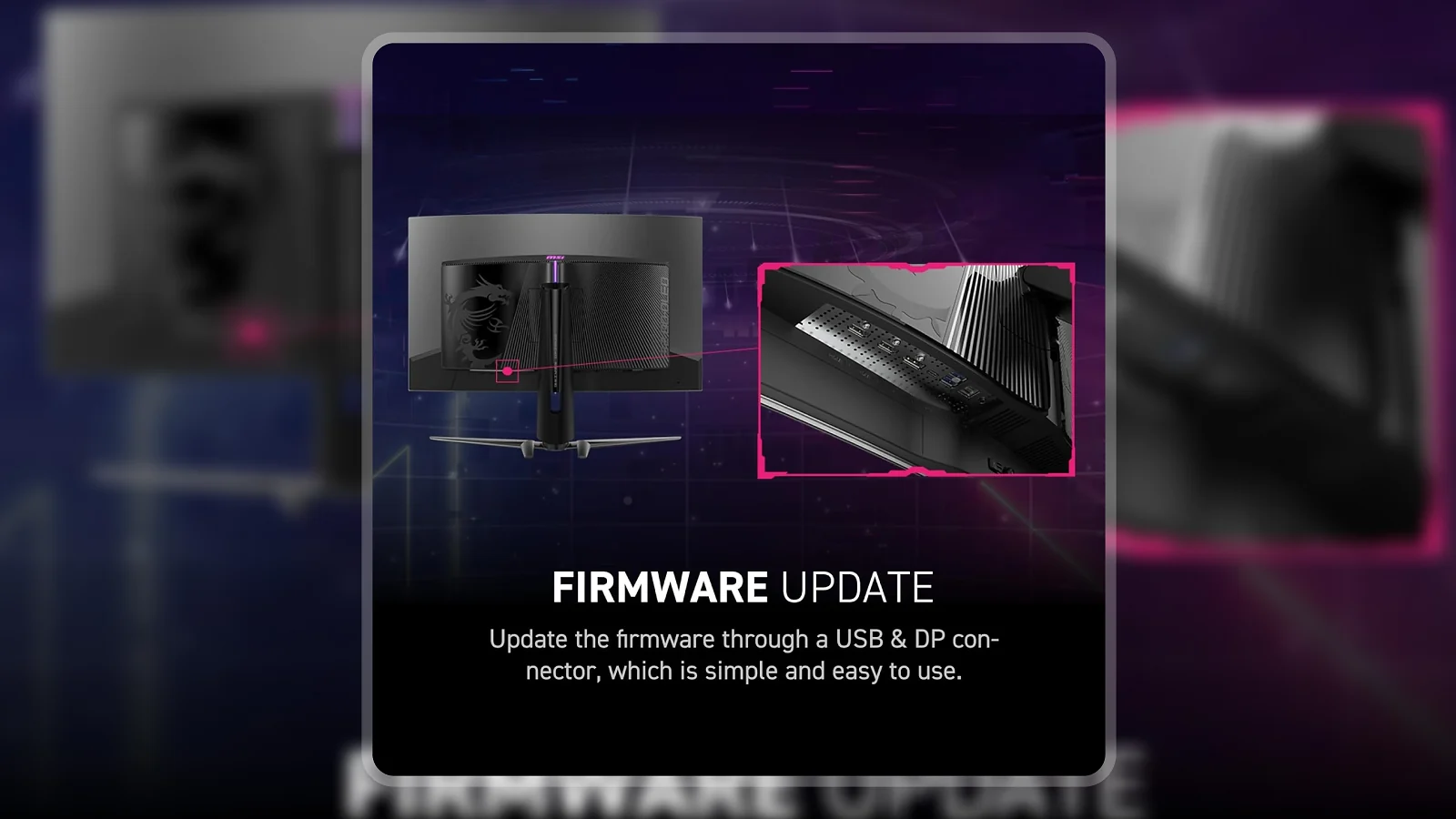
The firmware update point from ghostwheel77 speaks to something that matters over the ownership timeline. MSI has pushed active firmware support for the MPG 321CURX, with OLED Care 2.0 improvements and panel calibration updates shipping post-launch. A monitor that improves after purchase is unusual at any price. Combined with the 3-year burn-in warranty, the ownership experience is structured around long-term confidence rather than just day-one performance.
“After going through a lot of monitors looking for something that handles both competitive gaming and serious productivity work, this one finally ticked every box. The OLED motion quality at 240Hz is the best I’ve seen for fast-paced PvP games, and the 4K pixel density makes spreadsheets and design work genuinely comfortable for full workdays. The KVM is reliable for switching between a gaming PC and work laptop – the USB hub could use more ports, but a quality external hub solves that easily.” – Nick7237
The USB port situation Nick mentions is accurate and worth framing correctly: three USB 2.0 ports cover a standard keyboard, mouse, and headset dongle with nothing left over. Anyone running a larger peripheral set will want a powered external hub. That is a one-time purchase that does not affect the display’s performance in any way. It is a design trade-off, not a flaw in the ownership experience.
Color Accuracy and HDR Performance
The QD-OLED panel is where the MSI MPG 321CURX QD-OLED separates itself from IPS alternatives – and the MSI MPG 321CURX HDR implementation is part of what makes that difference meaningful rather than just a spec-sheet claim.
Delta E less than or equal to 2 is the standard professional colorists use as the threshold for accurate color reproduction – below that number, errors are invisible without measurement equipment. Photos, videos, and design work display on screen as they were intended rather than shifted toward the monitor’s native color bias. IPS panels at this price can match similar Delta E numbers, but QD-OLED maintains that accuracy across the full brightness range, including in deep black areas where IPS local dimming creates compromises.
The 98% DCI-P3 color gamut coverage matters most for HDR content and color-critical creative work. Films and games mastered for cinema color standards display as intended. For standard SDR gaming, the main effect is saturation and vibrancy – colors look richer and more grounded.
The “True Black” in DisplayHDR True Black 400 is the meaningful part of that certification. Standard HDR monitors use local dimming zones to approximate dark areas – bright zones dim down rather than turning fully off. OLED pixel shutoff means the display achieves zero black levels by design. In games with HDR support, bright highlights sit against surroundings with no luminance at all. The visual difference in dark game environments is consistent and significant.
For settings, the “Pro” mode in the monitor’s OSD delivers the most accurate colors out of the box, matching the panel’s rated Delta E performance more closely than the default gaming presets. My recommendation is Pro as the working default, with Bright mode as an option for particularly dark room conditions.
One clarification on the brightness spec: the 3,426 lm figure refers to specular highlights – small, intense bright areas – not full-panel sustained brightness. Full-screen sustained brightness sits lower, which is standard behavior for all OLED panels. This is the intended QD-OLED HDR behavior, not a spec discrepancy, and in practice the HDR effect in compatible content looks exactly as it should.
Gaming Performance and Input Lag
At 4K and 240Hz, the MSI MPG 321CURX delivers a competitive gaming experience without the resolution compromise that most 240Hz monitors require. Here is how those numbers translate to actual gameplay.
ClearMR 13000 certification contextualizes the 0.03ms GtG spec in practical terms. Motion in fast-paced games stays sharp and legible rather than trailing or smearing. On IPS panels at comparable refresh rates, certain dark objects against dark backgrounds still produce trailing artifacts. OLED per-pixel switching eliminates that class of issue. The difference is most visible in competitive shooters with fast camera movement and in racing games at high speeds.
G-Sync Compatible adaptive sync eliminates screen tearing down to the monitor’s minimum refresh rate. For frame rates that land below 240fps – which is the realistic scenario for most setups running demanding 4K titles – variable refresh rate keeps the image smooth without requiring locked frame pacing. Most 4K gaming sits between 60 and 144fps in graphically intensive titles, and adaptive sync bridges that gap cleanly.
This monitor has a 240Hz ceiling, not a 240Hz floor. Competitive titles with optimized game engines can reach or approach 240fps at 4K on mid-range hardware. Demanding open-world and graphically intensive games will run well below that ceiling on anything short of top-tier GPU configurations. That is the realistic picture, and it works in your favor – the monitor’s performance at any frame rate is outstanding, and it scales with whatever GPU you bring to it now or upgrade to later. For anyone drawn to wider screen real estate, an ultrawide gaming monitor offers a different kind of immersion – but at the cost of the 4K pixel density that makes the MSI MPG 321CURX worth the premium at this size.
The HDMI 2.1 port runs full 48Gbps bandwidth, supporting PS5 and Xbox Series X at 4K 120Hz in Console Mode. The dedicated signal path optimizes latency and display behavior for controller-based inputs. For a gaming desk that runs both PC and console, this monitor replaces two separate displays without compromise.
The 1700R curve at 32 inches does not create the geometry distortion that more aggressive curves like 1000R or 1200R produce. Peripheral content sits at a slightly more natural viewing angle, and flat-monitor-trained players will not need an adjustment period.
My Overall Verdict on MSI MPG 321CURX QD-OLED
This MSI MPG 321CURX review arrives at a clear conclusion: if you want a 32-inch 4K OLED gaming monitor and the $999 price range is within reach, this is the display to buy. The 8.7/10 Enebameter score reflects a panel that delivers on every major specification – 4K resolution, 240Hz refresh rate, QD-OLED picture quality, and practical work-desk features like the built-in KVM and 98W USB-C charging – while carrying one of the few OLED warranties at this price that explicitly covers burn-in.
Who should buy it: anyone upgrading from 1080p or 1440p IPS who wants the largest possible jump in visual quality; anyone managing two computers at one desk who wants to cut peripheral clutter; anyone for whom HDR in dark gaming environments has always looked like a compromise compared to what they expected.
Who should skip it: anyone who games in a brightly lit room with no control over ambient light, where the glossy panel becomes a reflection problem. The Z-EDGE AG27QS in the Budget Alternative section below covers that tier. For a broader look at flat-panel alternatives, the top-rated gaming monitor page has strong options at every price point.
The 4K OLED category has been waiting for a product that combines all of these specs at a price that makes sense, and the MSI MPG 321CURX QD-OLED is that product. For anyone who has been tracking this category and waiting for the right moment, this MSI MPG 321CURX review ends the search.
Budget Alternative
If the MSI MPG 321CURX QD-OLED‘s price sits above budget, the Z-EDGE AG27QS offers a meaningful starting point in gaming monitors at a lower cost. The 27-inch QHD (2560×1440) panel at 275Hz covers the core requirements for competitive gaming – fast refresh rate and responsive input – without the OLED premium. The trade-offs are clear: no perfect blacks, no HDR True Black certification, and a smaller 27-inch IPS panel rather than 32-inch OLED. For anyone who prioritizes raw refresh rate performance and plans to upgrade the display later, the AG27QS handles the competitive side well. For anyone who games in the dark and wants a display that doubles as a creative workstation, the MSI MPG 321CURX QD-OLED is worth the cost difference.
Complete Your Setup
The right peripherals complete the picture with a display at this level – here are two that pair directly with the MSI MPG 321CURX QD-OLED‘s strengths.
CHERRY XTRFY K5 Pro TMR Compact Magnetic Wired Gaming Keyboard
The CHERRY XTRFY K5 Pro TMR uses TMR (True Magneto-Resistive) switch technology, which registers keystrokes with sub-0.1ms actuation – faster than optical switches and consistent across the full key travel. For a monitor spec’d at 240Hz, the keyboard’s input latency matters as part of the total system response. CHERRY‘s reputation in competitive hardware reflects a product with genuine market traction in the gaming peripherals space.
MO1 Wireless Gaming Mouse
The MO1 brings wireless freedom to a desk already managing HDMI, DisplayPort, and USB connections. A lightweight wireless gaming mouse reduces cable clutter and keeps tracking consistent across the full mousepad surface. For a gaming setup centered on a 32-inch curved display, a wireless mouse fits the clean-desk approach the monitor’s design encourages.
FAQs
Yes, the MSI MPG 321CURX QD-OLED delivers a combination of 4K resolution, 240Hz refresh rate, OLED picture quality, and a built-in KVM switch that no competing 32-inch monitor offers at this price. For anyone who wants a high-end display that handles gaming and productivity equally well, the value case is strong.
No more than any other OLED panel – and less than older implementations, thanks to OLED Care 2.0 running a pixel cleaning cycle automatically when the monitor is off. The 3-year manufacturer warranty includes burn-in coverage specifically, which reflects MSI‘s confidence in the panel’s long-term reliability.
Yes, it carries the DisplayHDR True Black 400 certification, which means HDR highlights are produced through genuine OLED pixel-level control rather than backlight dimming approximation. In compatible games and media, the difference between True Black HDR and standard HDR400 on backlit panels is clearly visible in dark environments.
The MSI MPG 321CURX vs Samsung OLED monitor comparison centers on form factor – MSI‘s 1700R curve and built-in KVM are differentiators that Samsung‘s flat OLED equivalents do not include at this price. Samsung typically leads on peak brightness in higher-tier OLED lines, but the KVM and 98W USB-C give the MSI MPG 321CURX a practical edge for multi-device desks.
Yes, the MSI MPG 321CURX review consistently highlights the KVM switch and 98W USB-C as the features that make this a genuine dual-use monitor for a gaming PC and work laptop at the same desk. The QD-OLED panel’s Delta E less than or equal to 2 color accuracy is equally reliable for photo editing and content creation as it is for late-night gaming sessions.












