

How to Donate Robux: Complete Guide to Sharing Currency


I’ve been playing Roblox for years, and one question keeps popping up in every community I’m part of: how do you actually share your hard-earned currency with other players? The platform doesn’t make it super obvious, and honestly, there’s no simple “send money” button like you’d find in other games.
But don’t worry – I’ve tested every method out there, and I’m going to break down exactly how to donate Robux, claim donations from popular games, and manage group funds like a pro.
Throughout this guide, I’ll walk you through game passes, group donations, donation games like PLS Donate, and even gift card methods. By the end, you’ll know exactly how to donate Robux on Roblox using whichever method fits your situation best.
Jump to:
Is It Possible to Donate Robux in Roblox? How to Donate Robux the Right Way
Here’s the deal: Roblox doesn’t allow direct peer-to-peer currency transfers. You can’t just open someone’s profile and hit a “donate” button. The developers implemented this policy to prevent exploitation, money laundering, and various scams that plagued earlier versions of the platform.
However, that doesn’t mean sharing currency is impossible. The platform provides several indirect methods that accomplish the same goal while maintaining security standards. These include purchasing game passes from your friends, using group funds to distribute currency, participating in donation games, and strategic use of gift cards.
The key limitation to understand is that all donations must go through Roblox‘s economy systems. This means there’s always a transaction fee involved – typically around 30% of the donated amount goes to Roblox as a marketplace fee.
For example, if you want someone to receive 70 Robux, you’ll need to spend 100 Robux total. It’s not ideal, but it’s the trade-off for having a secure donation system.
Understanding what is Robux and its role in the platform economy helps explain why these restrictions exist. The currency powers everything, including avatar customization and game development, which makes it a valuable asset that requires proper safeguards.
How to Donate Robux: The Various Methods
Alright, let’s get into the practical stuff. I’m going to show you every viable method for how to donate Robux to people, starting with the most common approach.
Donating Robux to Friends via Game Passes
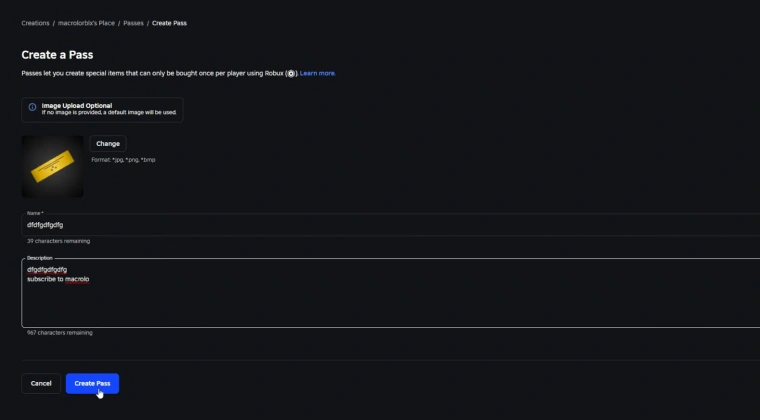
This is probably the most popular method for how to donate Robux to friends, and it’s pretty straightforward once you know the steps.
First, the recipient needs to create a game pass. They do this by opening Roblox Studio, creating or selecting an existing game, and navigating to the “Create” section. Under “Store,” they’ll find the option to create a new game pass. The pass can be a simple placeholder item since its only purpose is facilitating the donation.
After the game pass is created, the recipient sets the price to match the donation amount (keep in mind that 30% goes to fees). They publish it, making it available for purchase in their game’s store. From there, you just visit their game, find the pass in the store section, and buy it. The Robux shows up in their account within a few hours, with the platform fee already deducted.
The main advantage here is simplicity. The disadvantage is that both parties need to coordinate, and the recipient must have a published game. Still, for one-time donations between friends, this method works great.
Donating Robux via Group Donations
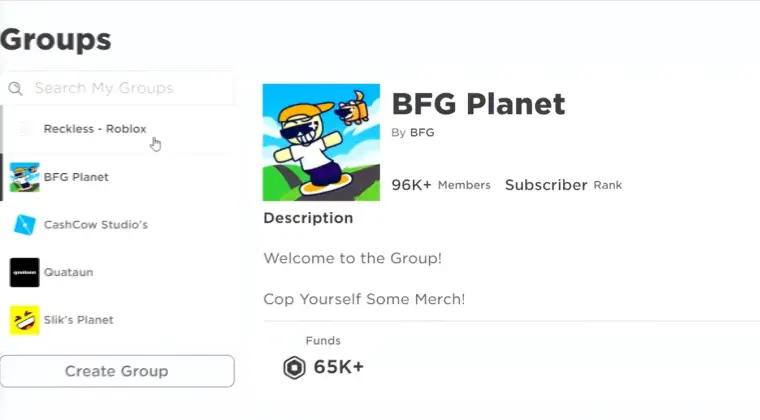
If you’re managing a Roblox group, group funds provide the cleanest donation system. Here’s how to donate Robux in a group effectively.
Create or join a group where you have sufficient permissions. As an admin, you can add funds to the group by selling group-exclusive items or having members purchase group game passes. Once funds accumulate in the group treasury, navigate to the “Members” section and select “Configure Group.”
Under the “Revenue” tab, you’ll find options to distribute funds to specific members. Select your recipient, enter the amount, and confirm the transaction. Unlike game passes, group distributions happen immediately and don’t incur the 30% marketplace fee – making this the most efficient donation method.
The catch is that you need administrative privileges, and some restrictions apply to newly created groups. Roblox implements a waiting period before new groups can distribute funds, preventing exploitation.
Donating Robux by Purchasing Items or Donations in Games
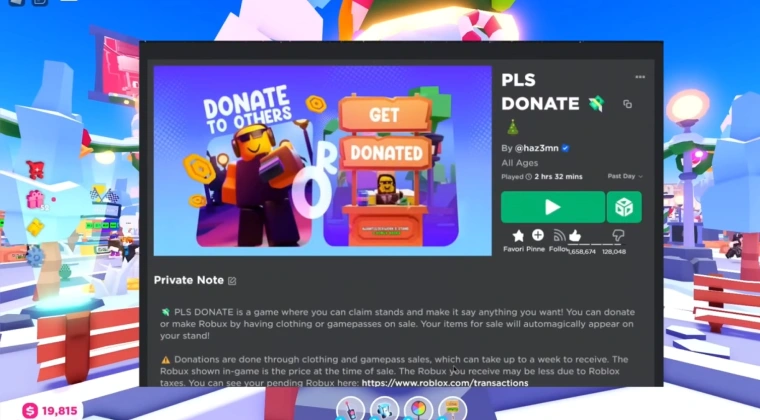
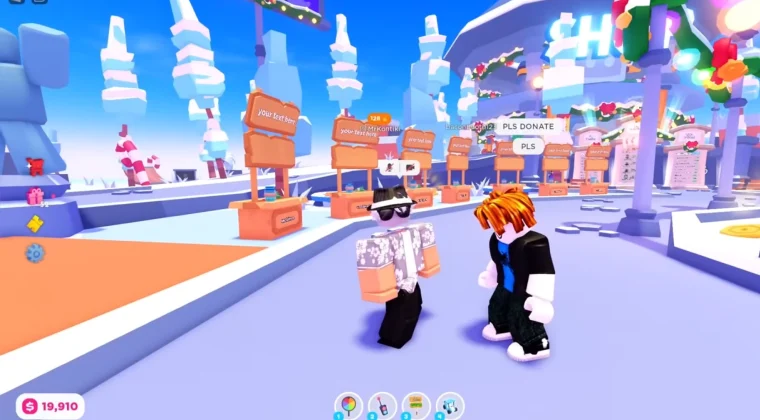
Games like PLS Donate have revolutionized how players share currency. These donation games create a marketplace where users can claim donations from generous players.
To understand how to claim Robux from PLS Donate, join the game and locate the donation stands. Each stand represents a player accepting donations. Browse through available stands, check out the creator’s information, and decide who you want to support. Click on their stand and select a donation amount from the available options.
For creators wondering how to redeem Robux from PLS Donate, the process is equally simple. Set up your donation stand within the game, customize it with information about yourself or your projects, and wait for donations to roll in. The game handles all transactions, and your earnings appear in your pending Robux balance. After the standard holding period (usually a few days), you can access your donations.
These donation games are perfect for content creators building a following. Who has the most Robux in Roblox often includes creators who built their wealth through community support in games like these.
Donating Robux Using Roblox Gift Cards
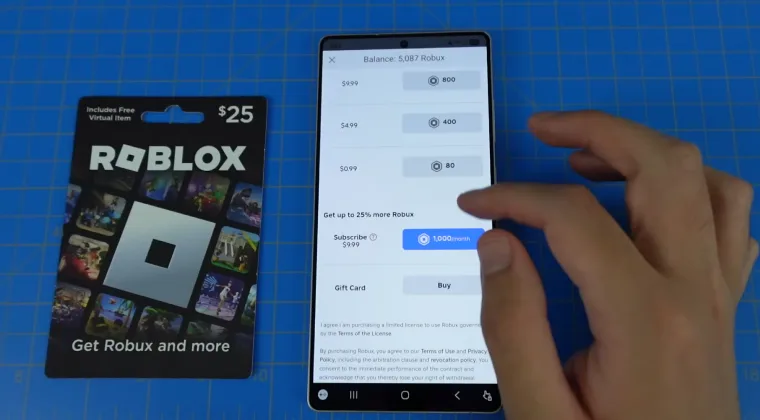
Gift cards offer another indirect donation method, though it’s less precise than other options.
Purchase a Roblox gift card with the desired value. You can find these at most retail stores or online marketplaces. Share the code with your intended recipient through a secure method. They redeem the code on the Roblox website under the “Gift Cards” section, and the value converts to Robux in their account.
The limitation here is that gift cards come in preset denominations, so you can’t donate exact custom amounts. Additionally, this method requires real money rather than transferring existing Robux from your account. Still, it’s useful for gifting currency without needing game passes or group access.
It’s also possible to get hold of Robux gift cards from other sites and apps, such as Snakzy. This is a play-to-earn app that lets you play games and then trade-in virtual coins for gift cards, including Robux.
How Donation Systems Work Across Different Platforms
Platform differences can affect how you donate Robux depending on where you play. Let me break down the variations.
On PC, you have full access to every donation method. The browser-based experience lets you navigate Roblox Studio, manage group settings, create game passes, and browse donation games without restrictions. This is definitely the optimal platform for complex donation tasks. For smoother gameplay overall, exploring the best laptop for Roblox might improve your options.
Mobile devices (iOS and Android) support all the same donation methods, but with slightly different interfaces. Purchasing game passes works identically, and you can participate in donation games like PLS Donate just fine.
However, creating game passes or managing group funds requires desktop browser access or the mobile browser version, as the app doesn’t support these features fully. If you’re primarily a mobile player, you might need one of the best tablets for Roblox to enhance your experience.
Console platforms like Xbox have the most limitations. While you can purchase game passes and participate in donation games, you cannot create game passes or manage group funds through console interfaces. These tasks require switching to a PC or mobile browser. Console players can receive donations easily but face challenges initiating them.
One important note: all platforms share the same 30% marketplace fee for game pass transactions. This fee structure remains consistent regardless of where you complete the purchase.
Best Practices for Donating Robux
After helping countless friends navigate Roblox‘s donation systems, I’ve learned some valuable lessons worth sharing.
Always verify the recipient before donating. Scammers create fake accounts impersonating popular creators or your friends. Double-check usernames, profile details, and communicate through trusted channels before transferring any currency. In donation games, look for verified creator badges or established stands with positive community feedback.
Start with smaller test donations when using a new method. Send 10-50 Robux first to ensure everything works correctly before committing larger amounts. This protects you from technical issues or misunderstandings about the process.
Keep records of your transactions. Screenshot donation confirmations, note the date and amount, and save any relevant conversation logs. If disputes arise or donations don’t go through properly, having documentation helps resolve issues with Roblox support.
Understand the fee structure before donating. Remember that 30% marketplace fee for game passes – if you want someone to receive a specific amount, calculate backwards. For someone to get 700 Robux, you need to price the game pass at 1,000 Robux.
Use group funds when possible for efficiency. If you regularly donate to the same people, creating a group eliminates repeated marketplace fees. The initial setup takes effort, but it pays off for frequent transactions.
Be cautious with donation games. While platforms like PLS Donate are legitimate, they attract scammers. Only donate to creators whose content you’ve verified. Never share account information or passwords, even if someone claims it’s necessary for donations.
Respect platform rules. Roblox prohibits certain activities involving currency exchange, including gambling, unauthorized trading, and off-platform transactions. Stick to approved methods to avoid account penalties.
Finally, manage your expectations about donation speed. Game pass earnings take several hours to process. Group fund distributions are immediate, but setting up groups takes time. Plan accordingly rather than expecting instant results.
If you’re looking to expand your gaming horizons while managing your Roblox donations, checking out the best games like Roblox might give you fresh perspectives on virtual economies.
Wrapping Up Your Robux Donation Journey
So there you have it – everything I’ve learned about sharing currency in Roblox.
The platform’s indirect donation system might seem complicated at first, but it’s actually pretty elegant once you understand the available methods. Game passes work great for one-time friend donations, group funds excel at repeated transactions, donation games support content creators, and gift cards handle real-money transfers.
The most important takeaway is that while Roblox doesn’t support direct transfers, the existing methods accomplish the same goals while maintaining security. That 30% fee might sting a bit, but it’s the price of operating within a protected ecosystem that reduces scams and exploitation.
My advice: start with whichever method matches your situation, practice with small amounts, and gradually build confidence. Soon enough, you’ll be managing Robux donations like a veteran player.
Ready to stock up on currency for your next donation? Check out the Robux section on Eneba for great deals on currency packages that’ll help you support your favorite creators and friends.
FAQs
You can donate Robux to someone who isn’t on your friends list by buying donation games like PLS Donate or purchasing their game passes directly. Friend status isn’t required for these methods.
No, there is no limit to how much Robux you can donate. Individual transactions have no hard limits, but Roblox monitors large transfers for suspicious activity. Spread substantial donations across multiple transactions.
If your donation doesn’t go through, contact Roblox support with transaction details. Pending purchases usually resolve within 24 hours. Check your purchase history to verify the transaction has been completed.
Yes, you can donate Robux to a group by purchasing group game passes or items to add funds directly to the group treasury, which admins can then distribute.
Yes, game pass transactions incur a 30% marketplace fee. Group fund distributions have no fees. Real-money purchases may include applicable taxes.
You transfer Robux by buying an item from the other account’s shop or group. Roblox doesn’t allow direct transfers, but you can use game passes, group donations, or donation games to move currency between accounts indirectly.
You give items to friends by trading them through the Roblox trading system, which is available to Premium members. Just open the player’s profile, click “Trade Items,” and send what you want to offer.