Is Battlefield 2042 Cross-Platform? Cross‑Play and Progression Explained

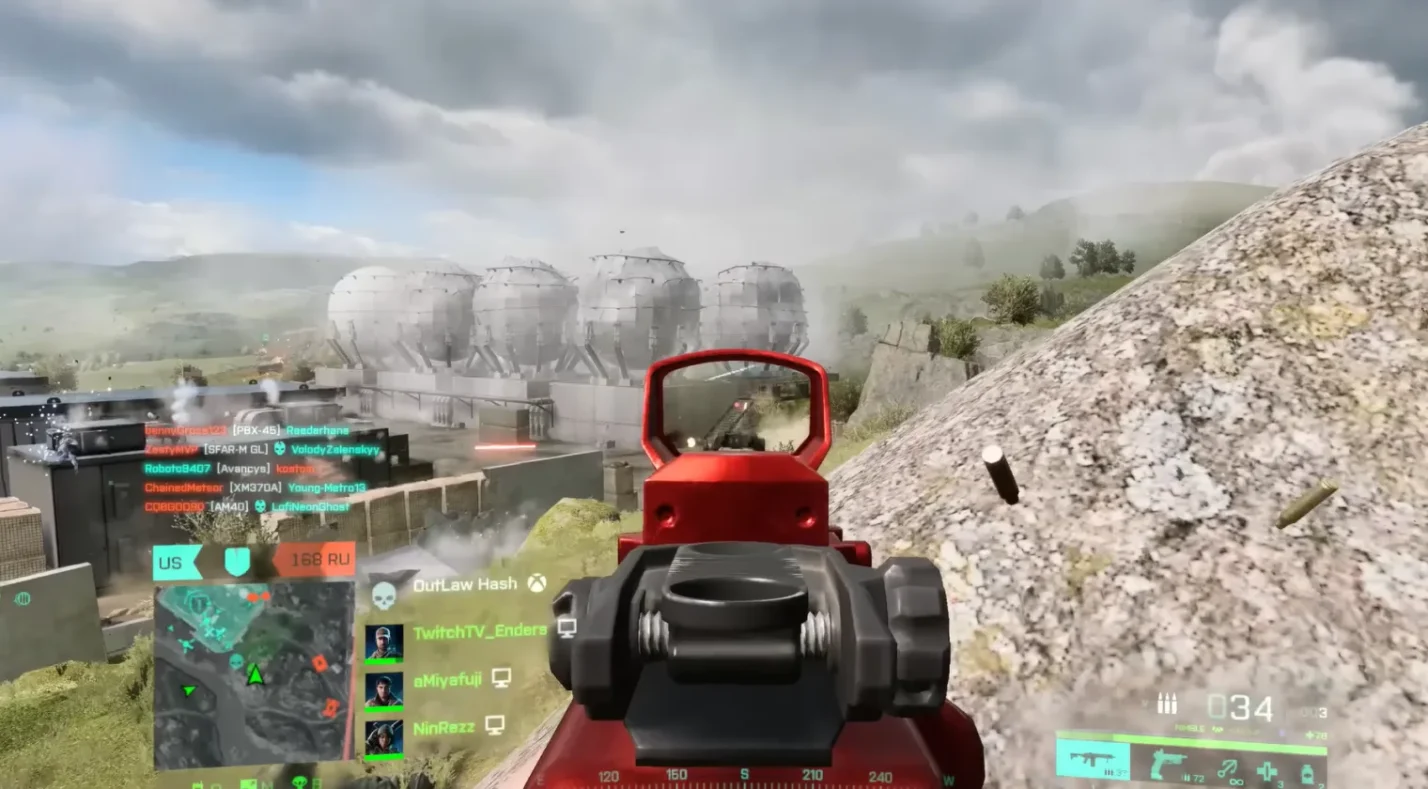
Battlefield 2042 pushed the series into the modern era with massive 128‑player battles and persistent online warfare. From the moment I joined a match on launch day, I wondered whether I could squad up with friends playing on different hardware. This article answers that core question: “Is Battlefield 2042 cross-platform?”, and what that means for people playing on PC, Xbox, and PlayStation.
I’ll share my experience navigating its cross‑play pools, show you how to enable or disable the feature, and explain how cross‑progression and purchases work. By the end, you’ll know exactly how to connect with friends, protect your progress, and decide which version to buy.
Jump to:
Is Battlefield 2042 Cross Platform? Core Facts
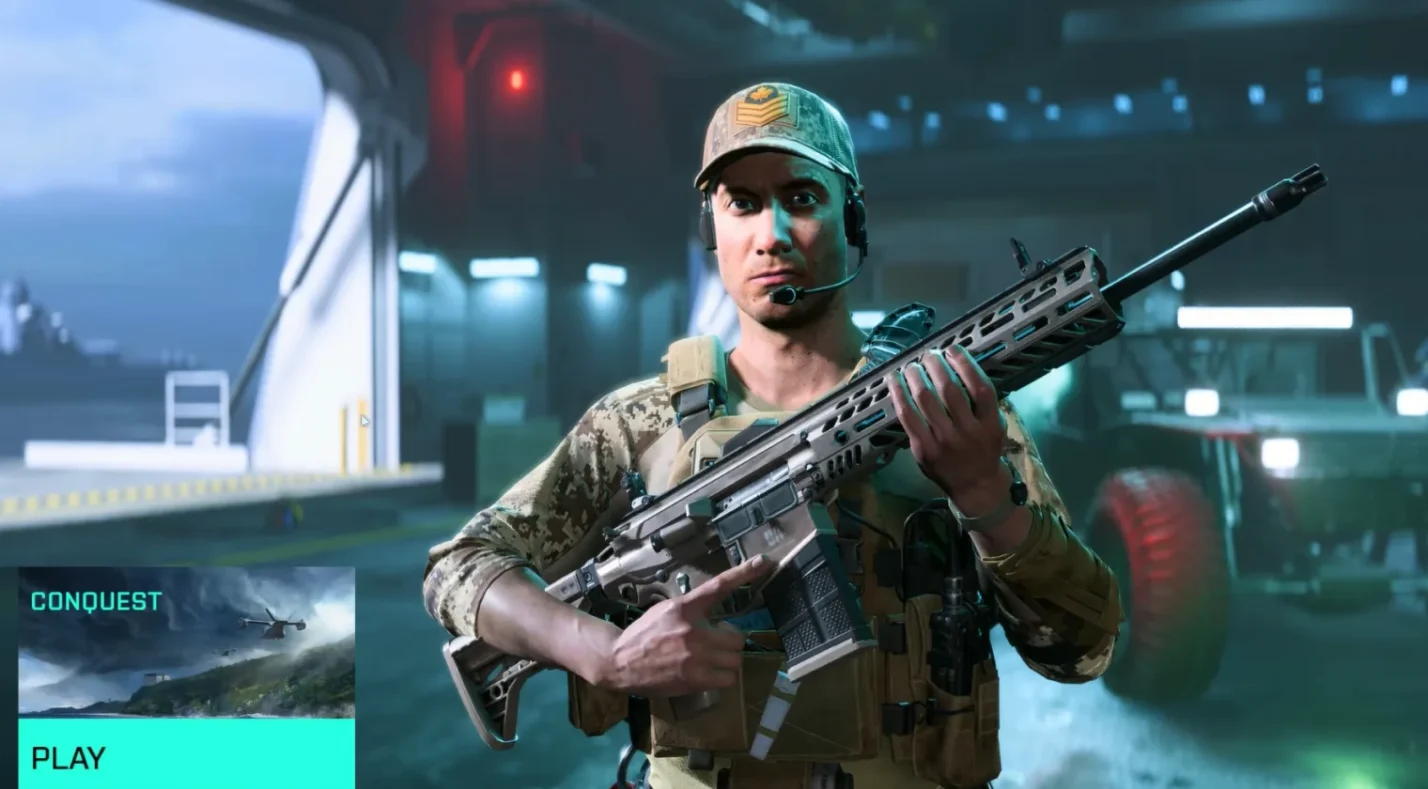
The short answer to ”Is Battlefield 2042 cross-platform?” is yes, but with important limitations. DICE and EA designed two separate matchmaking pools to account for the technical gap between console generations. Here are the basics:
- Current‑generation cross‑play: PC players on Steam, the EA App, or Epic Games Store can join matches with PlayStation 5 and Xbox Series X/S users. These versions support the full 128‑player experience, identical maps, and similar performance targets.
- Last‑generation cross‑play: PlayStation 4 and Xbox One players share a separate pool. Matches here are capped at 64 players with slightly smaller maps to maintain stability. They cannot connect with PC or current‑gen consoles.
- Cross‑play toggle: Cross‑play is enabled by default on PC and current‑gen consoles, while last‑gen consoles connect only to each other. You can turn off cross‑play entirely in the settings menu if you prefer to face only players on your specific platform.
- Cross‑progression: Regardless of where you play, your rank, unlocks, cosmetics, and Battle Pass progression are tied to your EA account. As long as you log in with the same account on another system, your progress follows you. Purchases of cosmetic packs and in‑game currency also carry over.
Because Battlefield 2042 divides players into two groups, there’s no way to have an Xbox One user join a PC lobby. The hardware cannot handle 128 players, so the developers chose to keep experiences consistent within each pool.
If you want to play with someone on an older console, you must use a PS4 or Xbox One copy yourself. The only workaround is for current‑gen owners to download the last‑gen version, which limits features but lets you squad up with friends who haven’t upgraded.
Cross‑Play Groups and Technical Differences
Why Two Matchmaking Pools Exist
When DICE first announced cross‑play, fans celebrated the idea of uniting the community. However, the jump to 128‑player warfare created a divide. Older consoles simply couldn’t render such large battles at stable frame rates, so the studio split the player base by generation.
In my experience playing on both PC and Series X, the difference in scale is noticeable. Maps like Kaleidoscope feel expansive and chaotic on current hardware, while the trimmed‑down version on Xbox One loses some dynamic elements.
Another factor is input parity. PC players have the precision of a mouse and keyboard, whereas console players rely on controllers. To keep matches fair, the game uses input‑based matchmaking by default. When cross‑play is enabled, the system fills your lobby with console players first; if there aren’t enough, it brings in PC players. This helps maintain balance without extending queue times. It also means that if you opt out of cross‑play, you’ll only face opponents using the same input method as you.
Enabling and Disabling Cross‑Play
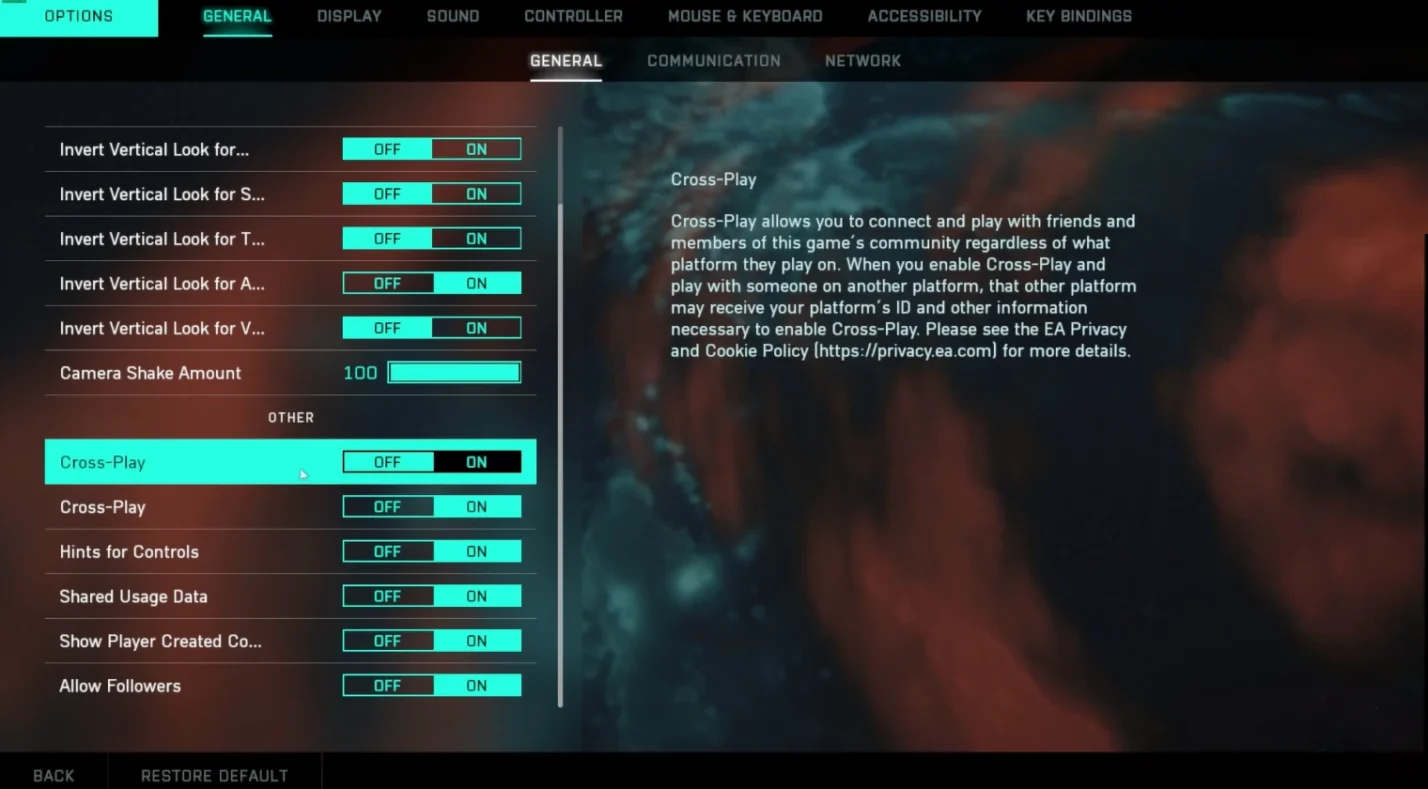
If you don’t want to face mouse and keyboard users or simply prefer console‑only lobbies, you can toggle cross‑play in the options menu. On console, cross‑play appears under the General tab; on PC, it’s called Crossplay. Here’s a step‑by‑step guide that mirrors what I do when switching platforms:
- Start the game and wait for the main menu.
- Navigate to Options (PC) or Settings (console).
- Select General or System.
- Scroll down to Cross‑Play and choose Enabled or Disabled.
You cannot change this setting while in a party or matchmaking, so back out to the main menu first. Hosts control cross‑play for the entire lobby. If your friend invites you from a cross‑play‑enabled party, you’ll join their pool even if your default setting is disabled. Conversely, if you create a party with cross‑play off, players from other platforms won’t be able to join.
Disabling cross‑play doesn’t mean you’ll be stuck in tiny lobbies. On current‑gen consoles, there’s a console‑only mode that allows PlayStation 5 and Xbox Series X/S players to match together without PC users. This option fills servers quickly and maintains balanced input. If you’re concerned about aim assist differences, I’ve found this mode provides a comfortable middle ground.
What About Voice Chat and Friends Lists?
Cross‑platform voice chat is essential for teamwork. Battlefield 2042 supports voice chat across PC, PlayStation, and Xbox in cross‑play lobbies. If your group uses different systems, you can communicate through the in‑game chat without needing third‑party apps.
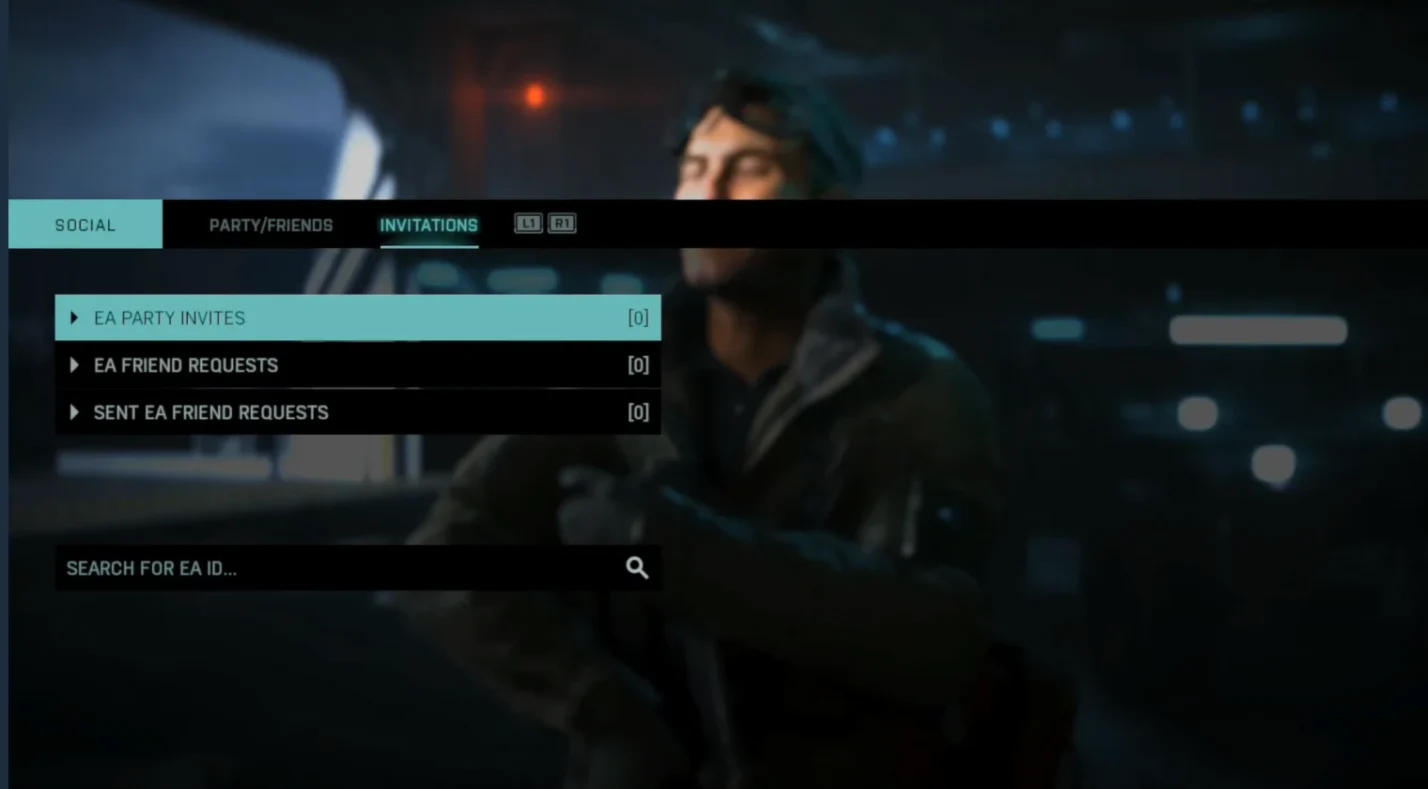
Friends lists are managed through the game’s social menu. You’ll need to search for your friend’s EA ID, regardless of platform, and send an invite. Once accepted, you can create a party and invite them directly from the list.
If you’d rather manage multiple friends lists in one place, linking your EA account to an Epic Games account provides a universal overlay. It’s optional, but I’ve used it to keep PC and console friends organised without jumping between menus.
Cross‑Progression, Cross‑Save, and Cross‑Commerce Explained
Switching systems shouldn’t mean losing unlocks or cosmetics. DICE introduced cross‑progression in Battlefield 2042 that ties all of your stats, Battle Pass tiers, and purchased items to your EA account. This system works across PC, Xbox, and PlayStation. Here’s what you need to know:
- Progression follows you: Everything you earn – weapon attachments, skins, Specialist tiers – travels between platforms. Log in to the same EA account on a different device, and your profile remains intact.
- Purchases carry over: Items bought with real money, such as premium cosmetics or currency bundles, transfer as well. For example, if you purchase a Battle Pass on PS5, it will be available when you play on PC.
- Not true cross‑purchase: You still need to own a copy of the game on each platform. Buying a Steam key does not unlock the PlayStation version. Cross‑progression only applies to your in‑game items and rank.
- Linked accounts: Make sure your platform accounts (PlayStation Network or Xbox Live) are linked to the same EA account. The first time you log in, the game will prompt you to link or create an EA account. After that, your progress syncs automatically.
Cross‑commerce, the ability to buy items on one platform and use them on another, is built into this system. I’ve tested it by purchasing a weapon skin on PC and finding it instantly available on Series X. It’s seamless and prevents the frustration of losing cosmetics or starting from scratch when switching devices.
How Cross‑Platform Play Impacts Gameplay Balance
Aim Assist and Input Balance
A common concern with cross‑play is that mouse and keyboard players have an advantage over controller users. Battlefield 2042 addresses this by adjusting aim assist when cross‑play is enabled. On console, aim assist becomes slightly stronger to help track targets. If cross‑play is disabled, aim assist reverts to a lighter setting since you’re only competing against other controller users.
From my perspective, the difference is noticeable but fair. When I play on PC with a controller, the increased aim assist helps me land shots against mouse users. Conversely, when playing in console‑only lobbies, the reduced aim assist maintains the challenge. If you feel the system gives too much or too little assistance, you can tweak sensitivity settings in the options menu.
Server Stability and Matchmaking
Splitting players into separate pools creates balanced matches but also raises questions about population. In my experience, current‑gen cross‑play lobbies fill quickly, even during off‑peak hours. The console‑only option also finds matches within seconds. The last‑gen pool is smaller, so queue times can vary depending on the region. If you and a friend on older consoles struggle to find matches, try playing during evenings or weekends when more players are online.
On PC, cross‑play helps maintain healthy server populations across all game modes. Without it, niche modes like Hazard Zone might become difficult to fill. Cross‑play ensures that there are enough players to support 128‑player Conquest matches and reduces the risk of lopsided teams.
Cheating and Anti‑Cheat Measures
Another fear is that PC cross‑play will expose console players to cheaters. Battlefield 2042 uses server‑side anti‑cheat and analytics to detect and ban suspicious accounts. In addition, input‑based matchmaking pairs you with console players first, minimising exposure to PC lobbies unless necessary. I’ve encountered only a handful of obvious cheaters across dozens of cross‑play sessions. If you worry about this, disabling cross‑play completely avoids PC matches.
Cross‑Generation and Future Support
DICE has not announced plans to enable cross‑play between PS4/Xbox One and current‑gen hardware. The technical gap is too wide due to map sizes and player counts. The studio continues to patch and optimise the last‑gen versions, but large 128‑player battles remain exclusive to PC and current‑gen consoles.
In the future, if a new entry, such as Battlefield 6, offers universal cross‑play, we expect more inclusive features. Our article about cross‑play in Battlefield 6 discusses how developers are exploring console‑preferred matchmaking and optional PC pools to address community feedback.
Cross‑play support has remained stable through multiple seasons of content. Every major update reaffirms the commitment to cross‑play and cross‑progression. With each patch, the developers tweak aim assist, network code, and matchmaking to improve the experience. For players invested in the series, this is a promising sign that the game will continue to evolve.
Connecting With Friends and Managing Parties
Inviting Friends Across Platforms
The social menu in Battlefield 2042 lets you add friends via their EA ID. To invite someone:
- Open the Social menu from the main screen.
- Select Find Friend and enter their EA ID.
- Send the invite and wait for them to accept.
- Once added, click their name and choose Invite to Party.
Parties persist across platforms, so you can squad up with friends on PS5, Series X, or PC seamlessly. If your friend is on a last‑gen console, they’ll appear offline or unavailable because there is no cross‑play between the pools.
Using Platform‑Specific Versions
If you own the game on multiple platforms, you might wonder whether you need different versions installed. Here’s what I discovered:
- PS5 with PS4 version: When you download the PS4 version on PS5, you can join PS4 players, but you lose 128‑player lobbies and next‑gen enhancements. Your progress and cosmetics remain because they’re tied to your EA account.
- Xbox Series X with Xbox One version: The same applies. You can install the Xbox One version to play with friends on that console, but you will be limited to 64‑player matches. Achievements and cosmetics still carry over.
- Cross‑gen upgrades: Some editions include both generations. If you bought a cross‑gen bundle or the Gold/Ultimate edition, you can switch between versions without additional purchases. Otherwise, you may need to buy an upgrade.
Cross‑Play Settings for Parties
Hosts control cross‑play for their party. If you want to ensure a mixed lobby, enable cross‑play before inviting others. Conversely, if you prefer console‑only matches, disable cross‑play and then invite your friends. Communication is key – I’ve lost track of how many times friends forgot to check their settings, and we spent minutes troubleshooting why we couldn’t join each other.
Advantages and Drawbacks of Cross‑Play
Advantages
- Larger player base: Combining PC and console players keeps servers full and reduces queue times, especially for niche modes like Hazard Zone.
- Flexibility: If you own multiple systems, you can switch without losing progress or purchases.
- Community integration: Cross‑play allows friends to stay connected regardless of hardware. This fosters a longer lifespan for the game.
Drawbacks
- Competitive balance: Mouse and keyboard users often have an edge. Aim assist adjustments help, but the skill gap remains.
- Technical limitations: Two separate pools mean friends on different generations can’t play together unless they use the same version.
- Potential for cheating: PC lobbies have a higher risk of hacks, though anti‑cheat measures mitigate this.
As a long‑time fan, I believe the pros outweigh the cons. Cross‑play breathed new life into my experience by letting me squad up with friends who play on consoles while I use a PC. If you’re still undecided, try both modes and see which one suits your play style.
Further Reading and Related Guides
If you’re interested in broader cross‑platform gaming, our list of the best cross‑platform games highlights titles that offer seamless multiplayer across devices.
For a deeper dive into cross‑play systems in tactical shooters, read our guide to crossplay in Ready or Not.
And if you’re looking ahead to the next entry in the series, our article on Battlefield 6 crossplay discusses how the developers plan to build on the foundations laid in Battlefield 2042.
Elevate Your Battlefield Experience With Eneba Deals
Understanding whether Battlefield 2042 is cross-platform helps you make informed decisions about where and how to play. The game supports cross‑play across PC and current‑gen consoles, offers full cross‑progression through your EA account, and lets you toggle cross‑play to suit your preferences. The system isn’t perfect – older consoles remain isolated and input differences persist – but the flexibility it offers is a major step forward for the series.
If this guide has inspired you to jump back into the fight or pick up the game for the first time, check out Battlefield 2042 keys in our store. Our marketplace often features deals on Origin Battlefield 2042 keys for PC and console versions, ensuring secure delivery and competitive prices. Getting your copy through us supports the work we do here on Eneba Hub and lets you experience near‑future warfare with friends on any supported platform.
FAQs
Is Battlefield 2042 cross-platform between PC and Xbox Series X/S?
Yes, Battlefield 2042 is cross-platform between PC and Xbox Series X/S, so you can squad up and play together. Both versions support 128‑player matches and share progression when you use the same EA account.
Can PS5 players play Battlefield 2042 with PS4 players?
No, PS5 players cannot play Battlefield 2042 with PS4 players unless they install the PS4 version. Generations use separate servers because older hardware only supports 64‑player matches and smaller maps.
How do I disable cross‑play in Battlefield 2042?
To disable cross‑play in Battlefield 2042, go to the options menu from the main screen, open the General or System tab, and toggle the Cross‑Play setting off. You must leave any party or queue before changing this option.
Does Battlefield 2042 have cross‑progression across platforms?
Yes, Battlefield 2042 has cross‑progression across platforms through your EA account. Your rank, unlocks, Battle Pass progress, and cosmetic purchases carry over to any system once linked to the same account.
Is Battlefield 2042 cross-platform on Nintendo Switch or mobile?
No, Battlefield 2042 is not available on Nintendo Switch or mobile devices, so there is no cross‑platform play on those systems. The game only supports PC, PlayStation, and Xbox platforms within its two cross‑play pools.