



How to Buy COD Points in 2026

Eneba Hub contains affiliate links, which means we may earn a small commission if you make a purchase through them—at no extra cost to you. Learn more


QUICK ANSWER
Here's how to buy COD Points: open the store in Call of Duty or on your platform, choose a pack and pay with a method it lists. You can also buy a COD Points code on Eneba, apply HUB10 for an extra 10% off eligible offers, and redeem it on the matching platform.
Learning how to buy COD Points takes a few minutes once you know your platform. COD Points are the premium currency in Call of Duty, spent on bundles and the Battle Pass, and your platform shapes both your payment options and where your balance works.
PlayStation, Xbox, Steam and Battle.net sell points through their own stores, while Eneba sells prepaid codes. Below, you’ll find the official purchase steps, seven payment methods, code redemption and fixes for common checkout problems.
Jump to:
Important Things to Know Before Buying COD Points
A few checks before checkout help your points land in the right place and work where you play. Here’s what to confirm about platforms, delivery and compatibility, whichever payment method you choose.
- Platform lock: You can spend COD Points only on the platform where you bought them. Items you buy with them follow your linked Activision account, apart from platform exclusives.
- Purchase or code: A store purchase adds points to your account. A prepaid code needs redemption first, and a gift card adds wallet credit for a bundle.
- Code compatibility: Check the platform and region on any listing, since a mismatched code won’t redeem.
- Mobile: Console and PC codes don’t work in Call of Duty: Mobile, which sells its own currency.
- Limits and timing: Activision sets no purchase cap, though your bank’s limits apply. New points can take up to 24 hours to appear.
Once you know your platform and delivery type, checkout is straightforward. Here’s the process through the official stores.
How to Buy COD Points
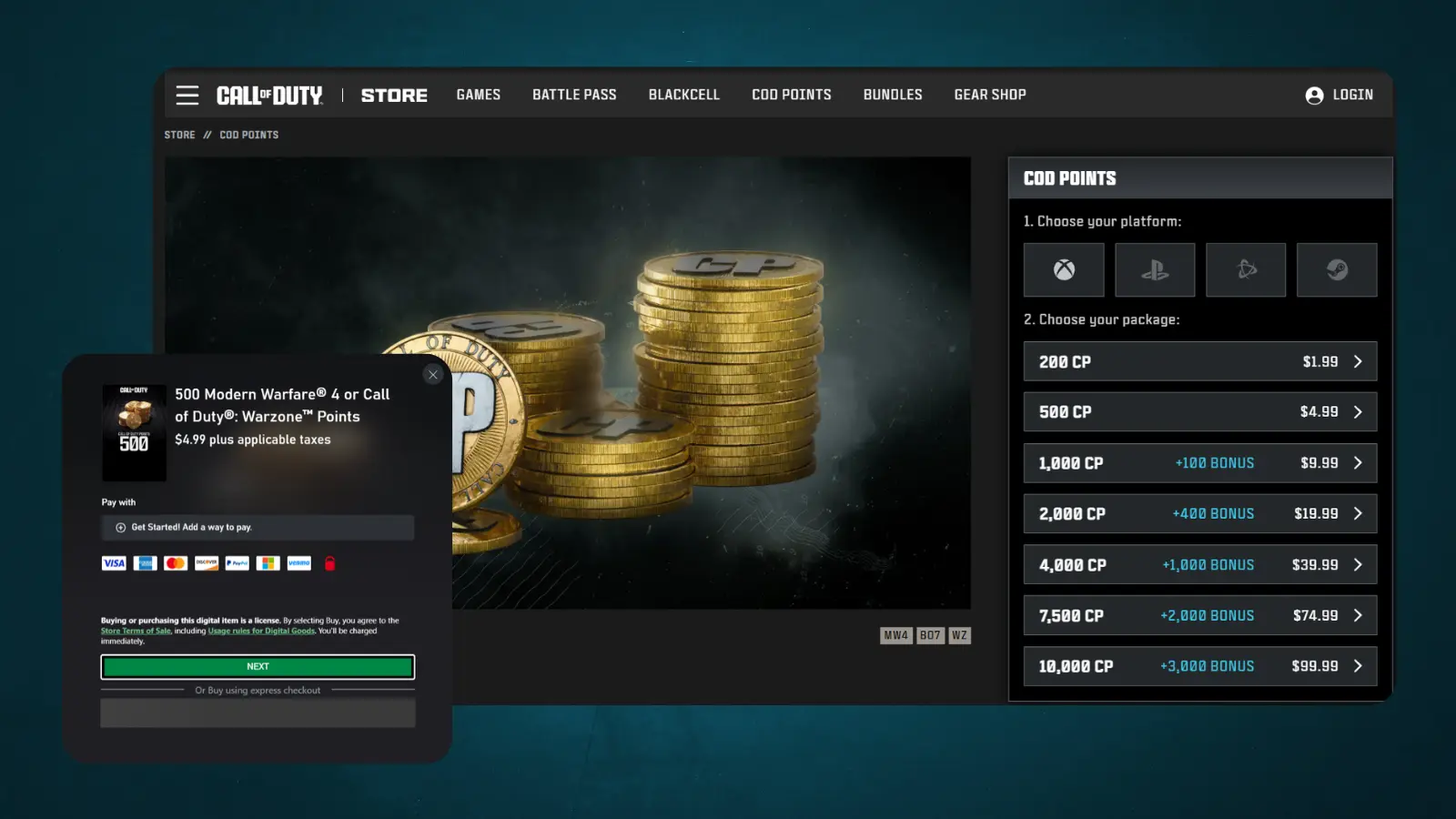
Here’s how to buy COD Points through the in-game store or your platform’s official store. Both routes add points to your account, and the same basic steps apply on PlayStation, Xbox, Steam and Battle.net.
Step 1: Open the store
Launch Call of Duty and open the in-game store, or visit your platform’s store on console, PC or the web. Sign in to the account you play on.
Step 2: Choose your pack
Go to the COD Points section and select the bundle size you want.
Step 3: Check your account
Confirm the platform account shown at checkout, since your points stay on that platform.
Step 4: Select a payment method
Pick a saved card or wallet, or add a new one. Your store and country decide which options appear.
Step 5: Confirm your purchase
Approve the payment, keep the receipt and check your balance in game.
💡 Extra tip: You can also buy a prepaid code, which you redeem yourself. Choose a COD Points offer on Eneba for your platform and region, pay with your preferred method and apply HUB10 for an extra 10% off eligible offers. Compare the current offers and pick the one made for your platform.
Shop COD Points Deals on Eneba
COD Points Payment Methods Compared
If you’re comparing how to buy COD Points by payment method, this table shows where each option works. Linked names open the full guides.
|
Payment Method |
Where It Works for COD Points |
Good to Know |
|---|---|---|
|
PlayStation, Xbox, Steam and Battle.net stores, Eneba checkout |
Visa and Mastercard work widely; other networks vary by store and country |
|
|
PlayStation, Xbox, Steam and Battle.net stores in supported countries, Eneba checkout |
Steam limits PayPal to certain currencies; US account holders must be 18 or older |
|
|
PlayStation Store, Xbox Store and Battle.net in select regions, Eneba checkout |
Steam doesn’t list it; Android devices don’t support it |
|
|
Xbox Store and Battle.net in select regions, Eneba checkout |
The US PlayStation Store and Steam don’t list it |
|
|
Gift Cards and Codes |
PlayStation, Xbox, Steam and Battle.net gift cards add wallet credit; Eneba sells COD Points codes |
Gift cards add store credit, while points codes add the currency |
|
Eneba checkout, for a code |
Platform stores don’t accept crypto; a minimum cart total applies |
|
|
Eneba checkout only |
Needs Hyperwallet registration and funds in advance |
Prices and payment options checked November 26, 2026, and may change. Eneba’s 500-point Xbox key started at $5.32. Official store options vary by country, so check the payment screen before you choose a pack.
Pay With a Credit or Debit Card
Card payment is a predictable answer to how to buy COD Points on console or PC, and debit cards work the same way at these checkouts. Visa and Mastercard work across the major stores, while American Express, Discover, JCB and regional networks such as Elo and Hipercard depend on the store and your account’s country.
If a card payment fails, match your billing address to your bank’s records and check that your store account’s country fits the card. For fees and country availability, read our credit card guide for COD Points.
Pay With PayPal
PayPal lets you pay without typing card details into a game store. The PlayStation, Xbox and Battle.net stores accept it in supported countries, Steam offers it in a limited set of currencies such as USD, EUR and GBP, and Eneba accepts it at checkout.
Add PayPal in your platform account’s payment settings, select it at checkout and approve the payment. Purchases in your PayPal currency don’t usually carry a buyer fee, but conversion can add a charge. US account holders must be 18 or older. See the PayPal guide for COD Points for troubleshooting.
Pay With Apple Pay
Apple Pay keeps card details off the checkout. The PlayStation Store offers it in select regions, including the US, UK and Germany, and the Xbox Store and Battle.net also list it in some countries. Eneba‘s checkout accepts it too.
Add a card to Apple Wallet, choose Apple Pay at checkout and approve with Face ID, Touch ID or your passcode. On a console or in some computer browsers, you may need to scan a code with your iPhone or iPad. Apple adds no fee, so check with your card issuer if a payment is declined. Read the Apple Pay guide for COD Points for availability by country.
Buying on Mobile: iOS vs. Android
Wondering how to buy COD Points on a phone? Use a platform’s website or Eneba. iPhone and iPad users see Apple Pay where the checkout supports it, while Android users can choose Google Pay at the Xbox Store, Battle.net or Eneba. Sign in to the platform account you play on before you pay.
Pay With Google Pay
Google Pay works at Eneba‘s checkout on phones, tablets and desktop browsers. Among official stores, the Xbox Store and Battle.net offer it in select regions, while the US PlayStation Store and Steam don’t list it.
Save a card to your Google account, select Google Pay at checkout and confirm. Your bank’s rules still apply to that card, so keep the order confirmation until your points arrive. Check the Google Pay guide for COD Points for store and country details.
Use Gift Cards and COD Points Codes
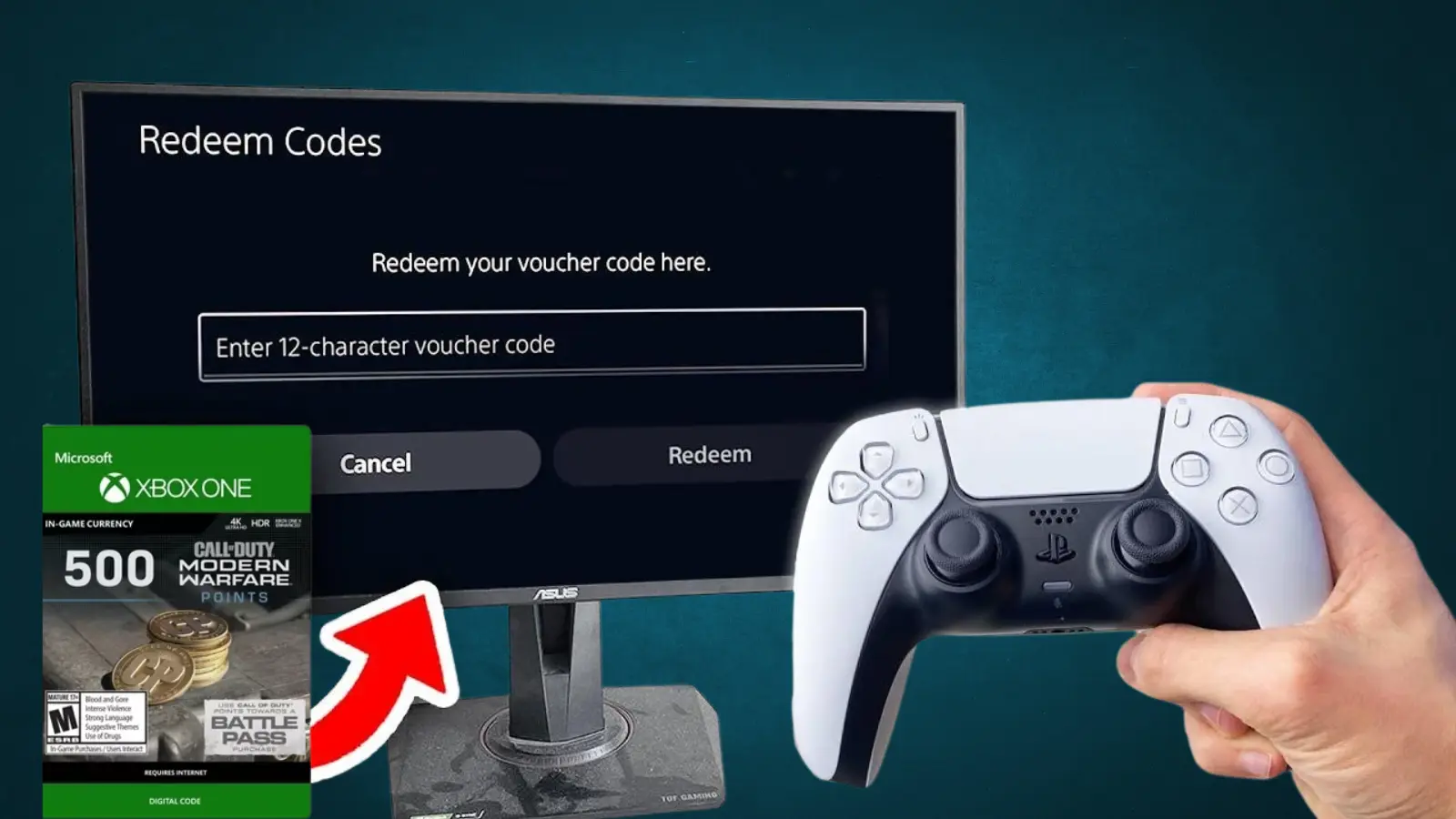
Gift cards and codes reach your account in two ways. A PlayStation Store, Xbox, Steam or Battle.net gift card adds wallet credit that you spend on a bundle, which is the simplest answer if you’re wondering how to get COD Points without saving a card.
The other option is a points code. Eneba sells the 500 Call of Duty: Warzone Points Xbox key, which you redeem on your Xbox account. Check the game and platform on the listing before you pay.
How to Redeem a COD Points Code
Your code turns into points once you activate it on the platform named in the listing. Follow these steps, using your platform’s official redemption page, such as redeem.microsoft.com for Xbox.
- Open the order in your Eneba account or confirmation email.
- Copy the code exactly as shown, without extra spaces.
- Sign in to the platform account named on the listing, on the console or the platform’s website.
- Open the redeem-code option and paste the code.
- Confirm, then launch Call of Duty and check your points balance.
Platform gift cards use a similar redeem option, but they add store credit. Use that balance to buy your points bundle afterward.
Pay With Crypto
Crypto buys a prepaid code from a retailer, since the platform stores don’t accept it. On Eneba, you’ll commonly see Bitcoin, Ethereum, USDT and USDC. Eneba‘s crypto guide reports a tested minimum cart above $11.21, so a single 500-point pack may fall short.
- Add the COD Points code to your cart on Eneba and go to checkout.
- Select the crypto option, then choose the asset and the network you’ll send on.
- Copy the amount and the receiving address from the invoice.
- Send the exact amount from your wallet before the invoice deadline.
- Wait for the payment to register, then collect the code from your order and redeem it on your platform account.
Match the asset and network to the invoice, because blockchain mistakes are hard to reverse. Send the full amount before the deadline, since a late or short payment can stall the order as rates move. Our guide on how to buy COD Points with crypto covers fees and troubleshooting.
Use the Eneba Wallet
The Eneba Wallet holds funds and cashback that you can spend only on Eneba, separate from your PlayStation, Xbox or Steam wallet. To pay with it, you need a registered Eneba account, Hyperwallet registration and enough funds before checkout.
- Log in to your Eneba account and register with Hyperwallet if you haven’t already.
- Add funds, or redeem an Eneba Gift Card under Balance by selecting Redeem gift card and entering the code.
- Add the COD Points code to your cart and go to checkout.
- Select Eneba Wallet and press Continue.
- Confirm the order, then redeem the code on the platform account you play on.
Cashback has its own rules. Claim it from your order page and use it within 12 months. It covers up to 30% of an order, capped at €10, and applies only when that 30% reaches €5 (amounts vary slightly by currency). To use it, choose Combined payment and turn on Use Eneba wallet balance. Orders paid with wallet funds or a discount code earn no new cashback. See the Eneba Wallet guide for COD Points.
To build up funds for your next pack, Snakzy offers coins for completing eligible mobile game challenges. You can trade them for rewards such as gift cards or Eneba Wallet credit once you meet the redemption minimum.
Play eligible mobile games to earn coins toward gift cards or Eneba Wallet credit. Redemption minimums apply.

Available in 32 countries
Available in 32 countries:
 Australia
- Austria
- Belgium
- Brazil
- Canada
- Chile
- Czechia
- Denmark
- Finland
- France
- Germany
- Greece
- Hungary
- Ireland
- Italy
- Japan
- Lithuania
- Mexico
- Netherlands
- New Zealand
- Norway
- Peru
- Poland
- Portugal
- Romania
- Saudi Arabia
- Spain
- Sweden
- Switzerland
- Türkiye
- United Kingdom
- United States


Buy COD Points for Someone Else
When deciding how to buy COD Points as a gift, pick a code, since the recipient redeems it on their own account. Buy one for their platform and send it unused, or give them a platform gift card so they can pick the bundle.
Spending Limits and Parental Controls
Activision sets no purchase limit, so use the controls on the platform account. Depending on the platform, family settings let you approve purchases, cap monthly spending or require a password. A gift card also limits what a child can spend.
Where to Buy COD Points Safely: Avoiding Scams
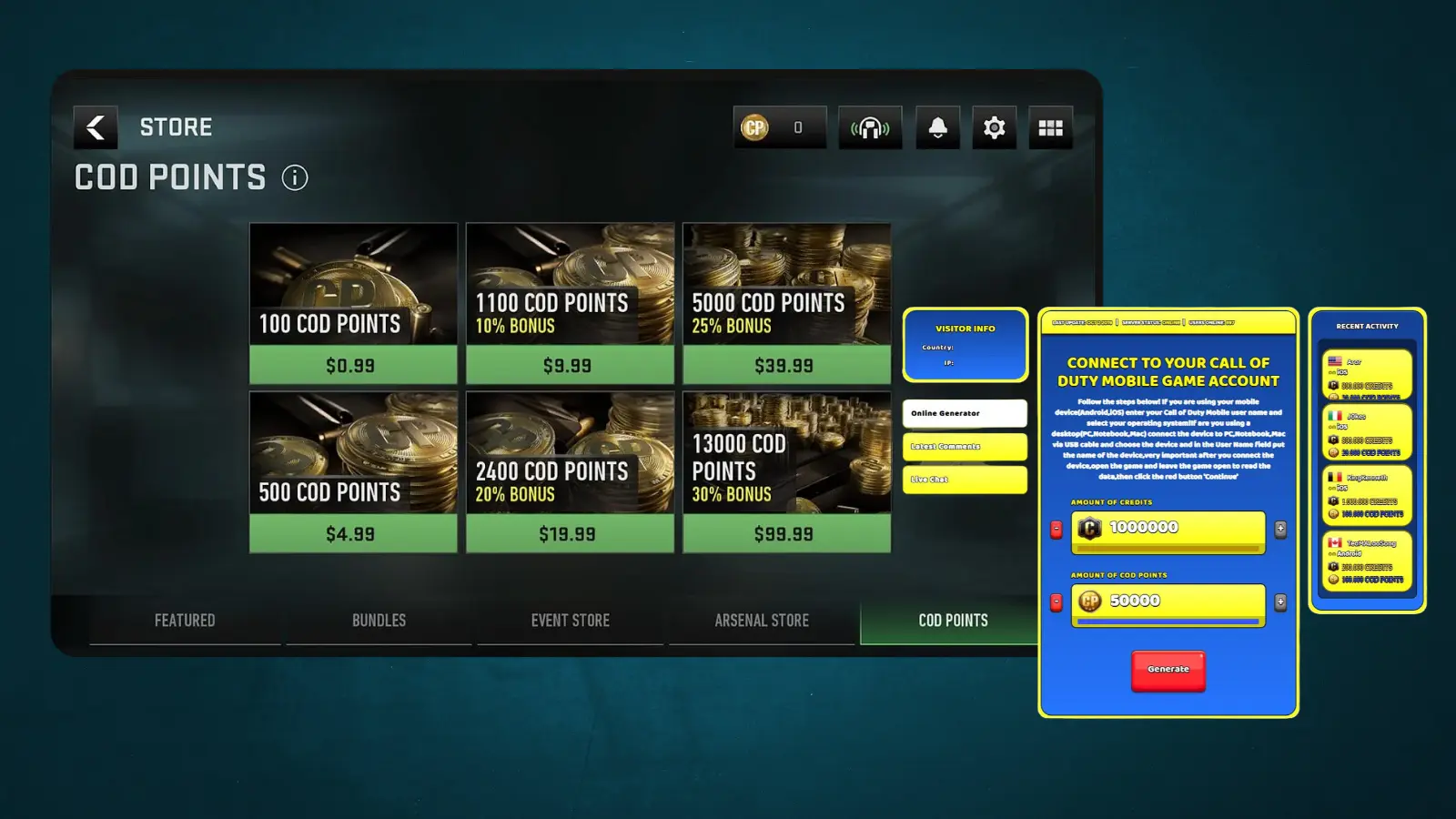
Official stores and established retailers with buyer protection, such as Eneba, give you an order record if something goes wrong. Knowing the warning signs makes deciding where to buy COD Points easier. Keep your order details until the points reach your account.
- Free points generators and “unlimited CP” tools are scams that can’t add currency to your account.
- A seller who asks for your Activision or platform password wants access to your account.
- A price far below every other listing is a warning sign, especially with no seller history behind it.
- Skip sellers without a refund route or support contact, since you’ll have no help if a code fails.
- Paying a stranger with gift cards, a personal crypto address or a bank transfer leaves you without protection.
Troubleshooting Payments for COD Points
Most checkout problems trace back to billing details, delivery timing or code compatibility. Find your issue below and follow the steps to fix it.
Payment Declined
Match the billing address and store account country to your card, then check for a bank alert and try once more. If it fails again, switch to PayPal or another supported method, or buy a prepaid code.
COD Points Not Showing After Purchase
Purchases can take up to 24 hours to appear. Check your purchase history, confirm you’re on the right account and restart your game or console. Contact Activision Support or the seller if the points are still missing, and hold off on buying a second bundle.
Code Says Invalid
Paste the code exactly as shown and watch for look-alike letters and digits. For an “already redeemed” message, check your redemption history, then send the seller your order number and the exact error.
Wrong Platform or Region
A code made for another platform or region won’t redeem. Compare the listing with your account before you pay. If you bought the wrong one, keep the code hidden and contact the seller, since Eneba refunds unviewed keys under the seller’s terms.
Which Way to Buy COD Points Is Best for You?
Your timing shapes how to buy COD Points. For a match tonight, pay by card or PayPal in your platform’s store and receive points without a code. Apple Pay and Google Pay save typing on phones where the checkout offers them.
Choose an Eneba code to compare sellers, pay with crypto or use your Eneba Wallet. For a gift, match the recipient’s platform first.
Get COD Points Cheaper on Eneba
Eneba lists COD Points codes from multiple sellers, so you can compare prices for your platform. Apply HUB10 for an extra 10% off eligible offers, then check the final total, including any fees.
Once you’ve settled how to buy COD Points, choose a code for your platform and region, pay at checkout and redeem it on your account.
Shop COD Points Deals on Eneba
FAQs
If you’re learning how to buy COD Points, start with your platform’s store and pay by card or PayPal, where available. On Xbox, Eneba codes list some larger packs for less, so compare the final total, including fees, before you pay.
Yes, you can use PayPal in the PlayStation, Xbox and Battle.net stores in supported countries, on Steam in certain currencies and at Eneba‘s checkout. Purchases in your PayPal currency don’t usually carry a buyer fee.
No, unspent points stay on the platform where you bought them. Items you buy with them follow your linked Activision account, apart from platform exclusives. Check the platform label on any code before you redeem it.
Most purchases show up quickly, although Activision says some take up to 24 hours. Check your platform purchase history and restart your game or console before you try another payment.
Refunds are possible in some cases. Platform stores apply their own policies, and retailers set terms for codes, usually favoring unredeemed ones. Read those terms before you pay and keep your order confirmation.
A gift card or code works well, since your child redeems it and your card details stay private. Add purchase approval or a password to their account before you show them how to buy COD points.