Work From Your Phone: 10 Real Ways to Get Paid in 2026

Eneba Hub contains affiliate links, which means we may earn a small commission if you make a purchase through them—at no extra cost to you. Learn more


Quick Picks
- For higher-value local services, TaskRabbit has the strongest ceiling because Taskers set their own rates in most categories.
- For fast access to delivery earnings, Uber Eats and DoorDash offer instant or same-day options.
You can get paid to work from your phone, but the best options are usually less glamorous than the ads suggest. Some are genuine phone-based work, while others use your phone to manage deliveries, local tasks, resale, or photo licensing.
The phone is often the easy part. Delivery apps can pay quickly, but fuel costs money. Resale apps work from the couch, but you still have to source, pack, and ship. That is why this guide separates phone-only tasks from phone-managed offline work.
If you want legitimate work from your phone jobs, focus on three things: what creates the payout, what it costs you to earn, and how long the money stays pending. Each option below puts those details upfront.
A small reward app can also fill the gaps between paid tasks without replacing your main income source.
Snakzy is free to join, with an up-to-$10 welcome bonus and a first redemption unlock at 35,000 coins.

Jump to:
What Working From Your Phone Really Looks Like
The easiest way to judge phone-based work is to split it into two buckets. The first is work you genuinely complete on the screen. The second is work your phone organizes while you do the paid part somewhere else.
- Phone-only or mostly phone-only: usability tests, eligible research studies, microtasks, and some photo uploads.
- Phone-managed local work: delivery, retail audits, mystery shopping, and TaskRabbit jobs. The app handles booking, instructions, navigation, and payment, but your legs are still invited.
- Phone-managed selling: Poshmark and eBay let you photograph, list, message buyers, and manage orders in-app. You still need inventory, packaging, and shipping.
This is why the best ways to work from your phone depend on what you already have. If you own a car, delivery can unlock faster cash. If you have useful household skills, local services can pay better. If all you have is a smartphone, Wi-Fi, and a quiet twenty minutes, testing and research make more sense.
There is no sensible universal monthly income estimate. Jobs you can work from your phone use different pay models, and availability matters as much as the advertised rate. A $25 task you cannot book is worth exactly $0; a $7 study you qualify for can be a better use of half an hour.
For readers trying to figure out how to work from your phone, I would start with one active option and one flexible backup. That gives you enough volume without turning your home screen into a small casino of notifications.
10 Real Ways to Work From Your Phone
These picks cover the main routes: local services, retail assignments, delivery, resale, testing, microtasks, research, and royalties. If your priority is legitimate work from your phone jobs with no experience part-time, Field Agent, UserTesting, and Clickworker are the easiest starting points. Each review uses the same table so the pay mechanics do not hide inside a wall of text.
1. TaskRabbit [Best for Local Services]
|
Best for |
Skilled local services, moving, cleaning, assembly, errands |
|---|---|
|
Phone setup |
Phone-managed; the paid task happens in person |
|
Platform cost |
$25 one-time, non-refundable registration fee if registration is processed |
|
Pay model |
Taskers set their own hourly rates in most categories; some tasks use fixed pricing |
|
Payout |
Stripe processing typically takes about 2–4 business days after payment processing starts |
|
Main catch |
Demand, travel, tools, supplies, and unpaid gaps can cut the real hourly return |
TaskRabbit is one of the better jobs to work from your phone if you already know how to assemble furniture, clean, move boxes, mount shelves, or handle errands without turning a client’s wall into modern art. You manage requests, availability, chat, and payment through the app, while the actual service happens in person.
The economics are refreshingly easy to understand: you set your own hourly rate in most categories, TaskRabbit charges a $25 one-time registration fee, and clients pay the platform’s separate service and trust-and-support fees. Taskers keep the rate they charge plus tips, although taxes and job expenses are still yours to handle.
- Start with categories you can complete confidently with tools you already own.
- Price for travel and setup time, not only the minutes spent inside the client’s home.
- Raise rates after you have reviews and repeat demand instead of starting so low that every booking feels like a punishment.
The payout wording matters here. TaskRabbit charges the client’s card after the invoice, but that does not mean money hits your bank 24 hours later. Stripe transactions typically take around 2–4 business days to finish processing.
If you’re figuring out how to work from your phone without staring at the screen all day, this is a strong fit. I also like it as the higher-effort half of a side hustle from home setup, because you can fill quiet days with something that does not depend on local booking demand.

2. Field Agent [Best for Quick Local Jobs]
|
Best for |
Short retail audits, mystery shops, photos, and local checks |
|---|---|
|
Phone setup |
Phone-first; many jobs require visiting a store or listed location |
|
Platform cost |
Free |
|
Pay model |
Fixed amount shown before you reserve each job |
|
Payout |
$3 cash-out minimum; cash-outs processed within 24 hours on weekdays, then usually 3–5 business days at the bank |
|
Main catch |
Job supply depends heavily on location, and rejected submissions do not pay |
Field Agent is the most literal example of phone-based work in this list. The app shows nearby assignments, the amount you will earn, the location, the deadline, and the exact photo or survey requirements before you reserve anything.
Jobs can include store audits, mystery shopping, shelf photos, product checks, Buy & Try assignments, and at-home surveys. The app says a two-hour completion window is typical after reserving a local job, though each brief can set its own limit.
- Read the whole brief before reserving; a blurry photo or wrong aisle can turn a completed trip into $0.
- Stack nearby jobs only when their time windows leave enough room for travel.
- Set up direct deposit early because manual bank verification can take 1–3 business days.
Once approved earnings reach $3, you can cash out. Field Agent says it processes weekday cash-outs within 24 hours, while banks often need another 3–5 business days to make the funds available. Job review itself can also take several business days.
If you’re looking for work from your phone jobs with no experience, this is one of the easier options to try part-time because every task comes with a clear brief. The catch is availability – your area decides whether the app is packed with jobs or feels like an abandoned shopping mall.

3. Uber Eats [Best for Fast Cashouts]
|
Best for |
Flexible food delivery with frequent cash-out access |
|---|---|
|
Phone setup |
Phone-managed; the paid work is pickup and delivery |
|
Platform cost |
No platform sign-up fee; vehicle, fuel, insurance, and maintenance still cost money |
|
Pay model |
Per delivery, including fare, promotions, and tips; amount varies by market and trip |
|
Payout |
Instant Pay costs $1.25 per cash-out, up to 6 times daily; Uber Pro Card can pay automatically after trips |
|
Main catch |
Gross earnings can look much better than net earnings after mileage and downtime |
Uber Eats is one of the easiest jobs you can work from your phone if you have an eligible delivery setup and want control over when you log in. The app handles offers, navigation, customer messages, earnings, and cash-out; you handle traffic, weather, parking, and the mysterious apartment building with six entrances and no useful numbers.
There is no platform sign-up fee, but delivery is not free to operate. Fuel, insurance, tires, repairs, and unpaid miles between orders all belong in your math. That is why I would never compare a delivery gross figure directly with an online testing rate.
- Track miles and expenses from day one instead of trying to reconstruct them at tax time.
- Use lunch and dinner peaks when your market actually shows demand; sitting online is not the same as earning.
- Reject trips that make no sense after distance, wait time, and the return drive are included.
The useful part is payout flexibility. Uber currently charges $1.25 per Instant Pay cash-out to a personal debit card and allows up to six cash-outs per day. The Uber Pro Card can provide free automatic payouts after each trip for eligible drivers.
If your priority is to get paid to work from your phone quickly, this is one of the strongest options here. Just judge it by net earnings after costs, not by the big number glowing at the top of the app after a good Saturday night.

4. DoorDash [Best Delivery Alternative]
|
Best for |
Flexible delivery and a second app for busy meal periods |
|---|---|
|
Phone setup |
Phone-managed; you complete deliveries in person |
|
Platform cost |
No platform sign-up fee; delivery expenses are yours |
|
Pay model |
Base pay, promotions, and 100% of customer tips |
|
Payout |
Free weekly deposit; Fast Pay is $1.99 once daily after eligibility; DoorDash Crimson can pay after every dash at no fee |
|
Main catch |
Fast Pay has eligibility rules, and slow periods can crush your effective hourly rate |
DoorDash fills almost the same lane as Uber Eats, which is exactly why many couriers keep both installed. Among ways to work from your phone, delivery apps are unusually easy to switch on and off around another schedule, but the profitable hours are rarely evenly spread through the day.
Dashers keep base pay, promotions, and 100% of customer tips. Standard direct deposit is free and covers the previous Monday–Sunday period, with DoorDash saying funds normally appear by Wednesday.
- Fast Pay costs $1.99 and is limited to once a day after you meet its tenure, delivery, and debit-card requirements.
- DoorDash Crimson can receive earnings automatically after every dash at no fee once approved.
- Compare offers by total miles and expected wait, not only the payout shown on the accept screen.
The old DasherDirect information is no longer current: that program ended in 2025 and DoorDash Crimson replaced it. That matters because the fastest fee-free payout route is now tied to the newer account.
If you need jobs to work from your phone that can flex around your week, DoorDash is a practical pick. Just do not mistake flexibility for easy money, because waiting on a delayed order is still unpaid time.

5. Poshmark [Best for Selling Clothes]
|
Best for |
Clothing, shoes, accessories, and closet clean-outs |
|---|---|
|
Phone setup |
Phone-managed; listing and buyer messages are mobile, shipping is physical |
|
Platform cost |
Free to list |
|
Pay model |
Sale proceeds minus $2.95 on sales under $15 or 20% on sales of $15+ |
|
Payout |
Earnings become redeemable after buyer acceptance or 3 days after delivery if no issue is opened |
|
Main catch |
Inventory, fees, packing, shipping, and slow-moving listings make this active resale, not passive income |
Poshmark is one of the more practical jobs you can work from your phone if your first inventory source is your own closet. You can photograph, list, edit prices, answer buyers, send offers, and manage orders from the app without building a separate storefront.
The fee structure is simple enough to do in your head: Poshmark takes $2.95 on sales under $15. At $15 or more, you keep 80% and the platform keeps 20%.
- Check sold prices before listing, especially for common brands with hundreds of near-identical items.
- Photograph flaws and measurements up front; one honest extra photo is cheaper than a return argument.
- Price with the platform fee already included instead of discovering your margin after the sale.
Funds become redeemable after the buyer accepts the order, or three days after delivery if no problem is reported. That is reasonably fast once an item sells; the slow part is waiting for somebody to want your beige blazer in the first place.
If resale is not your thing, there are plenty of other real ways to make money from home, especially through services or online tasks. But if you are figuring out how to work from your phone using things you already own, Poshmark is one of the easiest places to start.

6. eBay [Best for General Resale]
|
Best for |
Electronics, collectibles, household goods, niche items, and broader resale |
|---|---|
|
Phone setup |
Phone-managed; listing and order management are mobile, fulfillment is physical |
|
Platform cost |
First 250 listings each month have no insertion fee; then $0.35 each for most sellers |
|
Pay model |
Most U.S. categories: 13.6% final value fee up to $7,500 plus $0.30/$0.40 per-order fee; category exceptions apply |
|
Payout |
Daily by default, or weekly/biweekly/monthly; daily payouts generally start within 2 days, then banks usually take 1–3 business days |
|
Main catch |
Fees vary by category, and shipping, returns, promoted listings, and bad pricing can erase margin |
eBay is the broader resale pick. If Poshmark feels like a closet, eBay feels as if your garage, attic, collector shelf, and weird drawer of obsolete cables all got their own marketplace. That category breadth makes it one of the more useful ways to work from your phone with inventory you already have.
For U.S. sellers without a Store, the first 250 listings per month generally have no insertion fee, then most extra listings cost $0.35. In most categories, the final value fee is 13.6% of the total sale up to $7,500, plus a per-order fee of $0.30 on orders up to $10 or $0.40 above $10. Some categories use different rates.
- Use the Sold filter before you choose a price; active listings show what sellers want, sold listings show what buyers actually paid.
- Weigh and measure the packed item before choosing shipping so the label does not become an accidental donation.
- Keep receipts for inventory and shipping supplies if you are reselling regularly.
On daily payouts, eBay generally makes funds available and initiates payout within about two days after buyer payment is confirmed, then a bank commonly needs another 1–3 business days. Weekly, biweekly, monthly, and eligible express payout options are also available.
You can absolutely get paid to work from your phone through resale, but don’t judge it by the sale price alone. Fees, inventory, shipping, returns, supplies, and the hours spent sourcing and listing all eat into your real return.

7. UserTesting [Best for Usability Tests]
|
Best for |
Speaking your thoughts out loud while testing websites and apps |
|---|---|
|
Phone setup |
Phone-only for mobile-compatible tests; some invitations require desktop |
|
Platform cost |
Free |
|
Pay model |
Amount varies by test type, duration, and customer demand; pay is shown before you accept |
|
Payout |
PayPal, usually 14 days after a completed test |
|
Main catch |
Screeners reject many applicants, and invitations are not steady enough to treat as a wage |
UserTesting is one of the cleaner legitimate work-from-your-phone jobs with no experience part-time because you are paid for feedback, not credentials. You install the contributor app, qualify for compatible tests, follow the scenario, and say what you are thinking while you use the product.
I would ignore old articles that promise a fixed $10 for every twenty-minute test. UserTesting now says payment varies by test type, duration, and customer demand, and your dashboard shows the amount before you accept.
- Treat the unpaid practice test like an audition: speak clearly, explain what you expect to happen, and keep talking when something confuses you.
- Answer screeners honestly; forcing yourself into a study is a fast route to poor ratings or canceled payment.
- Keep headphones and a quiet room ready because suitable tests can disappear quickly.
Approved payments go to PayPal and usually arrive 14 days after the test. That wait makes it worse for emergency cash than delivery, but there are no fuel costs or products to ship.
This is a solid pick for anyone after jobs you can work from your phone without a degree or big startup costs. The catch is volume: twenty minutes of paid testing can require plenty of unpaid screening before you find a match.

8. Clickworker [Best for Microtasks]
|
Best for |
Short surveys, categorization, AI/data tasks, app jobs, and occasional UHRS work |
|---|---|
|
Phone setup |
Many jobs are mobile-friendly, but availability and device requirements vary |
|
Platform cost |
Free |
|
Pay model |
Piece rate shown before each job; task availability varies by region and qualifications |
|
Payout |
Weekly bill runs after funds become payable; PayPal minimum €10, Payoneer €/$20, U.S. ACH $10 |
|
Main catch |
UHRS earnings can take 39 days to become payable, so “weekly payout” does not mean instant access |
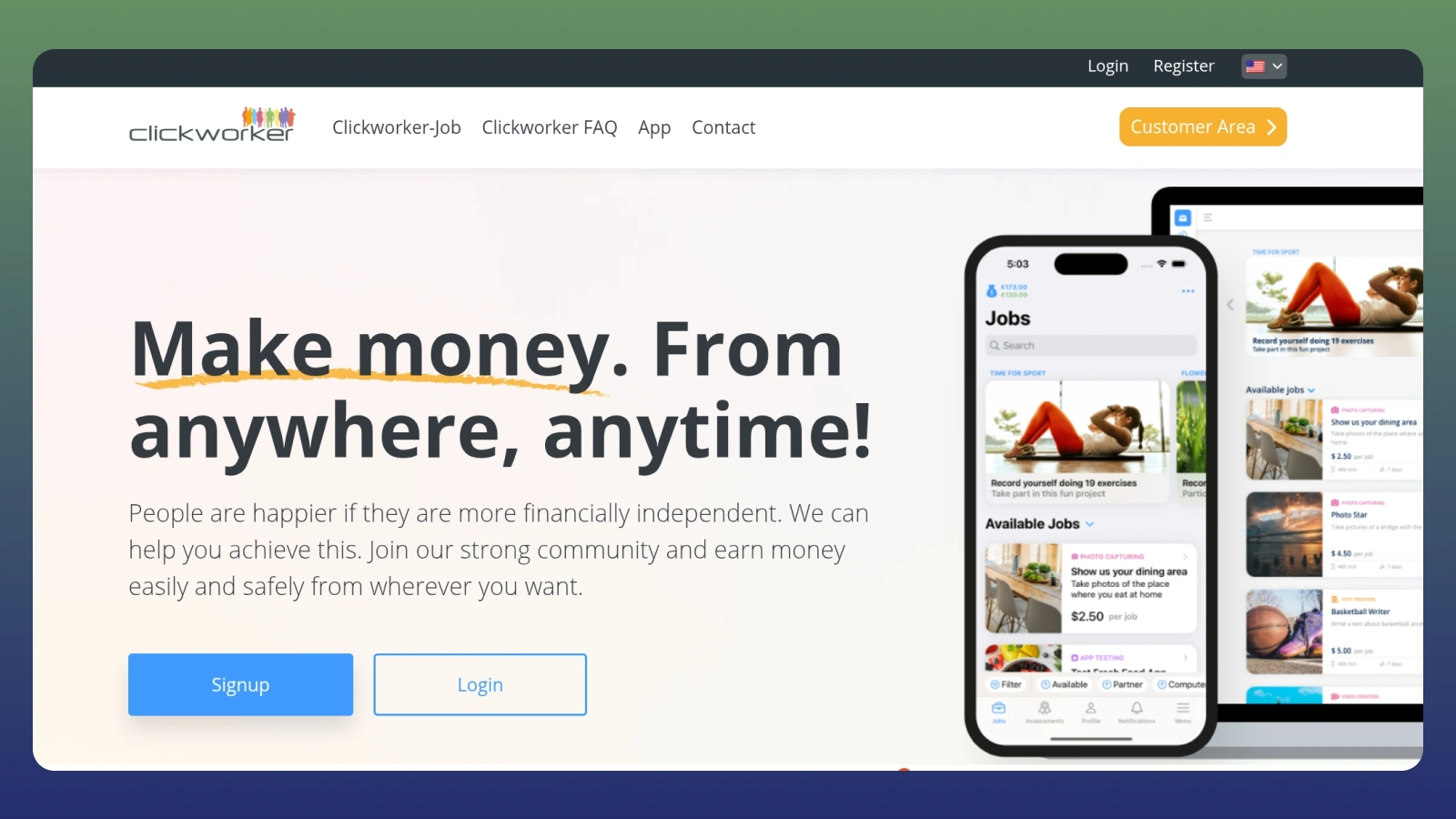
Clickworker is classic phone-based work: lots of small jobs rather than one predictable shift. Depending on your profile and country, you may see surveys, data labeling, text tasks, photo jobs, app testing, or access to UHRS projects.
Each task shows what it pays before you start. That is useful because there is no honest universal hourly rate here – the mix of jobs, qualification level, accuracy, and empty periods changes too much from one account to another.
- Complete profile and qualification tests because they can unlock different project pools.
- Watch the difference between account balance and payable balance; money can exist in one long before it reaches the other.
- Do not rush quality-controlled tasks for a fake hourly-rate victory. Losing access to a project is a very expensive way to save three minutes.
Current minimums are €10 for PayPal, €/$20 for Payoneer, and $10 for U.S. ACH. Bill runs are generally weekly, but UHRS earnings become payable 39 days after the work week, so plan for a much slower first withdrawal if that is your main task source.
For legitimate work-from-your-phone jobs with no experience, Clickworker can be easier to enter than a conventional application process. If you want broader work-from-home jobs with no experience needed, though, it is worth comparing roles with longer and more consistent assignments too.

9. Prolific [Best for Research Studies]
|
Best for |
Academic and commercial research studies with a published minimum hourly reward rate |
|---|---|
|
Phone setup |
Mobile browser only; Prolific has no native app, and some studies require another device |
|
Platform cost |
Free |
|
Pay model |
Researchers must pay at least £6/$8 per hour; Prolific recommends £9/$12+ |
|
Payout |
Cash out approved balances from £6/$6 to PayPal; generally once per day after initial security limits |
|
Main catch |
Study supply depends on demographics, device requirements, and researcher approval |
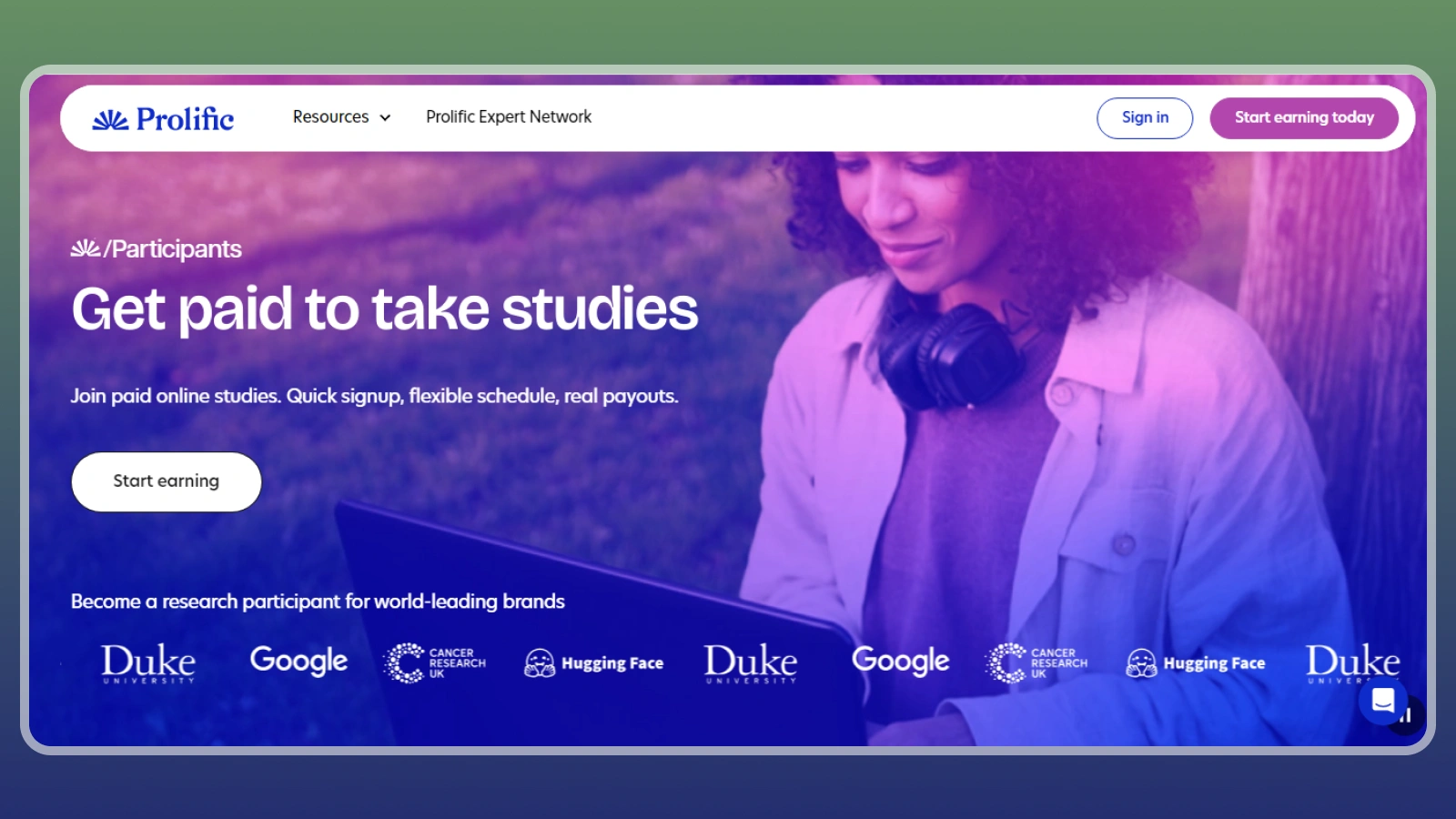
Prolific is my favorite research option in this list because its pay rules are much clearer than the average survey panel. Researchers must offer at least £6/$8 per hour, and Prolific recommends £9/$12 or more.
There is one important phone detail: Prolific does not have a native mobile app. You use the website in your browser, and every study tells you which devices are allowed. If a study says desktop only, doing it on a phone can invalidate the submission.
- Complete profile questions carefully because they determine which studies appear for you.
- Check the device icons before opening a study; mobile eligibility is study-specific.
- Do not speed through attention checks just because the timer makes the hourly rate look tempting.
You can cash out approved balances once the combined USD/GBP value reaches £6/$6. After the initial security cooldowns, cash-out is generally available once per day and goes through PayPal.
This is one of the best jobs to work from your phone when a study accepts mobile participants, but I would not count on a steady stream of invites. A flexible side money idea from home can help fill the gaps when the study page is quiet.

10. Shutterstock [Best for Photo Royalties]
|
Best for |
Photographers building a reusable stock portfolio over time |
|---|---|
|
Phone setup |
Phone-created content can be submitted and managed, though serious portfolio work may be easier on a larger screen |
|
Platform cost |
Free to join |
|
Pay model |
15%–40% royalty based on qualifying downloads in the current calendar year. |
|
Payout |
$25 minimum; PayPal, Payoneer, or Skrill; monthly electronic payment cycle |
|
Main catch |
Sales are unpredictable, levels reset January 1, and uploading a portfolio is work before it becomes royalty income |
Shutterstock is different from the other jobs you can work from your phone because you are building an asset library rather than completing a task for one customer. A photo can earn more than once, but there is no guarantee that it earns anything at all.
Contributor royalties run from 15% to 40% depending on your current earnings level for images or video. Those levels are based on qualifying downloads in the current calendar year and reset to Level 1 every January 1. Some subscription downloads can still pay the platform minimum of $0.10.
- Shoot subjects a buyer could actually use – clean lifestyle scenes, business concepts, food, travel details, and useful backgrounds beat random camera-roll leftovers.
- Write accurate titles and keywords because discoverability decides whether a good image ever gets seen.
- Upload consistently enough to learn what sells before deciding whether stock photography deserves more of your time.
You can set a payout threshold from $25 to $2,000, with $25 as the minimum. Electronic payment methods include PayPal, Payoneer, and Skrill, and payouts run on a monthly cycle once the account is eligible.
I would call this royalty-based rather than passive. You still have to create, edit, tag, and upload the files. But if you want to get paid to work from your phone by building a reusable photo catalog, it is the closest thing here to work that can keep paying after the original upload.

Comparison: Ways to Work From Your Phone
The best ways to work from your phone are easier to compare when the columns stay narrow. I would look at what you actually do, how the work reaches you, and how quickly earnings can move before worrying about a headline income number.
|
Option |
Work type |
Phone setup |
Payout |
|---|---|---|---|
|
Local services |
Phone-managed |
2–4 business days typical processing |
|
|
Retail tasks |
Phone-first |
Cash out from $3; bank timing usually 3–5 business days |
|
|
Delivery |
Phone-managed |
$1.25 Instant Pay, up to 6x/day |
|
|
Delivery |
Phone-managed |
Free weekly; $1.99 Fast Pay; Crimson after each dash |
|
|
Fashion resale |
Phone-managed |
After buyer accepts or 3 days after delivery |
|
|
General resale |
Phone-managed |
Daily default; bank usually 1–3 days after payout starts |
|
|
Usability tests |
Phone-only when eligible |
Usually 14 days to PayPal |
|
|
Microtasks |
Phone-friendly |
Weekly bill runs once funds are payable |
|
|
Research |
Mobile browser |
Cash out approved £6/$6 balance, generally daily |
|
|
Photo licensing |
Portfolio-based |
$25 minimum; monthly cycle |
If you want jobs to work from your phone for immediate cash, delivery, and local gigs, win on speed. If you want lower-cost phone-based work, testing, research, and microtasks remove vehicle expenses but usually offer less predictable volume.
The most useful jobs you can work from your phone are the ones whose hidden costs you understand. A $40 local job with forty minutes of driving is not a $40 hour; a $10 test you spend ten unpaid minutes screening for is not a clean $30 hourly rate either.
That is also why I prefer mixing one active option with one flexible backup. You can get paid to work from your phone when demand is good without depending on a single app to magically stay busy every day.
How I Chose These Ways to Work From Your Phone
I kept the list focused on methods that a normal reader can realistically start and manage from a smartphone. If you are figuring out how to work from your phone, the phone should be a genuine part of finding, completing, managing, or getting paid for the work – not a technicality added to an otherwise desktop-only job.
- Current payout rules: fees, thresholds, and payout timing had to be published by the platform or its help center.
- A real mobile workflow: I excluded options that require desktop-only software for the core task. Where only some tasks are mobile, I say so explicitly.
- Clear costs: vehicle expenses, platform fees, resale costs, and long payout holds count against an option even if the headline rate sounds nice.
- Useful variety: the final list covers local services, delivery, resale, testing, research, microtasks, and royalties instead of ten near-identical survey apps.
- No fake salary math: when a platform does not publish a dependable hourly range, I use its actual pay model instead of turning anecdotes into a wage.
Understanding how to work from your phone comes down to demand, fees, and available work, not just choosing an app. That is why I would rather explain the variables than give you a tidy earnings range that may not hold up in your area.
It also helps separate legitimate phone-based work from offers that only look legitimate because the landing page has a smiling person holding a phone. Real platforms explain the work, the fees, and the payout rules before you hand over money or sensitive information.
How to Work From Your Phone Without Fooling Yourself on Pay
For jobs to work from your phone, the number on the offer screen is not your hourly rate. With phone-based work, I use one simple calculation before deciding whether an app deserves another week on my home screen:
Real hourly return = (earnings – platform fees – purchases – travel – supplies – shipping) ÷ total time spent
- A $40 local task that takes 45 minutes plus 30 minutes of unpaid travel and $6 in supplies works out to about $27.43 per hour before tax.
- A $12 delivery that takes 30 minutes but uses $2.50 in fuel and vehicle cost is about $19 per hour before tax if you can immediately start another paid order.
- A $10 usability test that takes 20 minutes plus 10 minutes of screening/setup is effectively $20 per hour for that half-hour block, not $30.
Track this for a month, not one lucky afternoon. If you want to get paid to work from your phone consistently, your average after costs matters much more than the best screenshot you could post online.
Taxes: The Part Your Phone Will Not Handle for You
For U.S. readers, gig and self-employment income is generally taxable even if you never receive a tax form. The IRS says you generally file Schedule SE when net self-employment earnings reach $400 or more.
For many 1099-NEC payments, the federal reporting threshold is $2,000. For 1099-K reporting, the federal threshold is more than $20,000 and more than 200 transactions. These are reporting thresholds, not a rule that income below them is tax-free.
If you are learning how to work from your phone as a side business, keep expense records as you go – mileage, platform fees, shipping supplies, eligible inventory costs, and other ordinary business expenses are much easier to track now than during a frantic folder hunt at tax time.
Tax rules vary by country and situation, so check current local guidance or speak with a tax professional when the numbers start getting serious.
Play-to-Earn and Reward Apps to Pair With Phone Work
Reward apps work best as an easy extra alongside jobs to work from your phone. They can turn short breaks or spare minutes into small rewards, especially if you already spend that time on your phone. If you want to compare more options built around the same idea, this guide to how to make money from your phone covers a wider mix of earning methods.
The main thing is to check the payout rules before you start. A low reward can still be worthwhile, but it helps to know how quickly you can withdraw it and whether there is a minimum balance. Tracking matters too – with game and offer apps, starting through the correct link and completing milestones on time gives you the best chance of getting credited without issues.
|
App |
Minimum Payout |
Welcome Bonus |
Platform Availability |
|---|---|---|---|
|
First payout: 35,000 coins; most later rewards start at $10 |
Up to $10 for eligible new users |
Android app; iOS via web |
|
|
$1 |
PayPal, Venmo, Bitcoin + gift cards |
Web, Android, iOS |
|
|
Typically $5 |
PayPal, bank, crypto + gift cards |
Web, Android, iOS |
|
|
$3 (most gift cards) |
Up to $10 (conditions apply) |
Web, Android, iOS |
|
|
$10 |
Varies; check at sign-up |
Web, Android, iOS |
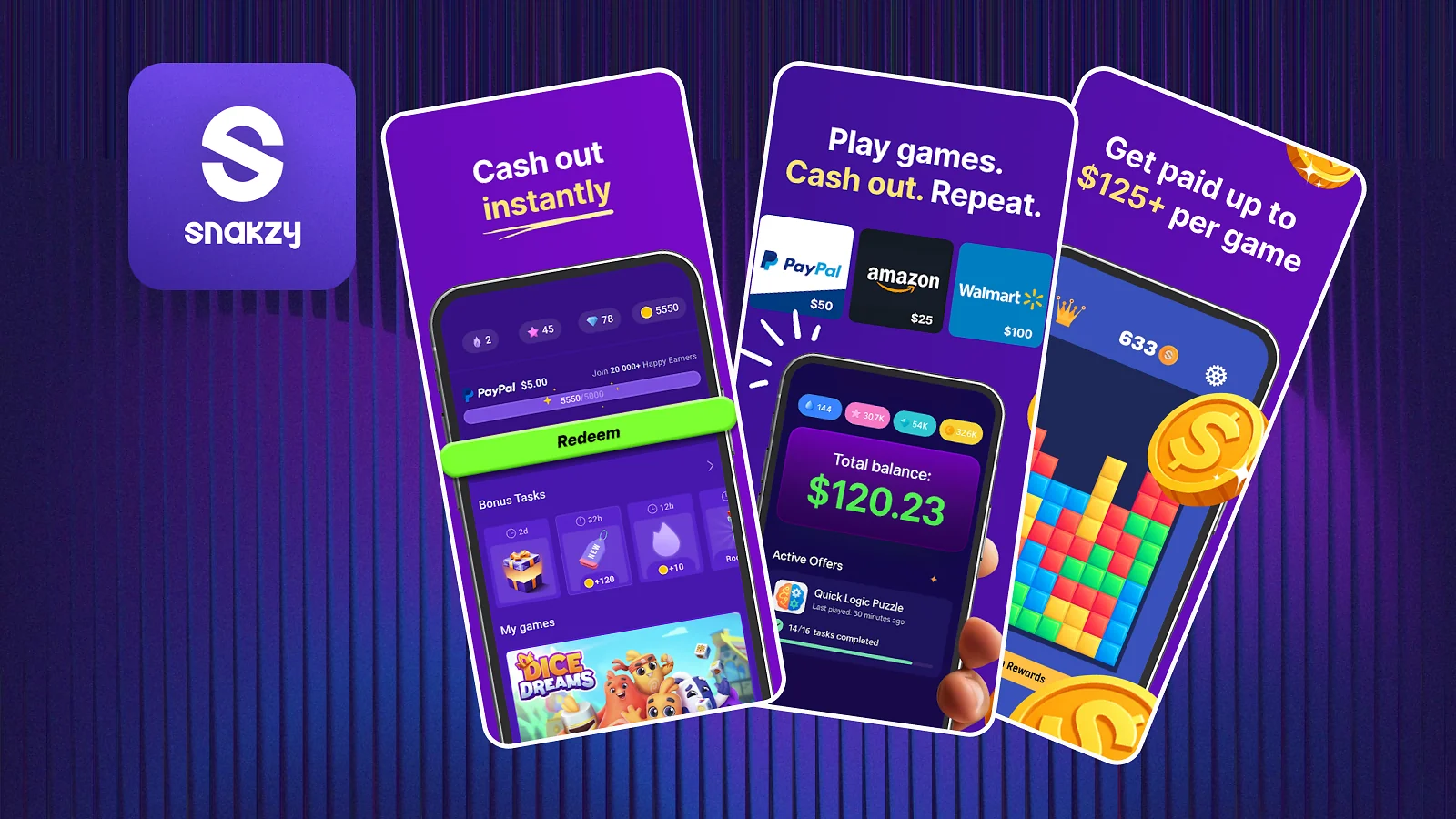
If I were adding one to a phone-based work routine, I would start with Snakzy because the game focus is easy to keep separate from serious work. New users can earn an up-to-$10 welcome bonus, the first Shop redemption unlocks at 35,000 coins in most cases, and after that most rewards start at $10, with some smaller options for VIP users.
Use Snakzy for game-based rewards when you have spare phone time
What Doesn’t Work
If you are comparing jobs to work from your phone, do not assume every “easy phone job” ad deserves the same trust. A real platform can have fees or verification, but it should tell you exactly what you are paying for and how earnings become withdrawable.
- Paying to unlock guaranteed earnings: a disclosed registration fee can be legitimate, but paying hundreds for access to “guaranteed tasks” is a different animal.
- Reshipping or package-forwarding jobs: these can pull workers into handling goods bought with stolen payment details. The FTC and BBB have repeatedly warned about this scam pattern.
- Guaranteed daily-income claims: no app in this article guarantees $200, $500, or any other neat number every day. Demand, qualification, and task supply exist whether the ad likes it or not.
- Ignoring device requirements: a research study or testing invite can be legitimate and still reject phone users. Using the wrong device can waste the task and the payout.
- Paying expenses to chase a reward: buying items, game currency, or unnecessary inventory just to reach a milestone can turn a paid offer into negative income.
A legit work online job should make the basics easy to verify: who pays you, what you are being paid to do, which fees apply, and how you cash out. If those details are vague, I would be cautious before signing up.
Final Verdict on Work From Your Phone
The best option depends on whether you value speed, earning ceiling, or staying fully online. I would choose one primary method and one backup rather than trying to keep ten apps active at once.
- Best for local earning potential: TaskRabbit, if you already have a service people will book.
- Best for quick local tasks: Field Agent, especially when jobs appear near places you already visit.
- Best for fast access to delivery earnings: Uber Eats or DoorDash, after you account for vehicle costs.
- Best fully online picks: UserTesting, Clickworker, and Prolific, depending on which mobile-compatible tasks you qualify for.
Start with the method whose costs and schedule you can live with for a month. If it still looks good after fees, waiting time, rejected tasks, and mileage are included, you have probably found one of the jobs you can work from your phone worth keeping.
A reward app can make those quiet gaps between paid tasks a little more useful without replacing your main income source. I would start with Snakzy first, then add other apps only if you actually need more offers.
A low-commitment way to earn extra rewards between bigger paid tasks.
FAQs
You can work from your phone through local tasks, delivery, retail audits, resale, testing, and research. My top picks are TaskRabbit for local work, Uber Eats for fast payouts, and UserTesting for phone-only tasks.
Yes. You can earn through TaskRabbit, Uber Eats, UserTesting, Clickworker, Prolific, and other established platforms. For example, Prolific requires studies to pay at least $8/hour, while UserTesting shows the payment before you accept a test.
To make $1,000 a week, you need about $25/hour for 40 paid hours or $50/hour for 20. TaskRabbit gives skilled Taskers room to set higher rates, but phone-only options like UserTesting and Prolific are better treated as supplemental income.
Making $2,000 a week means averaging about $50/hour across 40 paid hours. That is possible for some skilled TaskRabbit providers or high-volume sellers, but it is not a realistic baseline for UserTesting, Clickworker, Prolific, or other phone-based work.
Yes. Work-from-your-phone jobs with no experience part-time include UserTesting, Clickworker, Prolific, and some Field Agent tasks. They pay per test, microtask, study, or assignment, so you can usually work around another schedule.
The easiest options are flexible platforms like Prolific, UserTesting, and Clickworker. They have low entry barriers and no fixed shifts, although work and payout timing vary. Compare those details before you work from your phone.