

Can You Buy V-Bucks With Xbox Gift Card?

Eneba Hub contains affiliate links, which means we may earn a small commission if you make a purchase through them—at no extra cost to you. Learn more
If you play Fortnite on Xbox, you might be wondering, “Can you buy V-Bucks with Xbox gift card?” And yeah, I get that. I’ve been grinding Fortnite for years now, and I remember the confusion when I first tried figuring out how to buy V-Bucks with Xbox gift card, knowing that V-Bucks are essential for grabbing those sweet cosmetics.
Having a solid stash of currency makes the experience way more enjoyable. The process isn’t immediately obvious, especially when you’re dealing with different account systems between Epic Games and Microsoft.
This guide breaks down exactly how to use Xbox gift cards to add V-Bucks to your account. I’ll walk you through the redemption process, clear up common confusion between gift card types, and help you troubleshoot any issues that might pop up along the way.
Jump to:
Can You Buy V-Bucks With Xbox Gift Card?
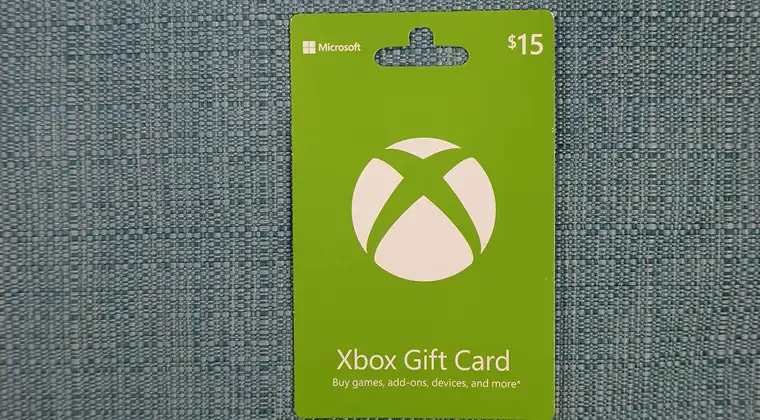
Here’s the straight answer: Xbox gift cards cannot directly purchase V-Bucks in Fortnite, but they absolutely work for getting currency into your account. The key is understanding how the Microsoft ecosystem handles these transactions.
When you redeem an Xbox gift card, the balance gets added to your Microsoft account. Once that credit sits in your account, you can use it to purchase V-Bucks through the Microsoft Store on your Xbox console. It’s an extra step compared to using a Fortnite-specific gift card, but the end result is identical.
The confusion usually comes from not knowing the difference between Xbox gift cards and Fortnite gift cards. Xbox gift cards add general Microsoft Store credit that works for any purchase, including games, subscriptions, and in-game currency. Fortnite-specific gift cards, on the other hand, go directly toward V-Bucks through Epic Games.
Both methods work perfectly fine. If you’re wondering whether you can use Xbox gift card for Fortnite, the answer is yes, you just need to redeem it properly first. The Microsoft account balance method gives you flexibility since leftover credit can go toward other purchases too.
Understanding what V-Bucks are helps clarify why this process exists. Since Fortnite runs on Epic Games servers but gets distributed through the Microsoft Store on Xbox, the payment systems need to connect properly. Your Xbox credit bridges that gap.
How to Redeem Xbox Gift Cards for V-Bucks on Xbox
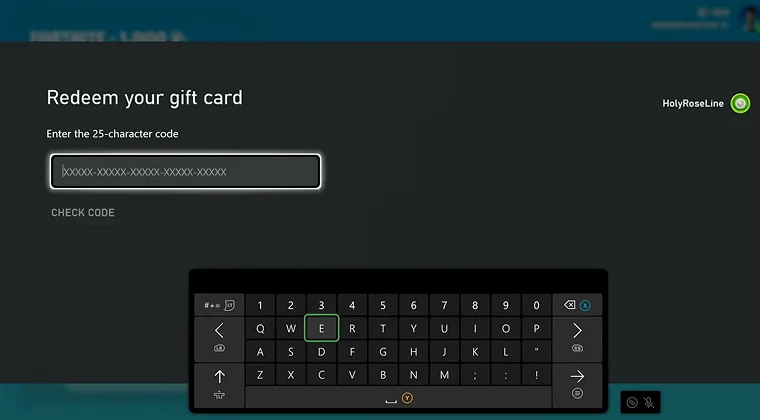
Time to actually redeem that Xbox gift card for V-Bucks. The steps below work for everyone, including gaming veterans and parents trying to figure this out for their kids. No technical expertise needed.
Step 1: Sign In to Your Xbox Account
Power up your Xbox console and make sure you’re logged into the correct account. This matters because the gift card balance links to whichever Microsoft account you use during redemption. Double-check you’re on the right profile before moving forward.
Step 2: Access the Microsoft Store
Navigate to the Microsoft Store from your home screen. You can find this in the apps section or by using the search function. The store icon looks like a shopping bag with the Microsoft logo.
Step 3: Navigate to Redeem Code
Inside the Microsoft Store, scroll down the left sidebar until you see “Redeem” or press the menu button and select “Redeem a code”. This brings up the code entry screen where you’ll input your gift card numbers.
Step 4: Enter Your Gift Card Code
Carefully type in the 25-character code from your Xbox gift card. These codes usually come in groups of five characters separated by dashes. Take your time here since incorrect entries won’t work. Once entered, confirm the code.
Step 5: Verify Your Balance
After successful redemption, check that your new balance appears in your Microsoft account. You can view this in the account settings or at the top of the Microsoft Store interface. The amount should match your gift card value.
Step 6: Launch Fortnite
Open Fortnite and wait for it to load completely. Make sure your game is updated to the latest version since older builds sometimes have purchase issues.
Step 7: Navigate to V-Bucks Purchase
In the Fortnite main menu, head to the V-Bucks tab or the item shop. You’ll see options to purchase different V-Bucks bundles. Select whichever bundle fits your needs and budget.
Step 8: Complete the Purchase
When you select a bundle, the game prompts you to confirm the purchase through the Microsoft Store. Your previously redeemed gift card balance will be available as a payment option. Select your Microsoft account balance and confirm the transaction.
The V-Bucks should appear in your account within a few moments. If you’re exploring competitive play, check out our Fortnite esports guide to make the most of your new cosmetics.
This is exactly how to redeem V-Bucks on Xbox using gift card balance. The process might seem lengthy written out, but it takes just a few minutes once you’re familiar with the steps.
Common Issues When Using Xbox Gift Cards for V-Bucks
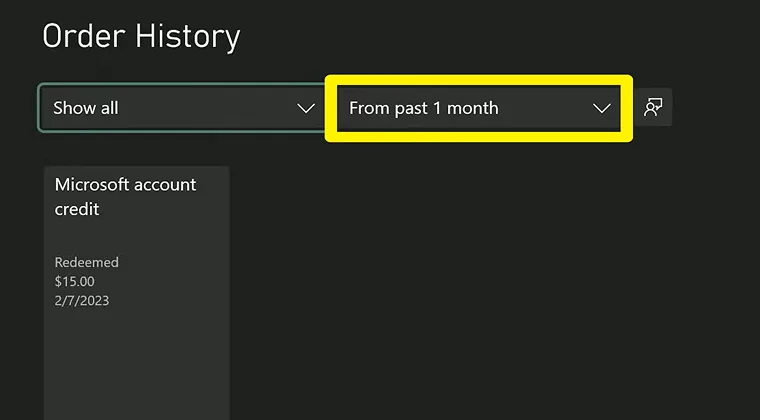
Even following the steps correctly, you might run into some hiccups. Here are the most common issues and their fixes:
V-Bucks Not Appearing After Purchase
Sometimes your V-Bucks take a few minutes to show up in Fortnite. If they don’t appear immediately, try completely closing the game and relaunching it. Check your purchase history in the Microsoft Store to confirm the transaction went through properly.
If the purchase is completed but V-Bucks still aren’t showing after 30 minutes, verify that your Epic Games account is properly linked to your Xbox account. Unlinked accounts cause the currency to go nowhere, which is frustrating but fixable through the Epic Games website.
Balance Not Reflecting After Redemption
Occasionally, the Microsoft servers experience delays when processing gift card redemptions. Give it 10-15 minutes and check your balance again. If the amount still doesn’t appear, go back through the redemption process to see if the code was actually accepted.
Make sure you’re checking the right account too. If multiple profiles exist on your Xbox, you might have accidentally redeemed the code on the wrong one. This happens more often than you’d think, especially in households where several people game.
Region Mismatch Problems
Gift cards are region-locked, meaning an Xbox gift card purchased for the US market won’t work on a European account. If you’re getting error messages during redemption, verify that your account region matches the gift card’s origin region. You can check this in your Microsoft account settings.
Purchase Errors in Microsoft Store
When trying to buy V-Bucks, some players get vague error messages from the Microsoft Store. This usually means your payment method has issues or your account has restrictions. Try adding a backup payment method, even if you have sufficient balance, since the store sometimes requires this for verification.
If you play Fortnite across different platforms or want to explore games like Fortnite, understanding these technical quirks helps avoid frustration across all your gaming experiences.
Where to Buy Xbox or Fortnite Gift Cards
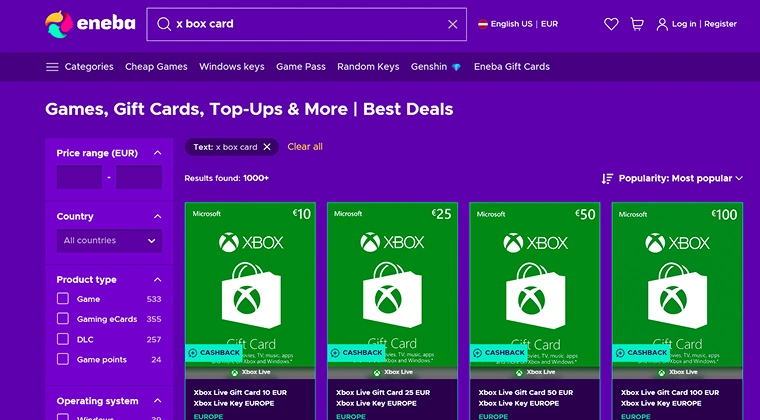
Finding reliable sources for gift cards matters since scams exist in the digital marketplace. I stick to trusted retailers and recommend you do the same when figuring out how to redeem Fortnite gift card on Xbox.
Eneba offers a solid selection of both Xbox and Fortnite gift cards at competitive prices. The platform delivers digital codes instantly after purchase, which means no waiting for physical cards to arrive. You can grab your code and start the redemption process within minutes.
Major retailers like Amazon, Best Buy, and Walmart also stock these cards both online and in physical stores. Physical cards work great as gifts since they come in nice packaging, while digital codes provide instant gratification for personal use.
The Microsoft Store itself sells Xbox gift cards directly, which eliminates any middleman concerns. Purchasing straight from Microsoft guarantees authenticity and immediate delivery to your account or email.
If you’re looking for an alternative way to earn Fortnite V-Bucks or Xbox gift cards, consider Snakzy. You can earn rewards by playing mini-games, then transfer your coins to your Eneba wallet. From there, you can purchase all kinds of gift cards, including Xbox gift cards that work for V-Bucks purchases.
While Snakzy doesn’t offer in-game currency gift cards directly on its platform, the Eneba wallet integration gives you access to a wide range of gaming gift cards without spending any money, which makes it a fun and easy way to earn what you need for gaming on Xbox or Fortnite.
Always verify you’re buying from official retailers or authorized resellers. Scam sites sometimes offer “discounted” codes that either don’t work or were obtained through fraudulent means. Stick with established names to protect yourself and your account.
For the smoothest experience, I recommend checking out Eneba’s Fortnite V-Bucks gift card selection where you can compare options and grab what you need quickly.
Getting Your V-Bucks Sorted
Understanding can you buy V-Bucks with an Xbox gift card isn’t as complicated as it first seems. The process requires redeeming your Xbox gift card for Microsoft account credit, then using that balance to purchase V-Bucks through the Microsoft Store while playing Fortnite.
Most issues come from not properly linking your Epic Games account to your Xbox profile or rushing through the redemption steps. Taking your time and double-checking each step saves headaches down the road.
No matter if you’re trying to help your kid get their favorite skins or stocking up for the next battle pass, this method works reliably once you understand the system. The Microsoft account balance approach also gives you flexibility for other purchases if you have leftover credit.
If you’re serious about improving your game, consider checking out our best VPNs for Fortnite to optimize your connection and reduce lag during matches.
FAQs
Yes, redeem your Xbox gift card for Microsoft account balance first, then use that balance to purchase V-Bucks through the Microsoft Store on your Xbox console while playing Fortnite.
Xbox gift cards add credit to your Microsoft account. Once redeemed, this balance can purchase V-Bucks in Fortnite through the in-game store on Xbox consoles.
Launch Fortnite, navigate to the V-Bucks purchase section, select your desired bundle, and choose your Microsoft account balance as the payment method during checkout.
Yes, you need a Microsoft account to redeem Xbox gift cards and make purchases through the Microsoft Store, including V-Bucks for Fortnite on Xbox.
Your Epic Games account should be linked to your Xbox account for V-Bucks to appear properly after purchase. Check the Epic Games website to verify this connection.