


How To Make an Online Store: Platforms, Tools, and Costs for 2026

Eneba Hub contains affiliate links, which means we may earn a small commission if you make a purchase through them—at no extra cost to you. Learn more



START WITH YOUR STOREFRONT
Try Shopify for a storefront with product listings, checkout, and order management. Choose your fulfillment method before adding optional tools.
Here’s how to make an online store: choose a storefront platform, add your products, connect payments, set up shipping, and test checkout before launch. Once customers can place an order and you have a reliable way to fulfill it, you’ve got the basics of a working online store.
A basic paid platform may cost around $30–$40 a month, plus payment processing and fulfillment expenses, so it’s worth figuring out what you actually need before paying for extra features. That’s where this guide comes in. We’ll compare storefront platforms, break down the main costs, and walk through the setup process so you can launch your first store with a clearer idea of what to expect.
Jump to:
How To Make an Online Store: Key Facts at a Glance
Before launching your online store, make sure customers can browse your products, complete checkout, and receive their orders. Your storefront platform handles much of the technical setup, but you’ll still need to manage the business behind it.
|
Startup cost |
Around $30–40/month for a basic paid plan, plus payment processing and fulfillment costs |
|---|---|
|
Launch time |
Depends on product setup, payment approval, and checkout testing |
|
Day-to-day responsibilities |
Inventory, orders, customer service, and marketing |
|
Main risks |
Low demand, abandoned carts, fulfillment issues, and security threats |
|
Beginner suitability |
Moderate – easy-to-use builders, but ongoing management required |
Even if a third-party service handles shipping or payments, you’re still responsible for keeping orders on track and resolving customer issues.
Who Runs an Online Store and How It Works
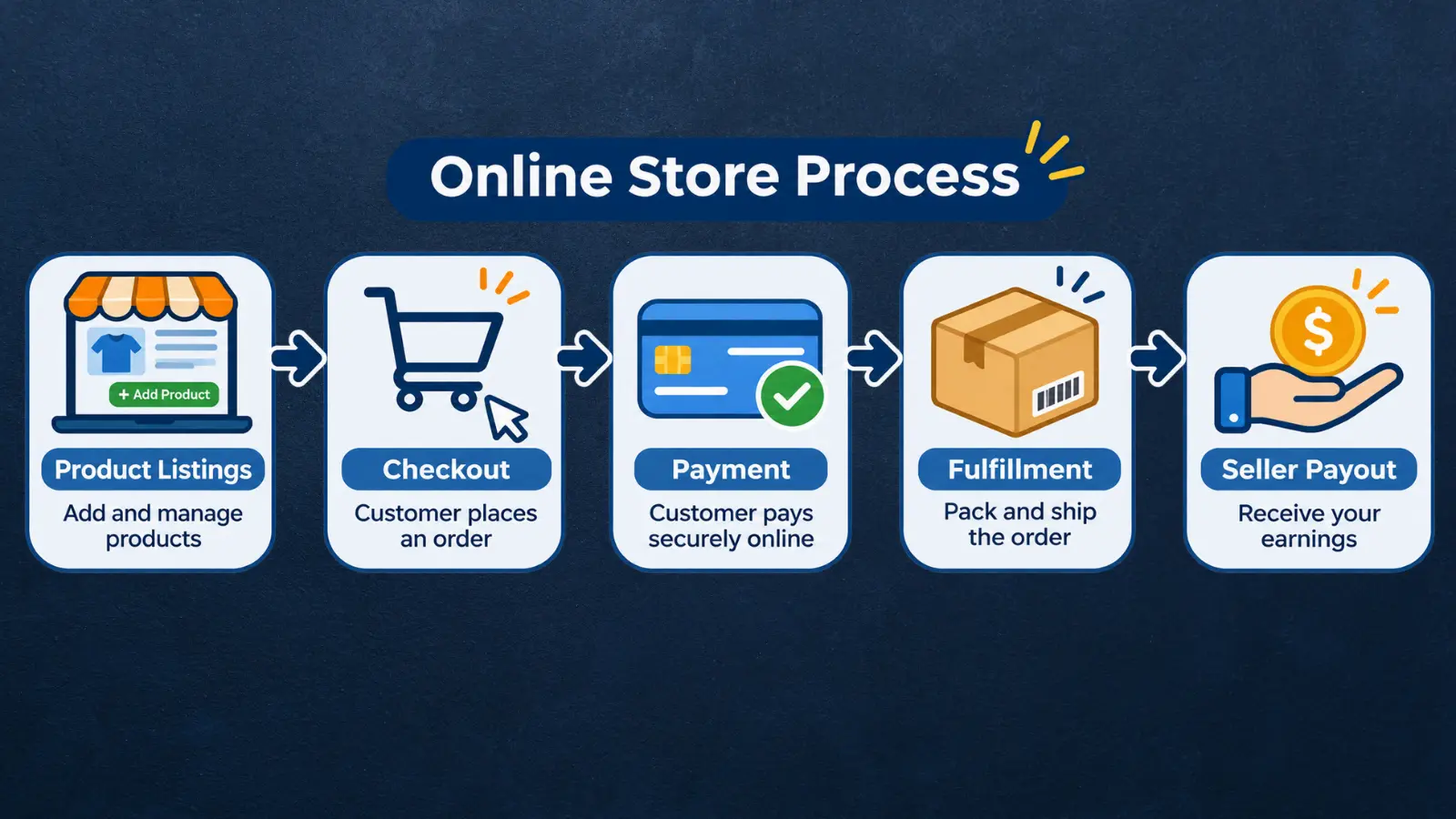
If you’re figuring out how to make an online store, it helps to understand what happens behind the checkout button. A few different services work together to process orders, collect payments, and deliver products, with the seller responsible for keeping everything on track.
Here’s who handles what:
- Seller: Chooses products, sets prices, manages inventory, and handles customer questions.
- Storefront platform: Displays products, provides checkout, and organizes orders. Shopify is one example.
- Payment provider: Processes customer payments and transfers funds according to its payout schedule.
- Fulfillment partner: Packs and ships products if you outsource delivery. Otherwise, you’ll handle this yourself.
Once a customer places an order, the payment provider processes the transaction while your storefront records the purchase. You or your fulfillment partner then prepares the order, arranges shipping, and updates the customer. The payment provider transfers your funds according to its payout schedule, after applicable fees.
Keep in mind that the amount customers pay isn’t necessarily what you’ll receive. For example, Shopify’s US Basic plan charges 2.9% + $0.30 for standard online card payments. That’s $1.75 in processing fees on a $50 order, before accounting for product costs, shipping, and other expenses. Rates vary by plan and market.
Before launching your store, run a test order to check that payments, notifications, and fulfillment instructions work as expected. It’s an easy way to catch problems before real customers encounter them.
Tools You’ll Need To Build an Online Store
You don’t need a long list of subscriptions to get your online store running. Your storefront platform already handles product listings and checkout, so extra tools should serve a specific purpose, like producing merchandise or accepting payments in person.
You’ll likely come across plenty of add-ons while researching how to make an online store. Before paying for any, check which services your platform already supports. Here are three tools worth considering:
|
Tool |
Best for |
Price |
|---|---|---|
 |
Print-on-demand products and fulfillment |
Free plan; production and shipping charged per order |
 Square Reader |
In-person card payments |
2.6% + $0.15 per transaction on Square Free (US) |
 Stripe |
Online payment processing |
2.9% + $0.30 per domestic card transaction (US) |
Printify makes sense if you plan to sell custom merchandise and want a provider to handle production and shipping. Square Reader is useful if you’ll also sell at markets or physical locations, while Stripe offers online payment processing for compatible storefronts.
Before connecting another service, check its integration requirements and fees. Some storefront platforms charge extra for third-party payment providers, so adding another processor could increase your costs.
How Much Does It Cost To Make an Online Store?
A basic paid storefront typically costs around $30–$40 a month, though your total expenses will depend on the platform, products, and services you choose. For example, Shopify’s US Basic plan costs $39 monthly, or the equivalent of $29 per month with annual billing. You’ll still need to budget for expenses beyond the subscription.
Here’s where most of your money will go:
- Storefront and domain: Your platform subscription covers the basic store features. A custom domain may cost extra.
- Payment processing: Expect a fee on each transaction, with rates depending on the provider, payment method, and plan.
- Products and fulfillment: Factor in inventory, production, packaging, and shipping costs.
- Optional extras: Premium themes, paid apps, courses, and marketing tools can increase your budget.
One expense that’s easy to overlook is overlapping payment fees. Some platforms charge an additional transaction fee when you use an outside payment provider, which may already charge its own processing fees.
As you work out how to make an online store fit your budget, look beyond the monthly subscription. Calculate what you’ll keep from a typical order after product costs, processing fees, and shipping, then account for other business expenses. That gives you a clearer picture of what you can afford before committing to a platform.
Which Platform Should You Use To Make an Online Store?
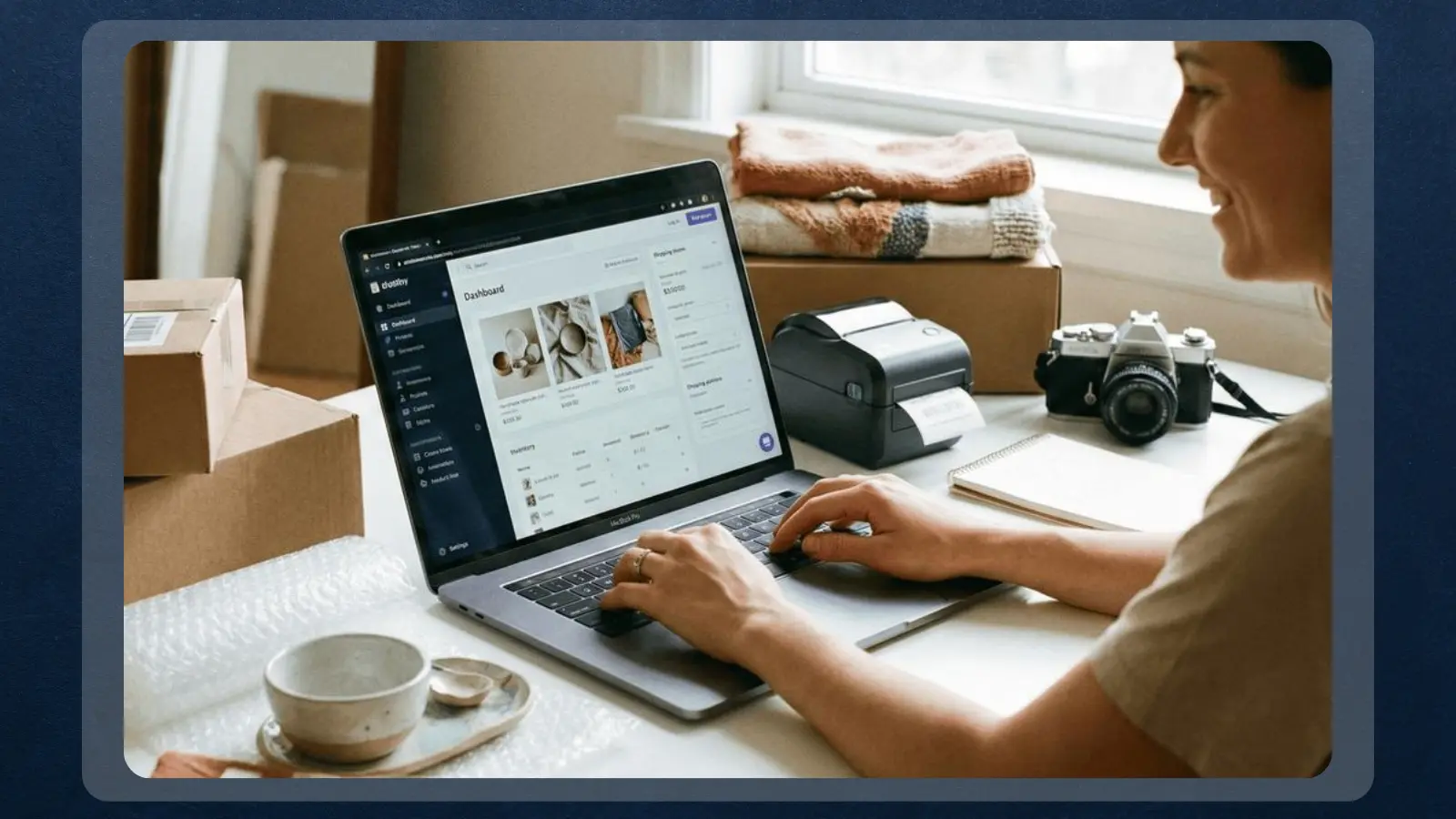
Shopify is a practical starting point for beginners who want to manage products, checkout, and orders in one place. Square makes more sense if you also sell in person, while Ecwid offers a cheaper way to start with a small product catalog.
The best platform depends on how you plan to sell, so compare the features you’ll actually use alongside the monthly cost. Here’s how five popular options stack up:
|
Platform |
Best for |
Price |
|---|---|---|
 |
Guided store setup and order management |
Basic: $39/month or $29/month billed annually |
|
Square |
Selling online and in person |
Free plan; Plus at $49/month per location |
 Wix |
Combining a business website with an online store |
Core: around $29/month billed annually |
 BigCommerce |
Dedicated ecommerce stores with room to expand |
Core: $39/month or $29/month billed annually |
 Ecwid by Lightspeed |
Small catalogs and adding a store to an existing website |
Starter: $5/month; Venture: $35/month |
Prices are in USD where applicable. Payment processing, taxes, and optional services may cost extra.
A lower subscription doesn’t always make a platform cheaper to run. Square’s free plan still charges payment processing fees, while Ecwid’s Starter plan limits you to 10 products. BigCommerce also has sales-volume limits and potential additional payment-provider fees.
Before committing, try adding a product and testing the checkout workflow. A platform that’s easy to manage day to day will serve you better than one packed with features you won’t use.
Pros and Cons of Making an Online Store
An online store gives you control over your products, pricing, and the shopping experience. When deciding how to make an online store, it’s worth weighing that flexibility against the work involved after launch, especially attracting customers and managing orders.
| Pros | Cons |
|---|---|
| ✅ Accessible setup – storefront builders let you get started with little to no coding experience. ✅ Flexible catalog – sell physical products, digital goods, or made-to-order merchandise. ✅ Connected operations – manage product listings, checkout, and customer orders in one place. ✅ Customer communication – send order updates, answer questions, and keep buyers informed. ✅ Multiple fulfillment options – handle inventory and shipping yourself or use a partner like Printify. | ❌ Abandoned purchases – customers may leave before checkout, even after adding products to their carts. ❌ Ongoing responsibilities – marketing, customer support, security, and fulfillment require regular attention. |
According to Baymard Institute, the average cart abandonment rate is 70.22% across 50 studies. BigCommerce also highlights common checkout obstacles, including unclear shipping information and mandatory account creation.
You can address many of these challenges early by showing costs upfront, keeping checkout straightforward, and providing accurate product details. Starting with a manageable catalog also gives you more time to improve the customer experience as your business grows.
Step-by-Step: How To Make an Online Store
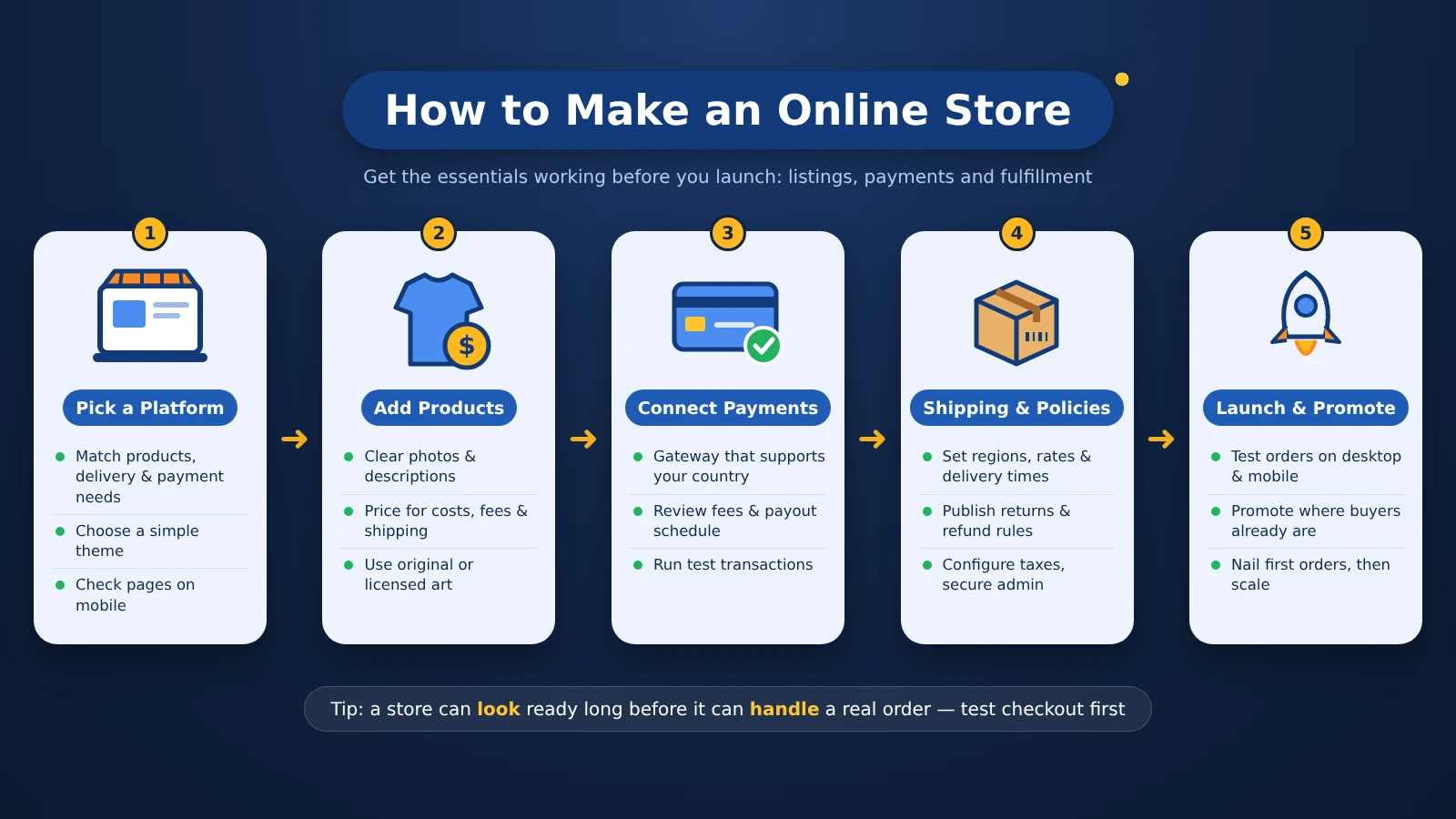
A store can look ready long before it can handle a real order. Focus on getting the essentials working first, including product listings, payments, and fulfillment. These five steps will help you set everything up and make sure customers can complete their purchases.
Step 1: Choose a Storefront Platform
Start by deciding what you’ll sell, how you’ll deliver orders, and which payment methods your customers will need. Compare those requirements against the platforms covered earlier, then choose one that fits your budget and gives you room to grow.
Once you’ve picked a platform, select a simple theme and set up your basic storefront. Check how the homepage, navigation, and product pages look on mobile before spending money on premium designs or extra features.
Step 2: Add Your Products and Pricing
Upload clear product photos and write descriptions that explain exactly what customers will receive. Include relevant details like sizes, materials, available options, and download contents. If you’re selling gaming merchandise, use original or properly licensed artwork and branding.
Next, calculate your prices based on product costs, payment fees, shipping, and potential returns. Review each listing as a customer would, checking that the information is accurate and the total cost is easy to understand before publishing.
Step 3: Connect a Payment Gateway
Payment setup is an important part of figuring out how to make an online store work for customers in your target market. Check which payment providers support your country, business type, and preferred payment methods before choosing one.
Connect your provider, complete the required verification, and review its processing fees and payout schedule. If your platform charges extra for third-party gateways, factor those fees into your budget. Use the available testing tools to check that payments and order confirmations work properly.
Step 4: Set Shipping, Policies, and Taxes
Set your shipping regions, delivery rates, and fulfillment methods based on what you can reliably offer. If you use a print-on-demand partner, account for production time when estimating delivery dates. Publish clear shipping, return, refund, and contact policies so customers know what to expect.
Check the business registration and tax requirements for your location and products, then configure the relevant settings in your store. Secure your administrator account, limit unnecessary access, and confirm that your checkout uses a trusted payment provider.
Step 5: Launch and Promote Your Store
Before going live, place a test order on both desktop and mobile. Check that the payment goes through, confirmation emails arrive, and fulfillment instructions reach the right place. Ask someone unfamiliar with your store to try the checkout process as well, since they may catch issues you’ve missed.
Once everything works, start promoting your products through channels your intended customers already use. Pay attention to customer questions, checkout abandonment, and early order issues so you can improve the shopping experience. Focus on fulfilling your first orders reliably before expanding your catalog or marketing budget.
Learn To Automate and Delegate Recurring Store Tasks
Once your store starts receiving orders, you’ll notice certain tasks coming up regularly, like checking inventory, updating customers, and handling refunds. Write down how you manage each one, then look for ways to simplify the process using your platform’s built-in tools.
Courses on how to make an online store usually cover the initial setup, but Automate Your eCommerce Store: Systems & VA Secrets on Udemy focuses on what happens afterward. It covers standard operating procedures (SOPs), recurring administrative work, and hiring virtual assistants. It’s especially useful once you’ve handled enough orders to identify tasks worth delegating.
The course includes the following content and duration:
|
Course |
Provider |
What It Covers |
Duration |
|---|---|---|---|
|
Automate Your eCommerce Store: Systems & VA Secrets |
 |
Store workflows, SOPs, customer service, and virtual assistant hiring |
3 hours 27 minutes |
Before paying for automation software or outsourcing work, try following your own documented process for a few orders. You’ll have a better idea of what needs improving and which tasks someone else could reliably handle.
Ways To Turn Your Online Store Into a Small Business
Once you’ve learned how to make an online store, you can adapt the same basic setup to different types of products. What changes is how you manage inventory, deliver orders, and support customers, so it’s worth choosing a business model that fits your time and budget.
Here are five options to consider:
- Print-on-demand apparel: Sell custom T-shirts, hoodies, or accessories through a service like Printify. The provider handles production and shipping after a customer orders, so you don’t need to stock finished products. Order samples to check quality before launching.
- Original gaming merchandise: Create merchandise featuring your own game-inspired designs or properly licensed artwork. Check intellectual property rights carefully, particularly when using recognizable characters, logos, or game branding.
- Digital products: Sell downloadable templates, guides, or other original digital resources. You won’t need physical shipping, but you’ll still need to provide clear file descriptions, usage terms, and reliable download access.
- Local or small-batch goods: Turn products you already make, such as handmade accessories or collectibles, into an online catalog. Keep stock levels accurate and offer shipping or local pickup options you can consistently support.
- Subscription boxes: Sell curated product bundles on a recurring schedule. Plan your supply, packing, and delivery process carefully, and make renewal and cancellation terms clear before customers subscribe.
Starting with a small selection of related products makes it easier to test demand and manage orders. Each model comes with different costs and responsibilities, so choose one you can fulfill consistently before expanding your catalog.
Where New Online Stores Lose Money
A polished storefront won’t help much if shoppers don’t want your products or struggle to complete checkout. Before spending more on ads, inventory, or extra software, check for problems that could eat into your budget.
Here are five common mistakes worth addressing early:
- Unclear target buyer: Research what your customers need before expanding your catalog. Read competitor reviews, explore relevant communities, and ask potential buyers what they look for. BigCommerce highlights poor audience research as a common reason stores struggle to attract customers.
- Poor platform fit: Before deciding how to make an online store for your products, test how the platform handles inventory, checkout, and fulfillment. Make sure those features work for your business before paying for additional apps.
- Checkout friction: Show the full purchase cost upfront, offer guest checkout where available, and keep forms simple. Baymard Institute identifies unexpected costs and complicated checkout processes among the reasons shoppers abandon purchases.
- Weak account security: Enable two-factor authentication, limit staff permissions, and regularly review connected apps. Remove unused integrations and keep your storefront software updated.
- Missing customer feedback: Ask buyers for genuine reviews after their purchases and address recurring complaints.
If you want to know how to make an online store profitable, start by tracking what each order costs and where customers abandon their purchases. Fixing those problems early can help you make better decisions about your next investment.
Check Your Selling Obligations Before Accepting Orders
Before you decide how to make an online store available to customers, check which business rules apply to your products and selling regions. Requirements vary by location, and setting up a storefront account doesn’t automatically cover registration, taxes, or consumer protection obligations.
Here are the main areas to review before accepting orders:
- US registration and permits: Check whether your state or local government requires business registration, licenses, or permits.
- Sales tax and records: Determine where you need to register, collect, and remit sales tax. Requirements can extend to other states when your sales meet their applicable thresholds.
- Accurate product listings: Describe products clearly, use authorized images and artwork, and only promise delivery dates you can meet.
- Customer policies and security: Display clear shipping, return, refund, and contact information. Protect customer data, secure account access, and review the privacy requirements that apply to your business.
If you plan to sell in additional states or countries, review the relevant requirements before expanding your shipping regions. Starting with a manageable market gives you more time to establish reliable processes and keep your records organized.
Final Verdict on Making an Online Store
Making an online store is a practical option if you have products to sell and are ready to manage orders, customers, and ongoing expenses. Shopify is a good starting point for beginners who want a guided setup, while Square suits businesses that also sell in person. Ecwid is worth considering for smaller catalogs or sellers who already have a website.
A basic paid storefront may cost around $30–$40 a month, but payment fees, product costs, and fulfillment will also affect your budget. Free plans can help reduce upfront spending, though they may limit features or still carry transaction costs.
Now that you know how to make an online store, focus on launching a manageable catalog and testing the entire purchase process before investing in more features. Once your store can handle orders reliably, you’ll have a stronger foundation for reaching customers and growing your business.
FAQs
Some storefront builders provide themes, product pages, and checkout tools that don’t require programming experience. You’ll still need to configure payments, delivery options, and store policies.
Some platforms offer free storefront plans, but payment processing, domains, and fulfillment may still cost money. Check whether the free plan includes the checkout features your business needs.
Sales depend on product demand, pricing, trust, and promotion. Publishing a store does not set an income timetable. Test the offer and track costs before treating revenue as profit.
Yes, if you have a clear customer need and can manage orders consistently. Making an online store is less suitable for someone seeking immediate income without ongoing marketing, support, or fulfillment work.
Shopify is the guided starting pick, while Square suits combined in-person and online selling. Online stores for small business should compare workflow and fees. Your product and fulfillment needs should determine how to make an online store.
You need a storefront platform, payment acceptance, and a way to fulfill orders. Shopify can support the storefront, while Printify is an optional fulfillment partner for custom merchandise.
Knowing how to make an online store won’t automatically bring in customers. Share useful product information where your target audience spends time, then use traffic data and customer feedback to improve your approach.