



TP-Link Archer BE550 Review 2026

Eneba Hub contains affiliate links, which means we may earn a small commission if you make a purchase through them—at no extra cost to you. Learn more


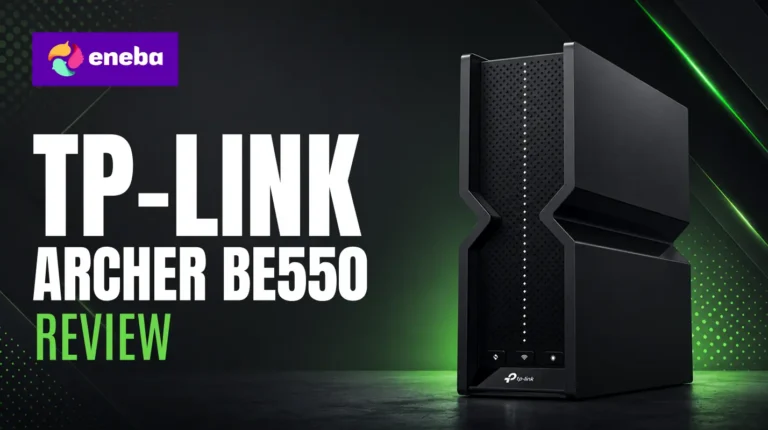
My TP-Link Archer BE550 review starts with a problem most people with fast internet plans actually have: a router bottlenecking the connection they’re paying for. WiFi 5 and early WiFi 6 hardware tops out around 250-690 Mbps even on a 1 Gbps plan, and standard 1G LAN ports choke wired connections just as badly. The Archer BE550 kept coming up as the price-to-performance pick when I evaluated affordable WiFi 7 options under $200.
The Archer BE550 stands out at $149.99 because of three things competing routers typically sacrifice at this price: full 2.5G ports on every connection, a dedicated 6 GHz band, and TP-Link EasyMesh that absorbs existing extenders into one whole-home network. No other router under $200 combines 2.5G ports, tri-band WiFi 7, and native mesh expansion in one package. The speed and port spec are genuinely impressive, but there is a firmware reliability question worth addressing.
In my assessment, this router is built for households with gigabit internet still running WiFi 5 or early WiFi 6 hardware. This review focuses on whether the 2.5G ports deliver at real-world speeds, how TP-Link Archer BE550 setup and EasyMesh perform in practice, and who this router makes sense for.
Jump to:
Archer BE550 at a Glance
Here is everything that matters about this WiFi 7 router before I get into the full TP-Link BE9300 review details.
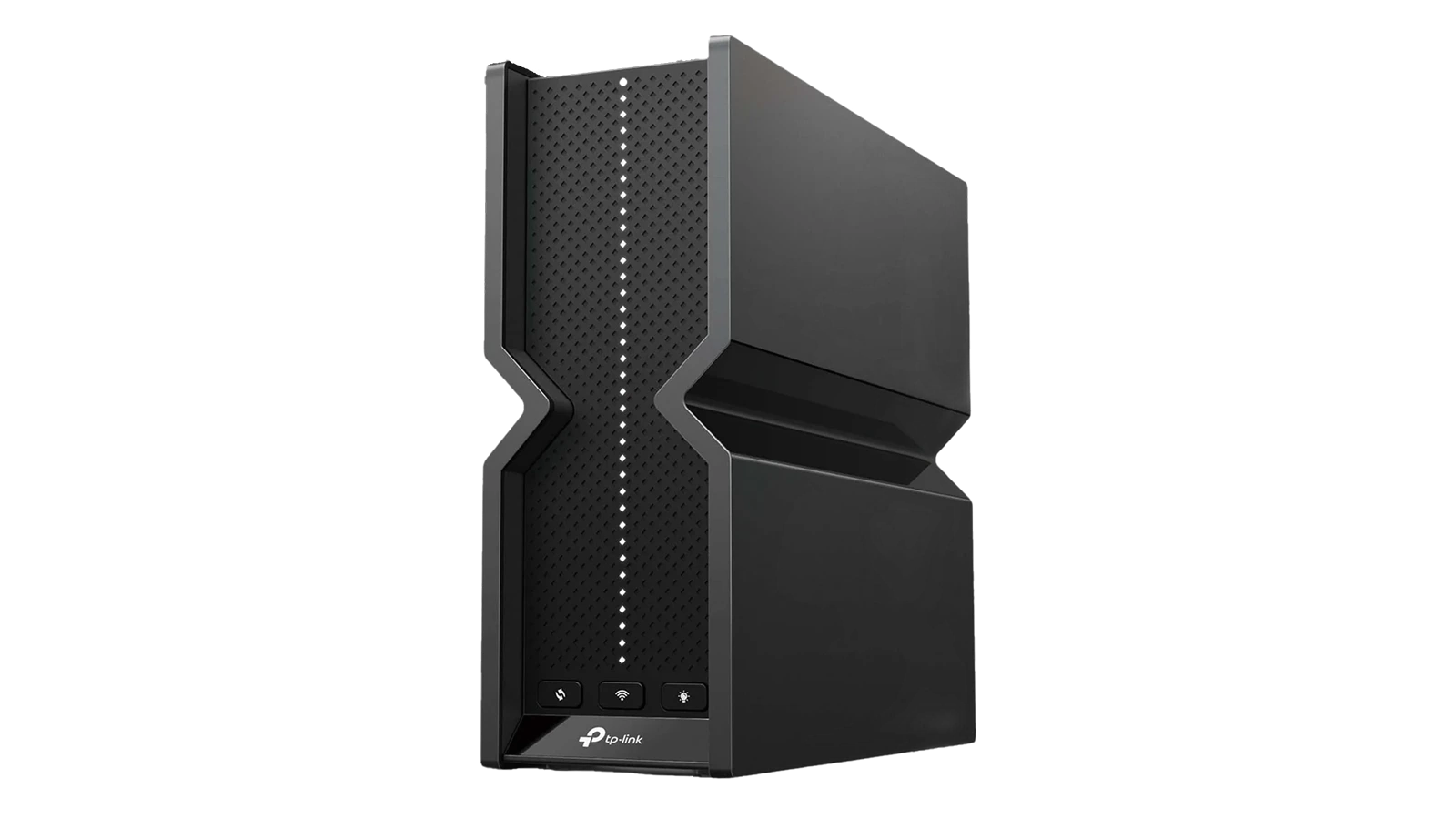
| Spec | Detail |
| Wi-Fi Standard | Wi-Fi 7 (802.11be) |
| Max Speed | 9,300 Mbps (BE9300) |
| Bands | Tri-Band (2.4 GHz + 5 GHz + 6 GHz) |
| WAN Port | 1x 2.5G |
| LAN Ports | 4x 2.5G |
| USB Port | 1x (for network storage) |
| Antennas | 6 internal |
| Coverage | Up to 2,000 sq. ft. |
| Mesh Support | EasyMesh compatible |
| Security | HomeShield, WPA3, WPA2, WPA2-Enterprise |
| App Control | TP-Link Tether (iOS and Android) |
| Dimensions | 9.12″ x 2.99″ x 7.99″ |
| Price | $149.99 |
| Warranty | 2 years manufacturer |
Key Features and Benefits
WiFi 7 is a genuine step up from WiFi 6, and the Archer BE550 makes that upgrade accessible without the flagship price tag.
- WiFi 7 with Multi-Link Operation (MLO) – The BE9300 tri-band standard combines all three frequency bands into a single SSID. Your devices automatically use the fastest available band – 6 GHz near the router, 5 GHz at mid-range, 2.4 GHz through walls.
- Full 2.5G Ports on Every Connection – With one 2.5G WAN port and four 2.5G LAN ports, the Archer BE550 removes the wired bottleneck that plagues most routers past 1 Gbps. The TP-Link BE550 2.5G router review finding: wired desktops with 2.5G NICs consistently pull 1.1-1.2 Gbps.
- Tri-Band Design with Dedicated 6 GHz Band – The 6 GHz band stays uncrowded and reserved for the fastest nearby devices, while 5 GHz handles mid-range and 2.4 GHz covers distance and smart home gear without interference.
- EasyMesh Expansion – Any compatible TP-Link extender gets automatically absorbed into a single mesh network. Existing hardware becomes a mesh node – one unified SSID, no extra configuration required.
- HomeShield Security Suite – Built-in parental controls, IoT device isolation, real-time threat detection, and WPA3 encryption ship free.
- 6 Internal Antennas with Beamforming – Signal gets directed toward connected devices rather than broadcast omnidirectionally, keeping speeds higher at greater distances across a 2,000 sq. ft. home.
- TP-Link Tether App – TP-Link Archer BE550 setup, monitoring, guest network controls, and parental settings all run through the Tether mobile app with a step-by-step onboarding wizard.
Performance and Real-World Experience
This router targets households upgrading from WiFi 5 or older WiFi 6 with gigabit+ internet, and the 2.5G port spec is what separates it from mainstream WiFi 7 entry-level options.
Desktops with a 2.5G NIC consistently hit 1.1-1.2 Gbps on a direct LAN connection – compared to the 250-690 Mbps ceiling that plagues older routers on the same gigabit plan, the real-world difference is significant. The Archer BE550 speed test numbers align with verified owner reports at actual distances.
Wireless performance on the 5 GHz band lands around 800-900 Mbps from anywhere within a 2,000 sq. ft. home. The 6 GHz band pushes above 1.3 Gbps near the router on a WiFi 7 device – most useful for large local file transfers between network devices.
One area worth addressing: some early units had firmware stability issues with connections dropping after extended uptime. TP-Link issued a patch quickly and a verified network engineer confirmed the fix was effective. Update the firmware on first setup before changing any other settings. Archer BE550 performance on current firmware is stable across verified owner reports.
| Pros | Cons |
|---|---|
| ✅ Full 2.5G ports across all LAN and WAN connections – no bottleneck at gigabit+ speeds ✅ WiFi 7 MLO combines all three bands into one SSID – no manual band management ✅ EasyMesh automatically converts compatible TP-Link extenders into mesh nodes ✅ HomeShield security with parental controls and IoT network isolation built in ✅ Covers up to 2,000 sq. ft. with 6 internal antennas and Beamforming ✅ TP-Link Tether app makes setup and network management straightforward ✅ Strong value at $149.99 for a full tri-band WiFi 7 router with 2.5G ports | ❌ Some early firmware builds caused intermittent stability issues – patched quickly by TP-Link; update firmware immediately after setup |
The Archer BE550 is the most complete WiFi 7 router under $200, with full 2.5G ports, tri-band performance, EasyMesh support, and HomeShield security in one package. No other router at this price combines all five of these features – most WiFi 7 options at $149.99 compromise on port speeds or trim the 6 GHz band.
At $149.99, the Archer BE550 undercuts competing WiFi 7 routers by $100+, and no other brand combines full 2.5G ports with EasyMesh at this price.
“The EasyMesh feature turned my existing TP-Link range extender into a proper mesh node without any extra setup. I went from fighting dead zones across 3,600 sq. ft. to having one solid network with two SSIDs and smooth handoff throughout the whole house.” – Dave F.
Dave’s experience shows what the spec sheet misses: upgrading to this router becomes a whole-home networking upgrade if you already own any TP-Link extender. The jump from 920 Mbps to 950+ Mbps also reflects the 2.5G WAN port removing the old 1G bottleneck – a real throughput gain, not just a spec improvement.
“The feature set genuinely surprised me at this price – WiFi 7 tri-band with full 2.5G ports is not something I expected under $200. Speed gains over my previous AC router were noticeable on both wired and wireless connections, and I haven’t had any stability issues.” – Erik
The firmware issue that shaped early ratings is worth naming: TP-Link patched it quickly and the fix held. On current firmware, the router is stable – update immediately on first setup and the early concerns do not apply to you.
Wi-Fi 7 Range and Signal Strength
Range and signal penetration are often what separate a satisfying router purchase from a frustrating one, and the Archer BE550‘s internal antenna array is designed for real-home performance.
The 2,000 sq. ft. coverage rating is honest for a typical home without unusual construction. Thick concrete walls or multi-floor layouts may create dead zones beyond 60-70 feet from the router – that is a realistic expectation, not a product failure.
Six internal antennas with Beamforming concentrate signal toward connected devices, keeping speeds higher at greater distances. For the TP-Link Archer BE550 range test, 5 GHz performance lands around 800-900 Mbps throughout a 2,000 sq. ft. home, and over 1.3 Gbps near the router on a supported WiFi 7 device.
The 6 GHz band has shorter range by nature – higher frequencies attenuate more through walls and distance. Multi-Link Operation handles the fallback automatically: as a device moves away, the network shifts to 5 GHz without dropping the connection. For homes larger than 2,000 sq. ft., EasyMesh is the practical solution – adding a compatible TP-Link extender creates one unified network without separate SSIDs.
HomeShield Security and Parental Controls
HomeShield is what separates the Archer BE550 from bare-minimum routers at this price – a full security suite built in, not an afterthought.
The free tier includes WPA3 encryption, IoT network isolation with a separate SSID for smart home devices, a guest network with usage limits, and basic parental controls with scheduled off times. For most households, this covers the security baseline at no ongoing cost.
IoT network isolation stands out. Smart TVs, cameras, and smart speakers go on a separate SSID that cannot reach your main network. If a smart home device gets compromised, your primary computers stay protected – most routers in this price range skip this entirely.
The premium tier adds real-time threat intelligence, deep content filtering, and per-device usage reports. Optional for most households.
My Overall Verdict on TP-Link Archer BE550
The TP-Link Archer BE550 review conclusion is clear: this is the right router for households with gigabit internet who want to actually use those speeds without paying flagship prices. The 2.5G ports and EasyMesh combination make it a genuine infrastructure upgrade – wired connections run at full gigabit+ throughput, and existing TP-Link extenders become proper mesh nodes automatically.
The ideal user: anyone on a gigabit plan running WiFi 5 or early WiFi 6 hardware in a home up to 2,000 sq. ft. Anyone on slower internet with two or three light devices does not need this much router.
My Eneba rating is 8.2 out of 10, reflecting strong performance and value with a minor deduction for the early firmware history. At $149.99, nothing else on the market matches the full port spec, the 6 GHz band, and EasyMesh together. That is the whole case for the TP-Link Archer BE550 review.
Complete Your Setup
A fast home network works best as part of a complete gaming and streaming setup – the right headset and keyboard round out the experience your new router enables.
Logitech G Wireless Gaming Headset
A fast home network for gaming is only as good as the audio setup that goes with it. The Logitech G headset brings clear in-game audio and low-latency wireless so you can hear what your connection speed enables. Streamers and competitive players get more out of a setup anchored by the Archer BE550 when the headset keeps pace.
R87Pro Wireless Gaming Keyboard
A dedicated gaming setup around a WiFi 7 router benefits from a keyboard that keeps pace with the low-latency environment you’ve built. The R87Pro wireless gaming keyboard offers responsive switches and a well-built chassis at a price that makes sense alongside this router. It removes the last wired tether from your desk.
FAQs
Yes, the TP-Link Archer BE550 is worth it at $149.99 for anyone upgrading from WiFi 5 or early WiFi 6 on a gigabit internet plan, because the full 2.5G ports and tri-band WiFi 7 combination is not available at this price from any competing router. No competing router at $149.99 bundles all three into one package.
The TP-Link Archer BE550 fully supports WiFi 7 (802.11be), including Multi-Link Operation, which lets supported devices use all three frequency bands simultaneously on a single SSID for lower latency and more stable connections. Multi-Link Operation is the most significant reliability improvement in the WiFi 7 standard, and the Archer BE550 implements it without restrictions.
The BE550 Pro adds a 10G WAN port alongside its 2.5G LAN ports, making it the better pick only if your internet service exceeds 2.5 Gbps. For most homes on gigabit plans, the standard Archer BE550’s 2.5G WAN port is more than sufficient, and the Pro carries a significantly higher price for a feature most households will not use.
TP-Link rates the Archer BE550 for up to 2,000 sq. ft. of coverage, backed by 6 internal antennas with Beamforming that focus signal toward connected devices rather than broadcasting in all directions. For larger homes, adding a compatible EasyMesh extender expands coverage automatically into one whole-home network without a separate SSID.
This TP-Link Archer BE550 review finds it is the right pick for households with gigabit internet who want to fully use that speed on both wired and wireless connections without paying flagship router prices. Gamers, streamers, and remote workers with 4 or more connected devices in a 2,000 sq. ft. home get the most from it.












