



Radxa Rock 5C Review 2026

Eneba Hub contains affiliate links, which means we may earn a small commission if you make a purchase through them—at no extra cost to you. Learn more


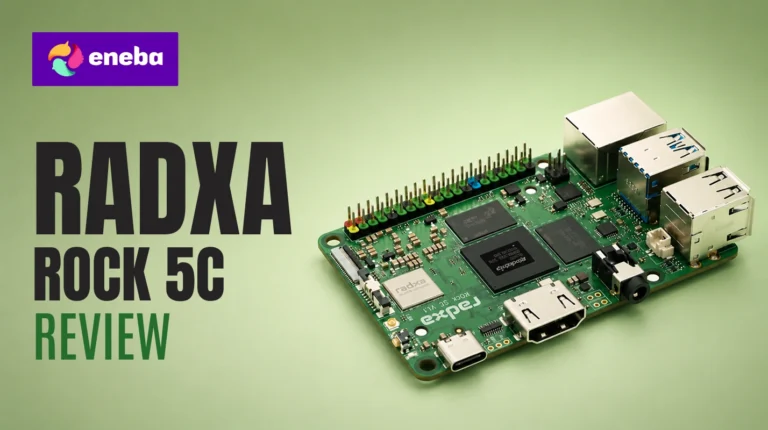
The Radxa Rock 5C review starts where most Pi 5 conversations end: the 8GB RAM ceiling, no on-chip NPU for inference, and CPU throughput that chokes on anything beyond a modest container stack. The Radxa Rock 5C is the answer – a Pi-compatible board with the RK3588S2 chip, a 6TOPs on-chip NPU, and a RAM ceiling that reaches 32GB.
This board is built for homelab operators, Frigate NVR builders, and makers running computer vision pipelines who have hit the ceiling of what a Pi-class board can do. The compact footprint fits existing Pi cases, removing most of the migration friction.
The assessment covers chip throughput, Armbian and Android software maturity, GPIO flexibility, always-on power efficiency, and long-term value for homelab and NAS builds.
Jump to:
Rock 5C at a Glance
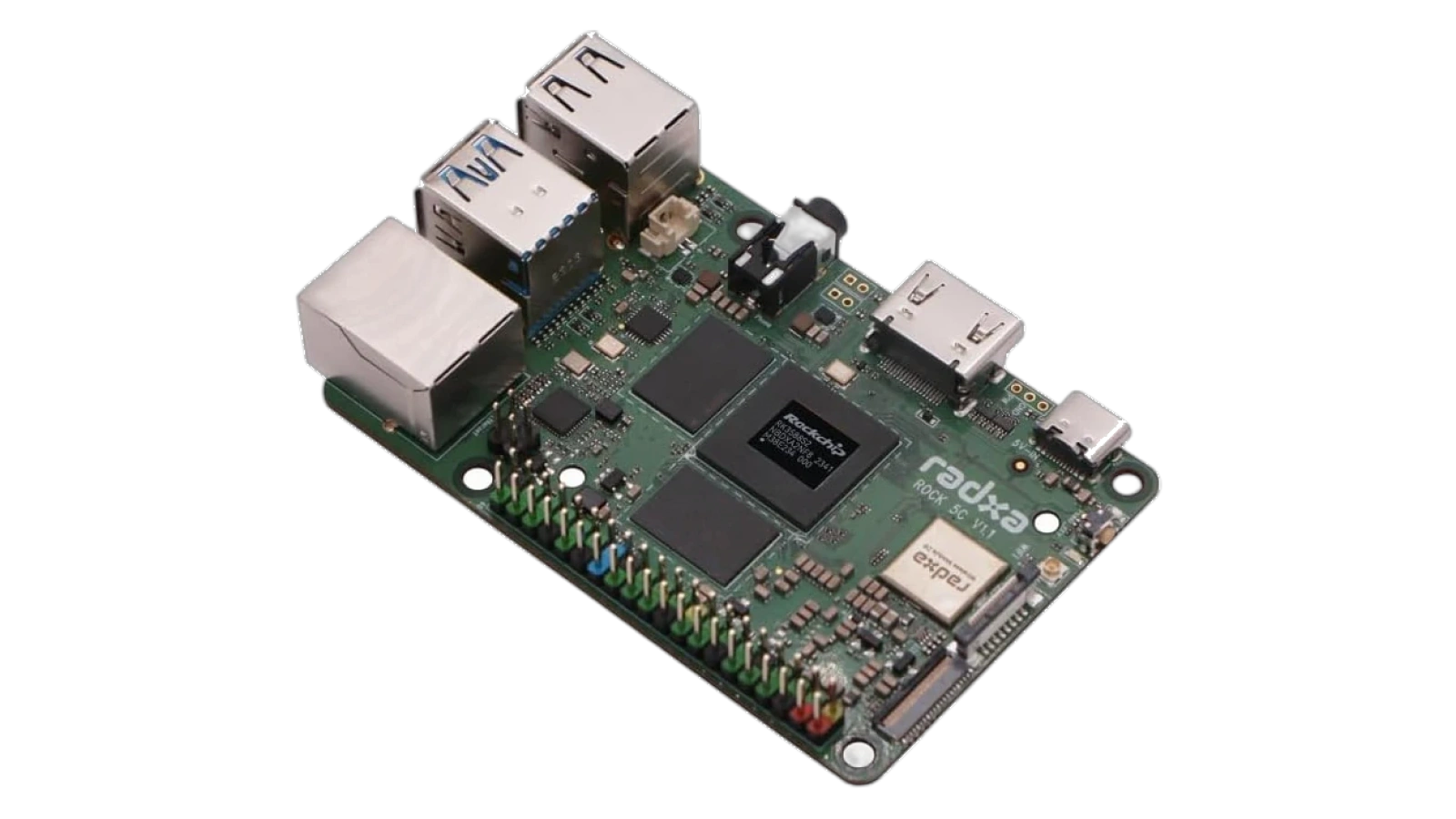
Here is what you are working with before getting into the Radxa Rock 5C specs in detail.
| Specs | Details |
|---|---|
| Chipset | Rockchip RK3588S2 (4x Cortex-A76 @2.4GHz + 4x Cortex-A55 @1.8GHz) |
| GPU | ARM Mali-G610 MP4 |
| NPU | 6TOPs (on-chip AI accelerator) |
| RAM | LPDDR4X up to 32GB, 2133 MHz |
| Storage Interface | MicroSD + eMMC module slot |
| Expansion | FPC connector with PCIe 2.1 1-lane (NVMe, Penta SATA HAT, 2.5G Ethernet) |
| Video Output | HDMI 2.1 up to 8K |
| USB | USB 3.0 OTG/HOST |
| Ethernet | Gigabit with PoE support |
| Form Factor | Raspberry Pi-compatible footprint |
| OS Support | Armbian, Android, Debian, Ubuntu |
| Warranty | 1 year |
| Power | USB-C PD (not included) |
Key Features and Benefits
A Radxa Rock 5C RK3588S2 review needs to go beyond the spec sheet – here is what each feature actually means for your next project.
- Rockchip RK3588S2 8-core CPU – Four performance cores at 2.4GHz and four efficiency cores at 1.8GHz. Multi-threaded tasks that bottleneck a Raspberry Pi 5 – compiling code, transcoding video, running multiple containers – stay responsive. Genuine step up in sustained throughput.
- ARM Mali-G610 MP4 GPU – Hardware-accelerated video decode and encode on Armbian. Chromium handles 1080p without software rendering load, and 4K is within reach for supported formats – useful for media server and desktop builds.
- 6TOPs On-Chip NPU – Handles AI inference directly, without a USB accelerator or Coral TPU hat. Frigate NVR object detection, ONNX model inference, and NCNN-based apps run on the NPU natively, freeing the CPU for other tasks.
- Up to 32GB LPDDR4X RAM – No Raspberry Pi variant comes close to this ceiling. Running Docker stacks, a Nextcloud instance, and a Frigate server simultaneously stays comfortable with 16GB or more. The 32GB ceiling makes this viable as a lightweight workstation.
- PCIe 2.1 via FPC Connector – Supports NVMe SSDs, Penta SATA hats for a 5-drive NAS, and 2.5G Ethernet adapters. NVMe brings fast boot times and reliable write endurance that MicroSD can’t match.
- Gigabit Ethernet with PoE – Power over the same cable as data. No extra power brick needed when using a PoE-capable switch in a rack or closet install.
- Raspberry Pi-Compatible Footprint – Pi cases fit the Rock 5C, so enclosure options are plentiful and affordable. This removes the usual friction of adopting a non-Raspberry Pi board.
Performance and Real-World Experience
The Rock 5C is built for work that needs more than a Pi 5 can give – here is how it holds up against real homelab demands.
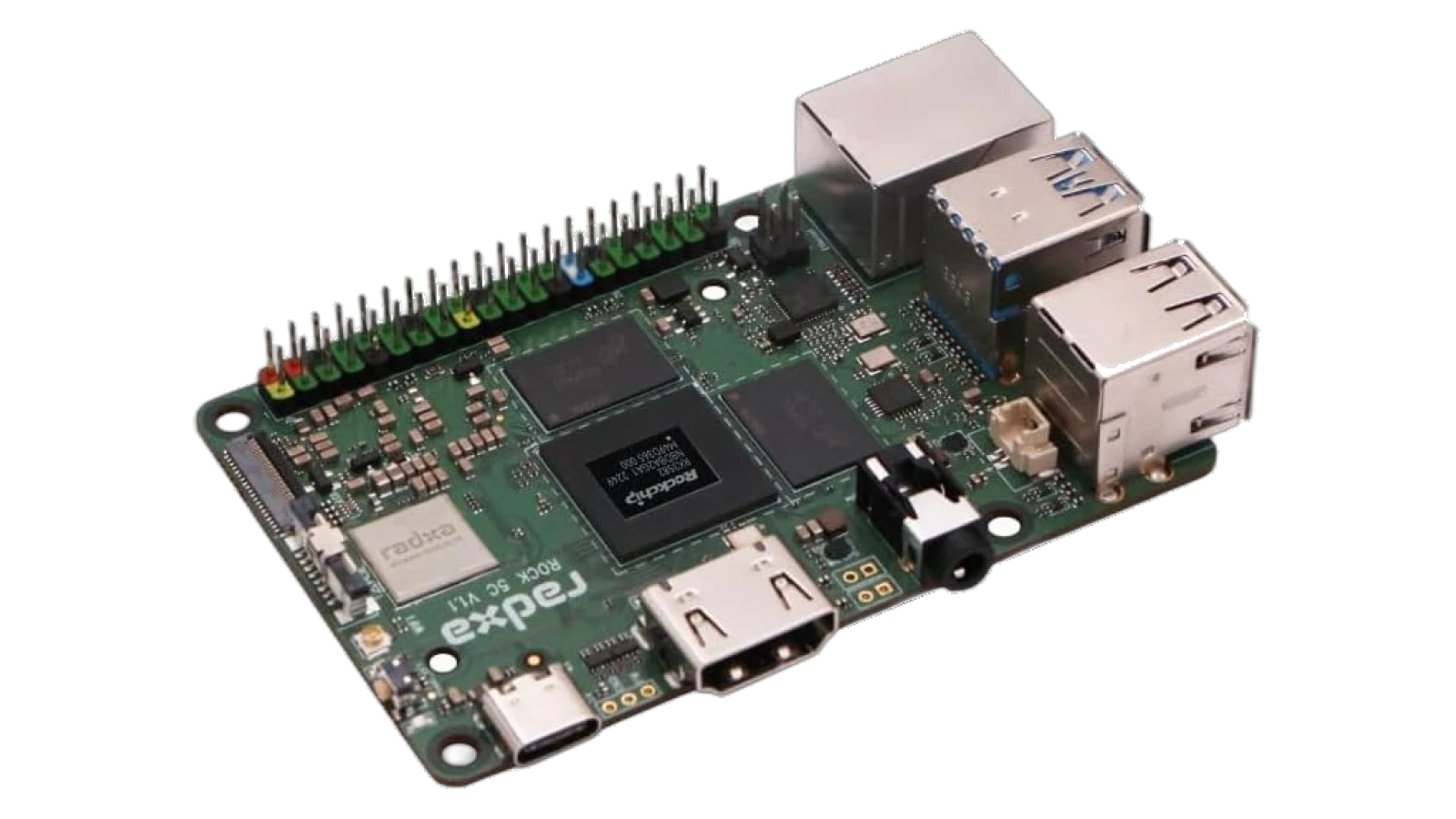
The Radxa Rock 5C vs Raspberry Pi 5 performance gap is most visible in multi-threaded workloads. Radxa Rock 5C performance data consistently shows roughly 2x multi-core throughput – a gap that compounds across Docker builds, transcoding jobs, and concurrent service stacks. Where the Pi 5 throttles under sustained load, the RK3588S2 keeps moving.
The Radxa Rock 5C Lite review comparison is worth addressing. The Lite uses the RK3582, dropping the Mali-G610 GPU and capping RAM at 16GB. For headless CV builds or pure inference, the Lite cuts cost without sacrificing the NPU. For anything touching a display, the full Rock 5C is the right call.
Thermal behavior is something to plan for. At light loads the board runs passively without issue, but sustained CPU tasks warrant a heatsink-fan combo. Pi-compatible heatsink fans fit without modification – inexpensive and quick to add.
What stands out is the PoE plus PCIe combination. A single Ethernet cable in, an NVMe drive on the FPC expansion port – that cable-clean build would require a dedicated power supply and adapter card on nearly every competing board. The Rock 5C makes it a two-component build.
| Pros | Cons |
|---|---|
| ✅ 8-core RK3588S2 CPU delivers roughly 2x the multi-threaded throughput of Raspberry Pi 5 ✅ 6TOPs on-chip NPU runs AI inference natively, no USB accelerator needed ✅ Up to 32GB LPDDR4X RAM – highest ceiling available in the Pi-sized form factor ✅ PCIe 2.1 expansion enables NVMe SSDs, Penta SATA hats, and 2.5G Ethernet ✅ Gigabit Ethernet with PoE support simplifies rack and closet installs ✅ Raspberry Pi case compatibility gives a wide selection of affordable enclosures ✅ Active Armbian community with maintained images for a smooth Linux experience | ❌ No power supply included – budget separately for a USB-C PD adapter (30W or more) |
The Radxa Rock 5C earns its 9.3/10 Enebameter score by fitting the RK3588S2 chip – with an on-chip 6TOPs NPU and up to 32GB RAM – into a Raspberry Pi footprint. It handles Frigate NVR, NAS builds, and multi-container workloads that a Raspberry Pi 5 runs out of headroom for, making it the right upgrade for homelab builders ready to move up.
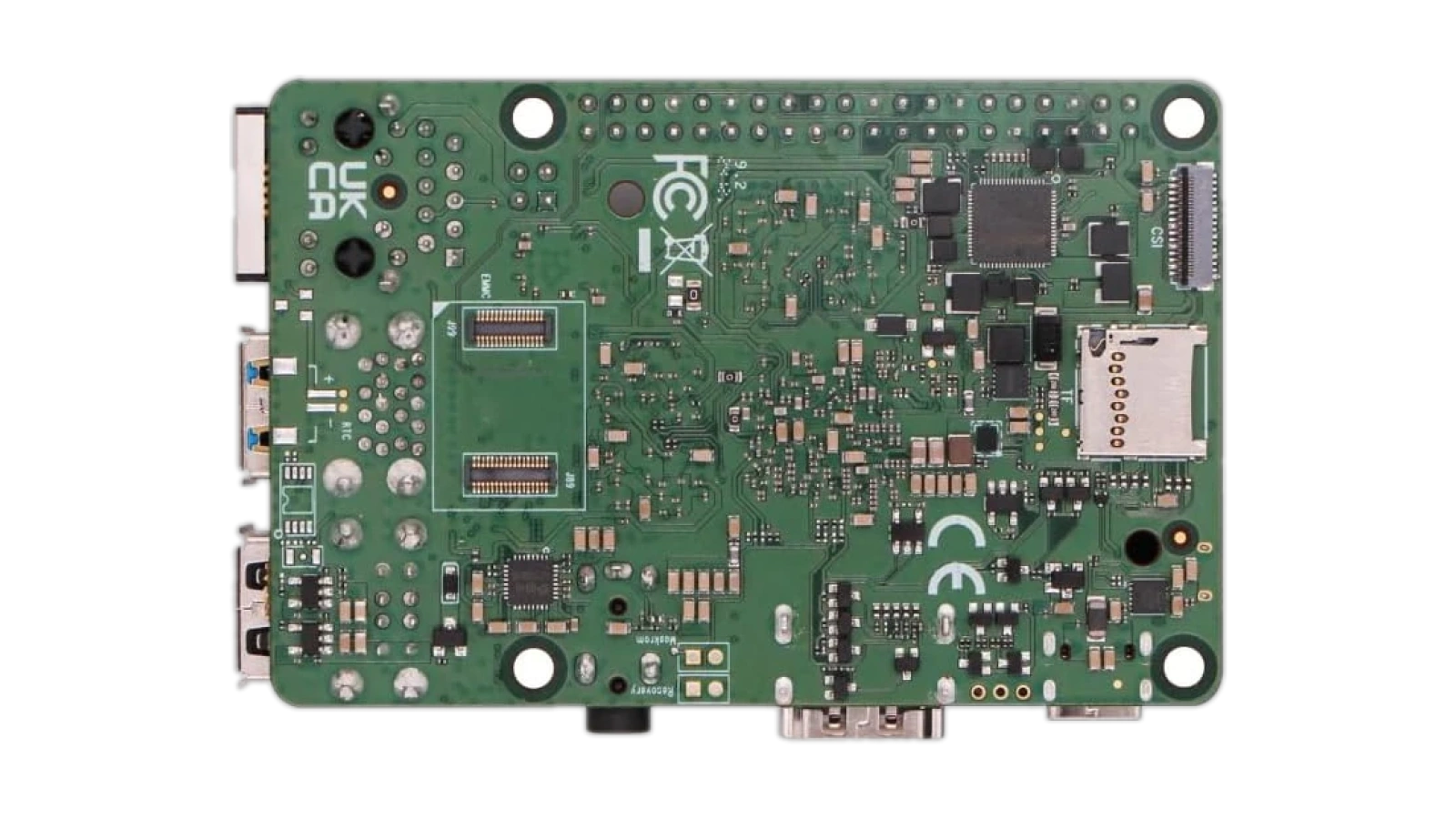
The gap in throughput, RAM ceiling, and on-chip NPU puts the Rock 5C in a different tier from the Pi 5 at this price point. No Pi-class board offers the same combination of cores, NPU, and PCIe expansion. For a serious homelab on a compact power budget, it is the logical next step.
“The performance is real – it replaced a full x86 server running Frigate NVR, and the Rock 5C handled it while using a fraction of the power.” – Andrew R.
Andrew’s Frigate NVR result holds up under the hardware’s architecture. The NPU handles inference at a fraction of the wattage an Intel NUC would draw, keeping all eight CPU cores free for recording and Docker services. For 24/7 builds, those power savings compound into a real cost difference over a year.
“It does exactly what the specs promise. Worth noting: a power supply isn’t included, so budget for one separately.” – tyler dalbora
Tyler’s note is accurate. A 30W USB-C PD adapter covers it – most people have one on hand, and dedicated SBC power supplies are inexpensive. It is a one-time cost that doesn’t change the value equation of the board itself.
Performance Per Watt
For a board meant to run around the clock, power draw is not a footnote – it is a running cost.
The RK3588S2 keeps idle wattage low through its heterogeneous core design: efficiency cores handle background tasks while performance cores ramp up on demand. The Rock 5C idles around 3-5W – viable for PoE-powered deployments where switch port power budgets matter. Under sustained CPU load – transcoding, compilation, or a busy Docker stack – power climbs to roughly 10-15W, still well below what an Intel NUC draws at equivalent throughput. For homelab operators who moved from x86 to cut electricity costs, the savings are noticeable across a year.
The Frigate NVR case illustrates this well. The NPU handles inference at low wattage, so average draw stays close to idle rather than pegging to peak CPU load – an efficiency profile that doesn’t exist on software-only detection paths. Radxa Rock 5C NAS setup via Penta SATA hat extends the system with drives, but the board itself stays efficient. A full ATX NAS motherboard draws 20-30W before drives spin up; a Rock 5C-based NAS cuts that idle power significantly. Radxa Rock 5C benchmark data confirms the architecture: engineered for sustained, always-on work.
Software Ecosystem and GPIO
Software support separates a capable SBC from a usable one – and this is where the Rock 5C stands apart from less mature competing boards.
Radxa Rock 5C Armbian support is actively maintained. Mali GPU drivers, NPU access libraries (RKNN), and PoE hat support work without manual kernel patching – not a given for non-Raspberry Pi boards that often ship with stale kernels. The setup experience is close to Raspberry Pi OS in familiarity.
Android support is available for media center and kiosk deployments – the 8K HDMI output paired with Android suits digital signage builds where a full Linux environment would be overkill. The 40-pin GPIO header is compatible with most Pi hats; the pinout aligns with the Pi 3B+ in most configurations, though verifying 5V vs 3.3V logic levels before connecting hats is advisable.
ONNX and NCNN support via RKNN Toolkit 2 makes the NPU accessible for computer vision projects. This is the software path that enables Frigate NVR object detection and YOLO inference without routing workloads through the CPU. Radxa Rock 5C NAS setup via Penta SATA hat is well-documented – the PCIe 2.1 lane handles a 5-drive array at full sequential speed, with community guides covering setup through OpenMediaVault configuration.
My Overall Verdict on Radxa Rock 5C
My Radxa Rock 5C review conclusion is straightforward: this is the SBC to buy if you have outgrown the Raspberry Pi 5. The RK3588S2 chip, 32GB RAM ceiling, 6TOPs on-chip NPU, and PCIe 2.1 expansion make this the highest-capability board in the Pi-compatible form factor. It earns its 9.3/10 Enebameter score from verified owners, with a minor note on the limited review count at this stage.
The Rock 5C is the right choice for homelab builders running multi-container stacks, Frigate NVR operators, makers building NAS systems, and developers working with on-device ML. The trade-off: ecosystem maturity and beginner-friendliness still favor the Pi 5, and anyone who only needs a basic GPIO project at the lowest cost has cheaper options. For the use cases this board is designed for, no Pi-sized competitor matches the performance ceiling the Rock 5C offers in 2026. This Radxa Rock 5C review points in one direction: the Rock 5C is worth the upgrade.
Complete Your Setup
The right peripherals make the most of what the Rock 5C can do – especially for desktop or compact workstation builds.
CHERRY XTRFY K5 Pro TMR Compact
Running a full Armbian desktop environment on the Rock 5C calls for a keyboard that matches the board’s compact form factor. The CHERRY XTRFY K5 Pro TMR uses magnetic switches with zero debounce latency – overkill for Linux strictly, but the result is a premium typing experience for a permanent desktop setup.
MO1 Wireless Gaming Mouse
A wireless mouse keeps the Rock 5C setup clean, particularly on a compact desk or rack-adjacent workstation. The MO1‘s tri-mode connectivity – Bluetooth, 2.4G, and wired – gives you flexibility when switching between machines in the same workspace.
FAQs
Yes, the Rock 5C is worth it for homelab builders and makers who need more than a Pi 5 can offer. The 8-core RK3588S2, 6TOPs NPU, and up to 32GB RAM make it the most capable Pi-sized SBC for Frigate NVR, NAS, and multi-container workloads.
The Radxa Rock 5C vs Raspberry Pi 5 comparison favors the Rock 5C for CPU throughput, RAM ceiling, and on-chip AI capability – particularly for Frigate NVR and multi-container builds. The Pi 5 holds the edge on ecosystem maturity, accessory breadth, and beginner-friendly community documentation.
The Rock 5C runs Armbian, Debian, Ubuntu, and Android. Armbian is the best-maintained Linux image for homelab and server builds – the community actively patches it for the RK3588S2 chip, covering GPU drivers, NPU libraries, and GPIO functionality out of the box.
At idle and light loads, passive cooling is sufficient for the Rock 5C. Under sustained CPU workloads – video transcoding, compiling code, or running a multi-container homelab stack – an active cooler is the right call, and a Raspberry Pi-compatible heatsink-fan unit fits without modification.
This Radxa Rock 5C single board computer review covers chip throughput, software ecosystem, GPIO flexibility, and power efficiency in full. For specific build questions, the Armbian and Radxa forums are where this Radxa Rock 5C review leaves off and the community continues.












