



Lenovo Legion Pro 7i Gen 8 Review 2026

Eneba Hub contains affiliate links, which means we may earn a small commission if you make a purchase through them—at no extra cost to you. Learn more


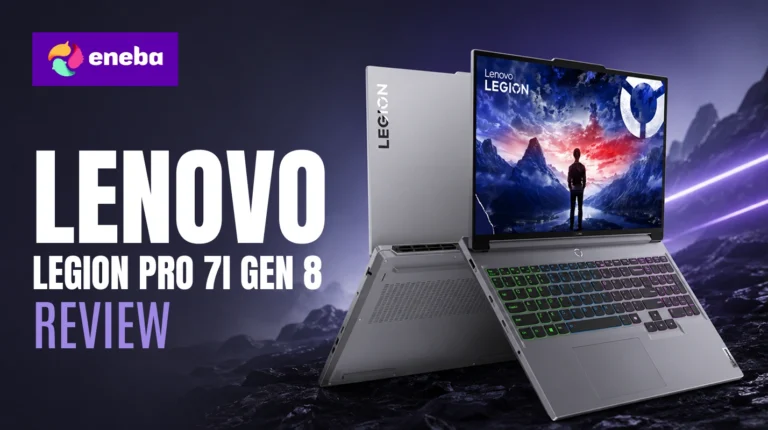
The Lenovo Legion Pro 7i Gen 8 review starts with the problem most serious gamers face: finding a laptop that doesn’t force a compromise between raw power and portability. This 2023 machine still commands a premium price in 2026 by pairing an Intel Core i9-14900HX with an NVIDIA GeForce RTX 4070 in a 16″ chassis that goes wherever you need it. For anyone who needs desktop-grade output without being anchored to a desk, the value case here is real.
The i9-14900HX’s 24-core architecture is what separates this laptop from gaming machines that shave cost by dropping to a mid-tier CPU. Pair that with a QHD+ 165Hz panel and 32GB DDR5 across four slots, and you have a build that delivers on its spec sheet. The trade-offs are predictable for a desktop-replacement at this tier.
The Lenovo Legion Pro 7i Gen 8 suits gamers who primarily work at a desk but need to travel, content creators who game, and students needing consistent performance. Three things to weigh: the 5.5 lb carry weight, no built-in webcam, and a price above $2,500.
Jump to:
Legion Pro 7i Gen 8 at a Glance
Here is the full picture before getting into what this laptop does in practice.
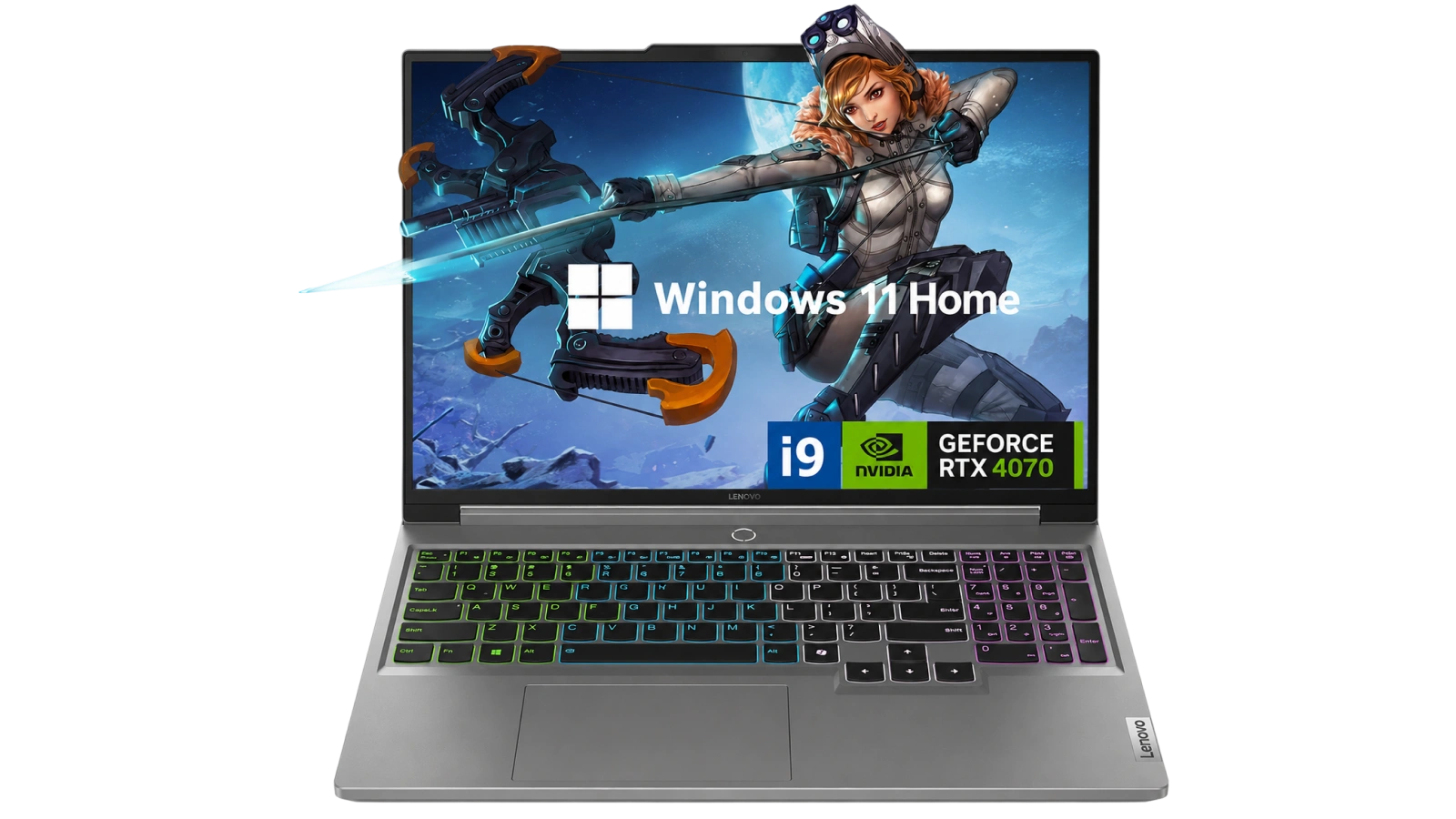
| Specs | Details |
|---|---|
| CPU | Intel Core i9-14900HX (24 cores, 32 threads, up to 5.8GHz) |
| GPU | NVIDIA GeForce RTX 4070 (8GB GDDR6) |
| RAM | 32GB DDR5 (4 slots, expandable) |
| Storage | 1TB PCIe SSD |
| Display | 16″ QHD+ 2560×1600, 165Hz, Matte/Anti-Glare, LCD |
| Battery | 80Wh |
| Weight | 5.5 lbs (2.5kg) |
| Dimensions | 14.16″ x 10.33″ x 0.78″ |
| Ports | 3x USB-A (USB 3.2 Gen 1), 2x USB-C (USB 3.2 Gen 2 with DP 1.4), 1x HDMI 2.1 (8K/60Hz), 1x Ethernet, 1x 3.5mm, 1x SD card reader |
| Wireless | Wi-Fi 6, Bluetooth |
| Keyboard | RGB Backlit, US QWERTY |
| Webcam | None |
| OS | Windows 11 Home |
| Price (at review) | ~$2,645 |
Key Features and Benefits
The hardware specs are strong on paper – here is what each one means for daily gaming and work.
- Intel Core i9-14900HX (24 cores, up to 5.8GHz) – 24 cores keep frame rates smooth even with Discord, a browser, and background downloads running alongside your game.
- NVIDIA GeForce RTX 4070 – The RTX 4070 delivers solid 1440p performance at high settings with headroom for ray tracing, without paying for RTX 4080 output you won’t consistently use.
- 32GB DDR5 RAM across 4 slots – DDR5 at 2400MHz handles gaming plus streaming overlays plus browser tabs without hesitation, and the 4-slot layout leaves room to upgrade later.
- 1TB PCIe SSD – Fast game load times and snappy OS response for both large game installs and footage transfers.
- 16″ QHD+ 2560×1600 at 165Hz – The larger panel gives more real estate than a 15″ laptop, and QHD+ sharpens textures and UI at this size while 165Hz keeps motion smooth.
- 5-port USB layout plus HDMI 2.1 – Three USB-A and two USB-C ports (both with DisplayPort 1.4) cover a full peripheral setup simultaneously.
- Wi-Fi 6 and 80Wh battery – Wi-Fi 6 keeps online gaming latency low, and the 80Wh battery covers productivity sessions between gaming blocks.
Performance and Real-World Experience
At this performance tier, the Legion Pro 7i Gen 8 is built for sustained output, not just peak benchmark numbers.
The Legion Pro 7i Gen 8 gaming benchmark profile rests on the Core i9-14900HX‘s 24-core split: 8 performance cores at up to 5.8GHz keep the RTX 4070 fully fed, while 16 efficiency cores absorb background tasks invisibly. For the Legion Pro 7i Gen 8 Core i9 review case – the CPU is never the bottleneck. Multitasking, downloads, and streaming overlays run without pulling from the gaming thread, and the RTX 4070 handles QHD+ at high-to-ultra settings with frame rates comfortably above 60fps across current titles.
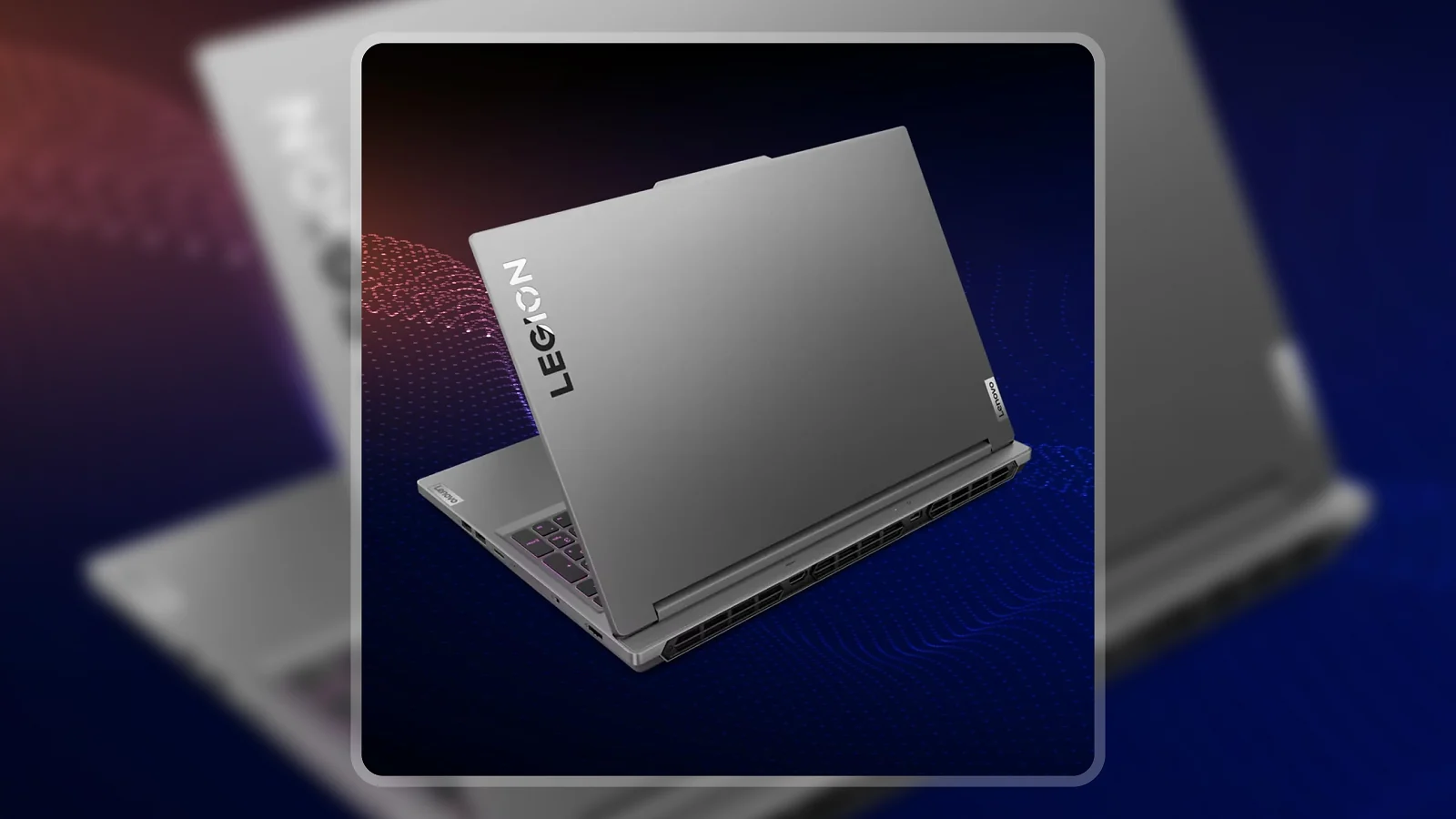
The Legion Pro 7i Gen 8 thermals review picture is honest: this machine generates real heat under load. What the cooling system does well is sustain performance rather than throttling – long gaming sessions run consistently without unexpected drops. At 0.78″ thick, the chassis is slimmer than many desktop-replacement competitors, which makes the thermal consistency all the more notable.
| Pros | Cons |
|---|---|
| ✅ i9-14900HX with 24 cores matches desktop performance for gaming and creative workloads ✅ RTX 4070 handles 1440p gaming at high-to-ultra settings across current titles ✅ 16″ QHD+ 165Hz panel delivers sharp, smooth visuals without screen-door effect ✅ 32GB DDR5 across 4 slots handles gaming plus multitasking with room to upgrade ✅ 5-port USB layout and HDMI 2.1 make building a full desk setup straightforward ✅ 80Wh battery provides a meaningful buffer for productivity use between gaming sessions | ❌ At 5.5 lbs with no built-in webcam, this is a desktop-replacement first and travel laptop second – though for a gaming machine at this tier, that weight is standard |
The Legion Pro 7i Gen 8 pairs Lenovo’s proven Legion cooling platform with Intel’s most powerful laptop CPU and a GPU that matches the display’s resolution target exactly. At 8.5/10 on the Enebameter, it earns that score on the strength of its hardware combination – the pick for anyone who needs desktop-replacement performance without being anchored to a desk.
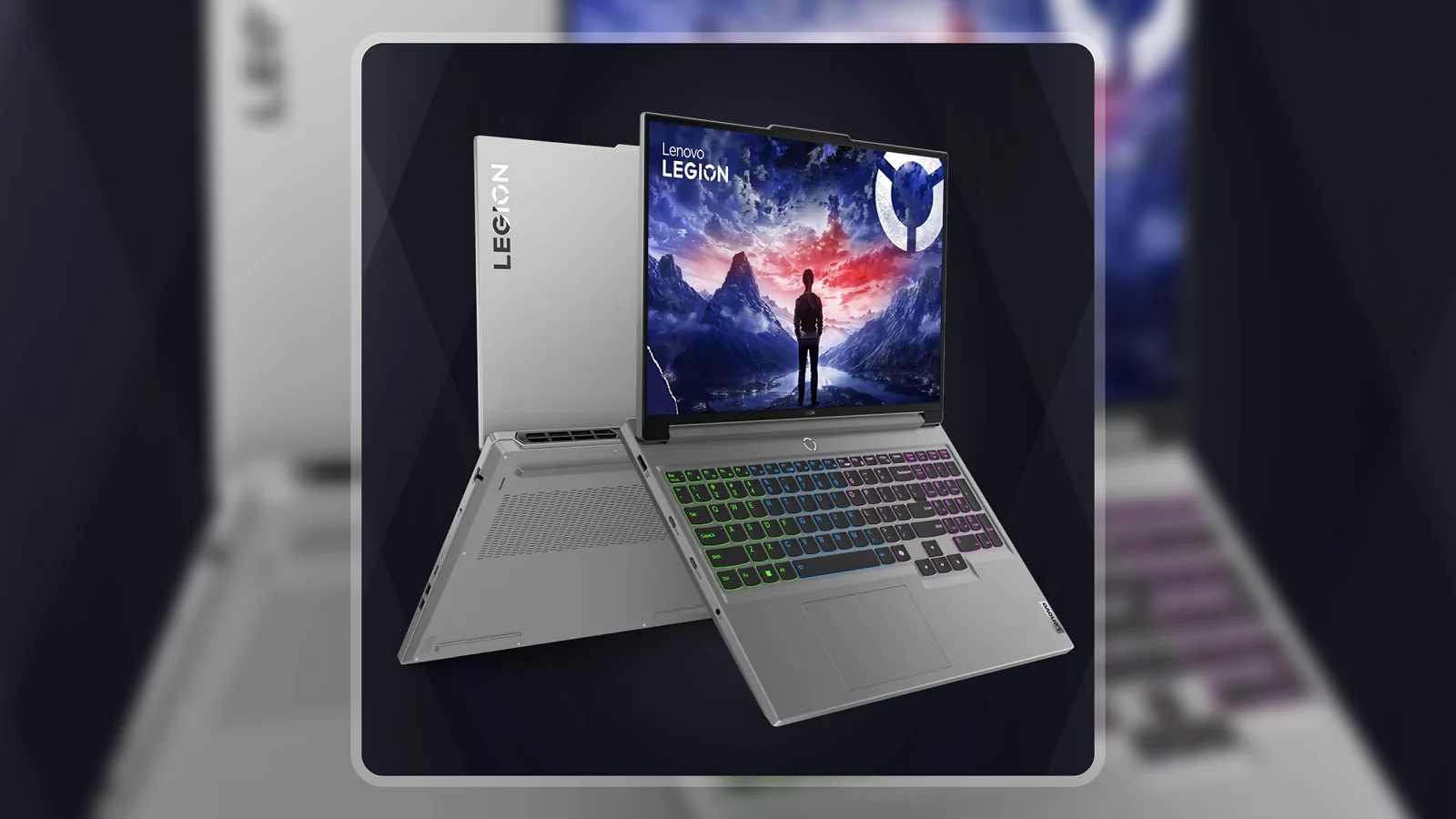
At the Lenovo Legion Pro 7i Gen 8 price of around $2,645, you’re buying several years of CPU headroom as titles get more demanding. The 24-core architecture means creative tasks – video editing, audio production, content work – run alongside gaming without the CPU becoming a constraint.
“I needed something for on-the-go, normally only built desktops, and wanted it to game very easily. I could have gone for RTX 4080 but I felt the price did not justify the performance increase.” – Rhyagelle
The point about the RTX 4080 pricing holds up. At QHD+ resolution, the performance gap between the 4070 and 4080 is narrower than the price gap implies. The RTX 4070 consistently delivers the frame rates this 165Hz display is built for, and skipping the 4080 tier is a rational call rather than a compromise.
“I’ve been using it for video editing, gaming, and sound engineering (this with an external interface), and so far, it’s excellent.” – Alejandra
Alejandra’s experience with video editing and audio production confirms what the spec sheet implies: the i9’s efficiency cores handle real professional workloads simultaneously alongside gaming. Anyone who crosses between creative work and gaming finds the Legion Pro 7i Gen 8 holds up across both without compromise.
Display and Visual Quality
The 16″ panel is one of the Legion Pro 7i Gen 8‘s key differentiators from smaller gaming laptops, and it delivers a noticeably better viewing experience for both gaming and daily use.
The QHD+ 2560×1600 resolution at 16″ produces sharp text and detailed game visuals – at this pixel density, textures, foliage, and UI elements look cleaner than on a 1080p display at the same size. At 165Hz, competitive shooters push toward the display’s ceiling at lower settings, and story-driven titles benefit from the smoother motion compared to standard 60Hz panels. The display’s refresh rate and resolution are well-calibrated for each other – this is the right pairing for the GPU inside.
The matte anti-glare coating reduces reflections in bright environments. Via HDMI 2.1, the Legion Pro 7i Gen 8 supports an external display up to 8K/60Hz, or 4K/144Hz via either USB-C port with DisplayPort 1.4 – useful for anyone who docks at a desk.
Battery Life and Portability
No gaming laptop with an i9 and RTX 4070 competes with an ultrabook on battery life, but the Legion Pro 7i Gen 8 manages this trade-off better than the spec sheet implies.
Under active gaming load, plan for 1.5 to 2.5 hours. For mixed productivity use, Legion Pro 7i Gen 8 battery life extends to 4 to 5 hours on the 80Wh cell – a practical buffer for a workday of light tasks between gaming sessions.
At 5.5 lbs, you’ll feel the weight after a full day of carry, and the missing built-in webcam is worth knowing before purchase. Adding a USB-C webcam is straightforward, but factor it into your setup cost. Those expecting ultrabook portability should look at highly rated gaming laptops under $500 or a lighter GPU tier instead.
My Overall Verdict on Lenovo Legion Pro 7i Gen 8
The Lenovo Legion Pro 7i Gen 8 review lands on a machine that delivers exactly what it promises: desktop-class gaming performance in a form factor you can take with you. The i9-14900HX and RTX 4070 combination covers competitive multiplayer, graphically demanding titles, and creative workloads equally well, and the 16″ QHD+ 165Hz panel matches the GPU’s output without asking you to choose between resolution and smoothness.
The right audience is specific: serious gamers who primarily work at a desk but need to travel, content creators who game, and students in demanding programs. The Lenovo Legion Pro 7i Gen 8 vs ASUS ROG Strix G16 comparison comes up often in this segment – the Legion’s advantage is the i9’s 24-core headroom, the deeper port selection, and Lenovo‘s Legion cooling ecosystem. Skip this if light portability is a priority, if you need a built-in webcam, or if the budget points you toward popular budget gaming laptop options. For anyone who wants to put serious hardware in a bag and take it with them, the Lenovo Legion Pro 7i Gen 8 review verdict is clear: this machine earns its price.
Budget Alternative
If the Legion Pro 7i Gen 8‘s price is more than you want to commit, the KAIGERR gaming laptop covers 1080p gaming at a significantly lower cost. You give up the QHD+ display, the i9 CPU headroom, and the RTX 4070‘s output – but for casual gaming or productivity-first use, the performance-per-dollar ratio is strong. The Legion Pro 7i Gen 8 remains the better long-term investment if budget allows.
Complete Your Setup
The right peripherals make the Legion Pro 7i Gen 8 even better – here are two worth pairing with it.
Logitech G Gaming Headset
The Legion Pro 7i Gen 8‘s 3.5mm jack pairs cleanly with a gaming headset, and the Logitech G lineup is a consistent match for Lenovo machines. Logitech‘s headsets balance audio clarity with comfort for long sessions without driver conflicts on Windows 11.
MO1 Wireless Gaming Mouse
The Legion Pro 7i Gen 8‘s touchpad is functional, but serious gaming sessions benefit from a dedicated mouse. The MO1 Wireless Gaming Mouse connects via 2.4G wireless, keeping the USB-C ports free for display output or charging while adding the precision sensor that competitive gaming demands.
FAQs
Yes, the i9-14900HX and RTX 4070 combination covers demanding games and creative workloads at QHD+ resolution, and the 16″ 165Hz panel is well-matched to what the GPU delivers. The Legion Pro 7i Gen 8 is strong value for anyone who needs desktop-class performance in a mobile form factor.
Expect high-to-ultra settings in current titles at 1440p with frame rates comfortably above 60fps, and competitive titles pushing toward the display’s 165Hz ceiling at lower settings. The i9-14900HX keeps the RTX 4070 well-fed without noticeable CPU bottlenecks in gaming scenarios.
Plan for 1.5 to 2.5 hours under active gaming load and 4 to 5 hours for mixed productivity use on the 80Wh battery. Gaming laptops with an i9 and discrete GPU this powerful don’t offer all-day battery life, and the Legion Pro 7i Gen 8 is honest about that trade-off.
Gaming laptops with i9 CPUs and discrete GPUs generate real heat, and the Legion Pro 7i Gen 8 is no exception – the cooling system sustains performance under load rather than throttling to protect thermals. Long gaming sessions run consistently without unexpected shutdowns, which is what matters most at this price.
The Lenovo Legion Pro 7i Gen 8 review serves anyone who needs desktop-class performance from a machine they can take with them, including serious gamers, content creators, and students in demanding programs. If you can accept 5.5 lbs and no built-in webcam, this is one of the strongest options at the premium tier.












