



DualSense Edge review 2026

Eneba Hub contains affiliate links, which means we may earn a small commission if you make a purchase through them—at no extra cost to you. Learn more


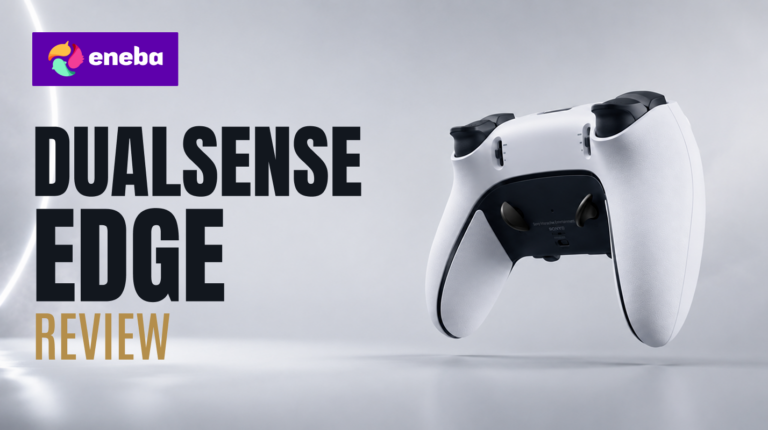
This DualSense Edge review begins with the competitive PlayStation 5 player’s problem: a ranked match lost because jump, aim, and crouch can’t coexist on the same thumb at the critical moment. Sony‘s answer is the DualSense Edge, a $199 pro controller with hardware-level customization that third-party alternatives can’t replicate on PS5. This Sony DualSense Edge review breaks down where that hardware investment pays off and where it doesn’t.
The DualSense Edge makes three decisions that separate it from the standard DualSense at a hardware level. The swappable stick modules are the most significant: when drift develops, you replace the module instead of the controller, which changes the lifetime value math entirely. Trigger travel adjusts with physical stops rather than software profiles, and both back button styles come in the box.
The practical lens for this PS5 DualSense Edge review is a competitive player who cares about input precision and platform reliability. Two tensions drive the verdict: how much customization depth the battery trade-off justifies, and whether first-party Sony integration is worth $130 over a standard DualSense.
Jump to:
DualSense Edge at a Glance
Here is what you are working with before getting into the details. The DualSense Edge packs substantial hardware customization into the familiar DualSense chassis, and the spec sheet reflects the engineering decisions Sony made.
| Specs | Details |
|---|---|
| Platform | PlayStation 5 |
| Controller Type | Wireless Gamepad |
| Connectivity | USB-C (wired) / Bluetooth (wireless) |
| Back Buttons | 2 swappable pairs (half-dome and lever styles included) |
| Trigger Customization | 3 adjustable travel lengths per trigger |
| Analog Stick Modules | Swappable; 3 cap styles included (standard, dome, dish) |
| Control Profiles | Up to 3 saved custom profiles |
| Remappable Buttons | All face buttons, including deactivation option |
| Color | White |
| Dimensions | 8″D x 8″W x 4.2″H |
| Warranty | 1 Year Manufacturer |
| Best Sellers Rank | #17 in PlayStation 5 Controllers |
Key Features and Benefits
The DualSense Edge isn’t a cosmetic upgrade over the standard DualSense. Sony rebuilt the internal architecture to expose hardware-level customization that used to require third-party modifications or a different platform.
- Swappable Stick Modules – The analog sticks are user-replaceable without tools or a service center. Stick drift becomes a maintenance step, not a reason to retire the controller. Three cap styles (standard, dome, dish) let you match grip to game type.
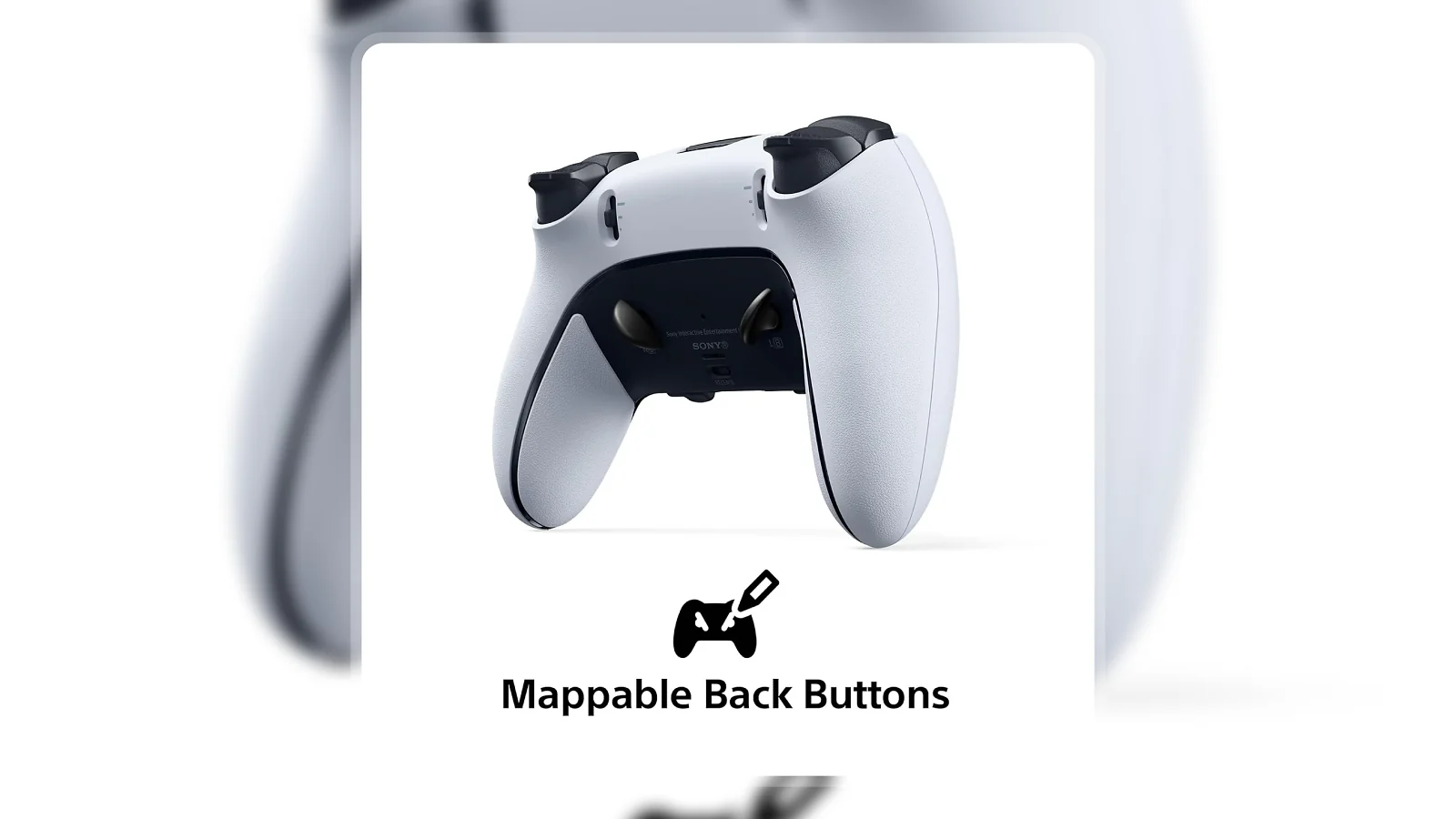
- Mappable Back Buttons – Two swappable sets (half-dome and lever styles) mount to the rear and map to any button input, keeping thumbs on the sticks during critical play moments.
- Adjustable Trigger Travel – Three physical travel lengths per trigger. Short travel registers at minimal pull distance for FPS speed; long travel suits racing games where throttle precision matters.
- Remappable and Deactivatable Buttons – Any face button remaps or deactivates entirely. Turning off L3 and R3 eliminates accidental stick presses that cause unintended crouches or sprint toggles in competitive play.
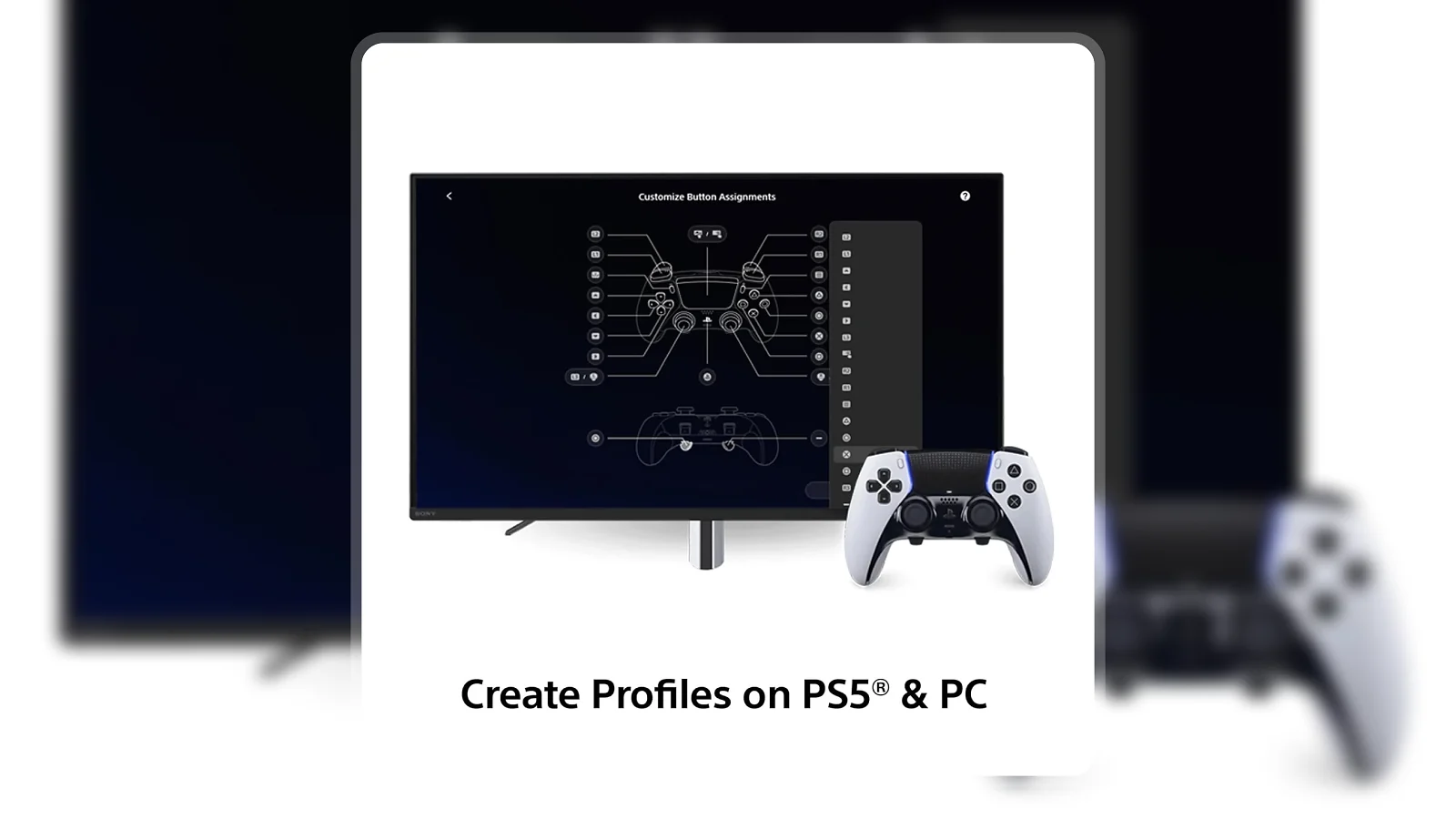
- Quick-Swap Control Profiles – Save up to three complete configurations and switch between them during play via the Function button. No companion app required.
Performance and Real-World Experience
The DualSense Edge targets a specific PS5 player: someone who has hit the limits of the standard DualSense layout in competitive scenarios. The $130 premium needs to offer something the base model can’t. It does.
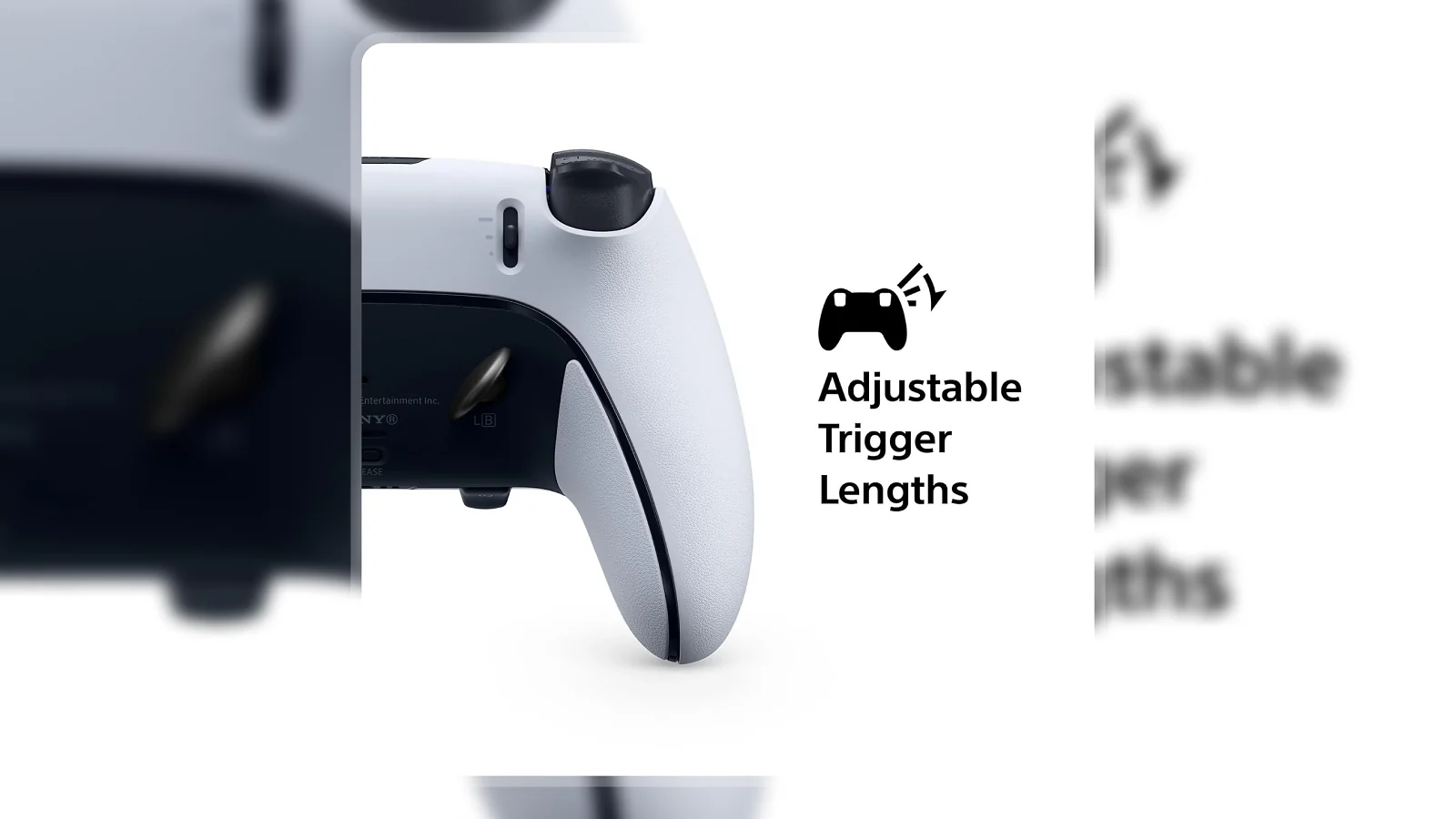
The trigger customization is the most immediately impactful feature. Short trigger stops engage cleanly with no mushiness or inconsistency. The physical stop is hardware-level, meaning the response is identical across every game without any setup or software toggle. In FPS games where shot speed matters, the difference between short and long trigger travel is measurable.
The back buttons take an adjustment period. The first sessions build muscle memory, but by the second week the layout becomes instinctive. Returning to a standard controller then reveals how often the default positions force thumbs off the sticks. The half-dome style suits resting fingers; levers give clearer tactile confirmation.
Build quality reflects the $199 price. The grip texture is noticeably more substantial than the standard controller. Bluetooth wireless performance is solid with no perceptible input lag, and the USB-C wired connection is flawless.
| Pros | Cons |
|---|---|
| ✅ Swappable stick modules prevent stick drift from ending the controller’s life prematurely ✅ Hardware trigger stops (3 settings per trigger) provide a genuine FPS speed advantage ✅ Two sets of back buttons in different styles included, both configurable to any input ✅ Up to 3 saved profiles switch instantly via Function button, no menus during play ✅ Full PS5 OS integration: firmware updates through the console, no driver issues ✅ Any face button can be remapped or deactivated to eliminate accidental inputs ✅ Premium build quality with upgraded grip texture that matches the $199 price point | ❌ Battery delivers approximately 6-8 hours wirelessly versus 12+ on the standard DualSense, though wired USB-C play removes the limitation |
The DualSense Edge is the only PS5 controller with user-replaceable stick modules, a hardware decision that protects the $199 investment from the most common controller failure point. Full PS5 OS integration means no third-party driver workarounds and no firmware updates to chase, and Sony’s platform-specific focus shows in every feature choice.
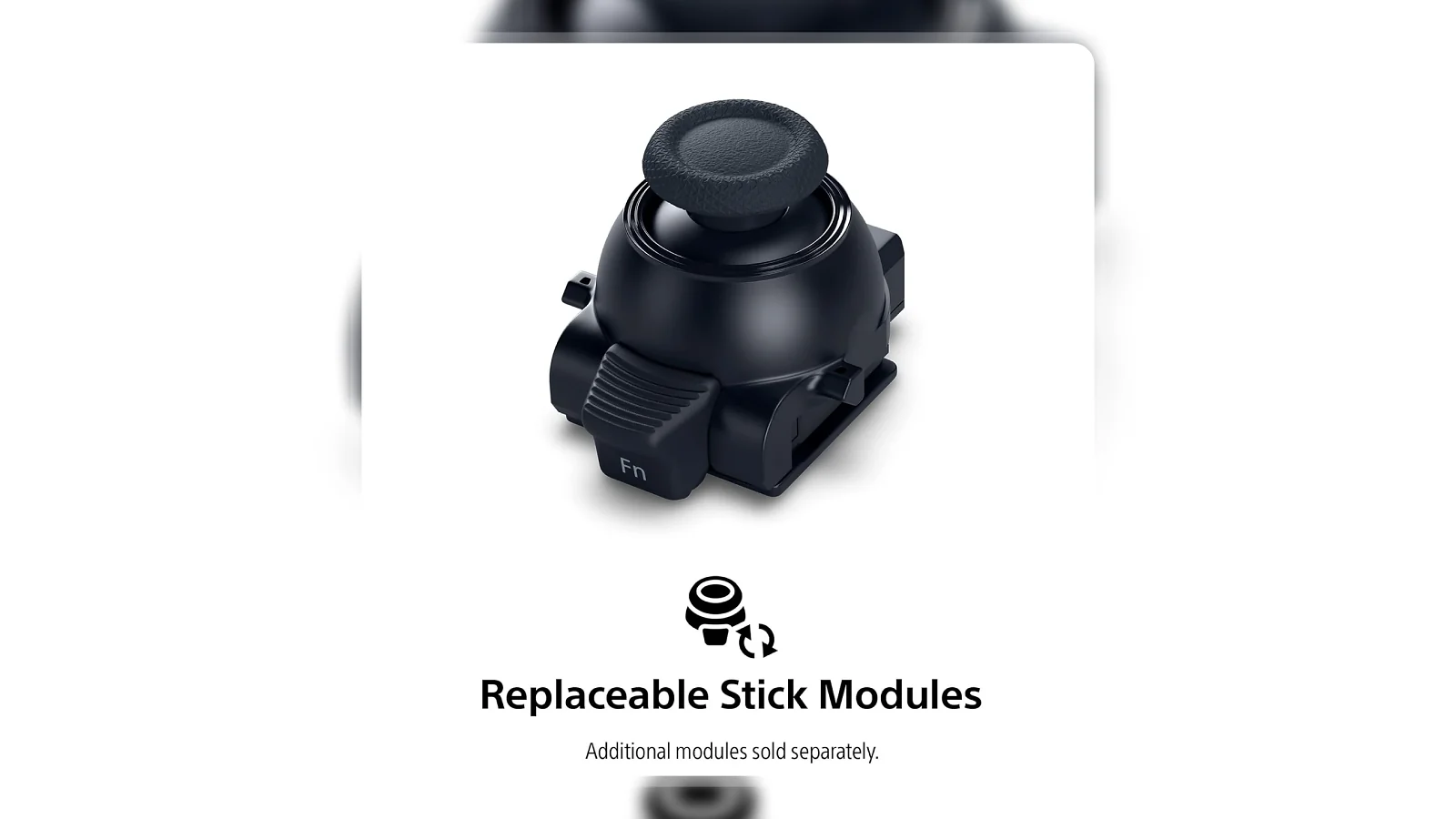
For a PS5-primary competitive player, no third-party pro controller matches the combination of customization depth and native integration. At $199 spread over a longer lifespan, the per-year cost looks very different than the sticker price suggests.
“The back buttons changed how I play competitive games completely. Mapping jump to the back button meant I could aim while jumping without lifting my right thumb off the stick – once you make that switch, standard controllers feel like they’re missing something.” – Chris
That muscle memory shift is real. The trigger stops stand out because they’re hardware-enforced: the response doesn’t vary between games, doesn’t require software configuration, and doesn’t shift with firmware updates. What you set is what you get, every session.
“I keep one profile for shooters with short triggers and one for racing with longer travel. Switching between them in seconds during a gaming night is genuinely useful – I’ve never had to sit in the settings menu mid-session. The battery is shorter than my old DualSense, but USB-C wired solves it for long nights.” – Kyle
The battery limitation Kyle mentions is real but manageable. Most competitive gaming sessions run 2-4 hours, which sits comfortably within the wireless range.
Button Mapping and Customization
The DualSense Edge‘s customization system is hardware-first, separating it from the software remapping available for the standard DualSense through the PS5‘s accessibility settings.
Both back button styles, half-dome and lever, mount to two slots on the lower rear and swap tool-free in under 10 seconds. Dome buttons suit players who prefer resting fingers lightly; levers give a more deliberate actuation that’s easier to feel in the heat of play. Button mapping and deactivation live in the PS5‘s system settings under Accessories, not in a companion app, and any back button or face button maps to any input from the same interface.
Turning off L3 and R3 is the most practical deactivation use case, removing the accidental stick presses that trigger unintended crouches and ability activations in competitive play. Each of the three saved profiles stores a complete configuration state: back button assignments, trigger travel, stick sensitivity, and face button remap. One hold of the Function button switches profiles during gameplay without pausing or navigating a menu.
Compatibility and Platform Support
The DualSense Edge is built for PS5 and provides its full feature set there without any configuration. The PS5 OS handles the integration layer for back buttons, trigger adjustments, profiles, haptic feedback, and adaptive triggers across any game that supports standard DualSense input.
On PC via USB-C, Windows recognizes the Edge as a DualSense controller and Steam maps it correctly without additional drivers. Trigger stops carry over since they’re hardware-level. Back button profiles from PS5 don’t transfer to PC, but Steam‘s controller configurator assigns them independently.
Compared to the Xbox Elite Series 2 and the Nintendo Switch’s wireless Pro Controller, the DualSense Edge is narrower in platform scope. For a PS5-primary player who wants the best the platform offers, that focused design is the point.
DualSense Edge Battery Life
DualSense Edge battery life is the most frequently cited concern from long-term owners. The Edge delivers approximately 6-8 hours of wireless play per charge versus 12+ hours on the standard DualSense, with the gap most likely caused by the additional back button hardware, swappable module circuitry, and the more complex internal layout.
Two factors make this manageable. The PS5 system bar shows battery percentage at all times. The Edge charges via USB-C and plays at full capacity while wired, with no input lag or feature reduction, and keeping a cable at your setup removes the battery constraint for stationary players.
My Overall Verdict on PlayStation DualSense Edge Wireless Controller
The DualSense Edge review conclusion is straightforward for the right type of PS5 player: this is the most capable PlayStation controller Sony has built, and the hardware customization is genuine rather than a premium-branding exercise.
The swappable stick modules stand out as the most forward-thinking feature. Controllers fail at the analog sticks, and the Edge turns that from a replacement event into a maintenance step. At $199 spread over a longer lifespan, the per-year cost looks very different than the sticker price suggests. The trigger stops, back buttons, and profile system produce measurable advantages for players who use them intentionally. The 6-8 hour wireless battery limit is real, but wired play eliminates it.
This controller is right for competitive PS5 players who care about layout precision and want Sony‘s full platform integration. It’s the wrong fit for casual players, multi-platform gamers, or anyone gaming primarily untethered for 8+ hour stretches. The Enebameter score of 9.4/10 captures what this DualSense Edge review found: a controller that performs exactly as promised without meaningful competition in its platform category.
Complete Your Setup
The DualSense Edge handles the input side of competitive PS5 play. These two additions address the audio and PC precision gaps the controller doesn’t cover.
Logitech G Gaming Headset
Positional audio is as important as precise inputs in competitive PS5 play. The Logitech G Gaming Headset brings dedicated gaming audio to PS5 via USB or 3.5mm without additional software, giving players the footstep detection and directional accuracy that completes the competitive setup alongside the DualSense Edge.
MO1 Wireless Gaming Mouse
For PS5 players who also game on PC, the MO1 Wireless Gaming Mouse covers the precision input gap a controller can’t fill for strategy games, MOBAs, or RTS titles. Tri-mode connectivity (2.4G, Bluetooth, USB-C wired) switches across setups without cable conflicts.
FAQs
Yes, the DualSense Edge justifies its $199 price for PS5 players who compete regularly and actively use features like back button mapping, trigger stops, and custom profiles. The $130 premium over a standard DualSense pays off through measurable input advantages in competitive play and user-replaceable stick modules that extend the controller’s lifespan.
Yes, the DualSense Edge can develop stick drift like any analog controller over extended use. The difference is that the stick modules are user-replaceable, so when drift occurs you swap the module rather than replacing the entire controller, which significantly extends its usable lifespan compared to standard designs.
The DualSense Edge battery life is approximately 6-8 hours of wireless play per charge, compared to 12+ hours on the standard DualSense, and that shorter runtime is the controller’s primary trade-off. Wired play via USB-C eliminates this limitation entirely, with the controller functioning at full capacity while charging.
Both controllers offer trigger stops, back paddles, and button remapping at a similar price point, but the DualSense Edge adds user-replaceable stick modules and full PS5 OS integration while the Xbox Elite Series 2 provides stronger cross-platform support across Xbox and PC. Platform fit matters more than feature comparison, so choose the controller built for your primary gaming system.
The DualSense Edge review verdict is different for casual players. If you play primarily story-driven games, don’t use back buttons or trigger customization, and are satisfied with the standard DualSense layout, the $130 upgrade premium won’t return meaningful value and the standard DualSense at $69 is the better choice.