



GEEKOM A8 review 2026

Eneba Hub contains affiliate links, which means we may earn a small commission if you make a purchase through them—at no extra cost to you. Learn more


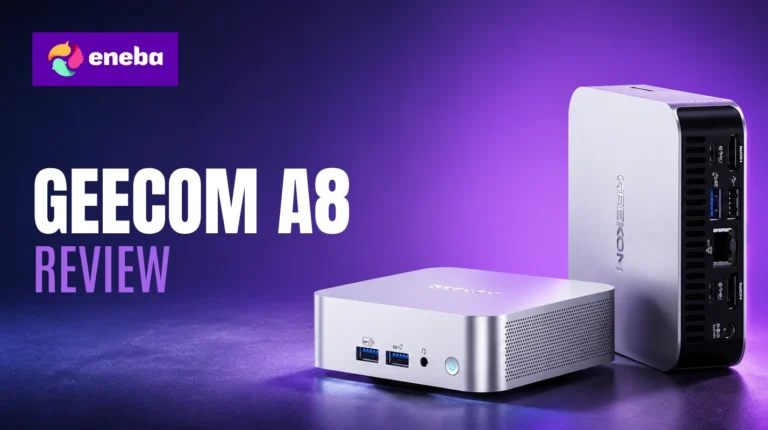
The GEEKOM A8 review is one I kept returning to because a machine this compact has no business performing this well. The GEEKOM A8 mini PC review tells a compelling story: premium laptop-class CPU power in a 4-inch aluminum box, combining the AMD Ryzen 7 8845HS, 32GB DDR5 RAM, and a 3-year warranty at a price where that combination is genuinely rare.
GEEKOM positions the A8 as a desktop replacement for productivity, creative work, and light gaming – and the spec sheet backs that claim better than most mini PCs in this price range. The 3-year warranty provides a safety net that compact desktop competitors rarely offer.
My focus: whether the A8 holds up for anyone replacing aging desktop towers, building compact home offices, or setting up multi-monitor stations. CPU performance under sustained workloads, thermal behavior, and connectivity determine whether this machine earns a place on your desk.
Jump to:
A8 Mini PC at a Glance
Here is the full GEEKOM A8 specs breakdown before getting into what those numbers mean in practice.
| Specs | Details |
|---|---|
| Processor | AMD Ryzen 7 8845HS (8 cores, 16 threads, 3.8-5.1GHz, 4nm Zen 4) |
| RAM | 32GB DDR5-5600MHz (expandable to 64GB, 2x SO-DIMM slots) |
| Storage | 1TB M.2 2280 NVMe PCIe Gen 4×4 SSD |
| Graphics | AMD Radeon 780M (integrated, 12 CUs, up to 2.7GHz) |
| OS | Windows 11 Pro |
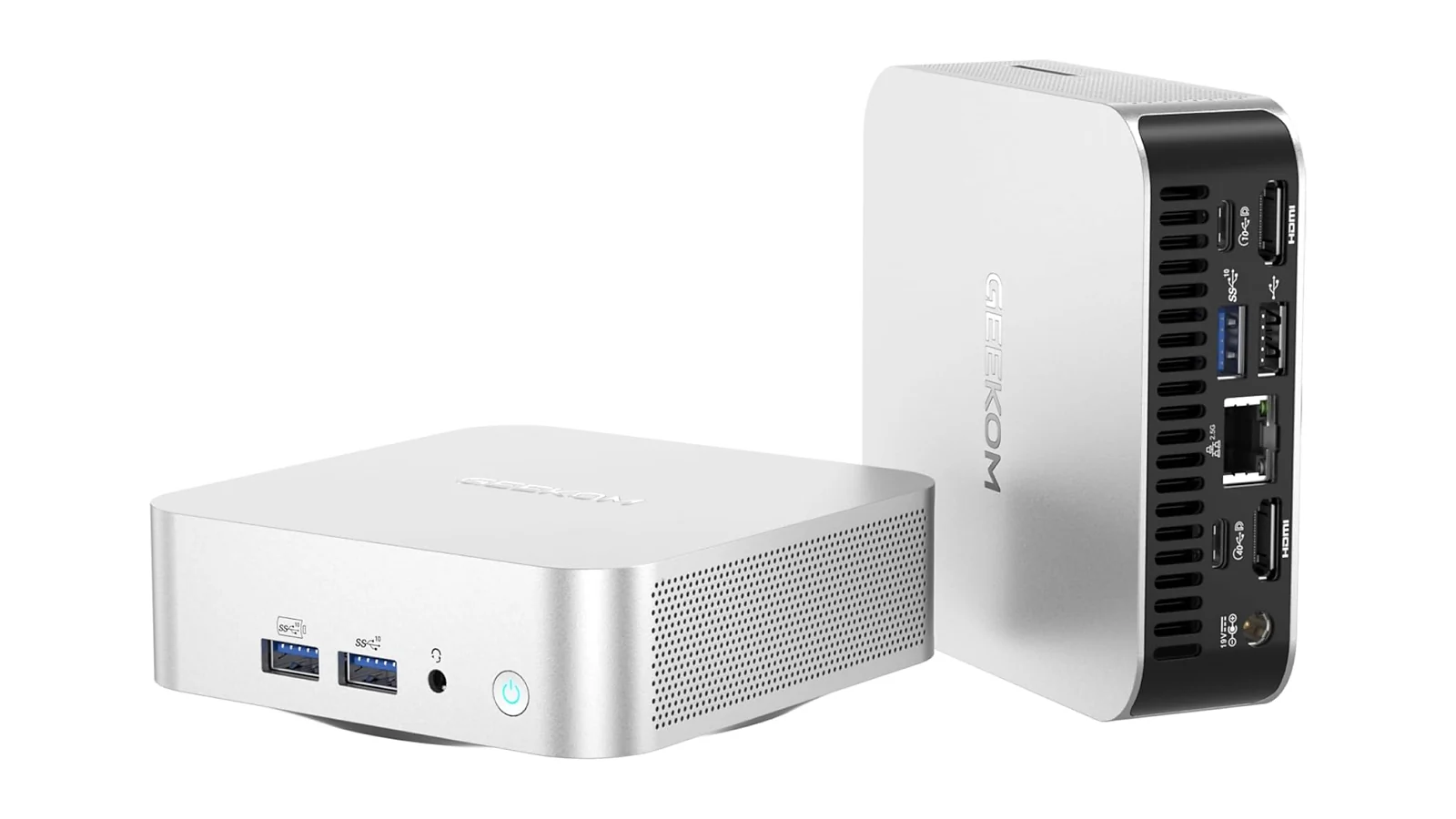
| Display Output | 1x USB4 (8K@30Hz), 1x USB-C (8K@30Hz), 2x HDMI 2.0 (4K@60Hz) – up to quad display |
| USB Ports | 6 total: 1x USB4, 1x USB 3.2 Gen 2 Type-C, 2x USB 3.2 Gen 2 Type-A, 2x USB 2.0 |
| Networking | Wi-Fi 6E (802.11ax), 2.5 Gigabit Ethernet, Bluetooth 5.2 |
| Dimensions | 4.42 x 4.42 x 1.5 inches (0.5-liter chassis) |
| Power | 120W adapter |
| Cooling | GEEKOM IceBlast 1.5 active cooling system |
| Security | TPM 2.0, FTPM, Windows Hello, Windows Defender, BitLocker |
| Warranty | 3-year limited manufacturer warranty |
| Amazon Rating | 3.9/5 (84 reviews) |
Key Features and Benefits
The specs table gives you the numbers – here is what each one means in actual use.
- AMD Ryzen 7 8845HS Processor – Eight cores and 16 threads at up to 5.1GHz on a 4nm Zen 4 architecture deliver roughly 30% more multi-threaded performance than the previous Ryzen 7 7735HS generation. Video editing, Photoshop, and heavy multitasking stay responsive without constant fan intervention.
- 32GB DDR5-5600 RAM (expandable to 64GB) – Most mini PC competitors in this price range ship with 16GB. The A8‘s 32GB base handles browser sessions, virtual machines, and creative workloads without memory pressure.
- 1TB PCIe Gen 4 NVMe SSD – Gen 4 read speeds boot the OS fast and handle large file transfers quickly. The M.2 2280 slot is user-swappable for future capacity upgrades.
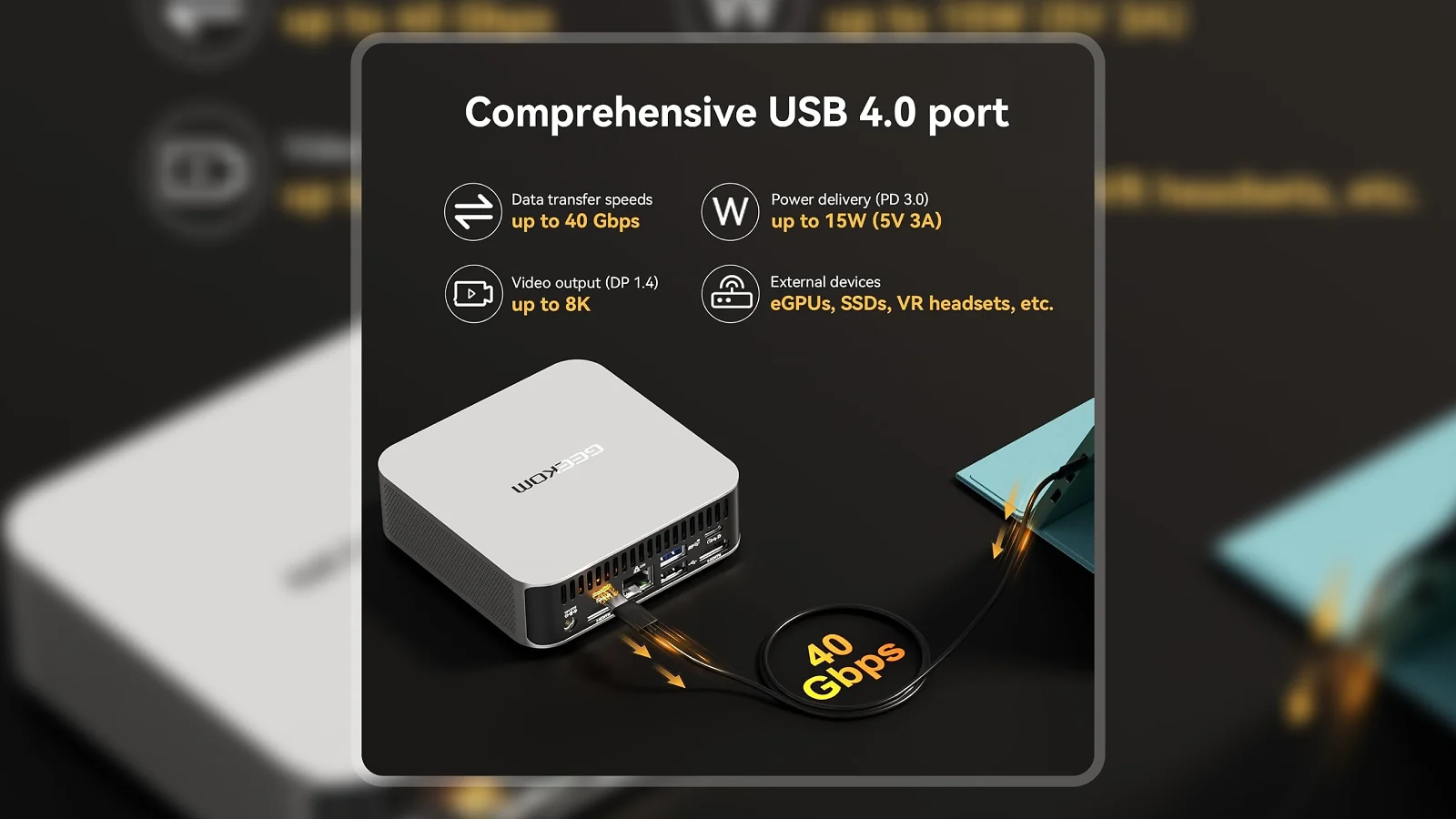
- Quad-Display Support via USB4 – The USB4 port carries up to 40Gbps for display output, device charging, and data transfer simultaneously. Combined with two HDMI 2.0 ports and a USB-C output, the A8 drives up to four independent screens.
- Wi-Fi 6E and 2.5 Gigabit Ethernet – Wi-Fi 6E delivers up to 3x Wi-Fi 5 speeds on the 6GHz band, while the 2.5GbE wired port handles NAS access and stable gaming sessions.
- 3-Year Manufacturer Warranty – Most mini PCs at this price offer 12 months. GEEKOM‘s 3-year coverage with a responsive support team is a genuine differentiator that reduces the purchase risk considerably.
Performance and Real-World Experience
The Ryzen 7 8845HS is a premium laptop chip, but inside the A8 it runs without the tight power caps slim ultrabooks impose – and the difference shows.
Day-to-day productivity is strong. Boot time is fast, app launches are near-instant off the Gen 4 NVMe, and multitasking across a full browser session alongside creative apps stays smooth. The GEEKOM A8 gaming performance has important context: the Radeon 780M handles 1080p at low-to-medium settings on older titles and indie games well, putting the A8 ahead of most integrated GPU competitors in this price range. Modern AAA titles at high settings are outside its range – integrated graphics has a ceiling, and the A8 doesn’t pretend otherwise.
Thermals under typical workloads are comfortable. Light tasks keep the fans quiet; extended gaming or sustained rendering pushes fan speeds up audibly and may introduce throttling at the chip’s absolute ceiling. That’s expected in a 0.5-liter chassis, not a defect. What stood out: some units experience intermittent GEEKOM A8 WiFi issues on 5GHz and 6GHz networks – the 2.5GbE Ethernet port eliminates this entirely.
| Pros | Cons |
|---|---|
| ✅ AMD Ryzen 7 8845HS delivers 8-core, 16-thread laptop-class performance from a 4-inch chassis ✅ Quad-display output supports up to four 4K monitors from a single compact desktop ✅ 32GB DDR5 RAM and a Gen 4 NVMe SSD handle demanding productivity and creative workloads ✅ 3-year warranty provides coverage that is rare in the mini PC category at this price ✅ User-upgradeable RAM (to 64GB) and SSD extend the machine’s useful lifespan as needs grow ✅ Wi-Fi 6E and 2.5GbE Ethernet give fast options for both wireless and wired setups | ❌ Wi-Fi connectivity is intermittent on some units – the 2.5GbE Ethernet port eliminates the issue entirely for wired users |
The GEEKOM A8 packs an 8-core Zen 4 processor, 32GB DDR5 RAM, quad-display USB4 output, and a 3-year warranty into a 0.5-liter chassis – a combination no competitor at this price consistently delivers. For anyone replacing a desktop tower or building a compact multi-monitor workstation, the A8 is the clear choice in the mini gaming PC category.
The performance-to-footprint ratio is where the A8 earns its reputation. An 8-core 4nm chip in a box smaller than most router stacks produces desktop-class results that consistently catch people off guard.
“I upgraded from an 8-year-old build and this tiny machine outperforms it easily. Everything is running great and I’ve kept it on around the clock – no issues, no complaints.” – Mark
The comparison to older desktop hardware shows up regularly from A8 owners. The 4nm Zen 4 architecture puts the A8 multiple generations ahead of 2016-era i7 towers in both raw performance and power efficiency.
“The performance-to-size ratio is genuinely impressive. I use it for daily productivity and it handles some casual gaming on the side better than I expected from something this compact.” – Marc R. Magos
Light gaming alongside productivity adds real value for anyone who doesn’t want two separate machines. The Radeon 780M‘s 12 compute units and up to 2.7GHz GPU clock won’t challenge a discrete card, but for casual titles and indie releases at 1080p, the A8 clears a performance floor that makes it genuinely useful for mixed-use setups.
Form Factor and Thermal Throttling
A 0.5-liter chassis and a premium 8-core processor create a genuine engineering challenge – here is how the A8 handles it.
At 4.42 x 4.42 x 1.5 inches, the A8 fits behind a monitor arm or on a desk corner without occupying meaningful space. The IceBlast 1.5 system uses a dedicated fan and heat pipe to manage the Ryzen 7 8845HS under varying workloads:
- Office and browser work: Fan stays low and barely audible. All-day use is comfortable.
- Video editing and photo work: Fan spins up moderately. CPU performance stays consistent without thermal caps kicking in.
- Casual gaming (under 30 minutes): Fan is audible but manageable. Frame rates at the Radeon 780M‘s 1080p target stay stable.
- Sustained gaming or rendering (60+ minutes): Fan becomes clearly audible and the chip may throttle at its performance ceiling. For productivity users, this scenario rarely applies.
The IceBlast 1.5 handles the A8‘s everyday envelope well – that performance ceiling isn’t where daily use lives.
Connectivity and Expansion
A compact desktop replacement needs a port selection that matches – the A8‘s connectivity package is one of its strongest competitive arguments.
The rear panel delivers two HDMI 2.0 outputs, one USB4 (40Gbps), one USB 3.2 Gen 2 Type-C, two USB 3.2 Gen 2 Type-A ports, a 2.5 Gigabit Ethernet port, and two front USB 2.0 ports. The USB4 handles display output up to 8K@30Hz, external storage at full 40Gbps, and charging simultaneously – combined with the HDMI and USB-C outputs, the A8 drives up to four independent monitors.
Documented GEEKOM A8 WiFi issues – intermittent disconnects on some units at 5GHz and 6GHz – won’t affect wired-first users. The 2.5GbE port is the definitive fix for consistent, fast connectivity.
How long does a GEEKOM mini PC last?
Buying a compact desktop as a primary machine makes lifespan a legitimate question – here is what the A8‘s build and warranty mean for long-term ownership.
GEEKOM backs the A8 with a 3-year limited warranty covering design and workmanship defects, and the Amazon review history reflects positive support experiences. Both SO-DIMM slots and the M.2 drive bay are user-accessible, so 32GB or 1TB won’t be hard limits as your needs grow.
In practical terms, a 4nm laptop-class platform like this can serve as a capable primary machine for 5-7 years before the generational gap becomes meaningful for demanding workloads.
My Overall Verdict on GEEKOM A8 Mini PC
The GEEKOM A8 review verdict is direct: this is the compact desktop to consider if a premium 8-core processor, 32GB DDR5 RAM, and quad-display output in a 4-inch chassis align with what you’re looking for. For productivity users, home office setups, and light gaming on a space-constrained desk, the A8 delivers performance that consistently outpaces its physical footprint.
The Enebameter score of 7.5/10 reflects strong core hardware and an unusually generous warranty, weighed against a small review pool and documented Wi-Fi variability. Those who should look elsewhere: anyone who needs a discrete GPU – the Radeon 780M‘s ceiling is real, and there’s no adding a graphics card to a 0.5-liter chassis.
For anyone replacing an aging desktop tower, building a compact workstation, or setting up a multi-monitor home office, this GEEKOM A8 review ends with a clear recommendation.
Budget Alternative
The KAMRUI P1 Mini PC handles everyday productivity – web browsing, document work, and video calls – powered by the AMD Ryzen 5 4300U with 16GB RAM and a 512GB SSD. The trade-off vs the GEEKOM A8 is real: 4 cores vs 8, 16GB RAM vs 32GB, and a shorter warranty. For anything beyond light productivity, the A8 is the better long-term investment. For the user with a tight budget, the KAMRUI P1 covers the fundamentals.
Complete Your Setup
A compact desktop performs best when the peripherals match the machine. A keyboard and mouse built for precision complete the A8 setup without cluttering the desk its small footprint already keeps clean.
CHERRY XTRFY K5 Pro TMR Compact
The CHERRY XTRFY K5 Pro TMR is a compact magnetic-switch gaming keyboard designed for fast, accurate input in both gaming and productivity contexts. TMR switches deliver rapid actuation and a tactile feel that holds up through extended typing sessions.
MO1 Wireless Gaming Mouse
The MO1 Wireless Gaming Mouse eliminates cable clutter from a compact desk setup where the A8‘s small chassis already keeps the space clean. Tri-mode connectivity (2.4GHz wireless, Bluetooth, and wired USB) and 20K+ DPI tracking pair well with both gaming and precision work.
FAQs
Yes, for the right use case. The GEEKOM A8 offers an AMD Ryzen 7 8845HS, 32GB DDR5 RAM, and a 3-year warranty in a palm-sized chassis – a combination that represents strong value for anyone replacing a desktop tower or building a compact multi-monitor workstation.
The GEEKOM A8 compares favorably on most metrics: the Ryzen 7 8845HS matches or outperforms equivalent Intel NUC configurations for multi-threaded workloads at similar price points. The 3-year warranty and quad-display USB4 support give the GEEKOM A8 vs Intel NUC comparison a clear winner for anyone prioritizing performance per dollar.
Yes, for light and casual gaming. The Radeon 780M integrated graphics handles 1080p gaming at low-to-medium settings on older titles and indie games – expect solid playable performance for casual sessions, but not AAA titles at high settings or frame rates.
The GEEKOM A8 review recommends this compact desktop for productivity users and light gamers who want desktop-class CPU performance without a tower footprint. The 8-core Ryzen 7 8845HS, 32GB DDR5, and 3-year warranty make a strong case, and the GEEKOM A8 review verdict is a clear yes for the right use case.












