



ASUS ROG Maximus Z790 Dark Hero review 2026

Eneba Hub contains affiliate links, which means we may earn a small commission if you make a purchase through them—at no extra cost to you. Learn more


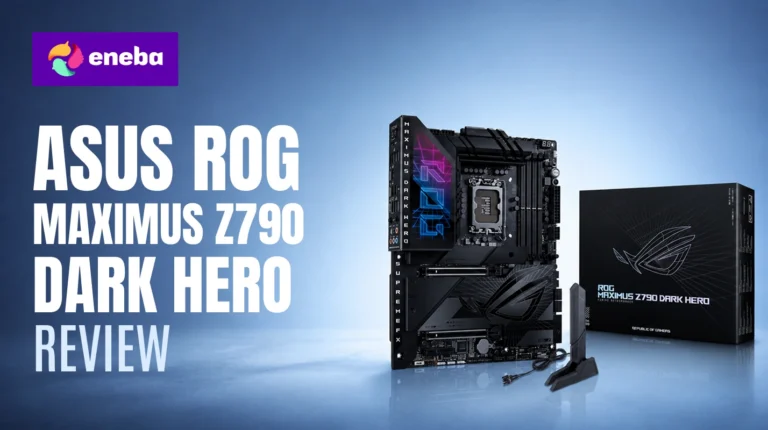
The ASUS ROG Maximus Z790 Dark Hero review starts with a direct question: what does $700 buy on a Z790 motherboard that a capable mid-range option at half the price doesn’t offer? As a ROG Maximus Z790 Dark Hero motherboard review and an ASUS Z790 Dark Hero review for anyone at that decision point, the answer comes down to three things: the 20+1+2 VRM that handles the i9-14900K‘s sustained all-core power draw without throttling, five M.2 slots for a full NVMe stack without adapters, and WiFi 7 connectivity the predecessor lacked.
The 20+1+2 VRM with dual ProCool II connectors is the best-in-class option for sustained all-core loads – the kind the i9-14900K generates when pulling over 250W under AVX workloads. For anyone whose workload keeps the i9-14900K near its power limit, including live streaming, content creation, and AI inference, the Z790 Dark Hero is the board that won’t throttle where mid-range options do. The 2-DIMM DDR5 layout enables high-frequency memory tuning above standard XMP, and WiFi 7 makes wireless a real option for demanding desktop builds.
The practical lens: who genuinely needs this board versus who can save $200-300 on a solid Z790 option. What matters most for an i9-14900K or 14900KS build is sustained all-core power delivery, DDR5 headroom, and I/O depth for complex storage setups.
Jump to:
ROG Maximus Z790 Dark Hero at a Glance
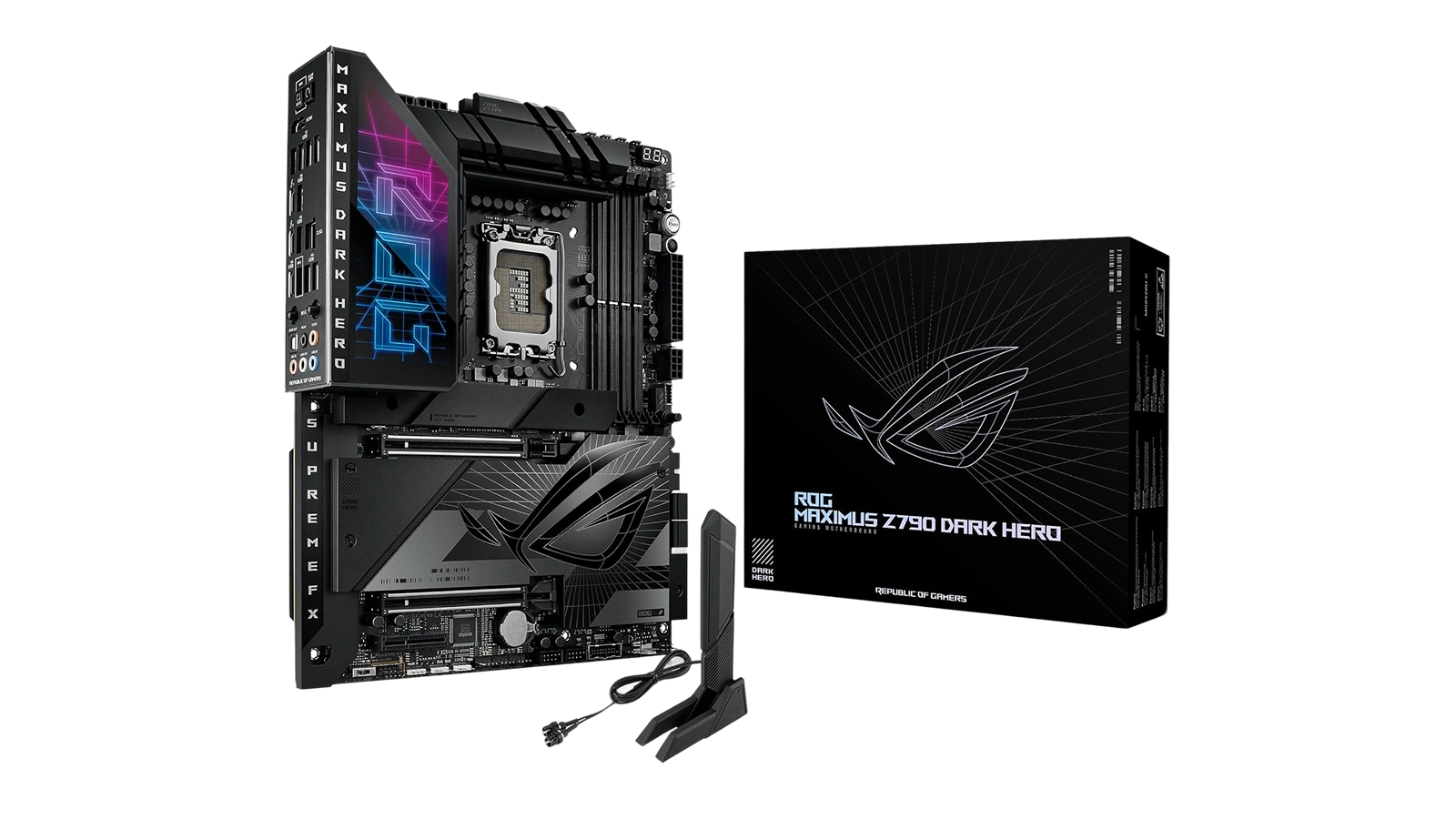
Here is what the ASUS ROG Maximus Z790 Dark Hero brings to an LGA 1700 build before getting into the details. The ROG Maximus Z790 Dark Hero specs make a strong first impression, and the hardware follows through on what those numbers promise.
| Specs | Details |
|---|---|
| Socket | LGA 1700 |
| Chipset | Intel Z790 |
| Form Factor | ATX |
| Compatible CPUs | Intel Core 14th, 13th, 12th Gen |
| Memory | DDR5, 2 DIMM slots, up to 192 GB |
| PCIe x16 Slots | 2x PCIe 5.0 SafeSlot |
| M.2 Slots | 5 total (1x PCIe 5.0 + 4x PCIe 4.0) |
| SATA Ports | 4x SATA III |
| Thunderbolt | 2x Thunderbolt 4 (USB Type-C, rear) |
| Front Panel USB | USB 20Gbps Type-C with Quick Charge 4+ (60W) |
| Rear USB | 6x USB 10Gbps + 2x USB 2.0 |
| Video Output | HDMI 2.1 |
| WiFi | WiFi 7 |
| VRM | 20+1+2 power stages, dual ProCool II connectors |
| Warranty | 3 years |
Key Features and Benefits
The Z790 Dark Hero‘s spec list is long – here is what the standout features actually do for an i9-14900K system.
- 20+1+2 VRM with Dual ProCool II Connectors – The 20+1+2 power stage count gives the i9-14900K and 14900KS the sustained current they need under all-core AVX workloads without phase throttling. Dual 8-pin ProCool II connectors backed by high-quality alloy chokes and durable capacitors mean the board can run demanding workloads consistently, not just in brief intervals.
- Five M.2 Slots (1x PCIe 5.0 + 4x PCIe 4.0) – A single board handles a primary PCIe 5.0 NVMe drive for the OS and fast games alongside four PCIe 4.0 drives for storage tiers. The ROG Maximus Z790 Dark Hero specs suit content creators and AI workflow users who want multi-drive setups without adapters or lane-sharing tradeoffs.
- WiFi 7 (802.11be) – The ROG Maximus Z790 Dark Hero WiFi 7 implementation upgrades over the WiFi 6E used in its Z790 Hero predecessor, adding multi-link operation for better throughput and lower latency across all three bands. For desktop builds that prefer wireless, this makes a practical difference in competitive gaming and large file transfers.
- Dual Thunderbolt 4 Ports – The ASUS ROG Maximus Z790 Dark Hero Thunderbolt 4 rear ports each support 40Gbps data transfer, DisplayPort Alt Mode for high-resolution displays, and Power Delivery – all without needing a discrete add-in card.
- 2-DIMM DDR5 Architecture – ROG Z790 Dark Hero DDR5 support through a 2-DIMM layout reduces memory trace complexity compared to 4-DIMM designs, which lowers the signal integrity ceiling that limits high-frequency kits. The trade-off is a two-slot capacity configuration, but for performance-first builders, the frequency headroom above standard XMP is the real value.
- BIOS Flashback – Insert a USB drive with the firmware file, hold the button, and the BIOS updates with no CPU or RAM installed. For a board that may ship with firmware that doesn’t support the latest 14th Gen CPUs, this feature turns a potentially frustrating first-boot situation into a non-issue.
Performance and Real-World Experience
This is a flagship Z790 board built for builders pushing their i9-14900K or 14900KS beyond stock – evaluate it on those terms.
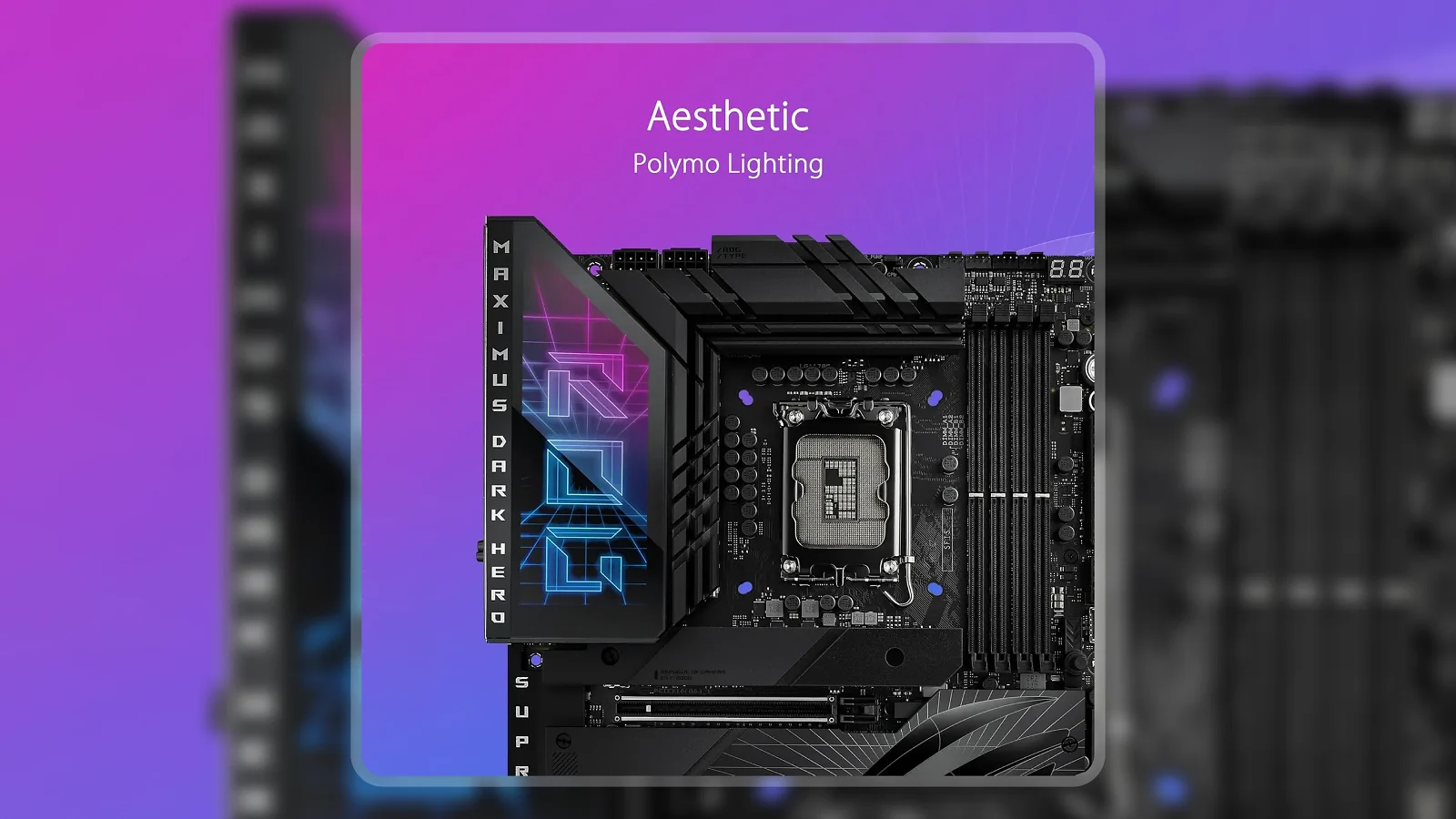
The VRM thermal setup is a genuine differentiator. The L-shaped heatpipe connecting the massive heatsinks to the I/O cover provides real thermal mass for sustained all-core loads. High-conductivity thermal pads between the power stages and heatsinks keep per-phase temperatures lower than boards with smaller, disconnected VRM heatsinks – that difference shows under extended workloads, not brief benchmark runs.
Memory tuning is where the 2-DIMM layout pays off most directly. Stable operation at DDR5 6400 MHz and above is achievable with validated kits like G.Skill Trident Z5. EXPO and XMP 3.0 profiles load cleanly in the BIOS, so first-run setup is straightforward without manual timing work.
One configuration point worth knowing: leaving the M.2_1 slot empty preserves full PCIe 5.0 x16 bandwidth to the primary GPU. That is a real trade-off for anyone running a high-end graphics card and a PCIe 5.0 NVMe drive simultaneously.
| Pros | Cons |
|---|---|
| ✅ 20+1+2 VRM with dual ProCool II connectors handles i9-14900K all-core workloads without thermal throttling ✅ Five M.2 slots – one PCIe 5.0 and four PCIe 4.0 – for staging fast NVMe storage tiers without adapters ✅ WiFi 7 delivers faster multi-device throughput and lower latency than the WiFi 6E found on the predecessor ✅ Dual Thunderbolt 4 ports cover 40Gbps data transfer, display output, and power delivery from one connection ✅ 2-DIMM DDR5 layout enables higher memory frequency headroom compared to 4-DIMM boards for DDR5 overclockers ✅ BIOS Flashback allows firmware updates without a CPU or RAM installed, which simplifies first-build setup significantly | ❌ Only 2 USB 2.0 headers – builders with multiple older peripherals may need a USB hub, though the USB 3.x front and rear options cover most modern devices |
The Z790 Dark Hero pairs an enthusiast-grade 20+1+2 VRM with five M.2 slots and WiFi 7 in a clean all-black package. For anyone running an i9-14900K who wants full connectivity depth and real DDR5 overclocking headroom, this is the Z790 board that doesn’t cut corners where it matters.
The Z790 Dark Hero at $700 sits well above capable mid-range Z790 boards at $250-350 – what justifies it is the 20+1+2 phase count and I/O depth those boards can’t match. If you’re building on AMD, a top-rated AMD gaming motherboard covers that side of the decision.
“A year in – running a 4090 and then a 5090 at different points – this board hasn’t had a single stability issue. Five NVMe slots have been great for keeping gaming and AI workloads on separate fast drives.” – Franco
Franco’s note about running both a 4090 and a 5090 without stability issues tells you something specific about this board. A properly specced VRM and high-quality capacitors are exactly what predicts multi-generation platform reliability. For anyone planning a build that will evolve across GPU generations or take on heavier AI workloads over time, that staying power is a real differentiator at this price tier.
“Came in skeptical about DDR5 stability after reading about issues on other Z790 boards. Day one with 96 GB DDR5 at 6400 MHz – rock solid. BIOS Flashback also saved me time during first setup.” – Jay
Jay’s 96 GB DDR5 kit running stable at 6400 MHz from day one reflects the structural reason the 2-DIMM design works: fewer slots means shorter, cleaner signal traces that tighten the timing margin at high frequencies where 4-DIMM boards frequently struggle. The two-slot capacity trade-off is precisely what gives this board a real frequency advantage, not a marketing claim.
VRM and Power Delivery
The i9-14900K‘s power draw – 250W and above under all-core AVX workloads – makes power delivery a real differentiator between Z790 boards. This is where the Z790 Dark Hero earns its price premium over mid-range competition.
The 20+1+2 power stage count means lower per-phase current, which translates to cooler operation and more consistent voltage delivery under load. Mid-range Z790 boards with 12-16 phases don’t have the same buffer for a CPU that regularly pulls over 250W.
The dual ProCool II connectors are backed by alloy chokes and durable capacitors – the component tier that separates a flagship from a mid-range option on the same chipset. The L-shaped heatpipe connecting the VRM heatsinks to the I/O cover provides a thermal buffer that matters under sustained rendering or AI processing. Boards with smaller, disconnected VRM heatsinks throttle under the same conditions.
Practical build note: this board requires a PSU with at least two EPS 12V (8-pin) connectors. A quality 850W or higher unit is the right pairing for an i9-14900K build at this tier.
BIOS and Overclocking Support
The ROG Maximus Z790 Dark Hero overclocking platform is a core reason to choose this board. The ASUS BIOS includes AI Overclocking for one-click frequency and voltage targeting alongside full manual per-core controls, with both EXPO and XMP 3.0 profiles loading cleanly for compatible DDR5 modules.
On ROG Maximus Z790 Dark Hero vs Z790 Hero: the functional gap is the onboard PCIe 5.0 M.2 slot. The Z790 Hero routes PCIe 5.0 NVMe through an M.2 card that shares GPU PCIe lanes; the Z790 Dark Hero‘s onboard slot handles that drive independently – the practical difference for high-end storage builds.
BIOS Flashback removes the most common first-build obstacle: place the BIOS file on a USB drive, hold the button with the board powered at PSU only (no CPU or RAM required), and the firmware updates automatically. Any 14th Gen CPU the shipping firmware doesn’t support is handled without a spare processor.
Platform ceiling: The ROG Maximus Z790 Dark Hero LGA1700 tops out at Intel 14th Gen – anyone buying now commits to the Intel 13th/14th Gen platform. For a highly rated gaming motherboard guide covering multiple chipsets, that roundup has the alternatives.
My Overall Verdict on ASUS ROG Maximus Z790 Dark Hero
The ASUS ROG Maximus Z790 Dark Hero review arrives at a clear conclusion: if an i9-14900K build needs unrestricted all-core power delivery, five M.2 slots without adapters, and DDR5 headroom above standard XMP speeds, the $700 price is justified. The 8.7/10 Enebameter score reflects strong performance at every metric that matters for this platform – power delivery, connectivity, and DDR5 frequency support – with the limited USB 2.0 header count and the LGA 1700 platform ceiling as the only meaningful deductions.
This board is the right pick for i9-14900K and 14900KS builds running heavy sustained workloads – gaming while streaming, content creation, or AI inference. The ROG Maximus Z790 Dark Hero price is harder to justify for stock gaming builds where a mid-range Z790 at $300-400 delivers nearly identical frame rates.
For the builds it’s designed for, the ASUS ROG Maximus Z790 Dark Hero review verdict is consistent: this is the Z790 flagship that covers everything a demanding i9-14900K build needs without compromise.
FAQs
The ASUS ROG Maximus Z790 Dark Hero is worth it for i9-14900K and 14900KS builders who need a 20+1+2 VRM, five M.2 slots, and DDR5 overclocking headroom in one board. If you’re running sustained all-core workloads or want a storage-heavy build without adapters, this is the Z790 option that covers everything at once.
Yes, the ROG Maximus Z790 Dark Hero supports DDR5 overclocking through its 2-DIMM layout, which enables higher-frequency operation than most 4-DIMM Z790 boards. The BIOS includes XMP 3.0 and EXPO profiles, and validated kits run stably at 6400 MHz and above.
The ROG Maximus Z790 Dark Hero supports Intel LGA 1700 processors, including Core 14th Gen, 13th Gen, and 12th Gen CPUs. It is compatible with Intel Core i9, i7, i5, and i3 processors across those generations, along with Pentium Gold and Celeron options.
Yes, the Z790 Dark Hero includes one onboard PCIe 5.0 M.2 slot alongside four PCIe 4.0 M.2 slots for a total of five. Note that occupying the M.2_1 slot reduces primary GPU PCIe bandwidth to x8 4.0 – leave it empty if your GPU needs full PCIe 5.0 x16 lanes.
The ASUS ROG Maximus Z790 Dark Hero review earns an Enebameter score of 8.7 out of 10, reflecting excellent VRM performance, connectivity depth, and DDR5 headroom with only a minor penalty for the limited USB 2.0 header count. It is the top-rated Z790 pick for i9-14900K builds on Eneba Hub.












