



ASUS ROG Ally Review 2026

Eneba Hub contains affiliate links, which means we may earn a small commission if you make a purchase through them—at no extra cost to you. Learn more


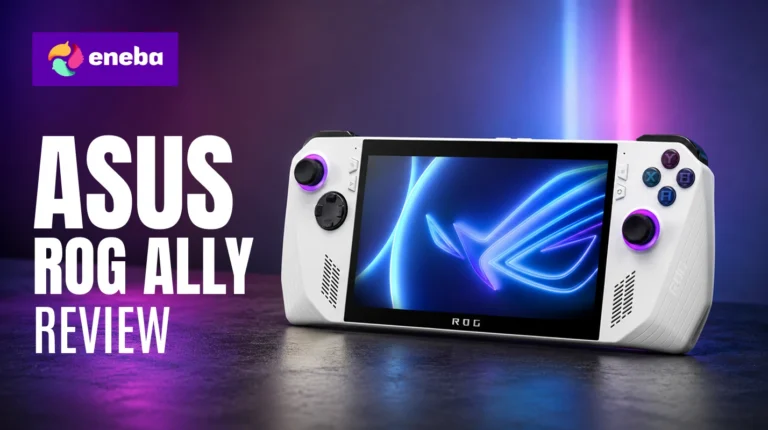
The ASUS ROG Ally review case is straightforward: this is a 7-inch Windows 11 PC that fits in your jacket pocket and runs your full Steam library on the go. Powered by AMD‘s Ryzen Z1 Extreme, the specs put it in a different class from Nintendo Switch or Steam Deck on raw Windows gaming compatibility.
What stands out about the ROG Ally is the combination of a sharp 120Hz FHD display, a built-in gamepad that doubles as a Windows input device, and a form factor that docks to your TV via USB-C when you want a larger screen. The $749 price is not small, but the hardware matches it.
My evaluation covers three things that matter most for a ROG Ally handheld gaming PC review: whether the performance holds up, how far the battery gets you on a realistic session, and whether Windows 11 on a handheld creates friction or just works.
Jump to:
ROG Ally at a Glance
Here is the full hardware picture before the details.

| Spec | Detail |
| Operating System | Windows 11 Home |
| Processor | AMD Ryzen Z1 Extreme (Zen 4) |
| RAM | 16GB |
| Storage | 512GB (microSD expandable) |
| Display | 7″ FHD 1080p, 120Hz, touchscreen |
| Input | Built-in gamepad + touchscreen |
| Connectivity | USB-C (charging and video output), Bluetooth, Wi-Fi |
| External GPU Support | ROG XG Mobile via USB-C |
| Weight | 1.1 lbs |
| Color | White |
| Price | $749 |
Key Features and Benefits
The ROG Ally packs desktop-class hardware into a form factor most gaming laptops cannot match. Here is what each key feature means for day-to-day play.
- AMD Ryzen Z1 Extreme (Zen 4) – The Z1 Extreme is the top chip ASUS paired with the original Ally. It handles modern AAA titles at 1080p on medium-to-high settings with frame rates in the 30-60fps range depending on the game and power mode.
- 7″ FHD 1080p 120Hz Touchscreen – The display resolution matches a standard 1080p gaming monitor, and the 120Hz refresh rate makes fast-paced games feel responsive. VRR support smooths frame rate variation without screen tearing. The touchscreen handles Windows navigation for the parts of the interface the gamepad does not reach well.
- Windows 11 Home – What defines this ROG Ally Windows 11 handheld review versus other handheld reviews is the library picture: full Windows 11 means Steam, Xbox Game Pass, Epic Games Store, and GOG all work natively without compatibility layers or workarounds.
- microSD Slot and USB-C Docking – The microSD slot extends storage beyond the 512GB internal drive, though card load times are slower than the SSD. The USB-C port handles both charging and video output; connect a dock and the ROG Ally becomes a desktop gaming setup on any TV or monitor.
- Fingerprint Reader in Power Button – The power button doubles as a fingerprint reader that wakes and authenticates instantly, faster than a PIN.
Performance and Real-World Experience
Performance is where the ROG Ally‘s hardware either justifies the price or doesn’t. Here is what the Z1 Extreme produces in real use.
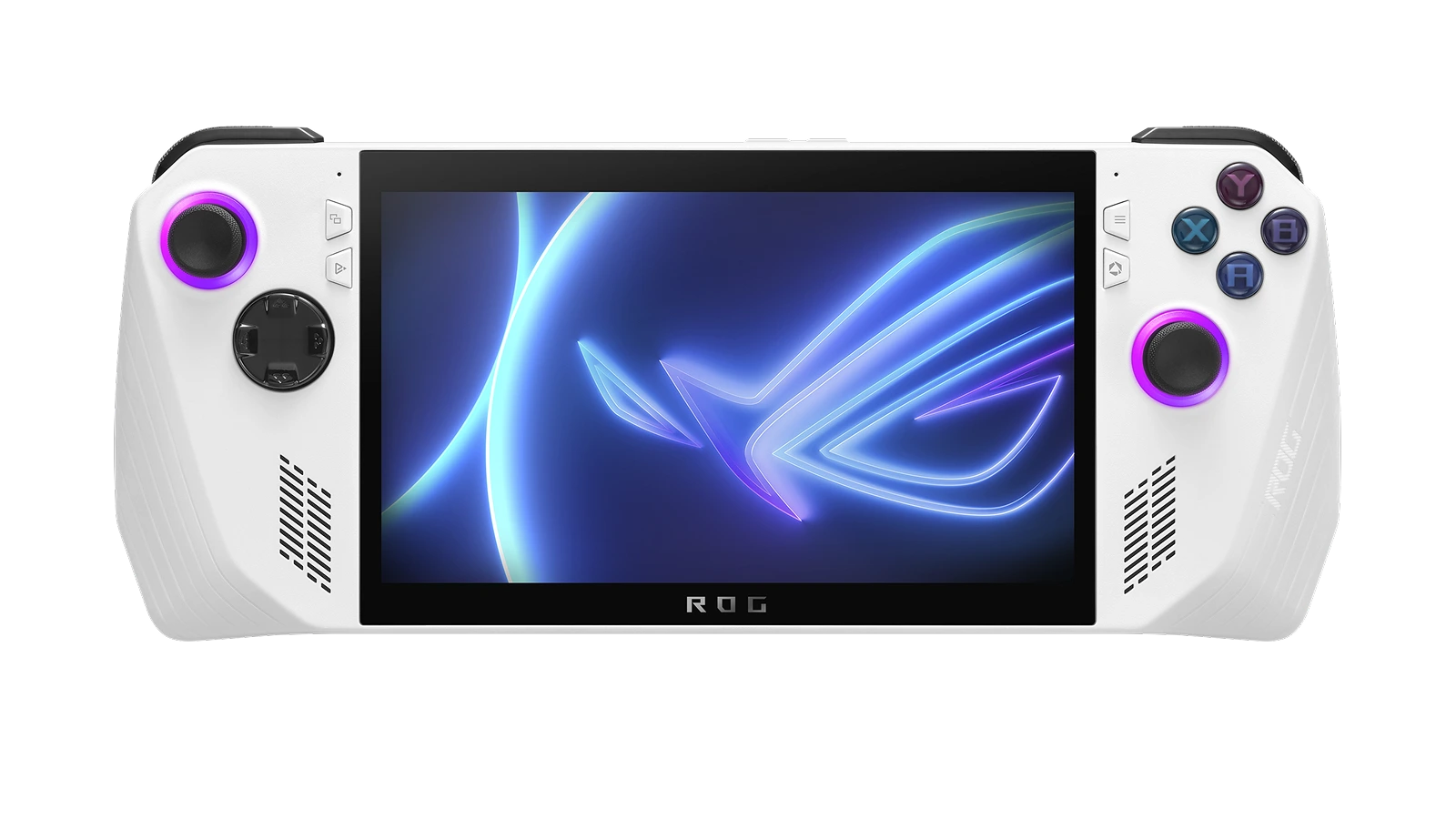
The Ryzen Z1 Extreme handles modern AAA games at 1080p on medium settings with frame rates that stay playable. Games like Elden Ring, GTA V, and FFXIV hit 30-60fps depending on settings – demanding scenes drop toward the lower end, but the overall experience is smooth enough for serious play. In Turbo mode at 25W, the chip pushes harder and frame rates climb, but the battery drains to near-empty in roughly an hour under AAA workloads.
Switching to Performance mode (15W) extends playtime to 2-3 hours and keeps most games running at acceptable frame rates. Silent mode drops the power envelope further and works well for lighter titles, older games, and emulation – where the ROG Ally handles PS2, PS3, and early Switch content with headroom to spare. The difference in behavior between Turbo and Performance is noticeable enough that most players settle into Performance as their everyday setting.
What stands out in this ASUS ROG Ally performance review is the honesty of the trade-off. The fan is audible in Turbo mode – not loud enough to interrupt play through headphones, but present in a quiet room. The grip gets warm during extended Turbo sessions, a different feel from Nintendo Switch. This is a performance-first device that happens to fit in your hands. For the ASUS ROG Ally X review perspective: the X model offers improved battery and 24GB RAM, the better pick if longevity is the priority.
| Pros | Cons |
|---|---|
| ✅ AMD Ryzen Z1 Extreme handles AAA titles at 1080p medium settings ✅ Full Windows 11 access – Steam, Xbox Game Pass, Epic, GOG, and every other PC launcher works natively ✅ 7″ 120Hz FHD display with VRR keeps gameplay smooth even during frame dips ✅ USB-C docking turns it into a desktop gaming setup on any TV or monitor ✅ microSD slot lets you expand beyond the 512GB internal SSD ✅ Fingerprint sensor in power button unlocks instantly ✅ Compact 1.1-lb build fits in a backpack pocket | ❌ Battery life in Turbo mode drops to roughly 1-2 hours on AAA titles – pack a 65W-output power bank for longer sessions away from an outlet |
The ASUS ROG Ally earns the top pick on one argument: full Windows 11 and your complete PC gaming library in a 1.1-lb handheld that docks to a TV. No other device at this price runs Steam, Xbox Game Pass, Epic, and GOG natively without workarounds. The 8.4/10 Enebameter score reflects what a well-executed Windows handheld looks like.
The ROG Ally earns its spot if you want PC games anywhere without carrying a laptop – every game store you already use opens and runs without configuration. For anyone who cares about library breadth, that is the decisive factor at $749.
“This is genuinely the best portable Windows gaming experience available right now. Current games run at high quality and the ASUS app handles everything. Three things to know going in: 500GB fills up fast, battery in turbo drains quickly, and you’ll want a USB-C hub if you need more ports.” – Jaime
The storage and battery trade-offs Jaime flags are real and intentional. Turbo mode is designed for peak performance, not endurance – for portable sessions, Performance or Silent mode is where most players land.
“The Z1 Extreme chip blew me away for a handheld this size. AAA games run smoothly, the 120Hz display is vibrant and responsive, and the build quality feels solid in hand. Equally great for gaming on the go as it is docked at home – one of the best handhelds you can get right now.” – Tyler burks
The docked-plus-handheld versatility Tyler describes is the ROG Ally‘s strongest practical argument. The USB-C connection makes the switch from handheld to TV gaming as simple as plugging in a dock.
Screen Quality and Controls
The display and built-in controls define what it actually feels like to use the ROG Ally for hours at a time – so both deserve more than a spec-line mention.
The 7″ FHD 1080p panel at 120Hz is one of the sharpest handheld displays at this price. Colors are vivid, text is readable, and the higher refresh rate is noticeable versus 60Hz in fast-moving scenes. VRR smooths frame rate drops without screen tearing. The touchscreen covers Windows navigation – useful for typing in the taskbar or adjusting settings without the gamepad.
The gamepad layout follows the Xbox controller standard: two joysticks, ABXY face buttons, D-pad, bumpers, and triggers. ASUS adds an Armoury Crate button that brings up the performance menu mid-game. The handles are rounded and ergonomic for longer sessions.
For the ROG Ally vs Steam Deck OLED comparison: the ROG Ally runs 1080p FHD with VRR, while the Steam Deck OLED offers better contrast and true blacks via its OLED panel. Display sharpness and refresh rate favor the ROG Ally; contrast and black levels favor the Deck.
Battery Life and Game Compatibility
Battery life is the ROG Ally‘s most discussed limitation, and game compatibility is its clearest strength – both deserve honest coverage before you buy.
Battery life varies sharply by performance mode. In Turbo mode at 25W with AAA titles running, expect roughly 60-90 minutes before needing to charge. Performance mode at 15W stretches that to 2-3 hours. Silent mode with lighter content hits 4+ hours. For sessions away from an outlet, pack a power bank with at least 65W output – 100W gives more headroom.
ROG Ally battery life is the primary trade-off against Steam Deck at this price tier. The Steam Deck OLED manages longer sessions because its Linux-based OS draws far less power than Windows 11. The ROG Ally‘s counter-argument is compatibility: Steam, Xbox Game Pass, Epic, and GOG all run natively without a compatibility layer. For anyone with a large existing PC library, that is the decisive advantage.
Game compatibility is near-universal. Current AAA titles need settings tuning for playable frame rates at 1080p – the Z1 Extreme is strong for a handheld, but it is integrated graphics. Older titles and emulated PS2, PS3, and early-generation content run well. Anyone who prioritizes ROG Ally battery life above raw performance should look at the ROG Ally X, which offers improved battery capacity and additional RAM.
My Overall Verdict on ASUS ROG Ally
Wrapping up this ASUS ROG Ally review, the case is cleaner than most in its category: Windows 11 runs natively, the full PC gaming library works without workarounds, and the Ryzen Z1 Extreme handles the games most people play. The 8.4/10 Enebameter score reflects what a well-executed Windows handheld looks like at $749.
The ROG Ally is best for anyone with a PC gaming library who wants it portable, or wants one device that works handheld and docked. Anyone who wants maximum battery life or primarily plays Switch exclusives should weigh alternatives. The ROG Ally X is the better pick if budget allows and longevity is the priority.
At $749, if you want a Windows 11 gaming handheld that handles AAA titles and your full PC library in a 1.1-lb package, this ROG Ally 2026 review has one verdict: it earns the top spot and the ASUS ROG Ally review recommendation stands without hesitation.
Complete Your Setup
A good gaming headset rounds out the ROG Ally experience – useful for shared spaces and travel where you need audio without speakers.
Logitech G Gaming Headset
The ROG Ally connects via Bluetooth or USB-C, and the Logitech G lineup is built for PC gaming audio on Windows. Pairing over Bluetooth takes a few seconds, and the drivers work natively without any configuration on a Windows handheld.
OXS Storm G2 Wireless Gaming Headset
For anyone who wants wireless audio without the premium price, the OXS Storm G2 delivers a wireless connection and gaming-tuned sound. It removes cable friction – practical when switching between handheld and docked play.
FAQs
The ROG Ally is worth it for PC gamers who want their full library in a portable device. The battery limitation is real, but Windows 11 compatibility and Ryzen Z1 Extreme performance make the $749 price straightforward to justify if you already own a PC game library.
Expect 1-2 hours in Turbo mode with AAA titles, 2-3 hours in Performance mode with moderate workloads, and 4+ hours in Silent mode with lighter games. A 65W-output power bank is the practical fix for longer sessions away from a wall outlet.
Yes, the ASUS ROG Ally handles current-generation AAA titles – the Ryzen Z1 Extreme runs them at 1080p on medium settings with 30-60fps depending on the game. Most of the Steam, Xbox Game Pass, and Epic catalog works without requiring configuration or compatibility workarounds.
The ROG Ally handles light to moderate workloads well as a desktop replacement. Connect it to a USB-C dock and you get Windows 11 on an external monitor with keyboard and mouse support – practical for spreadsheets, browsing, email, and lighter productivity tasks between gaming sessions.
Every ASUS ROG Ally review reaches the same conclusion: when comparing ROG Ally vs Steam Deck OLED, the Ally leads on Windows game compatibility and display resolution while Steam Deck wins on battery life and OLED contrast. If your priority is a full PC gaming library with minimal setup, ROG Ally is the better pick.












