



Acer Aspire Go 15 Review (2026): Is This Budget Laptop Worth Buying?

Eneba Hub contains affiliate links, which means we may earn a small commission if you make a purchase through them—at no extra cost to you. Learn more



This Acer Aspire Go 15 review covers the AG15-42P-R3NB – a budget laptop that caught my attention because it pairs an AMD Ryzen 7 5825U with 16GB of DDR4 RAM and a 512GB PCIe Gen4 SSD at a price point where most competitors cut corners on at least one of those specs. I wanted to see if the real-world value matches the paper specs or if the budget label brings trade-offs that stack up over time.
Anyone who is searching for a laptop under $500 is usually after one thing: a machine that handles work, school, or light creative tasks without the lag that cheaper builds are famous for. The Aspire Go 15 is positioned squarely in that category, with enough hardware to make it worth a second look even if you are approaching from a higher budget tier.
In this review, I will break down performance, display quality, battery life, and what verified Amazon buyers are saying after weeks of real use. By the end, you will know exactly who this laptop is built for.
Jump to:
Aspire Go 15 at a Glance
Here is a quick snapshot of the key specs before I break down how this laptop performs in daily use.
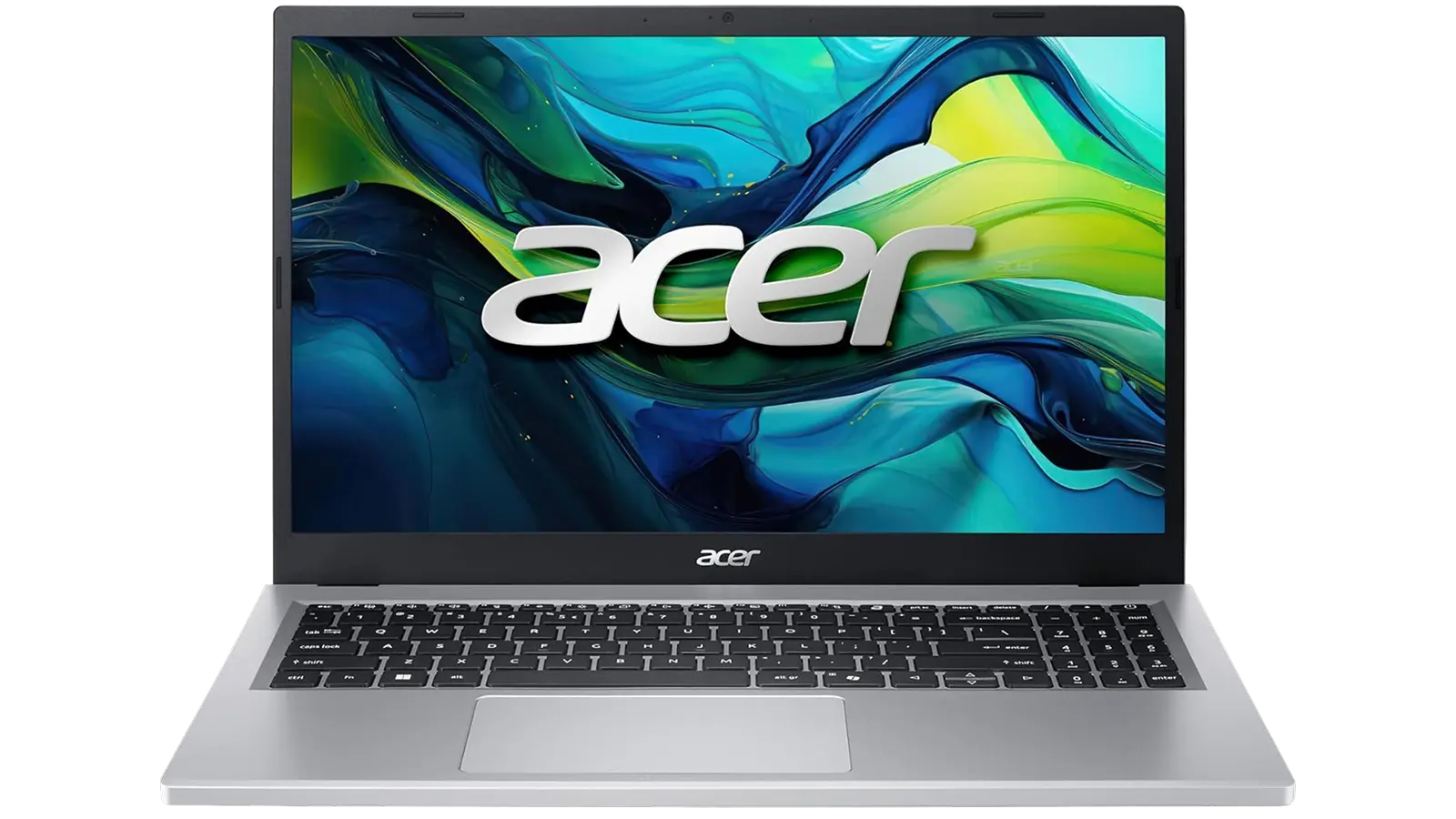
| Specs | Detail |
| CPU | AMD Ryzen 7 5825U (8-core, 2GHz base / 4.5GHz boost) |
| RAM | 16GB DDR4 3200MHz (expandable to 32GB) |
| Storage | 512GB PCIe Gen4 SSD |
| Display | 15.6″ FHD 1920×1080 IPS LCD |
| Graphics | AMD Radeon Integrated |
| Battery Life | Up to 10 hours |
| Weight | 3.92 lbs (1.78 kg) |
| Wi-Fi | Wi-Fi 6 (802.11ax) |
| Ports | 4x USB, 1x HDMI 2.1, 1x Ethernet, 9 total ports |
| OS | Windows 11 Home |
| Display Shield | Acer BluelightShield |
| AI Features | Copilot key, AcerSense app |
| Extras | Fingerprint reader, webcam, Bluetooth |
Key Features and Benefits
The Aspire Go 15 packs more usable tech into a budget frame than most laptops at this price. Here is what actually matters once you start using it day to day.
AMD Ryzen 7 5825U (8-core, 4.5GHz boost): Eight cores means multitasking is genuinely comfortable. You can have 20+ browser tabs, a Spotify stream, and a spreadsheet open without the machine slowing to a crawl.
16GB DDR4 3200MHz RAM (expandable to 32GB): 16GB is the sweet spot for anyone who does not want to ration RAM. For anyone who needs more headroom later – video editing, running a virtual machine, heavier workloads – the upgradeable slot means you do not have to buy a new machine. This is unusual at this price point.
PCIe Gen4 SSD (512GB): PCIe Gen4 is the same standard you find in higher-end systems. Boot times come in at around 12-15 seconds from cold start, and applications open without the spinning-cursor delay that older budget laptops are known for.
Wi-Fi 6 (802.11ax) + HDMI 2.1**:** Wi-Fi 6 gives you faster, more stable wireless on a congested network. HDMI 2.1 means you can push a 4K external display if you ever add a monitor to your setup.
AcerSense + Copilot Key: AcerSense lets you flip between battery-saving and performance modes without digging through settings. The Copilot key shortcuts Windows AI features that will matter more as Microsoft rolls them out through updates.
Fingerprint reader + 9-port selection: Fingerprint login removes a small daily friction. Nine ports including USB-A, USB-C, Ethernet, and HDMI means you are unlikely to need a hub for a standard desk setup.
Performance and Real-World Experience
The Aspire Go 15 is built for daily productivity work – browser-heavy research, document editing, and video calls. Here is how it holds up in practice.
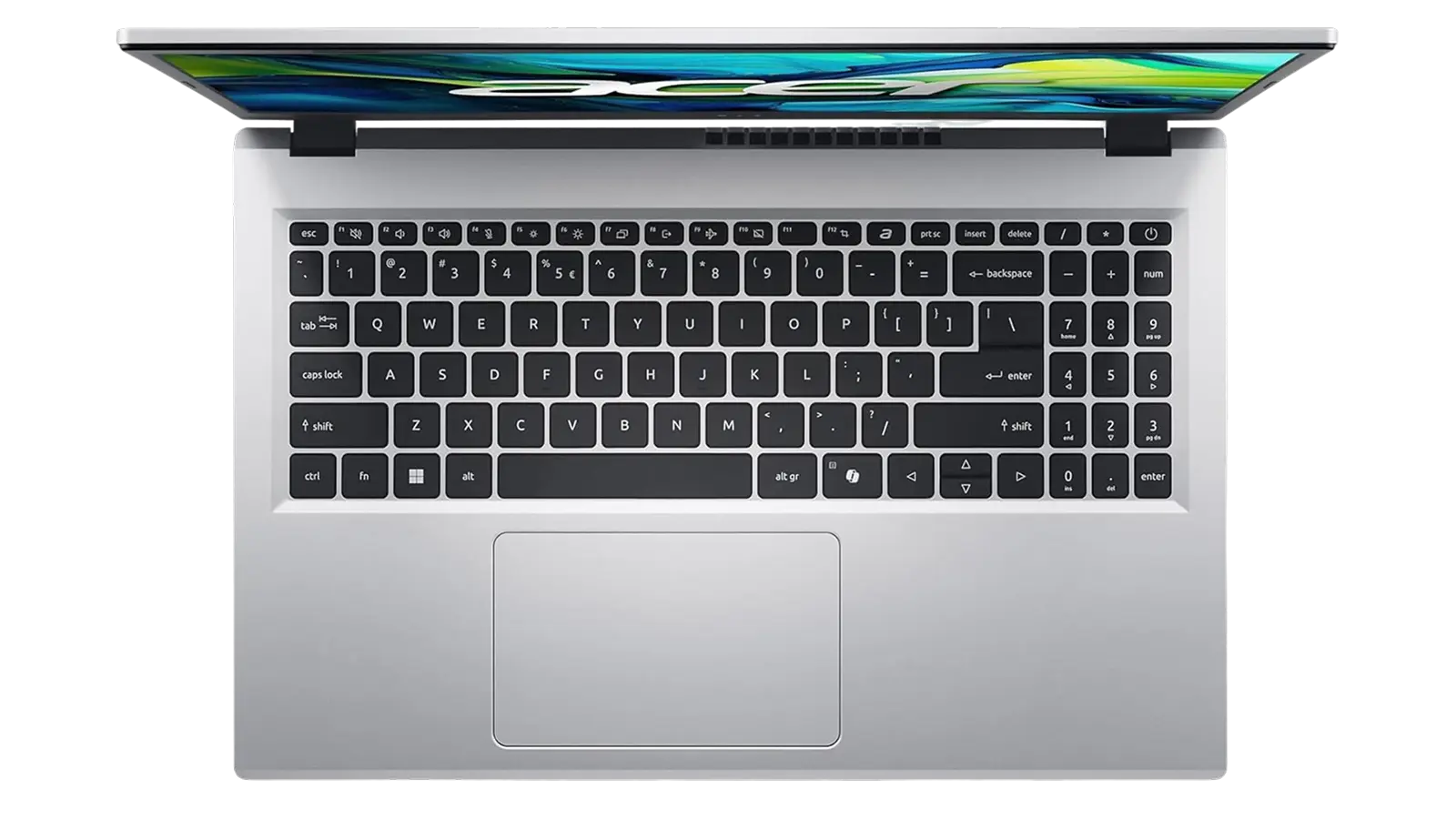
Boot speed is one of the first things you notice. The PCIe Gen4 SSD gets the system from cold start to usable desktop in roughly 12-15 seconds. In my assessment, this alone separates the Aspire Go 15 from budget machines still relying on slower SATA drives.
The Ryzen 7 5825U and 16GB DDR4 pairing handles genuine multitasking without complaint. Running a video call alongside 20+ browser tabs and an open spreadsheet produces no perceptible slowdown. For students, remote workers, and anyone managing a content-heavy browser setup, this combination holds up well under pressure.
On the gaming side, the integrated AMD Radeon graphics are honest about their limits. Indie titles and older releases at 1080p low settings are viable, but demanding modern titles at higher settings will push the card past its ceiling. Treat gaming as a secondary capability, not the main draw.
Fan noise is acceptable – not silent, but not intrusive. The numpad layout has a slight offset that takes a few days to adjust to. Ubuntu dual-boot compatibility is confirmed through user reports, making this a solid pick for Linux tinkerers – a genuine overachiever in its price tier.
Pros and Cons
After evaluating this laptop across productivity, media, and light creative use cases:
| Pros | Cons |
|---|---|
| ✅ Ryzen 7 5825U with 8 cores handles genuine multitasking without slowdowns ✅ 16GB RAM is upgradeable to 32GB – future-proofing built in ✅ PCIe Gen4 SSD delivers fast boot and file access speeds ✅ Wi-Fi 6 and HDMI 2.1 give you a connectivity spec above the budget tier ✅ Battery rated at 10 hours – usable for full-day work without hunting for outlets ✅ Fingerprint reader and 9-port layout add daily convenience ✅ Runs Windows 11 Home out of the box; dual-boot Linux compatible per user testing | ❌ The numpad layout has a slight offset that takes a few days to adjust to – not a deal-breaker, but worth noting if you are a heavy numpad user |
The Aspire Go 15 earns its 8.3/10 Enebameter score by delivering a hardware combination most sub-$500 machines do not offer. The Ryzen 7 5825U with 16GB DDR4 is rare at this price, and the PCIe Gen4 SSD, Wi-Fi 6, and HDMI 2.1 push it above the tier. The upgradeable RAM slot to 32GB adds long-term value – competitors typically solder the RAM in place with only 8GB base.
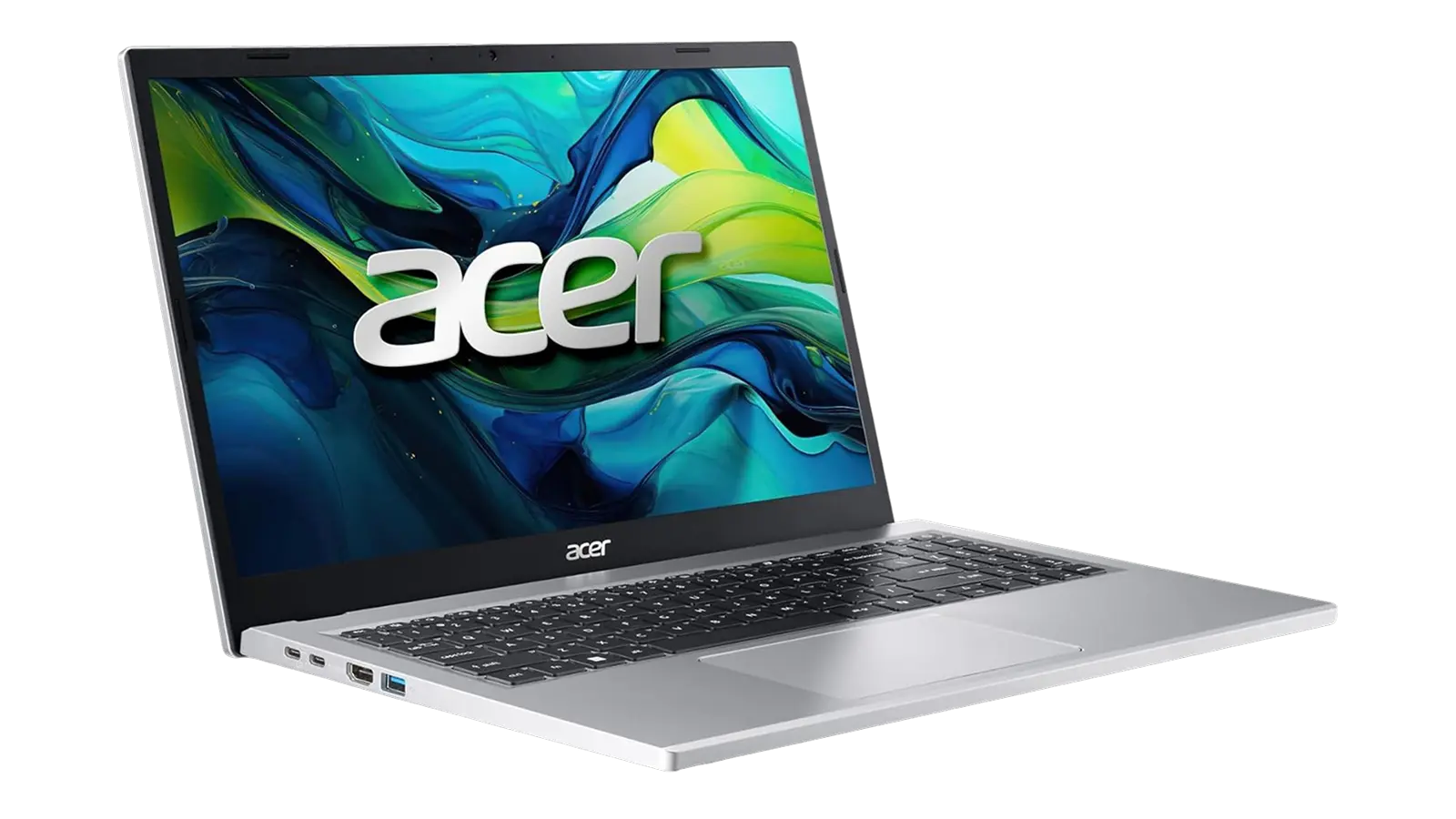
At a price where most laptops force a compromise – slower processor, less RAM, or older storage – the Aspire Go 15 does not ask you to make that trade. The Acer edges ahead of similarly priced Intel Core i5 + 8GB competitors on raw capability and long-term usability.
“Boot times are ridiculously fast for a laptop at this price – the SSD made the difference right away. Port selection is great for the money, and my only real complaint is the numpad feels slightly shifted from where I’d expect it. Minor thing overall.” – PDP
My research confirms what PDP describes about boot speed. The PCIe Gen4 SSD and 9-port layout without a hub are two qualities that matter most for a primary work machine.
“Bought this as a gift and the recipient couldn’t be happier. Coming from a 13-year-old desktop, the speed difference was night and day. It’s light enough to carry around easily and handles everything they throw at it without breaking a sweat.” – Vic from N.Y.
Vic from N.Y.’s experience reflects what the Ryzen 7 5825U and PCIe Gen4 storage combination delivers. That generational leap in responsiveness is why the Aspire Go 15 is a strong pick for anyone replacing aging equipment.
My Overall Verdict on Acer Aspire Go 15

My Acer Aspire Go 15 review lands at a clear verdict: this is a well-built budget machine that punches above its weight class. The Ryzen 7 5825U, 16GB DDR4, and PCIe Gen4 SSD combination earns an 8.3/10 Enebameter score – a hardware stack that is genuinely hard to beat in the sub-$500 bracket.
This laptop is built for students, remote workers, light creative users, and anyone running productivity-heavy workloads. The upgradeable RAM, 10-hour battery rating, and Linux compatibility make it a strong long-haul pick. It is not the right fit for anyone who needs a dedicated GPU, 4K video editing capability, or a high-refresh display for competitive gaming.
What surprised me most is how few real-world compromises the spec sheet produces. The numpad offset is a minor ergonomic note, not a flaw. If you are weighing budget options and want the strongest hardware foundation for the price, the Acer Aspire Go 15 review conclusion is straightforward: it earns its place on the best-gaming-laptop-under-500 list for productivity-first users.
Budget Alternative: Auusda T152A
If the Aspire Go 15‘s price is still a stretch, the Auusda T152A at $299.99 offers a cheaper path into similar territory. It matches the core layout – 15.6″ FHD display, 16GB DDR4 RAM – and doubles the storage to 1TB NVMe SSD, which is a genuine win for anyone who stores large files locally.
The trade-off is the processor. The Auusda runs a generic 4-core CPU that falls well short of the Ryzen 7 5825U‘s eight cores and 4.5GHz boost. Multitasking will feel the gap – especially with 15+ tabs, a video call, and a spreadsheet running simultaneously. Brand recognition is also lower, though 739 Amazon reviews with a 4.2/5 average suggest reliable satisfaction among actual owners.
If your primary needs are document editing and web browsing on a tight budget, the T152A gets the job done. But if you can stretch to the Aspire Go 15, the Ryzen 7 performance gap makes the Acer Aspire Go 15 the better long-term investment.
Complete Your Setup
The right accessories can make a good laptop setup significantly better. Here are two products that pair well with the Aspire Go 15.
MO1 Wireless Gaming Mouse
The Aspire Go 15‘s built-in Bluetooth makes pairing a wireless mouse straightforward. The MO1 Wireless Gaming Mouse fills the trackpad gap without adding a cable to your desk.
Logitech G New Headset Spotlight (PC Gaming Headset)
The Aspire Go 15‘s built-in speakers are adequate at best – a consistent theme across user feedback, and the practical solution is a Bluetooth or wired headset. The Logitech G headset solves that directly if you game, take video calls, or want better audio than the laptop delivers on its own.
FAQs
Yes, the Acer Aspire Go 15 delivers strong value with the Ryzen 7 5825U, 16GB of upgradeable DDR4 RAM, and a PCIe Gen4 SSD – a combination most sub-$500 laptops do not offer. It covers productivity, school, and light creative tasks confidently, though skip it if a dedicated GPU is on your must-have list.
The integrated AMD Radeon graphics handle indie titles, esports games, and older releases at 1080p low settings, but this is not a machine built around gaming performance. Demanding modern titles at higher settings will push the integrated GPU past its limits, so treat gaming as a secondary use case rather than the main one.
In mixed daily use – browsing, documents, video calls – expect 6 to 8 hours of real runtime, with the 10-hour manufacturer figure achievable only at low brightness and minimal load. Heavy multitasking or video playback at full brightness will drain the battery faster, but the AcerSense battery-saver mode helps extend life on lighter workloads. When gaming, the Acer Aspire Go 15 battery will usually last about 1.5 to 2.5 hours.
Yes, the Acer Aspire Go 15 has an accessible RAM slot that lets you expand from the base 16GB DDR4 up to 32GB, which is a meaningful upgrade path for heavier workloads like video editing or running virtual machines. Most budget laptops at this price solder the RAM in place, so the upgradeable slot is a genuine long-term advantage.
You are reading the full Acer Aspire Go 15 review right now – this page covers performance, display quality, battery runtime, and verified user feedback from real owners. Everything you need to make a confident purchase decision is above, from the Enebameter score to the honest breakdown of who this laptop is built for.












