



13 Best Laptops for Programming 2026: Developer’s Buying Guide


Choosing the best laptop for programming can be a real challenge. You need a device that can smoothly run code editors, virtual machines, debugging tools, and multiple browser tabs without slowing down. Along with performance, factors like battery life, display quality, thermal efficiency, and a comfortable keyboard are essential for long coding sessions.
Every programmer’s needs differ. Students may only need a lightweight laptop with reliable everyday performance, while game developers and AI engineers often require a powerful CPU and dedicated GPU. This guide showcases the best programming laptops of 2025, from budget-friendly picks to high-end machines built for intensive development workloads.
Jump to:
Our Top Picks for Best Programming Laptops
Choosing the best laptop for programming often comes down to striking the right balance between power, portability, and reliability. These three models stand out for their performance, design, and value, no matter if you’re writing code, compiling projects, or training AI models.
1. ASUS ROG Strix G18 (2023) – This powerhouse is built for serious developers and creators. With exceptional CPU and GPU performance, it tears through large builds, game engines, and machine learning tasks without lag. Its cooling system keeps things stable during long workloads, making it ideal for intensive development or game design.
2. Acer Swift X 14 (2023) – Lightweight yet powerful, this laptop hits the sweet spot for developers who need performance on the go. The Swift X 14 provides reliable multitasking, strong graphics capabilities, and impressive battery life, making it perfect for students or mobile professionals who code from anywhere.
3. Dell XPS 16 (2024) – Sleek, premium, and built for precision. The Dell XPS 16 combines a stunning display with robust processing power, making it a top choice for software developers, UI/UX designers, and anyone who values a refined experience without compromise.
Keep scrolling to explore the full list and find the perfect programming laptop for your workflow. If you’re coding for school, developing full-scale apps, or training AI models, the laptops ahead offer the best mix of performance, portability, and reliability to match every type of developer.
13 Best Laptops for Programming in 2025: Powerful & Reliable
Choosing the best laptop for programming depends on specific developer needs, from high-performance environments to student-friendly budgets. The following models have been selected for their proven reliability, exceptional overall performance, developer-grade keyboards, and actual productivity value for software development, programming, and code compilation under demanding timelines.
This curated list includes Windows, macOS, and Linux systems focused on productivity. Each option balances battery efficiency, display clarity, and the strong processing power required for modern application stacks.
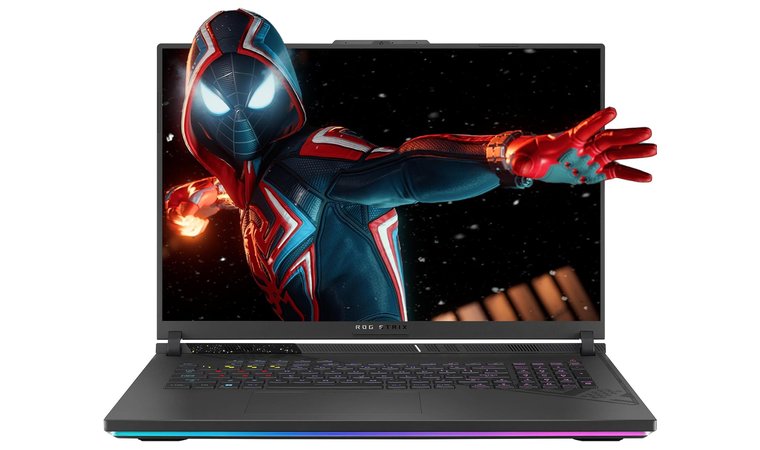
1. ASUS ROG Strix G18 [Best Overall Laptop for Programming]
| Specs | Details |
|---|---|
| CPU | Intel Core i9-13980HX |
| GPU | NVIDIA RTX 4070 / 4080 Laptop GPU |
| RAM | Up to 32 GB |
| Storage | Up to 2 TB PCIe NVMe SSD |
| Display | 18″ QHD+ (2560×1600), 240 Hz |
| Ports | USB-C, HDMI, headphone jack, etc. |
| OS | Windows 11 Home |
The ASUS ROG Strix G18 is built for developers who demand maximum computing power. With a high-end CPU, powerful dedicated GPU options, and a large 18″ display, this laptop breezes through demanding dev workloads, including compiling massive codebases, running containerized environments, and working in Unreal/Unity for game or simulation development.
Its advanced thermal design ensures sustained performance during long coding or rendering sessions.
| Pros | Cons |
|---|---|
| ✅ Outstanding performance for heavy development/compilation ✅ Large, high-refresh display ideal for multi-window dev work ✅ Discrete GPU opens up game dev, ML, and GPU workflows ✅ Excellent cooling for sustained high loads ✅ Ample ports and expansion potential | ❌ Size and weight make it less portable than ultrabooks ❌ Shorter battery life compared to ultra-portable laptops |
Built for performance-first developers, the Strix G18 excels in intensive workflows like game development, ML model training, Unreal Engine builds, and large multi-project compilations.
Final Verdict:
A powerhouse workstation laptop offering desktop-grade performance, ideal for game developers, ML/AI engineers, or anyone handling large codebases and heavy compilation workloads.
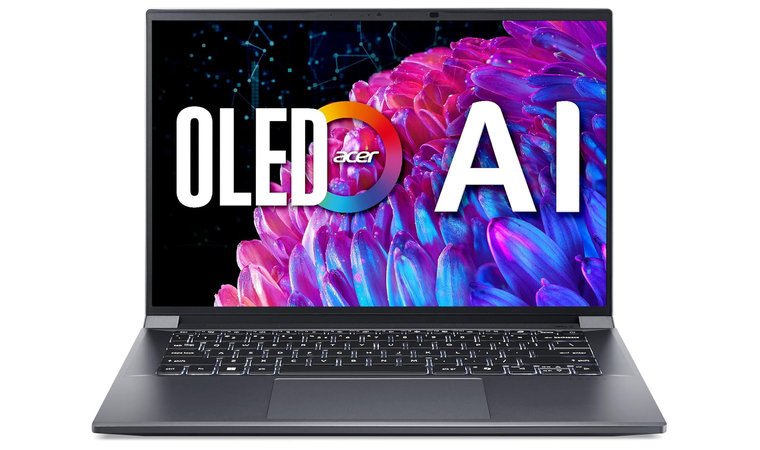
2. Acer Swift X 14 [Best Budget Laptop for Programming]
| Specs | Details |
|---|---|
| CPU | Intel Core Ultra 7 (or Ryzen 7 variant) |
| GPU | NVIDIA RTX 3050 / RTX 4060 |
| RAM | 16 GB |
| Storage | 512 GB SSD |
| Display | 14″ FHD / OLED |
| Ports | USB-C, HDMI, headphone jack |
| OS | Windows 11 Home |
The Acer Swift X 14 is perfect for students and beginner developers who want powerful performance without spending workstation-level money. With its dedicated GPU and lightweight build, it handles everyday coding, light graphics workloads, and multitasking smoothly while remaining easy to carry.
| Pros | Cons |
|---|---|
| ✅ Strong CPU + GPU combo for the price ✅ Large high-res 16:10 display improves developer workflow ✅ Lightweight and portable compared to workstations ✅ Great value for web dev, coding environments, and light GPU workflows ✅ Ideal for students or early-career developers | ❌ A discrete GPU can drain the battery faster under load ❌ Fan can get loud under heavy compilation or GPU load |
Best suited for programming students, web developers, and anyone who needs solid performance at a reasonable price without compromising portability.
Final Verdict:
An excellent budget-friendly programming laptop that delivers impressive performance and portability, perfect for students and new developers who want power without the premium price.
3. Dell XPS 16 [Best Premium Laptop for Programming]
| Specs | Details |
|---|---|
| CPU | Intel Core i7 / i9 |
| GPU | NVIDIA RTX 4060 (optional) |
| RAM | Up to 32 GB |
| Storage | Up to 1 TB SSD |
| Display | 15″ QHD+ or 4K UHD |
| Ports | USB-C / Thunderbolt, HDMI, SD card slot |
| OS | Windows 11 Pro |
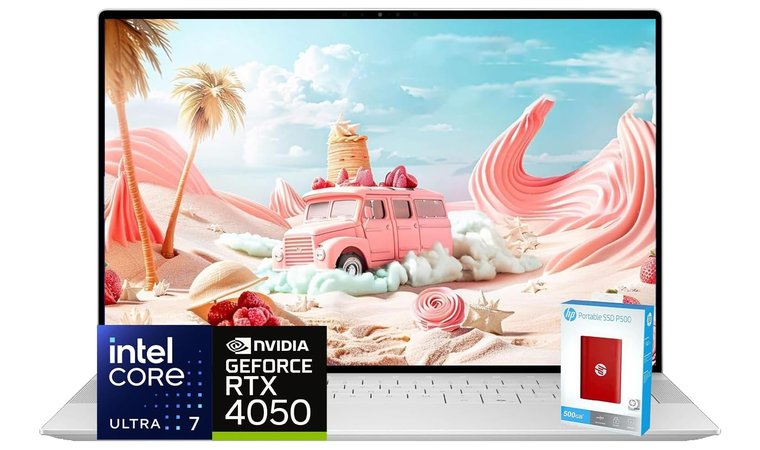
The Dell XPS 16 is a luxury-tier laptop that blends high performance, premium build quality, and stunning display options. Its edge-to-edge screen and tall aspect ratio provide ample vertical space for IDEs and multitasking, making it ideal for developers who spend long hours coding and debugging.
| Pros | Cons |
|---|---|
| ✅ Excellent display quality for multitasking development work ✅ Strong performance for demanding dev environments ✅ Good upgradeability for RAM and storage ✅ High-end build, excellent thermals, and port connectivity ✅ Premium design with long-lasting durability | ❌ Battery life drops under heavy workloads ❌ Premium price point |
Ideal for full-stack developers, engineers, and professionals who want performance and premium build quality in a portable form factor.
Final Verdict:
A premium powerhouse with stunning visuals and excellent development performance, which is perfect for pros who need speed, display space, and longevity in one machine.
4. MSI Creator Z17 HX Studio [Best Laptop for Game Developers]
| Specs | Details |
|---|---|
| CPU | Intel Core i9-14900HX |
| GPU | NVIDIA RTX 4070 Laptop GPU |
| RAM | Up to 64 GB |
| Storage | Up to 2 TB NVMe SSD |
| Display | 17″ QHD+ Calman-verified |
| Ports | USB-C / Thunderbolt 4, USB-A, HDMI, headphone jack |
| OS | Windows 11 Pro |
| Weight | ~5.5 lbs (2.5 kg) |
| Special Features | High-end cooling, color-accurate display, desktop-class performance |
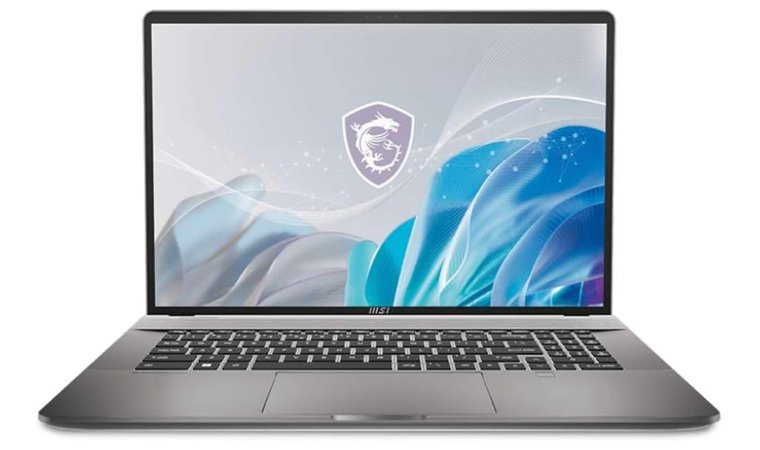
The MSI Creator Z17 HX Studio is engineered for game developers, 3D artists, and Unreal/Unity creators who need intense performance for simulation, rendering, and asset processing. With workstation-grade components, it delivers responsive real-time previews and smooth pipeline execution across heavy dev environments, especially when working online with the top VPN for privacy and speed.
| Pros | Cons |
|---|---|
| ✅ RTX 4070 provides top-tier GPU performance for 3D/game dev ✅ Intel Core i9 handles intense compiling and simulation workloads ✅ Calman-verified display guarantees color-accurate development work ✅ Advanced cooling system maintains performance during long sessions ✅ Ample upgrade options for memory and storage | ❌ Larger and heavier than ultraportables ❌ Premium price point |
Ideal for professionals needing desktop-level performance for 3D rendering, real-time previews, and GPU-intensive development.
Final Verdict:
A powerhouse designed for game developers and 3D creators who need exceptional GPU and CPU performance, perfect for real-time rendering and simulation.
5. Apple MacBook M4 Pro [Best MacBook for Programming]
| Specs | Details |
|---|---|
| CPU | Apple M4 Pro (12-core / 16-core GPU) |
| GPU | 16-core / 18-core GPU options |
| RAM | Up to 64 GB |
| Storage | 512 GB – 8 TB SSD |
| Display | 14″ Liquid Retina XDR (3024×1964) |
| Ports | 3× Thunderbolt 4 / USB-4, HDMI 2.1, SDXC card slot |
| OS | macOS Ventura |
| Weight | ~3.5 lbs (1.6 kg) |
| Special Features | Silent fanless design, unmatched battery life, ideal for iOS/macOS development |
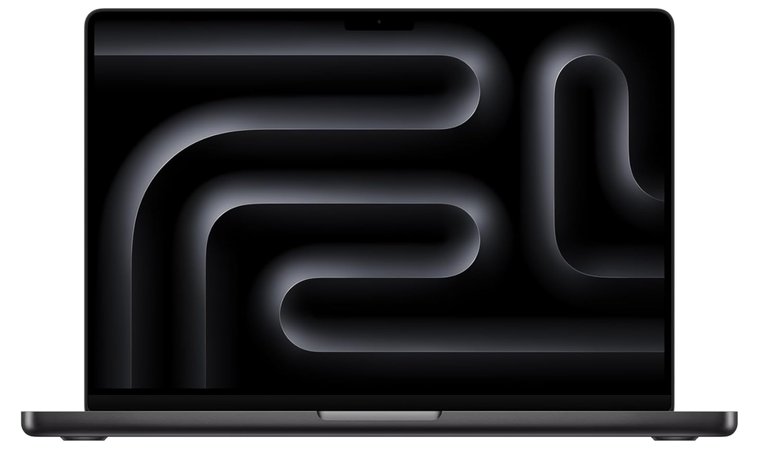
The MacBook M4 Pro is built for developers working in Xcode, Swift, Flutter, React, and cross-platform environments. The M4 Pro chip delivers blazing compile speeds, seamless multitasking, and efficient power use, all while staying silent.
| Pros | Cons |
|---|---|
| ✅ Exceptional performance for multi-language and iOS/macOS development ✅ Fanless, silent operation even under heavy workloads ✅ Outstanding battery life for full-day coding ✅ Liquid Retina XDR display with color-accurate visuals ✅ Seamless integration with Apple’s ecosystem for coding, testing, and deployment | ❌ Premium price point ❌ Limited ports without dongles |
Perfect for Apple-focused developers who want seamless workflow, top-tier display quality, and fast compile times.
Final Verdict:
The best MacBook for developers is silent, powerful, and optimized for Xcode and multi-language programming.
6. Lenovo Gen 13 ThinkPad X1 Carbon [Best Programming Laptop for Python]
| Specs | Details |
|---|---|
| CPU | Intel Core Ultra Series |
| GPU | Integrated Intel Iris Xe |
| RAM | Up to 32 GB |
| Storage | Up to 2 TB SSD |
| Display | 14″ FHD+ / 4K UHD |
| Ports | USB-C / Thunderbolt, HDMI, microSD |
| OS | Windows 11 Pro |
| Weight | ~2.47 lbs (1.12 kg) |
| Special Features | Ultra-light chassis, premium keyboard, enterprise durability |
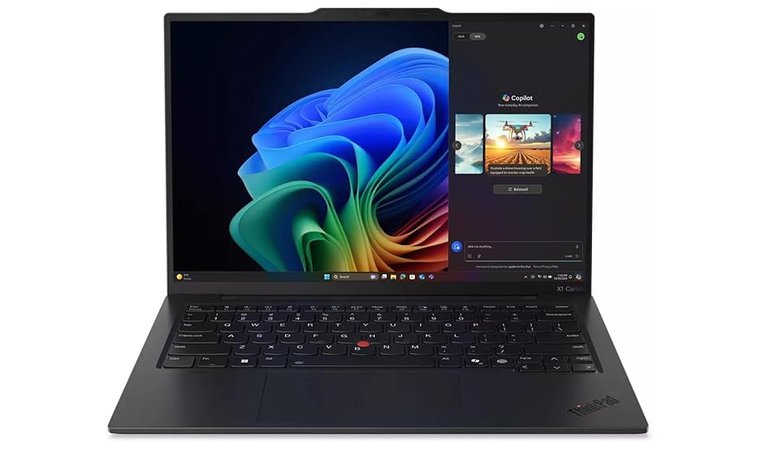
The ThinkPad X1 Carbon Gen 13 excels as a programming laptop thanks to its exceptionally comfortable keyboard and ultra-portable chassis. It’s ideal for Python workflows, Linux setups, and backend development.
| Pros | Cons |
|---|---|
| ✅ Ultra-light chassis with business-grade durability ✅ Best-in-class keyboard for long coding sessions ✅ Excellent port selection (USB-C, Thunderbolt, HDMI) ✅ Ideal for Linux/Windows dual boot ✅ Excellent Linux compatibility for smooth development setups | ❌ No dedicated GPU, not ideal for GPU-heavy workloads |
Perfect for Python developers and backend engineers who value portability and typing comfort.
Final Verdict:
The ThinkPad X1 Carbon Gen 13 is the best ultrabook for programmers who want a lightweight, durable, and reliable machine for coding, especially for Python and backend work. If you don’t need a dedicated GPU, this laptop strikes the perfect balance between portability and professional productivity.
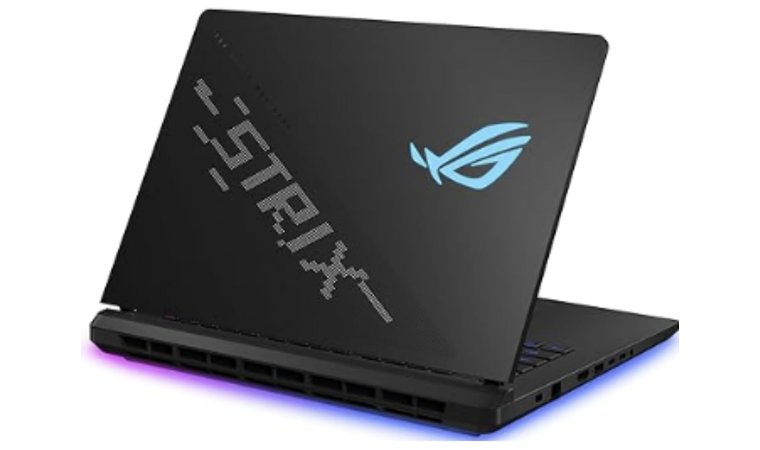
7. ASUS ROG Strix SCAR 16 [Best Laptop for Advanced Programmers and Gamers]
| Specs | Details |
|---|---|
| CPU | Intel Core i9 / Core Ultra options |
| GPU | NVIDIA RTX 4060 / 4070 / 4080 / 4090 / 50-series Laptop GPU |
| RAM | Up to 64 GB DDR5 |
| Storage | 1 – 4 TB PCIe Gen4 SSD |
| Display | 16″ ROG Nebula HDR Mini-LED (16:10, high refresh rate) |
| Ports | USB-C / Thunderbolt, HDMI, SD card slot, USB-A |
| OS | Windows 11 Home / Pro |
| Weight | ~5.5 lbs (2.5 kg) |
| Special Features | Vapor chamber + liquid metal cooling, MUX switch, creator/gamer optimization |
The ASUS ROG Strix SCAR 16 is engineered for power users who need both elite gaming performance and heavy development capabilities. With RTX 50-series GPUs and Core Ultra/i9 CPU options, it handles GPU-intensive workflows, including game development, machine learning, and extensive 3D simulations. The Nebula HDR Mini-LED display offers exceptional clarity and brightness, and the advanced cooling system ensures stable, sustained performance.
| Pros | Cons |
|---|---|
| ✅ Extreme CPU + GPU performance for development and gaming ✅ Mini-LED, high-refresh 16:10 display ideal for coding + game design ✅ Advanced cooling keeps performance consistent under load ✅ RGB keyboard and high refresh rate improve both aesthetics and workflow visibility ✅ Surprisingly efficient battery life for a high-performance gaming laptop | ❌ Premium price point ❌ Heavier than ultrabooks |
Ideal for programmers working with Unreal Engine, Unity, ML models, and heavy simulations.
Final Verdict:
The ASUS ROG Strix SCAR 16 is the powerhouse laptop for advanced programmers, game developers, and ML enthusiasts who need top-tier GPU and CPU performance. It combines workstation-level performance, a stunning display, and professional gaming features, making it ideal for complex projects and GPU-intensive workflows.
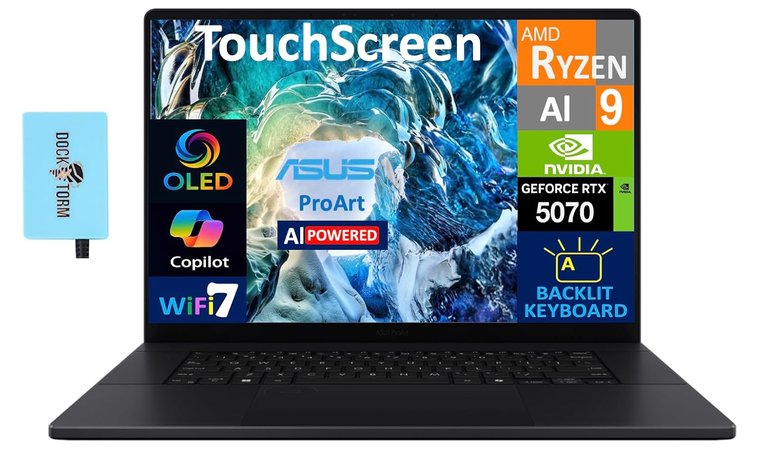
8. ASUS ProArt [Best Creator-Class Laptop for Programming]
| Specs | Details |
|---|---|
| CPU | Intel Core i7 / i9 or AMD Ryzen 9 options |
| GPU | NVIDIA RTX 4060 / 4070 / 4080 Laptop GPU |
| RAM | Up to 64 GB DDR5 |
| Storage | 1 – 4 TB PCIe Gen4 SSD |
| Display | 16″ / 17″ 4K OLED or Mini-LED (high color accuracy) |
| Ports | USB-C / Thunderbolt, HDMI, SD card slot, USB-A |
| OS | Windows 11 Pro |
| Special Features | Creator-calibrated display, high memory ceiling, robust I/O |
The ASUS ProArt is built for developers, UI/UX designers, ML researchers, and creators who need workstation-level performance with accurate visuals. Thanks to high memory ceilings and desktop-class CPUs/GPUs, it handles CI builds, virtualization, ML model training, and rendering workloads with ease. The color-accurate 4K OLED or Mini-LED display makes it ideal for front-end developers who need UI output to appear exactly as intended.
| Pros | Cons |
|---|---|
| ✅ Large, high-res display ideal for multi-pane coding and UI design ✅ Desktop-class CPU/GPU handles rendering, ML, and CI workloads ✅ High memory + multi-TB storage capacity for large projects ✅ Accurate color display ideal for UI/UX developers ✅ Robust I/O for multiple monitors + external drives | ❌ Slightly heavier than ultraportables ❌ Battery life is shorter under heavy loads |
Perfect for programmers who handle code, design, and content creation on a single machine.
Final Verdict:
The ASUS ProArt is a workstation-class laptop for serious developers and creators who need both power and precision. If your workflow includes ML experiments, heavy IDE multitasking, or front-end validation, the ProArt offers power and precision that few laptops can match.
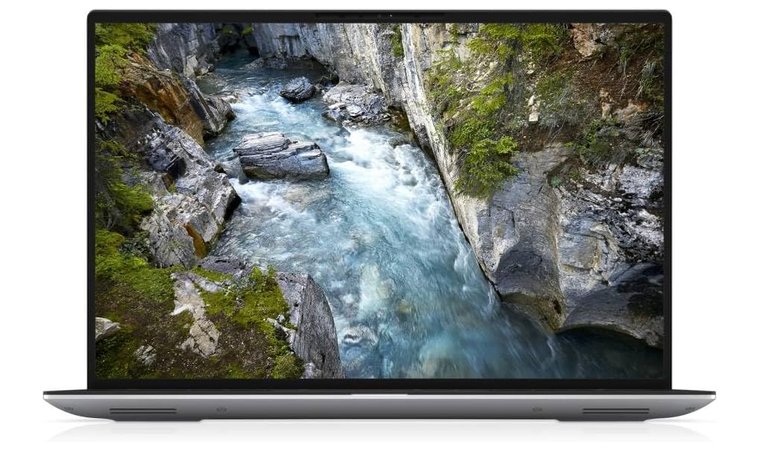
9. Dell Precision 5470 [Best Compact Workstation Laptop for Programming]
| Specs | Details |
|---|---|
| CPU | Intel Core i7 / i9 (13th Gen) |
| GPU | NVIDIA RTX A1000 / A2000 Laptop GPU options |
| RAM | Up to 64 GB DDR5 |
| Storage | 512 GB – 4 TB PCIe Gen4 SSD |
| Display | 14″ FHD+ / UHD+ IPS or OLED, high color accuracy |
| Ports | USB-C / Thunderbolt 4, HDMI, SD card reader, USB-A |
| OS | Windows 11 Pro |
| Special Features | ISV certifications, enterprise management, business-class support |
The Dell Precision 5470 is a compact mobile workstation designed for developers and IT professionals who need power without sacrificing portability. With workstation-grade CPUs and NVIDIA RTX professional GPUs, it handles large builds, VMs, Docker containers, and CI/CD pipelines with ease.
It offers ISV certifications, guaranteeing that professional tools run reliably, and enterprise-grade management options, making it suitable for team environments.
| Pros | Cons |
|---|---|
| ✅ Compact 14″ form factor ideal for mobility without sacrificing power ✅ Workstation-grade CPU and GPU handle large builds, VMs, and local CI ✅ High-quality display with excellent color accuracy for coding and UI work ✅ ISV certifications ensure software reliability ✅ Ample RAM and storage for containerized environments and local caches | ❌ Premium price compared to standard laptops ❌ Slightly heavier than ultrabooks |
Final Verdict:
A compact powerhouse, that’s ideal for developers who work with virtual machines or enterprise workflows.
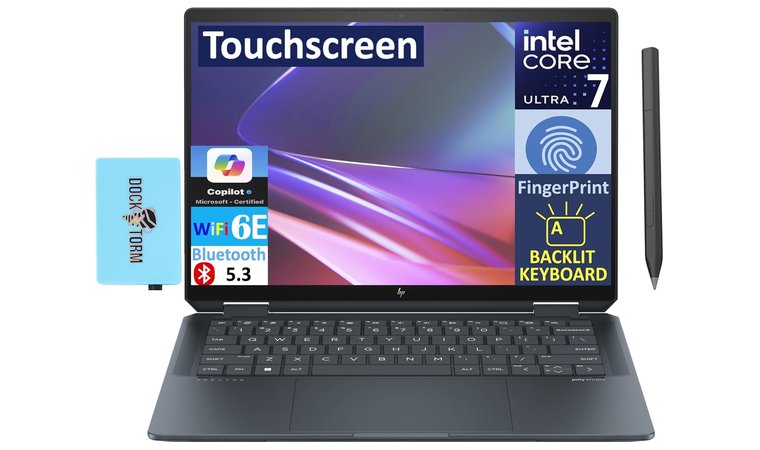
10. HP Spectre x360 14 [Best 2-in-1 Laptop for Programming]
| Specs | Details |
|---|---|
| CPU | Intel Core i5 / i7 13th Gen |
| GPU | Integrated Intel Iris Xe |
| RAM | 16–32 GB |
| Storage | 512 GB – 1 TB SSD |
| Display | 13.5″ OLED or FHD touchscreen (3:2 aspect ratio) |
| Ports | 2× Thunderbolt 4 / USB-C, USB-A, headphone jack |
| OS | Windows 11 Home / Pro |
| Weight | 2.95 lbs (1.34 kg) |
| Special Features | 2-in-1 convertible, stylus support, biometric login |
The HP Spectre x360 14 is for developers and students who value portability and flexibility. The 360° hinge transforms it from a laptop to a tablet, making it perfect for coding, note-taking, and presentations. The 3:2 OLED touchscreen provides more vertical screen space, improving code visibility.
| Pros | Cons |
|---|---|
| ✅ Flexible 2-in-1 design ideal for coding + presentations ✅ 3:2 OLED touchscreen gives more vertical coding space ✅ Lightweight and highly portable ✅ Excellent keyboard and premium build quality ✅ Strong performance for everyday dev workflows | ❌ Integrated GPU not suitable for heavy GPU tasks ❌ Smaller battery under heavy workloads |
Final Verdict:
The HP Spectre x360 14 is the best 2-in-1 laptop for developers and students who want portability and versatility without sacrificing performance. Its convertible design, sharp OLED display, and strong Intel CPUs make it perfect for web development, app development, and coding on the go.
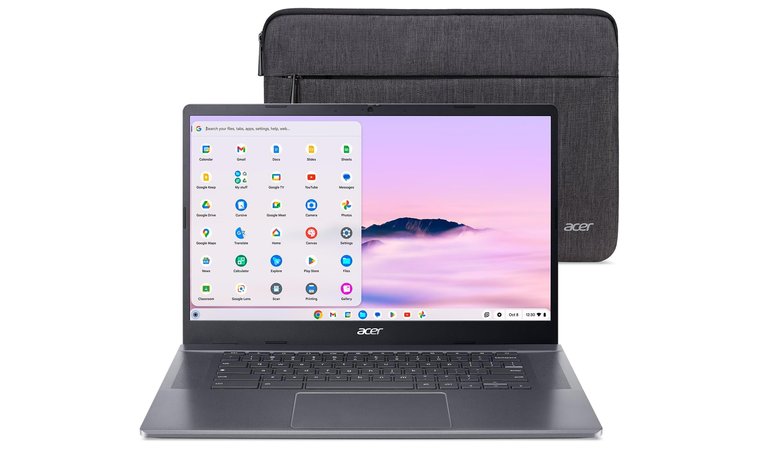
11. Acer Chromebook Plus 515 [Best Chromebook for Programming]
| Specs | Details |
|---|---|
| CPU | Intel Core i5 |
| GPU | Integrated Intel UHD Graphics |
| RAM | 8 GB |
| Storage | 256 GB SSD |
| Display | 15.6″ Full HD (1920×1080) IPS |
| Ports | USB-C, USB-A, microSD, headphone jack |
| OS | ChromeOS |
| Weight | ~3.8 lbs (1.72 kg) |
| Special Features | Linux container support, cloud-development optimized |
The Acer Chromebook Plus 515 is made for cloud-focused programmers and web developers who rely on browser IDEs, remote servers, GitHub Codespaces, or Linux containers. With a 15.6″ Full HD display and Intel Core i5 processor, it handles multitasking smoothly while staying lightweight and highly portable. Chrome OS ensures fast boot times, automatic updates, and built-in security, making it ideal for students, remote workers, and developers who code in the cloud.
| Pros | Cons |
|---|---|
| ✅ Large 15.6″ display for multi-pane coding + multitasking ✅ Runs browser IDEs + Linux containers smoothly ✅ Lightweight + long battery life ✅ Affordable programming-friendly option ✅ Perfect for web/cloud development workflows | ❌ ChromeOS limits some native desktop apps ❌ Not ideal for GPU-intensive workloads |
Final Verdict:
The Acer Chromebook Plus 515 is perfect for cloud-based developers, web programmers, and students who prioritize speed, simplicity, and mobility. With Linux container support, fast performance, and a large display, it handles browser IDEs, remote coding, and lightweight programming effortlessly.
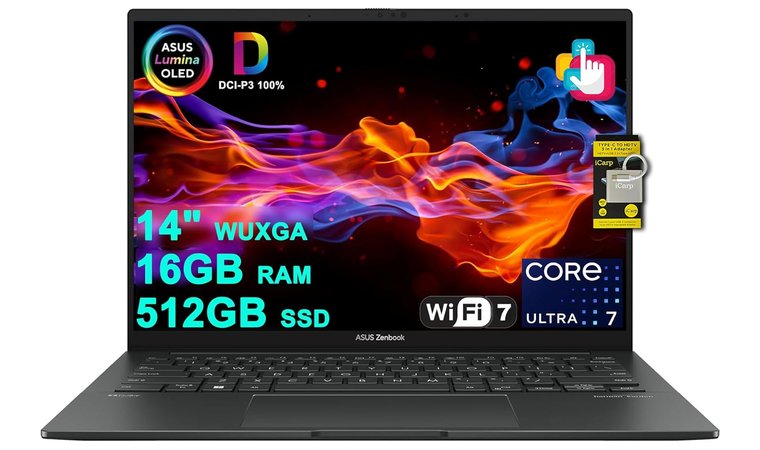
12. ASUS Zenbook 14 OLED [Best Laptop for Heavy Office and Programming Work]
| Specs | Details |
|---|---|
| CPU | Intel Core i7 / i9 |
| GPU | NVIDIA RTX 4060 (optional) |
| RAM | 16–32 GB |
| Storage | 1 TB SSD |
| Display | 14–16″ OLED (FHD / 4K) |
| Ports | USB-C, HDMI, SD card slot |
| OS | Windows 11 Home |
| Special Features | OLED display, premium build, long battery in optimized mode |
The ASUS Zenbook 14 OLED is built for developers and professionals who spend long hours coding, debugging, and multitasking across multiple IDEs and browser windows. The OLED display offers deep contrast, stunning clarity, and reduced eye strain, making it ideal for visually intensive work. Paired with powerful Intel Core i7/i9 processors (and optional RTX 4060 GPU), it handles large codebases, simulations, and GPU-assisted workflows with ease.
| Pros | Cons |
|---|---|
| ✅ Stunning OLED display reduces visual fatigue ✅ Excellent for multitasking + large projects ✅ High-end CPU + optional RTX GPU for demanding dev tasks ✅ Great keyboard + premium build quality ✅ Impressive battery life and portability for travel-friendly productivity | ❌ Heavier than ultra-portable laptops ❌ Premium price point |
The ASUS Zenbook 14 OLED is a powerful choice for engineers and developers handling heavy workloads, GPU-powered tasks, simulations, large codebases, or multi-monitor setups.
Final Verdict:
If portability or budget is your priority and your work is focused on web, mobile, or back-end development, a lighter and more cost-efficient laptop may be a better fit.
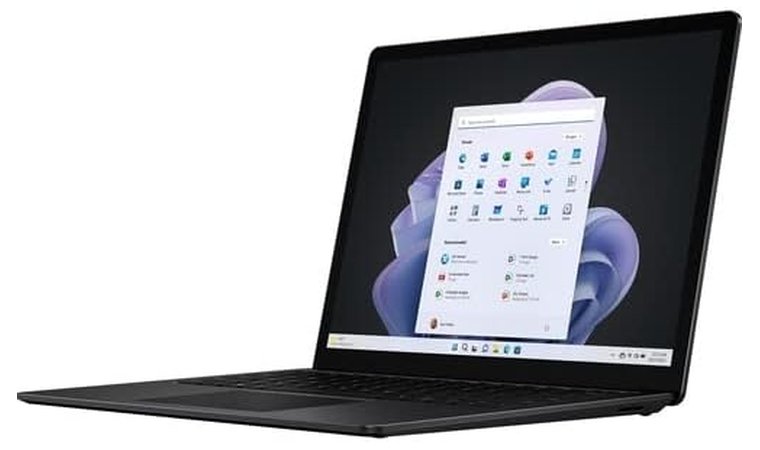
13. Microsoft Surface Laptop 5 [Best Programming Laptop for Productivity]
| Specs | Details |
|---|---|
| CPU | Intel Core i5 / i7 (12th Gen) |
| GPU | Integrated Intel Iris Xe Graphics |
| RAM | 8–32 GB |
| Storage | 256 GB – 1 TB SSD |
| Display | 13.5″ / 15″ PixelSense (2256×1504 / 2496×1664) |
| Ports | USB-C, USB-A, headphone jack, Surface Connect |
| OS | Windows 11 Home / Pro |
| Special Features | Excellent keyboard & Precision trackpad, Linux compatibility on many SKUs |
The Microsoft Surface Laptop 5 prioritizes comfort and productivity, ideal for developers focused on writing, coding, and multitasking across multiple IDEs. Its PixelSense display offers sharp text rendering and accurate color, improving readability for documentation and multi-pane coding. The keyboard and Precision trackpad are among the best in the industry, making long development sessions effortless.
| Pros | Cons |
|---|---|
| ✅ Comfortable keyboard and precision trackpad for long coding sessions ✅ Sharp PixelSense display improves readability in IDEs ✅ Strong single-thread CPU performance for builds and interpreters ✅ Thin, premium aluminum chassis with decent ports ✅ Long battery life for all-day development | ❌ Limited GPU performance (not ideal for graphics-heavy tasks) |
The Microsoft Surface Laptop 5 is perfect for developers who prioritize typing comfort, portability, and display clarity. It excels in productivity-focused coding environments, ideal for students and professionals using interpreters, compilers, and scripting languages.
Final Verdict:
Microsoft Surface Laptop shines for daily programming tasks thanks to its battery life, premium feel, and excellent keyboard and trackpad.
Laptop Specs for Programming
Choosing the right laptop for programming in 2025 means focusing less on flashy marketing terms and more on performance components that directly affect your workflow. A good development laptop should compile code quickly, run multiple applications smoothly, support external monitors, and last a whole day without needing to recharge.
Whether you’re writing web applications, testing APIs, running virtual machines, or experimenting with AI models, the right combination of CPU, RAM, storage, and display quality determines how efficient your coding experience will be — especially if you’re also using the VPN for DDoS protection to keep your work secure.
Here’s what matters most when selecting a laptop for programming:
1. Processor (CPU)
The processor is the heart of a development workflow. It determines how quickly your code compiles and how smoothly your IDE performs.
- Minimum (suitable for students/beginners): Intel Core i5 / Ryzen 5 / Apple M3
- Recommended (for professionals/multitasking): Intel Core i7 / Ryzen 7 / Apple M4 Pro
Why it matters: Faster CPUs reduce compile times and improve performance when running local servers, Docker containers, or emulators.
2. RAM (Memory)
RAM impacts multitasking; the more apps and tabs you keep open, the more RAM you need.
- Minimum: 8 GB
- Recommended: 16 GB
- Best for heavy workloads (VMs, AI, Android Studio): 32 GB+
If you use VS Code, Chrome, a database, and Docker, go with 16 GB or more.
3. Storage (SSD)
SSD is not optional. Avoid HDD-based laptops entirely.
NVMe SSDs offer the fastest read/write speeds (ideal for large project files).
- Minimum: 256 GB
- Recommended: 512 GB – 1 TB NVMe SSD (especially if using Docker or multiple IDEs)
4. Graphics (GPU)
You only need a dedicated GPU if you’re working in:
- Game development (Unity/Unreal)
- Machine learning/data science
- 3D modeling or GPU-accelerated workloads
For those fields, look for:
- NVIDIA RTX 4050 or better, or Apple M-series GPU
5. Display Size & Quality
A better display improves readability during long coding sessions.
- Minimum: 14″ FHD (1920×1080)
- Recommended: 14″–16″ QHD or OLED for crisp text and accurate color
6. Battery Life
- Good battery life: 8–12 hours
Laptops with Intel Core Ultra or Apple Silicon offer the best efficiency.
7. Ports & Connectivity
Programmers need support for external monitors and fast data transfer.
Look for:
- USB-C / Thunderbolt
- HDMI (for monitors)
- Wi-Fi 6 / 6E
- SD/MicroSD card slot (optional, but convenient)
8. Programming Laptop Spec Table
| Component | Minimum (Good for beginners) | Recommended (Best for professionals) |
|---|---|---|
| CPU | Intel Core i5 / Ryzen 5 / Apple M3 | Intel Core i7 / Ryzen 7 / Apple M4 Pro |
| RAM | 8 GB | 16 GB – 32 GB |
| Storage | 256 GB SSD | 512 GB – 1 TB NVMe SSD |
| GPU | Integrated Intel Iris Xe / Apple M-Series | NVIDIA RTX 4050 or Apple M-Series GPU |
| Display | 14″ FHD (1080p) | 14–16″ QHD / OLED |
| Battery Life | 6–8 hours | 10–12 hours |
| Ports | USB-A + USB-C | USB-C + Thunderbolt + HDMI |
My Overall Verdict on the Best Laptops for Programming
If you’re serious about coding, the right laptop should match your stack, workload, and mobility needs. Here’s how I’d choose based on use case:
- For workstation-level performance → ASUS ROG Strix G18. Desktop-grade CPU/GPU and excellent cooling for giant builds, VMs, Unreal/Unity, and ML.
- For premium everyday development → Dell XPS 16. A refined chassis and superb display with ample power for long IDE sessions and multi-monitor setups.
- For budget-friendly portability → Acer Swift X 14. Light, fast, and great value; ideal for students, web dev, and light GPU work on the go.
- For iOS/macOS developers → MacBook M4 Pro. Silent speed, stellar battery, and frictionless Xcode workflows.
- For Linux-first typing comfort → Lenovo ThinkPad X1 Carbon Gen 13. Ultra-light, fantastic keyboard, and smooth Linux/dual-boot support.
- For creator/ML and 3D pipelines → MSI Creator Z17 HX Studio or ASUS ProArt. Color-accurate displays, high RAM ceilings, and GPU muscle.
- For flexible note-taking and presentations → HP Spectre x360 14. Convertible design with a tall OLED for readable code.
- For cloud-first coding → Acer Chromebook Plus 515. Fast, secure ChromeOS with Linux containers and a roomy 15.6″ panel.
No matter your path – web, mobile, data, game dev, or AI – the picks above balance performance, thermals, battery life, and ergonomics. Choose by workload first, then form factor; the right match will keep your compile times short and your focus long.
FAQs
The best laptop for programming in 2025 is the ASUS ROG Strix G18, thanks to its Intel i9 processor, RTX GPU, and excellent thermal performance. It’s perfect for handling demanding workflows like game development, AI projects, and large code compilations without breaking a sweat.
You don’t always need a powerful laptop for programming, but it depends on your work. Basic coding or web development runs smoothly on mid-range CPUs, while game development, AI, or heavy compiling benefit from stronger chips like Intel i7 or Apple M4 Pro.
Pick a laptop that balances CPU speed, RAM (16GB or more), and battery life. A high-quality display and comfortable keyboard are also essential for long coding sessions and maintaining productivity.
The Lenovo ThinkPad X1 Carbon Gen 13 is the best laptop for Python development due to its lightweight build, excellent keyboard, and Linux-friendly performance. It’s perfect for scripting, backend development, and working in virtual environments.
A MacBook is better for iOS and cross-platform app development, while Windows laptops offer broader software compatibility. Both are excellent choices – it mainly depends on your preferred development tools and workflow.
The best OS for coding depends on your environment: macOS offers UNIX-based stability, Windows supports the widest range of tools, and Linux provides unmatched flexibility. Most developers dual-boot or use VMs to get the best of all worlds.