



11 Best Laptops for AutoCAD: Models That Won’t Let You Down Mid-Project



I’ve spent years working on AutoCAD projects as both a student and a professional, and one thing has always been clear: a slow or unreliable laptop can ruin your flow.
Precision work needs more than just good specs on paper. It needs speed, clarity, and consistency under pressure. This guide to the best laptop for AutoCAD is built on real experience.
Every model I recommend has been tested or trusted in environments where smooth drafting, fast rendering, and crisp displays actually matter. From affordable options to powerhouse machines, these picks are designed to keep your work sharp and your sessions uninterrupted.
Jump to:
Our Top Picks for Best Laptops for AutoCAD
Here are our top three picks for laptops that deliver exceptional performance and value for AutoCAD users. These models were chosen for their reliability, processing power, and ability to handle design workflows with minimal lag or frustration.
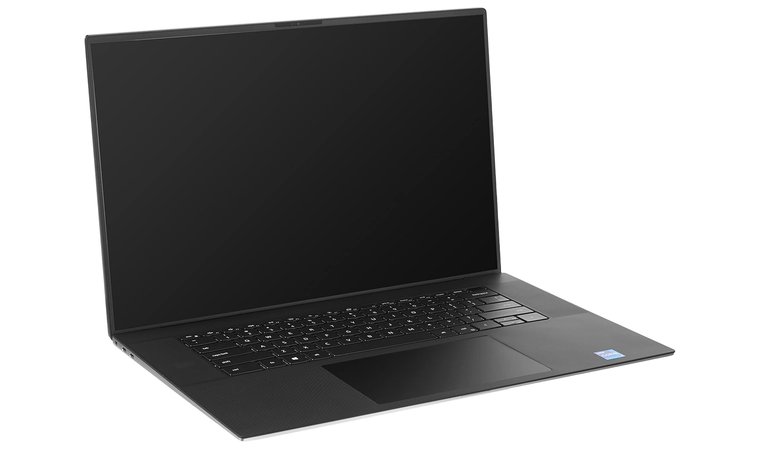
- Dell XPS 17 – This best laptop for AutoCAD combines a powerful Intel Core i7 processor with a large 17-inch 4K display, making it ideal for detailed CAD work.
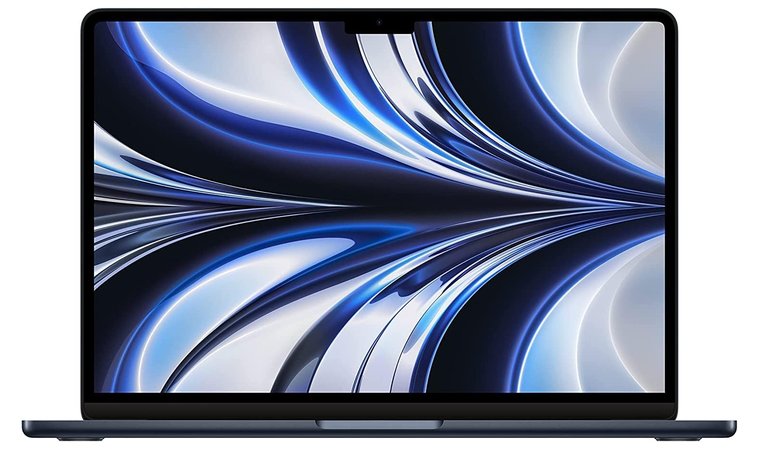
- Apple MacBook Air (M2) – Lightweight yet powerful, the M2 MacBook Air is perfect for users working primarily with 2D drafting.
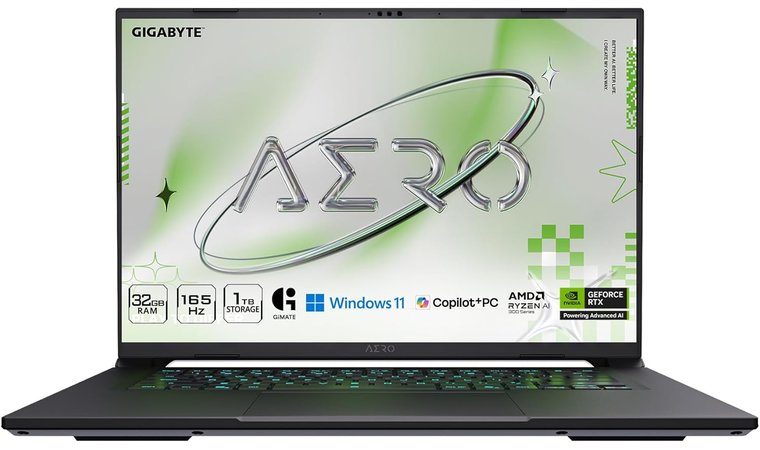
- Gigabyte Aero X16 – It is a powerful 16″ laptop with a stunning OLED display, RTX 5070 graphics, and Ryzen AI performance.
Scroll down to see the full list of top AutoCAD-ready laptops.
Best Laptop for AutoCAD: 11 Trusted Picks for Stress-Free Drafting
This section highlights the top choices for anyone searching for the best laptop, from students handling basic drafting to professionals running complex 3D simulations. Each pick is tailored to meet different needs, balancing performance, price, and portability to suit a wide range of users. We’ve selected laptops that stand out for their processing power, graphics capabilities, display quality, and overall value.
1. Dell XPS 17 [Best Overall Laptop for AutoCAD]
| Specs | Details |
| CPU | Intel Core i7-11800H |
| GPU | RTX 3050 4GB GDDR6 |
| RAM | 16GB DDR4 RAM |
| Storage | 1TB SSD |
| Display | 17″ UHD+ (3840×2400) InfinityEdge |
| Refresh Rate | 60Hz |
| Battery | Up to 10 hours |
| Weight | 2.10kg |
| Connectivity | Thunderbolt 4, USB-C, HDMI (via adapter), Wi-Fi 6E |
The Dell XPS 17 stands out as the best overall laptop for AutoCAD, offering a blend of power, precision, and workspace comfort that few laptops can match. Its large 17-inch UHD+ display gives designers and engineers a clear advantage by providing more room for toolbars, modelspace, and complex drawings. The Intel Core i7 processor ensures excellent single-core performance, allowing AutoCAD to run commands, panning, and zooming with minimal delay.
For 3D rendering and GPU-accelerated visual styles, the RTX 3050 4GB GDDR6 delivers smooth navigation and quick viewport responses. The combination of a fast 1TB SSD and robust cooling system keeps the system stable even when handling large assemblies or rendering heavy scenes.
Despite its size, the XPS 17 maintains a premium aluminum build that feels sturdy and professional. While its weight makes it less portable than smaller laptops, the payoff is a desktop-level experience in a portable form factor – ideal for serious CAD professionals who value screen size and performance.
| Pros | Cons |
| ✅ Large 17″ high-resolution display for detailed drawings and layouts ✅ Excellent single-core CPU speed for fast AutoCAD performance ✅ Powerful RTX GPU accelerates 3D models and rendering ✅ Premium build with effective cooling for long sessions ✅ Large NVMe SSD ensures fast project loading and exports ✅ Bright, color-accurate display ideal for precision work | ❌ Heavier than ultrabooks, though it replaces the need for a desktop |
Final Verdict: The Dell XPS 17 is a powerhouse built for professionals who want uncompromising performance and workspace clarity. Its large screen, strong CPU, and dedicated GPU make it the best laptop for CAD across both 2D drafting and advanced 3D workflows.
2. Apple MacBook Air (M2) [Best Budget Laptop for AutoCAD]
| Specs | Details |
| CPU | Apple M2 chip (8-core CPU, 10-core GPU) |
| GPU | Integrated Apple GPU (10-core) |
| RAM | 16GB Unified Memory |
| Storage | 256GB SSD |
| Display | 13.6″ Retina (2560×1664) |
| Refresh Rate | 60Hz |
| Battery | Up to 18 hours |
| Weight | 1.24 kg (2.7 lbs) |
| Connectivity | 2x Thunderbolt / USB 4, Wi-Fi 6, MagSafe |
The Apple MacBook Air (M2) is the best budget laptop for AutoCAD thanks to its remarkable performance, premium display, and portability – all at a competitive price for its class. Powered by the Apple M2 chip, it delivers fast single-core speeds, which is especially important for 2D drafting and basic AutoCAD functions. The fanless design keeps it completely silent, while the Retina display offers crisp resolution and excellent color clarity – perfect for reviewing plans, zooming into linework, or presenting designs to clients.
With instant wake and a fast SSD, the best MacBook is quick to open DWG files and navigate layouts. Its long battery life and ultra-lightweight body make it ideal for on-site checks, fieldwork, or working from a client’s office. While it’s not built for heavy 3D modeling, the M2 still handles light 3D tasks smoothly. Users working on more complex workflows should be aware that some AutoCAD features differ slightly on macOS compared to Windows, so this laptop works best as a mobile companion or secondary machine.
| Pros | Cons |
| ✅ M2 chip offers fast single-core performance for 2D tasks ✅ Silent fanless design is great for quiet environments ✅ Lightweight and portable for travel or site visits ✅ Retina display offers sharp, color-rich visuals ✅ Excellent battery life supports full-day workflows ✅ Instant wake and fast SSD make quick checks easy | ❌ Limited 3D modeling capabilities due to macOS feature gaps, but still excellent for 2D drafting and light design work. |
Final Verdict: The Apple MacBook Air (M2) is a sleek, reliable option for users focused on 2D drafting, mobile reviews, and lightweight modeling. It’s the best laptop for AutoCAD at the budget level for users who value portability and simplicity.
3. Gigabyte Aero X16 [Best OLED Laptop for Designers Who Want Power and Clarity]
| Specs | Details |
| CPU | AMD Ryzen AI 9 HX 370 |
| GPU | NVIDIA GeForce RTX 5070 (8GB) |
| RAM | 32GB DDR5 (5600 MHz) |
| Storage | 1TB NVMe SSD |
| Display | 16″ WQXGA OLED (2560×1600), 165Hz, 3ms, 100% sRGB |
| Battery | Up to 14 hours |
| Weight | 1.9 kg (4.18 lbs) |
| Connectivity | USB-A, USB-C, HDMI, Thunderbolt 4, Wi-Fi 6E |
| Refresh Rate | 165Hz |
The Gigabyte Aero X16 is built for creators and engineers who want stunning visuals without sacrificing performance. Its 16-inch OLED display is incredibly sharp, boasting 100% sRGB color accuracy, a fast 165Hz refresh rate, and 400-nit brightness, ideal for CAD users who need pixel-perfect clarity when working with intricate drawings or presentations.
Under the hood, the Ryzen AI 9 HX 370 processor and RTX 5070 GPU deliver impressive multi-core and single-core performance. It’s a serious contender for AutoCAD users running complex 2D layouts or moderate-to-heavy 3D models. The 1TB Gen4 SSD loads projects fast, while the 32GB DDR5 RAM ensures multitasking never slows you down.
Despite its power, the Aero X16 remains relatively portable, weighing just under 2kg. Battery life holds up to 14 hours, and its cooling system with 12V fans keeps performance stable even under pressure. This makes it a versatile laptop for both studio work and client-facing field use.
| Pros | Cons |
| ✅Brilliant OLED screen with 100% sRGB for high-fidelity drafting ✅RTX 5070 GPU easily handles real-time 3D navigation and rendering ✅ Fast Ryzen HX CPU ensures responsive CAD performance ✅ Long battery life for all-day mobile use ✅ Sleek design with advanced cooling for quiet, stable sessions ✅1TB Gen4 SSD + 32GB RAM allow seamless multitasking with large files | ❌ Slightly heavier than ultrabooks, but a fair tradeoff for workstation-grade power |
Final Verdict: The Gigabyte Aero X16 is a premium AutoCAD-ready laptop for professionals who demand both clarity and speed. Its OLED display, powerful internals, and long battery life make it one of the best laptops for CAD if you want color-accurate visuals and consistent performance across 2D and 3D tasks.
4. Acer Predator Triton 500 [Best High-Performance Laptop for AutoCAD]
| Specs | Details |
| CPU | Intel i9-12900H |
| GPU | NVIDIA GeForce RTX 4060 |
| RAM | 32 GB DDR5 |
| Storage | 1TB NVMe SSD (upgradeable) |
| Display | 16″ WQXGA 240Hz G-SYNC |
| Refresh Rate | 240Hz |
| Battery | Up to 8 hours |
| Weight | 2.3 kg |
| Connectivity | Thunderbolt 4, HDMI 2.1, USB-A/C, Ethernet, Wi-Fi 6E |
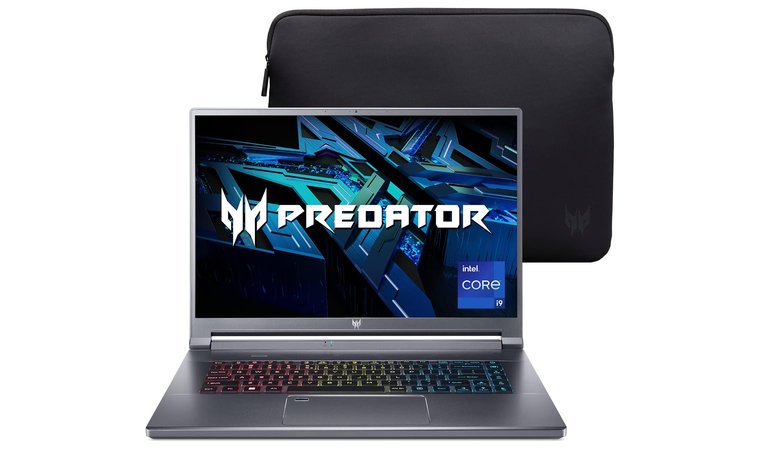
The Acer Predator Triton 500 is the best high-performance laptop for AutoCAD software users who need workstation-level speed in a more portable package. It features a slim chassis with an Intel i9 CPU, delivering excellent single-core performance essential for fast command execution, snappy viewport interaction, and efficient 2D/3D drafting. Paired with an NVIDIA GeForce RTX 4060 GPU, this laptop handles complex 3D assemblies, real-time rendering, and GPU-accelerated visual styles with ease.
One of its biggest strengths as the best laptop for architecture lies in its cooling system, which keeps the machine running at full boost during long sessions without throttling. The 16-inch display offers plenty of space for multi-window layouts and high-resolution drawing review. Upgradeable RAM and storage give you room to scale as your projects become more demanding.
| Pros | Cons |
| ✅ i-series CPU delivers fast, responsive CAD software performance ✅ NVIDIA GPU enables smooth 3D workflows and rendering ✅ Excellent thermal system sustains high performance under load ✅ Upgradeable RAM and SSD for future-proofin ✅ High-refresh display improves visual feedback when navigating models ✅ Balanced for power users who also need mobility | ❌ A bit heavier, but the performance gain is worth it |
Final Verdict: The Acer Predator Triton 500 is a strong fit for power users who demand speed, reliability, and GPU muscle. It’s one of the best laptops for AutoCAD when you’re running complex 3D models or pushing render-heavy tasks.
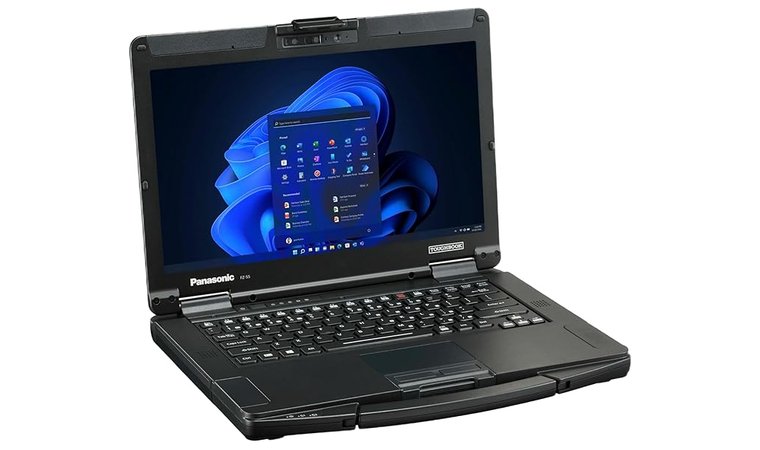
5. Panasonic Toughbook FZ-55 [Best Laptop for On-Site Architectural and Construction CAD Work]
| Specs | Details |
| CPU | Intel Core i5-1345U vPro |
| GPU | Intel Iris Xe Graphics |
| RAM | 16GB DDR4 RAM |
| Storage | 512GB NVMe |
| Display | 14″ FHD Touchscreen (1000 nits, anti-glare) |
| Refresh Rate | 60Hz |
| Battery | Up to 20 hours (hot-swappable) |
| Weight | Approx. 2.1 kg (4.6 lbs) |
| Connectivity | USB-A/C, HDMI, Ethernet, SD card, Serial, Wi-Fi 6, optional LTE |
The Panasonic Toughbook 55 is the best laptop for CAD software in rugged job site environments, built specifically for field engineers, architects, and construction teams. Its semi-rugged chassis meets MIL-STD-810H and IP53 standards, meaning it can withstand dust, vibrations, drops, and extreme temperatures. The modular design lets you swap out SSDs, RAM, and even add GPU or I/O expansion packs, depending on the task, making it highly adaptable to various roles.
Its bright 14-inch touchscreen is readable outdoors and designed for gloved use, while the hot-swappable battery system supports long shifts without downtime. The legacy ports (serial, Ethernet, SD card) are perfect for connecting surveying tools, measurement instruments, or older peripherals still common in construction workflows.
| Pros | Cons |
| ✅ Semi-rugged chassis is built for harsh environments ✅ Modular design allows for expansion or repair in the field ✅ Excellent I/O including Ethernet, serial, and SD ports ✅ Hot-swappable batteries allow continuous use ✅ Optional discrete GPU supports 3D modeling tasks ✅ Touchscreen readable in direct sunlight | ❌ Heavier and bulkier than standard laptops, but the added size allows for better cooling and stability during long CAD sessions. |
Final Verdict: The Panasonic Toughbook 55 is purpose-built for professionals who work on job sites or in the field. Its modular, durable design and strong connectivity make it one of the best laptops for AutoCAD in active construction or industrial environments.
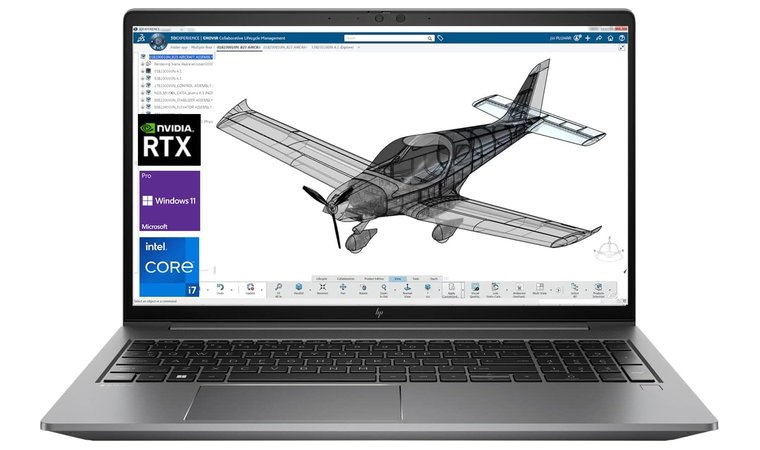
6. HP ZBook Power G9 [Best ISV-Certified Workstation for CAD]
| Specs | Details |
| CPU | Core i7 Family |
| GPU | NVIDIA RTX A1000 |
| RAM | 64 GB DDR5 |
| Storage | 2 TB SSD |
| Display | 15.6″ FHD or UHD IPS |
| Refresh Rate | 60Hz |
| Battery | Up to 12 hours |
| Weight | Approx. 1.9 kg (4.2 lbs) |
| Connectivity | Thunderbolt 4, HDMI, USB-A/C, SD card, Ethernet |
The HP ZBook Power G9 is the best HP laptop for users needing a certified mobile workstation for demanding CAD software workflows. It combines ISV certification with H-series Intel CPUs and NVIDIA RTX A-series GPUs, which ensures smooth performance in AutoCAD, Revit, and other professional design tools.
Designed for reliability and long-term use, this model includes expandable RAM and SSD options, making it capable of managing large file libraries, rendering projects, and collaborative BIM environments. With a durable chassis and business-focused I/O like Thunderbolt, HDMI, SD card slots, and a dedicated graphics card, it’s easy to dock into a full desktop setup. The workstation-grade components also ensure better driver optimization and stability for professional applications.
| Pros | Cons |
| ✅ ISV-certified for stability in AutoCAD and other pro software ✅ Expandable RAM and storage for long-term use ✅ Powerful H-series CPUs with excellent single-core performance ✅ NVIDIA RTX GPUs optimized for 2D and 3D CAD work ✅ Strong build quality with excellent cooling ✅ Full range of ports for professional docking setups | ❌ Bulkier than consumer laptops, but purpose-built for professionals |
Final Verdict: The HP laptop is a high-performance workstation built for serious CAD users who need power, stability, and certified software support. It’s one of the best laptops for AutoCAD when professional reliability and long-term expandability matter most.
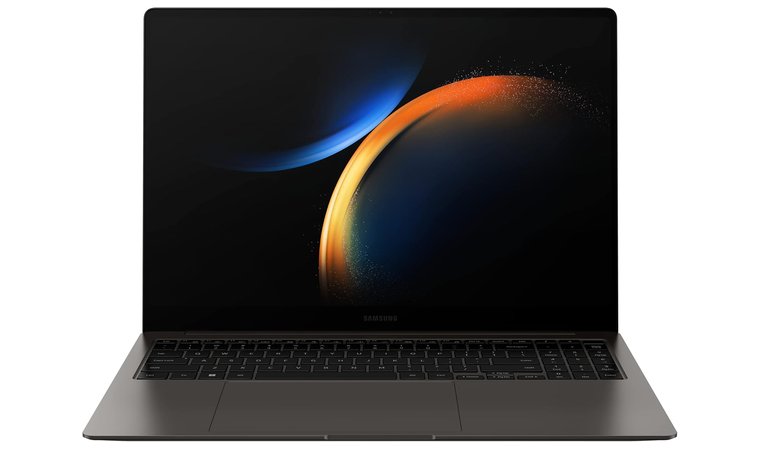
7. Samsung Galaxy Book3 Pro 16 [Best Ultra-Slim OLED Laptop for AutoCAD]
| Specs | Details |
| CPU | Intel Core i7 |
| GPU | Intel Iris Xe Graphics |
| RAM | 16GB LPDDR5 |
| Storage | 1 TB |
| Display | 16″ 3K AMOLED (2880×1800) |
| Battery | Up to 19 hours |
| Weight | 1.56 kg |
| Connectivity | Thunderbolt 4, USB-C, HDMI, Wi-Fi 6E |
| Refresh Rate | 120Hz |
The Samsung Galaxy Book3 Pro 16 combines portability with top-tier display quality, making it a top pick for AutoCAD users who value screen clarity and performance. The 16-inch AMOLED panel delivers exceptional contrast and detail – perfect for viewing complex linework, plans, and layouts.
With an Intel Core i7 CPU offering fast single-threaded speeds, it handles 2D drafting and mid-level 3D modeling with ease. Its thin, professional chassis makes it ideal for traveling architects or designers, while Thunderbolt 4 ports simplify docking into full workstation setups. It’s an ideal fit as the best laptop for engineering students.
| Pros | Cons |
| ✅ AMOLED display delivers crisp, vibrant CAD software visuals ✅ Lightweight and sleek for mobile work ✅ Fast single-thread performance from Intel CPU ✅ Great battery life supports all-day usage ✅ Thunderbolt 4 makes docking and expansion easy ✅ Premium build and quiet operation | ❌ No discrete GPU, so not ideal for heavy 3D renderingbut still a solid choice for 2D drafting, markups, and everyday CAD tasks. |
Final Verdict: The Samsung Galaxy Book3 Pro 16 offers a stunning display, long battery life, and high single-core performance in a slim form. It’s one of the best laptops for AutoCAD for professionals who prioritize mobility and image clarity.
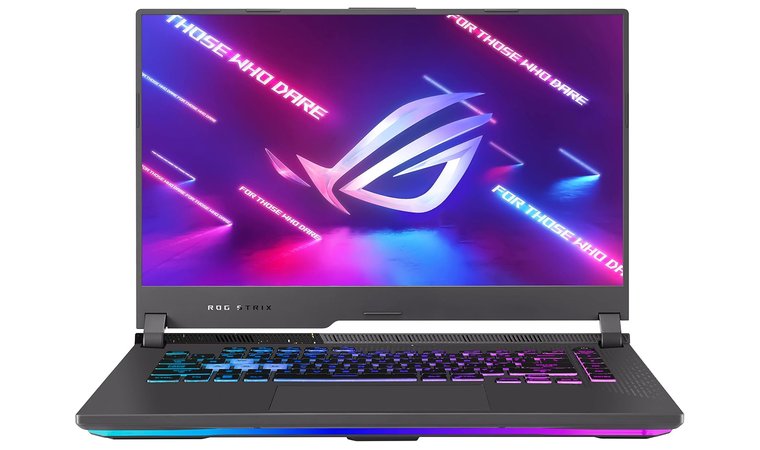
8. ASUS ROG Strix G15 [Best Gaming-Grade Performance Laptop for Smooth Modeling in AutoCAD]
| Specs | Details |
| CPU | Core i7 |
| GPU | 5.2 GHz core_i7 |
| RAM | 16GB DDR5 (upgradeable) |
| Storage | 1TB SSD |
| Display | 15.6″ FHD 300Hz |
| Battery | Up to 8 hours |
| Weight | 2.6 kg |
| Connectivity | USB-C, USB-A, HDMI, Ethernet, Wi-Fi 6 |
| Refresh Rate | 300Hz |
The ASUS ROG Strix G15 brings gaming-level power to AutoCAD users, combining high-refresh screens with a strong Core i7 CPU and 5.2 GHz core_i7 GPU. This combo provides excellent single-thread responsiveness for drafting and rapid viewport acceleration during 3D navigation or rendering.
This is the best ASUS laptop as the cooling system is built for long, high-performance sessions, and the display options (FHD or WQHD) deliver smooth, sharp visuals when panning through detailed models. The laptop supports RAM and storage upgrades, making it a smart long-term choice for growing CAD software needs. While it’s not the most portable machine, the power it brings to the table makes it a favorite for users focused on demanding AutoCAD workflows.
| Pros | Cons |
| ✅ High single-thread performance for snappy drafting ✅ Core i7 GPU supports real-time 3D work ✅ Excellent thermals maintain stable clock speeds ✅ Upgradeable memory and SSD ✅ High refresh rate screens boost visual fluidity ✅ Ideal for dense 3D assemblies and real-time modeling | ❌ Heavier computer aided design, meant more for performance than travel, but delivers outstanding stability and power for demanding AutoCAD work. |
Final Verdict: The ASUS ROG Strix G15 is built for designers who want desktop-level AutoCAD performance in a mobile form. It’s one of the best laptops for AutoCAD when raw power and smooth 3D modeling matter most.
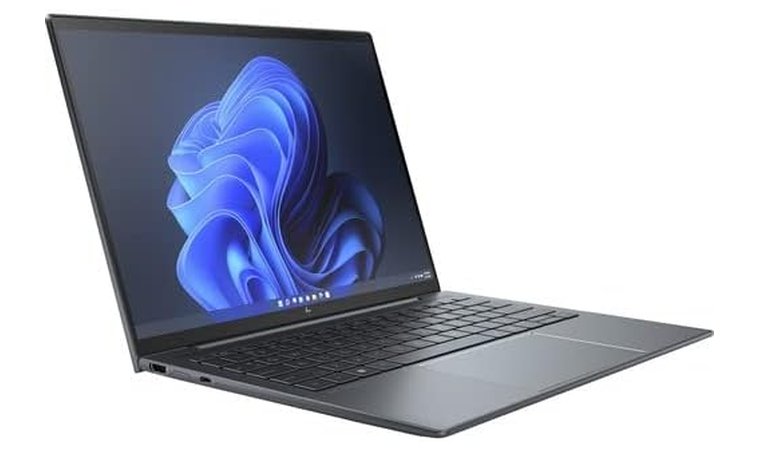
9. HP Elite Dragonfly G3 [Best Lightweight Laptop for Teachers and CAD Presenters]
| Specs | Details |
| CPU | Core i7 |
| GPU | 1.7 GHz core_i7 |
| RAM | 16 GB |
| Storage | 768 GB SSD |
| Display | 13.5″ WUXGA+ (1920×1280) |
| Battery | Up to 14 hours |
| Weight | 1.92 kg |
| Connectivity | USB-C, HDMI, LTE optional, Wi-Fi 6 |
| Refresh Rate | 60Hz |
The HP Elite Dragonfly G3 is a lightweight, premium business laptop that excels in presentation and educational settings. Its 13.5-inch WUXGA+ display offers excellent clarity for CAD markups and 2D linework. The ultra-light chassis makes it ideal for travel, and enterprise-level security makes it deployment-ready for schools and institutions.
Powered by a Core i7 CPU, it delivers strong single-core speed for basic drafting and markup workflows. While not built for rendering or 3D modeling, its quiet operation, LTE options, and professional appearance make it a great tool for instructors and CAD consultants who need to present and edit on the go.
| Pros | Cons |
| ✅ Ultra-light and compact for mobility ✅ Bright display with good resolution for markups ✅ Excellent battery life and quiet operation ✅ Enterprise security for managed deployments ✅ Clean, professional aesthetic for teaching and client work ✅ Optional LTE connectivity for remote access | ❌ Not suited for heavy 3D rendering tasks, but still runs 2D drafting and basic 3D navigation smoothly for everyday AutoCAD use. |
Final Verdict: The HP Elite Dragonfly G3 is ideal for presenters, teachers, or consultants who need a lightweight, secure machine for CAD markups and reviews. It’s one of the best laptops for AutoCAD in academic or on-the-go professional settings.
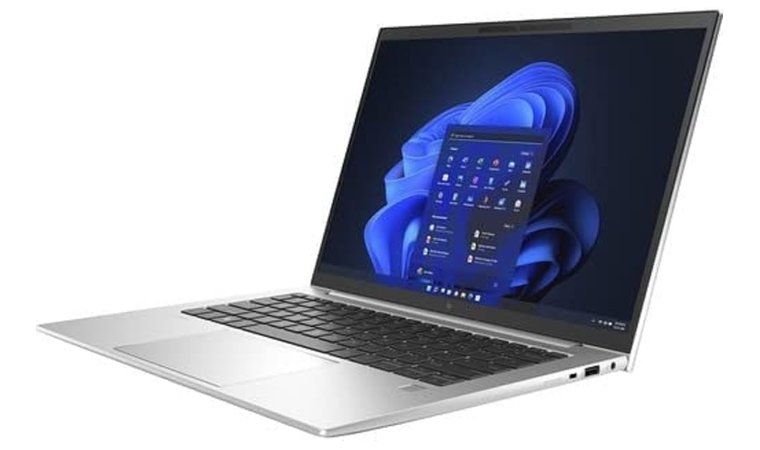
10. HP EliteBook 840 G9 [Best Business-Class Laptop for Educators and Engineers Using AutoCAD Daily]
| Specs | Details |
| CPU | Core i5 |
| GPU | Intel Iris Xe Graphics |
| RAM | 16GB |
| Storage | 512GB SSD |
| Display | 14″ FHD IPS (1920×1080) |
| Battery | Up to 13 hours |
| Weight | 1.36 kg (3 lbs) |
| Connectivity | Thunderbolt 4, HDMI, Ethernet, Wi-Fi 6 |
| Refresh Rate | 60Hz |
The HP EliteBook 840 G9 is built for daily use in business and academic environments where AutoCAD plays a central role. Its 14-inch size strikes a balance between portability and screen space, and the Intel H-series CPUs deliver fast single-thread performance for precise CAD command response.
With Thunderbolt 4, HDMI, and Ethernet, it connects easily to docking stations and external monitors – ideal for multi-screen drafting environments. Enterprise-ready security features and deployment tools make it a good fit for IT-managed teams or large organizations. While it doesn’t include a discrete GPU, it runs 2D CAD work and basic 3D navigation smoothly and consistently.
| Pros | Cons |
| ✅ Reliable business-class build with strong CPU performance ✅ Full suite of I/O for docking setups ✅ Lightweight and durable for daily travel ✅ Long battery life for extended productivity ✅ Enterprise security and manageability features ✅ Good screen clarity for detailed drafting | ❌ No discrete GPU, so limited 3D rendering capacity,but it still performs reliably for 2D drafting, markups, and light CAD workloads. |
Final Verdict: The HP EliteBook 840 G9 delivers reliable, daily AutoCAD performance in a secure business-focused package. It’s one of the best laptops for AutoCAD for engineers, educators, and professionals working in structured environments.
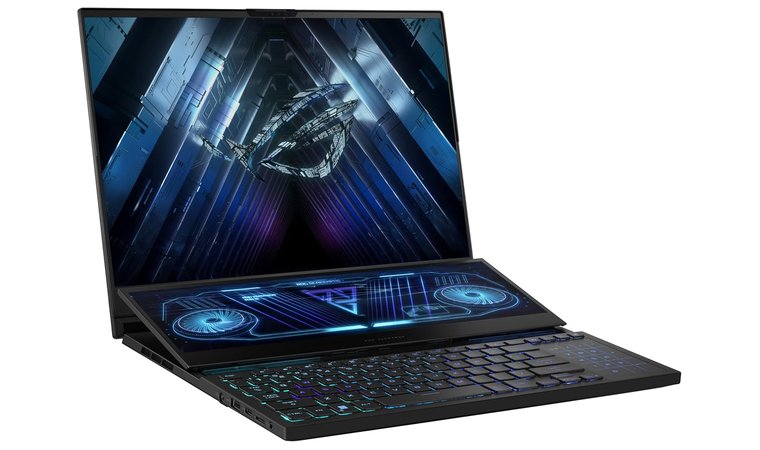
11. ASUS ROG Zephyrus Duo 15 [Best Laptop for Multi-Window Drafting and AutoCAD Visualization]
| Specs | Details |
| CPU | Core i7 |
| GPU | NVIDIA GeForce RTX 4060 |
| RAM | 16 GB DDR5 |
| Storage | 1 TB |
| Display | 15.6″ 4K UHD + 14″ ScreenPad Plus |
| Battery | Up to 10 hours |
| Weight | 2.4 kg (5.3 lbs) |
| Connectivity | USB-A, USB-C, HDMI, Wi-Fi 6 |
| Refresh Rate | 60Hz |
The ASUS ROG Zephyrus Duo 15 redefines workflow efficiency by offering a dual-screen layout that enhances productivity for AutoCAD users. The main 4K UHD panel is bright and color-accurate, while the secondary ScreenPad Plus gives you dedicated space for tool palettes, references, or command lines – perfect for multitasking during drafting and modeling.
Powered by a Core i7 top CPU and NVIDIA GeForce RTX 4060 GPU, it handles 3D visualization, complex assemblies, and viewport navigation effortlessly. Its strong thermal system ensures stable clock speeds during prolonged computer-aided design sessions, and its expandable storage and RAM accommodate massive DWG files and custom libraries.
| Pros | Cons |
| ✅ Dual-screen setup enhances AutoCAD productivity ✅ Core i7 and RTX 4060 GPU handle 3D tasks easily ✅ Strong cooling keeps performance consistent ✅ High-resolution 4K main display with vivid detail ✅ Expandable RAM and storage for long-term use ✅ Unique computer-aided design ideal for multitasking professionals | ❌ Slightly bulky, but packed with performance |
Final Verdict: The ASUS ROG Zephyrus Duo 15 is perfect for professionals who juggle multiple CAD software windows and want extra space for palettes or references. It’s one of the best laptops for AutoCAD when multitasking and advanced visualization are key.
What Makes a Laptop Good for AutoCAD?
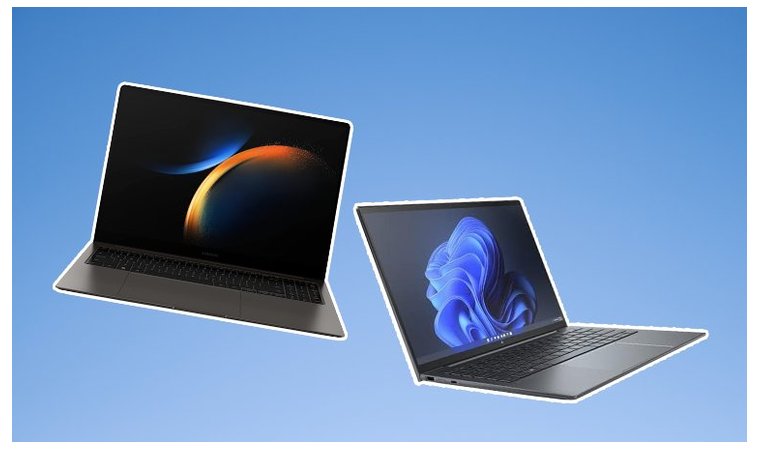
AutoCAD is a demanding piece of computer-aided design software that performs best on laptops with the right combination of processor power, graphics capabilities, and visual clarity. The smoother the hardware experience, the faster you can move between drawings, models, and client-ready presentations.
Below are the core hardware factors that define an excellent AutoCAD laptop.
Powerful Multi-Core CPU (Processor)
AutoCAD relies heavily on single-thread performance, especially in 2D tasks. But for 3D modeling, rendering, and multitasking, multi-core CPUs help speed things up. Look for:
- Intel Core i7/i9 (H-series)
- High base clocks with turbo up to 5.0GHz
- Improves command execution, viewport response, and render times, especially in large files
The same strong single-core and multi-core performance that benefits AutoCAD is crucial for parametric modeling and simulations in tools like SolidWorks and Fusion 360, so choosing the right processor pays off across your entire CAD stack.
Dedicated GPU for 3D Visualization
AutoCAD’s 3D modeling and real-time rendering benefit from a dedicated graphics card. While 2D drafting doesn’t need GPU power, 3D workflows are smoother with:
- NVIDIA RTX series (e.g., RTX 4060, RTX 4070)
- NVIDIA Quadro cards for certified ISV performance
- Handles orbiting, zooming, and visual styles in complex assemblies
RAM: Enough for Drafting and Rendering
CAD workflows often involve multiple open files and tabs. To keep things fluid:
- 16 GB RAM is the minimum for 2D CAD and basic 3D
- 32 GB or more is ideal for architects and engineers handling large projects or rendering scenes
Fast Storage: SSD Over HDD
Speed matters when opening or saving large .DWG files. You’ll want:
- NVMe SSDs for fast boot and file loading
- Helps AutoCAD cache files more efficiently and prevents UI slowdowns
Display Size and Accuracy
Your laptop’s screen should help, not hinder, design clarity:
- 15.6″ or larger for a comfortable viewport
- Full HD (1920×1080) minimum, with options like 3K or 4K for extra detail
- High color accuracy (e.g., 100% sRGB or OLED) makes lines, fills, and gradients more precise
Cooling and Build Quality
AutoCAD sessions can run long. Your powerful laptop should stay cool and stable:
- Dual-fan cooling or vapor chamber designs help maintain performance
- A rigid chassis helps during frequent transport or work on uneven surfaces
Battery Life and Portability
Designers and students on the move need balance:
- 8+ hour battery is great for meetings or site visits
- Lightweight build (under 4 lbs) helps carry it across job sites or campuses
My Overall Verdict
If you’re serious about AutoCAD, these laptops offer smooth workflows across all use cases:
- For workstation-level performance → Dell XPS 17. Its powerful CPU and large 4K screen deliver the clarity and speed needed for demanding 2D and 3D CAD work.
- For budget-friendly portability → Apple MacBook Air (M2). Best for students or professionals working with 2D drafts, offering sharp visuals and unbeatable battery life in a silent chassis.
- For mobile multitasking → Gigabyte Aero X16. Lightweight but powerful, this pick balances strong CPU and GPU performance with high-resolution display options ideal for drafting on the go.
No matter how or where you design, these top-tier AutoCAD laptops bring reliability and responsiveness when it matters most.
FAQs
The best laptop for AutoCAD is the Dell XPS 17, thanks to its strong CPU, RTX graphics, and large 4K display for detailed drawings. It offers reliable power for both 2D drafting and complex 3D modeling.
The best processor for AutoCAD is an Intel Core i7 or AMD Ryzen 7, as they provide excellent single-core performance for smooth command execution. Higher core counts also help with rendering and multitasking in 3D projects.
8GB of RAM is enough for basic 2D drafting and smaller projects. However, upgrading to 16GB or more is highly recommended for multitasking, 3D modeling, and running large design files efficiently.
32GB of RAM is not overkill if you work with large files or 3D models. It ensures smoother performance when rendering, handling multiple layouts, or working with other design software alongside AutoCAD.
Both Intel and AMD perform well for AutoCAD, but Intel CPUs often have a slight edge in single-core tasks like 2D drafting. AMD Ryzen chips are strong contenders for users who also do rendering or multitask frequently.
Yes, AutoCAD can run on a MacBook, including the M1 and M2 versions. However, users should note that some advanced 3D and customization features are limited on macOS compared to the Windows version.











