


Best VPN for Mac: 10 Tested VPNs for Speed and Privacy

Eneba Hub contains affiliate links, which means we may earn a small commission if you make a purchase through them—at no extra cost to you. Learn more



Recent update
This list is regularly updated to match what’s trending and in-demand among gamers.
If you’re looking for the best VPN for Mac, you already know the pain. Lag spikes mid-match, weird ping jumps, region-locked servers, and throttling that turns a smooth run into a slideshow – all too familiar. Macs might be sleek, but they’re not immune.
A solid VPN connection fixes that. It creates an encrypted tunnel that hides your real IP address, locks down your connection, and gives you faster, fairer routes to game servers – while also letting you stream what you want, wherever you are.
After serious testing, I picked 10 VPNs that actually play nice with macOS, Apple Silicon, and serious gaming setups. Let’s find the one that keeps your Mac safe and your matches smooth.
Jump to:
Our Top Picks for Best VPN for Mac
Here’s the quick take. I tested on Apple Silicon, pushed each app in games and streams, and paid attention to boring-but-critical stuff like kill switches and menu bar controls. These three nailed the Mac experience and kept ping stable when it mattered.
- NordVPN – Fast on Apple Silicon with NordLynx and a clean Mac app that stays out of your way. The kill switch is steady. Obfuscation works when networks get picky. Meshnet is a cheat code for quick, private LAN-style sessions with friends. Great for streaming and everyday privacy without babysitting the client.
- ExpressVPN – Lightway keeps connections snappy and consistent on macOS. Network Lock doesn’t flake if your Wi-Fi hops. It’s the most “install and forget” option here, and it handles tricky streaming catalogs well.
- Proton VPN – Swiss-based, four-times audited, and open-source, it’s built for users who don’t take trust on faith. Stealth mode and Secure Core routing round out a privacy toolkit nothing else on this list can match.
That’s the podium. In the full list, you’ll see 10 Mac-ready VPNs ranked for speed, latency, stability, geo-unblocking, and real macOS quality of life. Want the details, benchmarks, and gamer notes? Keep reading.
Best VPN for Mac: 10 Winners for Gaming, Streaming, and More
Let’s get to the good stuff. I ran these VPNs through real Mac use – gaming lobbies, late-night streams, dodgy Wi-Fi, the works. Only ten made the cut. They’re fast, stable, and built for Apple gear that actually gets used. Want to know what the best VPN for Mac looks like? Here’s my lineup.
1. NordVPN [Best Overall VPN for Mac]

| Feature | Details |
|---|---|
| Servers | 9,000+ servers in 100+ countries |
| Speed | Around 300 Mbps average (313 Mbps benchmark) |
| Simultaneous connections | Up to 10 |
| Protocols | NordLynx (built on WireGuard), OpenVPN, NordWhisper (for restricted networks) |
| Security | AES-256 encryption, kill switch, Threat Protection, dark web monitoring, MFA, Double VPN |
| Privacy | Audited no-logs policy, RAM-only servers, operates from Panama |
| macOS app | Native M1/M2/M3 support, clean UI, menu-bar shortcut, Mac App Store availability |
| Streaming | Works with Netflix, Hulu, BBC iPlayer, Prime Video |
| Starting price | $2.99/mo (2-year plan) |
NordVPN feels native on macOS. The app is quick, tidy in the menu bar, and runs smoothly on Apple Silicon. On M-series chips, it runs natively, not through Rosetta, so you’re getting full Apple Silicon performance. NordLynx keeps throughput high without cooking your CPU, and NordWhisper is there when campus/airports get hostile to VPNs.
I recommend sticking to NordLynx, as it was the best option for 99% of my tests. If you need obfuscation, you have to switch, but NordLynx will cover most of your gaming, streaming, and geo-unblocking.
The privacy setup is tight. RAM-only servers mean nothing’s stored, and Nord’s no-logs policy has been audited more than once. Threat Protection blocks trackers and scam domains system-wide, which is huge when you’re gaming on sketchy hotel Wi-Fi or downloading mods from random forums.
It’s also a great VPN for gaming, with Meshnet as a standout feature. Nord decided to keep it going, despite initial plans to phase it out. You can link Macs or PCs together into a private, encrypted “LAN” – perfect for low-ping co-op nights or direct file sharing without touching your router. Combine that with solid streaming access, and you’ve got one VPN that covers all bases.
| Pros | Cons |
|---|---|
| ✅ Native Apple Silicon app is fast, stable, and low on resources ✅ NordLynx protocol keeps latency low for gaming ✅ Threat Protection blocks malware, trackers, and scams on macOS ✅ Meshnet makes private co-op and file sharing simple ✅ Regular feature updates and multiple privacy audits | ❌ Browser-based login gets annoying after a while ❌ No per-app routing (split tunneling) on macOS yet |
Final Verdict: It’s the most balanced Mac pick: fast, polished, and private. You get high performance on Apple Silicon, clean streaming unlocks, and extras that actually help – Threat Protection, NordWhisper when networks get nasty, and Meshnet for hassle-free co-op. Set it up once and get on with gaming and streaming.
2. ExpressVPN [A User-Friendly VPN for macOS]
| Feature | Details |
|---|---|
| Servers | 3,000+ servers in 105 countries |
| Speed | Around 267 Mbps average (313 Mbps benchmark) |
| Simultaneous connections | Up to 14 |
| Protocols | Lightway, OpenVPN, IKEv2 |
| Security | AES-256, “Network Lock” kill switch feature, DNS leak protection, trusted server architecture |
| Privacy | RAM-only servers, audited no-logs claims, operates from BVI (no strict data laws) |
| macOS app | Native support (M1/M2), clean UI, auto updates, menu bar, Mac App Store availability |
| Streaming | Works with Netflix, Hulu, BBC iPlayer, Prime Video |
| Starting price | $3.49/mo (28-month plan) |
ExpressVPN is one of the smoothest VPNs you can run on a Mac in an “open, press connect, forget it” way. It takes a minute to install on Mac, and you can find all the steps in my How to Set Up a VPN guide.
Its macOS client feels polished and responsive. The Network Lock kill switch (enabled by default on macOS) will prevent leaks when the VPN drops. The firewall rules built into the client block all internet traffic outside the VPN tunnel if it disconnects. So, ExpressVPN dishes out solid performance while keeping you safe from cyber threats.
Under the hood, Lightway is ExpressVPN’s protocol built for speed and battery efficiency. It adapts fast, reconnects smoothly, and keeps latency low – ideal for Mac gaming and streaming. Users can also switch to the OpenVPN protocol if needed. The app had a major update years ago to be fully native on Apple Silicon.
Use the built-in speed tester (in apps) to pick the fastest server before hopping into games. A well-chosen server can cut latency and make all the difference for macOS users (ExpressVPN recently improved that tool in their Apple-centric updates).
While many people love ExpressVPN for its simplicity, it’s not without trade-offs. The network is smaller than some rivals, and the price is solid. Also, split tunneling (choosing which apps go through VPN) is supported, but only on certain older macOS versions.
| Pros | Cons |
|---|---|
| ✅ macOS app is polished, auto-updating, and intuitive + good support for Apple users ✅ Network Lock kill switch protects against IP leaks on disconnects ✅ Lightway protocol gives strong performance with lower lag ✅ Works with most streaming libraries reliably ✅ Servers run on RAM-only/trusted server architecture | ❌ Fewer servers than some big networks ❌ Split tunneling is limited or unavailable on newer macOS versions |
Final Verdict: ExpressVPN is ideal if you want a VPN that “just works” on your Mac. It balances performance, online security, and ease of use without demanding configuration. For Macs used in games, streaming, or casual privacy, it’s a solid pick.
3. Proton VPN [Best Privacy VPN for Mac]
| Feature | Details |
|---|---|
| Servers | 11,000+ servers in 120+ countries |
| Speed | Around 248 Mbps average (313 Mbps benchmark) |
| Simultaneous connections | Up to 10 |
| Protocols | WireGuard, OpenVPN, IKEv2, Stealth (for censorship) |
| Security | AES-256, kill switch, DNS & IPv6 leak protection, Secure Core, forward secrecy |
| Privacy | Based in Switzerland, audited no-logs policy (4th independent audit) |
| macOS app | macOS client supported (macOS 10.12+), open source, interface clean, but not in Mac App Store |
| Streaming | Works with Netflix, Hulu, BBC iPlayer, Prime Video (on “Plus/Unlimited” servers) |
| Starting price | $2.99/mo (2-year plan) |
The Proton VPN app takes the privacy crown on Mac, and it’s one of the best VPNs for privacy in general. From its Swiss roots (outside US/EU spy alliances) to a strict no-logs policy confirmed by multiple independent audits (its fourth was just completed). The Secure Core network routes your traffic through privacy-friendly countries before hitting the endpoint. So, even if that exit VPN server is compromised, your real IP stays safe.
If censorship or ISP is blocking your VPN service, toggle Stealth mode before connecting. It’ll hide that you’re using a VPN to networks that try to flag it. Especially useful in cafés, dorms, or public Wi-Fi that blocks VPNs.
Its macOS app is solid: open source, works on modern macOS versions (10.12+). But be aware – it’s not currently in the Mac App Store; you install it via Proton’s website. That means users should trust the installer and updates directly from Proton. The UI is clean, intuitive, and gives advanced users control without clutter.
Stealth mode is a neat trick for gaming or streaming. It disguises VPN traffic as regular HTTPS to sneak past restrictive networks. In ideal conditions, Proton’s “Plus/Unlimited” servers unlock Netflix, Hulu, and more smoothly. The lower-tier or free servers may not always keep speed or consistency under heavy load, though.
| Pros | Cons |
|---|---|
| ✅ Best-in-class on privacy: Swiss jurisdiction, audited no-logs, Secure Core routing ✅ Open-source macOS client – you or others can inspect it ✅ Stealth mode helps avoid VPN detection in restrictive networks ✅ Strong security: AES-256, leak protection, forward secrecy ✅ Decent streaming performance on premium servers | ❌ Not in Mac App Store – manual install and trust required ❌ Free or lower-tier servers can be slower or congested |
Final Verdict: If you want a virtual private network that puts privacy first, Proton is your best Mac VPN. It’s built to hide your tracks, survive aggressive network blocks, and work reliably on Mac without exposing your habits or IP. It’s also one of the best free VPN services with no caps.
4. CyberGhost [Best Streaming VPN for Mac]

| Feature | Details |
|---|---|
| Servers | 11,000+ servers in 100 countries |
| Speed | Around 213 Mbps average (313 Mbps benchmark) |
| Simultaneous connections | Up to 7 |
| Protocols | WireGuard, OpenVPN, IKEv2 |
| Security | AES-256 encryption, automatic kill switch, DNS leak protection, NoSpy servers |
| Privacy | No-logs policy, independent audit, Romania jurisdiction |
| macOS app | Native macOS app, clean UI, menu-bar control, auto-updates |
| Streaming | Dedicated streaming servers for Netflix, BBC iPlayer, Hulu, Disney+, Amazon Prime Video |
| Starting price | $2.03/month (2-year plan) |
There’s a reason CyberGhost gets tagged “Best Streaming VPN for Mac owners.” From the Mac app, you can pick secure servers under “For Streaming” that are actively vetted to work with services like Netflix, Hulu, and BBC iPlayer. These streaming-optimized servers get tested daily, so you’re not left guessing which server actually works.
Always use the “For Streaming” server list inside the app. After connecting, clear your browser cache/cookies before visiting the streaming service. That simple double move helps avoid weird geo-blocking or detection errors.
The macOS client feels familiar and tidy – not flashy, but comfortable to use. Connecting takes a few clicks, and switching to “Streaming” mode is part of the UI flow. Under the hood, secure VPN protocols like WireGuard and IKEv2 help keep speeds steady on those optimized servers. I saw solid throughput on big libraries when using the “For Streaming” option.
Security and privacy are solid as well. CyberGhost VPN hides traffic behind AES-256, prevents DNS leaks, and kills your internet connection if the VPN ever drops. They own NoSpy servers for extra privacy, and the company already underwent an independent audit (Deloitte) to back up its no-logs policy. Because they’re based in Romania, they aren’t under heavy surveillance treaty pressure.
| Pros | Cons |
|---|---|
| ✅ Streaming-optimized servers for reliable geo-unblocking ✅ Native macOS app with an intuitive UI ✅ Strong security: kill switch, leak protection, NoSpy servers ✅ No-logs policy backed by audit and favorable jurisdiction ✅ Good speed performance on well-peered streaming nodes | ❌ Less ideal for heavy gaming or low-latency use as compared to the top three ❌ Full network throughput depends on whether you hit a peak or congested server |
Final Verdict: If streaming is your priority on Mac, CyberGhost is your VPN provider. No more blacked-out shows, juggling servers, or broken access. The Mac app, optimized streaming nodes, and privacy backing make it a smart pick for ditching region blocks with minimal fuss.
5. Private Internet Access (PIA) [Best VPN for Customization]
| Feature | Details |
|---|---|
| Servers | 35,000+ servers in 90+ countries |
| Speed | 600–750 Mbps average on nearby servers on a 1 Gbps connection (400–550 Mbps on faraway locations) |
| Simultaneous connections | Unlimited |
| Protocols | WireGuard, OpenVPN, IKEv2 |
| Security | AES-256, kill switch, leak protection, port forwarding, advanced encryption & obfuscation options, antivirus, email breach monitor |
| Privacy | RAM-only servers, audited no-logs claims, court-tested policy, open-source clients |
| macOS app | Native support (Intel + Apple Silicon), clean UI, split tunneling (macOS 11+), menu bar control, frequent updates |
| Streaming | Works (on selected servers) with Netflix, Hulu, BBC iPlayer, Prime Video |
| Starting price | $1.85/mo (2-year plan + 4 months) |
If you’re the sort who likes to tinker, PIA is your playground. From encryption type, ports, or routing rules, you get granular control. Want to force DNS through PIA even when split tunneling is enabled? You can. Prefer to run Shadowsocks or SOCKS5 obfuscation? PIA gives you options other VPNs hide. This deep configurability is one of PIA’s biggest selling points. Its macOS client supports split tunneling on macOS 11+ (after a reinstatement).
That means you can exclude games, work apps, or anything from the tunnel when you need raw speed. The kill switch is strong, leak protection is solid, and port forwarding is available for advanced setups – ideal for remote hosting or custom server access. This also makes it a great VPN for torrenting, even though it didn’t quite make it to my top-3 list.
Enable split tunneling on macOS (11+) to exclude your local file syncing, OS updates, or heavy downloads from the VPN. That way, your game traffic stays prioritized, and your VPN still protects the rest.
The privacy side is equally sharp. PIA’s clients are open source, the no-logs policy has stood up in court, and it’s passed third-party audits. On macOS, the app runs cleanly on both Intel and M-series chips, with frequent updates to patch issues and improve features.
Gaming and streaming? Pick a “high-performance” server in your PIA VPN client, or use your custom port settings. It won’t always outpace Nord or Express in every region, but on well-peered nodes, it handles multiplayer and media with ease.
| Pros | Cons |
|---|---|
| ✅ Deep customization – encryption, ports, routing, proxy modes ✅ Unlimited device support ✅ Split tunneling works on modern macOS ✅ Open source apps + court-tested no-logs policy ✅ Port forwarding & obfuscation capabilities ✅ Reliable security stack (kill switch, leak protection) | ❌ Speeds can vary significantly depending on the server, region, and load ❌ UI might feel complex to VPN beginners |
Final Verdict: PIA is the power user’s VPN for Mac. You get the tools to mold your VPN however you want – and it still holds its ground for privacy, streaming, and secure gaming. If you like control and tweaks, this one’s built for you.
6. Surfshark [Fastest VPN for Mac]
| Feature | Details |
|---|---|
| Servers | 4,500+ servers in 100 countries |
| Speed | Around 307 Mbps average (313 Mbps benchmark) |
| Simultaneous connections | Unlimited |
| Protocols | WireGuard, OpenVPN, IKEv2 |
| Security | AES-256, kill switch, DNS leak protection, CleanWeb ad & tracker blocking, MultiHop/obfuscation options |
| Privacy | RAM-only servers, audited architecture, no-logs policy |
| macOS app | Native support (recent macOS versions), clean UI, automatic updates, menu-bar control |
| Streaming | Works with Netflix, Hulu, BBC iPlayer, Prime Video |
| Starting price | $1.99/mo (2-year plan) |
Surfshark is a powerhouse when you want speed on Mac, and it doesn’t make you sacrifice features. The app feels modern and light on macOS, and thanks to its optimization, latencies stay low even with aggressive gameplay or streaming. The recent rollout of FastTrack routing (initially on macOS) is an example of what they’re doing to push performance harder.
One of Surfshark’s biggest flexes is unlimited simultaneous connections. You can load it on all your devices (Macs, phones, consoles) without worrying about hitting a cap. If you’re looking for VPNs for World of Warcraft or for multiple devices, you can’t go wrong with Surfshark.
Activate FastTrack (when available in your macOS app) for your go-to server locations. It automatically picks the fastest routing path – great for squeezing milliseconds out of game ping.
Security holds up too: strong encryption, reliable kill switch, built-in DNS leak protection, and extras like CleanWeb that block ads and trackers across the device. You can also pair it with a capable antivirus and alerts in the Surfshark One package.
On the privacy end, Surfshark runs on RAM-only servers and leans on a strict no-logs policy. They also support obfuscation (stealth) and MultiHop setups when networks try to sniff out VPNs.
| Pros | Cons |
|---|---|
| ✅ Unlimited device support – one account, all your gear ✅ Excellent speed and latency with optimizations like FastTrack ✅ Native app, clean UI, regular updates ✅ Strong security stack + ad/tracker blocking with CleanWeb ✅ Good streaming unlocks when you pick the right servers | ❌ Support and features may vary across macOS versions and app updates ❌ Customer support answers can be a bit of a hit and miss, but I usually got what I needed in the end |
Final Verdict: Surfshark gives you top-tier speed on macOS with no device limits and a full privacy toolkit. It’s built to handle gaming, streaming, and everyday Mac life without hogging resources or giving away your digital life.
7. VeePN [Budget VPN for Mac]

| Feature | Details |
|---|---|
| Servers | 2,600+ servers in 80+ countries |
| Speed | Around 180 Mbps average (313 Mbps benchmark) |
| Simultaneous connections | Up to 10 |
| Protocols | WireGuard, OpenVPN, IKEv2 |
| Security | AES-256, kill switch, DNS leak protection, Double VPN, NetGuard ad blocker |
| Privacy | Claims RAM-only servers, no-logs policy (unaudited), operates from Panama |
| macOS app | Native support, menu bar integration, split tunneling |
| Streaming | Works with Netflix, Disney+, BBC iPlayer, Hulu |
| Starting price | $1.99/month (2-year plan) |
VeePN delivers a functional Mac experience at pricing that undercuts most competitors significantly. The native macOS app runs on Apple Silicon without Rosetta translation, which matters for battery life on M-series MacBooks. I tested on an M4 MacBook Air and saw minimal battery drain during extended sessions.
The Mac app includes split tunneling, a feature some competitors restrict on macOS due to Apple’s networking limitations. You can route specific apps through the VPN while others use your regular connection. Useful if you need certain apps to see your real IP while protecting browser traffic.
WireGuard protocol delivered the best speeds in my testing. The app defaults to IKEv2, so switch protocols manually in settings if speed matters to you. Menu bar integration keeps controls accessible without cluttering your dock.
Panama jurisdiction sits outside Five Eyes and has no data retention requirements, which makes VeePN one of the most secure VPNs out there from the jurisdiction standpoint. The 10-device limit covers your Mac, iPhone, iPad, and other Apple devices on a single subscription.
| Pros | Cons |
|---|---|
| ✅ Native Apple Silicon support ✅ Split tunneling works on Mac ✅ Very affordable long-term pricing ✅ 10 simultaneous connections ✅ NetGuard blocks ads and trackers | ❌ No independent security audits (apart from the browser extensions) ❌ Smaller server network than premium providers |
Final Verdict: Budget entry point for Mac users who want solid features without premium pricing. Native Apple Silicon support, working split tunneling, and Panama jurisdiction check the important boxes.
8. IVPN [Best Audit-Focused VPN for Mac]
| Feature | Details |
|---|---|
| Servers | 70+ servers in 30+ countries |
| Speed | Around 186 Mbps average (313 Mbps benchmark) |
| Simultaneous connections | Up to 7 |
| Protocols | WireGuard, OpenVPN, IKEv2 |
| Security | AES-256, firewall/kill switch (macOS “killswitch/firewall” in app) with protections vs DNS/IPv6/WebRTC leaks |
| Privacy | No personal data on signup, open-source apps, annual audits (Cure53), transparency focus, no-logs policy |
| macOS app | Native macOS (Intel & Apple Silicon), open source, firewall/“killswitch/firewall” support, multi-hop option, anti-tracker, trusted Wi-Fi rules |
| Streaming | Not a strength; it works sometimes on selected servers, but not marketed as a top streaming VPN |
| Starting price | $5/mo (1-year plan) |
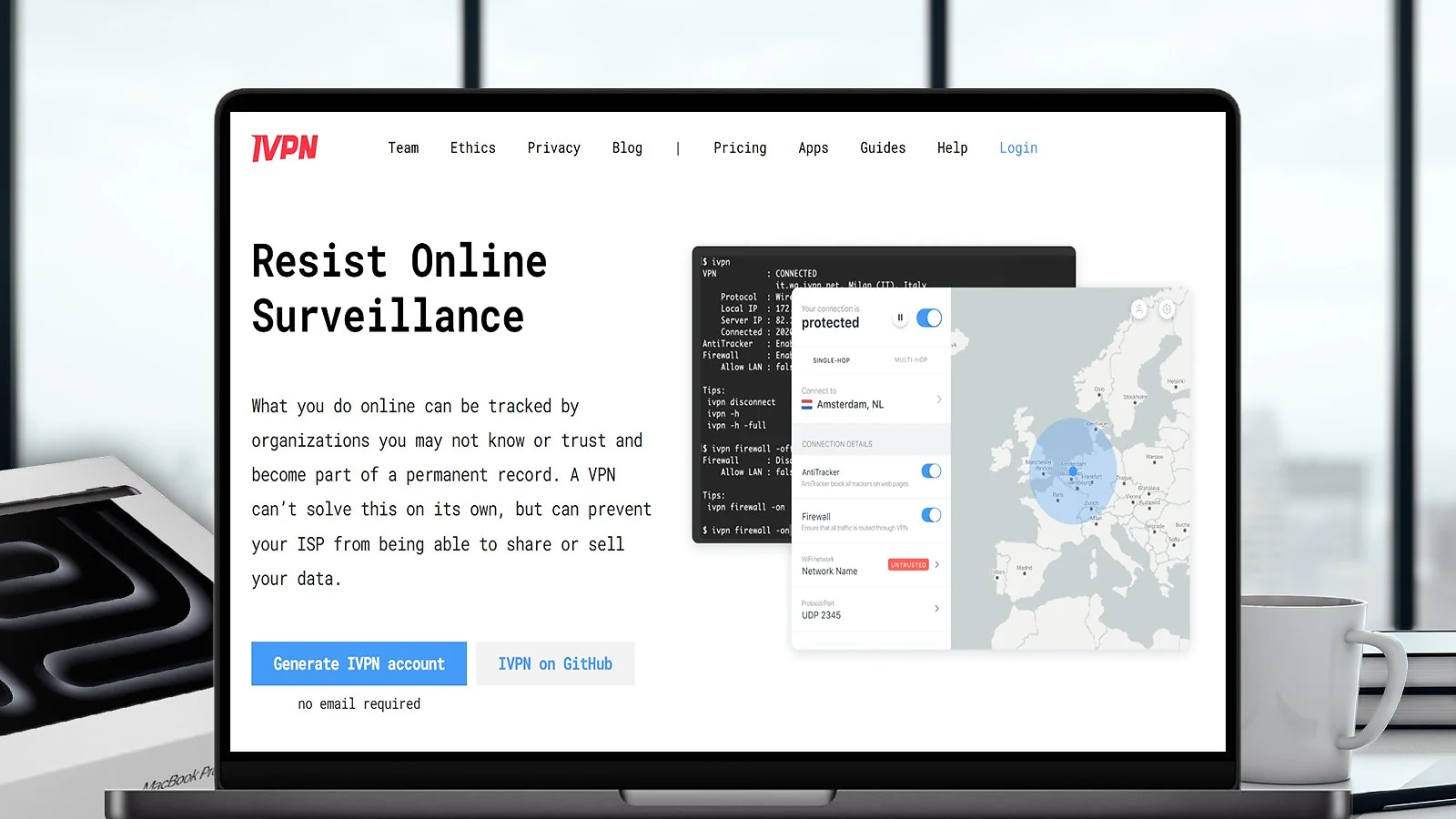
IVPN’s pitch is simple: transparency and verification over promises. On macOS, the app is fully open source, including firewall/killswitch functionality, support for multi-hop routing, and built-in anti-tracker tools that block adware, trackers, and malicious domains.
Their server architecture is being upgraded (RAM-only deployments are in progress), and they just scheduled their 7th annual audit with Cure53 for 2025. I also love that you can subscribe for a week for just $2. It gives you a great testing opportunity to see if IVPN fits your needs. So, if you want to find some cheap Steam games or download something safely, you can subscribe for a week and save money.
Enable the Multi-hop mode in the macOS client when you want extra routing opacity. It runs your traffic through two different locations, which helps hide the fact that you’re using a VPN, even if one server is compromised.
Because IVPN isn’t trying to be all things to all people, it sometimes sacrifices mass server count and streaming muscle for audit rigor and clean privacy stance. But for users who want to know exactly what’s happening under the hood, IVPN is a rare breed.
| Pros | Cons |
|---|---|
| ✅ True transparency: open source apps, frequent audits, no signup data required ✅ Strong privacy: no-logs policy, minimal metadata, new infrastructure upgrades ✅ Robust firewall/kill switch for macOS: covers IPv6, WebRTC, DNS leaks ✅ Multi-hop and a built-in anti-tracker ✅ Native support for both Intel and Apple Silicon macOS | ❌ Smaller server network means fewer choices and possible congestion in some regions ❌ Streaming performance can be hit-or-miss. Not a go-to for catalog bingeing |
Final Verdict: If your priority is trust rather than hype, IVPN is the Mac VPN you want. It’s not about flashy features but auditability, clarity, and security you can verify yourself. For privacy-obsessed users, it’s a strong, principled pick on macOS.
9. TunnelBear [Most Beginner-Friendly VPN for Mac]

| Feature | Details |
|---|---|
| Servers | 8,000+ servers in 40+ countries |
| Speed | Around 200 Mbps average (313 Mbps benchmark) |
| Simultaneous connections | Unlimited |
| Protocols | WireGuard, OpenVPN, IKEv2 |
| Security | AES-256 encryption, VigilantBear (kill switch), DNS leak protection, GhostBear (obfuscation) |
| Privacy | Independently audited no-logs policy; transparency reports; minimal logs |
| macOS app | Native for macOS 11+, clean UI, “on/off” simplicity, menu bar control |
| Streaming | Unblock Netflix in many cases; inconsistent on others |
| Starting price | $3.33/mo (free version for testing with a 2GB cap) |
TunnelBear is all about simplicity. The macOS app gives you a world map, a big on/off switch, and no walls of options. If you’re new to VPNs, you’ll click “Tunnel” and be done. VigilantBear is essentially the kill switch – if your connection drops, it blocks traffic until the VPN reconnects. GhostBear is there when networks try to block VPN traffic (obfuscation), though with some protocol limits.
Use SplitBear (TunnelBear’s split tunneling variant) to exclude lightweight apps (e.g., streaming, update services) from the VPN if performance hiccups appear. It’s not full per-app routing, but it helps reduce load.
The privacy track record is solid-ish. TunnelBear publishes regular independent audits, more than many rivals. Your data isn’t sold, and the logs kept are minimal. But for power users expecting per-app routing, pro-level routing rules, or hardcore streaming consistency, you’ll run into limits.
| Pros | Cons |
|---|---|
| ✅ Super easy for beginners – minimal setup, clean UI ✅ Audited no-logs policy and transparency reports ✅ VigilantBear does the kill-switch work reliably ✅ GhostBear (obfuscation) helps on restrictive networks ✅ Unlimited devices you can connect | ❌ Not optimized for Apple Silicon – runs via Rosetta (so some performance hit) ❌ Streaming support is hit or miss; some services will detect you ❌ Lack of advanced routing/customization for power users |
Final Verdict: If you’re new to VPNs or want something that just works on your Mac, TunnelBear is the softest entry point. It hides the complexity, gives you privacy basics, and keeps your Mac experience clean, all while offering audited security and friendly features.
10. Windscribe [Best Free VPN with Data Cap]

| Feature | Details |
|---|---|
| Servers | An undisclosed number of servers in around 70 countries |
| Speed | Around 198 Mbps average (313 Mbps benchmark) |
| Simultaneous connections | Unlimited |
| Protocols | WireGuard, OpenVPN, IKEv2, Stealth, WStunnel |
| Security | AES-256, built-in firewall (blocks leaks), DNS leak protection, MAC address spoofing, R.O.B.E.R.T blocks ads, trackers, and malware |
| Privacy | No-logs policy, RAM-only servers (after infrastructure overhaul), open-source client |
| macOS app | Native macOS client (requires macOS 12+), offers split routing, UI that includes menu controls |
| Streaming | Works on many streaming sites when using paid/strong servers; free tier has limitations |
| Starting price | $5.75/mo (1-year plan) |
Windscribe is the go-to pick when you want a free VPN that’s still legit. Its macOS app feels modern – you get split tunneling (choose which apps use VPN), a firewall that stops leaks, and even MAC address spoofing.
Free users get 2 GB of data per month by default, but if you add and verify your email, it bumps up to 10 GB free. Furthermore, you can add an extra 5 GB by posting about Windscribe on X. That’s high for a free VPN. For paid users, there’s no data cap.
Speeds vary. On light-load paid servers, you’ll see good throughput; on free servers or peak hours, expect limits. In my tests, I went from hitting 300+ Mbps on one server to dropping below 50 on another.
Verify your email after signup. That unlocks the 10 GB free data cap instead of just 2 GB. Also, enable the firewall in the app (its kill switch equivalent) to block leaks if your VPN drops.
The privacy setup is solid. Windscribe moved its infrastructure to RAM-only servers (so no persistent logs). They also publish transparency reports and open-source much of their client. The company claims a strict no-logs policy, though some minimal connection metadata (data usage, timestamps) is stored to enforce free-tier caps.
Streaming with Windscribe is hit-or-miss on the free plan. Premium servers unlock Netflix, BBC, and Hulu more reliably, though. Free servers might be blocked or slow.
| Pros | Cons |
|---|---|
| ✅ Free plan is generous ✅ Unlimited simultaneous connections (even on the free plan) ✅ Useful features on macOS – split routing, firewall, MAC spoofing ✅ Paid servers can handle streaming reliably | ❌ Free servers are often congested and slower ❌ May drop support for older macOS versions |
Final Verdict: When you need a budget/no-cost VPN that still respects your privacy, Windscribe is one of the few that doesn’t feel like a toy. It gives you usable tools, decent security, and a real free tier – great as a backup, starter, or casual-use VPN on your Mac.
FAQs
NordVPN is the best VPN for Mac, thanks to its balance of speed, privacy, and Mac polish. It runs natively on M-series chips, keeps ping low for gaming, and unlocks every major streaming service. If you want a balance of power and polish, NordVPN is the clear Mac favorite.
Yes. You can use a VPN for Mac on other Apple devices. Most VPNs cover macOS, iOS, and iPadOS with one account. Apple TV needs a router, smart DNS, or AirPlay workaround. Install the apps, sign in, and you’re protected across your Apple gear.
Yes. Your Mac really needs a VPN. It encrypts traffic, avoids sketchy hotspots, reduces throttling, and helps with geo-blocks. iCloud Private Relay isn’t a full VPN. You want a kill switch, fast protocol, and solid no-logs.
No. Mac doesn’t have a factory full-service VPN. macOS has some VPN settings, so you can add IKEv2 or similar configs, but you still need a provider. iCloud Private Relay hides some Safari traffic, not all apps. For full-device protection, install a dedicated VPN app with a kill switch.
Pick a provider, download the macOS app, install, and sign in. Choose a fast protocol like WireGuard, NordLynx, or Lightway. Enable the kill switch. For gaming, connect to the closest low-load server. For streaming, use the service-optimized location. That’s it. Connect and go.