



ASUS ROG Strix B550-F II Review 2026

Eneba Hub contains affiliate links, which means we may earn a small commission if you make a purchase through them—at no extra cost to you. Learn more


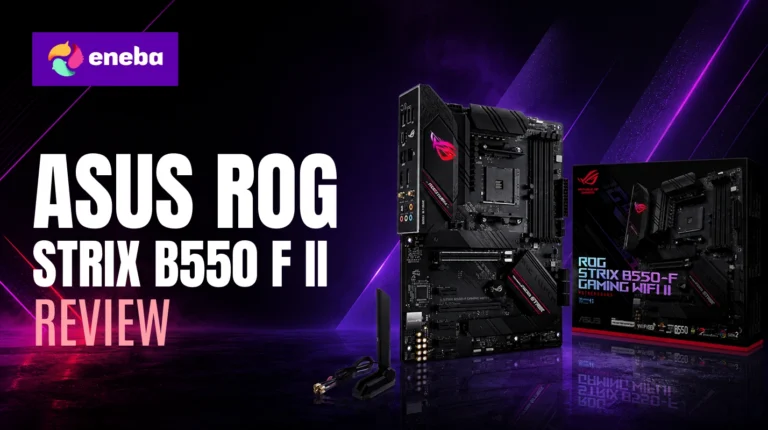
The ASUS ROG Strix B550-F II review starts with a number that is hard to argue with: no. 2 on Amazon’s entire Computer Motherboards best-seller list. That ranking belongs to a $137 board, which made me want to understand exactly what kind of value proposition keeps builders coming back to it. The B550 platform is mature and proven, and this particular board sits at the sweet spot where the feature list stops looking like it belongs in a different price tier.
At $137, the board ships with 12+2 teamed power stages, PCIe 4.0 on both the GPU slot and the primary M.2, WiFi 6E, Intel 2.5G LAN, BIOS Flashback, dual M.2 with heatshrouds, and a UEFI BIOS that AM4 enthusiasts consistently rank among the cleanest in the B550 lineup. That is not a budget board feature set because those are specs you find on boards priced $50-100 higher. For this ROG Strix B550-F Gaming WiFi II review, the question is whether it lives up to those paper specs for real Ryzen 5000 builds.
This ASUS B550-F II AM4 review weighs power delivery for the full Ryzen 5000 stack (including the 5800X3D and 5950X), connectivity for modern builders who want WiFi 6E and 2.5G LAN without add-in cards, and the BIOS experience for both casual builders and overclockers. The goal is a clear answer on whether a $137 B550 board in 2026 is still the right call for a new AM4 build or a chipset upgrade.
Jump to:
ROG Strix B550-F Gaming WiFi II at a Glance
Here is what the board brings to an AM4 build before getting into the details.
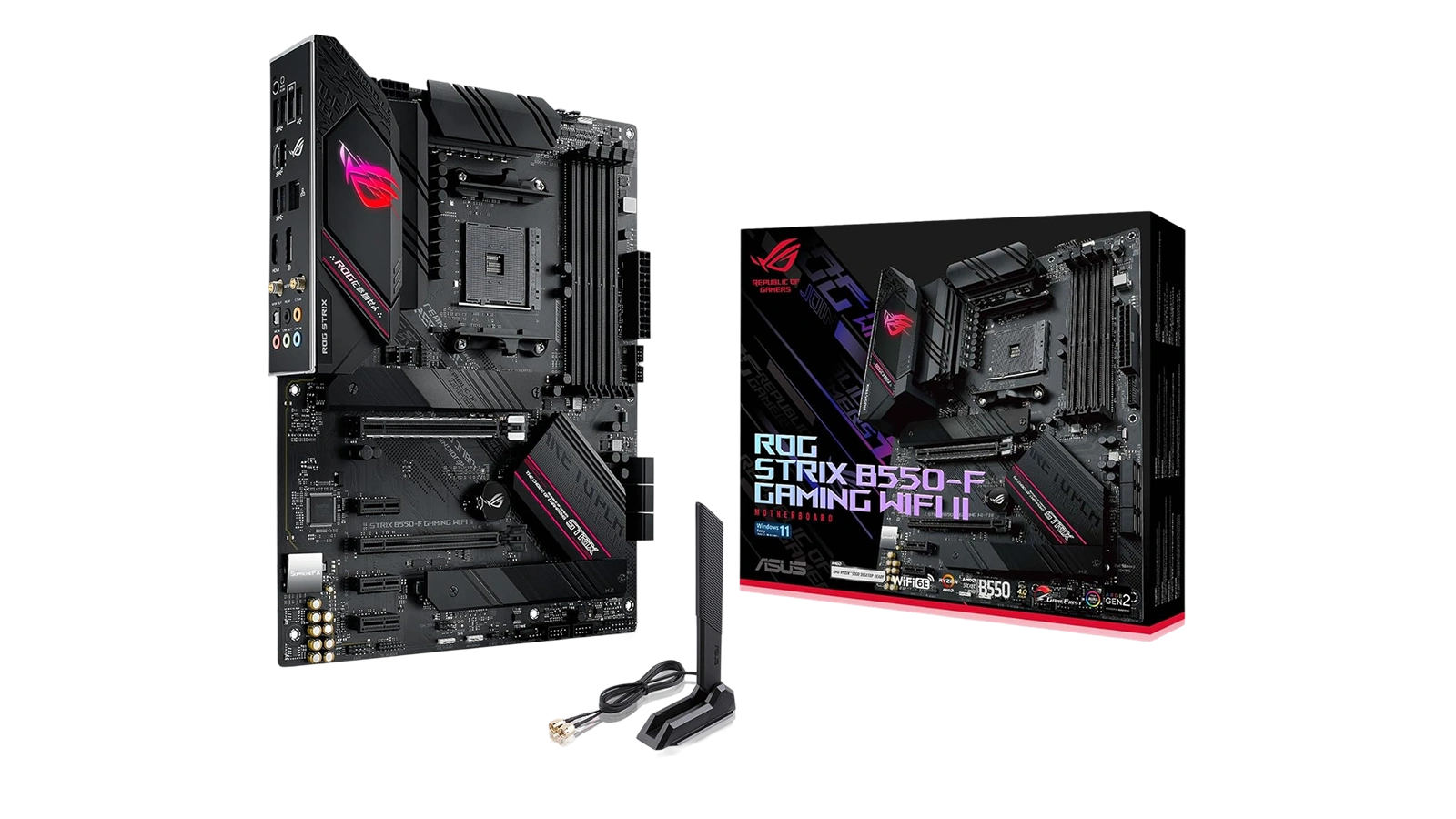
| Specs | Details |
|---|---|
| Socket | AM4 |
| Chipset | AMD B550 |
| Form Factor | ATX |
| CPU Support | AMD Ryzen 3000, 4000 G-Series, 5000, 5000 G-Series |
| Memory | DDR4, 4 slots, up to 128 GB |
| PCIe | PCIe 4.0 x16 (GPU), PCIe 4.0 M.2 + PCIe 3.0 M.2 |
| M.2 Slots | 2 (both with heatshrouds) |
| SATA Ports | 6 |
| Networking | WiFi 6E (802.11ax), Intel 2.5 Gb LAN |
| Video Output | HDMI 2.1, DisplayPort 1.2 |
| Audio | SupremeFX codec, S/PDIF Optical |
| Power Stages | 12+2 teamed |
| BIOS Flashback | Yes |
| Warranty | 3 years |
| Price | ~$137 |
Key Features and Benefits
The B550-F Gaming WiFi II packs more than you would expect at its price point. Here is what each key feature actually means for a builder.
- PCIe 4.0 on GPU slot and primary M.2 – The primary M.2 slot runs at Gen 4 speeds, meaning a Samsung 980 Pro or WD Black SN850X hits its rated throughput without being capped by the slot. GPU bandwidth also benefits builders running an RX 6000 or RX 7000 series card. Builders on PCIe 3.0 boards cannot unlock this without upgrading the motherboard itself.
- WiFi 6E (802.11ax) on-board – No adapter required. This ROG Strix B550-F II WiFi 6E review angle matters because competing boards in this price range often ship without wireless entirely. WiFi 6E operates on the 6 GHz band with significantly less congestion than 5 GHz, which translates to more consistent wireless performance in practice.
- Intel 2.5 Gb Ethernet with ASUS LANGuard – The ROG Strix B550-F II 2.5G LAN port handles up to 2.5 Gbps over a wired connection. For builders running NAS setups or high-speed internet tiers above 1 Gbps, this eliminates the bottleneck that a standard 1G port creates. LANGuard adds physical surge protection on the port.
- 12+2 teamed power stages – More than enough for any AM4 CPU, including the power-hungry Ryzen 9 5950X. Teamed stages share the load more efficiently than a traditional single-stage design, which keeps VRM temperatures lower during sustained workloads. Builders with a Ryzen 5 5600 or 7 5800X have substantial headroom to spare.
- Dual M.2 with heatshrouds on both slots – Metal heatshrouds keep NVMe drives from throttling under sustained sequential reads and writes. The primary slot (PCIe 4.0) is for performance SSDs; the secondary (PCIe 3.0) handles a second storage drive or a cache SSD.
- BIOS Flashback – Flash a new BIOS from a USB drive with no CPU or RAM installed. For builders picking up this board to pair with a Ryzen 5000 CPU that shipped before full BIOS support was in place, this eliminates the bootkit requirement entirely.
- ASUS ROG Strix B550-F II DDR4 compatibility – Four DIMM slots support DDR4 up to 128 GB. The memory controller on Zen 3 CPUs is well-matched to DDR4-3600 CL16-18, and this board handles those profiles reliably. Builders moving from X470 or B450 often find their memory runs more stable here at higher speeds.
Performance and Real-World Experience
As a ROG Strix B550-F II Ryzen 5000 motherboard, the B550-F Gaming WiFi II is a mature platform at this point, which means its real-world performance is well-documented by builders who have run it daily for months or years.
Power delivery is the headline story for this board. The 12+2 teamed configuration handles the Ryzen 9 5950X within operating limits – sustained workloads see TDC around 156A and EDC around 190A, and the VRMs get warm under those conditions but do not reach throttling territory with solid case airflow. For builders running a Ryzen 5 or 7-series CPU, the overhead is substantial.
One thing to address before the first build boot: the default BIOS configuration applies aggressive performance profiles. A setting called “ASUS Performance Enhancement” pushes CPU voltages and clocks beyond what many builders expect. On a Ryzen 7 5800X3D with a capable cooler, synthetic stress tests can hit 90-92C with these defaults in place. Turning the setting off, and optionally adding a small negative voltage offset in the BIOS, brings temperatures down considerably. This is not a flaw – it is a configuration choice – but it is the first thing to address on first boot rather than after noticing high thermals.
Memory stability is a meaningful upgrade over older AM4 platforms. Builders coming from X470 or B450 boards that struggled to hold DDR4-3600 stable find the B550 chipset handles those XMP/DOCP profiles reliably. DDR4-3600 CL16-18 is the recognized sweet spot for Zen 3 infinity fabric clocks, and the FCLK relationship at that frequency produces lower application latency and better game frame time consistency than DDR4-3200. This ROG Strix B550-F II PCIe 4.0 review angle is also worth noting: the primary M.2 slot shows a noticeable improvement in access latency versus a PCIe 3.0 slot – the improvement spans sequential read numbers and application response times, covering how quickly the OS and applications load from storage.
| Pros | Cons |
|---|---|
| ✅ PCIe 4.0 for both the GPU slot and primary M.2 – full Gen 4 SSD speeds without extra cost ✅ WiFi 6E and Intel 2.5G LAN included – no add-in cards needed ✅ 12+2 teamed power stages handle the full Ryzen 5000 stack including the 5950X without throttling ✅ Amazon no. 2 best-seller in Computer Motherboards – one of the strongest confidence signals in the category ✅ BIOS Flashback lets you update firmware with no CPU or RAM installed ✅ Dual M.2 slots with heatshrouds on both – thermal throttling is not a concern on either slot ✅ 3-year ASUS warranty | ❌ Default BIOS performance profiles push CPU voltage aggressively – disable “ASUS Performance Enhancement” on first boot, especially on a Ryzen 5800X3D or 5950X build |
The ROG Strix B550-F Gaming WiFi II holds the no. 2 spot on Amazon’s Computer Motherboards best-seller list at $137 – not because it is the cheapest option, but because builders keep choosing it for 12+2 power delivery, PCIe 4.0, WiFi 6E, and a BIOS that the AM4 community consistently praises. For AMD builders who want a board that handles any Ryzen 5000 CPU without compromise – including the 5950X and 5800X3D – this is the pick that covers every base without moving into premium chipset territory.
Paying $137 for this level of connectivity and power delivery holds up in 2026. Builders on the AM4 platform who want PCIe 4.0 storage speeds and reliable wireless without piecing together adapters have one obvious choice in the B550 tier, and this is it.
“Upgraded from the B450-F and the jump in build quality is right there from the first look. The ARGB header at the bottom of the board was what pushed me to switch, and putting the whole build together was forgiving enough that it didn’t feel like a chore. Worth every cent at this price.” – Brandon Vang
The ARGB Gen 2 header upgrade is a primary reason builders on first-gen B550 or B450 boards cross-shop this board specifically. Gen 2 ARGB support means per-LED control through Aura Sync, and the lighting effect consistency is meaningfully better than what Gen 1 headers can produce with the same strips.
“Running a 5950x on this board and the VRMs handle it without drama. Coming from an X470, my memory finally holds 3600 MHz stable – my old board just couldn’t get there. The 2.5G LAN has been flawless across months of daily use with multiple mapped network drives.” – Zr0Regrets
Memory speed stability is one of the underappreciated upgrades that comes with the B550 chipset over older AM4 platforms. The FCLK and infinity fabric relationships in Zen 3 favor DDR4-3600 CL18 or tighter, and this board handles those profiles without the voltage fiddling that X470 boards often required to hold the same speeds.
VRM and Power Delivery
Power delivery is the spec that separates a board that can handle your CPU from one that throttles it under load – and the B550-F Gaming WiFi II lands firmly in the first category.
The 12+2 teamed power stage design spreads the current load across paired stages rather than running each phase independently. In practical terms, this means less heat per stage at a given amperage draw, which extends component longevity and keeps the board running stable during sustained workloads. The ProCool II 8-pin EPS 12V connector uses a reinforced housing that maintains a secure connection even with cable management tension pulling on the socket.
For the builder planning a Ryzen 9 5950X – the most power-demanding CPU in the AM4 lineup – TDC headroom sits around 156A and EDC around 190A out of the box with PBO enabled. The board operates within its design limits at full CPU load with solid case airflow. Builders running a Ryzen 5 5600 or 7 5800X have significant overhead by comparison. One practical note: the “ASUS Performance Enhancement” setting in BIOS stacks additional tuning on top of PBO defaults. Disabling it and reviewing manual PBO limits in Ryzen Master gives more predictable temperature behavior, especially on high-TDP processors. High-quality alloy chokes and solid-state capacitors round out the power delivery design – these are the components that determine how the board holds up five years from now, not just today.
BIOS and Overclocking Support
The UEFI BIOS on the ROG Strix B550-F Gaming WiFi II is one of its most consistently praised features, and it strikes a balance between approachability and depth that competing boards at this price often get wrong.
The EZ Mode view gives new builders a clean overview of CPU, memory, storage, and fan speeds on a single screen, with quick-access toggles for XMP/DOCP memory profiles and boot device order.
Advanced Mode opens up the full overclocking suite: manual voltage control, PBO limits, per-core frequency adjustments, fan curve tuning by temperature zone, and memory sub-timing control for builders who want to push DDR4 performance further. The ASUS Performance Enhancement setting is on by default and applies an aggressive boost profile that keeps CPU temps higher than manual settings would. Builders who prefer to run their CPU at stock or with conservative PBO limits should disable it in the first BIOS session – the option is straightforward to find in the Ai Tweaker section.
BIOS Flashback is a standout feature for this price tier. The dedicated USB-BIOS button on the rear I/O lets you load a firmware update onto a USB drive and flash the BIOS with no CPU or memory installed. This is the correct way to prepare a B550 board before dropping in a Ryzen 5000 CPU on a board that shipped with older firmware – no bootkit required.
The board ships close to the latest available BIOS version, and updates on the ASUS support site are clearly labeled by model. One note on software: Armory Crate auto-download is triggered from BIOS if the setting is left on. Turning it off during initial BIOS setup avoids the automatic software install entirely. Aura Sync for RGB control installs cleanly as a standalone app without requiring the full Armory Crate suite.
For builders comparing socket options across platforms, the highly rated i9-14900K motherboard guide and the top-rated AMD gaming motherboard roundup cover alternatives across different sockets and chipsets.
My Overall Verdict on Asus ROG Strix B550-F Gaming WiFi II
The ASUS ROG Strix B550-F II review comes down to one question: what is fair to expect from a $137 motherboard in 2026?
Based on what this board delivers, the answer is more than you might expect. PCIe 4.0 for both the GPU slot and primary M.2, WiFi 6E, Intel 2.5G LAN, 12+2 teamed power stages, BIOS Flashback, dual M.2 with heatshrouds – these are not budget compromises. These are the specs you find on boards priced $50-100 higher. The Enebameter score of 9.2/10 reflects that: a 4.6-star average across 3,024 verified purchases puts this board in the top tier of trusted AM4 options.
This board is best for AM4 builders who want a fully-equipped motherboard that handles any Ryzen 5000 CPU without overpaying for a premium chipset. Builders who need DDR5 or PCIe 5.0 support need to look at AM5 platforms. Builders who want the most affordable AM4 option should look at entry-level B550 or A520 boards. This board sits in the middle and delivers an honest $200+ feature set at $137 – and the sales rank proves the market agrees.
Check and adjust the default BIOS power settings on first boot. Outside of that, this ASUS B550 gaming motherboard review conclusion is clear: this is the AM4 B550 board to beat, and the ASUS ROG Strix B550-F II review recommendation stands for any Ryzen 5000 build on a realistic budget.
FAQs
Yes, at $137 with PCIe 4.0, WiFi 6E, 2.5G LAN, and 12+2 power stages, this board delivers specs typically found at $50-100 higher while holding the no. 2 spot on Amazon’s Computer Motherboards best-seller list. That combination makes it a clear value pick for any Ryzen 5000 AM4 build.
It supports AMD Ryzen 3000, 4000 G-Series, 5000, and 5000 G-Series processors in the AM4 socket, covering everything from the Ryzen 5 5600 up to the Ryzen 9 5950X, including the Ryzen 7 5800X3D. A BIOS update may be required for Ryzen 5000 CPUs on boards that shipped with older firmware.
Yes, the primary x16 GPU slot and the first M.2 slot both run at PCIe 4.0 speeds, meaning Gen 4 NVMe SSDs like the Samsung 980 Pro or WD Black SN850X operate at their full rated performance. The second M.2 slot runs at PCIe 3.0 speeds.
The setting applies aggressive boost profiles that push CPU temperatures higher than stock PBO settings, and on a Ryzen 5800X3D or 5950X with a standard cooler it can cause temperatures to climb uncomfortably during synthetic loads. Disabling it and optionally adding a small negative voltage offset in the BIOS brings temps down significantly without meaningfully impacting everyday performance.
Yes, the ASUS ROG Strix B550-F II review reflects a board that earns its no. 2 best-seller ranking by solving the right problems: reliable power delivery for demanding Ryzen 5000 CPUs, modern connectivity without add-in cards, and an approachable BIOS that works for both new builders and enthusiasts. At $137, it remains the AM4 B550 board to beat.












