



Xbox Elite Series 2 review 2026

Eneba Hub contains affiliate links, which means we may earn a small commission if you make a purchase through them—at no extra cost to you. Learn more


This Xbox Elite Series 2 review exists because the premium-price debate never settles. The Xbox Elite Wireless Controller Series 2 review conversation keeps circling two questions: is the cost justified, and is stick drift a real problem or an overstated concern. Both deserve direct answers.
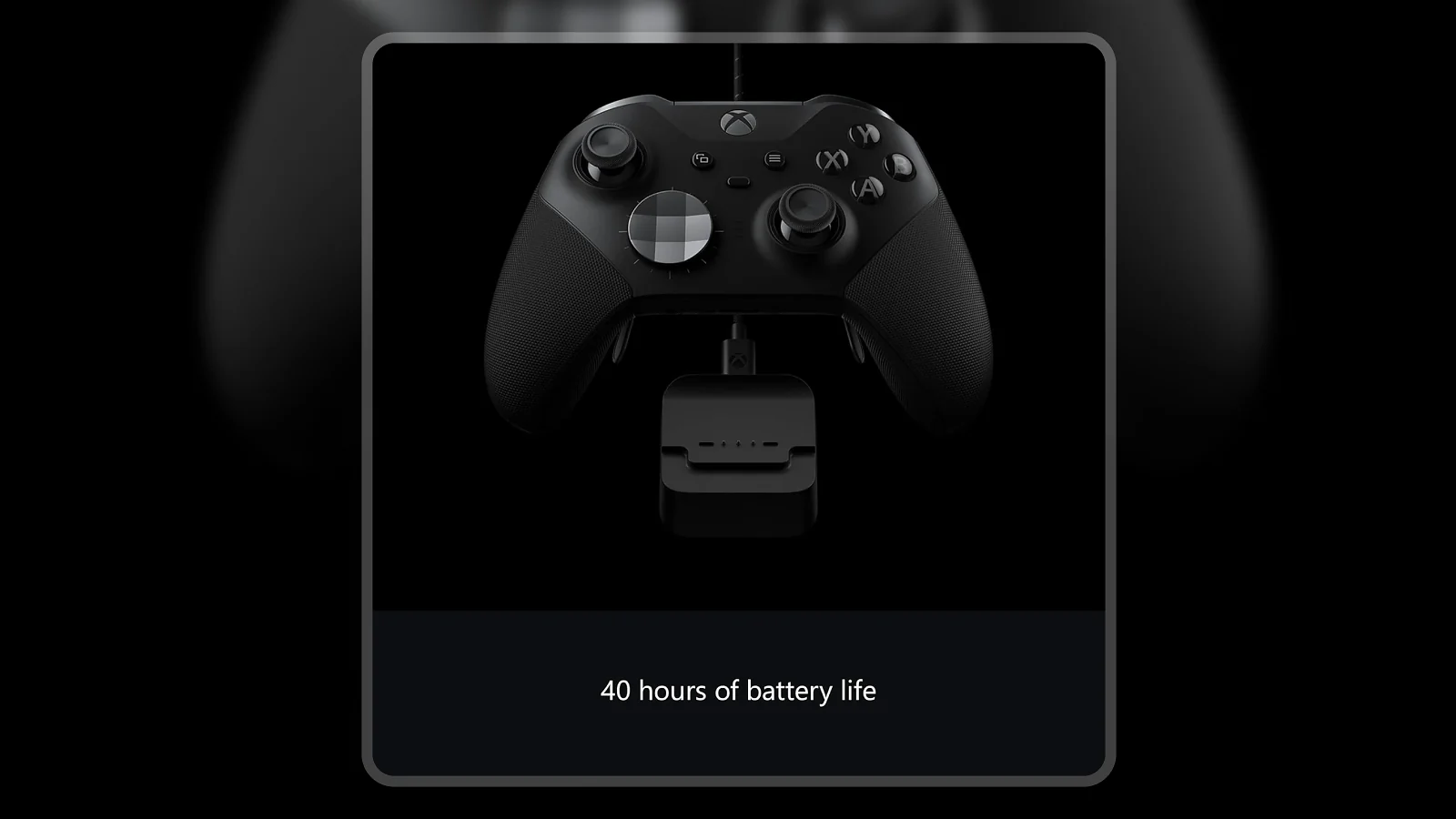
The Elite Series 2 is built around hardware-level input control – physical adjustments to how your sticks and triggers respond – which produces advantages that software settings cannot replicate. Adjustable-tension thumbsticks, three-step trigger locks, 40-hour rechargeable battery, four metal paddles, and three on-controller profiles are aimed at players who have specific input preferences. This is a tool for people who want a controller that fits exactly how they play.
Jump to:
Elite Series 2 at a Glance
Here is the full spec breakdown before diving into how it actually performs.
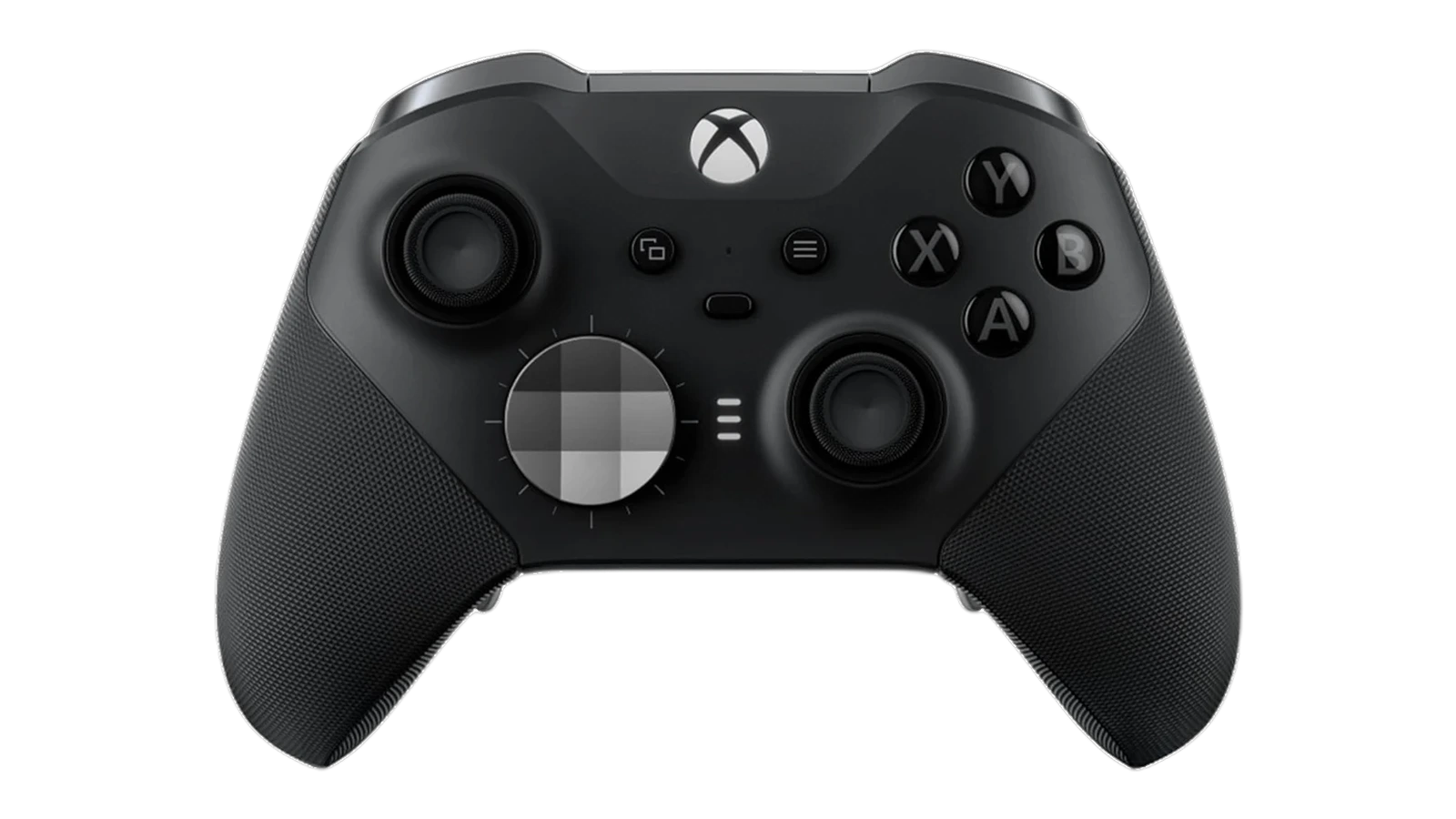
| Specs | Details |
|---|---|
| Controller Type | Gamepad |
| Connectivity | Xbox Wireless / Bluetooth / USB-C wired |
| Battery Life | Up to 40 hours (rechargeable, USB-C) |
| Thumbstick Tension | 5-level adjustable per stick |
| Trigger Locks | 3-step (full, mid, hair trigger) |
| Included Paddles | 4 removable metal paddles |
| Custom Profiles | 3 (saved on-controller, switchable on the fly) |
| Thumbstick Options | 6 included (short convex, short wide, short dome, long concave) |
| D-Pad Options | 2 included (faceted + standard) |
| Headphone Jack | 3.5mm |
| Button Count | 18 standard + 4 paddles |
| Weight | 16 oz (453g) |
| Compatible Platforms | Xbox Series X/S, Xbox One, Windows PC, cloud |
| Charging | USB-C dock + cable included |
| Color | Black (also available White and Core variants) |
Key Features and Benefits
The Elite Series 2 rethinks how every input feels, not just how many buttons it has. Here is what that means in practice.
Adjustable-tension thumbsticks – Tighten or loosen stick resistance on five levels per stick. Sniper players want firmer tension for precision; action players prefer lighter sticks for quick movement. This is a physical adjustment, not a software setting.
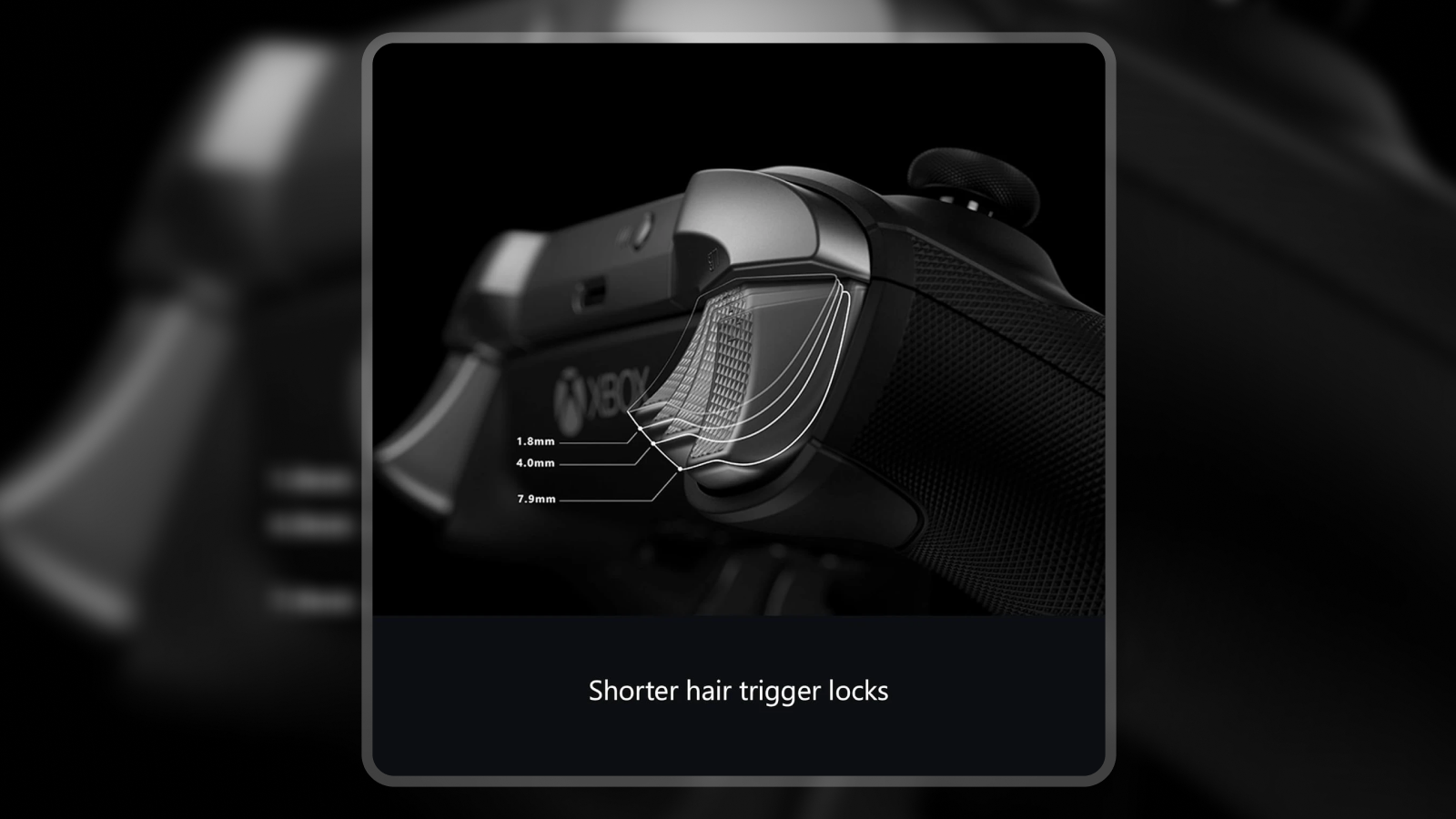
Three-step trigger locks – A hardware switch on each trigger cuts pull distance to near-zero. For shooters, this means faster shot registration without changing in-game sensitivity. Full-travel remains available for racing games that use analog depth.
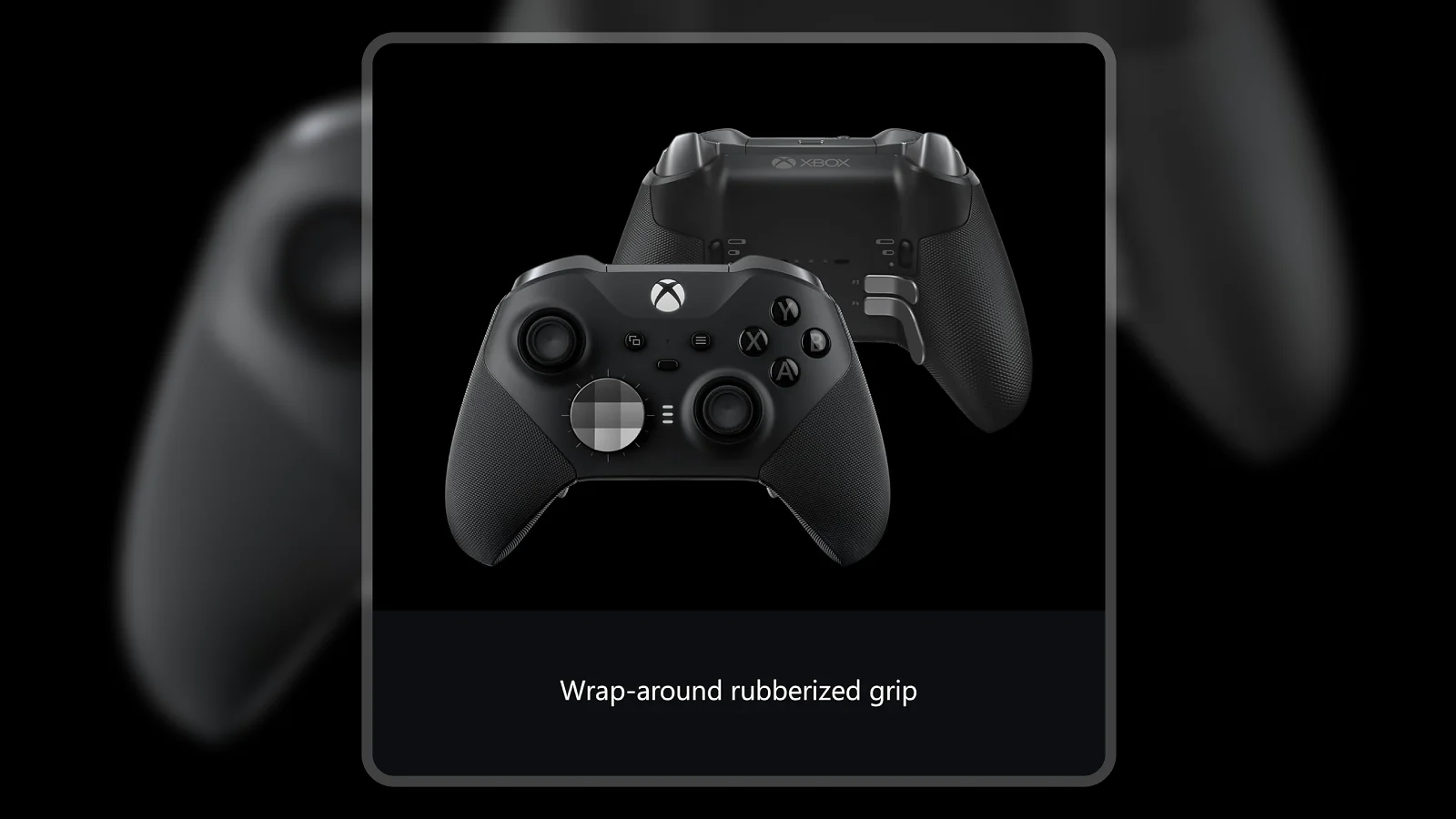
Four removable metal paddles – Map any button to the paddles via the Xbox Accessories app or onboard mode. Metal construction holds alignment and resists breaking under pressure – a real upgrade over plastic paddle systems.
Three on-controller profiles – Save three complete button layouts, sensitivity curves, and trigger settings on the controller itself. Switch between them instantly with the Profile button, no menus required.
Performance and Real-World Experience
The Elite Series 2 is built for players who have strong opinions about how their controller feels. Here is how it performs in practice.
The adjustable thumbstick tension is the most immediately noticeable feature. Tighter tension means finer micro-adjustments register more deliberately, which shows up in aim consistency over extended play. That matters because hardware-level input precision is something software sensitivity settings cannot replicate.
The trigger locks at the hair setting are a genuine advantage in shooters. The reduced pull distance cuts the time between intent and registered shot. Combined with high in-game sensitivity, they reduce input noise at the hardware level.
The Xbox Elite Series 2 vs Series 1 upgrade is clearest in three areas: rechargeable battery (replacing AA), adjustable stick tension, and refined paddle shape. At 16 oz it is heavier than a standard Xbox pad – most players adjust within a few sessions.
| Pros | Cons |
|---|---|
| ✅ Adjustable thumbstick tension tailors aim resistance to your exact playstyle ✅ Three-step trigger locks cut shot registration time in competitive shooters ✅ 40-hour rechargeable battery handles multi-day play without recharging ✅ Metal paddles hold alignment and outlast plastic paddle alternatives ✅ Three on-controller profiles switch instantly without going into any menu ✅ Magnetic thumbstick swap system means no tools needed for customization ✅ Full platform support across Xbox Series X/S, Xbox One, and Windows PC | ❌ Stick drift has been reported on some units after extended use – the one-year warranty covers replacements, but it is a pattern worth watching |
The Xbox Elite Series 2 gives players hardware-level control over how their controller feels – adjustable tension, trigger locks, and swappable parts not found at this quality on any standard controller. For competitive Xbox and PC players, it is the most complete pro controller in the ecosystem, earning its 8.8/10 Enebameter rating.
The full combination of adjustable tension, trigger locks, metal paddles, and profile switching has no direct equivalent for Xbox and PC players. Third-party controllers replicate one or two of these features at best – not all of them at this build quality.
“The metal stick shafts are the biggest quality difference you’ll notice over cheaper controllers. Plastic shafts wear and create dust, and that’s what leads to drift over time. These have held up across hundreds of hours of use. The metal paddles snap on firmly and keep their position – nothing loose, nothing wobbling.” – Amazon Customer (verified purchase, 65 helpful votes)
The metal shaft design addresses the primary cause of stick drift at the hardware level – replacing the material that wears, rather than masking the problem with software dead zones.
“I stream 12-16 hour sessions and the battery hasn’t died mid-match yet. One thing worth knowing: only use the included USB-C charger. Quick chargers do work, but they shorten battery lifespan significantly over time. Slow overnight charging with the provided cable is the right way to do it.” – AggressiveMayoTTV (verified purchase, 12 helpful votes)
The included dock and cable are built for each other – fast-charge adapters shorten battery capacity over time.
Button Mapping and Customization
The Elite Series 2 is not just a controller with paddles – it is a fully remappable input device. Here is what the system covers.
The button mapping system runs through the Xbox Accessories app. Remap every input – including paddles – to any standard button, system input, or keyboard key. Dead zones, sensitivity curves, and vibration intensity adjust per profile.
The Xbox Elite Series 2 paddles review comes down to this: they are the feature most players either use every day or never use at all. Players who map paddles to jump and reload keep their thumbsticks on the aim axes at all times – a consistent advantage in fast-paced multiplayer. The controller ships with four paddles but they detach if you prefer a cleaner grip.
The three-profile system works without the app. An onboard button cycles through saved configurations, and the Xbox button color signals which profile is active – useful when switching between game-specific setups mid-session.
Compatibility and Platform Support
One practical strength of the Elite Series 2: it does not lock you into one screen. Here is where it works.
The Elite Series 2 connects via Xbox Wireless (near-zero-latency), Bluetooth, or wired USB-C. For PC play, use the Xbox Wireless adapter or USB-C cable. Cloud gaming via Bluetooth or USB-C carries full Elite functionality to mobile and browser sessions.
Xbox Elite Controller Series 2 battery life runs 35-40 hours depending on rumble intensity and connection method. The 3.5mm headphone jack supports any standard gaming headset.
One limitation: the Elite Series 2 does not support PS5-native adaptive triggers or haptic feedback. For platform comparisons, PS5 pro controllers take a different hardware approach, and Nintendo Switch controller options cover the remaining platform.
Does the Xbox Elite Series 2 Get Stick Drift?
Stick drift is the most common concern about the Elite Series 2 – and it deserves a straight answer. Here is the honest picture.
Stick drift is a real issue on some units. It is not universal – many owners report thousands of hours of drift-free use – but it appears often enough in verified purchase reviews to be a legitimate concern.
The metal stick shafts address the primary cause: plastic shaft wear creates dust that settles into the potentiometer and causes false inputs. Metal shafts do not wear the same way. If drift does appear, tightening stick tension raises the threshold for unintended inputs – a common workaround.
Microsoft‘s one-year warranty covers stick drift under its extended controller policy. Replacement through Microsoft support is the documented resolution path if drift appears within the first year.
My Overall Verdict on Xbox Elite Series 2
The Xbox Elite Series 2 review conclusion is straightforward for the right person: if you play Xbox or PC games competitively and care about how your inputs feel, this hardware delivers on its promise. Trigger locks, adjustable tension, and metal paddles are genuinely useful – not features that go unused after the first week.
The best fit is a competitive player who spends real time in one or two games. The 40-hour battery, three profiles, and cross-platform support make it a practical long-term investment over a standard Xbox controller.
The stick drift concern is real but manageable – metal shafts reduce the primary cause and the one-year warranty provides a resolution path. The Xbox Elite Series 2 review verdict stands: it is the most complete pro controller in the Xbox ecosystem.
Budget Alternative
The GameSir G7 Pro Wuchang is the budget pick for Xbox players who want more than a standard controller without committing to the Elite tier. It connects wirelessly to Xbox Series X/S and Xbox One and covers basic button remapping via the GameSir app.
The trade-offs are clear: no adjustable stick tension, no hardware trigger locks, and a less refined build. If the Elite Series 2 budget is a stretch but a standard Xbox controller feels limiting, the G7 Pro Wuchang is a practical middle ground.
Complete Your Setup
The Elite Series 2 handles your controller inputs – here are two accessories that complete the rest of your gaming station.
CHERRY XTRFY K5 Pro TMR Compact Magnetic Gaming Keyboard
For PC players using the Elite Series 2 on Windows, keyboard and controller share the same desk. The CHERRY XTRFY K5 Pro TMR uses magnetic Hall Effect switches – no wear, no click fatigue over long sessions. The compact TKL layout keeps it close without crowding the desk.
Logitech G PC Gaming Headset
The Elite Series 2 has a 3.5mm jack, but a wireless headset removes one more cable. The Logitech G headset pairs via USB dongle and handles game audio and chat for PC and Xbox – a clean cable-free pairing for controller players.
FAQs
The Xbox Elite Series 2 worth it question comes down to how you play: if you spend real time in competitive Xbox or PC games and care about precise input control, the adjustable tension, trigger locks, and paddle system provide measurable advantages. Casual players who do not care about customization will not feel the difference over a standard Xbox controller.
Yes, stick drift has been reported on some units – it is a real concern, not just forum noise. The metal stick shafts reduce the most common physical cause, and the adjustable tension can mask early-stage drift, with the one-year warranty covering replacements if drift appears within that window.
The Core version ships without the four paddles, extra thumbstick toppers, extra D-pad, carrying case, or charging dock – those accessories can be purchased separately. The Core is the lower-cost entry point to the same platform, but the full kit is better value for anyone who plans to use the paddles and swappable parts.
The Xbox Elite Series 2 vs Series 1 upgrade delivers three meaningful changes: a rechargeable built-in battery (Series 1 used AA batteries), adjustable stick tension (new to Series 2), and a revised rubber grip design. Series 1 thumbstick toppers are not compatible with Series 2 due to the tension mechanism change.
For Xbox Series X/S and PC players, the Xbox Elite Series 2 review conclusion is yes – it is the most complete pro controller in the Xbox ecosystem. The combination of hardware-level customization, 40-hour rechargeable battery, and full Xbox Wireless support puts it ahead of third-party alternatives for players who want native platform integration alongside pro-grade performance.












