How to Get Minecoins in Minecraft

Figuring out how to get Minecoins in Minecraft can feel confusing at first, especially with so many platforms and purchasing methods available.
You’ve probably been exploring the Minecraft Marketplace and spotted some incredible skins, texture packs, or DLC content that caught your eye. The only problem is that these goodies cost Minecoins, and you’re not exactly sure how to get them.
This guide breaks down everything you need to know about acquiring Minecoins safely and affordably. I’ll walk you through the legitimate purchasing methods, explain what free options actually exist, and point you toward the most cost-effective sources.
New players, younger gamers, parents researching safe options, and anyone looking to customize their Minecraft experience will find exactly what they need here. By the end, you’ll know exactly where to get your Minecoins and how to avoid common mistakes that could cost you time or money.
Jump to:
How to Get Minecoins in Minecraft: Understanding What They Are and Why They Matter
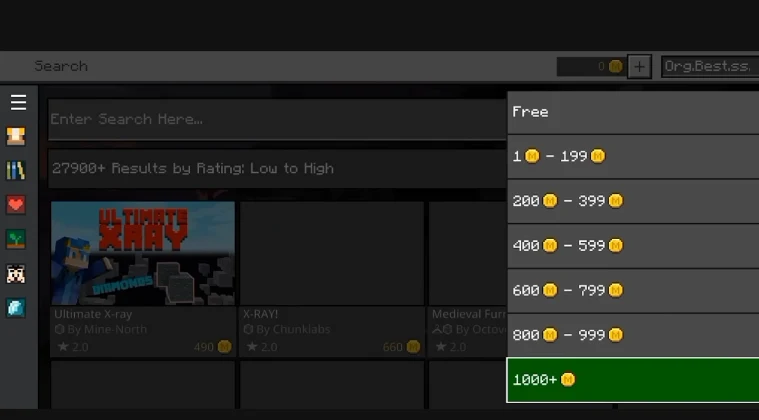
Minecoins are the in-game currency used exclusively in the Minecraft Marketplace. Think of them as the digital wallet that unlocks all the premium content Mojang and community creators offer. Unlike regular gameplay resources you mine or craft, Minecoins require real money to obtain in most cases.
When asking yourself what to do with Minecoins in Minecraft, the answer is simple: they give you access to premium content that standard gameplay doesn’t include.
You can purchase unique character skins that make your avatar stand out, texture packs that completely transform how your world looks, and adventure maps or mini-games created by talented community developers. Some maps offer entirely new gameplay experiences, from puzzle challenges to story-driven campaigns.
Having Minecoins in your account opens up creative possibilities that vanilla Minecraft simply doesn’t provide. The Marketplace features thousands of items across different categories, and many of the best ones cost between 300 and 1,500 Minecoins.
For players who enjoy customization and fresh content, keeping some Minecoins on hand means never missing out when something amazing drops in the store. The currency works across all platforms where the Bedrock Edition runs, which makes it a universal solution for Minecraft purchases.
Ways to Get Minecoins in Minecraft
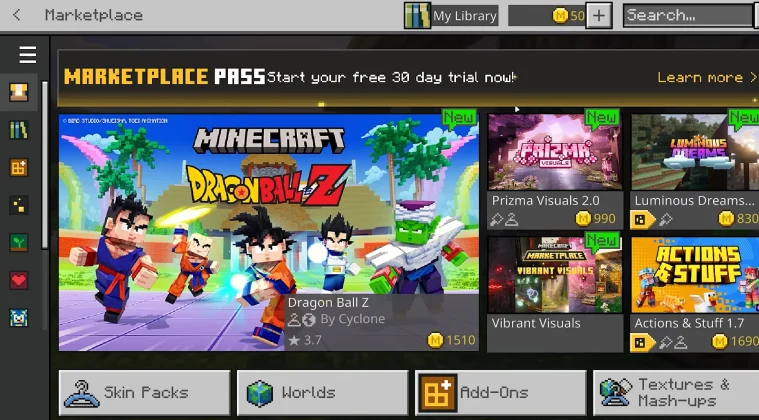
When exploring ways to get Minecoins, you’ll find several legitimate paths depending on your platform and budget.
The official methods include direct purchases through your device’s store, redeeming gift cards, occasional promotional offers, and trusted third-party retailers. Each approach has its own advantages, and understanding them helps you make the smartest choice for your situation.
The key factor is knowing how to get Minecoins in Minecraft for your specific platform. Xbox players follow different steps than mobile users, and PC gamers have their own process. Gift cards offer flexibility across platforms, while third-party retailers sometimes provide better value than official stores.
I’ll break down each method so you can decide which route works best for your needs and budget.
Buying Minecoins Directly
The most straightforward method is purchasing Minecoins directly through your platform’s official store. On Xbox, you’ll navigate to the Minecraft Marketplace and select the Minecoins pack you want, then complete the transaction through your Xbox account.
PlayStation users follow a similar process through the PlayStation Store. PC players using the Windows version can buy directly through the Microsoft Store, while mobile gamers on iOS and Android use the App Store or Google Play Store respectively.
This method answers how do you get Minecoins in Minecraft in the quickest way possible. The packs typically range from 320 Minecoins for around $1.99 to 3,500 Minecoins for approximately $19.99. Larger packs offer slightly better value per coin, so if you plan to make multiple Marketplace purchases, buying bigger bundles saves money in the long run.
Using Gift Cards
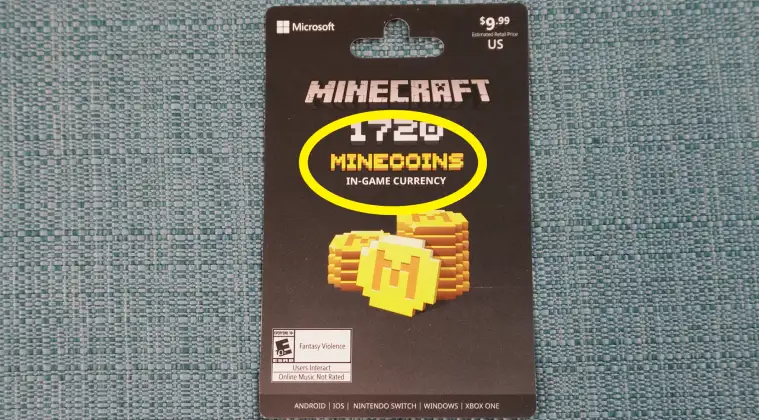
Minecraft gift cards represent another popular option, especially for younger players or those without credit cards. These physical or digital cards come preloaded with currency that converts to Minecoins once redeemed. You can find them at major retailers like Target, Walmart, GameStop, and various online stores like Eneba.
The redemption process is simple: scratch off the code on physical cards or reveal it in your email for digital versions, then enter it in the appropriate redemption portal for your platform.
Xbox users enter codes through the Microsoft Store, PlayStation users through the PlayStation Network, and PC/mobile users through their respective platforms. The gift card value automatically converts to the equivalent Minecoins amount.
This method works great when asking how can you get Minecraft coins as gifts or if you prefer not linking payment methods to gaming accounts. Parents often favor gift cards because they provide spending limits and don’t require sharing credit card information.
Earning Minecoins (Free Methods)
Many players wonder how do you earn Minecoins in Minecraft without spending real money. I’ll be straight with you: free Minecoins are extremely limited and rare. Mojang occasionally runs promotional events where you can earn small amounts through special challenges or partnerships, but these opportunities are infrequent and usually offer minimal rewards.
Some Minecraft bundles or special editions include bonus Minecoins as part of the package. The Starter Pack, for example, comes with 700 Minecoins along with some maps and skins. These represent the closest thing to “free” currency, though you’re technically paying for the bundle itself.
Be extremely cautious of websites or apps claiming to offer free Minecoins generators or hacks. These are almost always scams designed to steal your account information or infect your device with malware. The only legitimate free method is waiting for official promotional events, which Mojang announces through their official channels.
Third-Party Retailers
How do you get Minecoins at discounted prices? This is where reputable third-party retailers come into play. Platforms like Eneba specialize in selling digital gaming currency at prices often lower than official stores. These retailers purchase codes in bulk or from regions with lower pricing, then pass the savings to customers.
When using third-party options, stick with established, trusted platforms that have verification systems and buyer protection. Eneba is a safe and affordable option that I’ve personally used for various gaming purchases. They offer competitive pricing on Minecraft gift cards and codes, sometimes saving you 10-20% compared to retail prices.
Another useful resource is Snakzy, which helps players find the best deals on gaming currency across multiple retailers. While Snakzy itself doesn’t sell Minecoins, it aggregates prices from various trusted sellers, which makes it easier to compare and find the lowest rates.
Understanding whether Minecraft is cross-platform matters here because Minecoins work across Bedrock platforms, so a code bought for one device works on others using the same Microsoft account.
Step-by-Step Guide: How to Buy and Redeem Minecoins
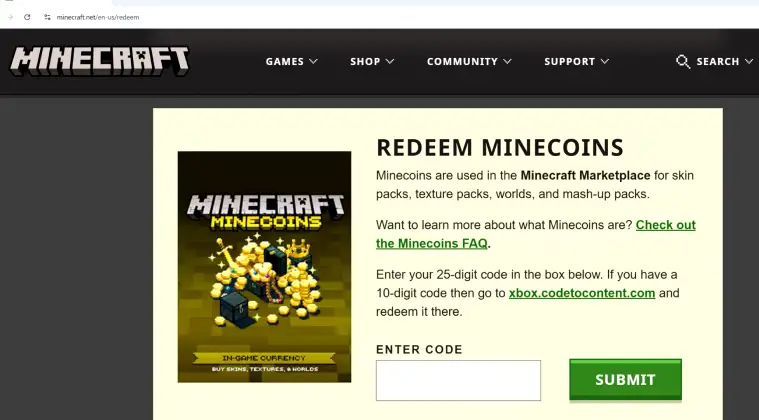
Let me walk you through the exact process for each major platform. These instructions apply to the Bedrock Edition, which is the version that uses Minecoins.
For PC (Windows):
- Launch Minecraft and navigate to the Marketplace tab from the main menu
- Select the Minecoins icon in the top right corner
- Choose your desired Minecoins package
- Click “Buy” and sign in with your Microsoft account if prompted
- Complete the purchase through the Microsoft Store checkout
- Your Minecoins will appear instantly in your account balance
For Xbox:
- Open Minecraft and go to the Marketplace
- Select the Minecoins icon
- Pick your package size
- Confirm the purchase using your Xbox account payment method
- The Minecoins deposit immediately after purchase confirmation
For PlayStation:
- Start Minecraft and access the Marketplace
- Click the Minecoins icon
- Select your preferred package
- Complete the transaction through PlayStation Network
- Your balance updates right away
For Mobile (iOS/Android):
- Open Minecraft and tap the Marketplace icon
- Tap the Minecoins symbol at the top
- Choose your package
- Purchase through App Store or Google Play using your standard payment method
- Minecoins appear immediately in your account
Redeeming Gift Cards: The redemption process varies slightly by platform. For Xbox and Windows, visit redeem.microsoft.com, sign in, and enter your code. For PlayStation, go to the PlayStation Store, select “Redeem Codes,” and input your card number. Mobile users redeem codes through their device’s app store using the standard code redemption feature.
Common mistakes to avoid include trying to use Java Edition codes for Bedrock Edition, entering codes with typos, and attempting to redeem region-locked cards outside their intended area. Always double-check that your code matches your platform and region before purchasing.
Running Minecraft smoothly matters when shopping the Marketplace, so make sure you have the best laptop for Minecraft if you’re playing on PC. Performance issues can interrupt your browsing and purchasing experience.
Ready to Start Shopping
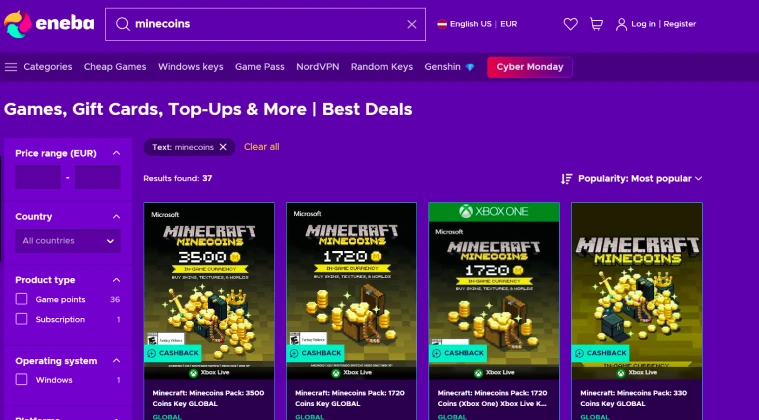
Getting Minecoins doesn’t have to be complicated or expensive once you understand your options. Direct purchases offer speed and convenience, gift cards provide spending control and gift-giving solutions, and trusted third-party retailers like Eneba deliver real savings for budget-conscious players.
Remember, while truly free Minecoins are virtually nonexistent, promotional offers occasionally pop up through official channels. If you enjoy Minecraft and want to explore similar experiences, checking out games like Minecraft might inspire new ways to use your gaming budget.
Smart shopping stretches your gaming budget further, leaving you with more Minecoins for the content you actually want. Eneba consistently offers competitive pricing on Minecraft gift cards and codes, which makes it worth checking before buying at full retail price.
Now that you know how to get Minecoins in Minecraft safely and affordably, you’re ready to start customizing your experience with all the premium content the Marketplace offers.
FAQs
You can get Minecoins through your platform’s store (Xbox, PlayStation, Microsoft Store, App Store, Google Play), redeem gift cards, or buy from trusted third-party retailers like Eneba
Free Minecoins are extremely rare. Watch for official Mojang promotional events or buy special bundles that include bonus currency. Avoid scam sites claiming to generate free coins.
You can get free add-ons by browsing the Minecraft Marketplace’s free section or downloading community-made packs from trusted creator platforms that don’t require Minecoins.
If your Minecoin purchase fails, check your payment method and internet connection first. If charged but no coins appeared, contact your platform’s customer support with purchase proof. Most issues resolve within 24 hours.
Look for established platforms with buyer protection, verified seller ratings, and positive user reviews. Eneba and similar reputable marketplaces offer secure transactions and refund policies.
Open the Marketplace in Minecraft, browse content, select what you want, and click purchase. The cost deducts automatically from your Minecoins balance. Your purchase downloads immediately.