


How To Learn Python for Beginners: A Step-by-Step Roadmap for 2026

Eneba Hub contains affiliate links, which means we may earn a small commission if you make a purchase through them—at no extra cost to you. Learn more


START WITH THE BASICS
Try Coursera for a structured introduction through Programming for Everybody (Getting Started with Python). Pair the lessons with small programs you write yourself.
This roadmap explains how to learn Python for beginners through six steps, from installing the interpreter to building a project and debugging errors, with course options and practice projects to support your study. Learning Python for beginners needs no paid tools, and this guide gives you a path from setup to a finished project. A beginner course can provide an initial schedule: Coursera lists its introductory course at two weeks with 10 hours of study a week, not a promise of mastery.
This path suits people with no programming background who want a practical first language. Writing a small program yourself is a better test of understanding than finishing another video.
Jump to:
Python at a Glance
The practical answer to “how to learn Python” for beginners starts with free tools and regular coding practice. These facts separate the initial learning commitment from the longer process of becoming comfortable with unfamiliar problems.
|
Cost to start |
Free, with optional paid courses |
|---|---|
|
Time to learn the basics |
Course benchmark: 2 weeks at 10 hours a week |
|
What you need |
A computer, a Python interpreter, and an editor like Thonny |
|
Main hurdles |
Writing code independently and understanding error messages |
|
Beginner suitability |
High – free tools and a beginner course with no prerequisites |
Choose a small use for the language before choosing a large project.
What People Build With Python
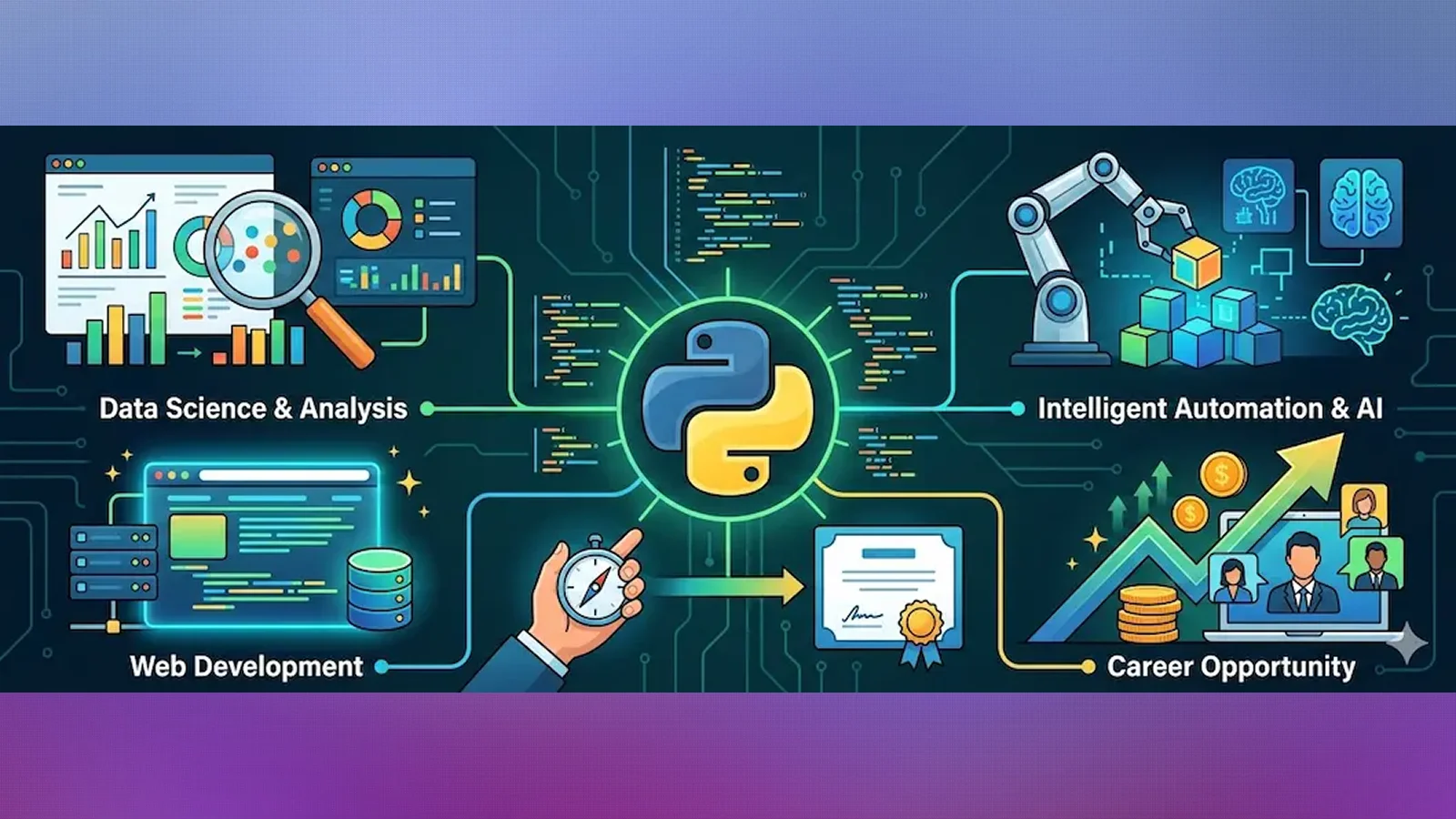
Python is a general-purpose programming language: the same basic syntax can support games, automation, and data work. Learning Python for beginners starts with those shared foundations, rather than a specialized library.
These applications give the basics a purpose:
- Small games: Build a guessing game or text adventure, then explore a desktop game with Pygame. Rules, player input, and changing scores give loops and conditionals a clear job.
- Automation scripts: Write programs that organize files or process repeated text. Start with copies of sample files so mistakes cannot damage important documents.
- Web applications: Use Python for server-side logic, the code that handles requests and prepares responses behind a website. This adds web concepts beyond the language itself.
- Data analysis: Read a small dataset, calculate summaries, and display the results. Learn how lists and dictionaries work before adding specialized analysis tools.
- AI and machine learning: Use Python to prepare data and work with models. This is a later direction that introduces additional concepts beyond beginner syntax.
Pick the application that gives you a reason to return to your code. Learning Python for beginners becomes more concrete when a variable represents a player’s score or a task’s completion status.
What You Need To Start Learning Python
Learning Python for beginners requires a computer and a simple coding environment. You can start without buying software or adding an AI assistant.
According to the Python Wiki, Python is free, beginner-friendly, and easy to pick up. It recommends Thonny as a handy bundle that combines an interpreter, which runs your code, and an editor. This type of setup is known as an integrated development environment (IDE), combining editing and execution tools into one program.
Keep the setup short:
- Interpreter: Use Python to execute your programs.
- Editor or IDE: Use Thonny to write, save, and run code in a beginner-oriented environment.
- Practice folder: Keep exercises and projects together, with filenames that describe their purpose.
These tools cover the essential software choices:
Choose a straightforward setup rather than installing several editors to compare them. Learning Python for beginners needs working code more urgently than extra extensions, themes, or automation tools.
How To Learn Python for Beginners: A Step-by-Step Path
The answer to how to learn Python for beginners is to alternate instruction with independent coding. Coursera offers Programming for Everybody (Getting Started with Python) for two weeks with 10 hours a week, which is a course workload rather than a universal learning deadline.
Follow these steps in order, and use a working program as the checkpoint before moving ahead.
Step 1: Install Python and a Beginner Editor
Install Python with an editor, or choose a bundle like Thonny. Open a new file, save it with the .py extension, and run a short program that prints a greeting. The extension identifies it as a Python source file.
Locate the editor, the saved file, and the output area before continuing. You should know how to reopen your work and run it again without repeating the setup instructions. Keep this environment unchanged while you study the basics.
Step 2: Learn Variables, Conditionals, and Loops
Practice variables, which store values, before moving to conditionals and loops. A conditional chooses an action when a test passes; a loop repeats an action. Try storing a player’s name, checking a guessed answer, and repeating a prompt.
Change each example after it works. Replace its values, alter a condition, and predict the output before running it. Learning Python for beginners becomes active when you can explain why a change affects the result, rather than copying the lesson’s code.
Step 3: Write Your First Complete Program
Build a small program with a clear beginning and end, like a quiz that accepts an answer and prints feedback. Write its behavior in plain English before translating it into code.
Keep the scope narrow enough to understand every line. Test a correct answer, an incorrect answer, and unexpected input. If a feature requires a concept you have not studied, leave it out temporarily. A complete, understandable program gives you a stronger foundation than an unfinished project full of copied sections.
Step 4: Work Through Functions and Simple Data Structures
Group repeated actions into functions, which are named blocks of reusable code. Then use lists to hold ordered items and dictionaries to associate keys with values, like a character name and its score.
Refactor the program you already wrote instead of starting another tutorial. Move its repeated logic into a function, then store related values together. Learning Python for beginners should include revisiting earlier code: you can see how a new concept makes an existing program easier to change.
Step 5: Build a Small Finished Project
Choose a project from the practice section and define its finish line before coding. A text adventure might need connected rooms, a clear objective, and an ending. Graphics, sound, and a large inventory can wait.
Write a short checklist of required behavior and test each item. Add brief instructions so another person can run it. Finish the core version before adding extras. This keeps the project focused on using concepts you understand instead of collecting features you cannot yet maintain.
Step 6: Read and Fix Your Own Error Messages
Read the final line of an error message, then inspect the file and location it identifies. A traceback is Python’s account of where execution failed; it offers clues, though the underlying mistake may begin elsewhere.
Check spelling, indentation, and the values involved before searching for help. If you need assistance, include the relevant code and the error text. Learning Python for beginners includes learning to investigate failures. Explaining the cause in your own words builds more debugging skill than pasting a fix without understanding it.
Courses That Structure Your Python Practice
A structured course provides an ordered sequence of lessons, while projects test your understanding. Learning Python for beginners benefits from that combination more than from collecting overlapping courses.
Programming for Everybody (Getting Started with Python) on Coursera is the best-fit introductory pick here because it is designed for beginners without prerequisites.
Udemy lists the following alternatives and video durations. Compare their focus, not length alone:
|
Course |
Provider |
What it covers |
Video Duration |
|---|---|---|---|
|
The Complete Beginner’s Guide to Coding with Python |
 |
Introductory Python coding |
4 hours |
|
100 Days of Code: The Complete Python Pro Bootcamp |
|
A broader Python bootcamp |
57 hours |
|
The Complete Python Bootcamp From Zero to Hero in Python |
|
A beginner-start Python bootcamp |
22.5 hours |
|
Learn Python Programming – Beginner to Master |
|
A longer Python programming path |
61.5 hours |
|
Python for Data Science and Machine Learning Bootcamp |
|
Data science and machine learning applications |
25 hours |
Learning Python for beginners does not require the longest course. Start with an introductory syllabus, and consider specialized material after you can write small programs independently.
Practice Projects That Turn Python Theory Into Code
Finish a small project before adding another tutorial. Learning Python for beginners needs opportunities to recall concepts without a lesson showing each line.
Use this progression, with a calculator as a short functions exercise before the larger game:
- Number-guessing game: Accept a guess, compare it with a target, and offer feedback. This practices input handling, conditionals, and loops. Start with a fixed target so the rules stay easy to inspect.
- Basic calculator: Put operations into functions and handle unsupported input. Define what happens when someone enters text instead of a number or attempts an invalid operation.
- To-do list script: Store tasks in a list and use functions to add or remove them. Add file saving after the in-memory version works, so you can isolate storage problems.
- Text-based adventure: Represent rooms and choices with dictionaries. Use functions to separate movement from descriptions, and test that the player can reach an ending.
- Connect Four-style game: Represent the board as a grid and check moves against game rules. Separate board updates from win detection so each part is easier to test.
Codecademy offers Build Connect Four Using Python as a free project course if you want guidance for the final idea. Share a finished project with its instructions and ask someone to try an input you did not anticipate.
Where Python Beginners Get Stuck
Watching lessons without applying them leaves independent problem-solving untested. Learning Python for beginners should include attempts that begin with a blank file, even when the program is small.
Use these fixes when progress stalls:
- Watching overlapping courses: Choose a main course and write a variation after each concept. If the lesson introduces a loop, use it in your own quiz or guessing game before continuing.
- Copying fixes without understanding them: Read the error message and describe what the program was trying to do. Change the relevant code, rerun it, and explain why the correction worked.
- Starting with an oversized project: Reduce the idea to its smallest useful version. A text adventure with a working ending is a better learning checkpoint than a large game with disconnected features.
- Avoiding documentation: Open the official documentation through Python when you need to understand a function or language feature. Try the example, then adapt it to your own program.
- Letting an assistant replace practice: Attempt the problem before asking for help. Request an explanation or a hint, then write the change yourself and test it with different inputs.
Learning Python is easier to assess through visible checkpoints: a program runs, handles its intended inputs, and remains understandable when you reopen it. Keep a brief note of recurring errors and their causes. That gives your next practice session a specific target.
Final Verdict on Learning Python for Beginners
The best starting path combines free software, a structured introduction, and a small finished project. It suits complete beginners because each part serves a different purpose: the interpreter runs the code, lessons introduce concepts, and a project tests independent use.
Someone who already programs in another language should consider a faster, more advanced track. Repeating introductory explanations may be less useful than studying Python’s conventions and applying them directly. For newcomers, a paid course is worth considering when its format and sequence help maintain consistent practice, not because payment guarantees progress.
The deciding factor in how to learn Python for beginners is the amount of code you understand well enough to change. Start free with Coursera and the interpreter; consider Udemy‘s The Complete Beginner’s Guide to Coding with Python if you prefer a compact video alternative.
FAQs
Start with a beginner editor, learn variables and control flow, and write small programs after each lesson. Follow a structured introductory course, then finish a project you can explain and modify yourself.
A short introductory course can establish the basics, but independent problem-solving needs continued practice. Use your ability to write, change, and debug a small program as the checkpoint rather than a fixed deadline.
Yes, Python and Thonny are free, and you can practice with your own scripts without purchasing a course. Paid instruction is optional; choose it for a useful teaching format or structure.
No, prior coding experience is not required for an introductory path. Coursera‘s Programming for Everybody (Getting Started with Python) is designed for beginners and uses only simple mathematics.
Yes, if you want to explore automation, data work, or small games. Choose a practical project first so the language serves a clear goal. Advanced applications require skills beyond introductory Python.
You need a computer, a Python interpreter, and an editor like Thonny. A simple setup and regular coding practice are the foundation of how to learn Python for beginners.