



Chromebook vs MacBook: The Ultimate Comparison Guide

Eneba Hub contains affiliate links, which means we may earn a small commission if you make a purchase through them—at no extra cost to you. Learn more

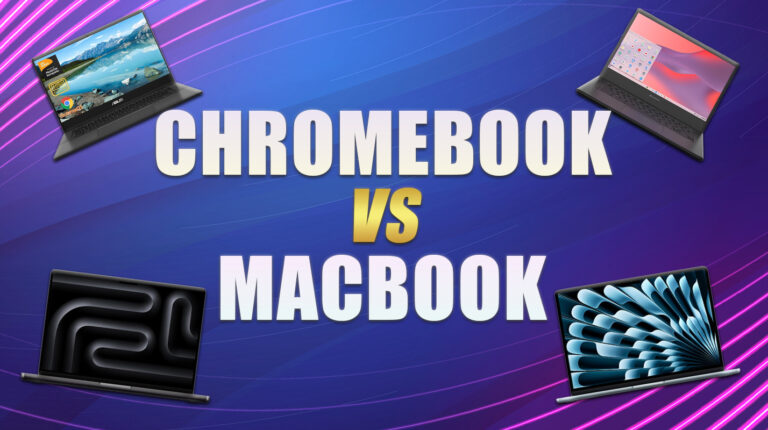
The Chromebook vs MacBook debate revolves around two distinct laptop ecosystems. On one hand, we have ChromeOS’s admirable security features, simplicity, and above all, affordability. On the other hand, there’s macOS’ unbeatable performance, premium design, and top-notch software integration.
If you struggle to pick between the two, this ultimate MacBook vs Chromebook comparison will explain everything. You’ll learn more about price, design, performance, battery, and hardware differences. In the end, you’ll know which ecosystem is better suited to your needs.
Jump to:
Chromebook vs MacBook: Quick Overview
Quick warm-up round: here’s a fast Chromebook vs MacBook summary to set the stage. Just don’t stop here – the real decision-making gold awaits further down.
Chromebooks focus on cloud-first productivity, prioritizing affordability and a lightweight build. ChromeOS is designed for light web browsing and schoolwork, making it great for students. Generally speaking, Chromebooks are considerably less expensive than MacBooks.
Simultaneously, MacBooks are all about creative power and premium build. They provide noticeably better performance and offer superior software (macOS) for both professional and creative use. This naturally results in a higher price that’s totally worth it!
Both machines have their merits, but are built around different merits. If you’re on a tighter budget, you’ll favor Chromebooks, as they still provide ample power for the price. However, if performance is your #1 priority, it’s worth splurging more on a powerful MacBook.
As I said, the Mac vs Chromebook is a clash of two vastly distinct worlds. Still, curiosity wins – so let’s put them side by side. Check out the table below for a quick peek at the difference between MacBook and Chromebook:
| Feature | Chromebook | MacBook |
|---|---|---|
| Operating System | ChromeOS | macOS |
| Display | FHD/Touch | Retina/Liquid Retina |
| CPU | Intel/ARM | Apple M4/M4 Pro/M4 Max |
| Battery Life | 10–15 hours | 15–20 hours |
| Storage | eMMC/SSD | SSD |
| Price Range | $200–$600 | $999–$2,499 |
| Ecosystem | Google/Android | Apple Ecosystem |
Chromebook vs MacBook: Product Ranges
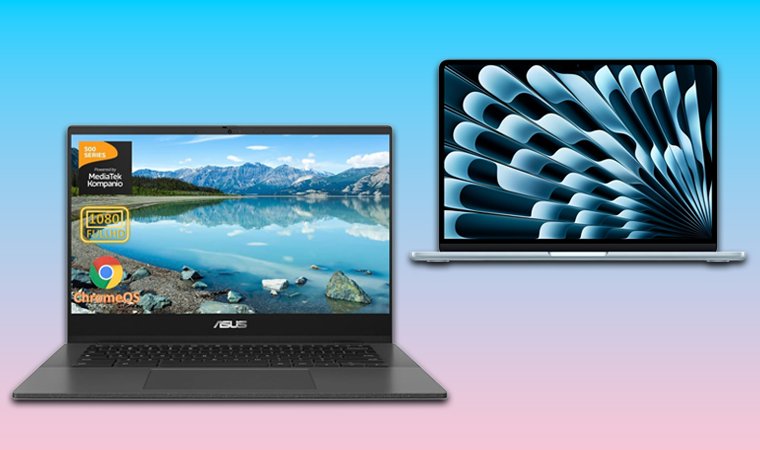
The difference between a MacBook and a Chromebook goes far beyond the price. While MacBooks are powerhouses of performance and premium build, Chromebooks are lightweight, more affordable, and run on a simpler ChromeOS operating system.
Chromebook Product Ranges
Chromebooks are lightweight, cloud-based laptops that run on Google’s own ChromeOS. Their philosophy combines simplicity with speed and affordability.
Earlier Chromebooks were basic educational devices, but modern models are competent productivity machines with convertible and touchscreen options. As with every other laptop, Chromebooks differ in price, and logically, more expensive picks deliver more.
Here are its major tiers:
- Entry-Level Chromebooks. These are the most affordable models using Intel Celeron or MediaTek processors. As low-cost options, they’re more suited to students or for tasks like internet browsing and light document work.
- Chromebook Plus (Mid-Tier). More powerful options with Google’s standardized specs, with at least 8 GB RAM, 1080p displays, faster local storage, and access to Android and Linux Apps. In this category, Lenovo, ASUS, and Acer have some of the top options.
- Premium / 2-in-1 Chromebooks. Business-oriented premium Chromebook models with Chrome Enterprise Upgrade for management, more robust security, and remote access tools.
Chromebooks offer fast boot times, up to 15 hours of battery life (depending on the model), and automatic updates. However, their cloud-based nature limits your offline capabilities. Another downside is limited support for AAA gaming because of weaker hardware and no discrete graphics cards. Most use integrated chips like Iris Xe or Adreno, based on the chipset.
Generally speaking, Chromebooks’ strength lies in ease of use, affordability, and Google ecosystem integration, rendering them ideal for students, teachers, and professionals who essentially live in the cloud.
MacBook Product Ranges
In the MacBook vs Chromebook debate, Apple’s laptop easily takes the luxury title. MacBooks are Apple’s flagship laptops that run on macOS, built for sheer power and longevity, with a standout design aesthetics and style.
MacBooks seamlessly integrate across the Apple ecosystem, with devices like Apple Watches, iPhones, or iPads. Simultaneously, these sleek but mighty devices offer industry-leading display and build quality, making them suited to video or photo editing.
We can divide MacBooks into several categories, which include:
- MacBook Air. These are the thinnest, most lightweight MacBooks, prioritizing portability, battery life, and silent operation. A prime example is the newest M5 generation, with the M5 chip, which provides substantial CPU and GPU power and around 18 to 24 hours of battery life. MacBook Air is adequate for students, professionals, and everyday users looking to get the best possible experience.
- MacBook Pro. A professional-grade lineup with the flagship M5 Pro and Max chips. With even more power comes better display quality. Apple’s Liquid Retina XDR displays with a 120 Hz refresh rate and ProMotion provide a silky-smooth experience. Meanwhile, MacBook Pro offers quiet but efficient cooling and extra ports. These are mostly favored by developers, creators for performance-heavy tasks.
- Older Intel or M1 Models. These are still popular among budget-conscious users who can’t afford Air. They’re great for educational environments, but lack the efficiency and AI capabilities of newer models with the latest M-series chips.
In conclusion, Air models emphasize portability and silent efficiency. Pro models offer sustained performance, an HDR display, and advanced graphics support.
Across the entire line, Apple emphasizes premium design, long-term software updates, and unified hardware-software optimization.
While Air models represent mobility and balance, Pro models are built for raw potential. Together, they cover the full professional and personal laptop spectrum.
Chromebook vs MacBook: Operating System
There’s a noteworthy difference between a MacBook and a Chromebook in their operating systems. MacBooks use macOS and Chromebooks use ChromeOS. But what does that really mean for you? Let’s find out.
ChromeOS is a cloud-based, lightweight, security-oriented operating system. This is a Linux-based OS, with a minimalist interface centered around the Chrome browser. It runs Android apps from the Play Store and web apps/PWAs; many Google Workspace apps also work offline when enabled.
As a cloud-first system, ChromeOS relies on Google Drive, with limited and simplified physical storage. Another thing to mention is Google Workspace integration. ChromeOS works in conjunction with Google Workspace, allowing you to access all files, documents, settings, and apps with a simple sign-in.
macOS has a feature-rich desktop interface with powerful native performance and an advanced ecosystem. It’s a full-on desktop experience where you can install and run native apps, perform complex tasks, and even work offline, as it’s not dependent on cloud-based apps.
One of its best features is seamless integration with Apple iCloud. This allows you to sync photos, files, apps, calendars, contacts, and other data across all Apple devices with the same Apple ID. macOS also provides more customization, letting you tweak system parameters, place shortcuts, and customize themes.
The macOS vs ChromeOS debate often mirrors the Apple vs Samsung smartphones rivalry – if you already use an iPhone, macOS feels seamless, just like Samsung users tend to stay within the Android ecosystem.
My Verdict:
The Mac vs Chromebook face-off in the OS department ends in a draw. While macOS is sturdier, built to run native apps, and provide extensive multitasking, ChromeOS resembles a web browser, which runs cloud apps in a simplified, secure environment. Again, macOS is more for professionals and creators, while ChromeOS is better for students.
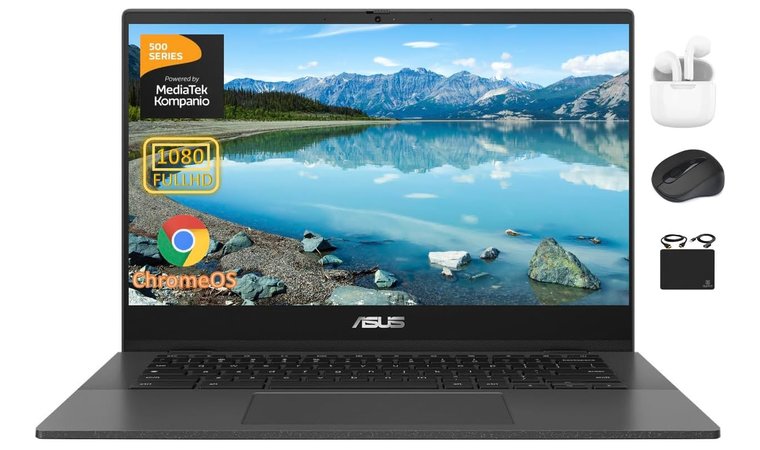
ASUS Chromebook Laptop [Best Operating System Experience]
| Specs | Details |
|---|---|
| CPU | MediaTek Kompanio 520 |
| GPU | ARM Mali-G52 MC2 |
| RAM | 4 GB DDR4 |
| Storage | 128 GB |
| Display | 14 inches, 1920 x 1080 pixels |
| Refresh Rate | 60 Hz |
| Battery | 15 hours |
| Weight | 1.45 kg |
| Connectivity | Wi-Fi 6, Bluetooth 5.3, USB 3.2, 3.5mm headphone jack, MicroSD |
The ASUS Chromebook laptop is simple, secure, and optimized for multitasking with ChromeOS and Android app compatibility, with Wi-Fi 6 and an anti-glare 14-inch FHD display.
This model is a jack of all trades, providing exemplary performance thanks to the MediaTek Kompanio 520 CPU. ChromeOS runs silky-smooth, with automatic updates, and full Android app support built for productivity and entertainment.
The ASUS Chromebook laptop provides a refined ChromeOS experience in a budget-friendly package, optimized for multitasking, and equipped with fast Bluetooth 5.3 to minimize lag.
The ASUS Chromebook laptop supports the offline mode, which lets you use specific apps without an internet connection. As a result, you can download documents or shows, and movies for offline viewing. As one of the top ASUS laptops with ChromeOS, it offers integration with Google services.
This provides swift access to Google Drive, and by extension, Google Photos, Google Docs, Sheets, Calendar, and other productivity-oriented, cloud-first apps.
| Pros | Cons |
|---|---|
| ✅ Stellar build quality ✅ Great battery life ✅ Wi-Fi 6 standard ✅ Anti-glare Full HD display ✅ Smooth ChromeOS experience ✅ Generous storage (128 GB) | ❌ Limited offline functions (fixable with offline mode) ❌ Plastic build (but very sturdy) |
My Verdict:
The ASUS Chromebook laptop offers beefy hardware, excellent portability, generous storage, and a vibrant display at a feasible price. It’s a solid all-arounder for students, teachers, and general web-centric tasks, streaming, and light 3D gaming.
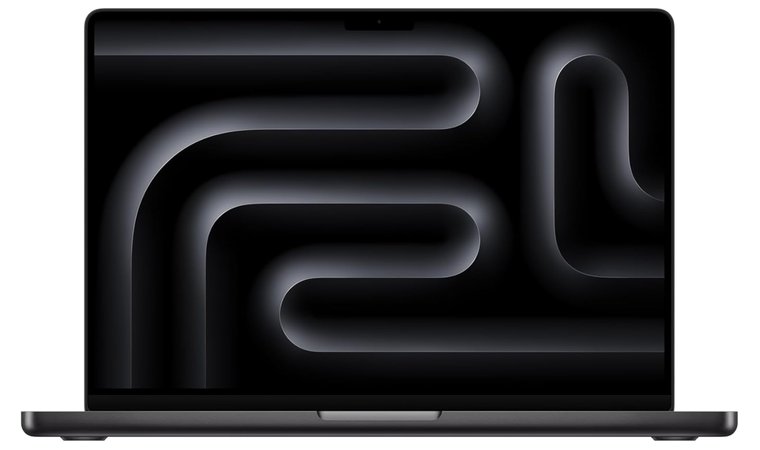
MacBook M4 Pro [Best Operating System Experience]
| Specs | Details |
|---|---|
| CPU | Apple M4 |
| GPU | Integrated |
| RAM | 16 GB DDR5X |
| Storage | 512 GB |
| Display | 14.2 inches, 3024 x 1964 pixels |
| Refresh Rate | 120 Hz |
| Battery | 24 hours |
| Weight | 1.60 kg |
| Connectivity | 3× Thunderbolt 4/USB-4, HDMI, SDXC, MagSafe 3, 3.5mm headphone jack, Wi-Fi 6E, Bluetooth 5.3 |
Apple’s macOS 15 experience shines with the M4 Pro chip, featuring 120 Hz ProMotion, advanced AI workflows, and unmatched cross-device connectivity. If you want Apple’s magnum opus, the M4 Pro Mac laptop ticks all the boxes you can think of.
The M4 Pro model offers macOS 15, the flashiest, most impressive operating system, with features like iPhone mirroring, a password manager, and improved multitasking. The seamless iCloud integration ensures maximum flexibility and effortless file syncing on all your devices.
We chose the MacBook M4 Pro for its top-notch performance and immense GPU power that delivers even on the gaming front.
Speaking of that, there’s the Handoff function, which lets you pick up where you left off your work on another Apple device. MacBook M4 Pro lets your creativity shine, with apps like Logic Pro and Final Cut, promoting effortless video editing and content creation.
Due to its sheer power, it’s also one of the most impressive MacBooks for gaming. It’s not strange, considering extensive portability, efficient cooling, large storage, and razor-sharp resolution that leaves no one indifferent.
| Pros | Cons |
|---|---|
| ✅ Powerful M4 Pro CPU ✅ 120 Hz ProMotion display ✅ Excellent color accuracy ✅ Sufficient GPU power for gaming ✅ Native iCloud integration ✅ The whole-day battery | ❌ Expensive (but absolutely worth every penny) ❌ Not the most lightweight due to powerful hardware and cooling |
My Verdict:
If you can afford it, MacBook M4 Pro is one of the most powerful laptops on the planet, with macOS Sequoia nailing every aspect, from productivity and creativity to gaming, streaming, and overall smoothness. iCloud and cross-device connectivity are the icing on the cake.
Chromebook vs MacBook: Processor & Performance
Chromebooks and MacBooks drastically differ in processing power and performance, so let’s make that distinction clear right away:
- Chromebooks typically use ARM (MediaTek) or Intel processors.
- MacBooks rely strictly on Apple Silicon (M2/M3/M4/M5) processors.
Intel and ARM-based processors provide sufficient power for ChromeOS, which is naturally lightweight and doesn’t use a lot of processing power. As an efficient operating system, it runs great on both processor variants, providing smoothness and short boot-up times.
Another noteworthy mention is the performance, which is consistent for adequate tasks, including web browsing, streaming, and light productivity work. Chromebooks tend to fare worse in resource-heavy tasks due to overheating and CPU throttling.
Apple Silicon processors, such as the newest M5, offer not only robust processing power but also a mighty built-in GPU. They’re designed for heavy workloads and productivity, such as design, video editing, coding, and extensive multitasking.
Simultaneously, they offer range-topping battery life and, because of advanced cooling, provide sustained performance, even during long-lasting heavy loads. Despite that, Chromebooks offer superior performance per dollar, as they’re more affordable and perform well for cloud-based tasks.
My Verdict:
Chromebooks offer sufficient CPU power and performance for the money, particularly for resource-light tasks like document editing, streaming, and browsing. MacBooks are considerably more powerful in every way, with sustained performance, but with a caveat of a multiple-times-higher price.
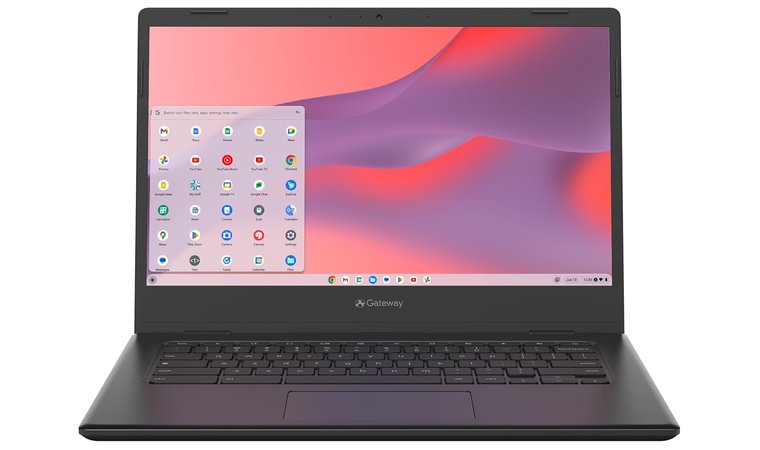
Acer Gateway Chromebook 314 [Best Processor]
| Specs | Details |
|---|---|
| CPU | Intel Celeron N4500 |
| GPU | Integrated |
| RAM | 4 GB DDR4 |
| Storage | 64 GB |
| Display | 14 inches, 1920 x 1080 pixels |
| Refresh Rate | 60 Hz |
| Battery | 10.5 hours |
| Weight | 1.5 kg |
| Connectivity | USB Type-C, USB 3.2, Wi-Fi 5, MU-MIMO |
Acer Gateway Chromebook 314 packs an Intel Celeron N4500 CPU for smooth browsing and office performance in a budget-friendly package. At about $250, Acer Gateway 314 is an exemplary choice, with 4 GB DDR4 RAM and 64 GB of storage suited for all purposes.
This Chromebook impressed us with its Intel Celeron processor, allowing for smooth browsing, sublime office performance, and solid visual clarity thanks to a Full HD display.
The 14-inch display is razor-sharp, with Full HD resolution and a 60 Hz refresh rate. Given its size and power, the laptop is surprisingly efficient, with the battery life clocking at around 10.5 hours. Users will love its connectivity, with fast-speed USB Type-C and efficient USB 3.2 ports.
| Pros | Cons |
|---|---|
| ✅ Good value for money ✅ Satisfying performance ✅ USB Type-C connectivity ✅ Full HD LCD display ✅ 64 GB of fast storage | ❌ Plasticky build (but it’s quality and lightweight) ❌ Integrated GPU limits gaming performance (you can still enjoy cloud-based gaming) |
My Verdict:
Acer Gateway Chromebook offers unbeatable processing power, battery life, and generous memory (RAM + storage) to handle daily productivity tasks. A budget-friendly price tag makes it even more attractive for students who need a powerful machine for document editing, browsing, and other basic tasks.
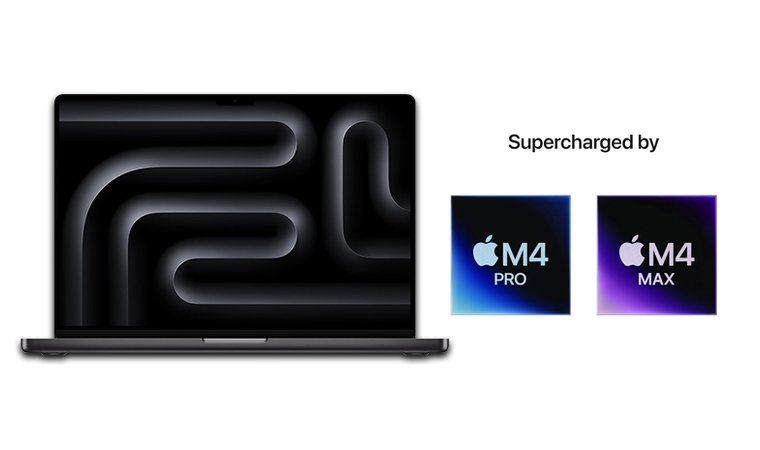
MacBook Pro M4 Max [Best Processor]
| Specs | Details |
|---|---|
| CPU | Apple M4 |
| GPU | Integrated |
| RAM | 48 GB DDR5 |
| Storage | 1 TB |
| Display | 16.2 inches, 3456 x 2234 pixels |
| Refresh Rate | 120 Hz |
| Battery | 24 hours |
| Weight | 2.15 kg |
| Connectivity | Thunderbolt 4, HDMI, SDXC, MagSafe, 3.5mm, Wi-Fi 6E, Bluetooth 5.3 |
A professional powerhouse and a workhorse Mac laptop with the 16-core M4 Max chip and a 40-core GPU, delivering desktop-class performance for creatives and developers. If you compare this MacBook to an average desktop computer, you’ll realize its true power.
It can easily outperform your desktop build, particularly in buttery-smooth media editing and even 3D work, which requires otherworldly GPU power. The MacBook Pro M4 Max excels at multi-core tasks, allowing for seamless multitasking without overheating and slowdowns.
MacBook Pro M4 Max is an all-arounder whose higher price is completely justifiable, thanks to Apple’s powerful M4 chip, jaw-dropping display resolution, and even an SDXC slot for storage expansion.
One of my favorite aspects is its sublime 16-inch display with a resolution of a whopping 3456 x 2234 pixels. At this size, this may be the sharpest, most dense display I’ve seen. Add a 120 Hz refresh rate and its ProMotion feature, and it’s easily the best display for content consumption and professional work.
| Pros | Cons |
|---|---|
| ✅ Crisp, color-accurate display ✅ Enterprise-grade processing power for all purposes ✅ Outstanding GPU power even for gaming ✅ Limitless multitasking ✅ SDXC slot lets you extend its already generous storage ✅ Robust, durable, and sleek aluminum body | ❌ Costly investment (but very well worth it in the long run) ❌ Bigger weight limits portability (as a result of the durable aluminum body) |
My Verdict:
The MacBook Pro M4 Max is an ultimate long-term laptop. While it’s pricier, as expected, you’re getting years of automatic updates and processing power that will be sufficient for years to come. With a 24-hour battery, vast connectivity options, and 48 GB RAM, the M4 Max has virtually no weak points.
Chromebook vs MacBook: Design & Build
The MacBook vs Chromebook comparison gets even spicier when it comes to design and build. As cheaper options, Chromebooks are typically plasticky, while MacBooks have a premium, aluminum build. You could argue that many great gaming laptops are built out of plastic. And you’d be right.
Cost-efficiency is often the argument, and in Chromebooks, it’s no different. Chromebooks focus on being lightweight, and using plastics allows them to be highly portable and easy to carry around. More expensive Chromebooks use high-quality plastic, so they feel a bit nicer.
However, they usually don’t have that premium feel found in MacBooks.
Speaking of them, they’re generally characterized by an aluminum unibody, with surgically precise lines that accentuate the flagship feel. Larger models tend to be heavy, at over 2 kg, but incredibly durable and resistant to scratches and even accidental drops.
At the same time, MacBooks are thin and easy to pack in a bag, making them incredibly versatile for productivity at home or on the fly.
My Verdict:
Design- and build-quality-wise, MacBooks are objectively better than Chromebooks. Chromebooks are lightweight and plasticky, while MacBooks have an aluminum unibody, which can be heavier but ultimately more rock-solid and durable.
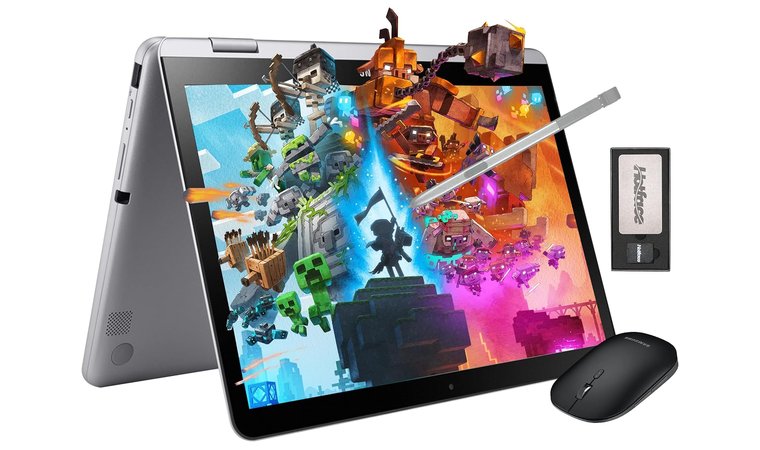
Samsung Touchscreen Chromebook Plus [Best Design]
| Specs | Details |
|---|---|
| CPU | Intel Celeron 3965Y |
| GPU | Integrated |
| RAM | 4 GB DDR3 |
| Storage | 64 GB |
| Display | 12 inches, 1920 x 1080 pixels |
| Refresh Rate | 60 Hz |
| Battery | 7 to 10 hours |
| Weight | 1.35 kg |
| Connectivity | USB 3.0, USB-C, MicroSD Card Reader, 3.5mm, Bluetooth, Wi-Fi 802.11 ac |
Behold a compact 12.2-inch 2-in-1 Chromebook with Stylus and tablet mode, combining modern portability with classroom-ready usability. Samsung is known for its top-notch quality, and it’s the same story here. This laptop is the ultimate solution for productivity and flexibility.
Being a 2-in-1 Chromebook, you can deploy it as a laptop or a decent-sized tablet for work on the go. The Stylus addition means you can work on a logo design or perform other precision-based tasks without ruining the screen with your fingerprints.
Samsung Touchscreen Chromebook Plus impresses with its 2-in-1 design and Stylus support for more flexibility. A good mid-size tablet for students who want a tablet and a laptop at the price of just one.
Meanwhile, the weight of about 1,350g makes it incredibly light and portable. The power-efficient Intel Celeron 3965Y processor and DDR3 RAM ensure optimal performance and a decent battery life of up to 10 hours.
| Pros | Cons |
|---|---|
| ✅ Laptop + tablet combo (2-in-1) ✅ Supports Stylus pen ✅ Small form factor allows for greater portability ✅ Good performance for browsing and light multitasking ✅ Expandable storage via the MicroSD card reader | ❌ DDR3 RAM (sufficient for all basic tasks) ❌ Intensive applications heavily drain the battery (but charging is relatively fast) |
My Verdict:
The Samsung Touchscreen Chromebook Plus offers a clever, 2-in-1 design with sufficient build quality and outstanding options for productivity, work, and creativity. Its compact form and sublime portability make it a versatile laptop for day-to-day use.
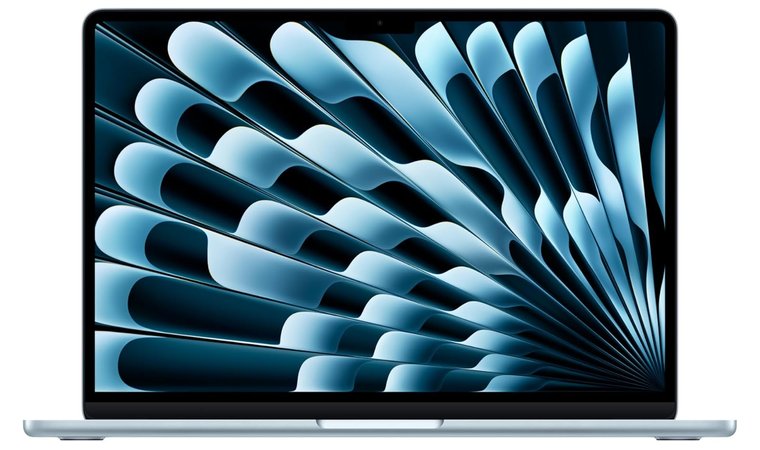
MacBook Air M4 [Best Design]
| Specs | Details |
|---|---|
| CPU | Apple M4 |
| GPU | Integrated |
| RAM | 16 GB DDR5X |
| Storage | 256 GB |
| Display | 13.6 inches, 2560 x 1664 pixels |
| Refresh Rate | 60 Hz |
| Battery | 18 hours |
| Weight | 1.24 kg |
| Connectivity | 2× Thunderbolt 4/USB-4, MagSafe 3, 3.5 mm headphone jack, Wi-Fi 6E, Bluetooth 5.3 |
Unibody aluminum construction with MagSafe, Liquid Retina display, and whisper-quiet keyboard – Apple’s design benchmark for ultra-thin laptops.
MacBook Air M4 is all about minimalism. It’s a sleeper build, which packs plenty of power in a tiny form factor with a sharp 2560 x 1664 resolution, premium build quality, and comfort for long-term use thanks to its moderate size.
MacBook Air M4 is a giant killer, as its small size outperforms even the most powerful desktop configurations. We chose it for its modern DDR5X RAM, bright display, and long-lasting battery life.
MacBook Air M4 may lack the features of its Pro/Max Mac laptops, but rest assured, its DDR5X RAM and 256 GB SSD storage work wonderfully. The Air M4’s battery life of about 18 hours will make no one charger-dependent, while the MagSafe magnetic wired power connector will provide superb connectivity for chargers and other accessories.
| Pros | Cons |
|---|---|
| ✅ The most portable MacBook ✅ High-resolution screen for work and media consumption ✅ Lengthy battery life for a small-form laptop ✅ Quiet operation even under load ✅ MagSafe wireless charging | ❌ 60 Hz screen (compensated by high resolution) ❌ No SD card reader (but still enough storage) |
My Verdict:
Apple’s small laptop masterpiece with a unique design, an aluminum body, and a quality display that sets new standards for resolution and sharpness. This is a great entry-level MacBook option for people who prefer smaller, more portable laptops for completing mandatory tasks anywhere: on a bus, train, in a car, or on a plane.
Chromebook vs MacBook: Display & Visuals
When you look at their displays side by side, you’ll notice a difference between a Chromebook and a MacBook right away. Of course, MacBook’s displays are better quality, but Chromebooks have seen some massive upgrades in recent years.
In short, Chromebooks’ displays are typically:
- Full HD (1920 x 1080 pixels)
- IPS LCD panels
- 250-350 nits of average brightness
- With or without the touchscreen functionality
MacBooks’ displays have:
- Retina / Liquid Retina XDR technology
- Mini-LED panels
- High resolutions (2560 x 1664 pixels to 3456 x 2234 pixels)
- High refresh rate of up to 120 Hz
- Around 500 nits of brightness
- HDR technology
On paper, and in practice, MacBooks have many advantages, except for the lack of touchscreen functionality. At least it’ll be easier to clean your MacBook screen since there won’t be fingerprints.
Chromebooks’ displays aren’t the most color-accurate, so they’re better-suited to streaming, browsing, schoolwork, and light content consumption.
Meanwhile, MacBook’s OLED displays have a high degree of color accuracy and better brightness, making them adequate for color-critical tasks and outdoor use. Plus, their HDR support makes them incredible for streaming movies and series.
My Verdict:
MacBooks surpass Chromebooks in display quality in almost every aspect, except touchscreen support. If we exclude that, MacBooks’ displays have crisp resolutions, OLED panels, higher refresh rates, better brightness for outdoor use, and HDR technology, albeit at a higher cost.
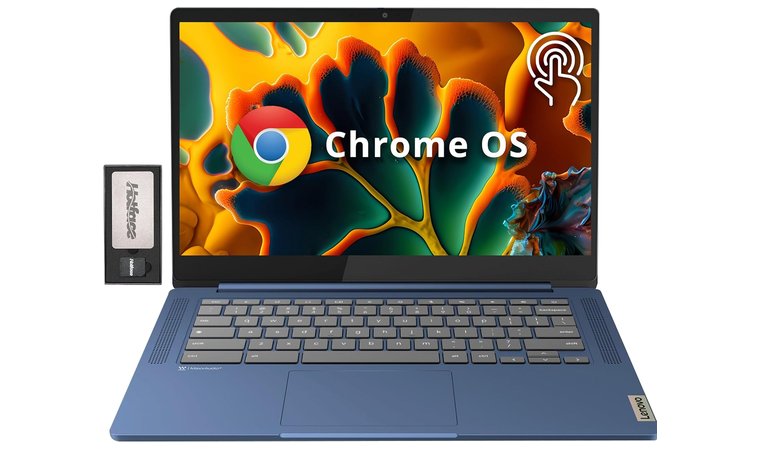
Lenovo IdeaPad Slim 3 Chromebook [Best for Display Quality]
| Specs | Details |
|---|---|
| CPU | MediaTek Kompanio 520 |
| GPU | Integrated |
| RAM | 4 GB DDR4 |
| Storage | 64 GB + 160 GB docking station |
| Display | 14 inches, 1920 x 1080 pixels |
| Refresh Rate | 60 Hz |
| Battery | 13.5 hours |
| Weight | 1.3 kg |
| Connectivity | Bluetooth, USB-C 3.2, USB-A 3.2, MicroSD slot, 3.5mm, Wi-Fi 6 |
Lenovo IdeaPad Slim 3 Chromebook is an affordable choice for students, professionals, and general users. It strikes a fine balance between price and performance, offering powerful DDR4 RAM, a Full HD screen, MediaTek Kompanio 520 CPU, and 13.5-hour-long battery life.
Its sleek design makes it feel more premium, while the weight of about 1.3kg makes it fairly portable and easy to carry around. Everyday performance is decent, as IdeaPad Slim 3 breezes through day-to-day browsing, streaming, and even light video rendering, all while staying nearly silent.
Lenovo IdeaPad Slim 3 Chromebook is a lightweight, low-cost option for students who need extensive portability, a Full HD screen, and seamless Google Workspace integration backed by ChromeOS’ ease of use and clean interface.
I particularly like its Google Workspace performance, where you can work your way through various documents without hassle. It’s among the best Lenovo laptops with ChromeOS, which is, in many ways, a jack of all trades. Luckily, you won’t have to spend a fortune to enjoy it.
| Pros | Cons |
|---|---|
| ✅ Very affordable ✅ Superb battery life ✅ Full HD LCD screen ✅ Sleek design ✅ Lightweight (only 1.3 kg) ✅ MicroSD slot for storage expansion | ❌ Color accuracy could be better (it’s still great for content consumption) ❌ Average speaker quality (use earbuds/headphones instead) |
My Verdict:
Lenovo IdeaPad Slim 3 Chromebook is a mid-size, 14-inch beast with impeccable performance, generous storage, excellent connectivity, and satisfying battery life. You’ll like it for its versatility, as it’s suitable for both regular Joes and the likes of students and professionals.
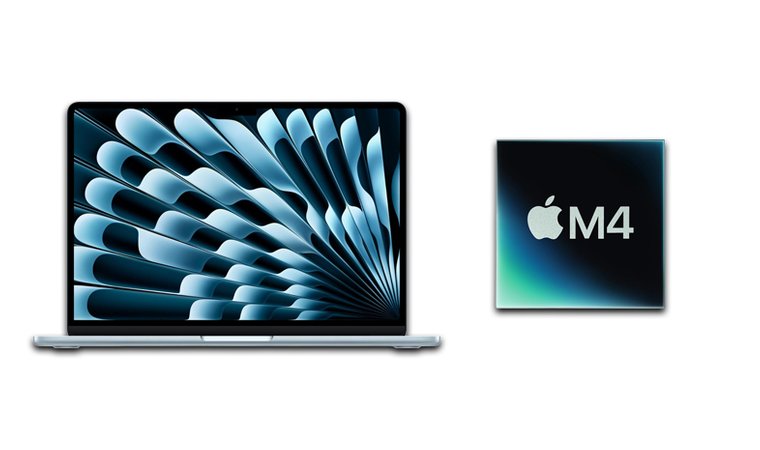
MacBook Air M4 [Best for Display Quality]
| Specs | Details |
|---|---|
| CPU | Apple M4 |
| GPU | Integrated |
| RAM | 16 GB DDR5X |
| Storage | 256 GB |
| Display | 13.6 inches, 2560 x 1664 pixels |
| Refresh Rate | 60 Hz |
| Battery | 18 hours |
| Weight | 1.24 kg |
| Connectivity | Thunderbolt 4, MagSafe, Wi-Fi 6E, Bluetooth 5.3 |
One of the best MacBook laptops around, the M4 Air, offers a striking design, robustness, and build quality. This is Apple’s thinnest and most efficient MacBook, powered by the M4 chip with 18-hour battery life, a stunning Retina display, and seamless macOS Integration. The ultimate all-day laptop.
The M4 Air’s size makes it more portable than ever, while fanless cooling prevents the often annoying noise during intensive tasks. As you can expect, productivity tools are the M4 Air’s specialty, thanks to both beefy hardware and support for video editing, coding, office, and various business apps.
MacBook Air M4’s stunning display with a 2K+ resolution is one of the best in the business, especially for small-factor laptops. Great for color-sensitive tasks, gaming, and media consumption, this nifty little laptop never ceases to amaze.
At only 1.24kg, MacBook Air M4 will be your loyal companion even on the longest travels. Simultaneously, you’ll enjoy its immaculate connectivity, with standards such as Thunderbolt, fast Bluetooth 5.3, and Wi-Fi 6E, allowing for neck-breaking speeds and low latency.
| Pros | Cons |
|---|---|
| ✅ Above-average build quality for this size ✅ Excellent battery life ✅ Punchy, high-res Retina display ✅ Generous SSD (256 GB) ✅ Top-notch productivity ✅ Fanless cooling | ❌ Pricier than any Chromebook (worth the extra cash for performance gains) ❌ 60 Hz refresh rate (which still looks great on a Retina display) |
My Verdict:
MacBook Air M4 is the ultimate small-form productivity laptop, which excels at performance, display quality, battery life, and portability. While objectively pricier than any Chromebook, for an Apple laptop with top-notch hardware and vast productivity options, the M4 Air is aptly priced.
Chromebook vs MacBook: Battery Life
The Chromebooks vs MacBooks debate wouldn’t be complete without a battery-life showdown. Some say Macs last longer, some swear by Chromebooks’ efficiency. I’m happy to stand on both sides, and here’s why.
Chromebooks’ lightweight use, combined with low-power hardware, results in some excellent battery life results. If I were to discuss their averages, I’d say they’d be around 10 to 14 hours, with some worse and better exceptions based on the model and the users themselves.
Keep in mind that the average applies to the above-mentioned constellation. If you use a Chromebook for intensive tasks, the battery drain will be faster, and you’ll likely fall short of the longer end of the average.
MacBooks have more powerful hardware, but Apple’s impeccable optimization squeezes out 15 to 20 hours of battery life on average. On some occasions, you can even get up to 24 hours, depending on how you use your MacBook. The difference is in intensive tasks.
MacBooks are known to preserve their performance and good battery life, so even if you go full-throttle, your Apple laptop won’t be killed so easily.
My Verdict:
Both Chromebooks and MacBooks have stellar battery lives facilitated through different means: low-power hardware and lightweight use in Chromebooks and software optimization on Apple’s side. You can expect at least 10 good hours on both sides.
Chromebook vs MacBook: Ports and Connectivity
The two devices have vividly different ports and connectivity options.
Chromebooks offer more ports that frequently include USB-C, USB-A, HDMI, 3.5 mm, and SD card readers. Meanwhile, MacBooks are limited, offering USB-C, HDMI, and Thunderbolt 4 ports, which are high-speed, but may require adapters for older peripherals.
Connectivity-wise, both support modern Wi-Fi and Bluetooth standards. MacBooks often include Wi-Fi 6E and Bluetooth 5.3, the same as Chromebooks, which sometimes implement Wi-Fi 5 and an older Bluetooth 5.2 protocol in cheaper models.
It’s noteworthy that MacBooks provide support for MagSafe wireless charging, while wireless charging is a non-standard feature in Chromebooks, available on merely a few models.
Chromebook vs MacBook: Pros and Cons
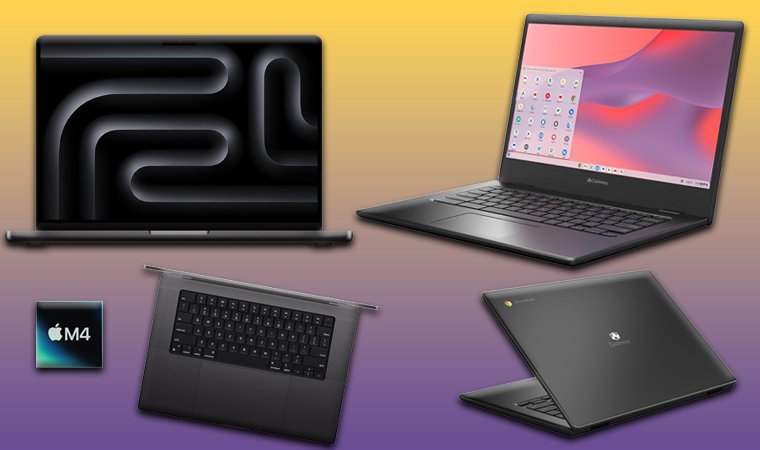
Before we wrap up, let me summarize the pros and cons of both laptops.
Chromebooks are ideal laptops for non-demanding users, particularly students, who need a laptop for light work, document editing, streaming, browsing, and occasional use. They’re cheaper, which results in compromised build quality and limited internal storage, and performance.
Chromebooks Pros:
- Very affordable prices
- Fast and user-friendly ChromeOS
- Respectable battery life of up to 15 hours
- Robust security features and system updates
- Seamless integration with Google services
- Lightweight and portable build
- The possibility of buying a 2-in-1 Chromebook
Chromebooks Cons:
- Limited offline usability and features
- Insufficient performance for heavy multitasking and productivity
- Small storage size (usually 64 GB)
- Build quality isn’t a priority
MacBooks are productivity powerhouses with Apple’s flagship processors, built for heavy loads and lengthy battery life. They also excel at build quality with their aluminum bodies and offer sustained speeds for resource-intensive tasks, but cost significantly more than Chromebooks.
MacBooks Pros:
- Premium build quality
- Apple’s M-series chips offer top-tier performance
- Long battery life (up to 20 hours)
- Flagship display (Retina, HDR, 120 Hz, up to 3456 x 2234 pixels)
- Apple’s integrated ecosystem (iCloud, Handoff, AirDrop, and more)
- Powerful GPU for occasional gaming
- Small and large laptop choices for more flexibility
MacBooks Cons:
- They cost more than Chromebooks
- Limited portability on cheaper models
- No touchscreen MacBooks
Final Verdict
To sum up the Chromebook vs MacBook showdown, I can confidently say that both have some great laptops for different types of users and use cases.
- Students / Budget Users → Chromebooks. Chromebooks are tailor-made for students who need a capable and affordable laptop for lighter tasks, such as document editing, browsing, and streaming.
- Professionals / Creators → MacBooks. MacBooks are better for creators and professionals who don’t mind spending extra for better build quality, more powerful hardware, outstanding display crispness, and limitless multitasking.
There’s no right versus wrong. Chromebooks are more about simplicity, while MacBooks are more about raw power and performance. However, you don’t have to spend more on a MacBook if a Chromebook does everything you need.
Now that you’ve seen the Chromebook vs MacBook face-off, think about what matters most to you – the winner will be obvious.
FAQs
You should choose a Chromebook if you need a budget-friendly laptop for basic web-based tasks and using Google services. Conversely, choose a MacBook if you need high performance for demanding productivity tasks, like video editing, graphic design, or 3D work.
Chromebooks are better than MacBooks in terms of performance per dollar, but in general, neither is definitively better. MacBooks are faster but more expensive, while Chromebooks have weaker hardware and build quality for a fraction of MacBooks’ price.
Yes, you can use a Chromebook like a regular laptop, keeping in mind its cloud-first operation and limited app support. This means most of its functions depend on internet access, plus, you won’t be able to use some desktop apps like the full version of MS Office or Photoshop.
They’re better for students because they’re affordable and easy to use. Their lightweight build makes them easily portable, and Google services provide ample opportunities for document editing and collaboration.
Yes, MacBooks are better gaming machines because of their powerful hardware capable of running 3D and some AAA games more efficiently. While neither is a gaming option, MacBooks are generally more popular in the gaming world.
macOS is a feature-rich system with a desktop experience, capable of handling intensive tasks and creative work. ChromeOS is a cloud-based operating system for basic functions like browsing, cloud-based tasks, online applications, and streaming.
Both can be pretty fast. While Chromebooks have fast boot-up speeds and run fast for lighter tasks, MacBooks generally run faster than Chromebooks, especially during intensive tasks and prolonged multitasking.











