Best Sim Racing Setup: Must-Have Gear in 2026

Eneba Hub contains affiliate links, which means we may earn a small commission if you make a purchase through them—at no extra cost to you. Learn more

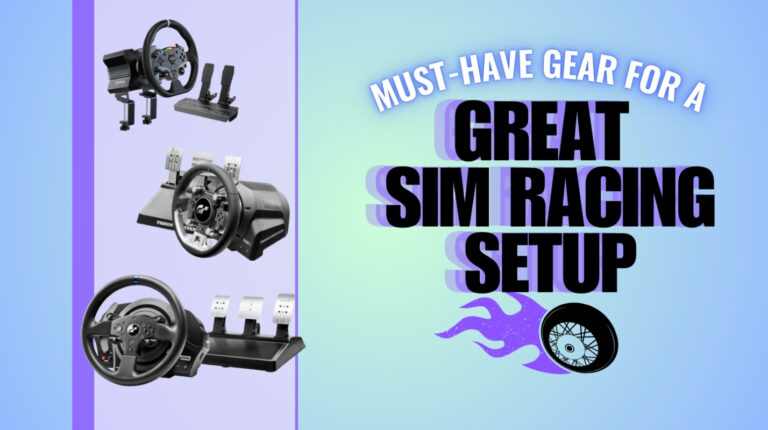
The best sim racing setup turns your screen into a cockpit. It’s the difference between casual gameplay and full-body immersion. For some, sim racing is just fun. For others, it’s a training ground. Racing teams and pilots use these setups to sharpen reflexes and build discipline.
Sim racing has exploded thanks to games like Forza Horizon and Assetto Corsa. These titles have built a foundation beyond being popular. They’ve built global communities of people chasing realism. A good racing simulator setup delivers more than visuals. It brings pressure-sensitive pedals, force feedback, and stable rigs that make it feel like you’re actually sitting in a car.
Personally, I’ve tried sim race gear for EA’s F1 game, and I know how they can bring on that realism and challenge to the game. Backed with personal experience and armed with deep research on every aspect about sim racing gear, I’ll help you navigate to the best products.
This article breaks everything down into clear steps. No fluff. No guesswork. I’m giving you the gear list I’d recommend to anyone who wants to feel racing instead of watching it.
If you’re building your first rig or looking to upgrade your current one, you’re in the right place. The goal is simple: help you invest in gear that makes a difference. I’ll walk you through each core part of the driving simulator setup, explain what matters most, and show you where your money actually counts.
Let’s build a setup that feels right, performs well, and keeps you coming back for more.
Jump to:
Essential Components for Sim Racing Setup
Before diving into gear, understand this: the bare minimum for any real sim setup includes a racing wheel, pedals, cockpit, monitor, and gaming platform. Skip one of these, and you’re not getting the full experience. These four pillars make or break the build.
Here’s a breakdown of each core component and why it matters:
| Component | Why It Matters |
|---|---|
| Racing Wheel & Pedals | Your steering wheel is the nerve center. It lets you feel oversteer, loss of grip, and every bump on the track. A strong force feedback wheel adds physical resistance, which pulls you into the experience. Add in load cell pedals for precise braking and throttle control, and suddenly you’re not reacting to the game. You’re driving it. |
| Rig / Cockpit | You can’t drive hard on a shaky desk. A proper cockpit locks everything in place and puts your body in a position that feels like you’re strapped into a car. No flexing. No slipping. Just a rock-solid foundation that lets you push limits lap after lap. |
| Monitor / Display | The screen is your windshield. A single monitor gets the job done, but it limits awareness. Ultrawide monitors offer better immersion without needing triple stands. Triple screens give you full side vision—ideal for sim veterans. VR dials immersion to 11, but not everyone loves the strain or setup. |
| PC / Console | You need clean frame rates and fast response. A mid-tier gaming PC wins on modding, visual fidelity, and gear compatibility. Consoles are more budget-friendly and easier to plug in, but you’re trading some realism and long-term flexibility. Pick what fits your goals and your wallet. |
Now that you’ve seen what makes a setup real, the next step is dialing in the gear. Scroll down to explore the specific wheels, pedals, rigs, and displays that make all the difference. This isn’t a copy-paste list. Every product below has been chosen for one reason: it delivers. Some are perfect for beginners, others push the limits of what a home rig can do. But they all bring something valuable to the table.
If you’re serious about building a setup that feels like racing (not just playing) then you’re exactly where you need to be. Let’s take a closer look at the gear that actually earns its spot in your cockpit.
Choosing the Right Racing Wheel and Pedals
Let’s not sugarcoat it: most people are sim racing with junk. If your wheel doesn’t fight back when you oversteer and your brake pedal feels like a squeaky toy, then you’re not racing. You’re just role-playing behind a plastic toy.
A proper sim racing wheel and sim racing pedals change everything. Suddenly, iRacing punches you in the chest when you miss a braking point. Assetto Corsa stops feeling like a game and starts feeling like an argument with gravity. F1 turns into a sweat-drenched chess match. Your rig doesn’t just look the part, it grabs your arms and legs and throws you into the track.
In this guide, I’m going all in. You’ll learn what makes force feedback and pedal resistance the lifeblood of real sim control. I’ll break down the differences between gear-driven, belt-driven, and direct drive setups without the corporate fluff.
Oh, and I’ll give you real price ranges so you know exactly what you’re getting into. Ready to build a rig that makes you lean into turns like you’re actually in the seat?
The Importance of Force Feedback and Pedal Resistance
This is where fake racing becomes real. Force feedback is your only connection to the car’s soul. A proper sim racing wheel doesn’t spin freely like a toy. It fights you. It tugs, snaps, and shakes when your tires lose grip or you dive too deep into a corner. It wouldn’t be a genuine sim gear if it can’t challenge you.
When your wheel punches back after hitting a curb in iRacing, or tightens mid-turn in Assetto Corsa, that’s force feedback doing its job. And when it’s dialed in, you stop reacting to the screen because you’ll feel like you’re actually driving something.
Now let’s talk about pedals. If your brake pedal feels like a soggy sponge, you’re wasting every apex. Good sim racing pedals push back, just like real brakes do. Load cell sensors don’t measure how far you pressed the pedal. They read how hard you’re pushing it. That changes everything. You’re slamming the perfect pressure, lap after lap.
If your foot knows what the tires are doing, your lap time drops. Simple as that.
Here’s what proper feedback and resistance give you:
- Realism: You feel road texture, suspension load, and tire bite. Not just visuals, but physical cues. Your gear talks back.
- Control: When traction slips or weight shifts, you know instantly. The wheel tells you. The pedals confirm it. That’s how you stop sliding before it starts.
- Performance: Predictable pedal pressure and responsive FFB build lap consistency and confidence.
- Immersion: Suddenly, F1 isn’t just a game because your brain starts to believe your hands and feet are strapped into a cockpit.
Choose a wheel that snaps when you drift wide, and sim racing pedals that push back like a real car.
Wheel Base Technologies: Gear-Driven, Belt-Driven, Direct Drive
What’s inside the base decides how real your car feels when it fights back. You’ve got three types: gear-driven, belt-driven, and direct drive.
Gear-driven wheels use metal or plastic gears to translate motor movement into steering. They’re cheap, beginner-friendly, and solid for getting started. But it kind of feels like cranking a rusted wrench. Feedback is loud, clunky, and honestly primitive. Good for casual racers or tight budgets, but the low torque and grindy sensation get old fast.
Belt-driven wheels replace those gears with a rubber belt, and the difference is immediate. The force gets stronger, the feedback smoother, and the experience becomes much more natural. This is the mid-tier zone. More immersive than gear systems and still affordable. Belts do stretch over time though, so expect to tighten things or replace parts eventually.
Direct drive wheels are pure force. The feedback hits hard and hits right. Every bump, twitch, and tire slip comes through clean. It feels like your arms are connected to the car itself. They cost more, weigh more, and need more setup. But, once you use one, nothing else compares.
The table below summarizes these differences:
| Drive Type | How it Works | Pros | Cons |
|---|---|---|---|
| Gear-Driven | Cogged metal gears mesh to turn the shaft | ✅ Affordable ✅ Simple to use ✅ Lower maintenance cost | ❌ Weaker forces ❌ Gear “clicking” feel ❌ Not ideal for long, intense sessions |
| Belt-Driven | Tension belt wraps around pulleys | ✅ Stronger torque than gears ✅ Smoother feedback detail ✅ Quieter than gears | ❌ Belts can stretch or wear out over time ❌ Slight maintenance needed |
| Direct Drive | Motor is mounted directly to wheel shaft | ✅ Strongest force feedback ✅ Highest detail and precision ✅ Consistent performance in long races | ❌ Expensive and heavy ❌ Requires power supply and setup knowledge |
Pick your poison.
Suggested Wheels
Let’s start off with the core fundamentals. Yes, your stirring wheel.
High-End Wheels
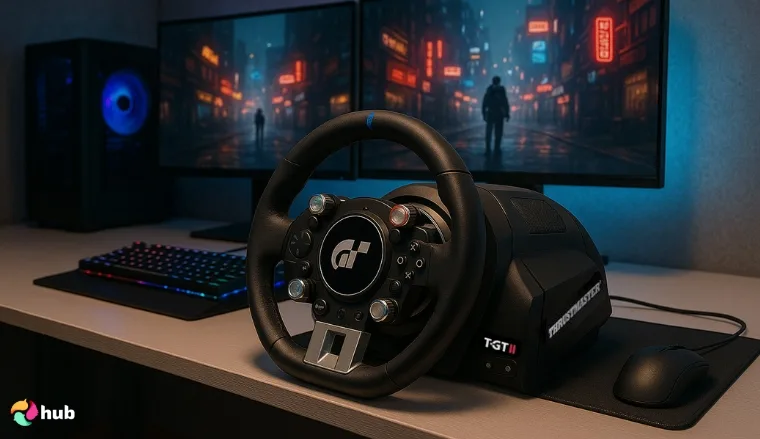
If you want a premium experience, then check out these unbeatable picks.
1. ThrustMaster T-GT II Force Feedback
The T-GT II is a beast built for ultra-precise sim racing. With its brushless motor and T-DFB rumble tech, it delivers track texture and resistance that feels alive. Ideal for competitive players upgrading their sim racing rig, this is the wheel sim racers use when second place isn’t an option.
I recommend keeping a desk fan pointed at the base during long endurance races to prevent overheating. I didn’t push it through hours-long endurance sessions, so I can’t fully speak to long-term heat performance or durability.
2. MOZA R5 Bundle
The MOZA R5 Bundle is a sleek, aggressive, direct-drive option that’s perfect if you want a complete sim racing set up straight out of the box. Its compact power punches well above its size and delivers a refined sim racing experience through a high-torque racing wheel built to impress.
I suggest disabling the auto-centering in MOZA Pit House software for smoother drifting control.I only tested it on PC, though, so I can’t fully comment on its performance on consoles.
3. Logitech G Pro
The Logitech G Pro puts high-end FFB in a familiar shell. Its TRUEFORCE system brings race cars to life through a surprisingly responsive racing wheel that doesn’t hold back. Loved for its plug-and-play flexibility, this is premium sim racing gear for people who hate wasting time on setup.
In my experience, dialing FFB strength down to ~70% prevents rattling noises on curbs without losing detail. Console users may want to double-check compatibility quirks before buying, because I only tested this on PC.
Mid-Range Wheels
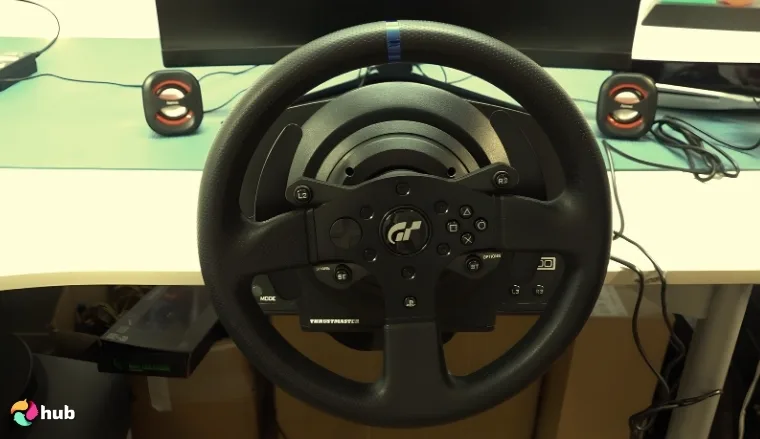
Getting a little more serious, here are your mid-range options.
1. Thrustmaster T300 RS GT
The T300 RS GT is a long-time favorite in the world of sim racing hardware. Its belt-driven force feedback is smooth and reactive, with great weight transfer feel across corners. Built for serious sim racers who want immersion without going full direct drive, it hits the sweet spot for performance and price.
For me, swapping the stock cooling fan with a quieter aftermarket unit can reduce the infamous “whine” during long races. I didn’t swap through every possible rim or accessory, so I can’t fully comment on its modular versatility.
2. MOZA R3
The MOZA R3 is a breakout star in the sim racing market. This compact direct drive setup delivers impressive power and control in a footprint smaller than most belts. It’s an ideal choice for anyone ready to start sim racing with something that feels like a serious leap in realism.
I tried lowering FFB filters in MOZA software; it makes road texture details much more pronounced, especially in ACC. I didn’t pair it with higher-end pedal sets, so my impressions focus on the wheel base more than the full ecosystem.
Entry-Level Wheels
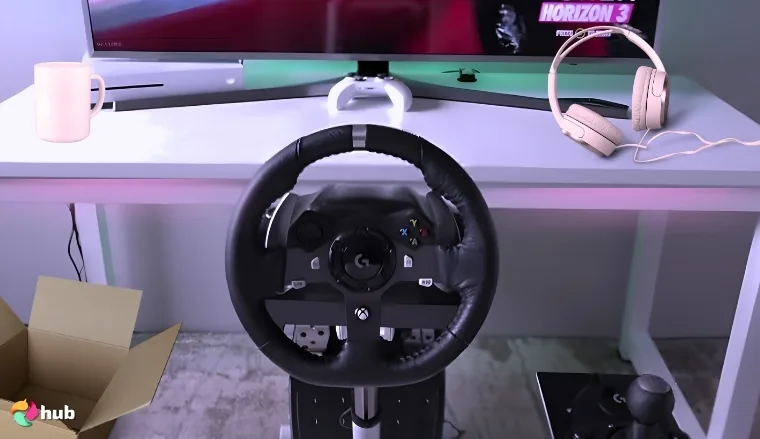
Starting out? Don’t hold back too much. You’ll be covered with these picks.
1. Logitech G29 / G920
The Logitech G29 (for PlayStation) and G920 (for Xbox/PC) are the classic go-to wheels for first-timers. Affordable, durable, and easy to set up, they offer gear-driven force feedback that still gets the job done. A solid gateway into sim racing, and a safe pick if you’re building your first rig on a budget.
A tip from me: slightly loosening the wheel clamp screws helps reduce the notorious gear “grinding” noise without hurting stability. I didn’t test them on the latest racing sims with advanced FFB detail, so the impressions are mostly from more mainstream titles.
2. Thrustmaster T150 (PS) / TMX (Xbox)
The T150 and TMX are belt-assisted hybrids that give you a smoother ride than basic gear wheels. These are excellent entry options for racers who want just a little more road feel without jumping straight into high-cost setups. Great for casuals becoming addicts. Compatible with PC and console.
Honestly, I suggest switching to a third-party clamp mount early – stock clamps wear out quickly under heavy use. I didn’t stress-test them over multiple seasons, so I can’t speak much to belt longevity.
3. HORI Racing Wheel Apex
The HORI Racing Wheel Apex is for pure newcomers. No force feedback, just basic spring resistance. BUT it’s dirt cheap, console-friendly, and gets you into the cockpit fast. If you’re on a tight budget or just testing the waters, this is the bare-minimum wheel that still puts you behind the wheel.
Mapping the D-pad as quick-view mirrors makes it much more usable in competitive online lobbies, at least for me. I didn’t use it with competitive sims, so my impressions lean more casual-friendly.
Suggested Pedals
It’s time to move on to footwork. Here are very solid picks from premium gear to entry-level ones.
High-End Pedals
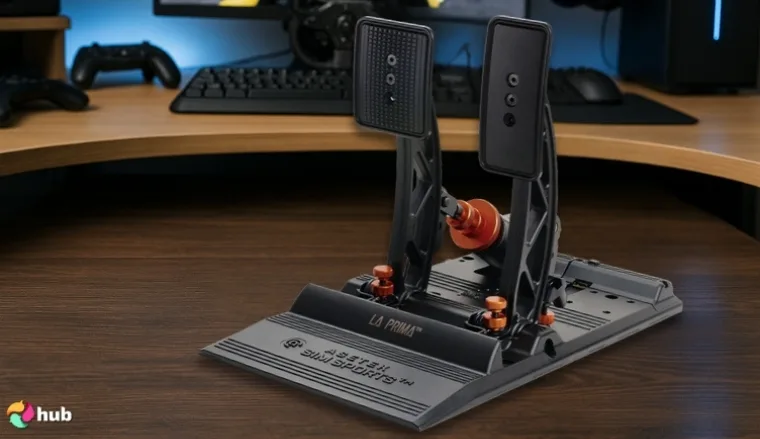
High-end pedals will make your simulation less like a simulation.
1. ASETEK SimSports® La Prima® Load Cell
Built like a tank and tuned for finesse, the La Prima® delivers precise brake pressure with a durable load cell system. Perfect for racers pushing the edge in endurance or GT titles, this pedal set brings pro-level realism to any sim racing rig. It’s an ideal upgrade for sim racers building a fully dialed-in complete sim racing setup that actually feels like a cockpit.
I recommend keeping a spare elastomer set, because it might wear after 6–12 months. I didn’t test it with the full ASETEK ecosystem, so my impressions are limited to standalone performance.
2. SIMSONN New PRO X
The SIMSONN PRO X is absurdly responsive, tuned for racers who know what every millimeter of travel should feel like. These magnetic-sensor pedals deliver razor-sharp input and zero mechanical noise. For anyone chasing high-level consistency or building a clean, modular sim racing rig, this is the kind of precision hardware that doesn’t cut corners.
Tip from me: mounting them on a rigid aluminum profile rig drastically improves feel; flexy rigs dull the pedal precision. I didn’t run extended league races with it, so I can’t fully comment on durability under heavy long-term use.
3. Thrustmaster TPR
If you crave pressure and stability underfoot, the TPR rudder-style pedals offer rock-solid steel construction and industrial-grade responsiveness. Originally made for flight sims, these translate beautifully into racing setups that demand aggressive braking control. They slot perfectly into a complete sim racing setup, especially for drivers who prioritize durability and dependable feel across long sessions. These pedals stay consistent, no matter how intense the race gets.
Swapping to softer springs makes throttle modulation way easier for endurance races. I mostly tested it for racing, not flight sims, so I can’t speak much to cross-sim versatility.
Mid-Range Pedals
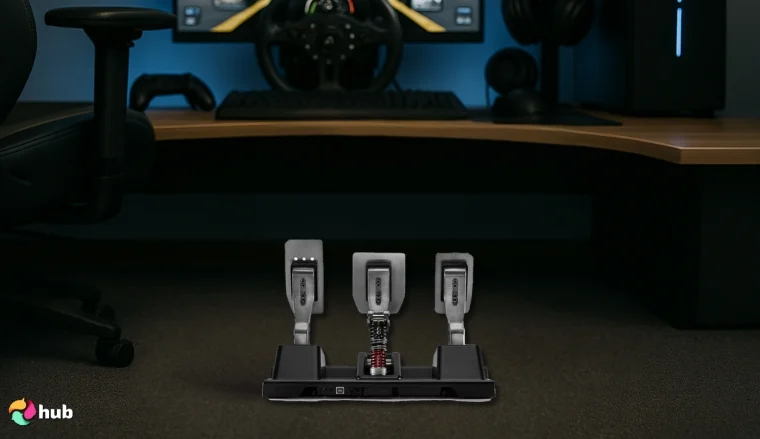
Still unsure if you want premium pedals? You can go for a mid-range option to help you make up your mind, or stay comfortably here.
1. Thrustmaster T-LCM Load Cell Pedals
These pedals hit hard for the price. The T-LCM set brings load cell braking to the mid-tier market. It delivers a massive leap in pedal precision. Great for drivers looking to step up their sim racing experience with adjustable resistance and solid construction. It’s one of the easiest ways to build muscle memory without jumping to premium pricing.
Upgrading to conical brake mods massively improves brake feel without needing a full elastomer kit. I didn’t max out every spring/resistance combo, so tuning impressions are partial.
2. MOZA SR-P Pedals Set
The MOZA SR-P pedals give you a real pressure feel without draining your wallet. Designed for durability and responsiveness, these are a perfect match for anyone building the best sim racing rig on a mid-range budget. Strong steel build, customizable spring tension, and load cell braking make it punch way above its weight. Precise and dependable, they’re made to grow with you.
First-hand hack: pairing with Moza’s SR-P footrest plate greatly improves heel-and-toe comfort. I didn’t pair them with MOZA’s higher-end wheel bases though, so my feedback is focused on standalone use.
Entry-Level Pedals
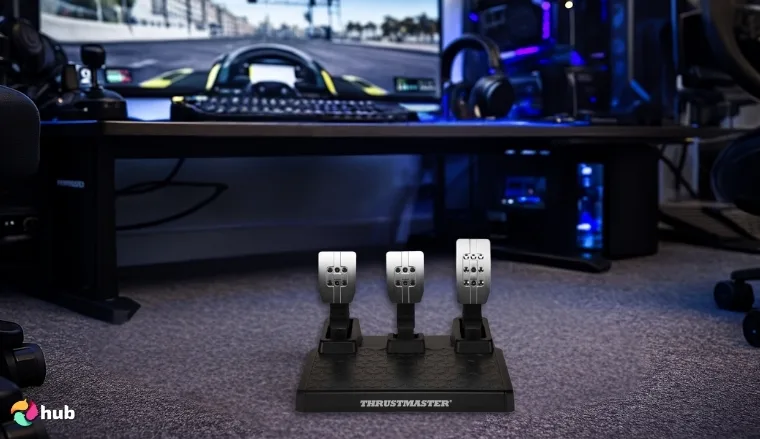
There are pedals for all levels. You can start out on the right foot with these pedals.
1. Thrustmaster T3PM
The T3PM is one of the best value pedals on the market. With magnetic sensors and great mod support, it gives any complete sim racing setup the stability and responsiveness to start racing with confidence. The standout here is the brake pedal. It offers a surprisingly consistent resistance that’s rare at this price. A perfect first step if you’re building a serious rig without going broke.
To me, adding 3D-printed pedal extenders makes them feel closer to higher-end sets for cheap. I didn’t test it with heavy modding, so impressions are from the stock unit.
2. Thrustmaster Raceline Pedals III
The Raceline III pedals offer a surprisingly refined feel for their entry-level price. Designed to fit any compact sim rig, they’re a hit with many sim racers looking for lightweight gear that still performs. The brake pedal in this set has been upgraded for smoother pressure and better feedback. It’s an ideal launchpad for anyone just starting their sim racing journey.
I truly recommend using non-slip mats or hard-mounting early, since they tend to slide under heavy braking. I didn’t stress-test them across multiple sims, so impressions lean more toward casual use.
Picking the Ideal Racing Seat or Cockpit
A solid sim racing cockpit keeps everything bolted down, so your muscle memory and steering inputs remain consistent. In turn, this consistency helps you develop driving skills as if you were in a real car.
Here’s a comparison of different cockpit options:
| Setup Type | Description | Pros | Cons |
|---|---|---|---|
| Wheel Stand | A compact frame for mounting wheels and pedals. | ✅ Affordable and portable. | ❌ May wobble with high-end gear, limited adjustability. |
| Foldable Cockpit | Integrated seat and frame that can be collapsed for storage. | ✅ Improved stability over stands, space-efficient. | ❌ Less comfortable for extended use. |
| Full Cockpit | A solid frame with a dedicated racing seat. | ✅ Maximum stability, highly adjustable, immersive experience. | ❌ Requires more space, higher cost. |
Consider the following when selecting your cockpit:
- Space Availability: If your space is limited, a wheel stand or foldable cockpit might be ideal.
- Budget: Wheel stands are generally more affordable, while full cockpits offer premium features at a higher price point.
- Immersion Level: For the most realistic experience, a full cockpit provides the best ergonomics and stability.
Suggested Sim-Racing Cockpits
Let’s talk body. A good cockpit is like the glue to your foundation.
High-End Cockpits
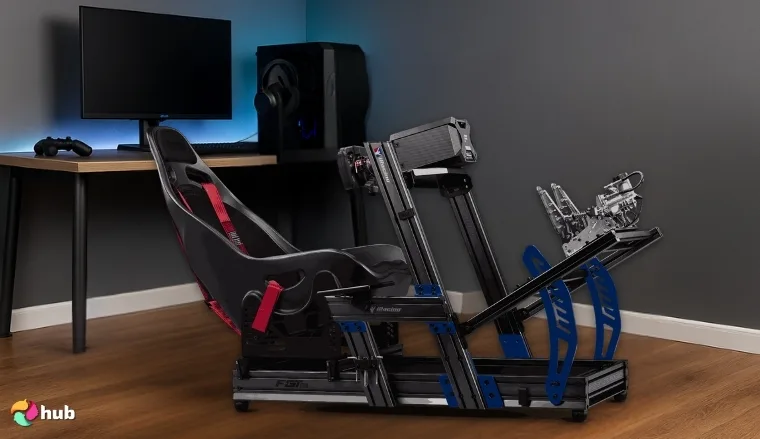
If you want a fully immersive experience, then of course you should start with a premium cockpit. Here are some worthy picks.
1. Next Level Racing F-GT Elite
Built with high-quality materials and zero flex, the F-GT Elite is the rig serious professional drivers trust. Rock-solid, fully adjustable, and ready for direct drive punishment. Formula or GT? It does both. No compromises, no wobble. Immerse yourself fully.
I recommend adding rubber isolation pads under the rig to reduce vibration noise transferring to the floor. I didn’t use it with motion add-ons, so I can’t comment on that compatibility firsthand.
2. Playseat Trophy – Logitech G Edition
Designed like a high-performance vehicle, this cockpit keeps you locked in with a firm, breathable seat and dynamic flex support. A perfect leap forward for intermediate racers wanting to go harder without blowing the budget. Compact and officially Logitech-backed.
Try tightening the seat fabric to periodically keep it from sagging during long-term use, which some owners noted after months of racing. I didn’t spend long sessions in it, so I can’t fully comment on comfort during endurance races.
3. Marada Racing Sim Cockpit
A good starting point that doesn’t flinch under pressure. Handles gear-driven systems with ease and is strong enough for your first direct drive system too. Affordable, adjustable, and surprisingly sturdy. Marada gets you racing without overthinking.
Tip from me: swapping the stock seat for a real bucket seat massively improves comfort without breaking the rig’s budget appeal. I didn’t test it with higher-end direct drive bases, so my feedback is mostly for mid-range setups.
Mid-Range Cockpits
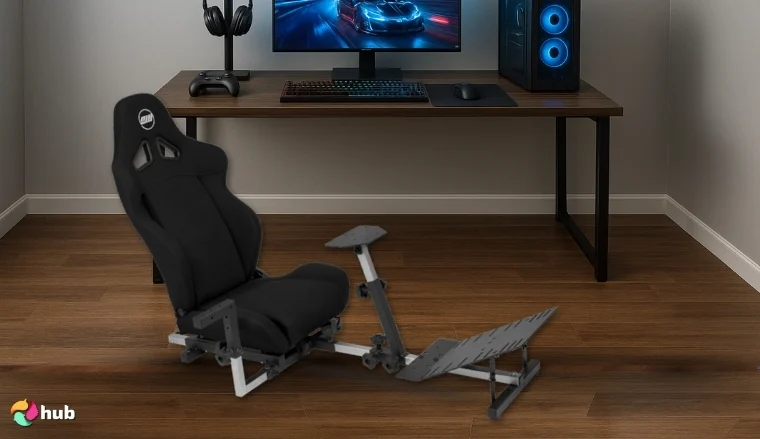
If you want something that still offers you serious performance without financially ruining you, then these cockpits are worth considering.
1. OpenWheeler GEN3
Low-profile frame, serious performance. The GEN3 is compact, easy to move, and handles serious braking force without breaking a sweat. The tight build translates into precise control. It’s perfect for racers who want feedback, not flex.
Frequent fold/unfold cycles tend to loosen bolts; keeping a set of spares handy is what I highly recommend. I didn’t test frequent fold/unfold use, so portability impressions are limited.
2. Playseat Evolution Pro
From arcade to league, the Evolution Pro adapts with its extensive range of motion. Ideal for level racing and compatible with most motion systems, it’s a go-to rig for those ready to take sim racing seriously.
I suggest reinforcing the pedal plate with an extra metal bracket if you’re running load cell pedals – it cuts down on flex dramatically. I didn’t test it with full motion systems, so I can’t say how well it integrates under heavy use.
3. Next Level Racing GTLite Pro
Folding frame, pro-level grit. The GTLite Pro handles load cell pedals and adjusts into aggressive formula style positions. It’s punchy and engineered for real performance in tight spaces.
I found that adding a lumbar cushion is essential for longer races; the stock seat can get uncomfortable after 2+ hours. I didn’t try it with extended direct drive setups, so my review focuses on compact use.
Entry-Level Cockpits
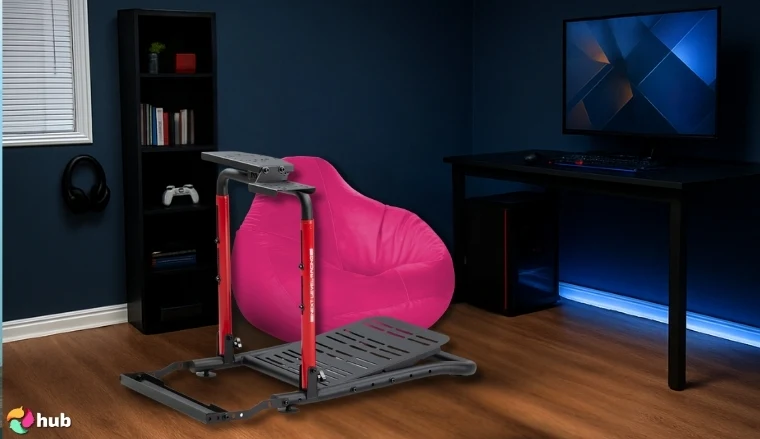
If you’re feeling indecisive and want to start out on a more casual note, here are the entry-level picks.
1. Next Level Racing Wheel Stand Lite 2.0
Perfect for beginners with plans. Strong build quality and designed for future upgrades. This wheel is the foundation of your future rig.
My tip: I mount it to a plywood base for extra stability; it solves sliding issues under heavy braking. I didn’t push it with premium pedal sets, so durability under heavy load might vary.
2. RACGTING Racing Simulator Cockpit
This is the complete package at entry price. Stable, comfortable, and compatible with even direct drive setups. If you want immersion without a monster budget, this rig delivers.
Tightening the seat frame bolts with Loctite prevents squeaking, which is a common pain point during my test. I didn’t test seat longevity across long-term sessions, so comfort impressions are short-term only.
3. GTPlayer Sim Racing Cockpit
Comes with a solid seat and rigid frame built with real care. It nails the sweet spot between budget and functionality. Adjustable mounts and a solid pedal set round it out beautifully.
I recommend replacing the stock shifter mount, it flexes under heavy use with metal shifters like the TH8A. I didn’t test every adjustment option, so my notes are based on the default build.
Deciding Between Console vs PC for Sim Racing
You’re staring down two tracks. One is the console: easy, fast, affordable. The other is a PC: powerful, tweakable, and absolutely bottomless. Which way you go depends on how deep you want to race. On a related note, want to see the top options for console setups? Check out our best gaming console picks right now.
Let’s break it down:
| Feature | Console (PS5 / Xbox) | PC (Windows) |
|---|---|---|
| Ease of Use | Fire it up, grab the controller, drive. | Prep work needed. Drivers, installs, maybe even BIOS updates. |
| Game Availability | Gran Turismo, Forza, and a few extras. | iRacing, Assetto Corsa Competizione, rFactor 2, and all the mods you can imagine. |
| Hardware Compatibility | Licensed wheels and pedals only. | Mix and match any gear. Old, new, DIY. |
| Customization | What you buy is what you get. | Tweak everything: FOV, mods, button boxes, telemetry apps. |
| Graphics & Performance | 60–120 FPS depending on game and TV. | 144+ FPS, VR, triple-screen madness, ultra settings. |
| Mod Support | Nonexistent or extremely limited. | Total freedom. Custom tracks, cars, effects, UI changes, physics tweaks. |
| Peripheral Options | Branded wheels, basic pedal sets. | Direct drive, load cells, hydraulic brakes, H-shifters, motion rigs, VR. |
| Upgrade Potential | Zero. Fixed hardware. | Endless. CPU, GPU, RAM, cooling, even the desk if you want. |
| Ideal For | Couch racers, kids, anyone who just wants to race. | Sim nerds, pros, tinkerers, adrenaline junkies building dream rigs. |
Want quick thrills without a headache? Console’s calling. But if you’re building a sim racing temple then PC is the only way. Many sim racers start with consoles, then shift to PC once they catch the bug. It’s a matter of how far you want to take the ride.
Choosing the Best Display Setup
Your display setup defines what you see of the virtual track, so it’s a critical part of a sim racing rig. There are three main routes to consider: a single monitor (or TV), a triple-monitor array, or an ultrawide monitor. Some racers even opt for VR headsets.
| Display Type | Experience Level | Pros | Cons | Why It Matters |
|---|---|---|---|---|
| Single Monitor | Beginner to Intermediate | ✅ Affordable, easy setup, widely compatible | ❌ Limited field of view, less immersion | Great for starting out. Easy to upgrade later. |
| Triple Monitor | Intermediate to Advanced | ✅ Expansive view, better spatial awareness, immersive | ❌ Needs powerful hardware, more parts to mount | Feels like sitting in a real car. Great for cockpit racers. |
| Ultrawide Monitor | Intermediate to Advanced | ✅ Seamless view, no bezels, super immersive | ❌ Demands strong GPU, not every game supports it | Hits the sweet spot between simplicity and full immersion. |
| VR Headset | Advanced Only | ✅ Full 3D depth, unbeatable immersion, total focus | ❌ High GPU load, motion sickness risk, tricky to set up | This is the deep end of sim racing. Full-body, full-headspace. |
If you’re just getting into the game, a single gaming monitor is more than enough. Keep an eye on our best gaming monitor guide for more ideas on what to get. Want real cockpit vibes? Go triple. Chasing clean lines and no bezels? Ultrawide is your hero. And if you’re here to blur the line between sim and reality, VR’s waiting.
Suggested Monitors
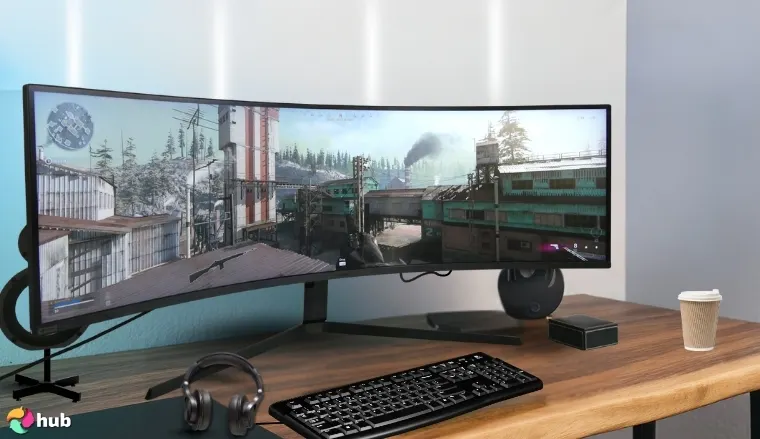
1. Samsung Odyssey Neo G9
An absolute beast of a monitor: 49 inches of 32:9 super ultrawide screen. The Neo G9 essentially curves a dual-QHD (5120×1440) resolution panel around your cockpit. It gives you an encompassing panoramic view. With a high refresh rate (240Hz) and mini-LED backlighting for excellent HDR, it delivers smooth and vibrant visuals.
Using this monitor feels like having a wraparound windshield; you can see your mirrors and side views without multiple screens. Do note, to fully drive the Neo G9 at max settings, you’ll need a powerful GPU. It’s a lot of pixels. And its price is as massive as its size. But for those willing to invest, the Odyssey Neo G9 can truly pull you into the race.
For me, enabling “low input lag” mode in the monitor’s OSD drastically improves responsiveness in sims like iRacing. I didn’t get to run triple-monitor comparisons against it, so I can’t fully comment on how it stacks versus a traditional triple-screen rig.
2. Alienware 27 4K QD-OLED
This cutting-edge 27-inch monitor combines 4K resolution with QD-OLED panel technology. It’s somewhat of a unicorn in the market. What that means for sim racers: incredibly rich colors, true inky blacks, and virtually no motion blur (thanks to OLED’s near-instant pixel response).
And because it’s OLED, night races or dark cockpit interiors look stunningly realistic, with no backlight bleed or grayish blacks. It also boasts a high refresh rate (typically around 120Hz–144Hz in 4K) which is rare for 4K screens. The main consideration here is that pushing 4K at high fps is very demanding on your PC.
But if you have the hardware (or don’t mind lowering some settings), this Alienware QD-OLED delivers an unbeatable combination of sharpness and visual quality. I recommend using Windows Auto HDR instead of in-game HDR for better tone mapping on racing sims. I didn’t test burn-in resistance over long periods, so I can’t say how it holds up after thousands of racing hours.
3. LG UltraGear 34GP63A-B
A 34-inch ultrawide (21:9 aspect) gaming monitor that offers fantastic value for its specs. It sports a 3440×1440 resolution on a curved VA panel. It hits that sweet spot of wide view and manageable performance needs. With a 160Hz max refresh rate and FreeSync/G-Sync compatibility, this one guarantees that your gameplay is fluid and tear-free.
Where the LG ultrawide shines is delivering that wider field of view at a relatively affordable price compared to other ultrawides or triples. It’s an excellent choice for sim racers who want to see more of the cockpit and side scenery than a normal 16:9 monitor allows, without jumping to the extreme costs of something like the Neo G9.
The 34GP63A-B is fast and immersive enough to transform your racing experience, but still reasonably priced for what it offers. My advice: disabling “Black Stabilizer” setting avoids washed-out contrast, making night racing visuals much clearer. I didn’t test its HDR performance in-depth, so my impressions are mainly from SDR racing sessions.
Optional Accessories to Enhance the Experience
Once your core rig is sorted: a solid sim racing wheel, responsive pedals, a proper cockpit, and a high-quality gaming monitor. Then, it’s time to open the gates to real madness. This is where the hardcore sim magic lives: the extra gear that turns a rig into a cockpit, and a session into something almost too real.
Essentially, get the essentials right first, then sprinkle in these extras as your budget allows or your driving interests demand. By the way, you can explore more gaming accessories and add-ons in our dedicated accessories guide on the hub.
| Accessory Type | Primary Use Case | Who It’s For | Need to Have? |
|---|---|---|---|
| Shifters & Handbrakes | Manual transmissions, drifting, rally driving | Drivers who want realistic gear changes | No, but adds realism for specific styles |
| Button Boxes & Dash Displays | Quick access to car functions and realism | Racers using VR or complex car controls | No, a keyboard can substitute |
| Motion Platforms | Physical seat movement synced with sim | Hardcore sim fans craving max immersion | Not at all, this is luxury territory |
| Tactile Transducers (Bass Shakers) | Vibrations based on engine revs, road texture | Budget-conscious racers seeking feedback | Optional, great value for immersion boost |
Shifters and Handbrakes: The Feel of Control
If you’ve ever wanted to throw a gear lever mid-race or yank the handbrake into a hairpin drift, this one’s for you. Most entry wheels come with paddle shifters. They’re fine, but if you’re into rally, drifting, or classic racing, you’re missing half the action.
An H-pattern shifter lets you move through gears the way drivers do in real life. Pair it with an analog handbrake and now you’re talking precision inputs with real muscle memory. This combo makes a difference in rally titles like Dirt Rally 2.0 or drifting in Assetto Corsa. For most circuit racers, though? Totally optional.
Button Boxes and Dash Displays: Organize the Chaos
You’re flying through Eau Rouge at 160 mph, you hit your limiter, and you scramble to find the right keyboard key to toggle DRS. Don’t do that. Just get a button box.
A button box gives you physical switches, knobs, and toggles. Map everything. Ignition, pit limiter, lights, wipers, traction control, radio. Everything is labeled, tactile, and fast. This especially matters if you’re racing in VR, where you can’t glance at a keyboard.
Pair it with a dash display and now you’ve got live telemetry: lap times, tire wear, fuel, deltas (right in front of you). These are overkill for beginners but a godsend once you’re grinding league races or doing endurance events.
Motion Platforms: Real Seat Time
Want to feel every brake dive, every bump, every weight transfer? A motion platform moves your cockpit in sync with what’s happening in-game. No, really. These systems use motors to pitch, roll, and even surge the rig based on game telemetry. Some setups even have full 6DOF (degrees of freedom) motion.
They’re intense, heavy, expensive, and technical to set up, but unmatched for immersion. Imagine your seat tilting back during acceleration or jolting sideways when the car loses traction. It’s not about being faster. It’s about feeling every inch of the track.
Motion platforms start at a few hundred bucks for seat movers and go well into the thousands for full-chassis systems. Not for the faint of heart.. or wallet.
Tactile Transducers: The Hidden Hero
If motion rigs are too expensive or too much hassle, tactile transducers (aka bass shakers) are your next best friend. These are small devices like ButtKicker units that bolt onto your seat or rig and shake it based on low-frequency sound or sim data.
You’ll feel the rumble of the engine, the bump of the curb, or the feedback from spinning tires. It’s not movement like a motion platform, but it does add a physical layer to the sim that’s both useful and immersive.
They’re especially valuable for sim racers who want to improve their awareness without breaking the bank. One on your seat is good. One on your pedals and wheelbase? Chef’s kiss.
Which Ones Are Worth It?
Let’s be clear. These accessories don’t make you faster. A great setup starts with good pedals, a solid sim racing cockpit, and a high-quality gaming monitor. That’s your foundation. Everything else is a cherry on top, sometimes an expensive one.
But if you want to enhance your sim racing experience, these accessories have real value:
- Shifters and handbrakes are a must for rally/drift fans.
- Button boxes become essential once you go VR or do serious league racing.
- Motion platforms turn your seat into an amusement park, but it’s serious money.
- Bass shakers are the cheapest, easiest path to adding feel to your setup.
Suggested Products
To complement the above, here are a few specific accessory products that are highly regarded.
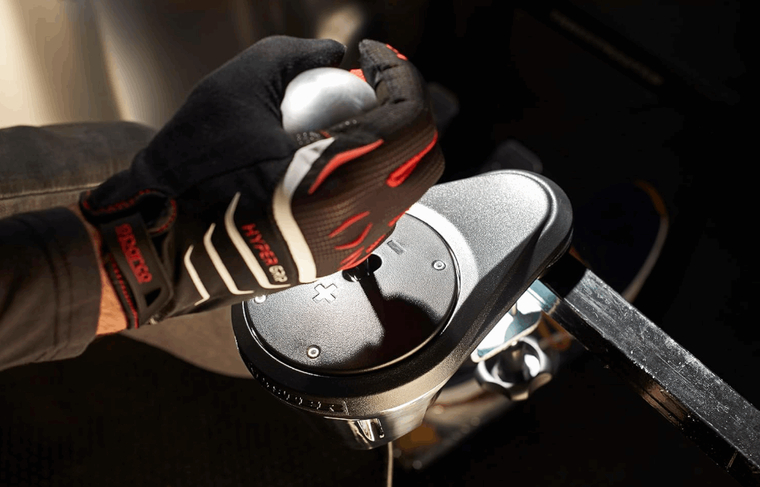
1. Thrustmaster TH8A Shifter
A popular 7-speed + reverse H-pattern shifter that’s compatible with PC, PS4/PS5, and Xbox (when connected through a wheel base). The TH8A is built with a solid metal mechanism and even allows you to swap the knob with a real car shifter knob. The shifting feel is adjustable (you can tighten or loosen the resistance), and it also converts to a sequential shifter if needed.
It’s often praised for how realistic it feels, “exactly like a real car”, as Thrustmaster puts it. For console players, this is one of the go-to shifters, and for PC users it’s virtually plug-and-play via USB. If you enjoy classic cars or manual gearboxes, the TH8A will add a ton of immersion. It’s sturdy enough to withstand aggressive shifting, and its proven reliability has made it a staple in the sim racing community.
My hack: replacing the stock knob with a weighted aftermarket car knob makes gear changes feel much smoother and more realistic. I didn’t test its long-term durability with aggressive daily use, so I can’t speak to wear after a few years.
As a bonus, it pairs great with Logitech wheels too via USB, so you’re not limited to Thrustmaster ecosystems.
2. MOZA SGP Sequential Shifter
A sequential gear shifter from MOZA Racing, designed for rally and GT drivers who need a high-quality sequential lever. The SGP has an all-aluminum build and uses a precise sensor to register shifts, giving a tactile “click-clack” with each pull or push. It’s notable for its smooth yet weighted action. For example, you won’t accidentally skip a shift, but it’s not so stiff that it tires your arm.
The SGP connects via USB to PC (it’s PC compatible only; as of 2024 it does not work on consoles). With MOZA’s software, you can customize things like the RGB backlight on the shifter (if equipped) and make sure it’s calibrated. This shifter is a fantastic option for those who primarily drive cars with sequential boxes (touring cars, modern race cars, rally cars, etc.).
Tip from me: setting deadzone slightly above 0 in software prevents accidental double-shifts, which some new owners reported. I didn’t test it in a full rally stage marathon, so I can’t say how fatiguing it feels in hours-long sessions.
It complements an H-pattern shifter rather than replaces it. Many sim racers will have both: an H-pattern for classic cars and a sequential like the MOZA SGP for everything else. The build quality and feel on this unit punch above its price point. I believe it’s a top choice for PC racers looking for something genuinely reliable.
3. aikeec 64Bit PC USB Handbrake
A budget-friendly handbrake add-on that’s widely available (often on Amazon) and loved by rally/drift sim fans on a budget. The aikeec handbrake is a simple plug-and-play USB device for PC (compatible with Windows only. It features a sturdy lever (usually adjustable in height) and a compression spring or damper that provides resistance.
While it may not have the premium feel of higher-end handbrakes, it gets the job done. You pull it and the rear brakes lock up in game. It allows for proper rally turns or drift initiation. The “64Bit” in its name refers to the sensor resolution. It gives you fine analog control (so you can modulate the pull, not just on/off).
For those using Logitech or Thrustmaster wheels that don’t come with handbrakes, this is an affordable way to add one.
My hack: mounting it with an extra steel bracket prevents wobble under aggressive pulls – a common fix that I really love. I didn’t stress-test the clamp mounting system, so I can’t confirm how well it holds up under very aggressive pulls.
The frame is typically aluminum and can be hard-mounted to a rig or clamped to a table. Given the price, it’s surprisingly robust and has become a go-to recommendation for a first analog handbrake. Do note, it’s PC-only.
4. MOZA HBP Handbrake
The MOZA HBP is a high-end analog handbrake offering from MOZA Racing. Built with aeroplane-grade aluminum and steel, it’s designed to withstand heavy use and provide a realistic feel of a hydraulic handbrake. It features a 16-bit high precision sensor for detecting your pull, meaning it’s very accurate and smooth throughout its range.
One cool aspect is its adjustability: you can fine-tune the pressure (stiffness) and travel distance to your liking. This lets you set it up to mimic a road car’s handbrake or a drift car’s hydro handbrake depending on what you prefer. The HBP can also be mounted horizontally or vertically.It connects via USB to PC (like MOZA’s shifter, it’s primarily a PC device).
Exclusive tip from me: I recommend using stiffer springs, it feels closest to a real rally car hydro setup. I didn’t get hands-on with its vertical mounting option, so I can’t vouch for how natural it feels in that orientation.
5. ButtKicker Advance BK4-4
The ButtKicker Advance is a powerful tactile transducer. It’s essentially a vibration unit that attaches to your rig. This model (BK4-4) is a mid-sized shaker used in home theaters and simulators to add bass vibrations. It handles up to 400 watts and has a frequency response from 5Hz up to 200Hz, meaning it can reproduce the very low rumbles that subwoofers and games produce.
When hooked up to your sim, the ButtKicker Advance will thump with each engine rev, gear shift, road texture, or impact (depending on how you configure it). Mount it to your sim seat or frame (often under the seat or on the pedal platform) and it literally shakes you. Not in a violent way, but enough to feel the car. It’s like feeling the subtle engine vibration of an idling V8, or the thud of going over a kerb.
My hack: isolating the rig with rubber feet makes the shake feel stronger while also reducing noise bleed to neighbors. I didn’t test it in an apartment setting, so I can’t say how much noise neighbors would hear through the floor.
This model is more powerful than the smaller ButtKicker Gamer2, providing stronger feedback that can be felt through heavier cockpits or even a couch. Keep in mind you’ll need an amplifier to drive it (ButtKicker sells amps or you can use a third-party one with sufficient wattage at 4Ω). For sim racing, a ButtKicker Advance adds a layer of immersion that once you experience, you won’t want to race without.
6. Dayton Audio BST-1 Bass Shaker
The Dayton BST-1 is another popular tactile transducer used in sim rigs and home theaters. It’s known for being an affordable yet effective alternative to the ButtKicker line. With a power handling of 50W RMS (up to ~100W peak) at 4Ω, it provides plenty of kick for its size. The frequency response is about 10Hz to 80Hz, which covers the key bass frequencies where rumbles and shakes occur.
In practice, one or two of these bass shakers mounted to your sim rig can simulate most of the effects that a ButtKicker can, albeit at slightly reduced intensity (and reduced cost). Many sim racers use multiple BST-1 units to localize effects (feeling the engine in the rear, bumps in the front, etc.). Like other shakers, you’ll need an amp and software to get it going, but the setup is straightforward.
Pro tip from me: multiple BST-1 units mapped to different effects (engine, bumps, gear shifts) gave me a more realistic feel than a single stronger transducer. I didn’t compare it side-by-side with a ButtKicker Advance, so I can’t fully comment on the intensity difference. But if you don’t want to spend big on a transducer, the Dayton BST-1 is a fantastic starting point. It turns up the realism of your sim without turning your wallet inside out.
Best Sim Racing Setups to Start with Any Budget
As shown, you can start with a modest gaming setup and gradually build it up. Even the entry-level setup will let you enjoy racing games and improve your skills. Remember, the driver (you!) is the most important component. There are awesome gaming setup ideas for everyone.
| Setup Type | Wheel | Steering Wheel | Pedals | Cockpit | Extras | Price |
|---|---|---|---|---|---|---|
| Budget Setup | Logitech G923 | Included with wheel | Included with wheel | Playseat Challenge | Thrustmaster TH8A Shifter (real car, PlayStation users) | £400 / $400 |
| Mid-Range Setup | MOZA R5 | MOZA CS V2 | Fanatec CSL Pedals LC | GT Omega ART | MOZA HBP Handbrake, Moza SGP Sequential Shifter (PC compatible) | £1000 / $1000 |
| High-End Setup | Fanatec ClubSport DD | Fanatec Formula V2.5X | Fanatec ClubSport V3 | Sim-Lab GT1 Pro | aikeec 64Bit PC USB Handbrake, ButtKicker Advance BK4-4 (for seat rumble feedback) | £2500 / $2500 |
| Formula Setup | Asetek Invicta | Asetek Forte | Heusinkveld Ultimate+ | Playseat Formula | Dayton Audio BST-1 High Power Pro Tactile Bass Shaker | £3900 / $4300 |
No matter your entry point, the most important part of building your rig is the journey. Experiment, upgrade, and keep racing. A gaming setup isn’t one-size-fits-all; it’s what suits your space and driving style.
FAQs
What do you need for a sim racing setup?
At minimum, you need a racing wheel and pedal set, a device to run the game (PC or console), and a display. The wheel gives you steering and force feedback, and pedals handle throttle and braking (and clutch if available). In summary: wheel, pedals, a place to mount them, a screen to see the action, and the system to run the sim.
What is the best beginner racing sim?
For beginners, a great racing sim to start with is one that balances realism with accessibility. Gran Turismo 7 (PS5/PS4) and Forza Motorsport (Xbox/PC) are often recommended. They are semi-simulation (“simcade”) games that are very friendly to newcomers. They offer lots of cars and tracks and driving assists that you can gradually turn off as you improve.
How much is a sim racing setup?
A basic setup using a console and a budget wheel might cost around $300-$500 total (for example, a $250 Logitech wheel/pedal set and a console or older PC). A mid-range setup could run $1,000-$1,500. High-end setups with direct drive wheels and full cockpit rigs easily cost $3,000-$5,000.
What kind of PC do you need for sim racing?
A moderate gaming PC will do, depending on the sims you run and your desired graphics. For most racing sims, a recent mid-tier CPU (like an Intel Core i5 or AMD Ryzen 5) and a decent GPU (like an NVIDIA GTX 1660 or RTX 3060, or AMD equivalent) with 16GB of RAM will run things at high settings on a single monitor 1080p or 1440p.
What is the best screen setup for sim racing?
There’s no one-size-fits-all, but many consider triple monitors to be the best overall for serious sim racing. Triple screens give you a wide field of view, which is great for immersion and awareness (seeing cars beside you without virtual mirrors). However, triples require space and a powerful PC. An alternative that many love is a curved ultrawide monitor (like a 34″ or 49″).
Is a sim racing cockpit worth it?
If you’re serious about sim racing and log many hours, a dedicated cockpit is definitely worth it. A cockpit (or even a sturdy wheel stand) provides a stable platform for your wheel and pedals, which translates to a better driving experience. With a cockpit, you can apply full force on the brake without the pedal unit sliding away, and you can wrestle the wheel without your desk shaking.
What wheels do pro sim racers use?
Professional sim racers (and esports competitors) tend to use high-end direct drive wheels. Brands and models vary, but you’ll often see setups with Fanatec Podium DD1/DD2, Logitech Pro Racing Wheel (their new direct drive), or AccuForce and OSW (Open Sim Wheel) systems. These direct drive bases deliver strong and very detailed force feedback.
What is the best pedal position for sim racing?
The best pedal position is one that closely mimics a real car and allows comfort and full control. Generally, you want your pedals set up so that you can fully depress the brake without straining or locking out your knee, and you can modulate it throughout its range with precision. Your heel should naturally rest on the pedal base or heel plate, allowing for a pivot motion.