



Can You Play Split Screen on Black Ops 6? Multiplayer & Zombies Guide

Black Ops 6 brings back couch co‑op, but it isn’t as simple as plugging in a second controller and diving into any mode. I’ve spent countless hours in this game, and I know how exciting it is to relive classic split‑screen sessions. That excitement can quickly fade if you don’t know where to look for the feature or which hardware and accounts you need.
This guide breaks down everything about split‑screen support in Black Ops 6, including platform restrictions, setup steps, and tips for making the most of the limited multiplayer and Zombies options. So, let’s see can you play split screen on Black Ops 6.
Jump to:
Can You Play Split Screen on Black Ops 6?
Yes, you can play split screen on Black Ops 6, but only under specific conditions. The game supports local two‑player split‑screen on PlayStation 5 and Xbox Series X/S. Split screen is not available on PC, PlayStation 4, Xbox One, or older consoles, and there’s no way to enable it on those platforms.
The feature is limited to two game modes: Multiplayer and Zombies. You can’t play the campaign cooperatively via split screen. Even within multiplayer, the mode is restricted to bot matches; you can team up against AI opponents locally but cannot join online lobbies together.
Black Ops 6 Split‑Screen Requirements and Setup
Before inviting a friend over for some side‑by‑side action, you need to make sure your gear is ready. Here are the essentials:
- A PlayStation 5 or Xbox Series X/S console. Split screen only runs on the newest hardware. If you’re unsure which games to pair with your console, our comprehensive overview of Call of Duty games in order goes through every entry in the series and highlights where Black Ops 6 fits into the franchise timeline.
- Two input devices. You’ll need two controllers if you’re playing on console. Black Ops 6 also allows a controller and a keyboard/mouse setup on Xbox if you prefer that combination. Each input must be turned on and linked to a separate user account on the console.
3. Two Activision accounts. Each player must sign in with their own Activision account, even for local split‑screen matches. If your friend doesn’t have one, encourage them to create a free account ahead of time to avoid delays.
4. An active internet connection. Although split screen is a local feature, the game still requires an internet connection and an active PlayStation Plus or Xbox Live subscription. The service is needed to authenticate your accounts and enable the multiplayer or Zombies servers. Without it, you won’t be able to launch split‑screen modes.
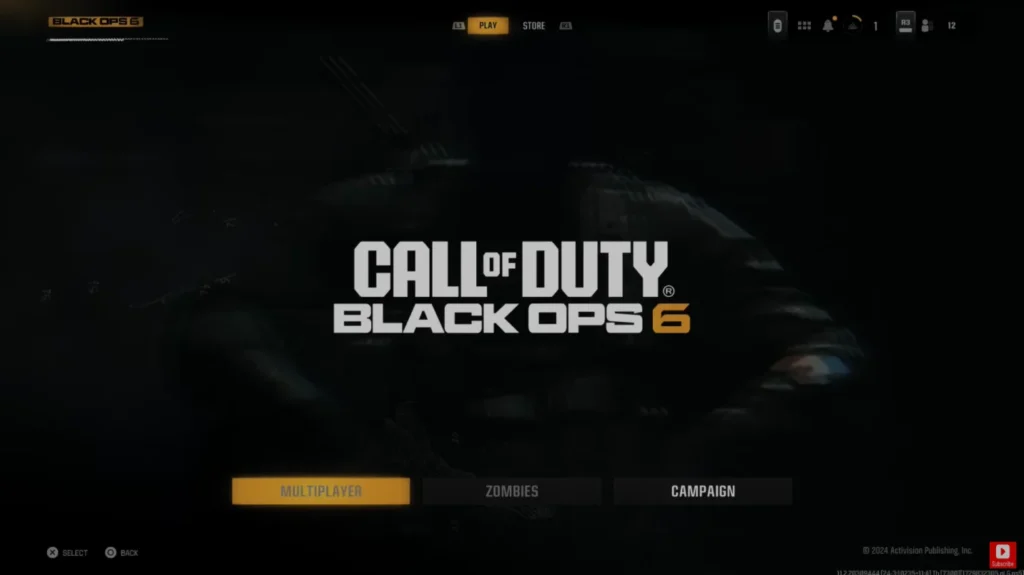
Once you have the necessary equipment, start Black Ops 6 and navigate to the main menu. Select either Multiplayer or Zombies. When your first player is in the lobby, power on the second controller.
A prompt in the upper‑right corner will instruct Player 2 to press X (PlayStation) or A (Xbox) to join. After pressing the button, the second player will be prompted to log in to their console profile and then sign into their Activision account. When both profiles are ready, select your game type and start the match.
Platforms That Support Split Screen
Platform availability has caused a lot of confusion, so here is a clear breakdown of where split screen works:
| Platform | Split-screen support | Notes |
| PS5 | ✅ | Multiplayer (bot matches) and Zombies only |
| Xbox Series X/S | ✅ | Multiplayer (bot matches) and Zombies only |
| PC | ✖ | No local split‑screen option |
| PS4 | ✖ | Hardware limitations prevent split screen |
| Xbox One | ✖ | Hardware limitations prevent split screen |
The table highlights that current‑generation consoles are the only way to enjoy split‑screen play. Players on PC or older consoles will need to look into other ways to cooperate. Online cross‑play is still available across platforms, so you can team up with friends remotely. If you’re curious about other games that support playing together regardless of device, check out our list of the best cross‑platform games for more recommendations.
How to Play Split Screen in Black Ops 6 Multiplayer and Zombies
After meeting the requirements and confirming that you’re on a supported console, following the setup process is straightforward. Here’s a detailed walkthrough based on my own experience:
- Launch Multiplayer or Zombies. From the main menu, select the mode you want to play. Multiplayer split‑screen matches are limited to bot games, while Zombies supports full co‑op against hordes of undead across its various maps.
- Add the second player. Turn on the second controller or connect a keyboard/mouse. When the game prompts you, press X on PS5 or A on Xbox Series X/S. This action registers the second input and divides the screen horizontally.
- Log in both players. Sign in to both console profiles and then to each Activision account. If there is an issue with credentials, make sure your friend has linked their console account with their Activision ID before joining.
- Adjust settings. Before starting, check your video settings. Split screen reduces your field of view, so adjusting sensitivity and brightness can make the experience more comfortable. On PS5, I prefer to lower motion blur and tweak the FOV slider slightly to compensate for the smaller viewing area.
- Start the match. Choose a map and mode. In Multiplayer, the second player can select their loadout and perks just like the first player, but note that progress earned in bot matches may not carry over to online profiles. Zombies allows both players to work cooperatively, share points, and access the same upgrade stations.
Playing Multiplayer Split Screen
Split‑screen multiplayer is confined to bot matches. You and your friend will face AI opponents in standard modes such as Team Deathmatch, Domination, or Hardpoint. The AI difficulty can be adjusted, but there’s no option to join public lobbies together. This limitation exists because the developers designed competitive matchmaking around one player per console to maintain fairness and performance. Playing against bots still offers a fun way to practice map knowledge, experiment with weapons, or introduce newcomers to the series without the pressure of online opponents.
To maximize enjoyment, spend time customizing your loadouts before starting. Each player has access to the same set of weapons, attachments, and perks, though progression may differ between accounts. I like to coordinate roles by equipping complementary killstreaks or equipment. For example, one player can run a UAV and focus on spotting enemies while the other equips a heavier weapon to control the objective. Communication remains key even when you’re sitting side by side.
Playing Zombies Split Screen
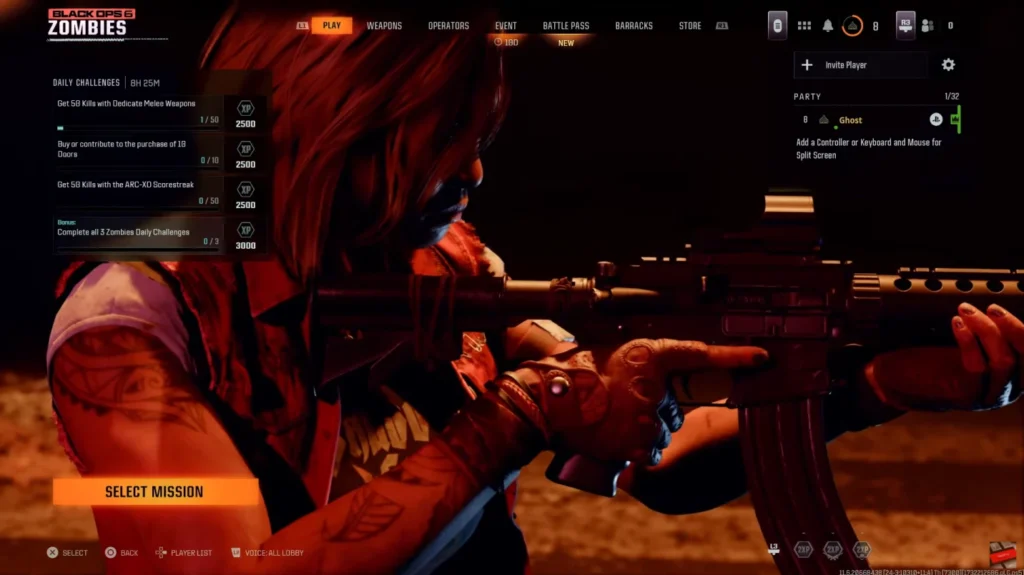
Zombies mode is the highlight of local co‑op in Black Ops 6. Here, split‑screen partners can fully participate in the same mission objectives: completing contracts, exploring the open‑world map, and fending off increasingly dangerous waves. Unlike multiplayer, progression in Zombies does carry over to your profile, so you can level up weapons, unlock camos, and accomplish challenges together. When I played with a friend, we discovered that coordinating our routes and sharing points for the Pack‑a‑Punch machine made later rounds much more manageable.
If you prefer an experience without random teammates, make sure to select Play in a Squad and then disable Squad Fill after entering the lobby. This setting ensures that only you and your local partner join the session. Keep in mind that you must still be online while playing Zombies; if your connection drops, the match will end for both players.
Limitations and Issues With Split Screen in Black Ops 6
While having split‑screen back is a welcome feature, it comes with drawbacks worth considering:
- Performance drops: Splitting the display doubles the rendering workload, which can lead to lower frame rates and occasional stuttering, especially during intense firefights. Although current‑generation consoles handle the game fairly well, expect some degradation compared to single‑player performance.
- Reduced field of view: Each player’s portion of the screen is smaller, which can make spotting enemies harder. Adjusting sensitivity and brightness settings can help, but you should be prepared for a learning curve if you’re used to a full screen.
- No campaign or online competitive play: If your main goal is to tackle the story together or rank up in online matches, split screen won’t offer what you’re looking for. Online co‑op requires separate consoles and copies of the game. To enjoy Black Ops 6 competitively with friends across devices, you’ll need to use cross‑play instead.
- Account requirements: Both players must have an Activision account. This extra step can be frustrating for casual players or younger family members. Setting up accounts ahead of time helps avoid delays.
Despite these limitations, I still find split‑screen Zombies sessions to be a blast. The mode encourages teamwork and offers a different kind of tension compared to solo play.
If you encounter issues getting the feature to work, such as the second controller not registering or accounts failing to log in, restart the game and ensure that your console firmware and the game are up to date. Patches often resolve early bugs that can prevent split‑screen from functioning correctly.
Alternatives: Online Co‑Op and Cross‑Play Options
If local split screen doesn’t meet your needs, Black Ops 6 offers robust online multiplayer that lets you play with friends on other platforms. Cross‑play is enabled by default, meaning you can party up with players on PC, Xbox, and PlayStation in multiplayer, Zombies, and certain limited‑time modes. To maintain competitive balance, some players prefer to disable cross‑play; this can be done through the in‑game settings on consoles if you only want to match with those on the same platform.
If you want to unlock cosmetics and gear across multiple Call of Duty titles, our detailed guide on how to get CoD Points explains how the premium currency works and where to find the best deals. Investing in the right battle pass or bundle can enhance your time in multiplayer, but i’s entirely optional.
Bringing It All Together
Black Ops 6 reinstates split‑screen play for local couch co‑op, but with clear boundaries. It works only on PS5 and Xbox Series X/S, requires two Activision accounts, and is confined to bot‑only Multiplayer and full Zombies modes.
For those who meet the hardware and account requirements, it provides a nostalgic and strategic way to enjoy the game with a friend on the same sofa. I’ve found Zombies split screen particularly rewarding because it allows both players to share progression and tackle challenges cooperatively.
If you’re ready to dive into this year’s Call of Duty but haven’t picked up the game yet, grab a Call of Duty: Black Ops 6 cross‑gen bundle on our marketplace. The digital key lets you play on both current and last‑gen consoles, ensuring your account carries over if you upgrade hardware.
FAQs
Is Black Ops 6 split screen on PS5?
Yes, Black Ops 6 supports split screen on PS5. You can play locally in the Multiplayer bot matches or Zombies mode by connecting a second controller and signing into two Activision accounts. Just remember that the feature doesn’t extend to campaign missions.
Does Black Ops 6 have a split screen campaign?
No, Black Ops 6 doesn’t have a split‑screen campaign. The split‑screen feature is limited to multiplayer bot matches and the Zombies mode. The campaign is designed as a single‑player experience, so you’ll need separate consoles and copies of the game to play together online.
Why is split screen not working on Black Ops 6?
The reason why split screen might not work in Black Ops 6 is because you’re either on an unsupported platform or you haven’t met all the requirements. Make sure you’re playing on a PS5 or Xbox Series X/S, that both players have their own Activision accounts, and that you have an active internet connection. Restarting the game or updating to the latest patch often fixes issues.
Can you play split screen in Zombies on Black Ops 6?
Yes, you can play split screen in Zombies on Black Ops 6. After both players sign in on a supported console, select Zombies, press the prompt for the second controller, and start a match. You’ll share progression and can complete objectives together across the open‑world map.
Is split screen available on PC or PS4?
No, Black Ops 6 doesn’t have split screen on PC or PS4. The feature is restricted to PlayStation 5 and Xbox Series X/S due to hardware limitations. Players on unsupported platforms can still enjoy cross‑play online by teaming up with friends through the multiplayer lobby.