




Best Sims 3 Mods: Fix the Jank, Boost the Fun

Best Sims 3 mods keep this classic alive. The core still hits: real freedom, big personality, stories that spiral in the best way. The age shows, though – long loading screens, clunky menus, random glitches. Mods fix the pain by providing faster loads, cleaner UI, smarter Sims, and sharper visuals.
I jumped back in recently, and the right setup changed everything. I got smoother performance, stable saves, deeper systems, and worlds that actually look good. Modding is control. Tune the game to your playstyle, patch old issues, and build the Sims 3 you want to play today.
Jump to:
Why Modding Matters: Best Sims 3 Mods for Performance and Stability
The first reason to mod The Sims 3 is performance. Modern systems load huge worlds quickly, but the game’s original code can struggle. The modding community has built a suite of tools that reduce lag, prevent corruption, and give you greater control.
In this section, you’ll learn which stability mods are essential and why I consider them part of a core setup.
Essential NRaas Mods
Most performance and management mods come from the NRaas team. Their Overwatch mod performs a daily clean‑up of stuck cars, duplicate NPCs, and other debris that accumulates during long play sessions. I noticed immediate improvements after adding it; my save files ran smoother and stuttered less. Error Trap catches script errors behind the scenes and prevents save corruption, while Saver reminds you to save at regular intervals.
The Master Controller mod is the Swiss Army knife for The Sims 3. It allows you to edit any Sim, adjust their traits, and even bypass household limits. When I wanted to give a household ten roommates, Master Controller made it possible without crashing the game.
Story Progression replaces the base game’s limited progression with a dynamic system where non‑played households marry, have children, and pursue careers. You can customize how autonomous your town feels, from career choices to relationship trends.
Other NRaas modules include Retuner, which lets you tweak object prices and set fine‑tuned behaviors, Mover to remove household size restrictions and keep Sims’ dreams when switching households, and Debug Enabler to unlock hidden developer commands. These tools work together to stabilize the game and grant you unprecedented control.
Bug‑Fixing and Performance Mods
Beyond NRaas, there are additional fixes. No (or Fewer) Automatic Memories removes the constant memory notifications that bloat save files. Without it, my legacy saves ballooned in size, making the game sluggish. Smooth Patch and various FPS limiters (often packaged with mods like 3Booter) cap frame rates to prevent overheating and stuttering, a must if you play on modern hardware. If your game crashes when traveling to foreign worlds, Traveler (also from NRaas) repairs the travel system and lets Sims visit any world seamlessly.
The top Sims games in the series emphasize creativity and freedom, and mods keep those qualities alive. For a broader look at how The Sims 3 stacks up against other entries, our ranking of the best Sims games gives context on why modding is so crucial for this edition.
Expanding Gameplay: Mods That Add New Features and Interactions
Once the game runs smoothly, it’s time to expand what your Sims can do. These mods add careers, interactions, and systems that bring your neighborhoods to life. They don’t just patch bugs; they deepen the simulation.
Career and Story Mods
In the base game, many careers take place in inaccessible “rabbit holes.” Ultimate Careers by Zerbu opens these jobs up. Assign a school or workplace to a community lot and your Sim will actively participate in work tasks during the day. Custom careers are supported, and you can configure how performance is measured.
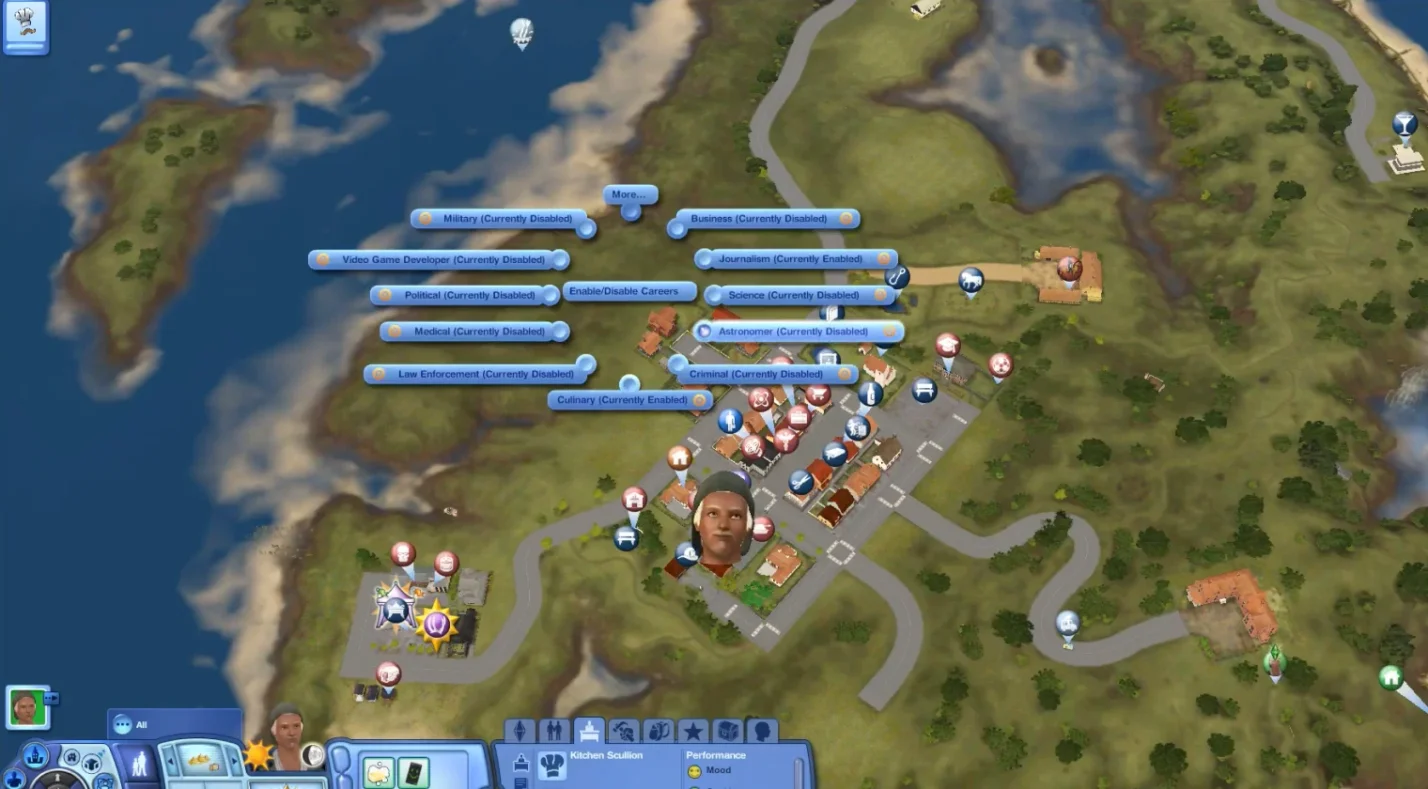
NRAAS Story Progression doesn’t just make towns more dynamic; optional modules allow you to create castes (groups of Sims) with their own rules. Want only artists to live in a specific neighborhood? Set it up and watch your town evolve organically.
Other career-related mods include Porter (to move entire households between worlds without losing relationships) and Register (to assign specific roles like cashiers or bartenders to Sims you choose). These tools help you manage the economy and population of your game in ways the vanilla version never envisioned.
Social and Life Mods
Life simulation is about small details. More Toddler Interactions gives toddlers autonomy; they can be fed different foods, fall asleep in high chairs, and teens can read them bedtime stories. It’s a small change that makes family life feel richer. Dreamer introduces dreams and nightmares influenced by your Sim’s day. Good dreams leave them inspired, while bad dreams drain mood and energy, adding another layer to well‑being management.

Tagger lets you mark Sims and locations with custom icons on the map, making it easier to track friends, foes, and hotspots. Vector adds realistic diseases with symptoms and transmission vectors; you’ll need to treat illnesses or risk spreading them. I enjoyed the added challenge of managing health in my game. Minimum Wage adjusts salaries to mirror real‑world wages, making finances feel more meaningful and forcing me to budget.
Mods like these expand the possibilities of The Sims 3, turning it into a sandbox that rivals other creative titles. If you want even more open‑ended play, our list of the best sandbox games showcases other worlds where creativity is the star.
Aesthetic Overhauls: Visual and CAS Mods That Refresh The Sims 3
While The Sims 3’s art style holds up, mods can make it look vibrant and modern. Many players find the default textures shiny and outdated. I found that replacing them makes a huge difference, especially if you enjoy building and dressing Sims.
Lighting and Visual Mods
Blue Skies & Sunshine (also known as Improved Lighting) by brntwaffles changes the game’s lighting palette. Outdoor environments become brighter and less washed out, and indoor spaces feel warmer. There are different water and sky options, so you can craft a world that suits your story. I tested several lighting packs and this one delivered the most balanced look without compromising performance.
Another option is the Improved Lighting and Shadows mod, which enhances shadow depth and adds realistic light diffusion at dusk and dawn. Pair it with No Glow to remove the bloom effect that makes clothing appear plastic. If you want a softer look, SweetFX presets tailored for The Sims 3 can add subtle color grading.
CAS and Genetics Mods
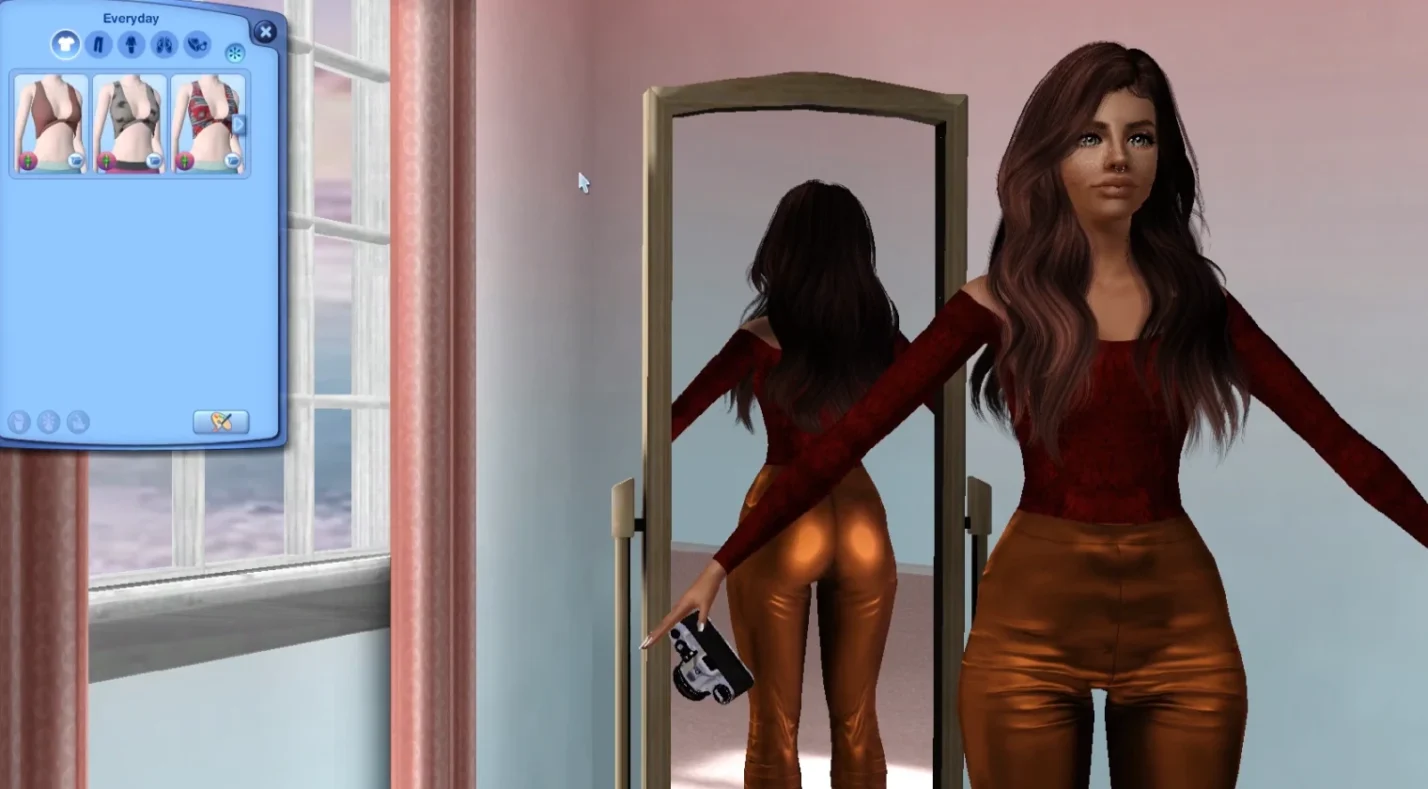
Create‑a‑Sim (CAS) is where many players spend hours. The CAS Overhaul by carversims replaces every clothing item with high‑quality, matte textures. Jeans stop looking like vinyl, and hairstyles have natural shine instead of glare. I also use No Mutated Hair/Eye Color to ensure newborns inherit family genetics instead of random colors. Zoom‑In CAS Camera lets you get closer when editing facial features or pets, making fine adjustments easier.
Default replacements extend beyond clothing. Sugar Pill Skin and Burnt Waffles’ eye sets offer subtle, realistic skin tones and eye textures that blend perfectly with the game’s art style. You can pick and choose replacements for specific packs so you only load the textures you own.
These visual upgrades make The Sims 3 feel closer to modern life sims featured in our best simulation games guide. The freedom to personalize every color and fabric is a hallmark of the third entry, and visual mods amplify that strength.
Quality‑of‑Life Mods: Small Tweaks With Big Impact
Not every mod overhauls the game. Some adjust tiny behaviors you might not notice until they’re gone. Moar Interactions by Buzzler adds social options, lets Sims buy ingredients from restaurants, attend shows with friends, and take on part‑time shifts at any lot. Remember to remove the mod only when Sims aren’t mid‑interaction to avoid corruption.
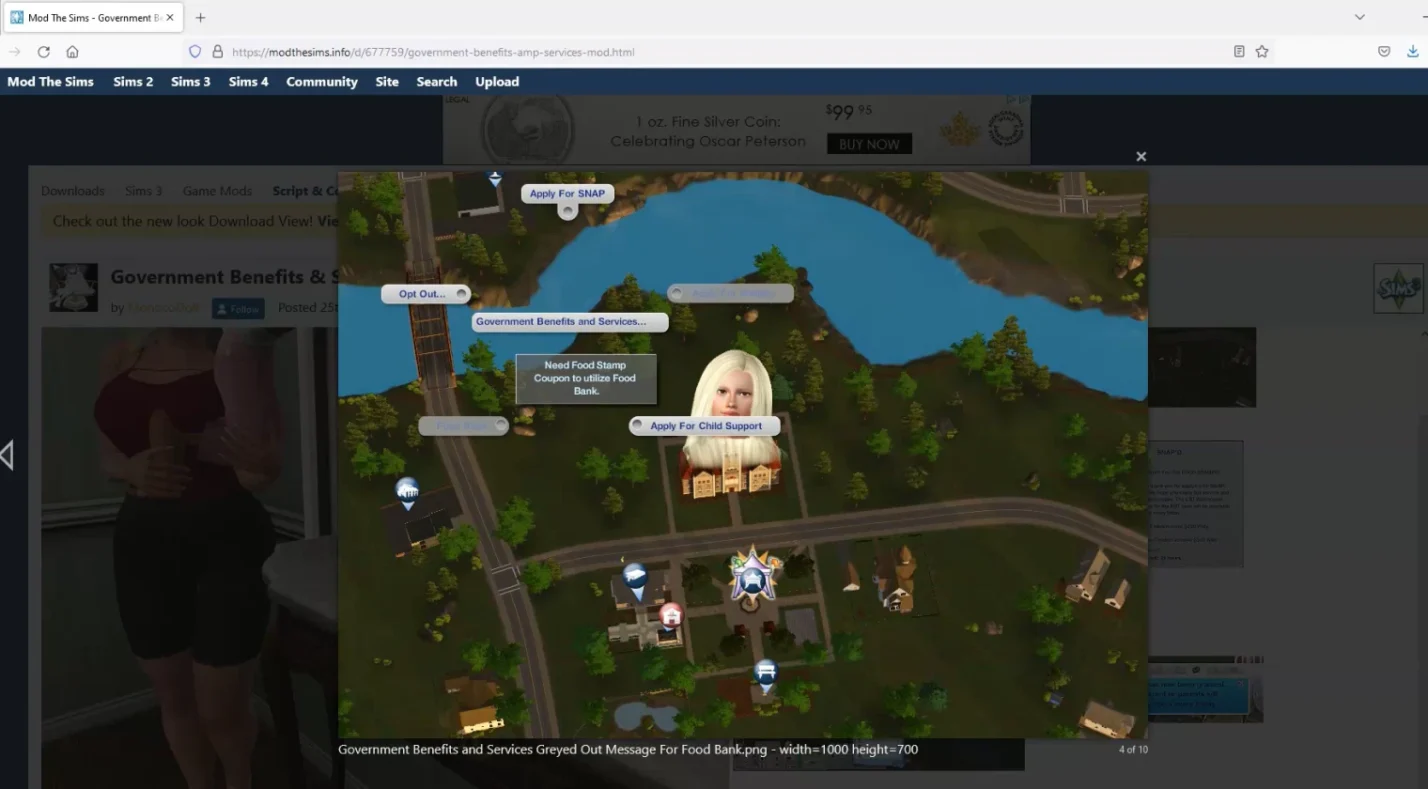
No Stretch Children Can allows child Sims to cook, exercise, and garden without bizarre stretching animations. It’s a small change, but it makes family gameplay more immersive. Government Benefits & Services introduces unemployment benefits, welfare, and pensions, letting you explore social services and income diversity. GROW – Progressive Aging gradually ages Sims instead of making birthdays abrupt, which gives life stages a more natural feel.
Another handy tweak is Inventory Stack Consolidator, which auto‑stacks duplicate items in inventory. If you run a large household, this saves time and reduces clutter. Grocery Delivery Service adds a phone option to order food to your door, similar to later entries in the series.
These mods may seem minor, but together they polish The Sims 3 into a modern life simulation without altering its core identity.
Bringing It All Together
Modding transforms The Sims 3 from a charming but dated life simulation into a rich playground. Performance tools like NRaas Overwatch, Story Progression, and Error Trap ensure your game runs smoothly. Gameplay expansions such as Ultimate Careers, More Toddler Interactions, Dreamer, and Vector add depth and challenge. Visual overhauls like Blue Skies & Sunshine and CAS replacements make your world feel fresh. Quality‑of‑life tweaks address small annoyances, rounding out the experience.
If you’ve been hesitant to return to the game, I encourage you to try some of the best Sims 3 mods highlighted here. Each one breathes new life into the game and tailors it to your preferences. Once you have your setup ready, you’ll appreciate the open‑world design and Create‑a‑Style that made The Sims 3 special.
You’ll probably need the actual game for that, though. You can pick up a Sims 3 Key on Eneba to start your modding journey. It’s a digital key that works worldwide and is often discounted, which makes it a perfect way to re‑enter the world of Sunset Valley or any custom town you install. Grab your copy, install your mods, and watch your Sims’ lives unfold in ways you’ve never seen.
FAQs
What is the best mod for The Sims 3?
The best mod for The Sims 3 depends on what you want, but most players agree that NRaas Overwatch is essential. This mod performs daily clean‑ups that reduce lag, reset stuck Sims, and prevent corruption, making the game more stable and enjoyable.
How do you install mods in The Sims 3?
To install mods in The Sims 3, first create a Mods folder in your Documents > Electronic Arts > The Sims 3 directory and add a Packages subfolder. Then place downloaded .package files into the Packages folder and launch the game. Always test new mods on a fresh save to avoid damaging your main game.
Are Sims 3 mods safe to use?
Yes, Sims 3 mods are safe to use if you download them from trusted sources and keep them updated. Unsafe mods usually come from unknown sites or conflict with other mods, so always read documentation and back up your saves before installing anything new.
Can you use Sims 4 mods in The Sims 3?
No, you cannot use Sims 4 mods in The Sims 3 because the two games have different codebases and file formats. Instead, look for mods specifically designed for The Sims 3 to avoid crashes and compatibility problems.
Do you need expansions to use mods in The Sims 3?
No, you don’t need expansions to use mods in The Sims 3, but some mods require specific packs to function. Always check the mod description to see if it depends on an expansion, and install only what you need for your desired features.