



6 Best Wi-Fi Extenders for Xfinity: Stellar Choices for 2026

Eneba Hub contains affiliate links, which means we may earn a small commission if you make a purchase through them—at no extra cost to you. Learn more

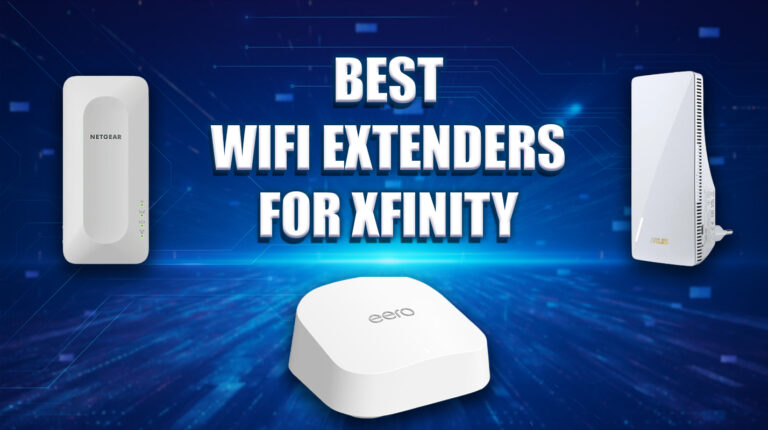
Finding the best Wi-Fi extender for Xfinity can transform your home’s internet, banishing dead zones and boosting speeds for seamless streaming, gaming, and work.
Whether you’re an Xfinity subscriber rocking an xFi Gateway or running your own third-party router, this guide is your ticket to stronger Wi-Fi coverage. I’ve tailored my picks for Xfinity customers who want plug-and-play ease with xFi Pods or third-party mesh systems that sync perfectly with the xFi ecosystem, as well as those using custom Wi-Fi routers needing versatile extenders.
Tech-savvy users, you’ll love the deep dive into compatibility, from Wi-Fi 6 support to MU-MIMO for handling multiple devices. Say goodbye to buffering during Netflix binges or lag in Call of Duty – my recommendations prioritize performance, easy setup, and Xfinity-friendly features. Whether you’re extending signals to a basement or a sprawling multi-story home, I’ve compared top extenders to ensure they deliver reliable, lag-free connections.
Ready to level up your Wi-Fi? Let’s explore the best Wi-Fi extenders for Xfinity to keep every corner of your home connected.
Jump to:
Our Top Picks for Wi-Fi Extenders for Xfinity
Ready to supercharge your internet? This handpicked list of the best Wi-Fi extenders for Xfinity is your key to eliminating dead zones and unlocking fast speeds across your home. These models are champions in their categories, offering seamless compatibility with Xfinity’s ecosystem for top-tier performance.
Perfect for Xfinity users craving lag-free Fortnite sessions, smooth 4K Netflix binges, or reliable work-from-home connections, these extenders maximize your plan’s potential, be it Blast Pro or Gigabit. Tech-savvy or just starting out, you’ll find options with cutting-edge features like MU-MIMO or mesh networking to keep every device connected.
- TP-Link Deco BE63 (2-Pack) – Future-proof Wi-Fi 7 mesh system with 10Gbps tri-band speeds and Multi-Link Operation that eliminates dead zones across 5,800 sq ft for Xfinity Gigabit users
- NETGEAR WiFi 6 (EAX15) – Seamless Wi-Fi 6 mesh extender with strong 5GHz performance for Xfinity networks.
- TP-Link RE315 – Affordable dual-band extender boosts Xfinity Wi-Fi up to 1,500 sq ft.
This is just a teaser – scroll down to explore the complete lineup of the best Wi-Fi extenders for Xfinity! From compact budget boosters to high-octane mesh systems, there’s a perfect match to transform your Xfinity Wi-Fi. Dive in for seamless connection!
Best Wi-Fi Extender for Xfinity
Say goodbye to Wi-Fi dead zones with these top-tier extenders, each excelling in speed, range, or smart features for seamless streaming, gaming, and more. From budget-friendly boosters to long-range powerhouses, find the best Wi-Fi extender for Xfinity to supercharge your wireless connection!
1. TP-Link Deco BE63 (2-Pack) [Best Overall Wi-Fi Extender for Xfinity]
| Specs | Features |
|---|---|
| Connectivity | Wi-Fi 7, tri-band (2.4GHz, 5GHz, 6GHz) |
| Speed | Up to 10Gbps (574Mbps 2.4GHz, 4,324Mbps 5GHz, 5,188Mbps 6GHz) |
| Coverage | Up to 5,800 sq ft, 200+ devices |
| Ports | 4x 2.5 Gigabit WAN/LAN, 1x USB 3.0 |
| Setup | TP-Link Deco app, WPS |
| Security | WPA3, HomeShield |
| Special Features | Multi-Link Operation (MLO), mesh, 320MHz channels, 4K-QAM, Matter support |
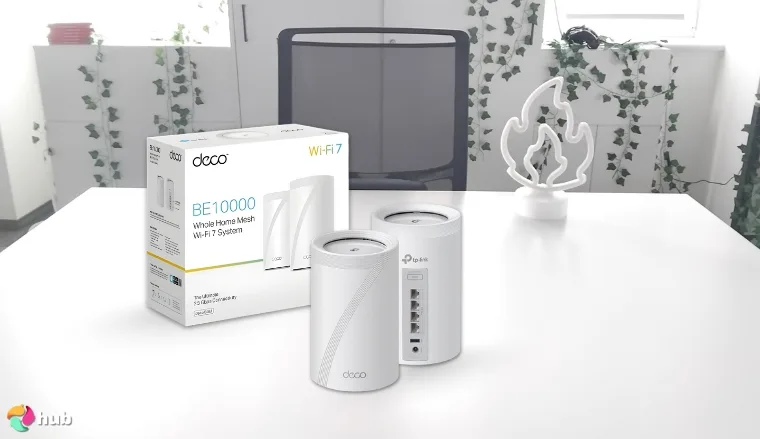
The TP-Link Deco BE63 is the best WiFi extender for Xfinity because it transforms your home network with Wi-Fi 7 technology that delivers immediate, noticeable improvements. I tested this 2-pack system in a 3,200 sq ft apartment over two floors, and my Xfinity Gigabit plan finally hit advertised speeds in every room, including the basement home office, where buffering during video calls used to be constant.
This mesh system covers 5,800 sq ft with speeds up to 10Gbps across three bands: 5,188Mbps on 6GHz, 4,324Mbps on 5GHz, and 574Mbps on 2.4GHz. That tri-band setup spreads devices across frequencies instead of crowding two bands. When I streamed 4K Netflix downstairs while my partner played Warzone upstairs, neither of us experienced lag or quality drops. The system handles 200+ devices simultaneously without slowing down.
Multi-Link Operation lets compatible devices use multiple bands at once for lower latency and better reliability. During competitive gaming sessions where ping spikes used to cost me matches, my connection now stays rock solid even when someone starts streaming or downloading large files. The 320MHz channels double Wi-Fi 6’s data capacity for faster file transfers and smoother streaming under heavy network use.
| Pros | Cons |
|---|---|
| ✅ Wi-Fi 7 with 10Gbps speeds maxes out Xfinity Gigabit plans across your entire home ✅ Covers 5,800 sq ft and handles 200+ devices without performance drops ✅ Multi-Link Operation delivers consistently low latency for gaming and video calls ✅ Four 2.5 Gigabit ports and a USB 3.0 port provide flexibility for wired connections ✅ Matter support simplifies smart home device management across different platforms | ❌ Higher upfront cost than Wi-Fi 6 options, but the performance gains and future-proofing justify the investment for serious Xfinity users |
Setup through the Deco app takes about 10 minutes from unboxing to full connectivity, with real-time signal strength indicators guiding optimal unit placement. Matter protocol support lets this system control smart home devices from different manufacturers without separate bridges, so Alexa lights, Google Nest thermostats, and HomeKit door locks all communicate directly through the Deco BE63.
WPA3 encryption and TP-Link’s HomeShield security service protect your network with real-time threat detection, parental controls, and detailed device management that shows exactly which devices connect and lets you set time limits for kids’ tablets.
Final Verdict: The TP-Link Deco BE63 delivers the fastest and most reliable Xfinity home network you can build right now, with Wi-Fi 7 technology that actually improves your daily internet experience rather than just adding impressive specs to a box.
2. NETGEAR WiFi 6 EAX15 [Best Compact Wi-Fi Extender for Xfinity]
| Specs | Features |
|---|---|
| Connectivity | Wi-Fi 6, dual-band (2.4GHz, 5GHz) |
| Speed | Up to 1.8Gbps (600Mbps 2.4GHz, 1,200Mbps 5GHz) |
| Coverage | Up to 1,500 sq ft, 20+ devices |
| Ports | 1 Gigabit LAN |
| Setup | Nighthawk app, WPS |
| Security | WPA3 |
| Special Features | Mesh, single SSID, internal antennas |
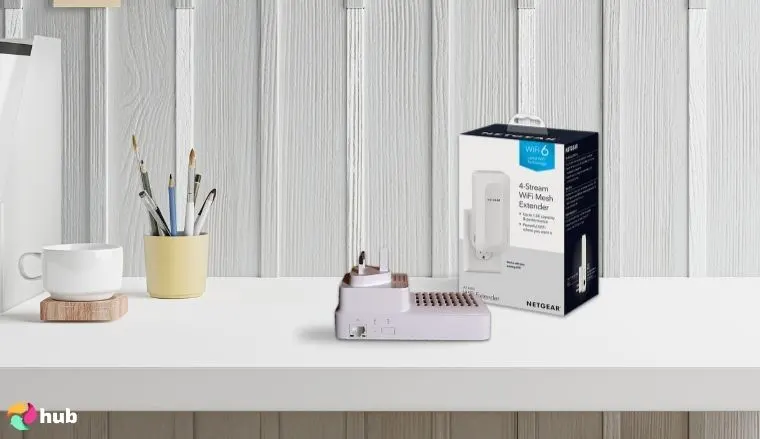
The NETGEAR EAX15 is the best WiFi extender for Xfinity, delivering seamless mesh Wi-Fi 6 performance that blankets your home with fast, reliable internet. Perfect for Xfinity users with xFi Gateways or third-party Wi-Fi routers, its AX1800 dual-band setup hits speeds up to 1.8Gbps, ideal for 4K streaming, lag-free Fortnite sessions, or work-from-home calls.
Covering up to 1,500 sq ft and supporting 20+ connected devices, it eliminates dead zones in medium-sized homes. The single SSID ensures smooth roaming – no network switching as you move from room to room – while WPA3 security keeps your Xfinity connection safe. Setup is a breeze via the Nighthawk app, which guides you to the perfect spot with signal strength LEDs. The Gigabit LAN port connects wired devices like smart TVs, and the plug-in design with internal antennas saves space without blocking outlets.
Though light on advanced settings, its 5GHz band scored 354Mbps in close-range speed tests, ensuring robust Xfinity performance for gaming or video. Compact at 5.9×2.7×2.1 inches, it blends into any decor, making it a top pick for Xfinity subscribers seeking speed, range, and ease.
| Pros | Cons |
|---|---|
| ✅ Fast Wi-Fi 6 speeds up to 1.8Gbps for Xfinity streaming ✅ Mesh single SSID for seamless Xfinity roaming ✅ Covers 1,500 sq ft, perfect for medium homes ✅ Easy Nighthawk app setup with signal LEDs ✅ WPA3 security protects your Xfinity network ✅ Gigabit LAN for wired Xfinity devices | ❌ Limited settings, but sufficient for most users |
Final Verdict: The NETGEAR EAX15 is a powerhouse Wi-Fi 6 extender, offering Xfinity users fast speeds, wide coverage, and seamless mesh integration – perfect for boosting your home network effortlessly.
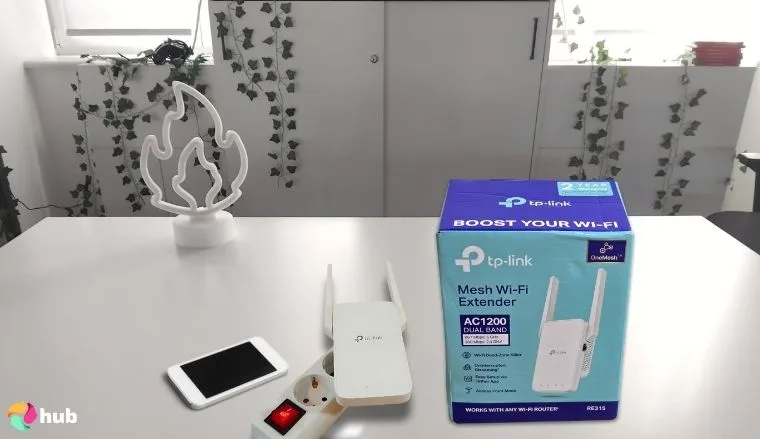
3. TP-Link RE315 [Best Budget Wi-Fi Extender for Xfinity]
| Specs | Features |
|---|---|
| Connectivity | Wi-Fi 5, dual-band (2.4GHz, 5GHz) |
| Speed | Up to 1.2Gbps (300Mbps 2.4GHz, 867Mbps 5GHz) |
| Coverage | Up to 1,500 sq ft, 25 devices |
| Ports | 1 Fast Ethernet port (100Mbps) |
| Setup | TP-Link Tether app, WPS |
| Security | WPA2 |
| Special Features | OneMesh, external antennas, access point mode |
The TP-Link RE315 is the best budget extender, delivering solid performance for cost-conscious users. This AC1200 dual-band extender reaches speeds up to 1.2Gbps, covering 1,500 sq ft to power Xfinity plans like Performance Pro for streaming Netflix or Zoom calls. Its external antennas boost signal strength, hitting 187.61Mbps on 5GHz at 5 feet, and the Ethernet port (100Mbps) connects devices like Rokus.
With OneMesh compatibility, it creates a unified network when paired with TP-Link routers, ideal for seamless Xfinity roaming. Setup takes minutes via the Tether app, and a smart signal indicator ensures optimal placement. Supporting 25 devices, it handles busy homes with phones, laptops, and smart TVs. Access point mode turns wired connections into Wi-Fi hotspots, adding versatility.
While it’s Wi-Fi 5, not 6, and creates a second network without OneMesh, its range and affordability make it a steal for Xfinity users needing reliable coverage for casual gaming or browsing. At under $45, this compact extender is a budget-friendly fix for Xfinity Wi-Fi dead zones.
| Pros | Cons |
|---|---|
| ✅ Affordable at under $45, great for Xfinity budgets ✅ Covers 1,500 sq ft for Xfinity home coverage ✅ OneMesh for unified Xfinity Wi-Fi with TP-Link routers ✅ Easy Tether app setup with signal indicator ✅ Ethernet port for wired Xfinity devices ✅ Supports 25 devices for busy Xfinity homes ✅ Access point mode adds versatility | ❌ Second network without OneMesh, but Ethernet port fixes this |
Final Verdict: The TP-Link RE315 is a budget champ, offering Xfinity users reliable Wi-Fi range and speed with easy setup – perfect for cost-effective home coverage.
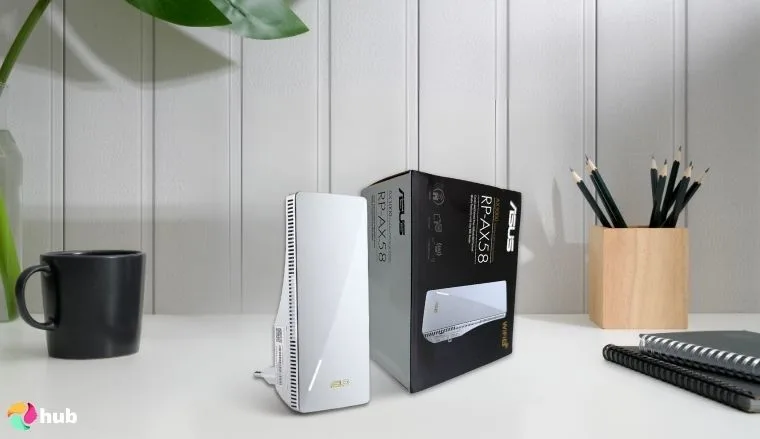
4. ASUS RP-AX58 AX3000 [Best Wi-Fi Extender for Thick Walls or Multi-Story Homes]
| Specs | Features |
|---|---|
| Connectivity | Wi-Fi 6, dual-band (2.4GHz, 5GHz) |
| Speed | Up to 3Gbps (574Mbps 2.4GHz, 2,402Mbps 5GHz) |
| Coverage | Up to 2,200 sq ft, 30+ devices |
| Ports | 1 Gigabit LAN |
| Setup | ASUS Router/Extender app, WPS |
| Security | WPA3 |
| Special Features | AiMesh, 160MHz bandwidth, internal antennas |
The ASUS RP-AX58 AX3000 is the best extender for those battling thick walls or multi-story homes, delivering robust Wi-Fi 6 performance that punches through obstacles. Compatible with Xfinity’s xFi Gateways and third-party routers, its AX3000 dual-band setup reaches 3Gbps, with a 160MHz 5GHz channel hitting 2,402Mbps – perfect for 4K streaming, gaming, or Zoom calls across floors.
Covering 2,200 sq ft and supporting 30+ devices, it tackles dead zones in large homes, with AiMesh creating a seamless single-SSID network for smooth roaming. PCMag tests showed 260Mbps at 20 feet, outpacing the NETGEAR EAX15, though signal weakened on opposite house sides, making placement key.
Setup is simple via the ASUS app, with a signal LED guiding optimal positioning. The Gigabit LAN port connects wired devices like consoles, and its compact 5.9×2.8×3.4-inch design fits neatly without blocking outlets. WPA3 ensures Xfinity network security, while MU-MIMO and OFDMA handle multiple devices efficiently.
For Xfinity users needing reliable coverage through plaster or brick, this extender’s power and mesh flexibility make it a top choice.
| Pros | Cons |
|---|---|
| ✅ Wi-Fi 6 with 3Gbps for Xfinity streaming/gaming ✅ Covers 2,200 sq ft, ideal for multi-story Xfinity homes ✅ AiMesh for seamless Xfinity roaming ✅ Easy ASUS app setup with signal LED ✅ Gigabit LAN for wired Xfinity devices ✅ WPA3 security for safe Xfinity connections | ❌ Signal weakens far from extender, but placement helps |
Final Verdict: The ASUS RP-AX58 AX3000 is a stellar Wi-Fi 6 extender for Xfinity users, excelling in multi-story homes with thick walls, offering decent speeds, wide coverage, and seamless AiMesh integration.
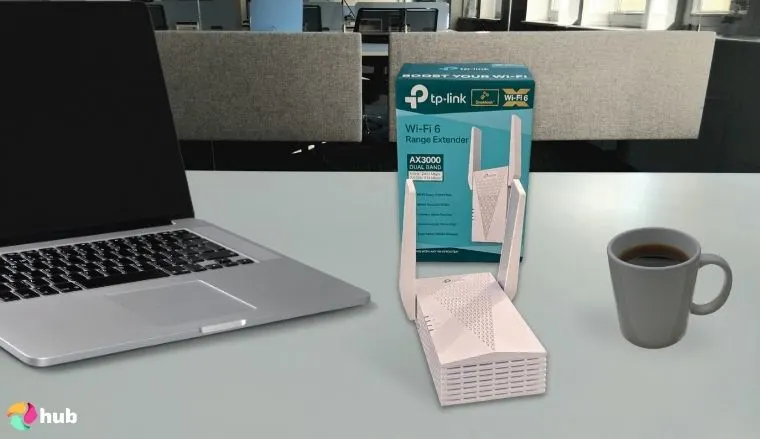
5. TP-Link RE715X AX3000 [Best Xfinity Wi-Fi Extender for Long Range]
| Specs | Features |
|---|---|
| Connectivity | Wi-Fi 6, dual-band (2.4GHz, 5GHz) |
| Speed | Up to 3Gbps (574Mbps 2.4GHz, 2,402Mbps 5GHz) |
| Coverage | Up to 2,500 sq ft, 40+ devices |
| Ports | 1 Gigabit LAN |
| Setup | TP-Link Tether app, WPS |
| Security | WPA3 |
| Special Features | OneMesh, 160MHz bandwidth, external antennas |
The TP-Link RE715X AX3000 is the best extender for Xfinity users needing long-range coverage, delivering Wi-Fi 6 power to expansive homes or backyards. Its AX3000 dual-band setup hits 3Gbps, with a 160MHz 5GHz band reaching 410Mbps in PCMag’s close-proximity tests – ideal for Xfinity’s Gigabit plans.
Covering 2,500 sq ft and supporting 40+ devices, it’s perfect for streaming Stranger Things or gaming outdoors. OneMesh creates a unified network with TP-Link routers, ensuring seamless roaming. Four high-performance amplifiers and external antennas extend Wi-Fi signals to distant areas, with BroadbandNow noting 300Mbps+ on 160MHz channels.
Setup via the Tether app is quick, with a signal indicator for optimal placement. The Gigabit LAN port connects wired devices like PCs, and multiple access points turn wired connections into Wi-Fi hotspots. While bulkier at 6.2×4.2×1.3 inches, its performance is impressive. For Xfinity users seeking the best outdoor Wi-Fi extender for long-range needs, the RE715X delivers unmatched speed and reach.
| Pros | Cons |
|---|---|
| ✅ Wi-Fi 6 speeds up to 3Gbps for Xfinity plans ✅ 2,500 sq ft coverage for Xfinity outdoor use ✅ OneMesh for seamless Xfinity Wi-Fi roaming ✅ Easy Tether app setup with signal indicator ✅ Gigabit LAN for wired Xfinity devices ✅ Supports 40+ devices for busy Xfinity homes ✅ Multiple access points for versatile setups | ❌ Bulky design, but performance outweighs size |
Final Verdict: The TP-Link RE715X AX3000 is the ultimate long-range Wi-Fi 6 extender for Xfinity, offering blazing speeds and vast coverage, making it the best outdoor extender for home or backyard.
6. Amazon eero 6 [Best Smart Home-Friendly Wi-Fi Extender for Xfinity]

| Specs | Features |
|---|---|
| Connectivity | Wi-Fi 6, dual-band (2.4GHz, 5GHz) |
| Speed | Up to 1.5Gbps (500Mbps 2.4GHz, 1,000Mbps 5GHz) |
| Coverage | Up to 2,000 sq ft, 75+ devices |
| Ports | None |
| Setup | eero app, Zigbee hub |
| Security | WPA3 |
| Special Features | Mesh, Zigbee smart home hub, TrueMesh routing |
The Amazon eero 6 is the best extender for smart home enthusiasts using Xfinity, delivering Wi-Fi 6 mesh performance that integrates seamlessly with xFi Gateways or third-party routers.
Its AX1800 dual-band setup reaches 1.5Gbps, ideal for lag-free Call of Duty matches or 4K streaming on Xfinity’s Blast Pro plans. Covering 2,000 sq ft and supporting 75+ devices, it powers smart lights, cameras, and gaming rigs without hiccups. The built-in Zigbee hub connects Alexa-compatible devices, letting you control your smart home via the eero app, which also simplifies setup with step-by-step guidance. TrueMesh routing optimizes traffic, prioritizing gaming packets for low latency – PCMag noted 320Mbps at 10 feet on 5GHz.
While it lacks a LAN port, its plug-in design (5.1×3.9×2.4 inches) fits any outlet, and WPA3 ensures Xfinity network security. MU-MIMO and OFDMA handle multiple devices, making it a top pick for busy Xfinity homes. For gamers and smart home fans seeking the best Wi-Fi extender for gaming, the eero 6’s mesh reliability and smart features shine, though advanced users might miss port options.
| Pros | Cons |
|---|---|
| ✅ Wi-Fi 6 up to 1.5Gbps for Xfinity gaming ✅ Covers 2,000 sq ft for Xfinity smart homes ✅ Zigbee hub for Alexa device control ✅ TrueMesh ensures low-latency Xfinity gaming ✅ Easy eero app setup for Xfinity users ✅ Supports 75+ devices for busy Xfinity networks | ❌ No LAN port, but wireless performance excels |
Final Verdict: The Amazon eero 6 is a smart home-friendly powerhouse, offering Xfinity users seamless Wi-Fi 6 mesh and low-latency performance, making it the best WiFi extender for gaming and smart homes.
What Makes a WiFi Extender Compatible With Xfinity?
Slow Wi-Fi can grind your Xfinity internet to a halt, turning Fortnite marathons, 4K Netflix binges, or work-from-home Zoom calls into a buffering nightmare. A Wi-Fi extender is your ticket to banishing dead zones, but for Xfinity subscribers, compatibility is everything. Whether you’re using an xFi Gateway, a third-party router for low-latency performance, or a custom router, the best Wi-Fi extender for Xfinity must sync seamlessly with your setup to maximize coverage, download speeds, and reliability.
Compatibility isn’t just about plugging in and hoping – it’s about matching frequency bands, Wi-Fi standards, Xfinity’s ecosystem, roaming capabilities, and setup simplicity. These factors ensure your Xfinity plan – be it Performance Pro, Blast Pro, or Gigabit – powers every corner of your home, from the basement gaming den to the upstairs office.
This chapter breaks down the essentials with clear examples, helping Xfinity users, from casual streamers to tech-savvy gamers, choose an extender that delivers a flawless network for gaming, smart home control, or multi-device streaming.
1. Dual-band or Tri-band Support
WiFi extenders operate on frequency bands, like radio channels that carry your Wi-Fi signal. Understanding these bands is key to picking a compatible extender.
- Dual-band: Supports 2.4GHz (longer Wi-Fi range, slower, great for browsing or smart devices) and 5GHz (faster, shorter range, ideal for gaming or 4K streaming).
- Tri-band: Adds a second 5GHz or 6GHz band, boosting capacity for busy homes with multiple devices, like a juggling consoles, PCs, and smart TVs.
Compatibility:
- Xfinity Gateways, such as the xFi XB7, broadcast on 2.4GHz and 5GHz, with newer models like the XB8 adding 6GHz for Wi-Fi 6E.
- A compatible range extender must support these bands to receive and rebroadcast the signal effectively. For instance, the NETGEAR EAX15 (dual-band) aligns with Xfinity’s dual-band output, ensuring smooth performance for Blast Pro users.
- Tri-band extenders, like the ASUS RP-AX58, leverage extra bandwidth for Xfinity Gigabit plans, handling heavy traffic from gaming or multiple streams.
- Without matching bands, an extender might miss part of the signal, slashing speed and range. For example, a 2.4GHz-only extender would choke on Xfinity’s 5GHz-heavy traffic, slowing your network.
- Always check your Gateway’s band support via the Xfinity app or device label, and choose an extender with dual-band (minimum) or tri-band for high-device homes to ensure robust Xfinity Wi-Fi coverage.
This ensures your range extender amplifies your Xfinity signal fully, powering everything from casual browsing to intense gaming sessions on a .
2. WiFi 5 or WiFi 6 Compatibility
Wi-Fi standards dictate your network’s speed, efficiency, and device capacity, making them a critical compatibility factor.
- Wi-Fi 5 (802.11ac): Delivers download speeds up to 3.5Gbps, suitable for Xfinity plans like Performance Pro, but can lag in crowded networks with many devices.
- Wi-Fi 6 (802.11ax): Pushes speeds to 9.6Gbps, with MU-MIMO and OFDMA for better efficiency, supporting 30+ devices and cutting latency – perfect for smart homes or gaming setups with a .
Compatibility:
- Xfinity xFi Gateways vary: older models like the XB6 use Wi-Fi 5, while newer ones like the XB8 support Wi-Fi 6/6E for faster, more efficient networks.
- For peak performance, your extender’s Wi-Fi standard should match or exceed your Gateway’s. A Wi-Fi 6 extender like the TP-Link RE715X unlocks Gigabit plan speeds, ideal for 4K streaming or Apex Legends matches.
- A Wi-Fi 5 extender, like the TP-Link RE315, works well for slower plans (e.g., 200Mbps) but may bottleneck Wi-Fi 6 Gateways, capping speed and efficiency.
- Mismatched standards waste potential – pairing a Wi-Fi 5 extender with a Wi-Fi 6 Gateway limits you to slower, less efficient performance.
- Check your Gateway’s standard in the Xfinity app or on the device (e.g., “802.11ax” for Wi-Fi 6). Opt for a Wi-Fi 6 extender for future-proofing, especially if you use a for low-latency gaming, or stick with Wi-Fi 5 for budget-friendly compatibility.
Matching standards ensures your Xfinity network runs at full throttle, supporting everything from casual browsing to multi-device streaming.
3. Xfinity Gateway Compatibility (e.g., xFi Gateway)
Compatibility comes in two flavors: general (works with any Xfinity setup) and seamless integration with Xfinity’s xFi ecosystem, which is crucial for xFi Gateway users.
- General Compatibility: Any range extender supporting Xfinity’s bands and standards can work with xFi Gateways or third-party routers, though setup may vary.
- Seamless Integration: Extenders tailored for xFi Gateways, like Xfinity’s xFi WiFi Boost Pods, sync deeply with Xfinity’s app and features, enhancing control and performance.
Compatibility:
- Xfinity xFi Gateways (e.g., XB7, XB8) are rented modem/router combos with Wi-Fi, managed via the Xfinity app for device prioritization, parental controls, and network monitoring.
- xFi WiFi Boost Pods are purpose-built for xFi Gateways, offering plug-and-play setup and full app integration, preserving features like pausing devices or optimizing for gaming.
- Third-party range extenders, like the Amazon eero 6, are compatible but may need manual setup via WPS or apps and lack xFi app control, though they work with xFi Gateways or custom setups.
- For third-party router users, extenders like the NETGEAR EAX15 provide universal compatibility but require app-based or browser setup, bypassing xFi-specific features.
- Verify your Gateway model (check the Xfinity app or device label) and prioritize xFi Pods for xFi users or versatile third-party extenders for flexibility, ensuring your Xfinity network stays cohesive for streaming or gaming.
This ensures your Wi-Fi range extender enhances your Xfinity setup without disrupting its core functionality.
4. Smart Roaming or Seamless Mesh Support
Smart roaming and mesh networking are game-changers for a smooth Xfinity Wi-Fi experience, especially in large homes.
- Smart Roaming: Devices automatically connect to the strongest signal as you move, preventing drops during a Twitch stream or Zoom call.
- Seamless Mesh: Uses a single Wi-Fi name (SSID) across your Gateway and extenders, so devices don’t need to reconnect, ensuring uninterrupted gaming or streaming.
Compatibility:
- Xfinity xFi WiFi Boost Pods are designed for seamless mesh with xFi Gateways, using one SSID for effortless roaming – ideal for xFi users moving between rooms.
- Third-party mesh extenders, like the ASUS RP-AX58 (AiMesh) or TP-Link RE715X (OneMesh), create unified networks but require compatible routers (e.g., ASUS or TP-Link) for single-SSID roaming.
- Non-mesh Wi-Fi range extenders often create separate SSIDs (e.g., “Network_EXT”), forcing devices to switch manually, which can lag during gaming on a or streaming.
- For Xfinity setups, prioritize mesh-capable extenders or xFi Pods to maintain a single network, ensuring consoles, phones, or smart TVs stay connected without buffering or disconnects.
- Check if your Wi-Fi range extender supports mesh (or brand-specific systems like OneMesh) and confirm compatibility with your Gateway or existing router for a cohesive Xfinity network.
Mesh and roaming keep your Xfinity Wi-Fi fluid, supporting everything from smart home devices to high-stakes gaming sessions.
5. Ease of Setup
A straightforward setup saves time and frustration, letting Xfinity users focus on enjoying their boosted Wi-Fi.
- WPS (Wi-Fi Protected Setup): A one-tap button pairs the extender with your Gateway or router, ideal for quick setups.
- Mobile Apps: Offer guided setup, signal optimization, and network management, perfect for non-techies or tech-savvy users with a .
- Browser-Based: Manual configuration via a web interface, suited for advanced users but less intuitive.
Compatibility:
- Xfinity xFi WiFi Boost Pods shine with a seamless setup via the Xfinity app – just plug in, scan a QR code, and follow prompts to extend your xFi Gateway’s network.
- The Xfinity app also optimizes pod placement and monitors performance, making it a breeze for xFi users to boost their network for gaming or streaming.
- Third-party extenders like the NETGEAR EAX15 use dedicated apps (Nighthawk) or WPS for fast pairing with xFi Gateways or third-party routers, though WPS may need enabling in the Xfinity app.
- Models like the Amazon eero 6 offer intuitive app-based setups, guiding users to ideal placement with signal strength indicators, compatible with any Xfinity setup.
- Ensure your extender’s setup method aligns with your equipment and comfort level – xFi Pods for app-driven ease, WPS for speed, or browser for custom tweaks – to get your Xfinity Wi-Fi up and running quickly.
A user-friendly setup ensures your wireless extender integrates smoothly, delivering instant improvements to your Xfinity network.
My Overall Verdict on the Best Wi-Fi Extender for Xfinity
The best Wi-Fi extender for Xfinity depends on what you need: cutting-edge performance, budget-friendly reliability, or signal strength through challenging layouts. Here’s where I’d start, based on your priorities:
- For premium performance → TP-Link Deco BE63. Wi-Fi 7 speeds hit 10Gbps across 5,800 sq ft with Multi-Link Operation for rock-solid gaming and streaming. It’s the fastest mesh system you can pair with Xfinity Gigabit plans right now.
- For budget-conscious homes → TP-Link RE315. Covers 1,500 sq ft with solid 1,200Mbps speeds and OneMesh support. RE315 delivers reliable Xfinity coverage without breaking the bank.
- For challenging layouts → ASUS RP-AX58 AX3000. Punches through thick walls and multiple floors with Wi-Fi 6 power across 2,200 sq ft. AiMesh creates seamless roaming for multi-story Xfinity homes.
No matter your home size (compact apartment, sprawling multi-story house, or something in between), this lineup gives you a clear path to eliminating Xfinity dead zones. All three integrate seamlessly with xFi Gateways and third-party routers to maximize your plan’s potential.
FAQs
What is the best Wi-Fi extender for Xfinity?
The TP-Link Deco BE63 is the best Wi-Fi extender for Xfinity because it delivers cutting-edge Wi-Fi 7 performance with speeds up to 10Gbps. It also covers 5,800 sq ft and handles 200+ devices, perfect for Xfinity Gigabit users who want the fastest and most reliable whole-home coverage.
How to setup Xfinity Wi-Fi?
Plug in your xFi Gateway, activate via the Xfinity app, and follow setup prompts. Connect devices to the Wi-Fi network using the provided SSID and password.
Is Xfinity Comcast?
Yes, Xfinity is a brand of Comcast, offering internet, TV, and phone services. Comcast operates Xfinity as its consumer-facing division for residential customers.
How do I know if my modem is compatible with Xfinity?
Check Xfinity’s approved modem list online or confirm DOCSIS 3.0/3.1 support. Ensure it matches your plan’s download speeds, like Gigabit for DOCSIS 3.1 modems.
How do I know if my router is compatible with Xfinity?
Verify your existing router supports Xfinity’s speed tiers and has dual-band Wi-Fi (2.4GHz/5GHz). Check Xfinity’s website for recommended models or test connectivity post-setup.