


6 Best Claude Courses in 2026: 6 Handpicked Options

Eneba Hub contains affiliate links, which means we may earn a small commission if you make a purchase through them—at no extra cost to you. Learn more



COURSE SHORTLIST
Explore Claude Code: Software Engineering with Generative AI Agents on Coursera for development workflows, or choose Mastering Claude Code for a beginner-focused start.
The best Claude courses include Claude Code: Software Engineering with Generative AI Agents for development workflows, Mastering Claude Code: From Setup to Real Projects for beginners, and the free Claude Code in Action for readers familiar with basic coding tasks. This comparison matches courses for Claude to your skill level, budget, and credential needs.
Developers, project managers, and professionals can learn Claude through different routes. Development-focused Claude courses suit software work, while a planning-focused course suits business tasks. Short introductory training helps with orientation, but project practice deserves more weight than a completion credential when choosing training.
These six Claude courses cover setup, development workflows, and project management. This Claude course comparison separates course access from software access and distinguishes completion credentials from practical skills.
Jump to:
Best Claude Courses at a Glance
The best Claude courses serve different goals, so choose by task and starting level. This table compares all six Claude courses by provider and purpose. Individual Claude course prices, completion times, and credential details follow in their entries, where the billing basis and limitations are easier to explain.
|
Course |
Provider |
Best for |
|---|---|---|
|
Claude Code: Software Engineering with Generative AI Agents |
 |
Best Overall |
|
Mastering Claude Code: From Setup to Real Projects |
|
Best for Beginners |
|
The Complete AI Coding Course (2025) – Cursor, Claude Code |
 |
Best for Comparing Tools |
|
Claude Code in Action |
 |
Best Free Option |
|
Claude Code 101 |
 |
Best Completion Badge |
|
AI Project Management: Claude For Project Management A to Z |
|
Best for Project Management |
The Claude course order moves from the overall development pick to beginner, budget, official, and specialty training. These online Claude courses are ordered by fit, not by ratings across different platforms.
What Claude Can Do for Writing and Development
Claude is Anthropic‘s AI assistant for tasks like writing, analysis, and research. Claude Code brings that assistance into software development through the command line and development environments. The useful distinction is general assistance versus working inside a software project.
Developers can learn Claude to draft features, investigate bugs, and improve existing code. Project managers can use it to prepare a project charter, which defines a project’s purpose and boundaries, or a work breakdown structure, which divides work into manageable tasks.
A useful Claude course connects those capabilities to a repeatable process. Development-focused Claude courses should connect setup, clear instructions, project context, and reviewing changes before accepting them. Being able to write good and clear instructions for the assistant is the core skill here; a dedicated guide on prompt engineering covers this in more depth.
Introductory training can explain the interface. Longer Claude course training should teach you to review generated changes and test the resulting software.
How Claude Courses Were Chosen
These Claude courses are compared through provider-listed content and learning fit. The best Claude courses for this shortlist need a clear purpose, understandable access terms, and enough detail to help a reader choose.
Our Claude course comparison uses these criteria:
- Coverage: Setup, prompting, development workflows, or a defined specialty.
- Teaching information: The instructor or organization named on the course page, without assuming credentials the page does not state.
- Learner feedback: Ratings paired with review counts, with enrollment treated as participation.
- Price and access: Free enrollment, subscriptions, and purchase terms kept separate.
- Practice: Tasks that help readers learn Claude through application.
- Credentials: A completion certificate or badge described in the provider’s own terms.
Short training earns its place through focus. Any broader Claude course needs enough depth to justify the extra commitment.
The 6 Best Claude Courses, Reviewed
The best Claude courses below cover different starting points and work goals. Choose development training for software projects, or a general Claude course when your priority is planning and communication.
1. Claude Code: Software Engineering with Generative AI Agents by Coursera [Best Overall]
This Claude course earns the overall label for its focus on coordinating development work across a project. It suits readers ready to move beyond isolated prompts and organize larger changes.
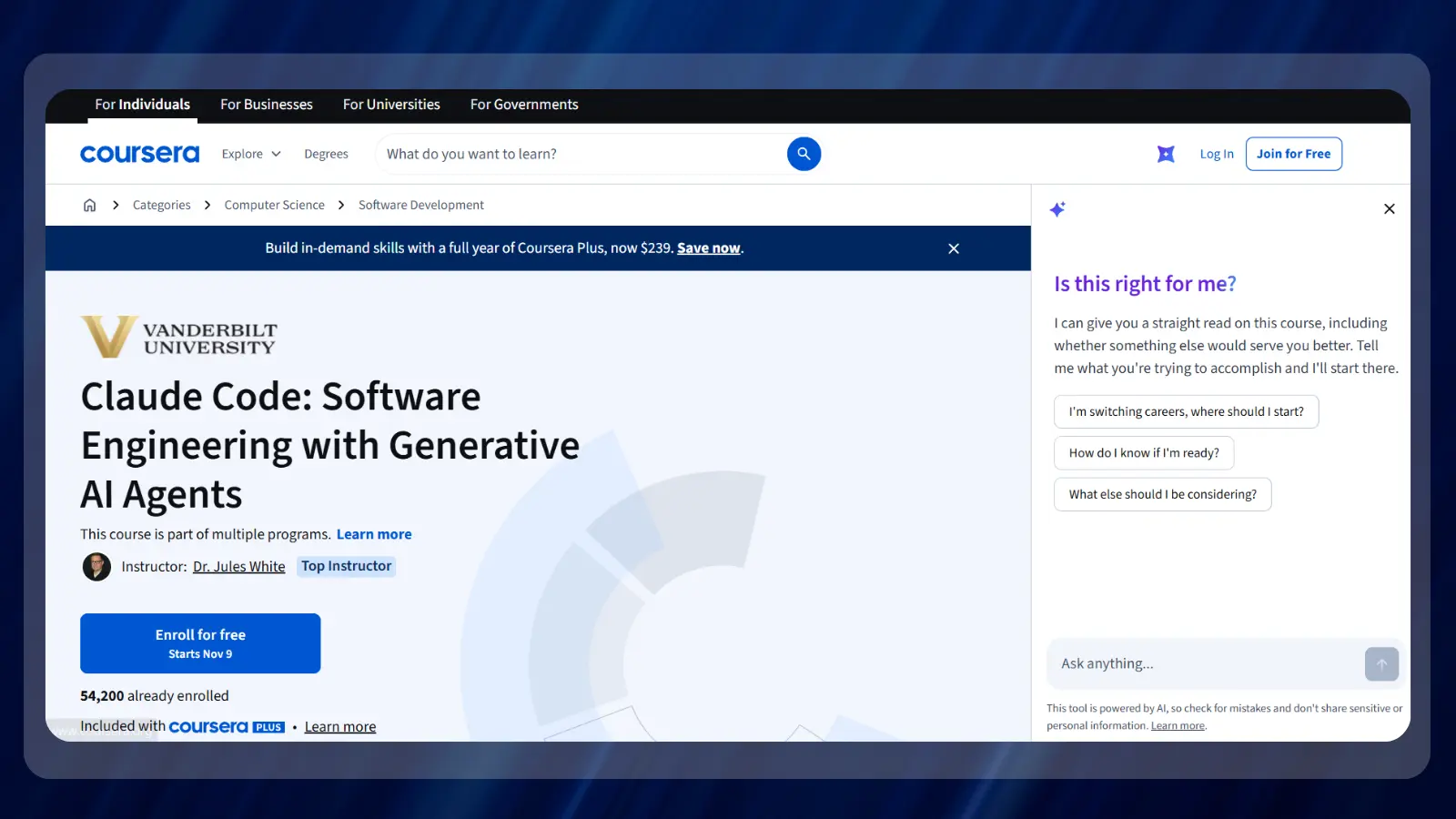
Coursera describes workflows involving larger prompts, alternative solutions, project instructions in CLAUDE.md files, and parallel development with Git worktrees. A worktree lets a developer work with separate checkouts of a repository. The practical value is learning how to give an AI coding agent useful boundaries and context.
Coursera lists 53,784 enrollments and 5 hours to complete. Choose this course for its project-level workflow topics.
| Provider | Coursera |
| Price | Coursera Plus annual promotional offer: $239 |
| Difficulty | Beginner |
| Time | 5 hours to complete |
| Certificate | Shareable career certificate |
| Rating | 4.7/5 from 185 reviews |
Choose this after introductory training. If a completion certificate is your main goal, the beginner pick has clearer credential information.
| Pros | Cons |
|---|---|
| ✅ Project context – covers CLAUDE.md instructions. ✅ Alternative solutions – introduces comparing generated approaches. ✅ Parallel work – covers Git worktrees. ✅ Workflow focus – addresses larger development tasks. | ❌ Technical concepts – Git workflows add complexity for newcomers. |
Its strongest fit is a developer who wants to learn Claude through organized software work.
2. Mastering Claude Code: From Setup to Real Projects by Coursera [Best for Beginners]
This Claude course starts with installation and the interface before moving into project work. That sequence makes it the clearest entry point for readers who need help getting started.
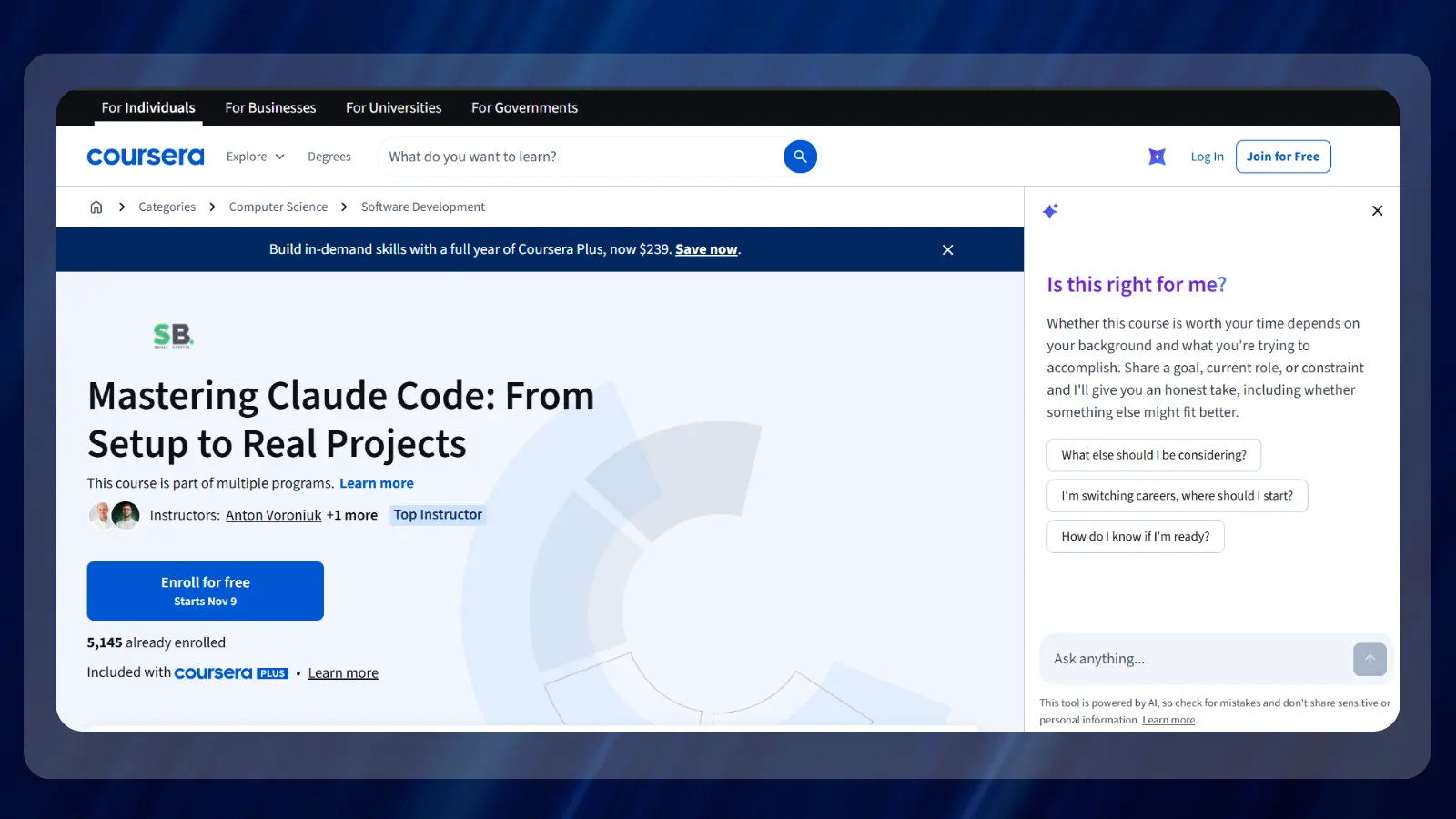
The Coursera course covers account setup, installation, terminal use, and development environment integrations. It then introduces tasks like adding features, fixing bugs, and generating documentation. These topics help readers learn Claude within a development routine.
Coursera lists a beginner level and a rating of 4.4/5 from 16 reviews. The review base is small, so use the syllabus as the main deciding factor.
| Provider | Coursera |
| Price | Coursera Plus annual promotional offer: $239 |
| Difficulty | Beginner |
| Time | 5 hours to complete |
| Certificate | Shareable certificate |
| Rating | 4.4/5 from 16 reviews |
Its shareable course completion certificate records completion of the training. Describe it as a course completion certificate on a résumé, distinct from an exam-based vendor certification.
| Pros | Cons |
|---|---|
| ✅ Setup included – begins with installation. ✅ Beginner level – explicitly labeled for newcomers. ✅ Workplace tasks – covers features, bugs, and documentation. ✅ Shareable credential – includes a completion certificate. | ❌ Small review base – feedback comes from 16 reviews. ❌ Development focus – business users may prefer a planning-focused course. |
This is a stronger starting choice than advanced workflow training for someone unfamiliar with development tools.
3. The Complete AI Coding Course – Cursor, Claude Code by Udemy [Best for Comparing Tools]
This is the budget-oriented option to compare if you want a purchase-based route covering several AI coding tools. Its value comes from breadth, so choose it only if those additional tools interest you.
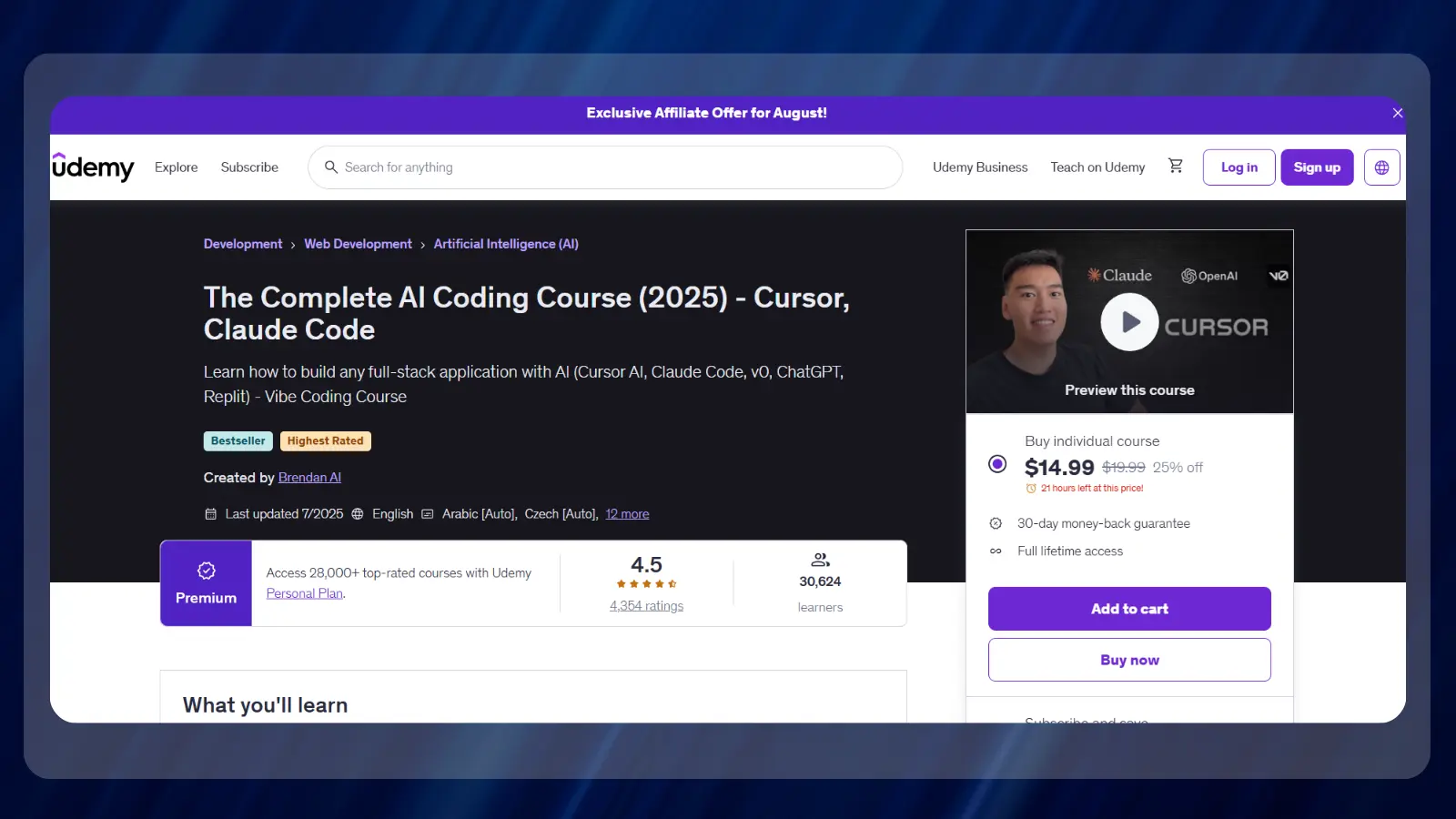
The Udemy course combines coding-agent training with Cursor, v0, and Replit. Its development examples include a Next.js calorie tracker. This makes it a broader AI coding course with a dedicated Claude component.
Udemy lists 12 hours of on-demand video and a rating of 4.5/5 from 4,332 ratings. Its advertised new-learner offer is platform-wide, so it does not establish this course’s list price.
| Provider | Udemy |
| Price | Not listed by the provider |
| Difficulty | Beginner to intermediate |
| Time | 12 hours of on-demand video |
| Certificate | Certificate of completion |
| Rating | 4.5/5 from 4,332 ratings |
As a Claude course, it is best for comparing tools. Readers wanting focused development training may prefer the dedicated options.
| Pros | Cons |
|---|---|
| ✅ Broad coverage – includes several AI coding tools. ✅ On-demand format – supports self-paced viewing. ✅ Application example – includes a calorie-tracker project. ✅ Completion credential – lists a certificate. | ❌ Split focus – Claude training shares time with other tools. ❌ Price clarity – the platform promotion does not state this course’s list price. |
Judge this purchase by how much of the full curriculum you will use, including its coverage of other coding tools.
4. Claude Code in Action by Anthropic Academy [Best Free Option]
This official Claude course offers free enrollment for developers interested in more involved coding-agent workflows. Its retirement notice makes it a time-limited choice.
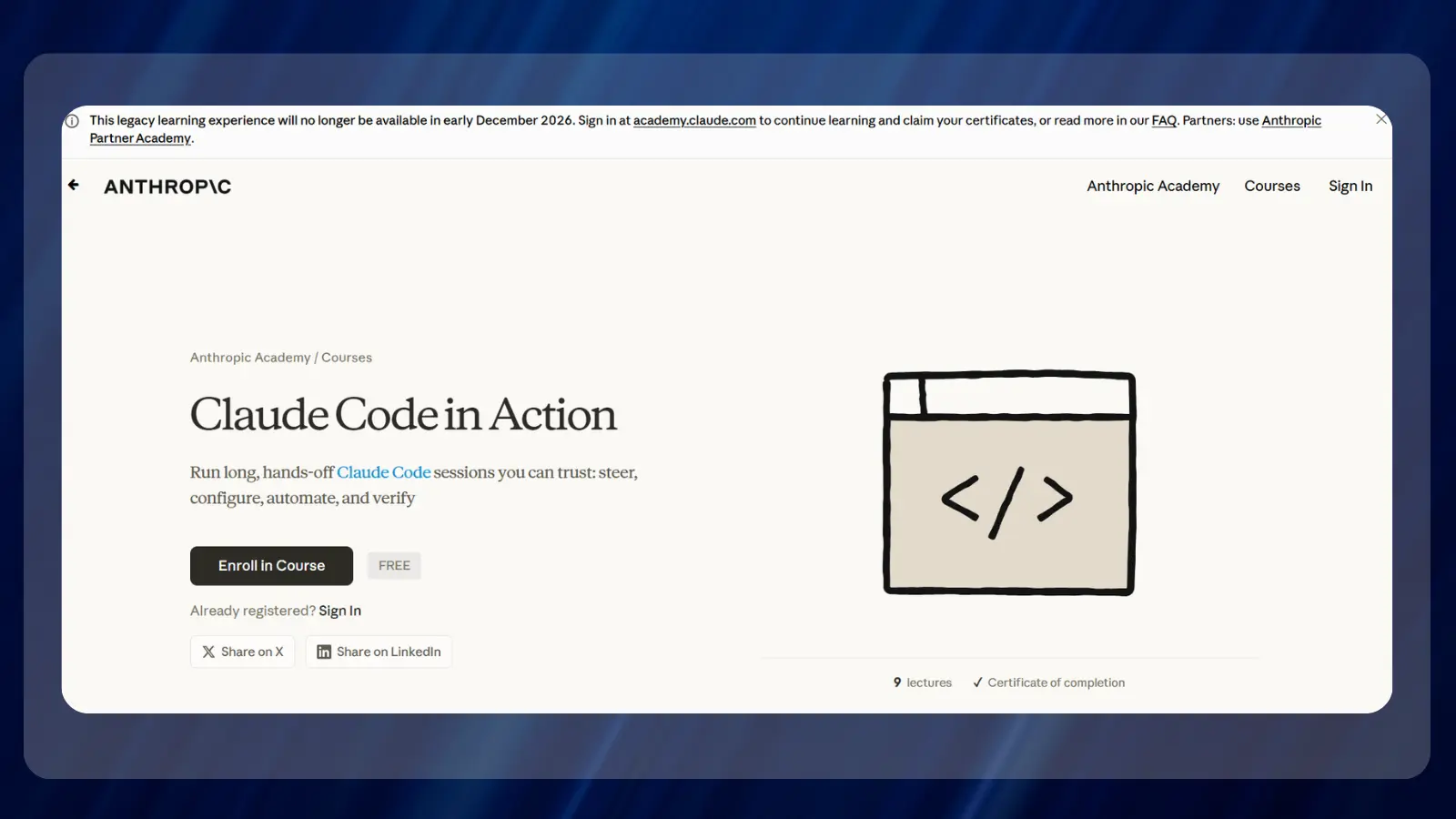
The course introduces ways to organize longer development sessions, including project instructions and reusable procedures. It suits readers who already understand basic coding tasks and want to learn Claude through more structured workflows.
Anthropic Academy lists enrollment as free and says the legacy learning experience closes in early December 2026. New learners should favor the replacement academy when their study plans extend beyond that closure.
| Provider | Anthropic Academy |
| Price | Free |
| Difficulty | Beginner to intermediate |
| Time | 1 hour 10 minutes |
| Certificate | Certificate |
| Rating | 4.2/5 |
Choose this course for its instructional content. Readers who need a completion credential should choose an option that explicitly lists one.
| Pros | Cons |
|---|---|
| ✅ Free enrollment – no course purchase required. ✅ Official education – comes from Anthropic. ✅ Workflow focus – goes beyond isolated prompts. ✅ Reusable instructions – introduces project-level organization. | ❌ Retirement scheduled – closes in early December 2026. ❌ Experienced audience – its workflow topics suit readers with coding familiarity. |
Readers seeking introductory development training with ongoing access should start with the current academy instead.
5. Claude Code 101 by Claude Academy [Best Completion Badge]
This Claude course is the Claude Academy’s entry point to Claude Code with an explicitly listed completion badge. That makes it useful for documenting introductory study.
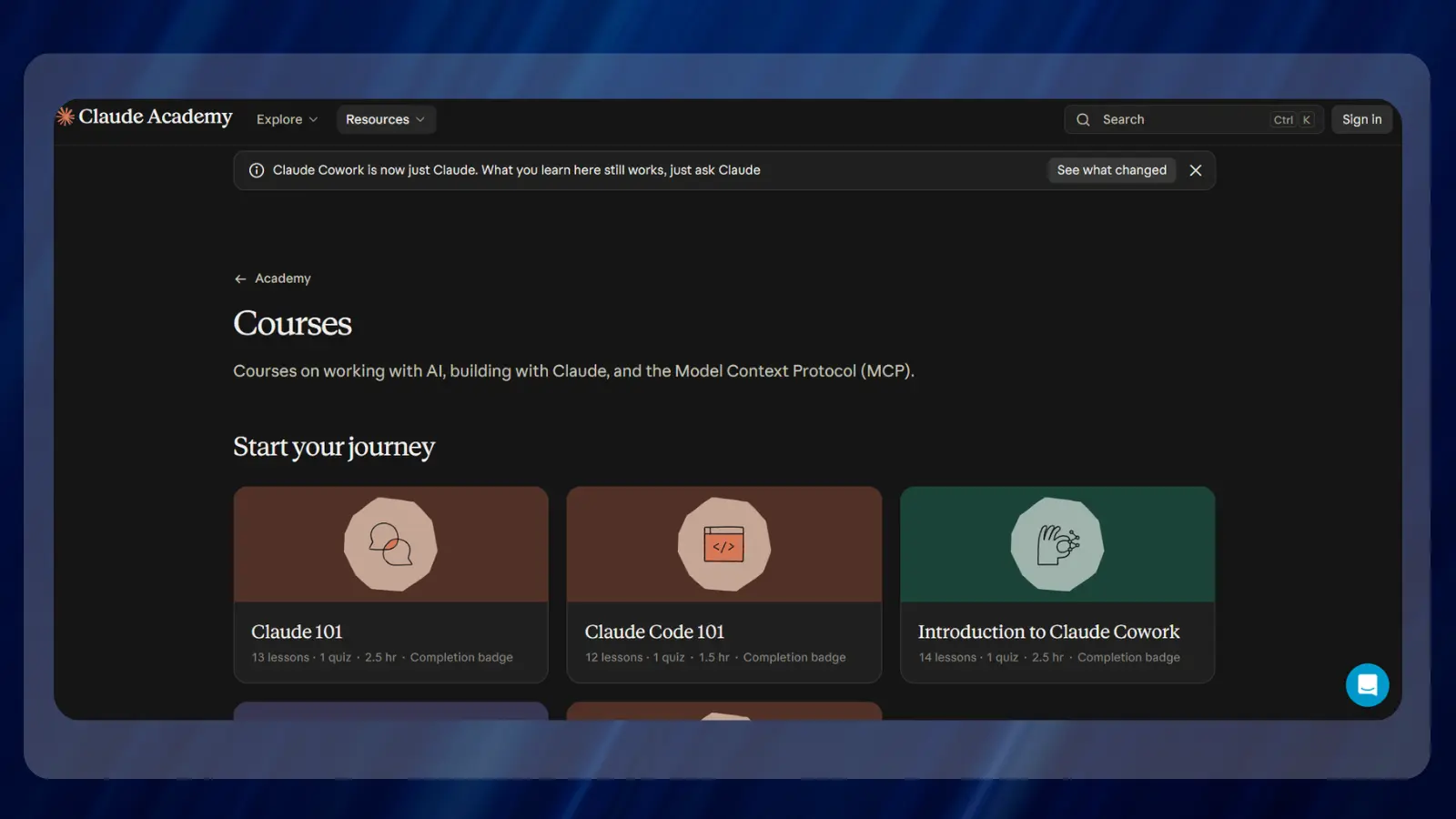
Claude Academy places this coding introduction alongside training for the broader assistant. Its format suits readers who want a bounded introduction before choosing a longer development course.
Claude Academy lists 12 lessons, 1 quiz, and 1.5 hours for this course. The completion badge gives a clear endpoint, while the short format leaves deeper project practice to the learner.
| Provider | Claude Academy |
| Price | Free |
| Difficulty | Not listed by the provider |
| Time | 1.5 hours |
| Certificate | Completion badge |
| Rating | 4.3/5 |
If you need a completion credential, distinguish this badge from the shareable course completion certificate offered by the beginner Coursera pick.
| Pros | Cons |
|---|---|
| ✅ Official starting point – part of Claude Academy. ✅ Defined structure – lessons lead to a quiz. ✅ Compact scope – suits an introductory learning goal. ✅ Completion badge – records completion of the course. | ❌ Limited depth – introductory training needs follow-up practice. ❌ Badge format – may differ from an employer’s certificate requirement. |
This is a practical choice for coding-agent orientation. Pair it with a small project to learn Claude beyond the lesson sequence.
6. AI Project Management: Claude For Project Management A to Z by Udemy [Best for Project Management]
This Claude course fits project managers who want help preparing planning documents. It is the specialty pick for readers whose work centers on coordination instead of software development.
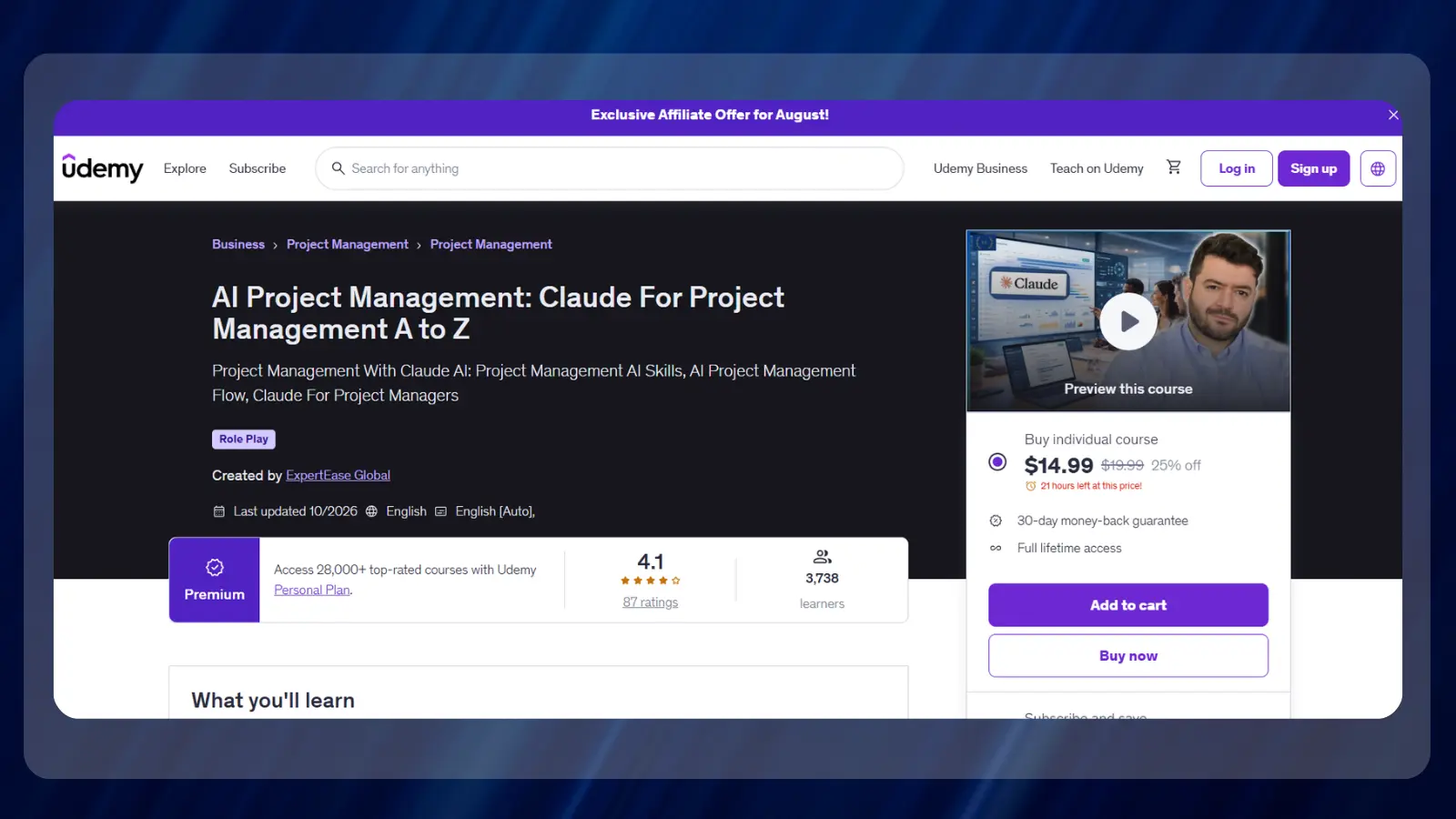
The Udemy course describes using Claude for project charters, work breakdown structures, and Gantt charts. A Gantt chart shows scheduled tasks across a timeline. These examples give business users a more relevant starting point than development training.
Udemy lists 3 hours of on-demand video and a rating of 4.0/5 from 85 ratings. Its certificate of completion is also explicitly listed.
| Provider | Udemy |
| Price | $9.99 |
| Difficulty | Beginner to Intermediate |
| Time | 3 hours of on-demand video |
| Certificate | Certificate of completion |
| Rating | 4.0/5 from 85 ratings |
Choose this Claude course to practice planning. A coding-course completion certificate would be less relevant to that goal.
| Pros | Cons |
|---|---|
| ✅ Specialty focus – concentrates on project management. ✅ Planning documents – covers charters and work breakdown structures. ✅ Scheduling examples – includes Gantt charts. ✅ Completion credential – lists a certificate. | ❌ Limited coding relevance – choose development training for software work. ❌ Human review needed – schedules and project assumptions require professional judgment. |
This is a better way to learn Claude for planning than choosing coding training simply because it is prominent.
Free Claude Courses and Resources
Free Claude courses are a sensible way to test your interest before buying training. Start with official education, then pay when you can name the missing skill or format you need.
These resources and Claude courses offer different routes into the subject:
- Free workflow training: Anthropic Academy offers the legacy Claude Code in Action course. Its closure notice makes the replacement academy the better destination for longer-term study.
- General assistant introduction: Claude Academy lists Claude 101. It covers 13 lessons, 1 quiz, and 2.5 hours, with a completion badge. This is the broader starting point for readers who want to learn Claude before choosing a specialty.
- Coding orientation: Claude Academy also lists Claude Code 101. Its lesson-and-quiz format gives introductory study a defined endpoint.
Readers hoping to learn Claude for free can begin with the explicitly free legacy course while it remains available. For current academy courses, separate the listed learning format from any access terms presented during enrollment.
The best Claude courses to pay for add something you need. The beginner Coursera pick adds a setup sequence and a shareable course completion certificate. The broader Udemy coding course adds exposure to other tools. Those are clearer purchase reasons than collecting another completion credential.
How To Pick the Right Claude Course for Your Goals
Choose a Claude course around the task you need to perform afterward. A certificate requirement, a development project, and a project-planning workflow lead to different choices among the best Claude courses.
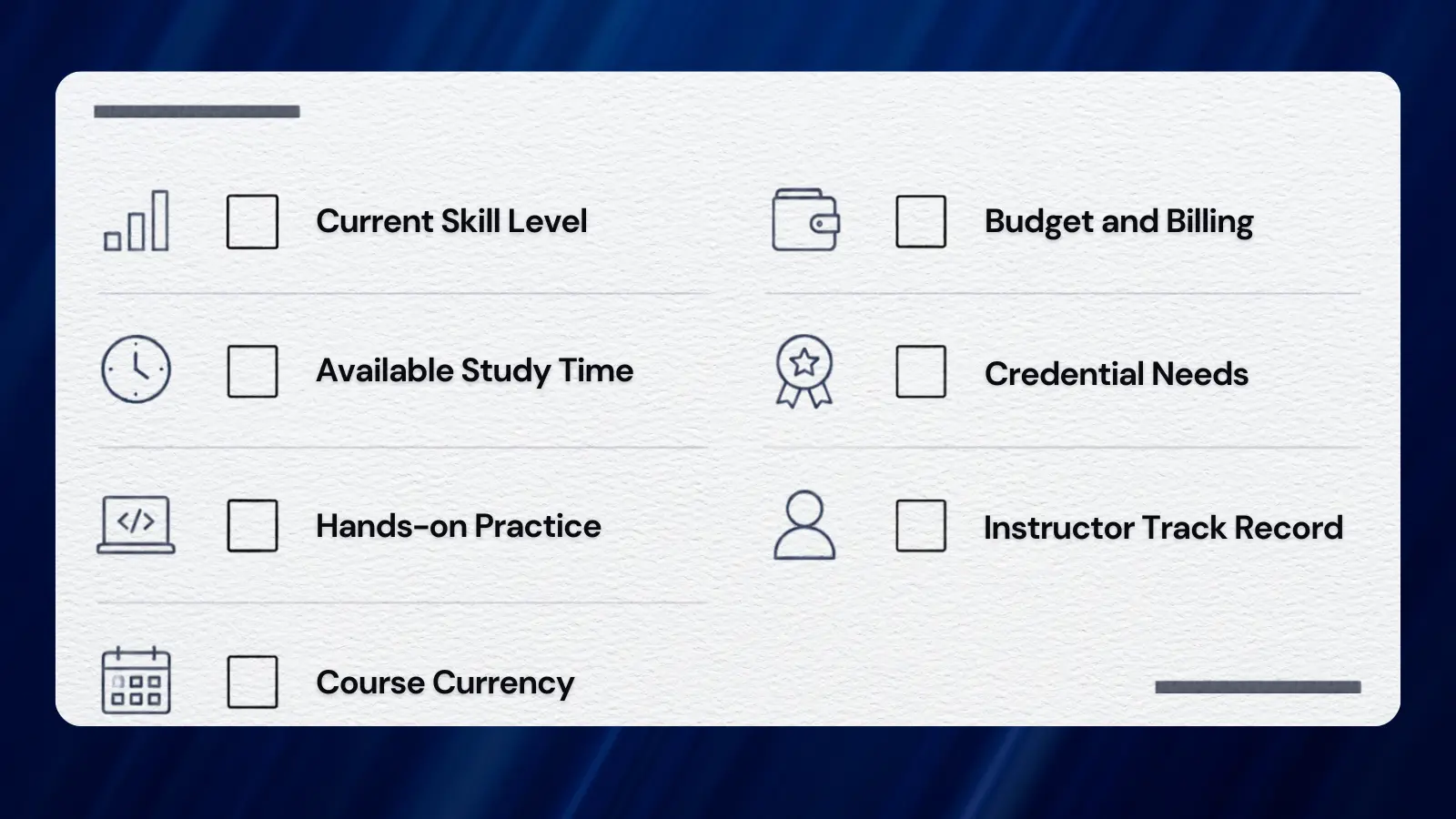
Use these factors to narrow the Claude course shortlist:
- Current skill level: Beginner development training should explain installation and the working environment. Readers comfortable with repositories can move toward project context and parallel workflows.
- Budget and billing: Separate a Coursera Plus subscription from a Udemy course purchase. An annual subscription offer describes platform access, so judge it against the courses you actually plan to use.
- Available study time: Video length describes the material. Leave room to repeat demonstrations, debug mistakes, and apply the method to your own task.
- Credential needs: Ask what an employer accepts before paying for credential-focused training. A completion badge and a shareable course certificate use different formats.
- Hands-on practice: Favor a Claude course whose examples resemble your work. A planning document is useful practice for a manager, while a code change suits a developer.
- Instructor track record: Read the provider’s teaching information and learner feedback together. Enrollment measures reach, while detailed reviews may clarify teaching style.
- Course currency: Compare the interface and installation instructions with the tool you use. Introductory training can lose practical value when its setup steps become outdated.
The right Claude course removes a specific obstacle. A broader curriculum has little value if it leaves that obstacle untouched.
For a gaming-related practice project, a developer could build a small game-session tracker or a tool for organizing playtest notes. A project manager could draft a playtest schedule and then correct its assumptions manually. These are practice suggestions, not projects promised by the listed Claude courses.
When you learn Claude through your own task, save the original instructions and the revised result. That record helps you spot which details improved the output. It also gives a development course a practical follow-up beyond watching demonstrations.
Treat access to the assistant as a separate purchase decision. A course enrollment describes educational access, and the course’s software requirements determine what account or tools you need. Read those requirements before committing to a paid Claude course.
Match Development Training to Your Starting Point
Focused development training is most useful when its opening lessons match what you can already do. If installation is unfamiliar, begin there. If you can already run the tool, choose training that explains project instructions, reviewing changes, or coordinating work. If you’re just starting out with code, this guide on how to learn Python can help prepare you for a development-focused course.
A short introduction works well as a preview. Use it to learn the terminology and decide which workflow deserves deeper study. Then select a Claude course that develops that workflow through an application you understand.
For readers comparing the best Claude courses, this distinction prevents a common mismatch: buying advanced workflow training while still needing help with basic setup. Starting at the right level makes the course easier to use.
Decide What a Completion Credential Adds
A completion credential can document study when a manager or training program asks for it. Its value depends on the recipient’s requirements and the skills you can show alongside it.
Before choosing a Claude course for its credential, read the exact label. The shortlist includes a completion badge, a shareable certificate, and certificates of completion. Preserve those names when describing your training.
A useful follow-up is a short explanation of the task you completed, the mistakes you found, and the changes you made. That gives someone reviewing your credential context about your practical work.
Is a Claude Course Worth the Price?
Yes, a paid Claude course can be worthwhile when its structure solves a learning problem. The strongest reasons to pay are a clear progression, relevant examples, and a credential you actually need.
Development training can help connect installation, instructions, and project work. A business-focused Claude course can make planning exercises more relevant. Choose the format around the work you want to improve.
Paid access also deserves a practical comparison with official training. Complete an introductory lesson, try the method, and write down what remains confusing. A paid Claude course becomes easier to judge when you have that list.
A short introduction may be enough to start a small task. Longer Claude courses make sense when you need more guided progression or broader tool coverage.
Turn Course Material Into Practical Work
Practice gives a Claude course value after the videos end. Choose a task small enough that you can inspect the result and explain what changed.
For software work, keep the original project available and review each proposed change. Run the project’s checks and read the edited files. If you cannot explain the change, ask for a smaller revision and inspect it again.
For planning work, compare the generated document with the project’s actual constraints. Correct task dependencies, ownership, and assumptions before sharing it. A polished-looking plan still needs a project manager’s judgment.
These habits help you learn Claude through feedback. They also make it easier to judge a later development course because you know which parts of the process need improvement.
Judge the Purchase by the Missing Skill
A completion certificate can be a useful record, but the purchase decision should start with a skill gap. Setup help, project organization, and planning examples are specific needs that a curriculum can address.
Compare that need with the course outline before paying. If the relevant topic is only a brief section inside a broad Claude course, a dedicated option may be a better fit.
The same rule applies to introductory training. Its short format is useful when you need orientation, while a larger course should offer a clear reason for the extra study.
For readers who want to learn Claude without committing to a purchase, official introductory training is the sensible first step. Build something with what you learn, then compare the best Claude courses.
Final Verdict
Claude Code: Software Engineering with Generative AI Agents is the overall pick for developers ready to organize larger AI-assisted tasks. Project instructions and parallel work give this Claude course a clear purpose. Readers still learning installation should start elsewhere.
Mastering Claude Code: From Setup to Real Projects is the stronger beginner choice and the clearer option for a shareable completion certificate. The free legacy Claude Code in Action suits readers familiar with basic coding tasks who can finish before its closure. Compare the Udemy budget pick when broader tool coverage is useful, but judge its actual purchase price at enrollment.
The best starting level beats the broadest syllabus. Choose the best Claude courses by the task you need to perform, and start with official introductory training if you are still deciding what that task should be.
FAQs
Among the best Claude courses, Mastering Claude Code: From Setup to Real Projects is the beginner pick. It starts with installation and terminal use before moving to features, bug fixes, and documentation.
Yes, Anthropic Academy offers free enrollment in Claude Code in Action. The legacy course closes in early December 2026. Its notice directs learners toward the replacement academy.
Course length and working proficiency differ. Development training can introduce the tool, but your progress depends on coding experience, practice, and the complexity of the projects you attempt.
Yes, some Claude courses include completion credentials. The beginner Coursera pick offers a shareable course completion certificate, not an exam-based vendor certification. The official introductory course lists a completion badge.
Yes, introductory training can explain setup and basic workflows. Follow it with a small task you can inspect and test. Choose a longer course when you need more guided practice.
Start with Mastering Claude Code if you need setup guidance, or Claude Code 101 for a compact official introduction. Readers learning project planning should choose that specialty. Your starting level should decide among the best Claude courses.