




HP Laptop 15 Review 2026

Eneba Hub contains affiliate links, which means we may earn a small commission if you make a purchase through them—at no extra cost to you. Learn more


I put together this HP Laptop 15 review as a budget laptop review for anyone shopping for a dependable everyday machine without overpaying. The HP Laptop 15 is built for students, remote workers, and home users – not a performance powerhouse, but a capable machine at a price that doesn’t force you to compromise on memory or storage.
What makes the HP Laptop 15 stand out at entry-level pricing is its configuration: 32GB DDR4 RAM and a 1TB NVMe SSD are unusually generous for a budget machine, where most rivals ship with 8GB of memory and 256GB of storage. The 4-core Intel N100 handles light productivity reliably, and WiFi 6E puts it a generation ahead on wireless speed.
In my assessment, the HP Laptop 15 lands well for students and home office workers who need RAM and storage headroom. The trade-offs are honest: a 250-nit panel that struggles in sunlight, an Intel N100 ceiling under sustained load, no keyboard backlight, and a USB-C port limited to data only. If those limits don’t affect your workflow, this is one of the better-configured budget laptops in 2026.
Jump to:
Laptop 15 at a Glance
The HP Laptop 15 packs more memory and storage than most rivals in its price tier. Here is what you get before the full breakdown.
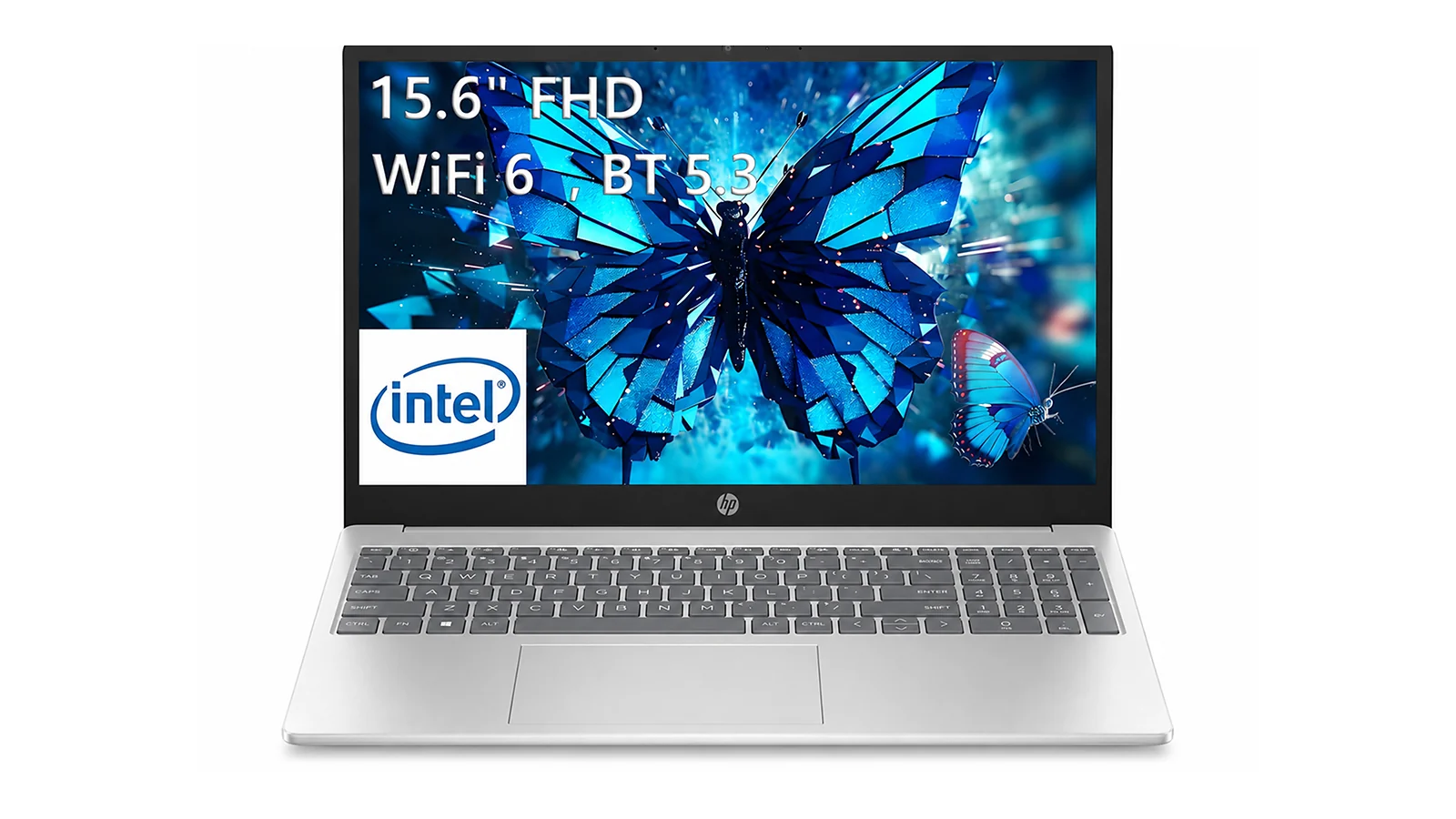
| Specs | Details |
|---|---|
| Processor | Intel N100 (4-core, up to 3.4 GHz) |
| RAM | 32 GB DDR4 SDRAM |
| Storage | 1 TB PCIe NVMe M.2 SSD |
| Display | 15.6″ FHD (1920×1080), 250 nits, Non-Touch, Anti-glare |
| Graphics | Intel UHD Graphics (integrated) |
| Wireless | WiFi 6E (MediaTek MT7902), Bluetooth 5.3 |
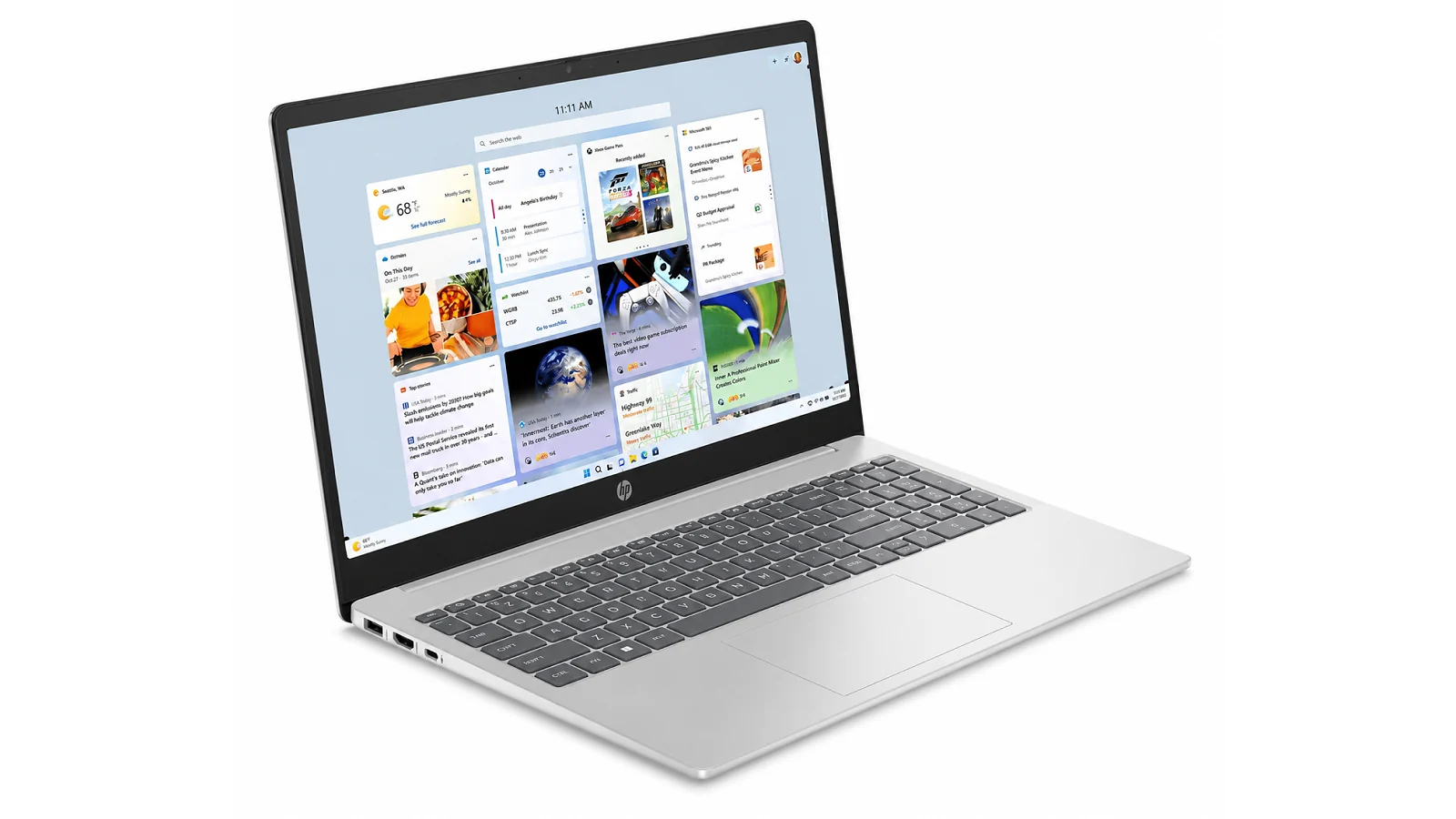
| Ports | 1x USB-C 5Gbps (data only), 2x USB-A 5Gbps, 1x HDMI 1.4b, 1x audio combo |
| Battery | 7.8 hours |
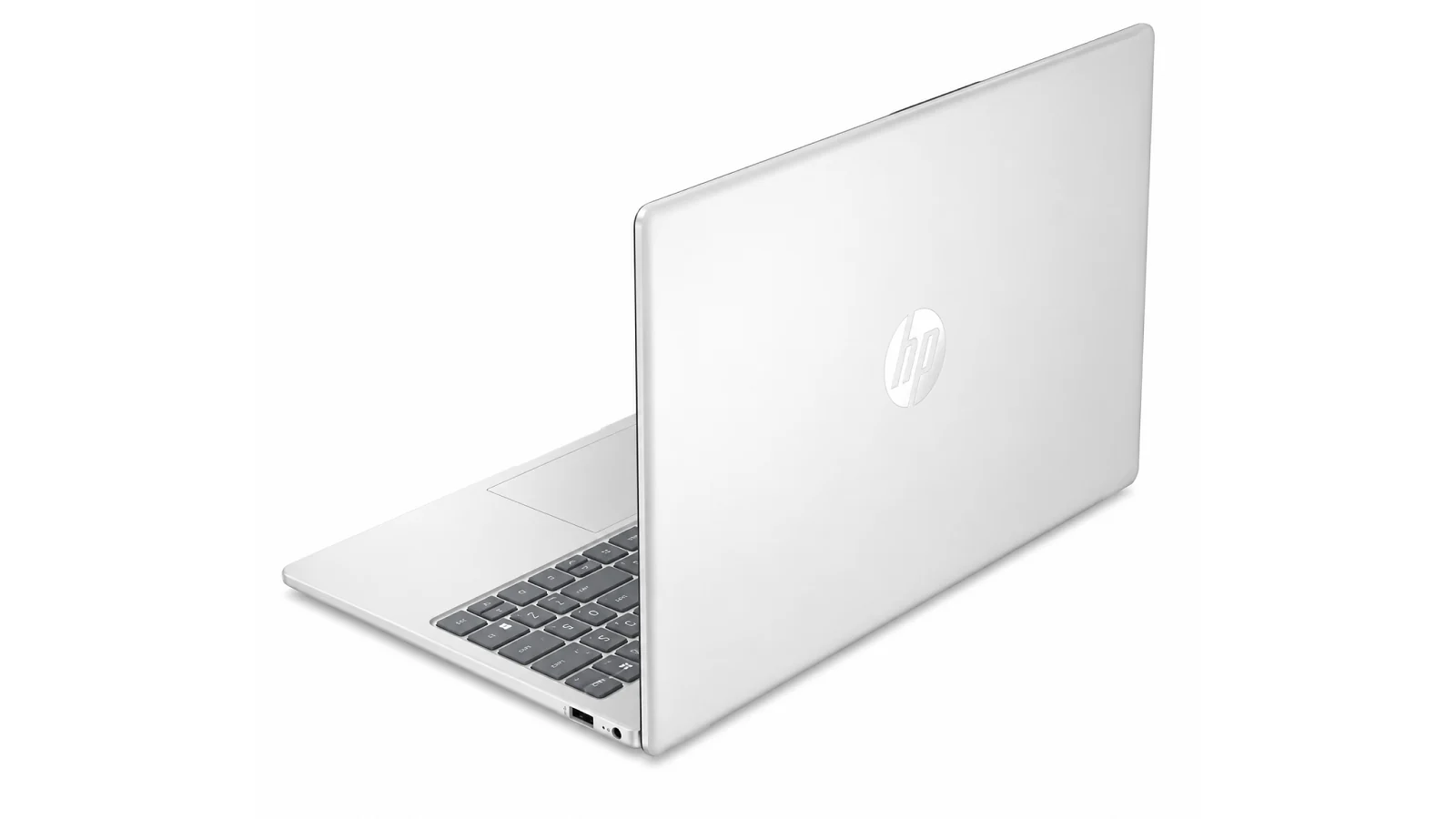
| Weight | 1.65 kg (3.64 lbs) |
| Dimensions | 14.17″ x 9.29″ x 0.73″ |
| Operating System | Windows 11 Pro |
| Keyboard | Full-size with numeric keypad, no backlight |
| Webcam | Yes |
| Color | Natural Silver |
Key Features and Benefits
The HP Laptop 15 is priced for budget-conscious shoppers but punches above that tier in a few key areas. Here is where the value lands.
- 32 GB DDR4 RAM – Browser-heavy workloads and light multitasking stay fluid. At this price, 32GB is exceptional – most rivals cap at 8GB, creating noticeable lag by midday. This configuration handles everything a student or remote worker needs without slowdowns.
- 1 TB PCIe NVMe SSD – Boot times are fast and 1TB of capacity means years of documents and files before storage is a concern. A PCIe NVMe drive is substantially faster than the eMMC storage common in budget machines.
- WiFi 6E – Faster and less congested than older standards on a compatible network, which matters for video calls, cloud workflows, and streaming. Most laptops at this price point top out at WiFi 5.
- Windows 11 Pro – Pro edition includes BitLocker encryption and remote desktop access – features most budget machines skip by shipping Home. In any HP 15 Windows 11 laptop review, this is a standout value-add for students and professionals handling sensitive files.
- Full-size keyboard with numeric keypad – The numpad suits spreadsheet and data-entry users. The chiclet layout is comfortable for extended sessions. No backlight – worth knowing if you work in low-light environments.
Performance and Real-World Experience
The Intel N100 is a low-power chip designed for light productivity, not sustained performance. That framing matters before buying.
The NVMe SSD does much of the heavy lifting – boot times are fast and apps launch responsively in a way eMMC-based budget laptops don’t match. For web browsing, email, Microsoft Office, Google Docs, and video streaming, the N100 keeps pace without throttling. The 32GB RAM means the system never leans on slow swap memory – the bottleneck stays on the processor, not memory pressure.
The ceiling shows under sustained load. Video transcoding or running several demanding apps simultaneously will expose the processor’s limits. One verified owner noted the CPU felt dramatically under-powered for rapid program loading under pressure – accurate for anything beyond light productivity. Similar efficiency profiles appear across HP’s budget laptop range – users researching HP Laptop 15-fd review variants or the HP 15-fc review series will find comparable tradeoffs in this processor class.
If your workflow centers on browsing, documents, email, and video calls, the HP Laptop 15 is well-matched. If sustained performance is the core requirement, it is not the right machine.
| Pros | Cons |
|---|---|
| ✅ 32 GB DDR4 RAM handles browser-heavy multitasking without slowdowns ✅ 1 TB NVMe SSD gives years of fast storage at a budget price ✅ WiFi 6E connectivity is a future-proof upgrade over older standards ✅ Windows 11 Pro included – rare at this price tier ✅ 1.65 kg build is light enough for a daily bag ✅ Full-size keyboard with numpad suits students and spreadsheet users | ❌ The Intel N100 processor hits a ceiling under sustained workloads – fine for everyday tasks, limiting for anything more demanding |
32 GB RAM and 1 TB NVMe SSD in a budget laptop is an unusual combination – most entry-level machines give you a quarter of the storage and a third of the RAM. For students and home office users who need capable everyday computing without the premium price tag, the HP Laptop 15 covers all the bases.
Most budget laptops compromise on both storage and memory: 8GB of RAM creates lag by midday and 256GB fills up fast. At this configuration, the HP Laptop 15 bypasses those two most common budget complaints before the box is even opened.
“Setup was painless and the laptop runs without any of the slowdowns I expected at this price. For everyday tasks, it delivers more than the price tag suggests.” – Nancy Nits
That expectation-versus-reality gap is real. The NVMe SSD eliminates the storage bottleneck, and 32GB of DDR4 RAM means multiple open apps don’t cause throttling. For a student running a browser, a streaming window, and a document editor at once, that combination matters more than raw processor speed under everyday conditions.
“It hits the mark for everyday computing at this price. The one thing I didn’t clock before buying was the lack of a backlit keyboard – worth checking the specs if that matters to you.” – Slammy90
The keyboard backlight is a known spec, not a defect – the listing states it clearly. For users in well-lit offices and classrooms, it’s a non-issue. For late-night study sessions in dim settings, it is worth checking before purchasing.
Display and Visual Quality
The 15.6″ screen is what you stare at for 8 or more hours a day. Here is what the HP Laptop 15’s panel delivers for a home or student user.
The 15.6″ FHD (1920×1080) panel delivers a clean, sharp picture at normal viewing distances. Text stays crisp and streaming video holds up well. At 250 nits, the display is workable indoors but falls short in direct sunlight – a genuine limitation for outdoor workers, a non-issue for desk and classroom use.
The 45% NTSC color gamut lands on the lower end. Colors look accurate for documents and web content, but photo editors will notice the muted range. This is a productivity panel, not a content-creation display. The non-touch, anti-glare coating reduces overhead-light reflections in shared workspaces, and the IPS-type construction gives decent viewing angles for shared study tables.
For home office workers and students, this display fits the use case without friction. If outdoor work or color-accurate tasks are part of your daily routine, this is the panel’s clearest limitation.
Battery Life and Portability
For a student moving between classes or a home worker shifting between rooms, portability and battery are practical daily concerns.
HP rates the HP Laptop 15 at 7.8 hours. Under moderate use – browser, productivity apps, WiFi on, brightness at 50-60% – real-world runtime typically lands between 5 and 7 hours. That covers most school days and work-from-home sessions without a charger nearby.
One specification that frequently surprises: the USB-C port supports data transfer only – it does NOT support charging or video output. The laptop charges exclusively via the included AC smart pin barrel connector. If USB-C charging is part of your setup, this is worth confirming before purchase.
At 1.65 kg (3.64 lbs) with a 0.73″ profile, the HP Laptop 15 fits standard laptop bags without bulk. WiFi 6E and light weight make it practical for anyone switching between home, library, and campus.
My Overall Verdict on HP Laptop 15
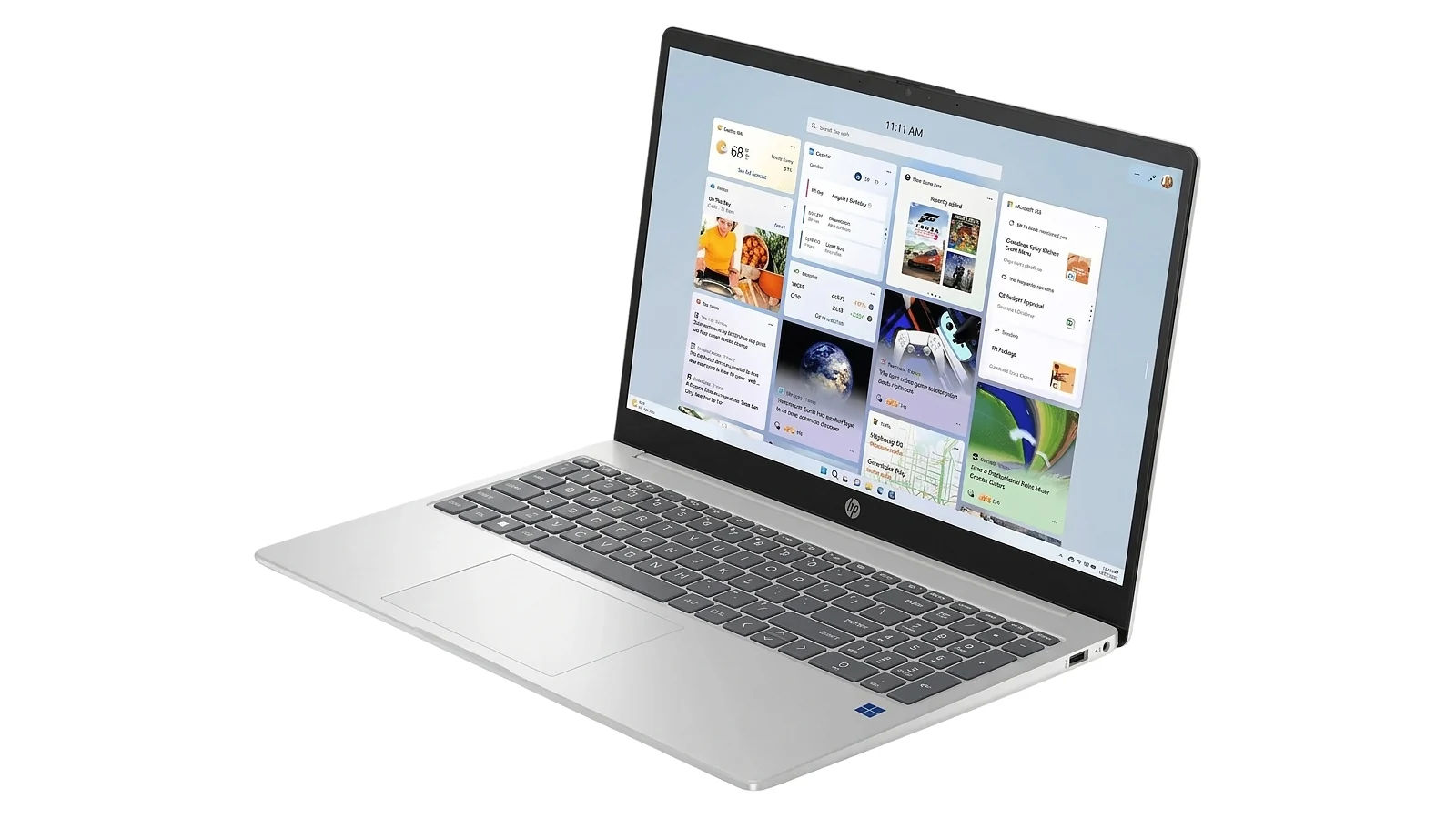
This HP Laptop 15 review comes to a clear conclusion: for students and home office users on a budget, this machine overdelivers where it matters most. The 7.9/10 Enebameter score reflects a laptop that gets the fundamentals right – 32GB RAM and a 1TB NVMe SSD at entry-level pricing – while accepting honest trade-offs on display brightness and processor headroom.
Who should buy it: students on a tight budget, home office workers handling documents and email, anyone who needs a portable Windows 11 Pro machine without premium spend. As an HP 15 student laptop review recommendation, the 32GB RAM and 1TB SSD setup means no performance upgrades for years, and WiFi 6E rounds out a package built for moving between spaces.
Who should skip it: users who need sustained performance for video editing or development work. The Intel N100 has a clear ceiling, the 250-nit display limits outdoor use, and the USB-C port won’t charge the machine. If those requirements define your workflow, the HP Laptop 15 review points you toward a different category.
Complete Your Setup
The HP Laptop 15 handles everyday computing – here are two accessories that complete a productive home or student setup.
CHERRY XTRFY K5 Pro TMR Compact
The HP Laptop 15’s built-in keyboard is solid for everyday typing, but a dedicated external keyboard is a worthwhile step up for desk-heavy users. The CHERRY XTRFY K5 Pro TMR Compact uses magnetic hall-effect switches for precise, consistent actuation, and its compact layout pairs cleanly with the Laptop 15 via USB-A.
Logitech G Gaming Headset
The HP Laptop 15’s audio jack and WiFi 6E make it a capable video call machine, but a dedicated headset rounds out the experience for remote students and workers. Logitech G headsets deliver clear mic pickup and comfortable extended wear, with both USB-A and 3.5mm options that work with the Laptop 15’s port layout.
FAQs
Yes, the HP Laptop 15 is worth it for students and home users who prioritize storage and memory over raw processing power. The 32GB DDR4 RAM and 1TB NVMe SSD at a budget price is a configuration most entry-level rivals cannot match, making it one of the stronger value picks in its class.
The HP Laptop 15 comes with 32GB of DDR4 RAM, which is exceptionally generous at this price tier. Most budget laptops cap at 8GB, which leads to noticeable lag by midday when running multiple browser tabs and productivity apps simultaneously.
Yes, the HP Laptop 15 is a solid pick for students and home users who need a capable everyday machine. WiFi 6E, Windows 11 Pro, a 1TB SSD, and a weight of 1.65 kg cover most academic and home office workflows without asking more from the Intel N100 than it handles well.
No, the USB-C port on the HP Laptop 15 supports data transfer only and does not support charging or video output. The laptop charges via the included AC smart pin barrel adapter, which is worth confirming before purchase if USB-C charging is part of your current setup.
The HP Laptop 15 review shows it punches above most rivals on storage and memory, with 32GB RAM and a 1TB SSD that most entry-level alternatives cannot match. The trade-offs are processor headroom under sustained load, a 250-nit display, and no keyboard backlight – limitations that matter for some use cases and not at all for others.












