How to Find Warzone Teammates

Knowing how to find Warzone teammates can transform your gaming experience. Random matchmaking rarely delivers the team synergy you need to clutch those final circles. That’s why I’ve put together this guide to help you find Warzone teammates who actually communicate, stick together, and share your competitive drive.
This article covers the best methods, platforms, and tools to connect with players who match your skill level and playstyle. From in-game features to third-party apps and gaming communities, you’ll discover practical ways to build a consistent squad and finally enjoy Warzone the way it’s meant to be played.
Jump to:
How to Find Warzone Teammates
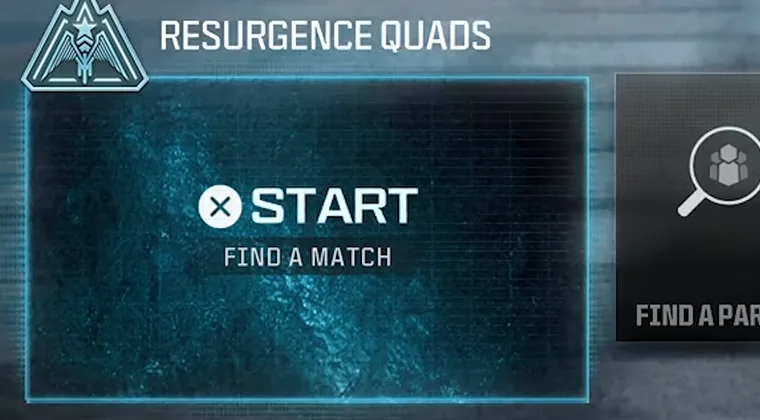
The key to improving your Warzone experience starts with knowing where to look. Each method has its own advantages, depending on what you value most in teammates.
The approach you choose depends on your priorities. Do you need teammates right now for a quick session, or are you building a consistent team for ranked play and tournaments?
The most effective strategy combines multiple methods. Start with in-game features for immediate matches, then branch out to apps and communities as you search for players who truly complement your playstyle. This layered approach gives you the best chance of finding teammates who stick around.
Using In-Game Team Finder Features
Warzone includes built-in matchmaking that automatically pairs you with other players. The game finds teammates based on basic criteria like your selected mode and region. This method is fast and convenient.
The system works reasonably well for casual play. You’ll typically get matched with players of similar rank, though skill levels can vary wildly. Some matches you’ll land with competent players who understand rotations and positioning, while others feel like babysitting duty.
The biggest drawback is unpredictability. If you’re grinding for wins or trying to improve your K/D ratio, this inconsistency gets old fast.
To maximize these tools, stick to specific modes where player objectives align better. Plunder mode tends to attract players focused on cash collection, while Battle Royale draws more competitive players. Choose your mode based on the type of teammates you want to encounter.
Joining Custom Lobbies and Warzone-Specific Matchmaking
Third-party platforms take team finding to another level. Services like Discord servers, GamerLink, and dedicated Warzone communities let you find people to play Warzone with based on detailed preferences.
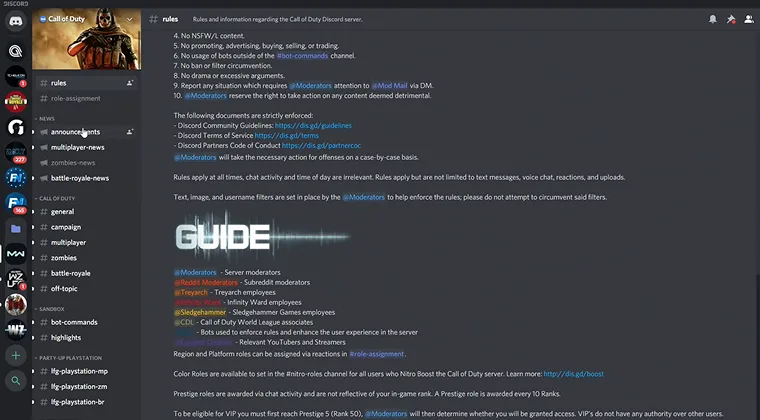
Discord is the gold standard for building gaming squads. Thousands of Warzone-specific servers exist where players post LFG (Looking For Group) messages with their stats, preferred playstyle, and availability.
Platforms like GamerLink and Squad Finder apps function similarly but with more structured matchmaking systems. You create a profile listing your K/D ratio, win rate, preferred game modes, and communication style. The algorithm then suggests compatible teammates based on these factors.
Before committing to a team through these platforms, check player profiles and reviews when available. A quick profile check helps you avoid wasting time with incompatible squadmates. Always do a trial run before committing to regular sessions with new teammates.
Participating in Warzone Communities and Forums
Gaming communities and forums remain incredibly valuable for finding consistent teammates. Reddit‘s r/Warzone subreddit hosts regular LFG threads where thousands of players post looking for squads. Facebook groups dedicated to Call of Duty matchmaking connect players globally, often organized by region or playstyle preferences.
Many communities organize around specific criteria. Some focus on competitive ranked play, others cater to casual players, and some are specifically for Call of Duty Warzone esports enthusiasts. Finding the right community for your skill level and goals ensures better teammate compatibility.
When posting in these communities, be specific about what you’re looking for. Mention your K/D ratio, typical play schedule, preferred communication platform, and whether you play aggressively or tactically. Clear expectations from the start prevent mismatches and help you connect with truly compatible players.
Using Gaming Apps to Connect with Teammates
Specialized gaming apps have revolutionized how players connect. An app to find gamer friends like GamerLink, Discord, or Play With Friends streamlines the entire process. These platforms understand gaming culture and build features specifically for competitive team building.
GamerLink lets you create detailed profiles showcasing your stats, preferred games, and communication preferences. The app matches you with compatible players based on these factors, similar to how dating apps work but for gaming squads.
Discord remains the most versatile option, combining text chat, voice channels, and community building. Joining Warzone-specific Discord servers gives you access to thousands of active players.
TeamFinder and similar apps focus specifically on competitive matchmaking. These platforms attract players serious about improving their stats and climbing ranked ladders. If you’re committed to getting better at Warzone and need equally motivated teammates, these apps deliver higher-quality connections than casual gaming forums.
The Best Platforms and Tools to Find Warzone Teammates
After testing numerous platforms, a few consistently deliver the best results. Discord stands at the top for its versatility and massive user base. You’ll find teammates within minutes regardless of your skill level or preferred playstyle.
GamerLink excels for mobile-first team finding. Players tend to be more committed since they took time to build profiles and specify preferences. You’ll encounter fewer trolls and ghost teammates compared to completely open platforms.
For competitive players, websites like Warzone Team Finder and specific Warzone team finder Discord servers curate higher-skill communities. The vetting process filters out casual players, creating a more focused pool of serious competitors.
Reddit‘s r/Warzone and r/WarzoneLFG remain solid free options. The subreddits work best for finding occasional teammates rather than building long-term squads, but they’re perfect starting points if you’re new to external team finding.
Traditional gaming forums like GameFAQs and dedicated Call of Duty community sites still host active LFG sections. These platforms attract slightly older demographics who prefer forum-style communication over app-based messaging. If you want to get COD Points or discuss in-game purchases while team building, these communities provide that additional context.
Best Communication Strategies for Warzone Teams
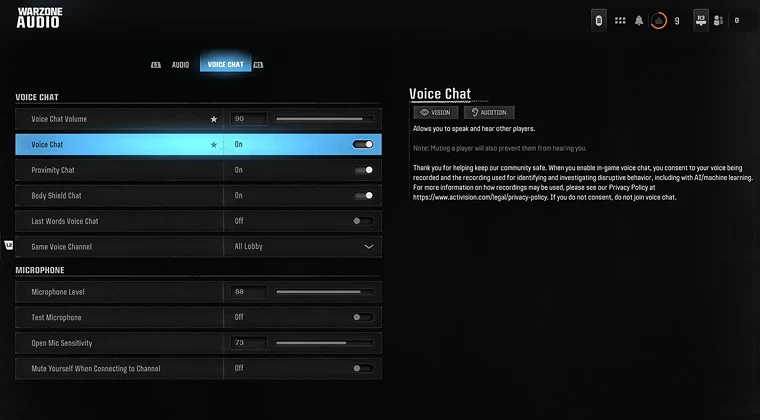
Finding teammates is only half the battle. Effective communication separates good teams from great ones, especially in Warzone‘s high-stakes final circles. Even skilled players struggle without clear, concise communication during clutch moments.
Start by establishing communication basics before your first match. Make sure everyone has working mics and can hear clearly. Technical issues waste precious time that could be spent coordinating strategies.
Develop simple callouts for key locations and situations. Instead of long descriptions, use shorthand like “one-shot cracked” or “pushing red building.” Your team needs to process information instantly during firefights.
Use in-game pings strategically to supplement voice communication. Ping enemy locations, loot, and suggested rotations. Visual markers help teammates who might have missed verbal callouts or are temporarily dealing with their own engagements.
Maintain positive communication even during losses. Teams that stay positive and constructive stick together longer and improve faster. Using a VPN for Warzone can also help reduce lag issues that sometimes cause communication problems during intense matches.
Start Building Your Squad Today
Finding reliable Warzone teammates transforms the entire experience. Start with one or two platforms that appeal most to your gaming habits, then expand as you refine what you’re looking for in squadmates.
Remember that building great teams takes time. Not every player you meet will become a permanent teammate, and that’s completely normal. Focus on clear communication, shared goals, and compatible playstyles when evaluating potential long-term squad members.
Jump into Discord servers, download those gaming apps, and start engaging with Warzone communities today. Having reliable teammates who can earn money playing Call of Duty Mobile makes every session more rewarding. Get out there and start building your team.
FAQs
Use platforms like Discord or GamerLink where you can specify your playstyle preferences. Look for players with similar K/D ratios and communication styles, then do trial matches before committing.
Discord servers dedicated to Warzone, GamerLink app, Reddit’s r/WarzoneLFG subreddit, and dedicated Warzone Team Finder websites consistently deliver quality teammates across all skill levels.
Yes, most team-finding platforms let you filter by stats like K/D ratio and win rate. Competitive-focused Discord servers and apps often require stat verification to ensure skill-level matching.
Reputable apps like Discord, GamerLink, and established gaming communities are generally safe. Avoid sharing personal information and use platform-specific communication tools rather than external contacts initially.
Check player profiles and reviews when available, do trial matches before regular commitments, and don’t hesitate to remove players who display toxic behavior. Clear communication about expectations helps prevent issues.
Establish simple callout systems, use in-game pings alongside voice chat, ensure everyone has working mics, and maintain positive communication even during losses. Practice builds natural team synergy over time.
Find players with compatible schedules and goals, establish regular play sessions, maintain positive communication, and focus on improvement together rather than just wins. Consistency creates lasting team bonds.