



Is Minecraft Cross-Platform? Your Guide to Cross‑Play and More

Minecraft is everywhere – from PCs and consoles to phones – which makes it natural to ask is Minecraft cross-platform, when you want to team up with friends on different systems. In short, yes, if you have the right edition. This guide outlines which versions support cross‑play, the basic steps to start a session, and the limitations you should know.
Jump to:
Is Minecraft Cross Platform? Quick Answer
Minecraft comes in two main editions: Bedrock and Java. The Bedrock edition runs on Windows 10/11 PCs, Xbox consoles, PlayStation 4 and PlayStation 5, Nintendo Switch, iOS and Android devices, and some Chromebooks. If you own this version and sign in with a Microsoft account, you can play with friends on any of these devices.
By comparison, the Java edition runs on Windows, macOS, and Linux computers and only allows online play with other Java players. There’s no official way for Java and Bedrock users to share a world.
If you’re not sure which version you have, look at where you bought it. The Minecraft: Java & Bedrock Edition bundle includes both versions under one account. Choosing this option means you can switch between editions, depending on who you want to play with.
For a broader look at cross‑play titles, our list of the best cross‑platform games highlights other games that unite players across devices.
How Cross‑Play Works in Minecraft
Bedrock Edition
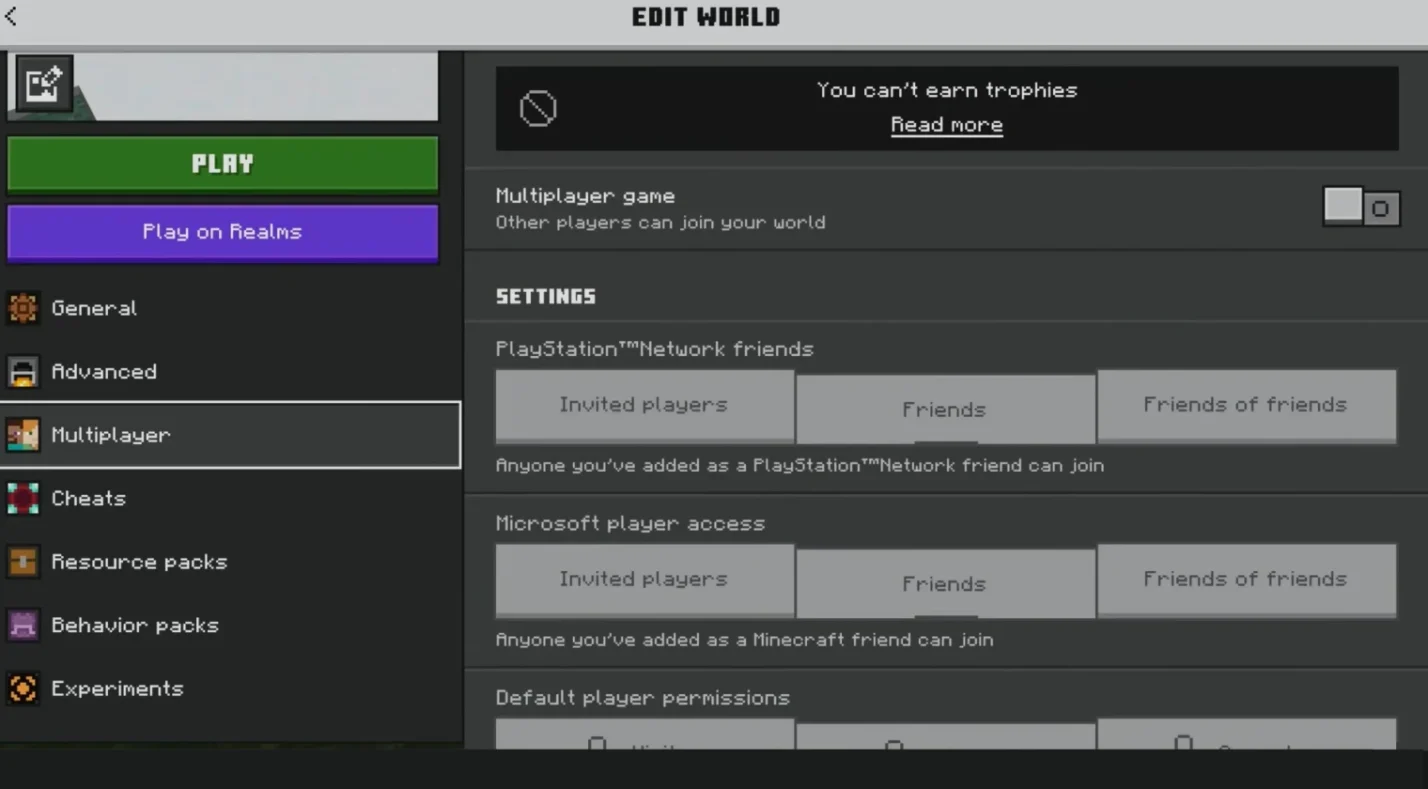
Cross‑play is built into the Bedrock edition. After downloading the game, you sign in with a Microsoft account, which stores your friends list, purchases, and progress. If you’re also looking for a VPN for Minecraft to keep your connection stable while joining friends across platforms, this is a good point to set it up. From there, your device doesn’t matter – you can move from a Windows PC to a PlayStation or a mobile phone and still join the same world.
Console versions require active online subscriptions: Xbox players need Xbox Live Gold or Game Pass, PlayStation players need PlayStation Plus, and Nintendo Switch players need Nintendo Switch Online.
On PC and mobile, you can join friends as long as you’re logged into your Microsoft account. Because Bedrock uses the same core code across platforms, updates arrive at roughly the same time and your skins and marketplace purchases carry over.
Java Edition
Java edition is the original computer version available for Windows, macOS, and Linux. It’s known for its extensive modding community and technical depth. However, it doesn’t support cross‑play with Bedrock.
Java players can only connect to other Java players. Community servers and Realms for Java exist, but they don’t allow console or mobile users to join. Some server admins run plugins like GeyserMC to let Bedrock clients connect to Java servers. I’ve tried this with friends on consoles, and while it works for basic survival, it tends to break with mods and requires extra setup. For most people, it’s easier to agree on using Bedrock if you want seamless cross‑platform play.
Setting Up a Cross‑Platform Session
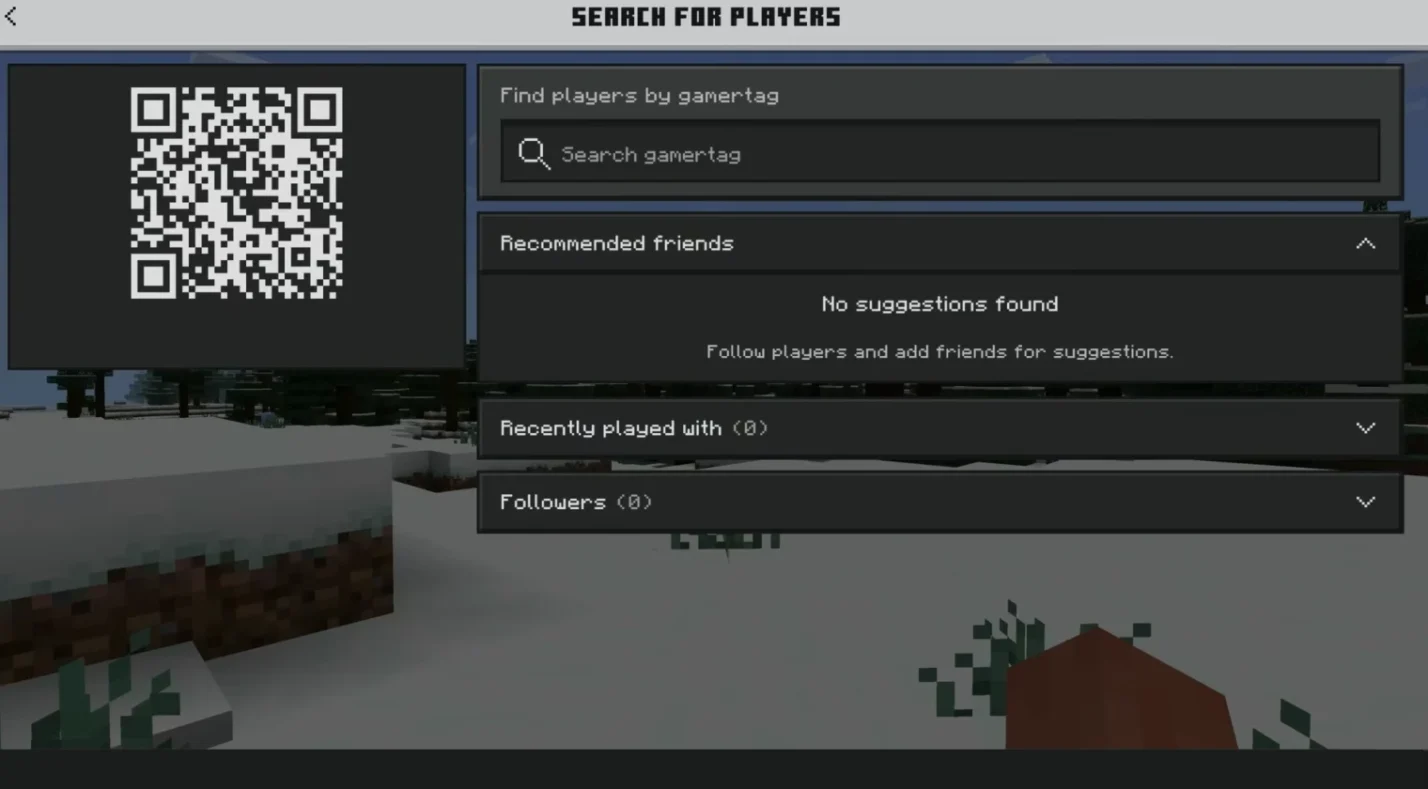
Cross‑play on Bedrock is straightforward:
- Confirm you own Bedrock and update it: If you bought Minecraft through the Microsoft Store, console stores, or mobile app stores, you have Bedrock. Download any available updates so everyone is on the same version.
- Sign in with a Microsoft account: Bedrock uses Microsoft accounts to manage friends and purchases. On consoles, link your platform account in the game’s settings.
- Add friends and invite them: From the Friends tab, search for your friend’s gamertag or Microsoft account name, send a request, then join or invite them from the list of joinable worlds.
- Consider Realms for a persistent world: Realms are optional subscription servers that stay online even when the host leaves. They support up to ten simultaneous players and are ideal for long‑term projects.
If you encounter connection issues, verify that everyone is using the same edition and version. Console players should also ensure their online subscriptions are active.
For more tips on multiplayer setup and how Minecraft’s online play compares with other big titles, see our Minecraft vs. Fortnite guide.
Can Java and Bedrock Players Play Together?
Officially, Java and Bedrock are separate games and don’t support cross‑play with each other. Their code bases and networking systems are different, which is why the Bedrock edition was created in the first place. If you and your friends are split between editions, you’ll need to pick one version to play on together.
The only workaround is hosting a Java server with the GeyserMC plugin or similar software that bridges Bedrock clients to Java servers. This solution works for simple worlds but isn’t officially supported and can cause bugs. I generally avoid it unless I have a very technical group.
Pros and Cons of Minecraft Cross‑Play
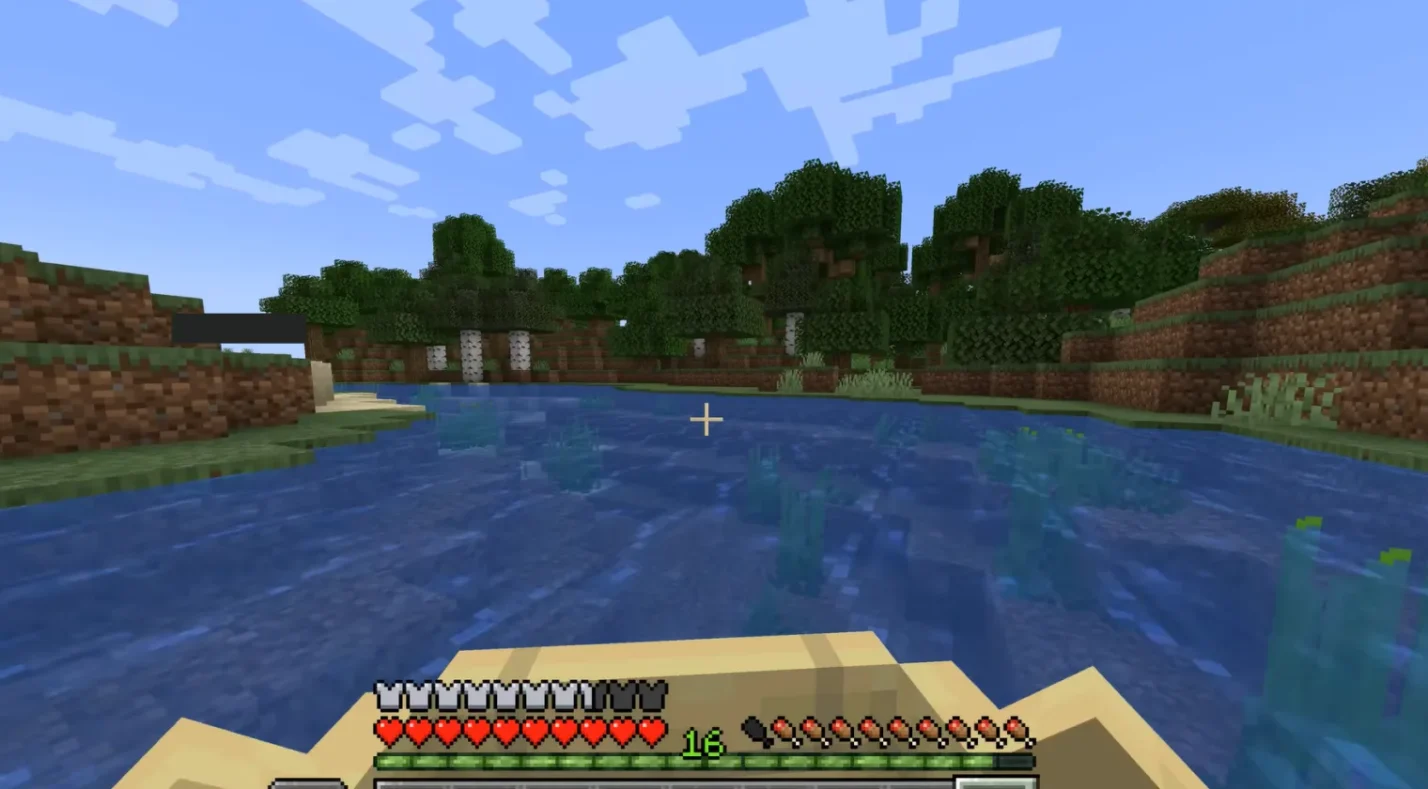
Cross‑platform play is a powerful feature, but it introduces both benefits and challenges. Here’s a brief overview:
Pros:
- You can play with friends regardless of their device, making it easier to keep groups together.
- Shared progress means your skins, marketplace purchases, and minecoins follow you from PC to console to mobile.
- Bedrock Realms keep the world online even when the host leaves, which is useful for families or groups in different time zones.
Cons:
- Input differences can affect fairness in competitive modes. Keyboard and mouse players may have an advantage over controller users.
- Console cross‑play requires paid subscriptions, which can add to your costs.
- Updates don’t always roll out to every platform at the same time. If someone’s game is outdated, they can’t join.
- Bedrock doesn’t support the extensive modding scene that Java offers, so you give up some flexibility for cross‑play.
What’s Next for Minecraft Cross‑Play?
Cross‑play has grown steadily since Microsoft acquired Mojang, with Bedrock appearing on Chromebooks and other devices. While deeper integration between editions would be welcome, Bedrock remains the go‑to choice for mixed‑device groups.
If you want to see how Minecraft compares with other cross‑play sandboxes, our Roblox vs Minecraft comparison is a good starting point.
Choosing the Right Version and Add‑Ons
To make sure you have full access to cross‑play, choose the Minecraft: Java & Bedrock Edition from our store. This package gives you both versions under one account, so you can use Bedrock for cross‑platform sessions and Java when you want to explore mods or custom servers. Having both editions also makes it easier to play with different friend groups without buying separate copies.
Once you have the game, you can pick up a Minecraft Minecoins gift card. Minecoins are used across Bedrock platforms to buy skin packs, world templates, and other marketplace items that carry over between devices. I’ve found that a small gift card can keep kids busy with new adventures without needing another game. You can find digital codes for the game and gift cards on our marketplace at competitive prices.
FAQs
Can PC and Xbox players play Minecraft together?
Yes, PC and Xbox players can play Minecraft together as long as both are using the Bedrock edition. The PC player must install the Bedrock version from the Microsoft Store, and the Xbox player needs an active Xbox Live subscription. After adding each other via your Microsoft accounts, you can join the same world.
Is cross‑play between PS4 and Xbox supported?
Yes, cross‑play between PS4 and Xbox is supported with the Bedrock edition. Both players need to link their console accounts to Microsoft accounts and ensure their online subscriptions are active. Once linked, you can invite each other and play together.
Does Minecraft Java Edition support cross‑play with Bedrock?
No, Java Edition doesn’t support cross‑play with Bedrock. Java players can only join servers hosted by other Java players. While third‑party plugins like GeyserMC can bridge the gap, they require technical setup and may cause issues.
Do I need a subscription to play cross‑platform Minecraft on console?
Yes, console players need active online subscriptions to use multiplayer features. PlayStation players need PlayStation Plus, Xbox users need Xbox Live Gold or Game Pass, and Nintendo Switch players need Nintendo Switch Online. PC and mobile players don’t need extra subscriptions for cross‑play.
How do I enable cross‑play in Minecraft?
To enable cross‑play, you must use the Bedrock edition and sign in with a Microsoft account. Update your game, add friends through the Friends tab, and then either invite them to your world or join theirs. On consoles, make sure your account is linked and that cross‑play is allowed in the system settings.