Is Rainbow Six Siege Cross Platform? Complete Guide to Crossplay, Cross‑Save, and Platforms

Is Rainbow Six Siege cross-platform? Tom Clancy’s Rainbow Six Siege keeps evolving almost a decade after launch. New content keeps the community coming back, and players often ask whether this fantastic game can be played across platforms. After all, sharing a lobby with friends on different systems can make or break the multiplayer experience.
In this guide, I’ll explore every angle: where the game is available, how crossplay works, what you can and can’t do with cross‑save and cross‑progression, and what the developers have said about the future. I’ve been playing Siege since the early days, so I’ll also share tips and experiences that helped me and my squad make the most out of these features.
Jump to:
Platform Availability: Supported Systems for Rainbow Six Siege
Before worrying about cross‑platform matchmaking, it helps to know where you can actually play the game. Rainbow Six Siege is available on the following platforms:
- PC (Ubisoft Connect) – This includes copies purchased through Ubisoft Connect, Steam, and the Epic Games Store. All PC storefronts use Ubisoft’s backend for account linking and matchmaking.
- Xbox One and Xbox Series X/S – Microsoft consoles support both the original 2015 release and the 2020 next‑gen upgrade. If you own the Xbox One version, Smart Delivery upgrades you to the Series X/S version automatically.
- PlayStation 4 and PlayStation 5 – Sony consoles offer a similar experience. The PS4 edition runs on PS5 through backward compatibility, and the Year 7 update added a native PS5 build with improved performance.
- Rainbow Six Siege X – Ubisoft’s re‑release scheduled for June 2025, dubbed Siege X, will be free‑to‑play and replace older versions across PC and console platforms. This transition shouldn’t break any of the cross‑platform features discussed below.
If you and your friends own different versions (for example, PS4 vs. PS5), you can still play together because next‑gen and last‑gen versions matchmake within the same console family. This cross‑generation support is an important piece of the crossplay puzzle and means you don’t have to upgrade hardware just to stay in sync with your squad.
Cross‑platform gaming is becoming the norm across the industry. If you want a broader view of how multiplayer titles have embraced crossplay, check out our rundown of the best cross‑platform games to play in 2025, which explains why seamless matchmaking matters to modern gamers. That context will help you appreciate how Siege fits into a larger trend.
Is Rainbow Six Siege Cross Platform? Exploring Crossplay Features

The short answer is yes: Rainbow Six Siege offers cross‑platform play, but it’s not a free‑for‑all. Ubisoft introduced cross‑console matchmaking at the end of Year 7 and expanded it to include PC players with Operation Collision Point in December 2024. Here’s how it works in practice.
Crossplay Support by Platform
Crossplay in Siege isn’t a single on/off switch; instead, it depends on which systems you’re using:
- Console‑to‑Console: PlayStation and Xbox players can group up and queue into the same lobbies. This works across generations: PS4 players can team with PS5 players, and Xbox One owners can join friends on Series X/S. Ranked and unranked matches treat this like a unified console pool.
- PC‑to‑Console: PC players can play with console friends, but there’s a catch. The moment a PC player enters the squad, the entire group is placed into the PC matchmaking pool. This rule maintains competitive balance because mouse and keyboard controls provide a significant aiming advantage over controllers. Console players who join PC lobbies will notice this in their matchmaking rank: they’ll have a separate PC rank in addition to their Console rank.
- Console‑Exclusive Pools: If your squad only consists of console players, you will never face a PC opponent, unless you invite one yourself. This distinction reassures console players who prefer controller‑only competition.
Notably, crossplay is enabled by default, but only console players can toggle it. If you’re on PlayStation or Xbox and prefer to stick with your own ecosystem, head to the Options menu from the main screen, select the General tab, and locate Crossplay Matchmaking. Turning this off restricts matchmaking to your specific console. PC users don’t have this option; they will always be available for crossplay when invited into mixed lobbies.
Platform‑Specific Limitations and Partial Compatibility
Crossplay adds flexibility, but it also brings challenges. Here are a few limitations worth keeping in mind:
- Separate Ranks: Your skill rating and matchmaking rank do not carry over between the PC pool and the console pool. If you achieve Platinum on PC, you’ll still have to climb the ranks again on console. That might feel harsh, but from my experience, it preserves fair competition; my aim and recoil control differ dramatically between mouse and controller.
- Input‑Spoofing Detection: Ubisoft has implemented a Mousetrap system that detects keyboard and mouse use on consoles. If you try to gain an unfair advantage on console, the system will move you into the PC matchmaking pool. This keeps the console environment free from input spoofing without banning players outright.
- Console Preferences: PlayStation and Xbox players get three crossplay options: Console Only, Consoles Preferred, and PC & Consoles. Selecting Console Only ensures you only face players on the same hardware. Consoles Preferred includes both PS and Xbox, while PC & Consoles allows mixed lobbies. These options automatically adjust based on who you invite. For example, if you choose Consoles Preferred and an Xbox player joins your PS5 lobby, the setting will switch to allow Xbox matchmaking.
- Matchmaking Bug Messages: Occasionally, you might see a “Cannot be invited due to crossplay settings” warning. This usually means one player has crossplay disabled or your Ubisoft accounts aren’t properly linked. Double‑check your settings and ensure everyone’s crossplay option matches.
I’ve had nights where friends forgot they’d turned crossplay off, and we spent more time troubleshooting than playing. Keeping everyone on the same page avoids those headaches.
Cross‑Save and Cross‑Progression: Carrying Your Progress Everywhere
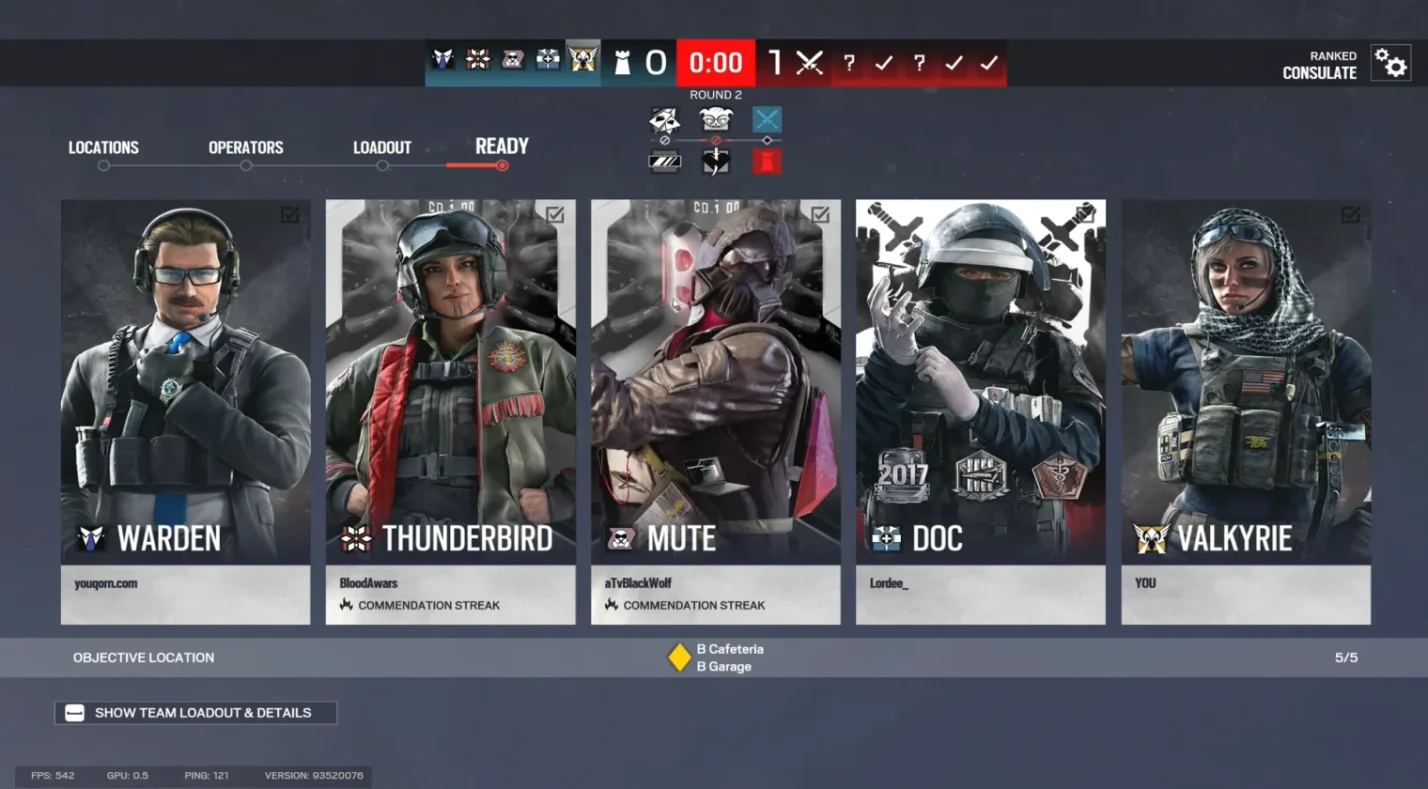
Crossplay is just one part of a connected gaming experience. Cross‑save and cross‑progression let you maintain your operators, cosmetics, and unlocks across different systems. Ubisoft rolled out full cross‑progression with Year 9 Season 3 on September 11, 2025, and it continues with the upcoming Siege X transition.
Cross‑Save Support
Cross‑save means your saved data travels with you. In Rainbow Six Siege it applies to the content you’ve earned or purchased. When you switch from PlayStation to PC or vice versa, your inventory and progress sync automatically through your Ubisoft account. Cross‑save covers:
- Operators: Every attacker and defender you’ve unlocked stays available on all linked platforms.
- Cosmetics: Weapon skins, uniforms, charms, headgear, and other visual items remain tied to your Ubisoft account. I’ve invested heavily in certain weapon skins, and knowing I won’t lose them when switching from console to PC makes experimenting on different platforms feel worthwhile.
- Battle Pass Progress: Your tier in the current Battle Pass, along with any completed challenges and collected rewards, persists across platforms.
- Inventory Items: Alpha Packs, Bravo Packs, and boosters transfer between systems.
Cross‑save does not include R6 Credits, the premium currency. Those credits remain locked to the platform on which you purchased them due to regional storefront regulations. Keep that in mind when stocking up on credits; you won’t be able to spend Xbox credits on PC.
Cross‑Progression Support
Cross‑progression goes hand‑in‑hand with cross‑save, but it also encompasses how your progression metrics behave across platforms:
- Unified Account Level: Your overall Clearance Level carries over, so you don’t start from scratch when playing on a new system.
- Event and Seasonal Rewards: Items earned from timed events or seasonal rewards automatically unlock on all linked devices.
- Separate Matchmaking Ranks: As mentioned, your skill rank remains platform-specific. I’m an unranked player on PS4 but Platinum on PC; the game recognises those differences and doesn’t merge them.
Ubisoft has confirmed that cross‑progression will be a core feature of Siege X. The new freemium model even makes it easier for newcomers: you can install the game for free on multiple systems and test cross‑progression yourself without buying multiple copies.
Account Linking: Syncing Your Ubisoft Account

To take advantage of cross‑save and cross‑progression, you must link every platform to the same Ubisoft account. Here’s how:
- Create or sign in to your Ubisoft account on a web browser.
- Link your PlayStation Network, Xbox Live, and PC profiles under the Account Management section. Each platform has a dedicated “link” button.
- Use this Ubisoft account whenever you launch the game on any device. If you accidentally log in using a different Ubisoft account, your progression won’t sync.
I learned this the hard way years ago when I used a secondary Ubisoft account on PC. None of my operators carried over. Once I re‑linked everything, my full roster appeared across all devices. It takes a few minutes to set up, but it saves hours of frustration.
When connecting accounts, double‑check your privacy settings on PlayStation or Xbox. Both consoles have system‑level crossplay toggles that may block communications. Enabling crossplay in both the game settings and your console’s settings guarantees that invites work correctly.
Developer Comments and Future Plans
Ubisoft frequently tweaks cross‑play and cross‑progression to balance fairness and convenience. Here are some notable points from recent updates and developer comments:
- Operation Collision Point (Dec 2024) finally let PC players join consoles in matchmaking, but only when invited by a console player. This was a major milestone that unified the community and addressed a long‑standing request.
- Year 9 Season 3 (Sept 2025) introduced full cross‑progression. Ubisoft emphasised that most in‑game content, including operators, cosmetics, event rewards, and battle pass progress, will transfer across platforms. The team acknowledged that premium currency and ranks need to remain separate due to platform restrictions and competitive balance.
- Siege X Free‑to‑Play Model (2025) will carry over all cross‑platform features. Ubisoft has stated that the freemium version will maintain crossplay and cross‑progression across PC, Xbox, and PlayStation. There are also improvements planned for anti‑cheat protections and matchmaking algorithms.
- Improved Anti‑Cheat and Reputation Systems aim to curb cheating and toxic behaviour. Ubisoft’s Reputation System tracks player behaviour and influences matchmaking, while the updated anti‑cheat includes hardware bans and better detection of unauthorized input devices.
As someone who has played since Year 1, I’ve seen the community push hard for these features. The final crossplay update in 2024 genuinely revitalised the player base, while cross‑progression encouraged friends to try different platforms. Ubisoft still has work to do, especially around balancing PC and console input, but the future looks promising.
Summary: Why Crossplay and Cross‑Progression Matter

If you came here wondering “Is Rainbow Six Siege cross-platform?”, the answer is a resounding yes, with a few caveats. The game supports cross‑console and PC‑to‑console matchmaking, letting you squad up with friends across PlayStation, Xbox, and PC. Console players can choose to stick with their own ecosystem, while PC players will always be available for mixed lobbies. Matching rules separate PC and console ranks to keep competition fair.
Cross‑save and cross‑progression mean your hard‑earned operators, cosmetics, and battle pass levels follow you everywhere. Link your platform accounts to a single Ubisoft profile, and your progress syncs automatically. R6 Credits remain platform-bound, and your competitive rank stays separate per device, but everything else comes along for the ride.
As a long‑time Siege player, I encourage you to use crossplay to keep your squad together. There’s nothing worse than leaving a friend behind because they play on a different system. This feature keeps communities alive and makes matchmaking faster. Cross‑progression also frees you to experiment with new hardware without losing progress; I’ve switched between PC and PlayStation multiple times, and my operator roster always appears intact.
If you’re ready to join the action or want to revisit the game on a new platform, grab our Tom Clancy’s Rainbow Six Siege PC key. Buying from our store gets you a digital Ubisoft Connect key with instant delivery, and you can immediately link it to your existing accounts. Whether you’re a newcomer or a veteran returning for Siege X, the key unlocks the full game on PC so you can jump into crossplay with friends. You’ll also find R6 credits and other editions on Eneba if you want to customize your operators or dive straight into the Year 9 content.
By understanding crossplay, cross‑save, and cross‑progression, you’ll spend less time configuring settings and more time breaching walls and clutching rounds. See you in the queue.
FAQs
Is Rainbow Six Siege cross-platform between Xbox and PlayStation?
Yes, Rainbow Six Siege is cross-platform between Xbox and PlayStation; console users can join the same lobby across generations. This unified console pool keeps matchmaking quick and lets friends play together regardless of hardware.
Does Rainbow Six Siege support cross‑platform play with PC?
Yes, Rainbow Six Siege supports cross‑platform play with PC, but PC players trigger PC matchmaking. Console squads with a PC member enter the PC pool, and PC players cannot join console‑only lobbies.
How do I enable or disable crossplay in Rainbow Six Siege?
To enable or disable crossplay in Rainbow Six Siege, go to the Options menu, open the General tab, and toggle Crossplay Matchmaking. This setting is available on consoles; PC players cannot switch it off.
Does Rainbow Six Siege have cross‑progression?
Yes, Rainbow Six Siege has cross‑progression across PC and consoles; your operators, cosmetics, and battle pass progress sync automatically when you log in with the same Ubisoft account on each platform.
Can I transfer my Rainbow Six Siege cosmetics and R6 Credits between platforms?
Yes, you can transfer cosmetics and unlocked items in Rainbow Six Siege via cross‑progression, but R6 Credits stay on the platform where they were purchased. Use credits to buy cosmetics on that specific system.