How to Add V-Bucks Gift Card on PS5

V-Bucks are the lifeblood of Fortnite. This in-game currency lets you grab the best skins, emotes, battle passes, and basically everything that makes your character stand out in the lobby. Getting your hands on V-Bucks through gift cards is one of the most popular ways to fund your Fortnite shopping sprees.
If you’re gaming on PS5 and wondering how to add V-Bucks gift card on PS5, you’ve landed in the right place. This guide breaks down the entire redemption process step by step. I’ll cover the standard method through the PlayStation Store, alternative ways to load up your account, and some troubleshooting tips when things don’t go as planned.
The process is pretty simple once you know where to click. Let’s get those V-Bucks into your account so you can start flexing in the Battle Royale.
Jump to:
How to Add V-Bucks Gift Card on PS5 (Step-by-Step Guide)
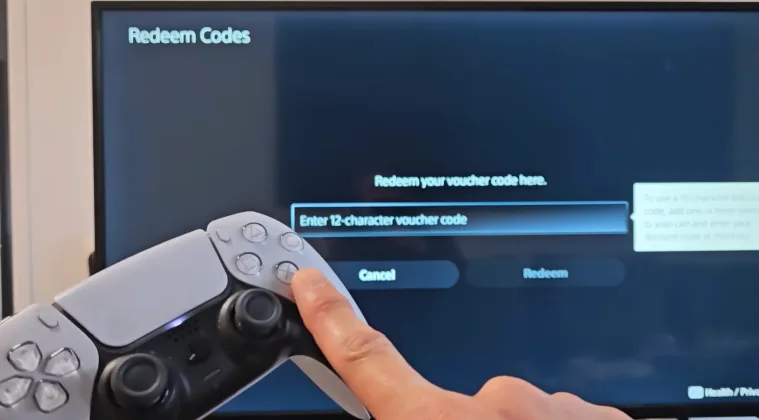
Ready to redeem V-Bucks on PS5? The most straightforward method uses the PlayStation Store directly on your console. Most players go with this approach since it takes just a few minutes from start to finish.
Here’s exactly how to redeem V-Bucks on PS5:
Step 1: Power Up Your PS5
Turn on your PS5 and make sure you’re logged into the account where you want the V-Bucks to appear. This matters because V-Bucks are tied to specific accounts, so double-check you’re on the right profile.
Step 2: Navigate to the PlayStation Store
From your home screen, scroll over to the PlayStation Store icon and select it. The store interface should load up within seconds.
Step 3: Access Your Account Settings
Once inside the store, look for your profile icon in the top right corner of the screen. Click on it to open a dropdown menu with various account options.
Step 4: Find the Redeem Codes Section
In the dropdown menu, you’ll see an option labeled “Redeem Codes.” This is where the magic happens. Select this option to open the code redemption interface.
Step 5: Enter Your 12-Digit Code
Grab your V-Bucks gift card and locate the 12-digit code on the back. You might need to scratch off a protective coating to reveal it. Type this code carefully into the redemption field. Make sure you enter it exactly as it appears, including any dashes or special characters.
Step 6: Confirm the Redemption
After entering the code, select “Redeem” or “Continue.” The system will verify your code and process the transaction. This usually takes just a few seconds. You should see a confirmation message indicating that your redemption was successful.
Step 7: Launch Fortnite
Close the PlayStation Store and launch Fortnite from your game library. Once you’re in the game lobby, check your V-Bucks balance in the top right corner of the screen. Your new currency should be there, ready to spend on what V-Bucks are used for in the item shop.
The entire process of how to redeem V-Bucks on PS5 is designed to be user-friendly. Most players can complete it in under five minutes without any issues.
One thing to keep in mind: V-Bucks purchased through PlayStation are platform-specific for certain purchases, though most items remain available across platforms. Your battle pass progress and cosmetics sync across devices, but the currency itself might have some restrictions depending on how you acquired it.
Alternative Methods to Redeem V-Bucks on PS5
Not everyone has a physical gift card lying around. Luckily, there are other ways to put V-Bucks on PS5 without needing a scratch-off code.
Direct Purchase Through the PlayStation Store
The fastest alternative is buying V-Bucks directly from the PlayStation Store. Navigate to the store, search for “Fortnite,” and look for the V-Bucks bundles. You can purchase these using your PlayStation wallet balance or any payment method linked to your account.
This method skips the code redemption entirely. The V-Bucks appear in your Fortnite account almost instantly after purchase. It’s convenient but requires having payment info stored on your PS5.
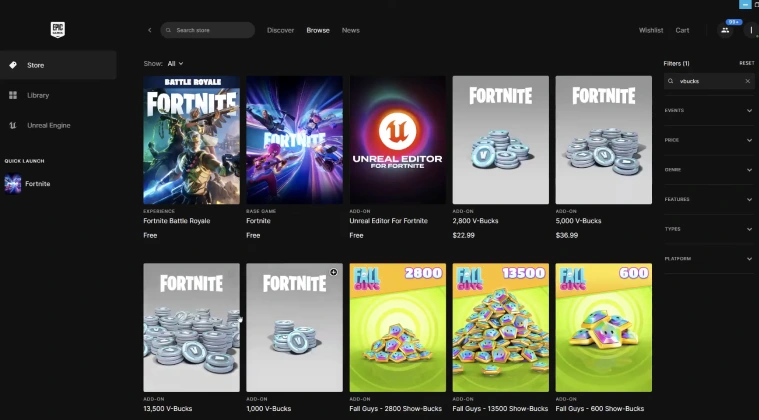
Epic Games Store on PC
Another route involves the Epic Games website. Log into your Epic Games account on a computer or mobile device and purchase V-Bucks directly from their store. As long as your PS5 Fortnite account is linked to your Epic Games account, the currency will show up next time you launch the game on your console.
This cross-platform approach works well if you prefer managing purchases through a web browser. Plus, you can sometimes find exclusive deals or bundles on the Epic Games Store that aren’t available through the PlayStation Store.
In-Game Purchase
The simplest method of all: buy V-Bucks directly from within Fortnite. Launch the game, navigate to the V-Bucks tab in the main menu, and select the bundle you want. The purchase goes through your PlayStation account, and the currency loads immediately. If you’re exploring games like Fortnite, you’ll notice similar in-game currency systems.
Each alternative has its advantages. Direct purchases are faster, while gift cards give you more control over spending and make great gifts. Pick the method that fits your situation best.
Digital Gift Cards
You can also find virtual gift cards online for V-Bucks, but the way I prefer to get these, to then redeem on my PS5, is through a play-to-earn app like Snakzy.
Play games and get paid with Snakzy.

Although this itself doesn’t have gift cards on it, it does let you earn coins through gameplay, which can then be converted into cash in an Eneba wallet. From that, you can get V-Bucks gift cards. It really is that simple.
Common Troubleshooting Tips for Redeeming V-Bucks on PS5
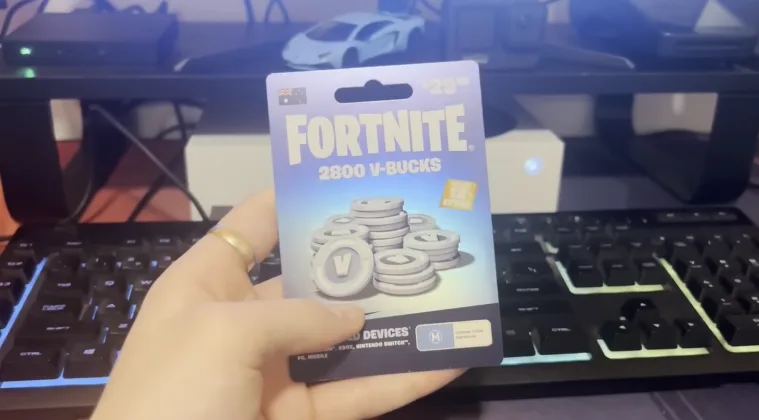
Even with a straightforward process, issues can pop up when trying to redeem V-Bucks card on PS5. Here are the most common problems and how to fix them.
V-Bucks Not Showing Up
Sometimes your V-Bucks don’t appear immediately after redemption. Before panicking, restart Fortnite completely. Close the game, wait a few seconds, then relaunch it. This forces the game to sync with the servers and usually resolves the issue.
If restarting doesn’t work, check your redemption history in the PlayStation Store. Navigate back to your account settings and look for your transaction history. Confirm that the redemption went through successfully.
Invalid Code Errors
Getting an “invalid code” message is frustrating. First, double-check that you entered the code correctly. Those 12 digits can be tricky, especially if the font is small or scratched. Try entering it again, paying close attention to letters that look like numbers (like “O” vs “0” or “I” vs “1”).
Make sure your code hasn’t expired. V-Bucks gift cards typically don’t expire, but promotional codes might have time limits. Check the card or promotional material for any expiration dates.
Account Linking Problems
Your Fortnite account needs to be properly linked to both your Epic Games account and your PlayStation Network account. If the linking is broken, V-Bucks won’t transfer correctly. To fix this, log into your Epic Games account on their website and verify that your PSN account shows up under connected accounts.
If it’s not there, follow the linking process through Epic Games‘ account management page. This might require logging into Fortnite on your PS5 while logged into the correct Epic Games account. Competitive players using the best VPN for Fortnite connections should ensure their VPN isn’t interfering with account verification.
Region Restrictions
Gift cards are sometimes region-locked. A V-Bucks card purchased in the US might not work on an EU PlayStation account. Check that your gift card matches your account’s region. If you’re stuck with a mismatched card, you might need to contact PlayStation support for options.
Server Issues
Sometimes the problem isn’t on your end. PlayStation Network or Epic Games servers might be experiencing downtime or maintenance. Check online forums or Epic Games‘ status page to see if other players are reporting similar issues. In these cases, the best solution is patience – wait for the servers to stabilize and try again later.
Understanding the Fortnite esports scene can give you perspective on how server stability affects millions of players globally during peak hours.
Get Gaming With Your V-Bucks
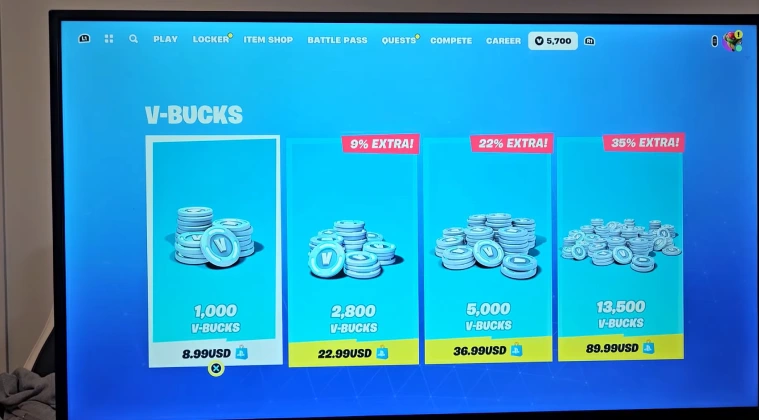
By now, you know how to add V-Bucks on PS5. Adding V-Bucks to your PS5 account is straightforward once you know the path through the PlayStation Store.
The redemption process takes just a few clicks, and your in-game currency loads up fast. Having this knowledge means you can grab those limited-time Fortnite skins and battle passes without missing out.
The troubleshooting tips covered here should handle most issues that come up during redemption. From server hiccups to account linking problems, there’s usually a quick fix that gets you back to shopping in the item shop.
If you’re ready to load up your account, check out Fortnite V-Bucks gift cards on Eneba and start building your perfect loadout. The Battle Royale awaits.
V-Bucks
FAQs
To add V-Bucks gift card on PS5, navigate to PlayStation Store, select your profile icon, choose Redeem Codes, enter the 12-digit code from your gift card, and confirm redemption.
If your V-Bucks don’t show up, try restarting Fortnite completely first. If that doesn’t work, check your PlayStation Store transaction history to confirm the redemption processed successfully.
Yes, you can redeem as many gift cards as you want on your PS5. Each code adds V-Bucks to your account balance cumulatively without restrictions.
To redeem code on PS5 for child account, log into the child account, navigate to PlayStation Store, access Redeem Codes from the profile menu, and enter the code. Ensure parental controls allow purchases.
If your V-Bucks gift card code is not working, verify the code is entered correctly, check for expiration dates, confirm your account region matches the card region, and ensure PlayStation Network servers are operational.