The Best Affordable AI Writing Tools for Beginners in 2026 | Eneba Hub

Eneba Hub contains affiliate links, which means we may earn a small commission if you make a purchase through them—at no extra cost to you. Learn more


There was a moment early in my writing career when I burned through more hours researching affordable AI writing tools for beginners than actually writing. That experience drove me to test these eight picks properly, from first signup to real output on the free tier.
For writers and content creators, the picture in 2026 is genuinely encouraging. Free tiers across the board have caught up to where paid tools were just two years ago, and the starting point for a first-year writer has never been this accessible.
This guide covers eight writing and content creation tools, each verified for current pricing within the last 30 days. The goal is a clear map of where to start and when paying actually earns its place.
Jump to:
Key Takeaways
- The best affordable AI writing tools for beginners in 2026 are mostly free. ChatGPT, Claude, and Gemini cover most beginner needs at $0.
- ChatGPT is one of the best free AI writers here. It runs GPT-4o mini by default and adds drafting, web search, file uploads, and voice input on the free tier.
- The budget range goes from $6 specialist tools to about $15 per month for transcription. Free and sub-$15 options cover what most first-year writers need.
- For beginners, stacking cheap AI writing tools often outperforms one paid platform. The free version of ChatGPT, Claude, QuillBot, and Grammarly together cover the full writing lifecycle at no cost.
- The cheapest paid tools are still useful. ElevenLabs Starter at $6 per month includes voice cloning, and Rytr Unlimited at $7.50 per month works well for short-form writing.
Our Top Picks
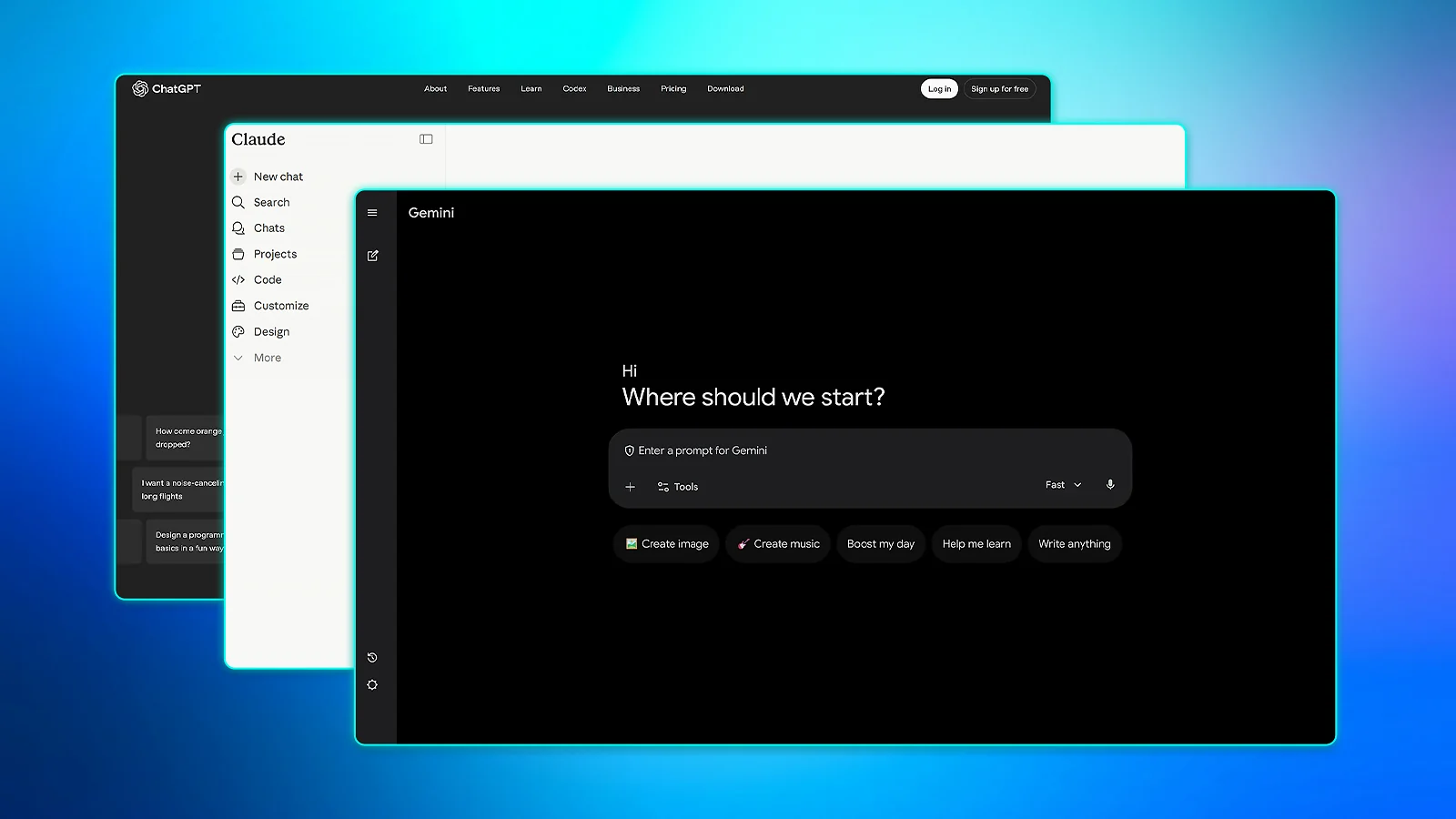
All three Gold-tier picks in this affordable AI writing tools for beginners guide are free. None requires a credit card, and all three cover different workflow strengths worth combining in the first 30 days.
- ChatGPT Free – Best free universal AI writing tool for beginners. The default first tool for anyone new to AI writing. Among the free AI writing tools 2026 has to offer, this is the strongest single free tier. Drafting, web search, file uploads, and voice input all run at $0.
- Claude Free – Best free AI writing tool for long-form content. The pick for any beginner whose content depends on voice and coherence. Claude Sonnet access on free tier holds both across 1,500-word articles. The daily limit resets every 24 hours, and most writers stay comfortably within it.
- Google Gemini Free – Best free AI writing tool for Google Workspace users. Writers already inside the Google ecosystem get an AI assistant without switching tabs or signing up for a new account. Gemini drafts directly into Workspace apps from the sidebar and eliminates friction between tools.
Run together, the three form a complete $0 first-draft stack – the strongest free starting point in the affordable AI writing tools for beginners category. ChatGPT handles short tasks and versatile output, Claude takes over for anything over 1,000 words, and Gemini covers whatever lives inside Google Docs. The five tools that follow pick up where first drafts end.
Why Beginners Should Start With Free AI Writing Tools
From what I’ve seen testing affordable AI writing tools for beginners in 2026, free tiers have caught up with paid plans faster than most writers expect. The baseline has shifted, and I’d argue there’s never been a stronger case for starting at $0.
- Free tiers in 2026 have genuinely caught up. The best affordable AI writing tools for beginners now ship advanced models, live web search, and file uploads at $0 – features that sat behind paywalls just two years ago.
- Beginner publishing volume rarely tests the caps. A blogger publishing twice a month generates around 10,000 words, a total that sits comfortably within the free tier of major cheap AI writing tools.
- Free tiers prove fit before money moves. Testing a tool for 30 days before upgrading is the simplest way to avoid spending on something that won’t stick.
- Stacking free tools outperforms a single paid platform. ChatGPT Free, Claude Free, QuillBot Free, and Grammarly Free combined already cover the full workflow at $0 – the strongest case for starting with affordable AI writing tools for beginners.
I’ve used free tools every day for months now. They handle drafting and polishing without any cost or card needed. You’ll get solid drafts faster than typing from scratch and limits rarely hit beginners.
Affordable AI Writing Tools for Beginners: Full Reviews
The eight affordable AI writing tools for beginners below follow a consistent review structure across standout free tier features, pricing, paid upgrade steps, pros, and cons. Although not all of them are writing tools in the strict sense, some extend into creator or audio use cases that complement the writing workflow. Each tool was tested firsthand, with a strong focus on the free tier.
1. ChatGPT Free [Best Free Universal AI Writing Tool for Beginners]
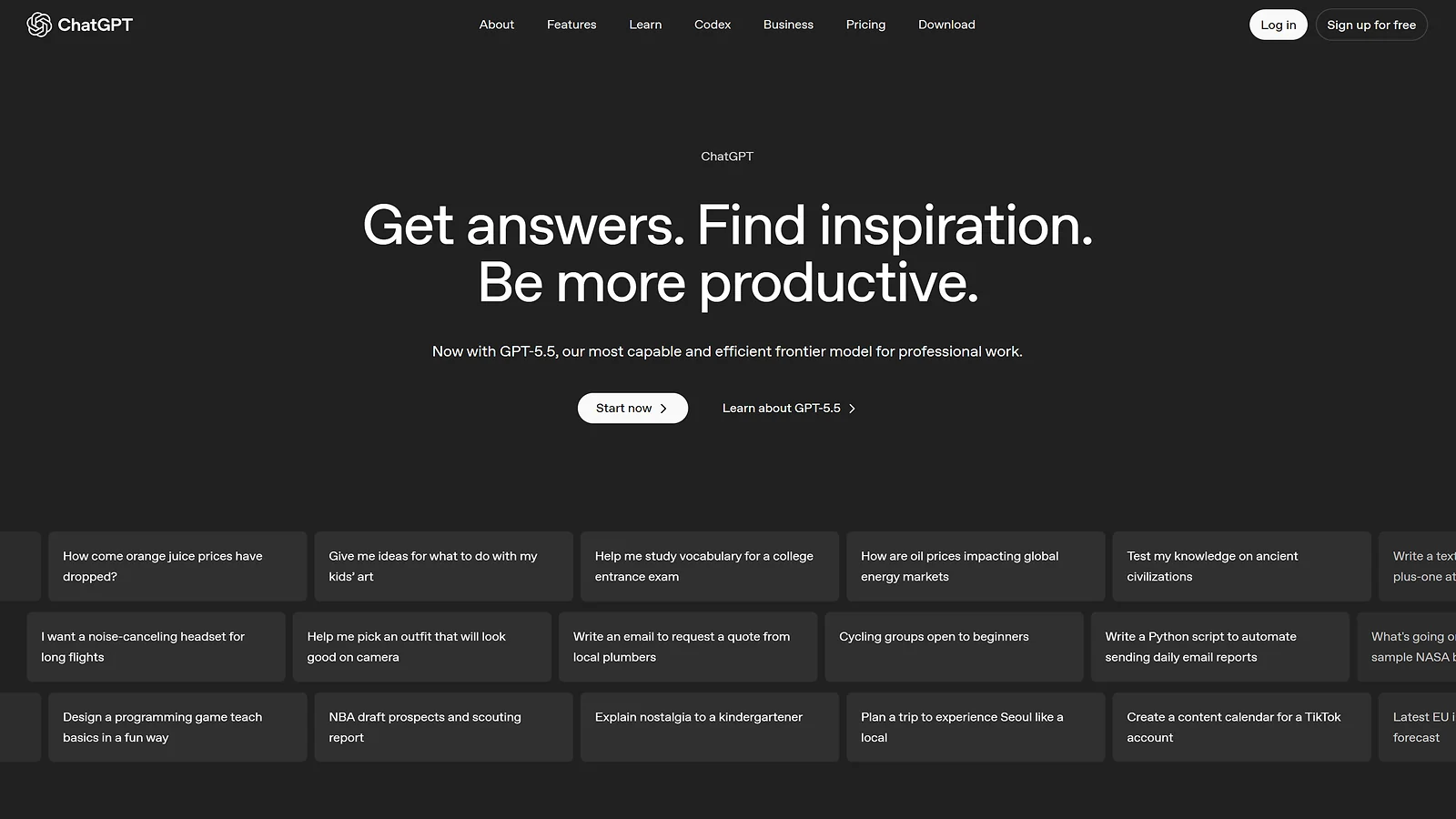
| Platforms | Web, iOS, Android, Mac, Windows |
| Pricing | Free: GPT-4o mini default, GPT-5 off-peak accessGo: $8/monthPlus: $20/monthPro: From $200/monthTeam/Enterprise: custom pricing |
The reason ChatGPT Free earns the “universal” label is breadth. In the past month alone, I’ve used it for blog drafts, cold email rewrites, article outlines, brainstorming sessions, and social captions. All from the same free account, at $0.
Compared to the free AI writing tools 2026 has produced, the model access on ChatGPT stands out. GPT-4o mini runs as the default, and GPT-5 becomes available during off-peak hours.
For anyone searching for AI writing tools with no credit card required, the signup is an email address and nothing more. Among affordable AI writing tools for beginners, that level of full access from day one is rare.
Upgrading to Plus at $20/month brings GPT-5 priority access and Custom GPTs for saving reusable writing workflows. Both are useful features for high-output writers, but most beginners won’t need either in the first six months.
From my time with ChatGPT Free, throttling never became a daily blocker at a typical beginner’s pace. Among the best affordable AI writing tools for beginners, the free tier proves its worth first, and ChatGPT leads that group. Track your usage for a month, then upgrade only when limits create real friction.
| Pros | Cons |
|---|---|
| ✅ Free tier handles a breadth of use cases – drafting, rewriting, outlining, brainstorming ✅ GPT-4o mini default, GPT-5 off-peak access at $0 ✅ Conversational interface works from minute one, zero tutorials required ✅ Voice mode and image uploads on the free tier ✅ No credit card required to sign up | ❌ GPT-5 off-peak access unreliable during ❌ US daytime hours ❌ Output needs human editing to avoid sounding generic ❌ Knowledge cutoff creates accuracy gaps on time-sensitive topics |
2. Claude Free [Best Free AI Writing Tool for Long-Form Content]
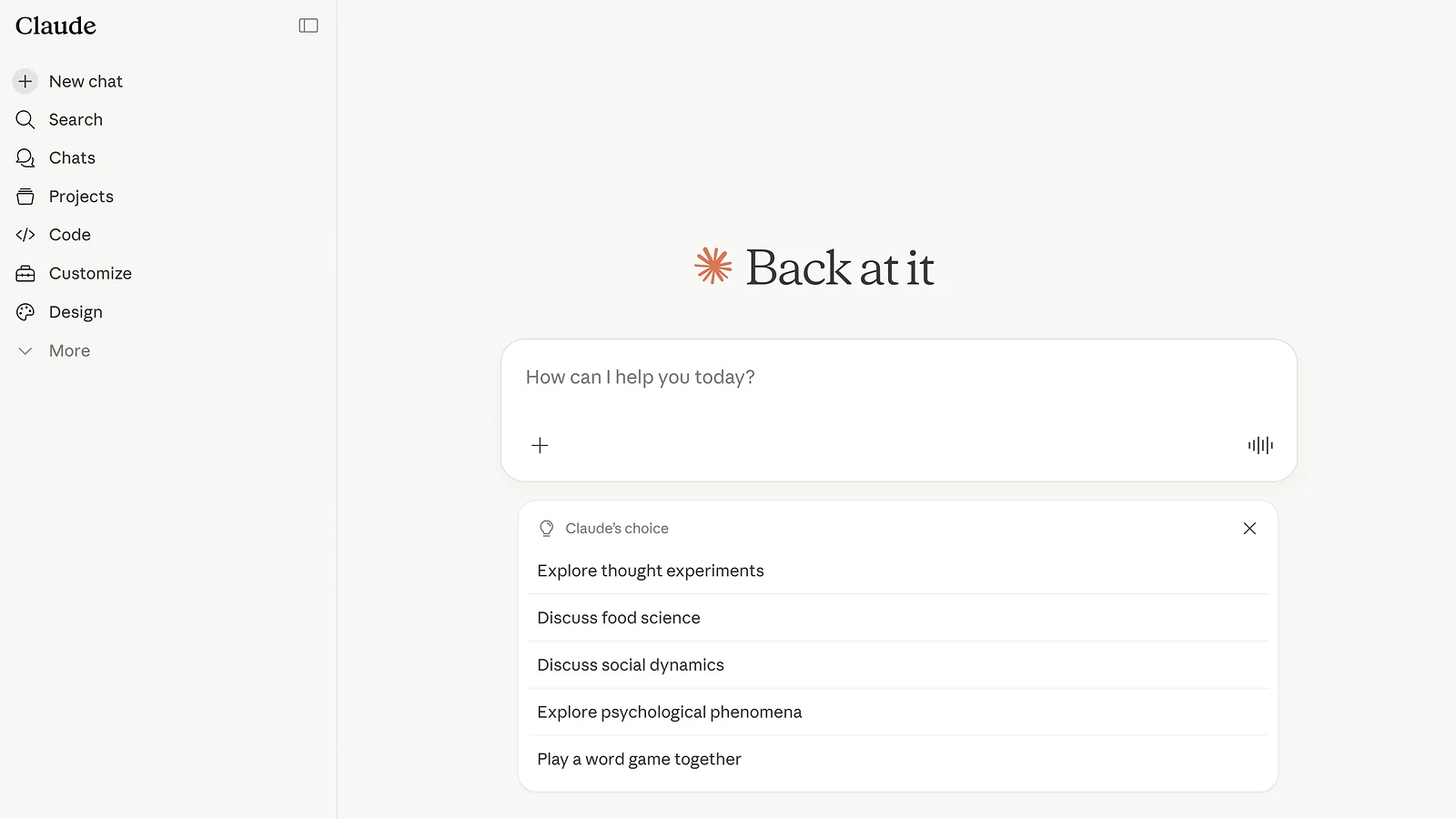
| Platforms | Web (claude.ai), iOS, Android, Mac and Windows. |
| Pricing | Free: Claude Sonnet, 24-hour resetPro: $20/month ($17 if billed annually)Max: From $100/monthTeam: $25/user/monthEnterprise: custom pricing |
Long-form content challenges most free AI tools around the 500-word mark. It’s common that the argument starts to drift, structure loosens, and the writing starts padding itself. That’s the specific problem Claude solves. I’ve run 1,500-word briefs through the free tier and the output stayed coherent from start to finish.
What makes the free tier worth using is its AI model – Claude Sonnet, which produces prose with a distinct point of view rather than generic coverage. Among the best free AI writers available in 2026, that writing quality at $0 is the real differentiator.
I also appreciate how Claude can be more careful with factual claims. It flags uncertainty rather than inventing a confident answer, which matters for affordable AI writing tools for beginners publishing solo. With web search turned on, anyone writing content that touches recent events or statistics can save a lot on a fact-checking pass.
The free tier has a daily message limit, where it resets every 24 hours. This daily cap is the only real caveat, but anyone publishing two to three articles per week usually stays comfortably within it.
The Pro tier at $20/month unlocks more usage and Claude Opus for more complex use cases. In my experience, the free tier covers what a first-year writer needs. For affordable AI writing tools for beginners, Claude Free is the best long-form starting point.
| Pros | Cons |
|---|---|
| ✅ Best long-form coherence in the free-tier category ✅ Prose holds a distinct point of view throughout ✅ Flags factual uncertainty quite well ✅ Web search available on the free tier for live data ✅ Daily limit resets every 24 hours, rarely blocks workflows for beginners | ❌ Long-form output still needs a human editing pass ❌ Niche topics need more detailed prompting to hit the mark |
3. Google Gemini Free [Best Free AI Writing Tool for Google Workspace Users]
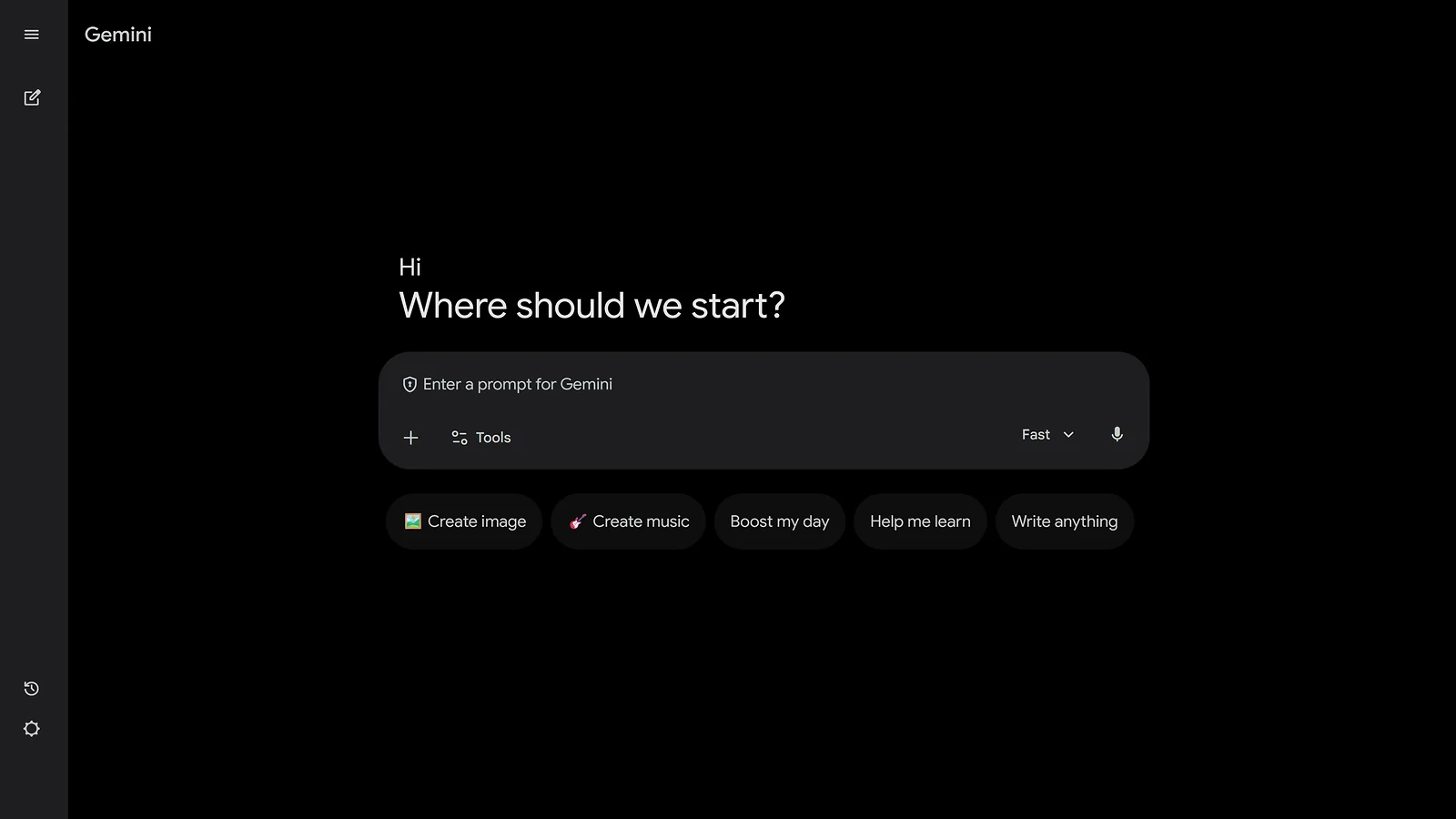
| Platforms | Web, iOS, Android, integrated into Google Docs, Gmail, Drive, Sheets |
| Pricing | Free: native integration with Google ecosystemGoogle AI Plus: $7.99/monthGoogle AI Pro: $19.99/monthGoogle AI Ultra: $249.99/month |
Anyone whose writing workflow lives in Google Docs, Gmail, or Drive already has an AI assistant built in. Gemini works inside those apps natively, without tab-switching or copy-pasting between windows. For that audience, it’s the most natural AI writing addition to a workflow they already use.
My testing confirmed the integration promise. In Google Docs, you can type a prompt into the “Help me write” button, and Gemini will draft directly into the document. In Gmail, it generates full replies from a short nudge. The workflow stays in one place, and for beginners, that removes a lot of friction.
Among the free AI writing tools 2026 offers, Gemini’s live data access runs on Google Search directly. Ask it to cover a recent policy change or trending topic, and it pulls current information right away.
In my personal test, the live search results change the workflow for time-sensitive content entirely.
The free tier includes generous rate limits that cover most beginner workloads. An existing Google Account gets you in without a new signup. Among affordable AI writing tools for beginners, that’s the lowest barrier to a genuinely capable free tier.
Content with a strong authorial voice still needs a heavier editing pass. Its AI Plus plan at $7.99/month adds deeper model access, but for affordable AI writing tools for beginners in the Google ecosystem, the free tier alone covers the full workflow.
| Pros | Cons |
|---|---|
| ✅ Native integration in Google Docs, Gmail, and Drive ✅ Live Google Search data access on the free tier ✅ Generous rate limits that cover most beginner workloads ✅ Works with an existing Google Account, no new signup ✅ Multi-modal free tier covers text, voice, and image input | ❌ Prose tends toward the functional, needs a heavier editing pass ❌ Output voice is harder to differentiate from generic AI text ❌ Long-form articles require more manual prompting to maintain structure |
4. Descript [Most Affordable AI Tool for Transcription-to-Article Workflows]
| Platforms | Desktop (Windows, Mac), browser. |
| Pricing | Free: 1 hour/month, watermarked exportsHobbyist: $16/month, 10 media hoursCreator: $24/month, 30 media hoursBusiness: $50/month, 40 media hours |
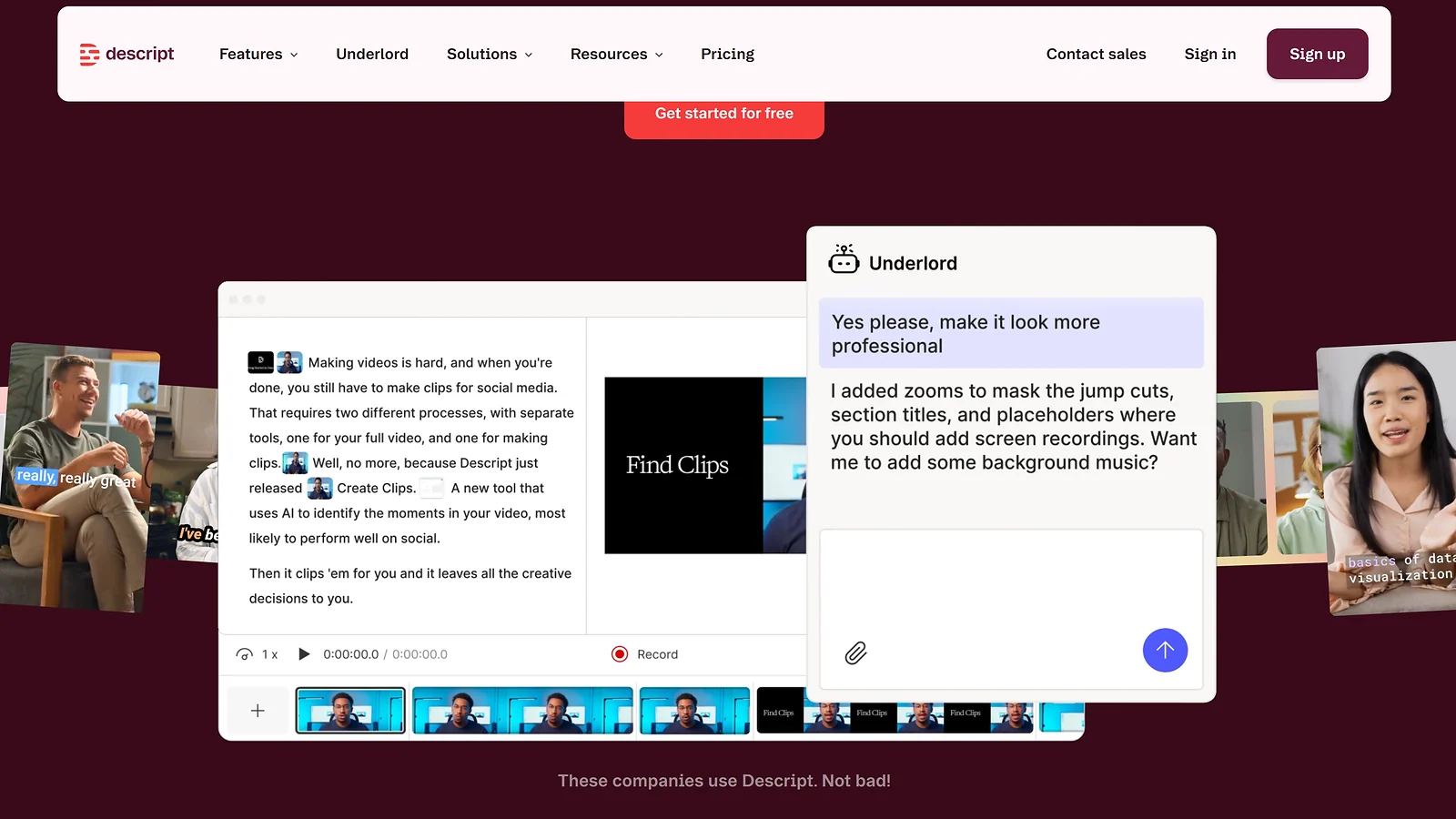
Recording a 15-minute voice memo and running it through Descript produces a text foundation faster than writing from scratch. Among affordable AI writing tools for beginners, it’s the most direct path from spoken idea to published article.
Record a voice memo, upload it to Descript, and you will get editable text in minutes. The editing interface treats the transcript like a word processor. When you delete a sentence from the text, the audio for that section disappears.
Accuracy is the detail that separates Descript from other cheap AI writing tools touching transcription. Accents, casual speech, and conversational pacing all come through cleanly. I have found from using this product that the Hobbyist tier transcribes accurately enough to skip a manual cleanup pass entirely.
Free tier comes with one hour of free transcription per month. That’s enough to complete the full workflow on a single episode before committing to anything paid. The free AI writing tools 2026 offers rarely include transcription at this accuracy level.
Hobbyist at $16/month is the upgrade step, and its 10 hours of transcription comfortably covers most beginner workloads. Always test the full workflow on the free tier before paying anything. Descript earns its place in any affordable AI writing tools for beginners setup built around voice-first content.
| Pros | Cons |
|---|---|
| ✅ Transcribes accents and casual speech with high accuracy ✅ Text-based editing removes and rearranges audio through the transcript ✅ Free tier includes one hour per month to test the full workflow ✅ Exports to Word, Google Docs, and Markdown natively ✅ Desktop and browser versions sync automatically | ❌ Free tier capped at one hour of transcription per month ❌ Text-based editing paradigm takes one to two sessions to learn ❌ Free tier exports include a watermark on all files |
5. ElevenLabs [Cheapest Paid AI Tool in the Affordable Stack ($6/Month Starter)]
| Platforms | Web app, no install required. |
| Pricing | Free: 10K credits/monthStarter: $6/monthCreator: $22/monthPro: $99/month |
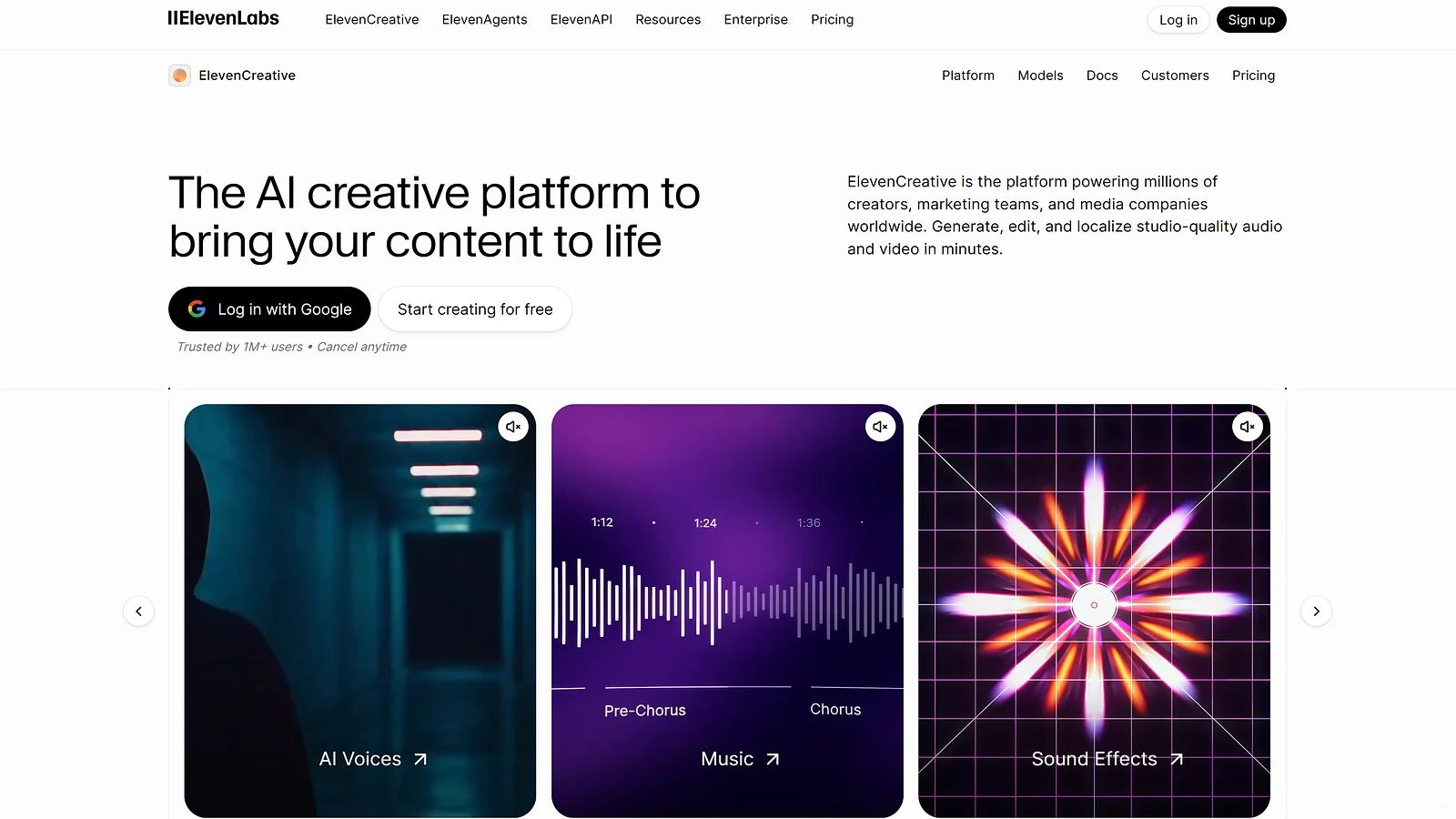
The other tools on this list work with written text. ElevenLabs converts writing into narrated audio, which is how a blog post becomes a podcast episode or accessibility audio. At $6/month for the Starter tier, it stands out as one of the most affordable paid options among affordable AI writing tools for beginners.
The free tier gives 10,000 credits per month, enough to narrate five to six short articles before spending anything. Among AI writing tools with no credit card at signup, ElevenLabs is the most capable free starting point for audio content.
Through my testing, Instant Voice Cloning on the Starter tier is what separates ElevenLabs from comparable tools at $6/month. A short voice sample can create a personal clone that narrates articles in your own voice. The same clone works across 29 languages, which is an astounding expansion feature for most beginners.
The audio format opens content to audiences who prefer listening over reading. Among AI writing tools for students producing content in multiple formats, ElevenLabs adds an audio layer without a separate recording setup.
The Starter tier at $6/month brings 30,000 credits, a commercial license, and Dubbing Studio access. ElevenLabs is the only tool in this affordable AI writing tools for beginners lineup that converts written content into a second distribution format.
| Pros | Cons |
|---|---|
| ✅ Converts written articles into narrated audio instantly ✅ Instant Voice Cloning available on the $6/month Starter tier ✅ 29-language support opens international audiences cheaply ✅ Free tier includes 10,000 credits with no credit card required ✅ Dubbing Studio access included at the cheapest paid tier | ❌ Credits scale with output volume, high-output users upgrade quickly ❌ Requires a completed draft to function, not a writing tool itself ❌ Voice quality varies across languages |
6. QuillBot [Best Free AI Rewriter and Paraphrasing Tool]
| Platforms | Web, Chrome, Edge, Safari extension, Microsoft Word add-in, Google Docs add-in, iOS, Android |
| Pricing | Free: Paraphraser capped at 125 words, Synonym SliderPremium: $4.17/monthTeam plan: custom pricing |
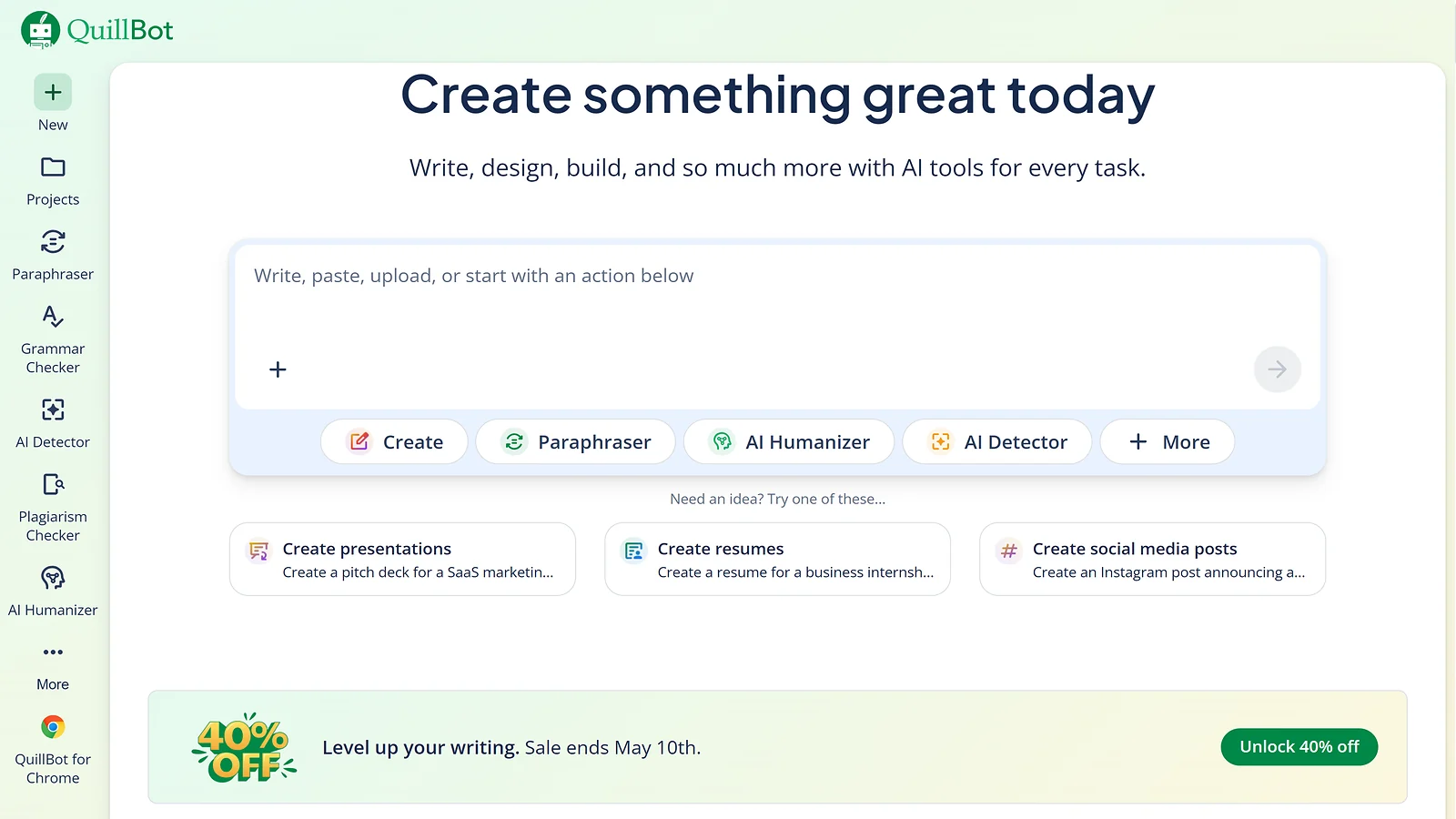
Every AI-generated draft has tells: safe vocabulary, repetitive sentence structures, and predictable closings. QuillBot is built specifically for this gap. It rewrites existing text at the sentence and paragraph level, and the only control it needs from the writer is a slider.
I run the Synonym Slider every time a draft needs a polish pass. Drag it toward subtle for vocabulary tweaks, toward bold for bigger rewrites, and QuillBot adjusts the output instantly. A beginner can reach a polished rewrite in a second without writing a single prompt.
The gap QuillBot fills sits between generating a draft and publishing it. You first need to run an output from ChatGPT, Claude, or Gemini, and then feed the text to QuillBot so it reads with less of the AI texture trained readers notice. Among the best free AI writers, this is the layer most beginners skip.
Access to the core paraphrasing tool requires no account. Visit the site, paste a paragraph, and QuillBot runs immediately. Logging into the free account unlocks Standard and Fluency modes with unlimited rewrites. That makes it the most accessible paraphrasing layer in the affordable AI writing tools for beginners category.
The free tier caps rewrites at 125 words per click though. Through trial and error, I found a 600-word post takes about 8 minutes to work through. Premium at $4.17/month lifts that cap. For affordable AI writing tools for beginners, the free tier handles the polishing job at zero cost.
| Pros | Cons |
|---|---|
| ✅ Unlimited rewrites in Standard and Fluency modes ✅ Synonym Slider adjusts vocabulary intensity without any prompting ✅ Works inside Gmail, Google Docs, and any browser text field ✅ No account needed to use the core paraphrasing tool ✅ Makes AI-generated drafts sound noticeably more natural | ❌ Free tier caps each rewrite run at 125 words ❌ Creative, Shorten, and Formal modes require Premium ❌ Needs an existing draft to start working |
7. Rytr [Cheapest Dedicated AI Writing Tool for Beginners]
| Platforms | Web, Chrome extension |
| Pricing | Free: $0/month, 10K charactersUnlimited: $7.50/month (billed annually)Premium: $24.16/month (billed annually) |
General-purpose AI tools like Claude and ChatGPT are adapted for writing, but Rytr is built exactly for it. Every feature in Rytr exists specifically to help content writers produce faster and better, and the Unlimited plan at $7.50/month makes it the cheapest dedicated subscription in the affordable AI writing tools for beginners category.
One of the features that separates Rytr from any general AI is its extensive tone library. The interface ships with 20+ pre-programmed tones, with options including Convincing, Passionate, and Humorous. Just pick one from a dropdown and the output matches it immediately. Writers who struggle to prompt for tone will notice the difference right away.
The first time I used Rytr, the structured form really surprised me. Other cheap AI writing tools leave you staring at a blank prompt box. Here, I filled in a topic, picked a tone, added a one-line brief, and the draft came back in seconds.
Signing up also took a second, and the free tier started immediately. Rytr is an AI writing tool with no credit card required at signup, and the 10,000 characters I had were enough to draft five short-form pieces before knowing it was worth keeping.
Based on my testing, the 10,000-character free tier runs out within two weeks for daily users. The jump to Unlimited at $7.50/month is the easiest upgrade decision in the affordable AI writing tools for beginners space.
| Pros | Cons |
|---|---|
| ✅ Designed specifically for content writers ✅ 20+ pre-programmed tones of voice, available across all plans ✅ Structured input form removes the open-ended prompt learning curve ✅ Unlimited plan at $7.50/month among the cheapest available ✅ Free tier requires no credit card to get started | ❌ Account signup required before accessing any feature ❌ Free tier caps output at 10,000 characters per month ❌ Output quality needs meaningful editing before publishing |
8. Wordtune [Best Free AI Editor for Tone and Clarity Polish]
| Platforms | Web editor, Chrome, Edge, Safari extension, Microsoft Word add-in |
| Pricing | Free: 10 rewrites/day, all tone modesAdvanced: $6.99/month (billed annually)Unlimited: $9.99/month, 3-day free trial available (billed annually) |
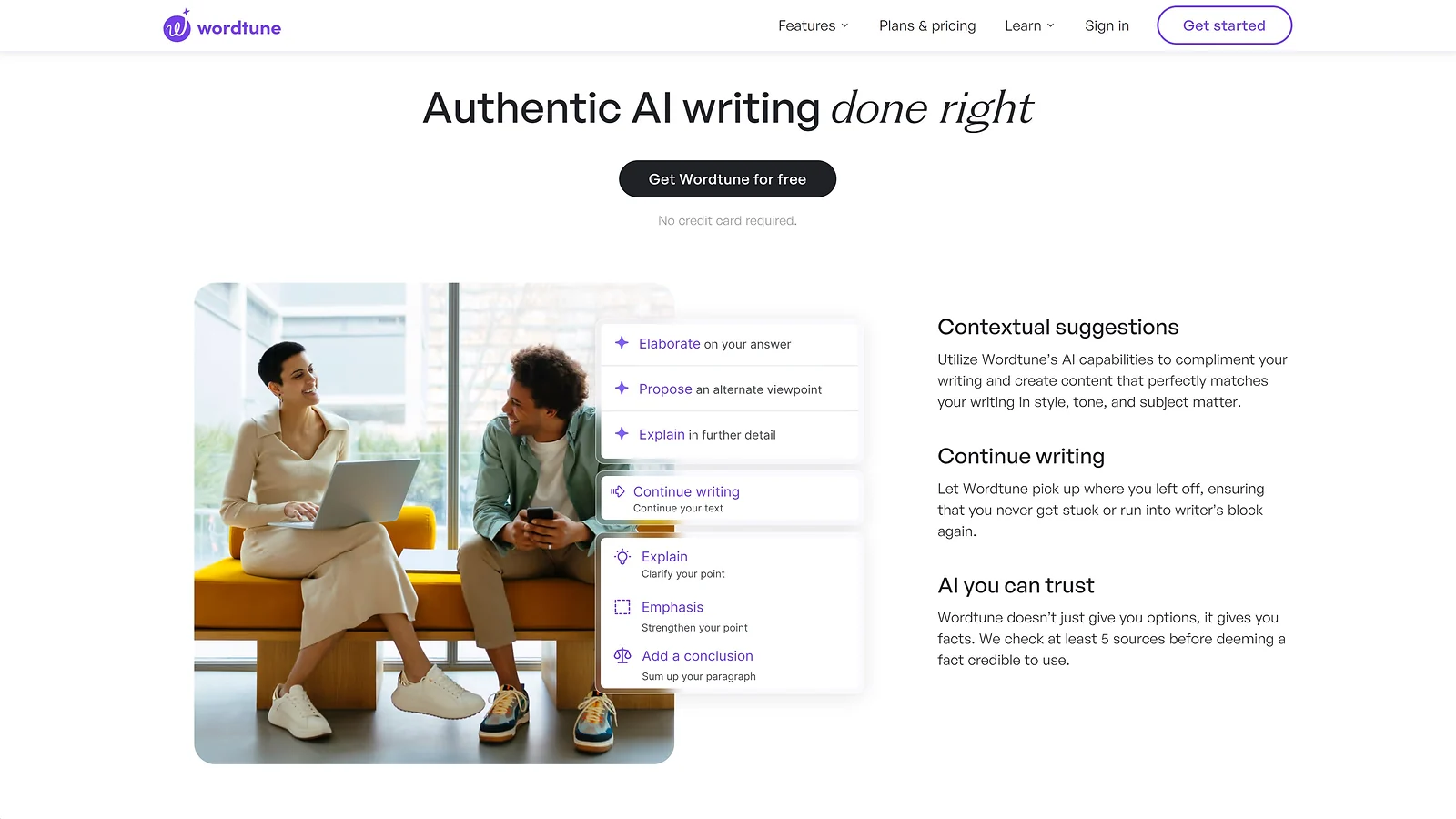
I’ve had drafts where every paragraph reads fine but something still sounds off. The tone shifts mid-section, or sometimes a sentence runs three words too long. Wordtune Free addresses exactly that. It works at the individual sentence level with specific controls for tone and length.
Drawing from my experience, the Formal mode alone justifies the install. Highlight a sentence, click the icon, and pick a mode. The tool shows three to five rewrites instantly, each adjusted for a certain tone or length. Students writing essays get the most immediate use from the Casual-to-Formal shift.
The workflow sits at the end of the production process. Draft with any tool like ChatGPT or Claude, run a paraphrasing pass, then use Wordtune for the final sentence-level corrections. Among AI writing tools for students producing essays and reports, this is the editing step that lots of people skip.
Wordtune caps the free tier at ten rewrites per day. That sounds restrictive until you realize most beginner drafts have about eight genuinely awkward sentences worth fixing. In the affordable AI writing tools for beginners setup, the cap rarely becomes a real obstacle, and the extension installs in thirty seconds.
Unlimited at $9.99/month removes the daily rewrite cap, and that’s the only upgrade tier worth considering. Wordtune fits naturally into any affordable AI writing tools for beginners stack as the sentence-level editing step. The free tier covers it at $0 for writers polishing one to three articles per week.
| Pros | Cons |
|---|---|
| ✅ Shows three to five sentence alternatives with one click ✅ Works in Gmail, Google Docs, LinkedIn, and any browser text field ✅ Casual, Formal, Shorten, and Expand modes on the free plan ✅ Fixes tone drift mid-paragraph without rewriting the full section ✅ Chrome extension installs in thirty seconds | ❌ Free tier caps daily rewrites at ten per session ❌ Unlimited rewrites require the $9.99/month Premium plan on annual billing ❌ Needs existing text to work, not a content generator |
Also Worth Trying
A few tools landed just outside this affordable AI writing tools for beginners list, but each fills a gap the primary eight don’t cover. Add these as backups or niche additions, not as replacements.
- Microsoft Copilot Free – built into Edge and Word Online, it works like Gemini but for the Microsoft 365 ecosystem, equipped with real-time web-backed answers and almost no setup required.
- Notion AI – works inside your existing Notion workspace, it turns notes and messy drafts into structured content without you switching tools.
- Writesonic Free – offers around 10,000 words monthly with built-in article templates and live web access. Really useful for beginners producing SEO-structured content.
- Copy.ai Free – gives 2,000 words per month focused on short-form marketing copy like ad headlines and product descriptions.
- Grammarly Free – fixes grammar, spelling, and clarity across your browser. I recommend it as a reliable final polish for any draft.
I treat these as supporting tools rather than core writing engines. They earn their place when the best free AI writers in the main stack hit a limit worth working around.
Quick Comparison Table
This table lets you compare all eight affordable AI writing tools for beginners side by side on key factors like category, best use cases, free tier details, upgrade pricing, and ratings. Spot the right fit for your workflow at a glance and pick your starting point based on what matters most to you.
| Tool | Category | Best For | Free Plan | Price From | Rating |
|---|---|---|---|---|---|
| ChatGPT | Generalists | Universal drafting, any format | GPT-4o mini default, GPT-5 off-peak | $8/month | ★★★★★ |
| Claude | Generalists | Long-form content | Claude Sonnet, daily reset | $17/month | ★★★★★ |
| Gemini | Generalists | Google Workspace users | Unlimited typical use, Google Workspace integration | $7.99/month | ★★★★½ |
| Descript | Specialists | Audio to written text | 1 hour transcription/month | $16/month | ★★★★½ |
| ElevenLabs | Specialists | Text to narrated audio | 10K credits/month, Text to Speech, Voice Design | $6/month | ★★★★ |
| QuillBot | Specialists | Paraphrasing and fluency polish | Unlimited Standard/Fluency rewrites, Synonym Slider | $4.17/month | ★★★★ |
| Rytr | Generalists | Content requiring different tones of voice | 10K characters/month | $7.50/month | ★★★½ |
| Wordtune | Specialists | Sentence-level tone and clarity | 10 rewrites/day, all tone modes | $6.99/month | ★★★½ |
All prices listed on the table are based on annual billing.
Every tool in this table has a free tier that beginners can start on today. Across the affordable AI writing tools for beginners covered here, pricing runs from $0 to $20/month, and most writers find their level well before the top end.
How To Choose Your First Affordable AI Writing Tool
As a writer myself, I struggled early on to find AI writing tools that actually got the job done without draining my wallet. My approach after testing dozens of options is simple. Start with the three major free generalists (ChatGPT, Claude, or Gemini) for 30 days, see which one you open without thinking, and build from there.
These major AI writing tools with no credit card required cover most of that first month before a single dollar changes hands. That said, it’s only the tip of the iceberg. Below is a more detailed breakdown of how I choose the AI writing tools that suit my needs.
Free vs. Paid – When to Actually Upgrade
I stay on free tiers until something genuinely blocks my workflow. I myself spend most of my writing on long-form content, and my Claude Free hits its limit around month two. Naturally, $20 starts to make sense for me the very next month.
The key idea is simple: your needs should justify the purchase. Wanting “better quality” or “unlimited” on its own usually isn’t enough, especially early on. In my time testing affordable AI writing tools for beginners, that impulse is behind most of the wasted subscriptions I’ve seen people regret.
Generalist vs. Specialist Tools
Starting with general-purpose tools is a no-brainer. Even after years of using AI for writing, I still rely on a generalist tool for most of my work. For writers, ChatGPT, Claude, and Gemini can handle drafting, rewriting, and idea generation with ease, even on their free tiers. I only turn to specialist tools when I hit a clear limitation.
For example, I use QuillBot for rewrites and tone adjustments after hitting a wall with Claude. Others might prefer Rytr or Wordtune, which offer similar capabilities. Tools like Descript and ElevenLabs go even further into specialized territory. The rule of thumb is to only add a specialist tool after a general one fails at a specific task more than once.
Stack Free Tiers vs. Buy One Paid Tool
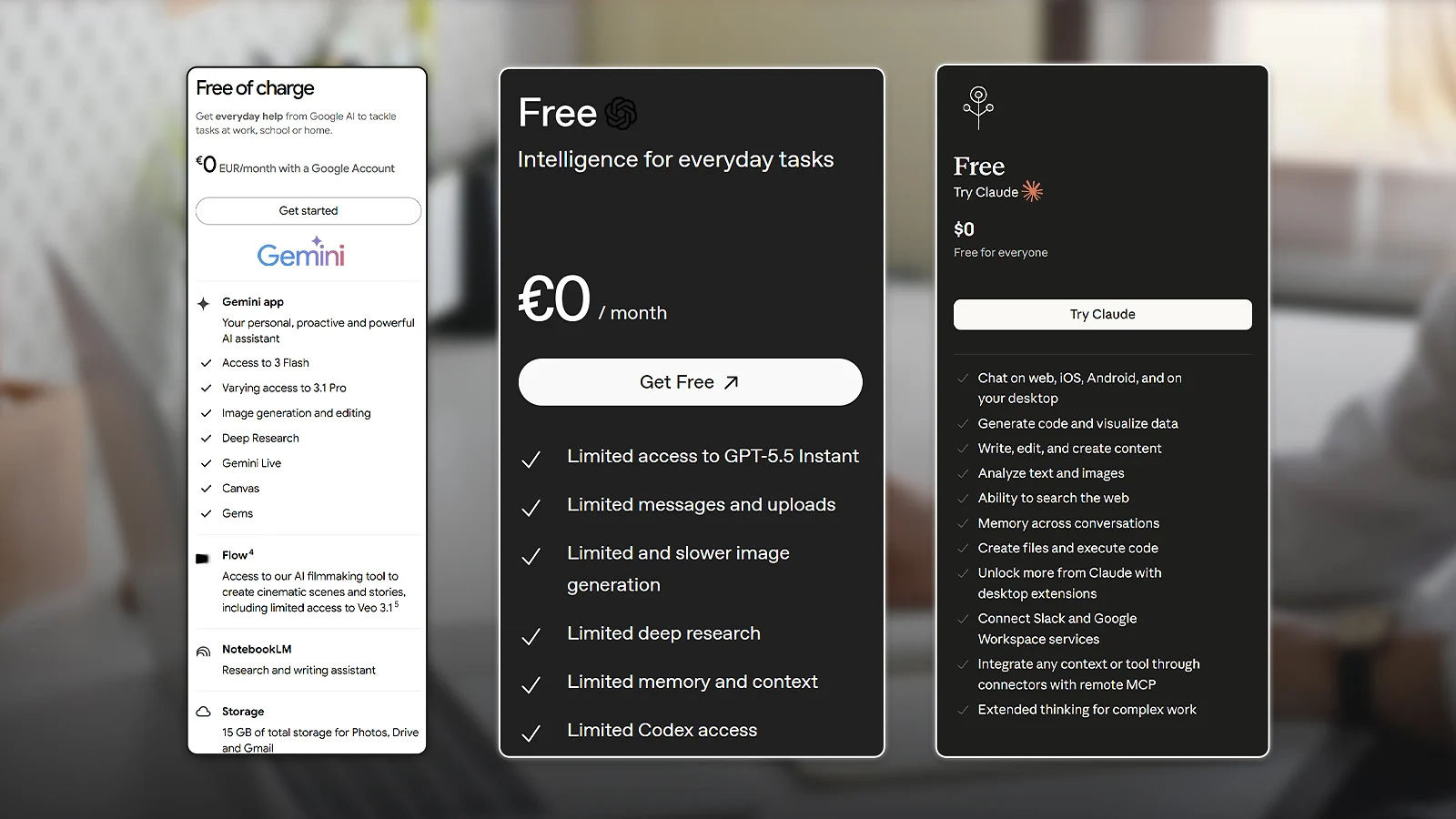
In my first year of writing with AI, stacking free tools outperformed any single paid platform I tested. I combined ChatGPT for short tasks, Claude for long-form content, and QuillBot for rewriting and polish. That stack covered everything.
I tried a $20/month all-in-one tool afterward, and it couldn’t match the flexibility I already had at $0. Stack first, and buy a tool only when the stack clearly fails at a specific job.
Free Tier Validation Period
This applies to every tool, not just the big ones like ChatGPT, Claude, or Gemini. I now give each tool a full 30-day trial before spending any money. I’ve made the mistake of paying too early and barely using the tool. It felt like I was throwing away $20.
The key here is to track your usage. If you’re opening a tool at least 4-5 days a week and still relying on it by week three, that’s a strong signal it’s worth upgrading. If you forget it exists, then the free version was probably already enough. This simple habit has saved me a lot of money over time.
When the $5-$15 Tier Actually Earns Its Place
Low-cost tiers earn their place only when solving a repeat problem. ElevenLabs Starter at $6/month makes sense once audio content is a regular output. Rytr Unlimited at $7.50/month fits when free AI limits interrupt daily writing without justifying a $20 plan.
Descript Hobbyist at $16/month works once transcription runs above two hours per month. Below those thresholds, the free tier in the affordable AI writing tools for beginners space handles the job.
Recommended Affordable AI Writing Stacks by Beginner Stage
Where you are in the writing journey matters more than the size of the budget. I’ve seen most beginners overspend by skipping to Stage 3 before proving Stage 1 works.
- Stage 1 – Day-1 Stack ($0/month). ChatGPT for universal drafting, Claude for anything over 1,000 words, Gemini for Google Docs and Gmail, and Grammarly for grammar polish. This combination covers the full beginner writing lifecycle at zero cost.
- Stage 2 – Validated Stack ($0-$6/month). Layer in QuillBot for paraphrasing or Wordtune for sentence polish once Stage 1 tools feel like a routine. Add ElevenLabs Starter at $6 if audio content is in your plans.
- Stage 3 – Affordable Upgrade ($7.50-$20/month). Pick one paid tool to handle your real blockers. ChatGPT Plus or Claude Pro at $20 beats daily throttling. Rytr Unlimited at $7.50 for short-form volume. Descript Hobbyist at $15 for regular transcription. The affordable AI writing tools for beginners upgrade decision should suit your needs.
That same affordability logic applies to your full creator stack. Gaming content creators who use it across every expense keep budgets tight. They only buy in-game credits like Valorant Points when the workflow really needs them.
Are Paid AI Writing Tools Actually Worth It for Beginners?

For most beginners, paid AI writing tools don’t earn their place in the first six months. Free tiers usually cover around 80% of a typical workflow at zero cost. The real break-even point in the affordable AI writing tools for beginners space is not features, but the amount of daily friction you feel.
That friction can be anything that keeps slowing you down over and over again. Maybe your writing volume jumps, you start repurposing drafts across platforms, or you add new formats like scripts or newsletters. Once those bumps show up often enough, paid tools start to make sense.
A hobby blogger publishing twice a month can save 6-7 hours per week using free tools alone. A podcaster who turns four episodes into articles each month can reclaim up to 18 hours of production time with cheap AI writing tools in the $15/month range. For creators who also stream, that same budget discipline tends to carry into community investments like a 50 USD Twitch gift card.
The most common mistake is jumping straight into $20-100/month for tools like Claude Max before testing any free tier. Another trap is stacking multiple $10 subscriptions and quietly ending up at $40–$50/month when a single, more focused plan would have done the job.
Start with the free versions of ChatGPT, Claude, and Grammarly. In the affordable AI writing tools for beginners category, paid tiers only begin to justify when a specific free-tier limitation turns into a consistent frustration.
Community Verdict: What Beginners Actually Say
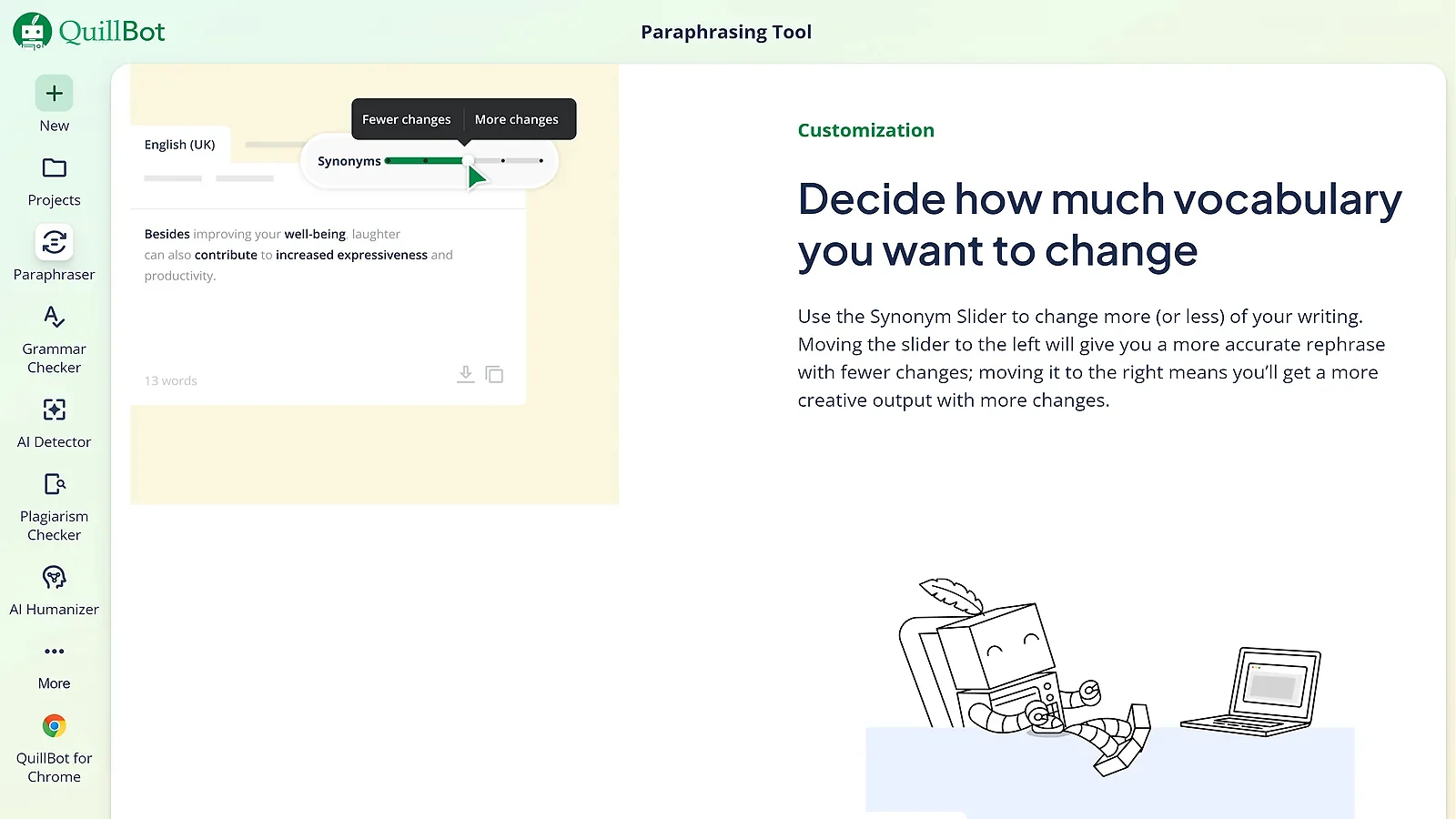
Across beginner communities, the same points come up over and over. ChatGPT gets the most praise for its broad usefulness, Claude stands out for stronger prose and long-form coherence, Gemini gets credit for its Docs integration, and QuillBot keeps showing up for the Synonym Slider. These four consistently top the list whenever beginners ask which best free AI writers are actually worth trying.
The biggest complaint is just as consistent. Most beginners don’t know which tool to start with. ChatGPT’s free tier is strong, but it still has message limits and can fall back to a lighter model once usage runs high, so it isn’t truly unlimited. Claude is widely liked for writing quality, but its free tier also has limits, so active users can hit a wall during heavier writing days.
A few red flags show up again and again too. Some cheap AI writing tools restrict free-tier usage so heavily that they feel more like trials than real starting points. Others push users into stacking multiple subscriptions, which can quietly turn a simple setup into a $40 to $50 monthly bill. For AI writing tools for students working within a tight budget, that creep is especially easy to miss – it usually starts with one unnecessary upgrade and compounds from there.
It’s also worth noting that many creators building writing stacks are part of gaming or streaming too. The same budget discipline they use for AI tools often carries over to things like Twitch gift cards or PSN gift cards as part of a broader setup.
Final Thoughts
If you’re just starting out with affordable AI writing tools for beginners, begin with ChatGPT Free, Claude Free, and Gemini Free. That combo covers most beginner workflows at $0, and I’d stay there for at least 30 days before paying for anything.
Between months two and six, I’d add QuillBot Free or Wordtune Free only when rewriting and tone polish start slowing me down. After six months, I’d upgrade to just one paid tool based on the friction I actually feel, like ChatGPT Plus or Claude Pro for throttling issues, or Rytr Unlimited for cheaper generation.
I mapped those picks across beginner workflows, including drafting, paraphrasing, polishing, transcription-to-article, and written-to-audio. I also checked current pricing within a 30-day window so the recommendations stay grounded in what’s available now.
Descript and ElevenLabs fit neatly into creator workflows too, which matters because a lot of beginners split their time between writing, streaming, and supporting the channels they already follow. That same budget mindset carries over to a 25 USD Twitch gift card, which feels less like a random add-on and more like part of the same creator setup.
FAQs
The cheapest AI writing tool is a free tier, and for beginners that usually means ChatGPT Free, Claude Free, or Gemini Free at $0. If you’re ready to pay, Rytr Unlimited is a solid entry point at $7.50 per month. For long-form writing, Claude Pro is a strong option at around $20 because it handles coherence, context, and structure well over longer pieces.
Yes. Free tiers are usually enough for drafting, rewriting, brainstorming, and basic polish, which covers most beginner needs. If you publish two to four articles per month, you probably won’t hit free-tier limits for the first several months. Paid plans only start to make sense when free-tier caps turn into real daily friction.
Yes. All AI tools mentioned above offer free tiers with no credit card required at signup. Descript and ElevenLabs ask for payment information only when upgrading to paid tiers.
For a specialized tool, ElevenLabs Starter at $6 per month is the cheapest paid tier in this guide. Among cheap AI writing tools built specifically for text generation, Rytr Unlimited at $7.50 per month is the most affordable paid subscription. Both make sense for beginners with specific workflow needs, with ElevenLabs focused on audio and Rytr on short-form copy.
Yes. Every AI writing tool for students covered in this guide is available at $0, from drafting and rewriting to final polish. For drafting, students can use ChatGPT, Claude, and Gemini, available at no cost with no student verification required. For essay polish, QuillBot and Wordtune add paraphrasing and tone control.