


How to Make Money From Coding: 8 Real Ways in 2026

Eneba Hub contains affiliate links, which means we may earn a small commission if you make a purchase through them—at no extra cost to you. Learn more


KEY TAKEAWAYS
- Best for fast client work - Upwork pays you directly for hourly or fixed-price development jobs, and keeps a 0%-15% fee.
- Best for packaged services - Fiverr lets you sell fixed-scope coding gigs at a 20% commission.
- Best for teaching what you know - Wyzant tutors keep 75% of their hourly rate.
- Best for selling digital products - Gumroad and Etsy let you sell templates and code kits; Etsy charges listing fees and may charge a shop set-up fee.
Learning how to make money from coding starts with selling a working skill, and the fastest route is freelance contracts on Upwork or Fiverr, where a first paid job is possible within weeks if you can already build functioning code. Sellers keep 80% on Fiverr after a 20% commission and on Upwork your fee varies from 0% to 15% per contract.
This guide compares eight real ways of earning money from coding by what you keep after fees, what it costs to start, and how long you wait until the first payout lands.
The options cover client work on Upwork, Fiverr, and Wyzant, digital products on Gumroad and Etsy, and audience support on Udemy, GitHub Sponsors, and YouTube. These eight routes show how to make money from coding in 2026.
Jump to:
What Earning Money From Coding Looks Like at the Start
You don’t need years of experience to learn how to make money from coding, but you do need practical skills and examples of your work. A portfolio with two or three small projects can show potential clients what you can actually do.
Start with one skill you can turn into a paid service, such as building websites, fixing WordPress errors, writing Python scripts, or creating templates. Focusing on one area makes earning money from coding more manageable and helps you find the right clients.
Before applying for jobs or listing products, prepare a few examples using live demos, screenshots, or GitHub repositories. Your first earnings may take time, so choose one method, understand its fees and payout rules, and build experience before expanding.
Earn extra cash with Snakzy while you build your first coding portfolio.

Two Main Ways of Making Money From Coding
There are two main ways to make money from coding: selling your skills directly or creating products and content that can generate sales over time.
- Sell your skills: Use Upwork, Fiverr, or Wyzant to earn money through freelance projects, fixed-price services, or programming lessons. You get paid for the time and expertise you provide.
- Sell products or build an audience: Use Gumroad, Etsy, or Udemy to sell code templates, digital tools, and courses. GitHub Sponsors and YouTube offer another route through community support, advertising, and sponsorships.
Your first move is straightforward: build two small, clean projects that solve a real business problem and publish them on GitHub before you pitch anyone. Whether it is a booking form script or a clean dashboard template, having live links ready makes earning money from coding possible because the first client is the hard part, not the rate.
8 Best Ways to Make Money From Coding
Each platform below fits a different stage of your developer journey, showing how to make money from coding through direct client contracts, digital products, and teaching.
1. Upwork [Best for Freelance Development Contracts]
|
Best for |
Developers with one or two portfolio projects who want hourly or fixed-price clients |
|---|---|
|
Requirements |
Free profile, portfolio, proposal skills |
|
Time to first payout |
Your agreed rate, minus a 0%–15% freelancer service fee per contract |
|
Main catch |
The first contract is competitive, and the 0%-15% fee applies to every contract |
Upwork charges freelancers a service fee ranging from 0% to 15% per contract. For example, a $1,000 project would leave you with at least $850 to $1,000 before taxes, depending on the fee applied. Check the rate shown for each contract before accepting a job, as it directly affects your earnings.
That example calculation shows how the fee works when earning money from coding, as your actual income depends on the rate you set and the hours you win. Opening a basic account costs $0, while the optional Freelancer Plus membership includes 100 monthly Connects for bidding on jobs.
Payout timing follows strict clearing rules on a Monday-to-Sunday billing cycle. Hourly invoices clear 10 days after the work week ends, while fixed-price milestone funds sit through a 5-day security hold once the client approves your submission. Automatic scheduled disbursements require a $100 balance, whereas manual withdrawals allow lower, varied minimums.
Follow these steps to set up your profile and win your first development contract:
- Create a free freelancer profile focused on one clear niche, like “React developer for small business checkout pages” instead of listing twenty unrelated languages.
- Upload two or three finished projects with screenshots, live demo links, and short notes explaining the technical problem each build solves.
- Write concise four-sentence proposals that quote the client’s specific bug or requirement back to them and explain how you will fix it in the first sentence.
- Bid on small fixed-price tasks under a few hundred dollars first so you can deliver fast, collect five-star public feedback, and build account history.
During your first month, week one goes entirely to profile setup and sending daily proposals with zero dollars earned. If you land and finish a fixed-price task in week two, the 5-day hold releases your cash in week three; hourly work started in week two often lands in week four or later.
Skip this platform if you have no finished code samples to show or if you cannot commit reliable weekly hours to meet strict client deadlines. When making money from coding here, avoid the trap of underpricing your early bids so low that the platform fee and tax obligations leave you working for pennies.
2. Fiverr [Best for Packaged Coding Gigs]
|
Best for |
Developers who prefer selling fixed-scope tasks (bug fixes, landing pages, small scripts) |
|---|---|
|
Requirements |
Free seller account, gig with clear scope and price |
|
Typical pay |
Set per gig; Fiverr takes a 20% seller commission, so a $100 order leaves you with $80 before taxes and withdrawal fees. |
|
Time to first payout |
14 days after the order is marked complete (7 for Top Rated Sellers) |
|
Main catch |
The 20% commission is double Upwork’s rate |
Completing an illustrative $200 coding gig puts $160 in your pocket after Fiverr deducts its flat 20% seller commission. Instead of writing custom proposals for every lead, you publish fixed-scope storefront listings that clients purchase directly like products on a shelf.
Creating a Fiverr account and publishing gigs costs $0 upfront. Sellers keep 80% of each completed order after Fiverr’s 20% commission. Buyers pay a separate 5.5% service fee at checkout, plus an additional $3.50 fee on orders under $200.
Fiverr works well when you turn a programming service into a predictable, repeatable package. After an order is completed, earnings usually enter a 14-day clearance period. Eligible Top Rated, Seller Plus, and Pro sellers have a 7-day period instead.
When your earnings clear, payout minimums sit at $1 for bank transfers or direct deposit and $5 for PayPal withdrawals. This low threshold means you can pull out your net pay from your very first entry-level bug fix without waiting to accumulate a large balance across multiple orders.
Use this process to launch a coding gig that attracts buyers without causing scope creep:
- Pick one narrow, urgent technical problem, like “fix a broken WordPress plugin error” or “write a Python web scraper for one directory site.”
- Structure a three-tier pricing table (Basic, Standard, and Premium) with strict limits on the number of pages, script features, or revisions included.
- Set a realistic delivery window of two to four days so you never miss a countdown timer, which severely damages your search placement.
- Save a quick first-response template on your phone to answer pre-order buyer messages within minutes and confirm the task fits your scope.
- Deliver documented code with a short screen recording showing it working, then politely invite the satisfied buyer to leave an honest review.
In your first month, newly published gigs can sit with zero orders for several weeks because fresh accounts rank behind established sellers with hundreds of reviews. Even if you complete an order in week two, the 14-day clearing hold pushes your actual cash payout to the very end of month one.
Avoid this route if you dislike repeating small technical tasks or if you need spendable cash in your bank account within two weeks. A frequent mistake when earning money from coding on gig platforms is leaving your package description vague, allowing buyers to demand full application builds for the price of a single script fix.
3. Wyzant [Best for Tutoring Programming]
|
Best for |
People who can explain Python, JavaScript, or SQL clearly |
|---|---|
|
Requirements |
Tutor profile, approved subject areas, and eligibility to work in the US (18+ with a valid SSN) |
|
Typical pay |
Your own hourly rate minus a 25% service fee (a $40 rate nets $30) |
|
Time to first payout |
Twice monthly by direct deposit, on the 1st and 15th; lessons must be submitted at least 5 business days before payment |
|
Main catch |
Highest commission of the three client platforms |
Setting an illustrative $40 hourly tutoring rate nets you $30 per hour after Wyzant retains its 25% platform service fee. Ten hours of teaching at that rate generates $300 net, and you teach students live without debugging production code under a client deadline. Students also pay a separate 9% service fee on each lesson, which increases their checkout cost but does not change the tutor’s 75% share.
Creating a tutor profile costs $0, and Wyzant pays tutors through free direct deposit. Payments are issued twice a month, on the 1st and 15th, provided you submit each lesson at least five business days before the payment date. Your bank may take another one to three business days to make the funds available.
You do not need years of enterprise architecture experience to make money from coding as a tutor. Most learners need patient help understanding foundational concepts like Python loops, JavaScript DOM manipulation, SQL joins, or introductory computer science homework, making clear communication far more valuable than obscure framework mastery.
Follow these steps to pass subject approval and book your first tutoring hours:
- Choose two core subjects you can explain from scratch, such as introductory Python and relational databases, and pass the platform’s short multiple-choice subject quizzes.
- Write a tutor bio framed around a concrete student outcome, like “help college freshmen pass Intro to Computer Science” or “build your first website in four weeks.”
- Set a competitive introductory hourly rate that accounts for the 25% fee so you attract your first three student reviews quickly before raising your price.
- Prepare a reusable 45-minute starter lesson plan with screen-sharing code exercises so your first live video call runs smoothly.
During your first month, allow time for profile approval, subject approval, and finding your first students. After completing a lesson, submit it through Wyzant at least five business days before the next payment date to receive your earnings in that disbursement. Your first payout depends on when you secure a student and complete the lesson.
Skip tutoring if you feel uncomfortable explaining concepts live on camera or if you demand a high net hourly wage from day one despite the 25% cut. One costly pitfall in making money from coding through lessons is doing a student’s homework assignment offline for free before the session, which wastes unpaid hours and violates academic integrity rules.
4. Gumroad [Best for Selling Code Templates and Tools]
|
Best for |
Developers who can package a template, script, plugin, or course |
|---|---|
|
Requirements |
A finished product and a product page |
|
Typical pay |
Your sale price less transaction fees: 10% plus $0.50 for direct sales, or 30% through Discover |
|
Time to first payout |
At least 7 days after a sale becomes eligible, plus the scheduled payout processing time; $100 minimum for standard payouts |
|
Main catch |
Direct sales require your own marketing; Discover sales carry a higher fee |
Selling digital code assets on Gumroad lets you build a script or starter kit once and sell it repeatedly, paying 10% plus $0.50 on direct sales or 30% on Gumroad Discover sales. Unlike hourly client work, a digital product lets you make money from coding at any hour, provided you drive traffic to your checkout page.
Listing a product costs $0 upfront with no monthly subscription required. While creators also use storefronts like Lemon Squeezy and Payhip to host digital downloads, Gumroad combines straightforward license-key generation with built-in discovery for developer tools like Tailwind UI kits, Notion-to-blog scripts, and Chrome extension boilerplates.
Follow these steps to package and launch your first downloadable code product:
- Pick a repetitive problem you already solved in your own projects, such as an authentication starter template or an automated CSV cleanup script.
- Package the clean repository into a ZIP file alongside a beginner-friendly README installation guide and a live hosted preview link.
- Set a modest introductory price to test buyer demand and publish the product page with clear screenshots of the code and output.
- Share a 30-second video clip demonstrating what the tool saves in development time across GitHub, relevant Reddit communities, and X.
In your first month, week one and two go toward cleaning your code and writing documentation, and sales will sit at zero until you actively promote the link. Skip this platform if you refuse to share your work publicly; otherwise, packaging reusable code is one of the smartest side hustles from home for independent developers.
5. Etsy [Best for Digital Templates and Printables]
|
Best for |
Designers-developers who can sell templates, spreadsheets with scripts, or site themes |
|---|---|
|
Requirements |
Etsy shop, listings, digital files |
|
Typical pay |
Your price minus the $0.20 listing, 6.5% transaction, and 3% plus $0.25 payment processing in the US |
|
Time to first payout |
Next business day on a daily schedule once funds clear the reserve |
|
Main catch |
Fees stack, and the market is crowded |
Selling an illustrative $20 website template on Etsy leaves you with about $17.65 net after subtracting $2.35 in combined Etsy seller fees. Those fees include a $0.20 listing fee and a 6.5% transaction cut, plus US payment processing and a possible one-time shop set-up fee.
Unlike standalone storefronts where you must find every visitor yourself, millions of small business owners already browse Etsy daily, which supports earning money from coding without cold outreach. Buyers regularly search the marketplace for HTML email templates, Shopify themes, and automated Google Sheets built with Apps Script.
Design-focused coders often weigh alternatives like Creative Market, yet Etsy remains accessible for simple digital downloads that solve everyday administrative or branding headaches. For US sellers, the default deposit threshold is $25 for daily disbursements, with options to choose daily, weekly, biweekly, or monthly transfer schedules once funds clear any new-account reserve.
Use these steps to build a digital template shop that converts non-technical buyers:
- Research top-selling digital templates in niches like real estate, fitness coaching, or personal finance budgeting to spot high-demand layouts.
- Build a clean, customizable theme or script-powered spreadsheet and create five crisp mockup images showing how it looks on desktop and mobile screens.
- Write a keyword-rich listing title and description in plain English, avoiding developer jargon so ordinary shop buyers understand how to edit the file.
- Publish the digital listing for $0.20 and reply quickly to buyer pre-sale questions about color changes or software compatibility.
During your first month, new listings typically take days or weeks to index in search and gather views, meaning your first sale is not guaranteed within 30 days. Skip this route if you expect effortless passive income without creating attractive product graphics, as making money from coding on visual marketplaces requires strong presentation alongside working code.
6. Udemy [Best for Recorded Coding Courses]
|
Best for |
Developers who can teach a full topic step by step |
|---|---|
|
Requirements |
Course outline, video, audio, and quality standards |
|
Typical pay |
A share of course sales, with the share depending on the sales channel |
|
Time to first payout |
After course approval, student enrollment, and refund window clearing |
|
Main catch |
Production work comes before any sale |
Publishing a recorded programming course on Udemy offers a scalable approach for how to make money from coding through student enrollments worldwide, though sales are never guaranteed and depend heavily on your topic selection and marketing. You invest your teaching hours upfront to create a structured curriculum that can sell repeatedly without booking live calendar calls.
Opening an instructor account and uploading video lectures costs $0, making your real startup cost your preparation time plus a clear USB microphone. Premium instructors can set Udemy course pricing themselves or opt into the Deals Program, where the marketplace runs promotional discounts.
Follow these steps to plan, record, and publish a coding course that passes quality review:
- Pick a specific, job-focused programming topic like “SQL for Marketing Analysts” or “Automated Testing with Playwright” instead of a generic beginner overview.
- Outline 20 to 30 bite-sized video lectures lasting five to ten minutes each, pairing every concept with a downloadable starter code file.
- Record crisp 1080p screen captures with clean vocal audio, submitting a short test video first to verify your microphone and lighting pass platform standards.
- Publish the curriculum and share your instructor referral coupon link across your own social channels, newsletter, and developer blog.
Expect zero earnings during your first month while you script, record, edit, and wait through the platform’s quality review process. Skip this path if you lack the patience for weeks of unpaid video production; if you want long-term assets, compare course creation against other ways to make money work for you through digital royalties.
7. GitHub Sponsors [Best for Open-Source Maintainers]
|
Best for |
Maintainers of useful open-source tools |
|---|---|
|
Requirements |
GitHub account, public repos, sponsor profile approval |
|
Typical pay |
Sponsorship support from users and companies, not a fixed wage |
|
Time to first payout |
Depends on attracting sponsors and meeting payout readiness |
|
Main catch |
Attracting supporters requires a project or contribution they value |
Individual developers and engineering teams can fund open-source work through GitHub Sponsors, though community backing serves best as a supplement to client work because donations are never guaranteed. When you maintain a public library, CLI utility, or framework plugin that saves other developers hours of debugging, companies and users gain a direct reason to support your ongoing maintenance.
Enabling a sponsor profile costs $0 for anyone with a public GitHub account in a supported region, offering maintainers an ethical path for making money from coding. Maintainers also look at crowdfunding tools like Open Collective and Patreon to fund community repositories, yet keeping the sponsorship button directly inside the repository where developers already clone your code removes checkout friction.
Follow these steps to set up a sponsor profile around a useful open-source repository:
- Publish and actively maintain a public repository that solves a recurring developer pain point, complete with clear installation docs and issue templates.
- Apply for GitHub Sponsors, complete your tax and bank payout onboarding, and write a short bio explaining what your open-source work focuses on.
- Configure monthly and one-time sponsorship tiers, offering realistic perks like priority bug triage or placing a company sponsor’s logo in your README.
- Enable the FUNDING.yml file in your repository so the sponsor button appears prominently at the top of your project page, and publish regular release notes showing steady progress.
During month one, focus entirely on shipping reliable code updates, closing user issues, and stating clearly what monthly sponsorship helps you maintain, without assuming a backer will appear immediately. Anyone who needs predictable monthly cash to pay rent should skip this option, as earning money from coding via open-source donations takes months of building community trust.
8. YouTube [Best for Coding Tutorials With Ad Revenue]
|
Best for |
Developers who like explaining and can publish consistently |
|---|---|
|
Requirements |
Channel, screen recorder, microphone |
|
Typical pay |
YouTube Partner Program ad revenue share plus sponsorships negotiated per channel |
|
Time to first payout |
No guaranteed payout date; requires meeting monetization thresholds first |
|
Main catch |
Audience-building and monetization take work, with no guaranteed payout date |
Publishing programming tutorials on YouTube builds a technical audience that can generate Partner Program ad revenue share and direct brand sponsorships, though uploading videos never guarantees advertising income. You can start earning money from coding videos by recording screen walkthroughs with the computer you already own and a basic microphone, choosing upgrades based on your existing gear.
Because thousands of developers search video tutorials daily to fix framework errors or see full-stack builds in action, a focused channel acts as a long-term portfolio. Follow these steps to launch a sustainable coding tutorial channel:
- Select one tight technical niche, such as building local AI agents in Python or debugging Next.js deployment errors, so viewers know why to subscribe.
- Record and publish one well-edited walkthrough video every week using free screen capture software like OBS Studio and clear, zoomed-in editor fonts.
- Add chapter timestamps and a link to the complete GitHub repository in every video description so viewers can run your exact code.
- Pitch developer tool companies for dedicated video sponsorships once your uploads attract a consistent base of engaged programmers.
Treat your first month strictly as a production test rather than an earnings forecast. Dial in your audio levels, build a sustainable editing workflow, and publish your first four tutorials.
Skip this route if you dislike recording your voice or camera regularly; for patient creators, the viewers you help here can also buy your Gumroad code templates before ad monetization ever kicks in.
If you build online storefronts for clients, Shopify offers a way to start a store of your own: Start With Shopify.
How To Make Money from Coding – The 8 Methods Compared
Choosing the right path for making money from coding comes down to weighing upfront costs, payout speed, and the percentage cut each platform takes from your gross price. The comparison table below lines up all eight options across skill requirements, entry costs, net pay structure, and ongoing time commitment.
|
Platform |
Skill Required |
Upfront Cost |
Average Pay |
Time Commitment |
|---|---|---|---|---|
 |
Working portfolio |
$0 |
Your rate, minus 0%-15% |
Hourly or per project |
 |
One narrow service |
$0 |
Your gig price, minus 20% |
Per order |
 |
Clear teaching |
$0 |
Your rate, minus 25% |
Scheduled lessons |
 |
Packaged product |
$0 |
Your price less 10% plus $0.50 on direct sales, or 30% through Discover |
Build, update, and market |
 |
Templates and design |
$0.20 per listing; possible shop set-up fee |
Your price, minus about 12% on a $20 sale before any additional applicable fees |
Build, update, list, and respond |
 |
Full course |
$0 |
Revenue share |
Weeks to produce |
 |
Maintained open-source project |
$0 |
Donations |
Ongoing |
 |
Teaching on video |
Depends on existing equipment |
Ad share plus sponsorships; neither guaranteed |
Regular production and audience-building |
The core split across these eight options is payout speed versus repeatable sales.
Client work on Upwork, Fiverr, and Wyzant pays out the soonest once you land a buyer, making direct contracts the fastest answer to how to make money from coding. You trade your direct hours for dollars on every contract.
Digital products and audience channels on Gumroad, Etsy, Udemy, GitHub Sponsors, and YouTube take longer to gain traction. Once built, a single finished asset can sell repeatedly.
A practical strategy is to start with Upwork or Fiverr to bring in your first client cash and see what problems business owners actually pay to solve.
Once you write a clean script or component for two different clients, strip out any private client data and list a generalized version on Gumroad as one of your ongoing side gigs from home.
How This List Was Built
These eight platforms meet three strict criteria: direct relevance to programming skills, manageable startup costs, and a clear way to get paid. Every ranked option lets you sign up for free or for pennies per listing when learning how to make money from coding.
Several popular online paths were left off this list of ways to earn from coding for practical reasons. High-fee coding bootcamps and paid placement agencies were excluded because they demand upfront tuition or hefty revenue-share contracts before you see a client.
General micro-task click sites and generic data-entry boards were also cut because the daily tasks fail to build a technical portfolio you can show future clients.
All dollar figures across this guide are stated in US dollars (USD), and every fee percentage represents the cut the seller loses from the gross price before taxes. Round illustrative payouts show the platform math, not guaranteed or average beginner earnings.
More Reward Apps That Pay You
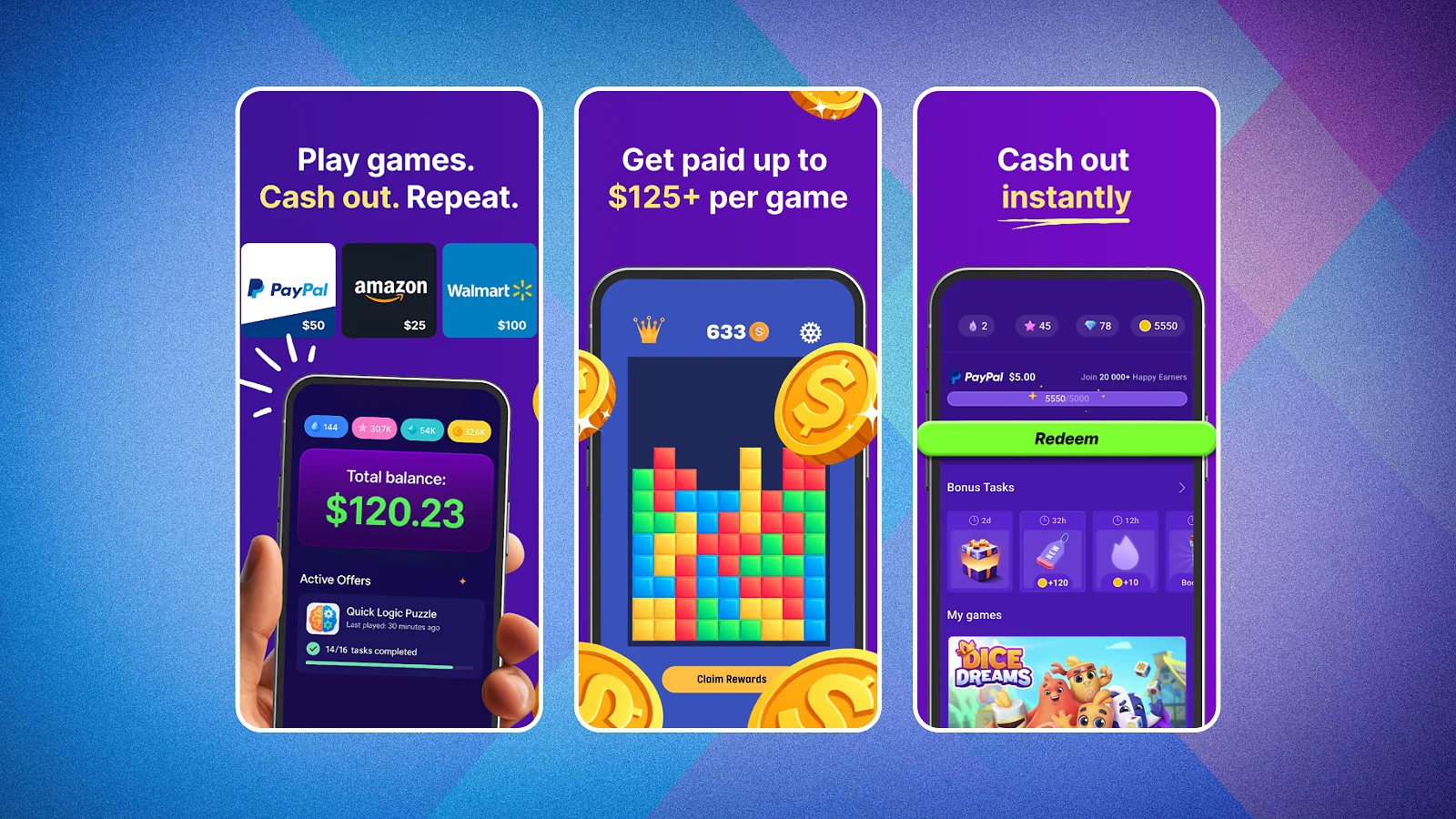
Mobile reward apps pay small amounts of extra cash for testing games and completing simple offers, reaching minimum payout thresholds between $1 and $35. While they will never replace developer client work, they offer an easy way to fund a custom domain name, a hosting bill, or a USB microphone while you wait for your first coding contract.
If you are exploring ways to make money from your phone during study breaks, the apps below let adult users aged 18 and older cash out without spending money upfront. Snakzy provides a native Android app for mobile gamers, and iPhone users can access it through the web browser version.
You can install Snakzy on Android or open the web version on iPhone to earn rewards toward your setup costs between coding practice sessions.
Earn extra cash with Snakzy while you wait for your first client.
What You Keep: A Worked Calculation of Earning Money From Coding
Billing $1,000 in gross coding work puts between $750 and $900 into your bank account depending on which marketplace processes the job. Platform commissions are the single largest drag on your early income, creating a $150 take-home gap before taxes ever enter the picture.
Comparing $1,000 Gross Across Client Platforms
To see how platform fees reshape your net pay when earning money from coding, compare these illustrative round-number examples across three service marketplaces and one digital template storefront:
- Upwork ($1,000 gross example): Subtracting the 0-15% freelancer service fee (or $100) leaves you with at least $850 net take-home pay.
- Fiverr ($1,000 gross example): Subtracting the 20% seller commission (or $200) across completed gigs leaves you with $800 net take-home pay.
- Wyzant ($1,000 gross example): Subtracting the 25% tutoring service fee (or $250) from your lesson billings leaves you with $750 net take-home pay.
- Etsy ($20 digital sale example): Subtracting the $0.20 listing fee, $1.30 transaction fee (6.5%), and $0.85 US payment processing fee (3% plus $0.25) removes $2.35 in total fees, leaving $17.65 net per $20 template sold (or $882.50 across fifty individual $20 sales).
Keeping that fee gap in mind helps you pick the right marketplace before you send your first quote.
Client Checkout Price Versus Your Clearing Schedule
Many beginners overlook two details: the gap between the buyer checkout total and your net pay, and the clearing delay before cash unlocks. On Fiverr, a buyer purchasing a $50 bug-fix gig pays $55.75 after checkout service fees, while you receive $40 net after the 20% commission.
Even after you deliver the code, Fiverr holds that payout for 14 days. By contrast, Upwork holds fixed-price funds for 5 days after milestone approval and clears hourly logs 10 days after the billing week closes.
How to Price Your Rate Around the Fee
Calculate your gross quote backward from your target net hourly wage so the commission never surprises you. To take home $50 an hour net before taxes, divide $50 by the share you keep, which means quoting about $55.56 an hour on Upwork at 90% kept.
For that same $50 net hourly target, you need to quote $62.50 on Fiverr at 80% kept, or $66.67 on Wyzant at 75% kept. Always build this fee math into your quotes when evaluating legitimate work from home jobs and freelance contracts.
Is 27 Too Late to Start Coding?
No, starting at age 27 or in your thirties does not stop you from learning programming, building a public portfolio, or winning paid freelance contracts. Clients hiring on freelance marketplaces and buyers downloading code templates care about demonstrable skills and working repositories, not the year you wrote your first line of code.
Career switchers starting in their late twenties often bring workplace advantages that younger beginners lack when figuring out how to make money from coding. Experience in retail, accounting, logistics, or healthcare helps you spot frustrating spreadsheet bottlenecks and communicate clearly on client calls.
Skip memorizing computer science theory for years and focus on one practical language, like JavaScript for web interfaces or Python for automation scripts. Spend six to eight weeks building two small workflow projects, then use weeks nine through twelve to pitch entry-level tasks on Fiverr or Upwork.
Frame those timelines as a disciplined weekly schedule rather than a guaranteed deadline.
Most advice for adult beginners gets stuck on endless syntax tutorials and ignores the bridge to a first paid invoice. If you want to start earning money from coding at 27 or 37, skip broad multi-year study lists, pick one narrow service niche tied to an industry you already know, and follow a 12-week build-and-pitch plan.
What Doesn’t Work
Paying upfront fees for promised developer income or relying on low-effort shortcuts will drain your time and budget while producing $0 in client revenue. Every year, new coders looking into how to make money from coding lose months chasing schemes that promise instant contracts without building real technical proof first.
- Paid “guaranteed income” courses – No bootcamp, coaching program, or certificate vendor can guarantee that independent clients will hire you, so never pay thousands of dollars for a promised freelance job pipeline.
- Cheap bidding wars – Racing to the bottom with $5 or $10 quotes for multi-hour builds attracts demanding clients and leaves you with almost nothing after platform fees of 10% to 25% are deducted.
- Copying templates you do not own – Downloading someone else’s open-source or commercial code and reselling it as your own digital product violates copyright rules and gets your shop listings removed.
- Tutorial hopping – Watching ten consecutive video courses without ever writing and shipping an original project from scratch leaves your GitHub profile empty when a real buyer asks for work samples.
- Upfront fees to be “hired” – Legitimate clients never ask a developer to pay a security deposit, background fee, or equipment charge to start a contract; stick to verified marketplaces and free ways to make money from home instead.
Protect your time by testing every opportunity against one simple filter: if the person on the other end asks you for money instead of inspecting your code portfolio, close the tab immediately. Real coding income flows from solving specific technical problems for buyers who pay through secure platform escrow or verified checkout pages.
Earn extra cash with Snakzy between coding sessions.
Final Verdict on How to Make Money From Coding
Start with client contracts on Upwork or fixed-scope bug fixes on Fiverr if you want your first paid invoice within weeks and a fast start in earning money from coding. If you prefer teaching live, tutor introductory programming on Wyzant, or build repeatable assets on Gumroad, Etsy, Udemy, and YouTube. Always weigh the platform cut before pricing your work: Upwork keeps up to 15%, Fiverr takes 20%, and Wyzant deducts 25%.
You do not need to master every framework before making money from coding, and you do not need to launch all eight routes at once. Pick one client platform to fund your immediate goals, publish two working portfolio projects on GitHub this month, and the question of how to make money from coding stops being theoretical.
FAQs
No, you cannot make money from coding with zero skill, because paid work requires working projects. Build two small repositories first, offer a narrow service you can deliver, and use client feedback to improve. A portfolio helps you make money from coding, though it does not guarantee clients.
Starting to make money from coding costs $0 upfront if you already own a computer. Upwork, Fiverr, and Wyzant are free to join, while Etsy charges $0.20 per listing and may charge a shop set-up fee.
The coding skill that pays the fastest is fixing small website bugs or writing short automation scripts. No single language guarantees instant income when making money from coding, so choose a narrow task you can deliver reliably and price it to cover fees.
Yes, you generally pay tax on money from coding as self-employment income in the US. Track your net payouts, save receipts for deductible expenses, and check current IRS guidance or ask a tax professional for your situation.
Your first payout typically takes three to six weeks from your first pitch, depending on the platform. Fiverr clears funds 14 days after order completion, Upwork releases fixed-price milestones after a 5-day hold, and Wyzant pays on the 1st and 15th.
Yes. Many people start with five to ten hours a week of evening gigs or a single digital product. Check your employment contract first, then build up slowly. That is a steady way of learning how to make money from coding.