


Microsoft Rewards Review 2026: Is Microsoft Rewards Legit and Does It Pay?

Eneba Hub contains affiliate links, which means we may earn a small commission if you make a purchase through them—at no extra cost to you. Learn more


Is Microsoft Rewards legit? Microsoft Rewards is Microsoft‘s official loyalty program, with free membership and no purchase requirement. You access it through the web, Bing on iOS and Android, Edge, and Xbox.
The program suits people who are already using those services and want occasional gift cards or store credit. Reward costs vary by region, and there’s no single redemption minimum or guaranteed processing window.
The main limitation is that points can’t be converted to a cash withdrawal, including through PayPal. Privacy and regional redemption rules also deserve attention before you start collecting. This review explains what your points can buy, which restrictions are important, and when a cash-paying alternative makes more sense.

Microsoft runs this free points program through searches, eligible shopping, and selected gaming activities. Redeem for gift cards, store credit, donations, or sweepstakes entries in supported regions.
- Operated directly by Microsoft
- Free membership with no purchase required
- Gift cards and eligible Microsoft or Xbox credit
- Earn alongside existing search and gaming habits
- No cash withdrawals
- Reward availability and point costs vary by region
- Points expire after 12 months of inactivity
Jump to:
How I Reviewed Microsoft Rewards
Is Microsoft Rewards legit? For this Microsoft Rewards review, I checked publicly available information on the following:
- Official website
- Services Agreement
- Privacy Statement
- Microsoft Bing Search on Apple App Store/Google Play
I focused on redemption rules. The official pages explain region restrictions, annual redemption caps, inactivity expiry, and additional verification that can apply when claiming rewards.
I also looked into Microsoft Bing Search on both Google Play and the App Store since the app supports Microsoft Rewards, although it’s not a standalone platform for the product.
Where Is Microsoft Rewards Available?
Microsoft Rewards is available across many countries, including all 10 listed below. Redeem in your signup region, as masking your location with a VPN can lead to cancellation and forfeited points. Is Microsoft Rewards free? Membership has no fee, but the local catalog determines what your points can buy.
|
Country |
Availability & Region Notes |
|---|---|
|
United States |
✅ |
|
United Kingdom |
✅ |
|
Australia |
✅ |
|
Canada |
✅ |
|
France |
✅ |
|
Spain |
✅ |
|
Germany |
✅ |
|
Italy |
✅ |
|
Portugal |
✅ |
|
Brazil |
✅ |
How Easy It Is to Use Microsoft Rewards
Signing up requires a Microsoft account and phone verification. Mobile and landline numbers work, while VoIP numbers do not. Each household can have up to six Microsoft Rewards accounts.
Is Microsoft Rewards legit? The official dashboard provides a straightforward way to track your balance, although interface changes can make features harder to find. Recurring community complaints include the rewards tab disappearing from Bing after updates and reduced visibility into console challenges.
If store credit doesn’t suit you, Snakzy is an alternative. It allows you to earn rewards by playing games and completing surveys, with options to get paid via PayPal or gift cards.
Earn rewards by playing games and completing surveys with Snakzy.

How To Get Started With Microsoft Rewards
Is Microsoft Rewards legit? Getting from signup to your first reward takes six steps:
- Create or sign in to your account. Use your free Microsoft account on the official rewards website.
- Verify your phone number. Provide a mobile or landline number.
- Confirm your region. Choose the region where you live and will redeem rewards; don’t mask your location.
- Complete eligible activities. Search with Bing, make eligible store purchases, or complete selected Xbox activities.
- Check your dashboard. Compare your Microsoft Rewards points with the current cost of your preferred reward.
- Redeem and complete verification. Follow any fraud-prevention checks and ensure your account can receive the reward message.
Parental consent may be required for minors, including children below the applicable digital-consent age. Before choosing a reward, readers targeting Microsoft Rewards Robux options can review how to add a Robux gift card to understand the separate redemption step.
Does Microsoft Rewards Pay?
Yes, Microsoft Rewards pays users through gift cards, eligible store credit, sweepstakes entries, and charity donations, earned from eligible searches, shopping, and gaming. Microsoft Rewards Robux options depend on whether the regional catalog includes suitable gift cards.
Is Microsoft Rewards legit? Its agreement specifies annual redemption ceilings: 550,000 points for third-party options and 1,550,000 for its own options per calendar year. Rewards arrive as codes or claim links, with no fixed processing window published.
There’s no universal redemption minimum, since each reward has its own point cost. Readers comparing Microsoft Rewards Robux options with other gaming rewards can also examine ways to earn free gift cards through games before committing their time.
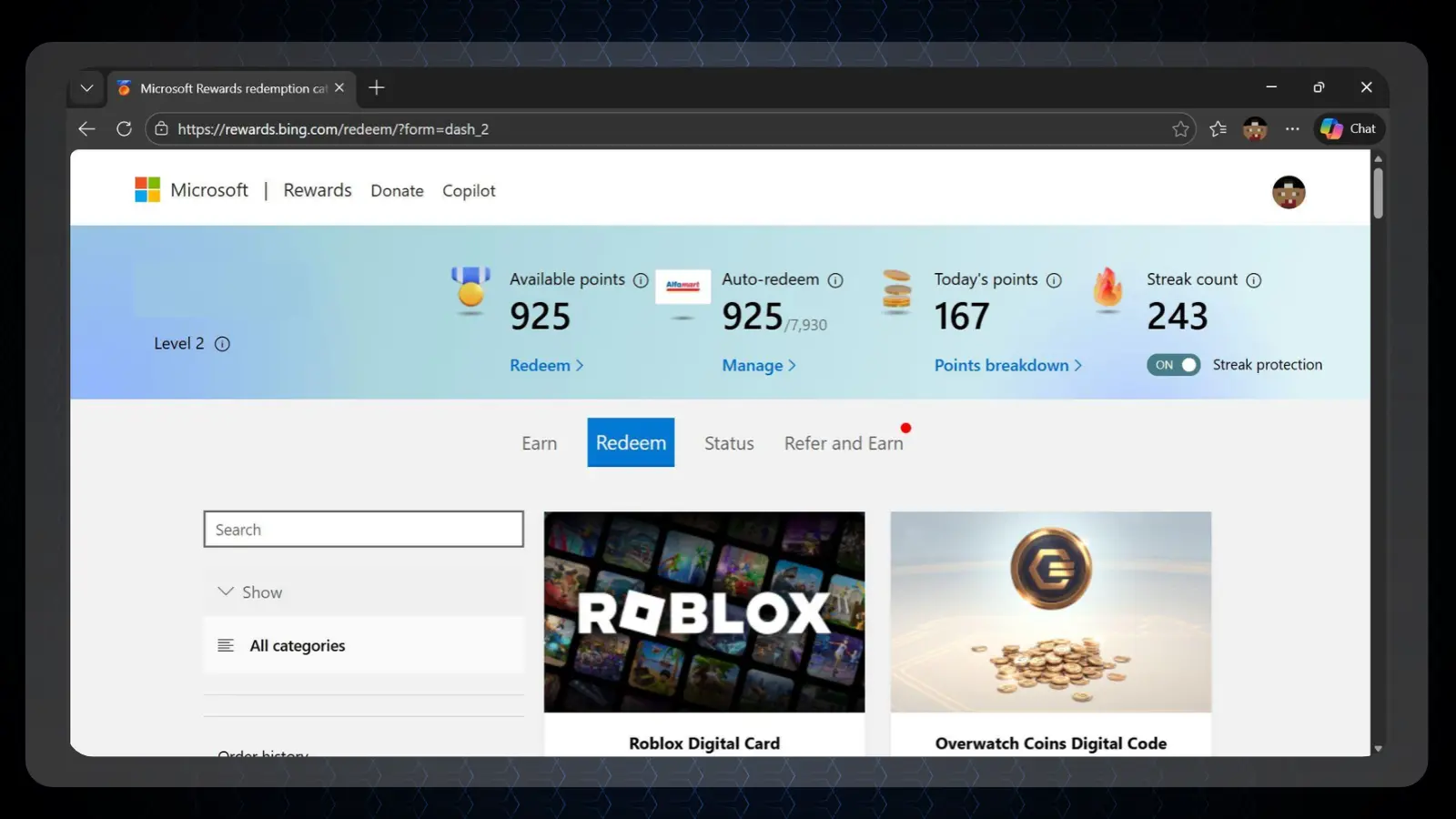
How Much Money Can You Make on Microsoft Rewards?
You can’t withdraw money from Microsoft Rewards. Microsoft‘s illustrative conversion is roughly 1,000 points per $1, making approximately 5,000 points a useful reference for a $5 reward.
Is Microsoft Rewards legit? Yes, but legitimacy doesn’t establish a monthly earnings rate. Your Microsoft Rewards points depend on eligible activity and current limits, so don’t look at them as a fixed source.
Tips for Getting More Microsoft Rewards
Here are practical ways to collect Microsoft Rewards points without unnecessary spending:
- Check the dashboard for your current level and search limits.
- Use Bing consistently rather than trying to exceed daily caps.
- Stay signed in for eligible purchases you already planned.
- Check current promotions instead of assuming old offers remain available.
- Redeem towards useful rewards and avoid prolonged inactivity.
Is Microsoft Rewards worth it? Existing habits determine the value more than the effort spent chasing every offer. For Microsoft Rewards Robux rewards, check availability before collecting specifically for that goal.
- Operated directly by Microsoft
- Free membership, no purchase required
- Eligible gift cards and store credit
- Earn alongside existing search and gaming habits
Privacy, Safety, and Security
Is Microsoft Rewards legit? It operates through Microsoft‘s own account systems, with company-wide privacy terms. That means the privacy decision extends beyond your points balance to the broader account and services you use.
Data Privacy and Protection
The Microsoft Privacy Statement covers company-wide processing, including sharing with affiliates, service providers, and marketing partners. It also describes disclosures for digital advertising. First-party operation doesn’t mean no sharing, and the statement doesn’t separately explain every rewards-specific data flow.
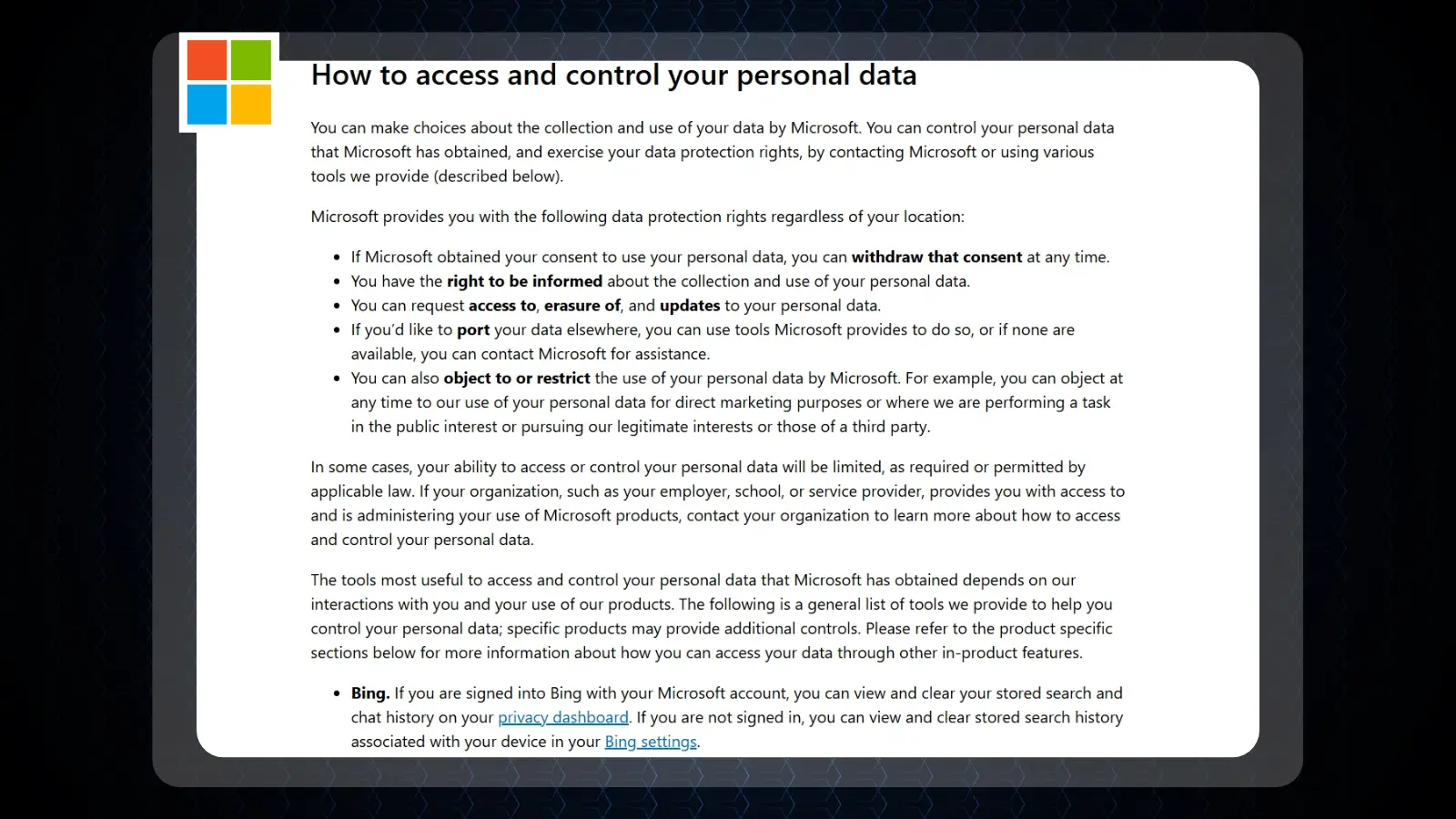
Is Microsoft Rewards legit? Its documented privacy controls are a useful accountability measure. Microsoft says certain access, correction, deletion, and portability rights are available regardless of location through its privacy controls.
Personal Information Requirements
Ordinary participation requires an account and phone number. Some redemptions may nevertheless require additional fraud-prevention verification or documents, so a successful signup doesn’t guarantee every later claim will proceed without checks.
Is Microsoft Rewards legit? Its verification requirements are documented, and users have a route to manage their information through the Microsoft privacy page. Review those controls before deciding how much activity you want associated with your account.
Fine Print at a Glance
The Microsoft Services Agreement explains that cancellation forfeits your points. Points also expire after 12 months without earning or redeeming activity, and suspected abuse or location masking can trigger forfeiture.
Is Microsoft Rewards legit? The agreement sets out the program’s restrictions, including individual arbitration for applicable US account disputes. It also says Microsoft will try to give at least 90 days’ notice to redeem remaining points if the program ends.
Is Microsoft Rewards Safe?
Microsoft Rewards is a legitimate first-party loyalty program with documented account and privacy controls. It doesn’t require bank linking for ordinary use, although phone verification and additional redemption checks still involve sharing personal information.
Is Microsoft Rewards safe? It provides a reasonable basis for participation if you accept Microsoft‘s broader data practices. Is Microsoft Rewards legit? Yes, but you should still review the privacy dashboard because the applicable statement covers the company’s services.

Microsoft Rewards Customer Service
Support starts with official help articles and the Microsoft support page, which routes questions through the company’s support system. Prepare the exact error message, the reward involved, and any verification step that failed before requesting help.
Is Microsoft Rewards legit? Its established support route is reassuring, but it doesn’t establish an instant response guarantee. Recurring community discussions concern phone verification, redemption problems, and missing interface features, with troubleshooting or escalation commonly needed.
Microsoft Rewards Ratings
|
Store/Website |
Rating |
Reviews |
|---|---|---|
|
App Store (Microsoft Bing Search) |
4.7/5 ⭐ |
300,000+ |
|
Google Play (Microsoft Bing Search) |
4.7/5 ⭐ |
1,750,000+ |
|
Microsoft Store |
3.8/5 ⭐ |
60+ |
Microsoft Rewards User Feedback
Users most often praise free participation and useful credit from activities they already perform. Is Microsoft Rewards legit? The recurring positive picture is consistent with a modest loyalty benefit: searches and eligible purchases gradually contribute toward rewards people would otherwise buy.
Common complaints concern changing reward value and interface problems. Users also discuss higher point costs in some markets and disappearing mobile rewards tabs. Microsoft Rewards Robux availability also requires checking the local catalog rather than assuming universal access.
Alternatives to Microsoft Rewards
 SnakzyEarn through game challenges with PayPal or Eneba Wallet rewards instead of Microsoft-focused redemption.
- ScramblyGame-based earning with cash-style redemption options, subject to identity verification before withdrawal.
- KashKickSurveys, games, and offers with cash redemption rather than search-based loyalty points.



Choose Snakzy for game challenges, Scrambly if you accept withdrawal verification, or KashKick for a mix including surveys. Compare payout conditions before starting, especially if your actual goal is cash. The Eneba Play-to-Earn hub also covers additional options beyond Microsoft Rewards Robux and store-credit rewards.
Is Microsoft Rewards Worth It?
Microsoft Rewards is worth considering if you already use eligible services and can redeem something you genuinely want. Start with the reward you would use, then compare its point cost with the activity you expect to complete without changing your spending.
The strongest reason to skip it is a preference for cash. Avoid purchasing merely for points, and remember that a changing catalog can make a once-attractive reward less useful by the time you reach it.
Treat the program as a loyalty benefit attached to existing habits. For that purpose, the answer to “Is Microsoft Rewards legit?” is yes, and it’s a useful option for patient users who value eligible rewards.
FAQs
Yes, Microsoft Rewards is Microsoft‘s official loyalty program. It’s free to join, requires no purchase, and lets members earn points toward eligible rewards.
You earn reward value, not withdrawable cash. Microsoft‘s example puts roughly 1,000 points at $1 of redemption value; actual results depend on eligible activity and the reward selected.
Choose an affordable reward from the rewards dashboard and complete any verification. Redeem in your signup region without masking your location, and check the delivery instructions.
Yes, Microsoft Rewards has no signup fee or purchase requirement. You need a Microsoft account and phone verification to participate.
Microsoft Rewards uses Microsoft‘s account infrastructure and privacy controls. Ordinary participation requires no bank linking, and you can manage account data through its privacy dashboard.
Yes, where the regional catalog offers eligible gift cards usable toward Robux. Microsoft Rewards Robux rewards are not direct currency payouts, so check current catalog availability before collecting for that purpose.