9 Best GPUs for 4K Gaming: Ultimate Power Picks for 2026

Eneba Hub contains affiliate links, which means we may earn a small commission if you make a purchase through them—at no extra cost to you. Learn more


Finding the best GPU for 4K gaming is all about unlocking the full potential of your setup: ultra-sharp visuals, maxed-out settings, and frame rates that stay buttery-smooth even in the most demanding titles.
If you’re chasing flawless Ray Tracing, pushing a 120Hz+ 4K monitor to its limits, or building a high-end rig from scratch, choosing the right card makes all the difference. In this guide, I’ll break down the top GPUs that truly deliver next-level 4K performance so you can invest with confidence and build a system that’s ready for anything.
Jump to:
Our Top Picks for GPU for 4K Gaming
Finding the perfect 4K graphics card can be tricky, but I’ve done the hard work for you. These GPUs deliver power, efficiency, and value, making them some of the best 4K graphics cards for smooth frame rates, stunning visuals, and high-end builds.
- ASUS ROG Astral GeForce RTX 5090 – Best overall, it delivers jaw-dropping 4K performance with flawless Ray Tracing and unmatched future-proofing.
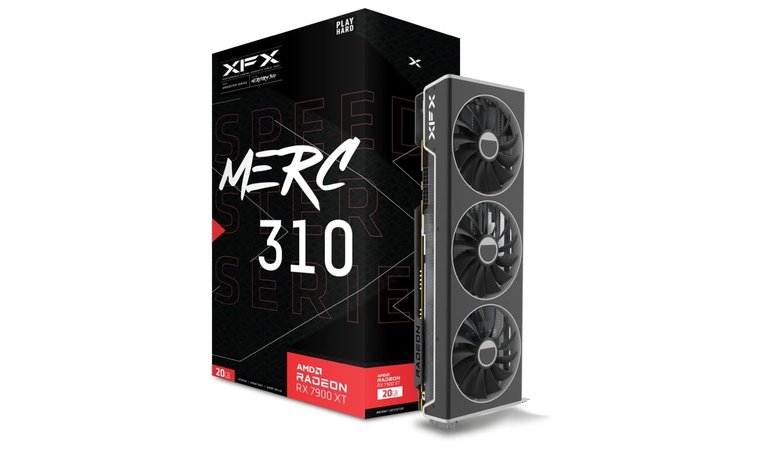
- XFX Radeon RX 7900 XT – Best value 4K performer, offering strong native 4K gaming and a generous 20GB VRAM buffer without flagship-level pricing.
- NVIDIA GeForce RTX 4090 – Best for ultra-high FPS, perfect for pushing high-refresh 4K monitors to the limit.
These are the cream of the crop, but the list doesn’t stop here. From budget-friendly picks to powerhouses, the rest of our roundup brings unique strengths. Keep scrolling to find the best 4K GPUs for your rig, style, and next-level gaming adventure.
9 Best GPU for 4K Gaming You Need for Stunning Graphics
Picking the right GPU can make or break your 4K gaming experience. Smooth frame rates and stunning visuals await, with plenty of options to choose from. I’ve tested and compared the top contenders so you can level up your setup. Keep reading to discover the best GPU for 4K gaming.
1. ASUS ROG Astral GeForce RTX 5090 [Best Overall GPU for 4K Gaming]
| Specs | Details |
|---|---|
| GPU Architecture | Blackwell |
| VRAM Capacity | 32 GB GDDR7 |
| Memory Bus | 512-bit |
| Boost Clock Speed | ~2,610 MHz (OC mode) / ~2,580 MHz default |
| Upscaling/Frame Gen | DLSS 4 (Multi-Frame Generation) (as per the GPU series) |
| Card Length/Slots | 358 mm, ~3.8-slot design |
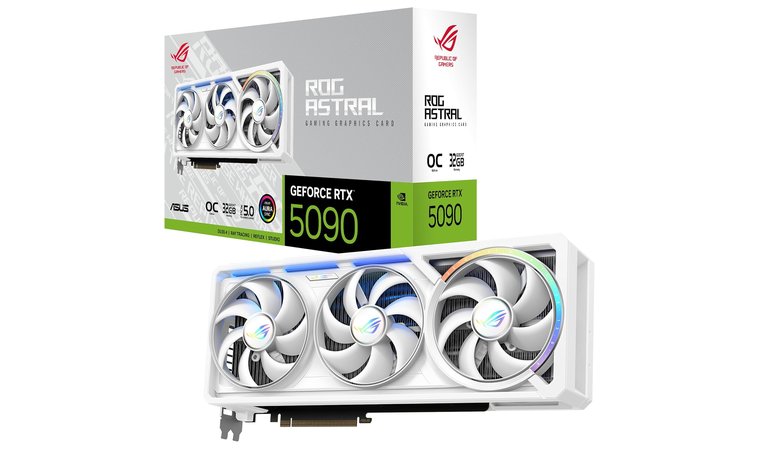
The ASUS ROG Astral GeForce RTX 5090 is the top-tier monster of GPUs: truly built for gamers who want to crush 4K and even dip into entry-level 8K without breaking a sweat. Rocking the next-gen Blackwell architecture, it’s loaded with 21,760 CUDA cores and a whopping 32 GB of lightning-fast GDDR7 VRAM on a 512-bit bus.
What really sets it apart is DLSS 4 with Multi‑Frame Generation, which uses advanced AI to generate extra frames and dramatically boost performance without sacrificing visual fidelity. Paired with its 4th-gen RT cores, you’re getting ultra-realistic Ray Tracing at high FPS. To top it off, NVIDIA Reflex 2 cuts down input latency, so your gameplay stays buttery-smooth and ultra-responsive.
| PROS | CONS |
|---|---|
| ✅ This GPU delivers monster-class power with 21,760 CUDA cores, crushing 4K, 8K, and creative workloads. ✅ 32 GB of GDDR7 VRAM on a 512-bit bus handles ultra textures and future titles effortlessly. ✅ Advanced cooling with a vapor chamber, quad axial fans, and 3.8-slot design keeps thermals in check. ✅ Durable build and anti-moisture PCB coating ensure long-term reliability. ✅ Modern connectivity with 3× DisplayPort 2.1b and 2× HDMI 2.1b supports high-res, high-refresh monitors. ✅ Overclocking-friendly design lets you push performance beyond stock. ✅ PCIe 5.0 ready with a 16‑pin connector for modern motherboards. | ❌ The card draws up to 575 W, so a 1000 W PSU is needed, but that’s what fuels its flagship performance. ❌ Can get loud at high loads, though fan curve tweaks quickly make it quieter without hurting performance. |
With 3 × DP 2.1b and 2 × HDMI 2.1b ports, it’s ready for any high-refresh or high-res monitor setup. It does draw a lot of power, around 575 W, so you’ll want a high-quality 1000W PSU for safe, stable operation. While it’s a premium investment, the performance you get is absolutely flagship-level.
Still, the RTX 5090 future-proofs your rig for years. With 32 GB of VRAM, PCIe Gen 5 support, and jaw-dropping performance in both modern and upcoming titles, this GPU is built to stay relevant and dominant.
My Verdict: The ASUS ROG Astral GeForce RTX 5090 is perfect for gamers seeking unmatched 4K performance and cutting-edge Ray Tracing, delivering ultra-smooth gameplay and future-proof specs. It’s a top-tier choice for building a high-end rig that handles the latest AAA games with ease.
2. XFX Radeon RX 7900 XT [Best Price-to-Performance GPU for 4K Gaming]
| Specs | Details |
|---|---|
| GPU Architecture | AMD RDNA 3 |
| VRAM Capacity | 20 GB GDDR6 |
| Memory Bus | 320-bit |
| Boost Clock Speed | Up to 2,400 MHz |
| Upscaling/Frame Gen | AMD FidelityFX Super Resolution (FSR) |
| Card Length/Slots | ~276 mm, 2.5–3 expansion slots |
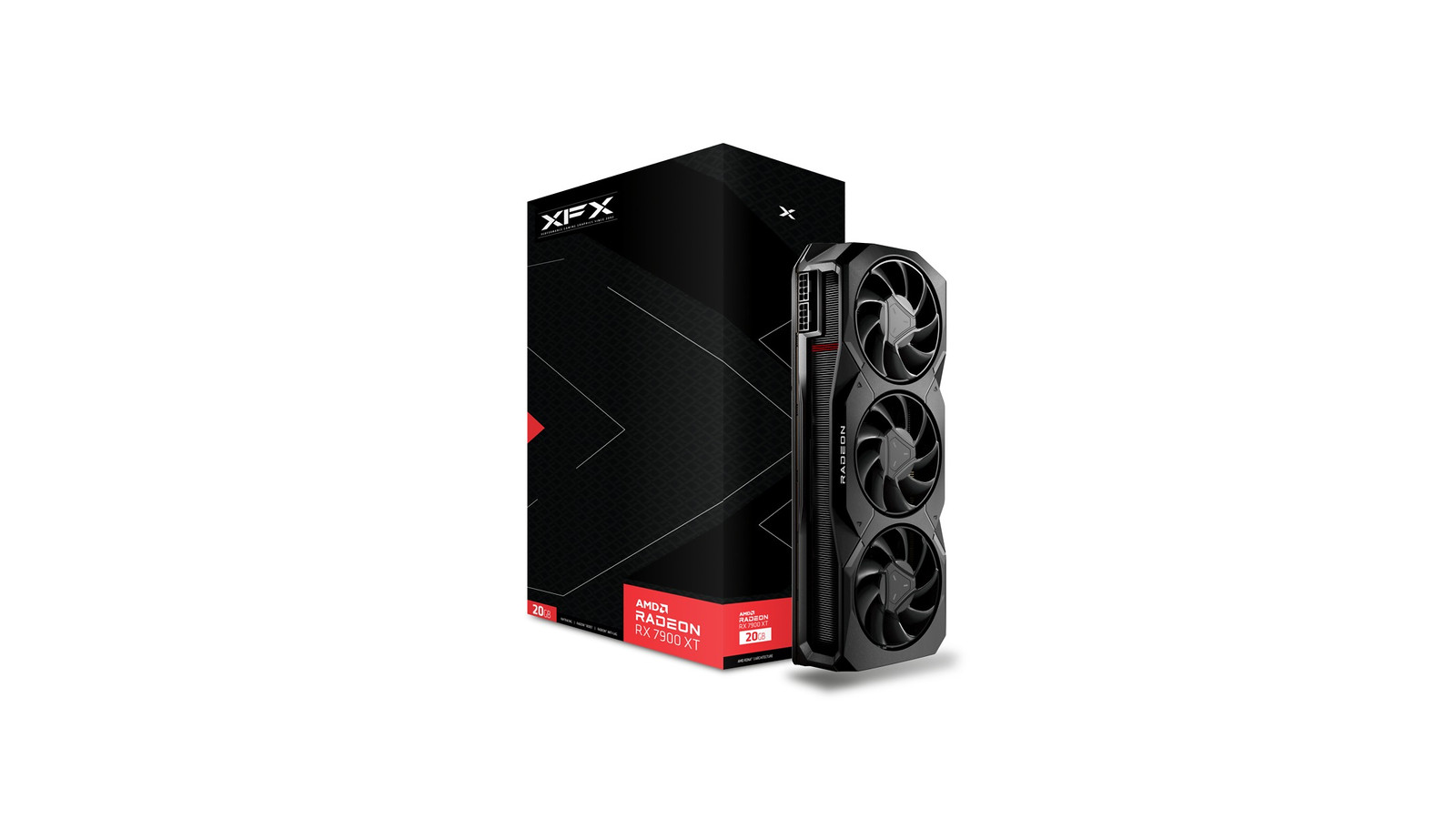
If you’re chasing solid 4K performance without paying flagship prices, the XFX Radeon RX 7900 XT is a surprise contender that punches above its weight. Built around AMD’s RDNA 3 architecture with 20 GB of GDDR6 memory, this card brings a generous VRAM buffer that’s great for high-res textures and future-proofing, especially in open-world and demanding titles.
In real-world gaming, the RX 7900 XT delivers smooth, mostly 60+ FPS play at 4K in popular games like Call of Duty: Modern Warfare II and Borderlands 3, thanks to its robust raster performance. It handles native 4K well – sometimes needing a bit of fine-tuning for ultra settings in the most demanding titles – but that’s expected in this class.
| PROS | CONS |
|---|---|
| ✅ Excellent 4K raster performance with consistently high frame rates in demanding AAA titles. ✅ 20GB of GDDR6 VRAM providing plenty of headroom for ultra textures and future releases. ✅ Strong price-to-performance ratio compared to many competing high-end GPUs. ✅ Reliable triple-fan cooling design that keeps temperatures stable under load. ✅ Modern feature support including DisplayPort 2.1 and AV1 encoding for streaming and content creation. ✅ Solid longevity for upcoming AAA games thanks to its memory capacity and strong raw performance. | ❌ Ray tracing performance is good but not class-leading compared to some Nvidia alternatives. ❌ Power draw that is on the higher side under full load, though typical for GPUs in this performance tier. |
Where it doesn’t dominate is ray tracing; AMD’s ray performance tends to lag Nvidia’s RTX counterparts without heavy upscaling assistance, so if ray tracing is a must at 4K, be prepared to tweak settings. Cooling is solid thanks to the triple-fan design, keeping thermals in check under load without getting overly loud.
Overall, the RX 7900 XT is a powerful 4K card with lots of memory and good real-world performance, especially if you’re focused on raster speed and solid frame rates in big titles.
My Verdict: The XFX Radeon RX 7900 XT is a smart choice if you want the best GPU for 4K gaming experience that’s powerful, plenty future-proof with big VRAM, and won’t break the bank like some top-tier flagships. Just don’t expect the absolute peak in ray tracing without some trade-offs.
3. NVIDIA GeForce RTX 4090 [Best Ultra-High FPS GPU for 4K Gaming]
| Specs | Details |
|---|---|
| GPU Architecture | Ada Lovelace |
| VRAM Capacity | 24 GB GDDR6X |
| Memory Bus | 384-bit |
| Boost Clock Speed | 2,520 MHz |
| Upscaling/Frame Gen | DLSS 3 Frame Generation (NVIDIA) |
| Card Length/Slots | 304 mm, triple-slot |
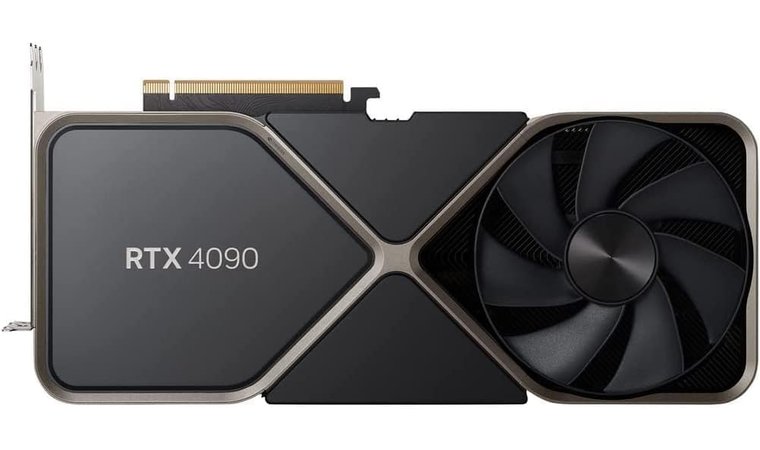
The NVIDIA GeForce RTX 4090 is still the king when it comes to pushing ultra-high FPS at 4K. With its massive processing power and DLSS 3 Frame Generation, it can easily hit triple‑digit frame rates even on the most demanding titles, making it a top pick for 4K monitors with high refresh rates.
The 24 GB of GDDR6X VRAM gives you serious headroom for ultra textures, and its Ada Lovelace architecture brings efficiency along with raw power. In real-world gaming, the RTX 4090 feels like a rocket: in competitive shooters, you’ll breeze past 120+ FPS, and open-world giants stay snappy even with high settings.
| PROS | CONS |
|---|---|
| ✅ Monumental performance: built on Ada Lovelace, it delivers insane 4K frame rates. ✅ Massive 24 GB GDDR6X VRAM for ultra-heavy workloads, high-res textures, and creative tasks. ✅ Boost clock up to 2,520 MHz gives it a serious performance punch. ✅ DLSS 3 Frame Generation allows for smooth, high-FPS gaming even in demanding titles. ✅ Triple-slot design with strong cooling keeps thermals in check under load. ✅ Built with future-proofing in mind for next-gen 4K / VR / creative workflows. | ❌ High power consumption (450 W TGP) means you’ll need a very solid PSU, but that’s part of what makes this a performance monster. ❌ Physically large. It’s a big card, so be sure your case can handle it; if it can, the payoff is huge. |
DLSS 3’s Frame Generation is a total game-changer: it generates frames ahead of time so you get smooth performance without sacrificing visual fidelity. That said, it’s a beast when it comes to power consumption, so you’ll need a strong PSU (850W+ is recommended), and the card itself is physically massive, so make sure it fits your case before buying.
If ray tracing and future-proofing are priorities, this card doesn’t disappoint. You’re looking at some of the best RT performance you can get in 4K. But for ultra-competitive play or maxing out a 4K/144 Hz or higher monitor, the RTX 4090 really earns its price tag.
My Verdict: The RTX 4090 is the ultimate choice for gamers who want extreme frame rates in 4K. It delivers flawless speed and visual fidelity, making it perfect for competitive and high-refresh setups alike.
4. AMD Radeon RX 7900 XTX [Best AMD GPU for 4K Gaming]
| Specs | Details |
|---|---|
| GPU Architecture | AMD RDNA 3 |
| VRAM Capacity | 24 GB GDDR6 |
| Memory Bus | 384-bit |
| Boost Clock Speed | Up to 2,615 MHz |
| Upscaling/Frame Gen | AMD FidelityFX Super Resolution (FSR) |
| Card Length/Slots | ~344 mm, 2.9-slot design |
The AMD Radeon RX 7900 XTX is a powerhouse for 4K gaming and a standout contender for the best AMD GPU. It delivers top-tier rasterization performance that often rivals NVIDIA’s premium cards. Equipped with 24 GB of GDDR6 VRAM and AMD’s RDNA 3 architecture, it provides ample memory and bandwidth for ultra-high-resolution textures, future-proofing your rig for years to come.
Sprawling open-world RPGs, fast-paced shooters, and even gaming streams run smoothly on this card, thanks to its consistent, high-level performance across every type of gameplay. The 384-bit memory bus combined with massive VRAM keeps frame rates stable in demanding 4K titles, even with maxed-out textures.
| PROS | CONS |
|---|---|
| ✅ Massive 24 GB GDDR6 VRAM gives you plenty of room for ultra-textured worlds and future-proof gaming. ✅ RDNA 3 architecture delivers strong raster performance and good energy efficiency. ✅ High boost clock (up to ~2,615 MHz) ensures great responsiveness in demanding titles. ✅ Wide 384-bit memory bus supports stable, high-bandwidth throughput. ✅ Modern connectivity with dual DisplayPort 2.1, HDMI 2.1, and even USB-C (on some models) according to manufacturer specs. ✅ Cooler stays relatively quiet thanks to an efficient dual-slot cooler. ✅ Recommended PSU of ~800 W keeps your system balanced and stable under load. | ❌ Ray tracing performance isn’t quite as strong as NVIDIA’s ultra-high-end cards, but that’s a trade-off for its excellent raster performance. ❌ Its 355 W power draw means you’ll need a solid PSU; but if you pick well, you’ll get stable, high-fidelity gaming that’s built to last. |
While its ray tracing isn’t quite as strong as NVIDIA’s flagship offerings, the RX 7900 XTX delivers where it matters most: raw performance and high-resolution visuals. Connectivity is also modern and versatile, with DisplayPort 2.1 and HDMI 2.1, letting you fully utilize high-refresh 4K monitors without compatibility headaches.
Power requirements are reasonable for a flagship AMD card, but a solid PSU is recommended to keep things stable during intense gaming sessions. Cooling and thermals are well-managed, so marathon gaming won’t cause throttling, and efficiency is impressive for the level of performance you get. This makes it a great fit for gamers who want premium 4K performance without paying the top NVIDIA prices.
My Verdict: The RX 7900 XTX delivers AMD’s best 4K gaming experience with massive VRAM and stable frame rates across demanding titles. Gamers looking for a card that balances high-end performance, future-proofing, and smooth visuals will find this GPU hard to beat.
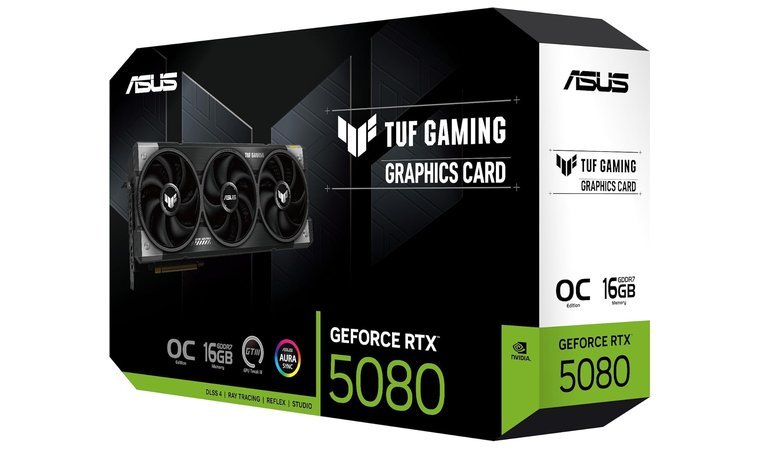
5. NVIDIA GeForce RTX 5080 Founders Edition [Best High-End Value for 4K]
| Specs | Details |
|---|---|
| GPU Architecture | Blackwell |
| VRAM Capacity | 16 GB GDDR7 |
| Memory Bus | 256‑bit |
| Boost Clock Speed | ~2,620 MHz |
| Upscaling/Frame Gen | DLSS 4 (Multi‑Frame Generation) |
| Card Length/Slots | ~304 mm, dual-slot design |
The NVIDIA GeForce RTX 5080 Founders Edition hits NVIDIA’s sweet spot for gamers who want serious 4K performance without paying flagship prices. Built on the newer Blackwell architecture with fast GDDR7 memory, it delivers smooth, high-resolution gaming and modern features like DLSS 4 with Multi Frame Generation to boost frame rates. For many players, it makes a strong case as the best GPU for 4K gaming without going all-in on the top tier.
In real-world play, the RTX 5080 handles demanding games like Cyberpunk 2077 and Dying Light 2 at 4K with strong visuals, particularly when you lean on DLSS upscaling to hit higher FPS. It generally outpaces its predecessor (the RTX 4080 Super) by a noticeable margin, making it feel like a worthwhile jump if you’re coming from older 30- or 40-series cards.
| PROS | CONS |
|---|---|
| ✅ Excellent balance of 4K performance and price, making it a strong choice in the high-end segment. ✅ Hardware support for DLSS 4 with Multi-Frame Generation, boosting effective frame rates in supported games. ✅ Strong ray tracing performance relative to previous generations. ✅ Efficient thermals and power draw for its performance level in a sleek Founders Edition design. ✅ Great compatibility with modern displays and features like DisplayPort 2.1. ✅ Smooth performance in demanding AAA titles when paired with upscaling. | ❌ Raw raster performance isn’t drastically higher than some older flagship models in every title. ❌ Premium pricing means it’s not the most budget-friendly option for gamers who don’t need its feature set. |
Performance gains can be modest in raw rasterized benchmarks alone, but where this GPU shines is in AI-enhanced frame generation and overall fluidity at 4K, giving you a smooth experience in most AAA games.
Visually, it’s a classy Founders Edition design with solid thermals and efficient power draw for its class. Ray tracing performance is good but not earth-shattering compared to top-tier RTX 5090 models, but still, most titles will look fantastic once upscaling features are enabled.
My Verdict: The NVIDIA GeForce RTX 5080 Founders Edition is a well-rounded 4K graphics card that blends strong real-world gaming results with forward-looking AI features. If you want high-end performance without paying flagship prices, this one makes a lot of practical sense.
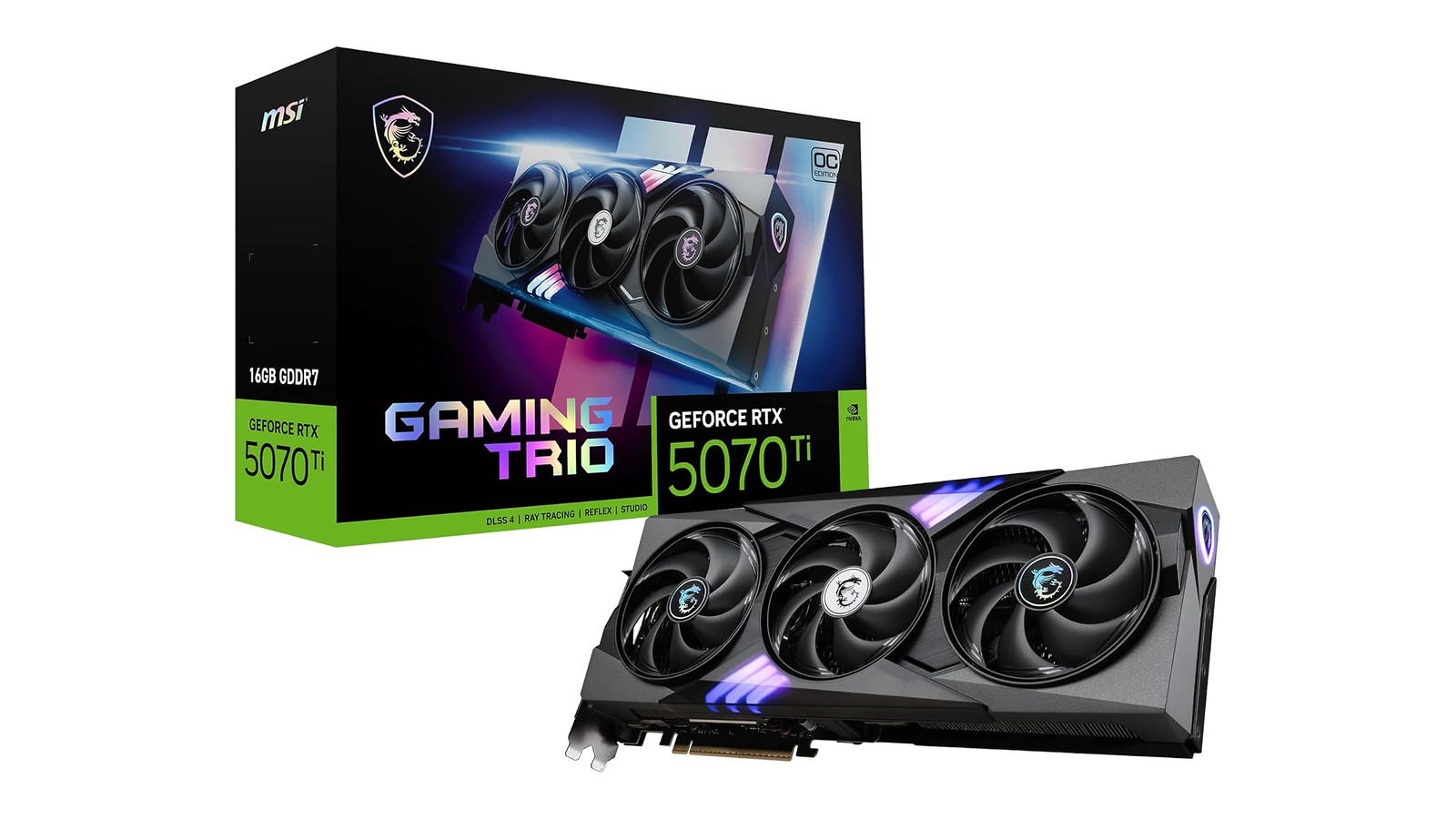
6. MSI GeForce RTX 5070 Ti 16G Gaming Trio OC [Best Value GPU for Premium 4K Gaming]
| Specs | Details |
|---|---|
| GPU Architecture | Blackwell |
| VRAM Capacity | 16 GB GDDR7 |
| Memory Bus | 256‑bit |
| Boost Clock Speed | ~2,572 MHz (OC mode) |
| Upscaling/Frame Gen | DLSS 4 (Multi-Frame Generation) |
| Card Length/Slots | ~338 mm, triple-slot design |
If you’re after strong 4K performance without jumping into flagship pricing, the MSI GeForce RTX 5070 Ti 16G Gaming Trio OC is one of the most compelling cards you can find right now. Built on NVIDIA’s Blackwell architecture with a generous 16 GB of GDDR7 memory, this card strikes a great balance between power, efficiency, and price, making it a solid contender for anyone chasing the best GPUs for gaming.
In real-world play, the RTX 5070 Ti handles demanding titles like Horizon Zero Dawn surprisingly well at 4K when paired with DLSS 4 upscaling. Native 4K without upscaling can be a stretch in the toughest scenes, but once you flip on DLSS and adjust a few settings, you’ll see much smoother frame rates and impressive visuals.
| PROS | CONS |
|---|---|
| ✅ Strong 4K performance when paired with DLSS 4, delivering smooth frame rates in demanding AAA titles. ✅ 16 GB of fast GDDR7 VRAM provides solid headroom for high-resolution textures and future releases. ✅ DLSS 4 with Multi-Frame Generation significantly boosts perceived performance in supported games. ✅ MSI Gaming Trio triple-fan cooling keeps temperatures stable and noise levels reasonable under load. ✅ Modern connectivity including DisplayPort 2.1 support for high-refresh 4K monitors. ✅ Balanced price-to-performance ratio compared to higher-tier flagship GPUs. | ❌ Native 4K at ultra settings can require minor compromises in the most demanding games. ❌ Triple-slot design is fairly large, so smaller cases may need extra clearance planning. |
The Gaming Trio OC version from MSI brings a beefy triple-fan cooler and a healthy factory overclock, which keeps thermals in check and boosts performance without a lot of noise.
One thing that makes this card stand out is how well it matches modern feature sets – from DLSS 4 Multi-Frame Generation to DisplayPort 2.1 support, it’s future-friendly and ready for high-refresh 4K displays. MSI’s build quality and cooling design also make it quieter and more stable during marathon gaming sessions.
My Verdict: The MSI RTX 5070 Ti Gaming Trio OC is a standout mid-to-high-end choice for 4K gamers who want excellent performance and modern features without flagship price tags. It doesn’t dominate every ultra-max title at native 4K, but it delivers a smooth and flexible experience that’s hard to beat at this level.
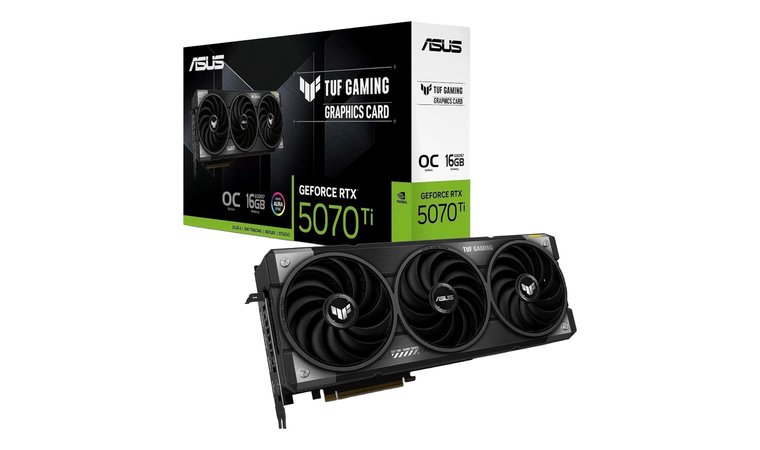
7. ASUS TUF GeForce RTX 5070 Ti [Top Mid-Flagship Choice for Smooth 4K]
| Specs | Details |
|---|---|
| GPU Architecture | Blackwell |
| VRAM Capacity | 16 GB GDDR7 |
| Memory Bus | 256‑bit |
| Boost Clock Speed | ~2,610 MHz (OC mode) / ~2,588 MHz default |
| Upscaling/Frame Gen | DLSS 4 (Multi‑Frame Generation) |
| Card Length/Slots | 329 mm, ~3.125-slot design |
The ASUS TUF GeForce RTX 5070 Ti punches well above its class thanks to NVIDIA’s Blackwell architecture and 16 GB of fast GDDR7 memory. Built with military-grade components, a triple-fan Axial-tech cooler, and a 3.125-slot heatsink, it delivers solid durability, excellent cooling, and dependable performance for high-refresh 1440p and entry-level 4K gaming.
Its rugged PCB coating protects against moisture and dust, making it a long-term companion for your rig. While the RTX 5070 Ti can handle entry-level 4K, it performs exceptionally well at high-refresh 1440p, where clock speeds up to 2,610 MHz and 8,960 CUDA cores, making it a stellar contender for the best 1440p GPU.
| PROS | CONS |
|---|---|
| ✅ Efficient Blackwell-architecture GPU: 8,960 CUDA cores pulling solid performance. ✅ 16 GB of speedy GDDR7 memory with 28 Gbps bandwidth. ✅ Boost clock up to ~2,610 MHz in OC mode. ✅ Triple-fan Axial-tech cooler with a 3.125-slot design helps for long gaming sessions. ✅ Modern connectors: 3 × DisplayPort 2.1b + 2 × HDMI 2.1b. ✅ Built for durability with military-grade components and a reinforced PCB. ✅ Recommended 850W PSU: more accessible power requirement than many top-tier GPUs. | ❌ It’s a fairly large triple-slot card: but that helps keep cooling excellent and performance strong. ❌ Requires a modern high-wattage PSU to make the most of it, but once paired, you get great performance per watt. |
Modern features like DLSS 4 frame generation help squeeze extra performance in demanding titles, while efficient thermal management ensures the card stays cool and quiet during marathon sessions. Day-to-day, you’ll appreciate smooth frame rates in open-world RPGs, fast-paced shooters, and multiplayer matches alike.
Connectivity is also up-to-date, with DisplayPort 2.1 and HDMI 2.1 outputs letting you run high-refresh 1440p or 4K monitors with minimal fuss. It’s not the ultimate 4K powerhouse: native 4K with maxed-out ray tracing will push the card hard. But for its price, the ASUS TUF RTX 5070 Ti strikes a fantastic balance between performance, durability, and value.
My Verdict: The ASUS TUF GeForce RTX 5070 Ti is perfect for gamers who want next-gen features, solid 4K performance, and a long-lasting build. You get reliable cooling, durable components, and impressive day-to-day performance without paying flagship prices, making it an excellent choice for a mid-to-high-end gaming setup.
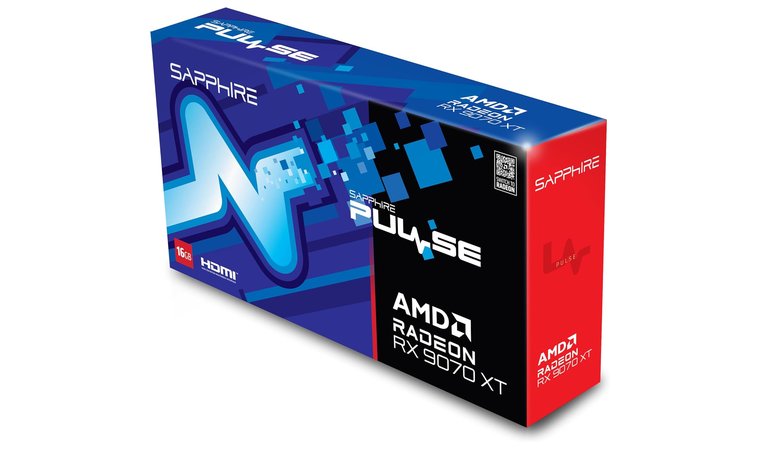
8. AMD Radeon RX 9070 XT [Best RDNA 4 GPU for 4K/60 Performance]
| Specs | Details |
|---|---|
| GPU Architecture | RDNA 4 |
| VRAM Capacity | 16 GB GDDR6 |
| Memory Bus | 256‑bit |
| Boost Clock Speed | ~2,970 MHz |
| Upscaling/Frame Gen | AMD FidelityFX Super Resolution 4 (FSR 4) |
| Card Length/Slots | Dual-slot (as per TPU spec sheet) |
The AMD Radeon RX 9070 XT brings the power of RDNA 4 to the table, giving you a surprisingly efficient and modern GPU that holds its own even when pushed toward 4K. With FSR 4 upscaling, this card can reach a solid 60 FPS at 4K in many games. It’s a great choice for gamers who want to get the most out of AMD’s latest FSR 4 technology.
Under the hood, the RX 9070 XT features 64 compute units, a boost clock nearing 2.97 GHz, and AI/RT accelerators that help it balance performance and efficiency, making it a great companion for a high-tier CPU in a 4K gaming rig. It also supports PCIe 5.0, paving the way for bandwidth-hungry systems without bottlenecks. The 16 GB of GDDR6 VRAM (20 Gbps depending on board) means you’re well covered for texture-heavy games and future titles.
| PROS | CONS |
|---|---|
| ✅ Built on RDNA 4 architecture (Navi 48), offering solid next-gen efficiency and performance. ✅ 16 GB of GDDR6 VRAM on a 256-bit memory bus: plenty of memory for high-res textures and future titles. ✅ Boost clock up to ~2,970 MHz provides strong responsiveness in demanding games. ✅ Supports FSR 4 upscaling, helping you maintain good performance on higher resolutions. ✅ Reasonable power draw (~304 W), making PSU requirements more manageable than top-tier flagships. ✅ Dual-slot board design helps with case compatibility in many builds. ✅ Configurable for efficiency: community reports show it can be undervolted to reduce power use significantly. | ❌ Ray tracing performance may not match the highest-end AMD or NVIDIA chips, but you’ll get very good raster and upscaled visuals at a lower power cost. ❌ Needs a quality PSU (~700W suggested in specs), but once paired correctly, it delivers excellent performance-per-watt. |
In real gameplay, I found that enabling FSR 4 gives you a very playable experience in 4K: quality remains strong, and frame rates feel solid without massive drops. It’s not going to beat ultra-high end GPUs on raw ray tracing, but for its price point and power draw (around 304 W), it’s a killer combo.
My Verdict: The RX 9070 XT is a smart buy for gamers who want to dip into 4K without breaking the bank: it’s efficient, feature-rich, and powerful enough to make modern titles look and feel great on a high-res display.
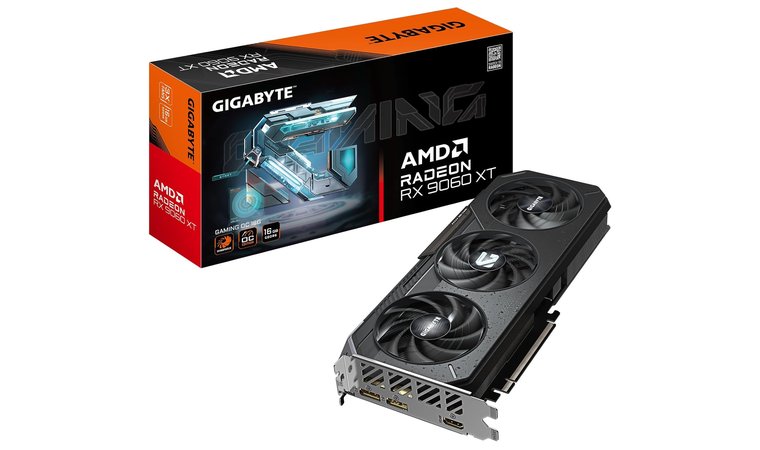
9. AMD Radeon RX 9060 XT [Best Affordable RDNA 4 GPU for 4K Entry]
| Specs | Details |
|---|---|
| GPU Architecture | RDNA 4 |
| VRAM Capacity | 16 GB GDDR6 |
| Memory Bus | 128‑bit |
| Boost Clock Speed | Up to ~3,130 MHz (some AIB cards up to ~3,230 MHz) |
| Upscaling/Frame Gen | AMD FidelityFX Super Resolution 4 (FSR 4) |
| Card Length/Slots | ~281 mm, dual-slot (per Gigabyte spec) |
The AMD Radeon RX 9060 XT is a surprisingly capable GPU that brings RDNA 4 efficiency to the table, along with 16 GB of GDDR6 VRAM, making it a solid pick for gamers who want smooth 4K/60 FPS and modern features in a compact, energy-efficient package.
Its modern architecture supports FSR 4 upscaling, which helps sustain playable frame rates in 4K, especially in games with less demanding ray tracing. Under the hood, the GPU has 2,048 stream processors (32 CUs), a boost clock that can hit up to ~3.13 GHz, and support for PCIe 5.0. All while keeping power draw relatively low (around 160 W for the 16 GB model).
| PROS | CONS |
|---|---|
| ✅ RDNA 4 architecture (Navi 44) brings modern features and efficiency to a budget-conscious GPU. ✅ 16 GB of GDDR6 VRAM delivers unexpected capacity for demanding games or multitasking. ✅ High boost clock (~3,130 MHz) ensures snappy performance in fast-paced or competitive titles. ✅ 128-bit memory bus gives enough bandwidth when combined with FSR 4 upscaling to reach 4K/60+ in many games. ✅ Low power consumption (~160 W TGP) means it’s easy to pair with more modest PSUs. ✅ Modern I/O includes DisplayPort 2.1a and HDMI 2.1b for high-res displays. ✅ Supports PCIe 5.0 x16, giving good future upgrade potential. | ❌ Not ideal for heavy ray tracing, but with FSR 4, you’ll still enjoy great visual quality and efficiency. ❌ Modest memory bus means raw bandwidth is lower than flagship GPUs, yet it’s balanced by its VRAM and power efficiency for 4K/60 gameplay. |
Real-world testing shows that when you rely on FSR 4, 4K gameplay becomes quite smooth even in visually demanding settings. While it’s not aimed at ultra-max ray tracing, the RX 9060 XT still delivers smooth 4K gameplay with strong visuals and excellent efficiency.
Its combination of performance, VRAM, and modern features makes it an ideal choice for gamers stepping up from lower resolutions or building a capable 4K setup that pairs beautifully with a premium gaming monitor, letting you fully appreciate crisp visuals, high refresh rates, and smooth gameplay.
My Verdict: The RX 9060 XT is a smart, future-ready choice for budget-savvy gamers who want to dip their toes into 4K gaming. It delivers solid visuals, efficient performance, and a huge VRAM buffer without feeling like a compromise.
Key Considerations While Purchasing a GPU for 4K Gaming
Jumping into 4K GPU gaming is awesome, but it’s also a bit of a balancing act. Before you hit that “buy now” button, there are three things you really want to pay attention to, because they’ll make or break your experience at this resolution.
And if space is tight in your case, keep an eye out for the most efficient options too: even a top low-profile GPU can deliver solid 4K performance without demanding a full-sized chassis.
VRAM (Video Memory) Capacity
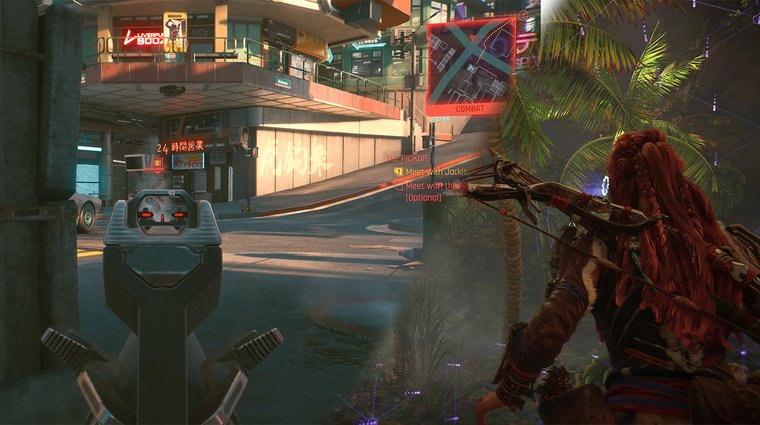
4K chews through VRAM faster than most people expect. High-res textures, detailed shadows, big open-world maps: everything gets heavier at 2160p. For smooth performance today (and some future-proofing), aim for 12GB at the absolute minimum, though 16GB+ is the real comfort zone.
Games like Cyberpunk 2077, Horizon: Forbidden West, and newer AAA titles can spike VRAM usage surprisingly high, especially with texture packs enabled. If you’ve ever seen stutters during fast camera swings or sudden drops when loading new areas, that’s often VRAM choking. More memory means more stability, fewer surprises, and longer-lasting performance as games keep evolving.
Upscaling Technology (DLSS/FSR)
4K without upscaling is possible, but not always practical unless you’re running a top-tier GPU. That’s where NVIDIA’s DLSS and AMD’s FSR step in. Think of them as smart performance multipliers: they let you keep high visual quality while boosting FPS.
DLSS 3 and FSR 3+ can make a 60 FPS game feel like 100+ FPS with Frame Generation, which is huge for fast-paced shooters or competitive titles. If you’re grabbing a mid-range or upper-mid GPU, strong upscaling support is basically a must-have for long-term 4K playability.
Power Supply Unit (PSU) Requirements
4K GPUs aren’t shy about power. Even efficient modern cards can pull 250–350W under load, and you always want headroom. Make sure your PSU is reliable, from a good brand, and strong enough. Usually 750W or higher, depending on the card.
A solid PSU keeps your system stable, prevents shutdowns, and protects your components during big power spikes. Locking in the right VRAM, upscaling tech, and PSU gives you a smooth, stable, future-ready 4K setup that won’t choke when new games drop or settings get more demanding.
My Overall Verdict
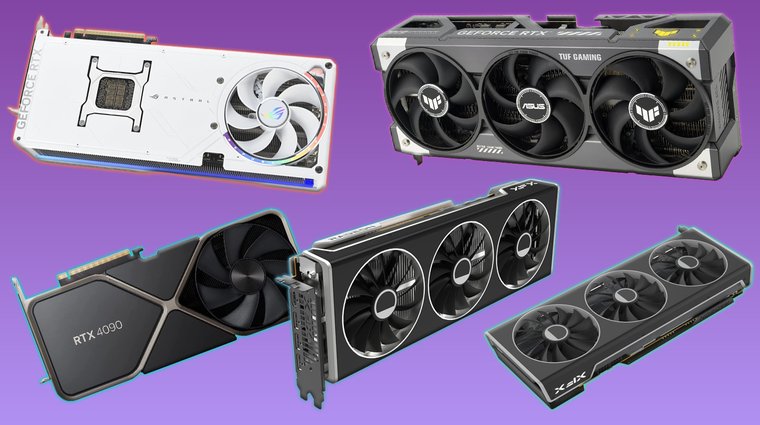
Choosing the best GPU for 4K gaming really comes down to your priorities: raw power, price-to-performance, or hitting ultra-high frame rates on a premium display. Luckily, today’s GPU market offers strong options at several tiers, so you can find a card that fits both your rig and your budget.
Best for ultimate 4K performance → ASUS ROG Astral GeForce RTX 5090. It delivers unmatched power, massive VRAM, and cutting-edge DLSS 4 support. If you want top-tier ray tracing and long-term future-proofing, this is the card to beat.
Best for value-focused 4K gaming → XFX Radeon RX 7900 XT. With 20 GB of VRAM and strong raster performance, it offers impressive 4K results without flagship pricing. It’s a smart value pick for AAA gaming.
Best for ultra-high FPS at 4K → NVIDIA GeForce RTX 4090. If your goal is triple-digit frame rates on a 4K high-refresh monitor, the RTX 4090 delivers elite-level performance with excellent ray tracing.
Best AMD option for 4K gaming → AMD Radeon RX 7900 XTX. It combines massive VRAM and strong native 4K performance, making it AMD’s strongest high-end alternative for smooth gameplay.
Best high-end value option → NVIDIA GeForce RTX 5080 Founders Edition. It balances next-gen features, DLSS 4, and strong 4K performance at a more approachable price than true flagships.
At the end of the day, the best GPU for 4K gaming is the one that fits your setup, budget, and performance goals. Whether you want extreme power or smart value, you’ve got excellent choices.
FAQs
The ASUS ROG Astral GeForce RTX 5090 is widely considered the best GPU for 4K gaming thanks to its flagship performance, massive VRAM, and advanced features like DLSS 4 and top-tier ray tracing. That said, the XFX Radeon RX 7900 XT and NVIDIA GeForce RTX 4090 are also excellent choices depending on your budget and whether you prioritize value or ultra-high frame rates.
Both deliver solid 4K performance. NVIDIA leads in ray tracing, DLSS, and ultra-high FPS, while AMD offers better price-to-performance and plenty of VRAM. Your choice depends on whether you prioritize cutting-edge features or raw value.
Most modern 4K GPUs need a quality PSU in the 750-1000 W range, depending on the model. Higher-end cards like the RTX 5090 and 4090 benefit from extra headroom, while mid-range 4K-capable cards run comfortably with 750-850 W. Always check manufacturer recommendations.
No, but it helps. A 4K GPU will still boost performance at 1440p or 1080p by delivering higher frame rates and more stable gameplay. That said, you unlock the full visual experience: sharper textures, wider detail, and true image clarity, when pairing it with a proper 4K display.