Can You Gift V-Bucks in Fortnite? Everything You Need to Know

Eneba Hub contains affiliate links, which means we may earn a small commission if you make a purchase through them—at no extra cost to you. Learn more
Can you gift V-Bucks in Fortnite? This question pops up constantly in the community, and I’ve seen countless players confused about what they can actually send to their squad. V-Bucks are the lifeblood of Fortnite, letting you grab fresh skins, pickaxes, emotes, and battle passes.
The short answer might surprise you, but don’t worry. I’ve broken down every legitimate method for getting V-Bucks to your friends, whether that’s through direct gifting options or clever workarounds using gift cards. This guide covers everything from platform restrictions to step-by-step processes that actually work.
Jump to:
Can You Gift V-Bucks? Here’s What You Need to Know
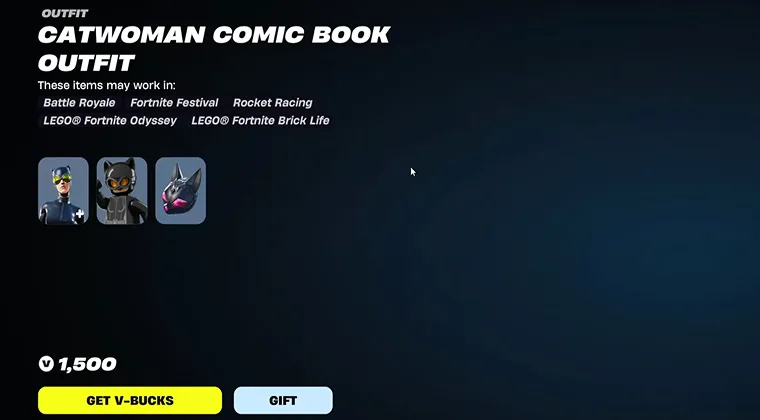
Can you gift V-Bucks on Fortnite? Let me cut straight to it: you cannot directly gift V-Bucks to another player in Fortnite. Epic Games doesn’t allow direct currency transfers between accounts, and there’s no option in the game to send your V-Bucks balance to someone else.
However, can you gift V-Bucks to a friend through other items? Absolutely. The in-game gifting system lets you purchase and send specific items like skins, emotes, gliders, and wraps directly from the Item Shop. When you buy something for a friend, they receive it instantly in their locker.
But here’s the deal: gifting requirements include two-factor authentication on both accounts, a 48-hour minimum friendship duration, and accounts at least 30 days old. Epic Games implemented these restrictions to combat scams and unauthorized purchases.
Can you gift bundles in Fortnite? Yes, but only certain bundles from the Item Shop. Battle Passes can’t be gifted, and anything already in your locker is off-limits. The system specifically prevents sending items you already own, which answers the common question about how to gift V-Bucks in Fortnite from your locker.
How Do You Gift V-Bucks: All Methods Explained
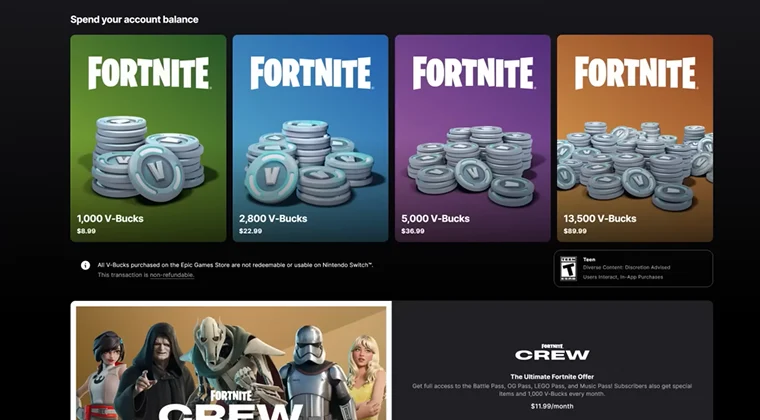
Since giving V-Bucks on Fortnite directly isn’t possible, your best bet involves indirect methods through gift cards. These workarounds are completely legitimate and let the recipient use the funds however they want in Fortnite.
Each platform has its own gift card system that converts to V-Bucks once redeemed. The recipient gets to choose exactly what V-Bucks they spend on, which honestly makes it a better gift than forcing a specific skin on someone.
Using Fortnite Gift Cards
Epic Games sells official Fortnite gift cards that load directly into someone’s Epic account. These cards come in digital codes or physical cards at retailers, and they’re the most straightforward solution for parents or gift-givers.
To redeem a Fortnite gift card, here’s what you need to do:
- Head to the Epic Games website and log into your account.
- Navigate to the redeem page.
- Enter the code from the card
- V-Bucks appear instantly in your balance. These cards work across all platforms since they tie to your Epic account.
Keep in mind that Fortnite gift cards have regional restrictions. A card purchased in the US won’t work for European accounts, so double-check the region before buying.
Using Xbox Gift Cards
Can you buy V-Bucks with Xbox gift card? Definitely. Xbox gift cards load funds into the Microsoft account balance, which then purchases V-Bucks through the Xbox version of Fortnite.
How to gift V-Bucks on Xbox works like this:
- Purchase an Xbox digital gift card.
- Send the code to your friend.
- They redeem it on their Xbox console or through the Microsoft website.
- Once the balance loads, they can open Fortnite and buy V-Bucks directly.
The beauty of this method is that Fortnite skins and other items purchased with these V-Bucks sync across platforms through your Epic account. Just make sure the Xbox account links properly to the Epic account.
Using PlayStation Gift Cards
PlayStation gift cards follow the same logic as Xbox:
- Load funds into the PlayStation wallet.
- Use that balance to purchase V-Bucks through the PlayStation version of Fortnite.
- Redeem PlayStation gift cards through the PlayStation Store on your console or via the website.
- The funds appear immediately, and you can grab V-Bucks bundles ranging from small amounts to bulk purchases.
Remember that PlayStation has its own regional coding, so match the card region to the account region.
Cross-platform progress means these V-Bucks work everywhere once your accounts are linked properly.
Using Nintendo eShop Gift Cards
Nintendo Switch players can use eShop gift cards to fund their V-Bucks purchases. The process mirrors other platforms:
- Add funds to your Nintendo account.
- Launch Fortnite.
- Buy V-Bucks through the in-game store.
Nintendo eShop cards come in various denominations, which makes it easy to match gift budgets. The redemption happens through the eShop interface on your Switch console or through the Nintendo website.
One limitation: V-Bucks purchased on Switch stay locked to that platform unless spent. Shared V-Bucks (from Battle Pass rewards or Epic purchases) transfer everywhere, but direct Switch purchases don’t.
How to Send Gifts in Fortnite Across Platforms
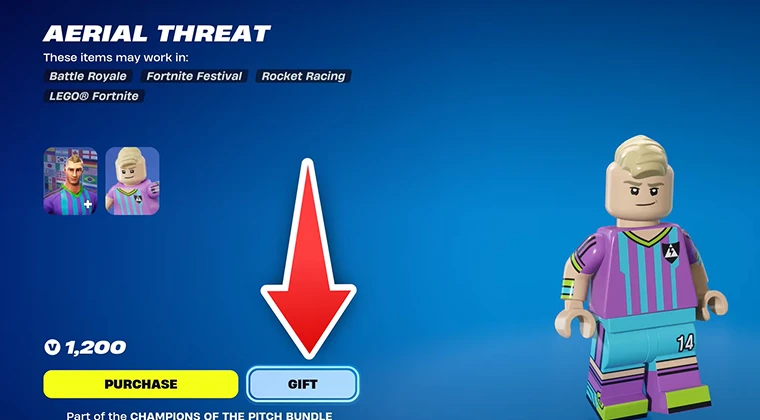
How to send gifts in Fortnite depends heavily on your platform setup:
- The gifting button appears in the Item Shop next to eligible items, showing a present icon when you can send something to friends.
- Click the gift icon, select a friend from your list, add an optional message, and confirm the purchase.
- Your friend receives a notification immediately, and the item drops into their locker. This works seamlessly across PC, Xbox, PlayStation, Nintendo Switch, and mobile.
Cross-platform gifting has one major rule: both players need linked Epic accounts. Your Xbox friend can receive gifts from your PC account as long as everything connects properly through Epic Games. The payment processes through your current platform, but delivery happens at the account level.
Platform-specific V-Bucks create some confusion here. V-Bucks earned through Battle Pass rewards work everywhere because they’re “shared.” But V-Bucks purchased directly on PlayStation won’t show up when you log in on Xbox.
This doesn’t affect gifting items, though. Gifted skins and emotes appear across all platforms regardless of where the purchase originated.
The best VPN for Fortnite can help if regional restrictions block certain payment methods or Item Shop items.
Common Problems and How to Solve Them
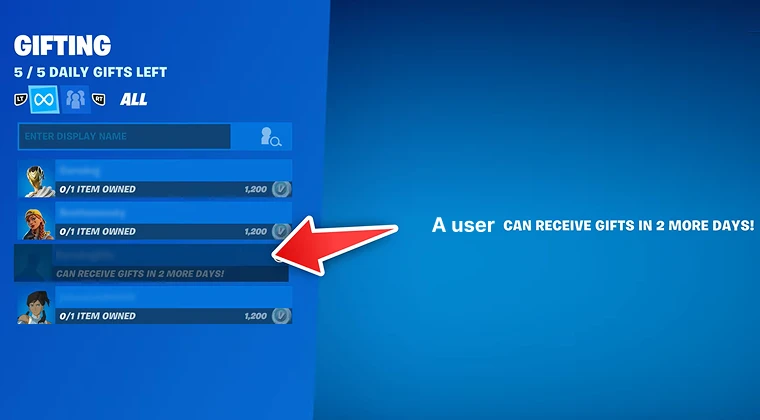
Failed gifting attempts usually trace back to account requirements. If the gift button appears grayed out, check that you’ve been friends for 48 hours and have 2FA enabled on your account. Both conditions are non-negotiable.
Account age limits block new players from gifting entirely. Your account must be at least 30 days old before the system allows purchases for others. This prevents throwaway accounts from being used in scams.
Platform mismatches rarely cause issues since Epic handles everything through their servers. However, payment failures happen when your platform wallet lacks sufficient funds. Add money to your Xbox, PlayStation, or Nintendo account before attempting gifts.
Two-factor authentication setup takes minutes through the Epic Games website. Head to account settings, enable authenticator apps or email verification, and the gifting option unlocks immediately after.
Alternative Ways to Treat Your Squad
Beyond direct gifting, competitive players in the Fortnite esports scene often trade accounts or share seasonal content through squad play. Sharing Battle Pass tiers by playing together gives everyone bonus XP and helps unlock rewards faster.
Free promotional events regularly drop cosmetics and V-Bucks to all players. Point your friends toward these events so they can grab limited-time items without spending money. Epic runs collaborations and seasonal promotions that reward active players.
How to gift skins in Fortnite from your own collection isn’t possible, but you can coordinate purchases. Ask your friend which skin they want, then gift it directly from the Item Shop when it rotates through. This ensures they get exactly what they like instead of guessing.
Some players create making money on Fortnite strategies through content creation, tournaments, or trading services. Supporting friends who stream or compete helps them afford their own V-Bucks organically.
There are also platforms like Snakzy that offer ways to earn rewards through gameplay. Here’s how it works: you play mini-games on Snakzy to earn coins, then transfer those coins to your Eneba wallet. From there, you can purchase various gift cards, including Xbox or PlayStation cards that work for V-Bucks purchases.
While Snakzy doesn’t offer in-game currency gift cards directly on its platform, the Eneba wallet integration gives you access to gaming gift cards without spending your own money. It’s an option for players looking to earn rewards while having fun, creating an indirect path to getting V-Bucks without needing to directly gift them or pull out your credit card.
If you and your friends are into competitive play or challenges, this could be a fun, alternative way to treat your squad.
Making V-Bucks Gifting Work for You
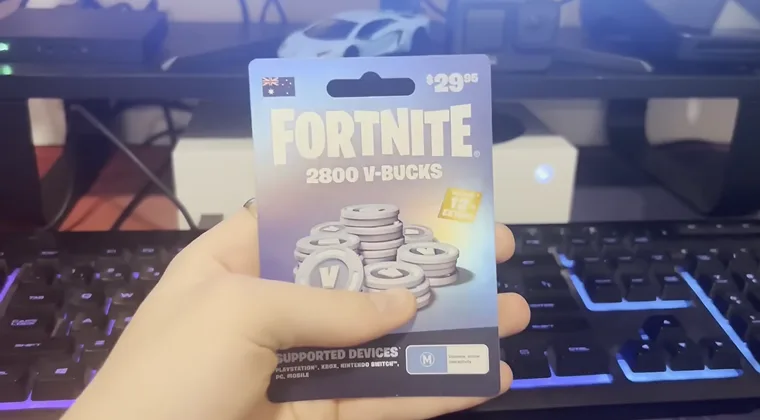
The inability to transfer V-Bucks directly stems from fraud prevention, but the alternatives work smoothly once you understand the system. Gift cards provide the most flexibility since recipients choose their own purchases.
In-game gifting shines when you know exactly what your friend wants. Watching their wishlist or asking directly eliminates guesswork and ensures your gift gets used. The Item Shop rotates daily, so timing matters for limited items.
Regional restrictions and platform locks create the biggest headaches. Always verify that gift cards match the recipient’s account region and that their Epic account links properly to their gaming platform. These small checks prevent wasted purchases.
Platform gift cards remain the safest method for parents sending V-Bucks to kids. You control the exact amount, the process avoids sharing credit card information, and recipients can’t overspend beyond the gifted balance.
If you enjoy similar games, check out these games like Fortnite that offer different gifting systems and currencies.
FAQs
No, you cannot gift V-Bucks directly in Fortnite. Epic Games restricts direct currency transfers between accounts to prevent fraud and scams.
Purchase platform gift cards (Xbox, PlayStation, Nintendo, or Epic) and send the code to your friend. They redeem it and buy V-Bucks themselves.
V-Bucks cannot be transferred between accounts. Each account’s currency balance stays locked to that specific Epic Games account permanently.
No, the gifting system only works for items purchased directly from the Item Shop. You cannot send items already in your locker to other players.
No, gifting requires a minimum 48-hour friendship period and both accounts must have two-factor authentication enabled before transactions work.
You cannot gift V-Bucks directly. Item gifting limits depend on the Item Shop’s individual item prices and your payment method’s daily spending caps.
Certain bundles containing multiple items can be gifted through the Item Shop. Battle Passes and some exclusive bundles cannot be sent to friends.
Click the gift icon next to any eligible skin in the Item Shop, select a friend, add an optional message, and complete the purchase using your preferred payment method.
Direct V-Bucks gifting isn’t possible on any platform. Send Xbox gift cards instead, which load funds into Microsoft accounts for V-Bucks purchases.
Gifting items incurs no additional fees beyond the item’s listed price. Restrictions include friend duration, account age, 2FA requirements, and regional limitations.
Check friend requirements, 2FA status, account age, and payment method funds. Contact Epic Games support if technical issues prevent transactions from completing.
V-Bucks stay locked to the Epic account where purchased. Platform-specific V-Bucks don’t transfer, but shared V-Bucks work across all linked devices.
Official Epic Games, Xbox, PlayStation, or Nintendo gift cards purchased from authorized retailers provide the safest indirect V-Bucks gifting method.
Item gifts appear instantly in the recipient’s locker after purchase confirmation. Gift card codes redeem immediately once entered on the respective platform.