Testing For Copilot for Gaming (Beta) Begins Rolling Out on Mobile Devices



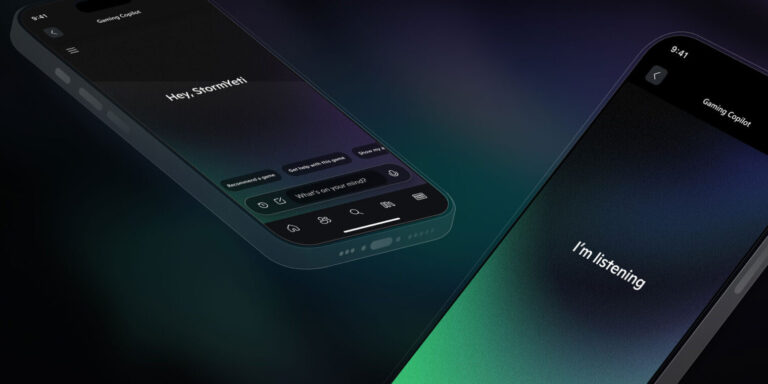
PRESS RELEASE – May 29, 2025 – Copilot for Gaming is the ultimate gaming sidekick, making gaming with Xbox more seamless and personalized. In this early version of the feature for mobile, players will be able to access Copilot for Gaming on a second screen, without distracting them from the core gameplay experience.
The companion knows what game is being played and understands Xbox activity, so it can answer any questions about the games a player is interested in, provide links to more information when its response includes web sources, or answer questions based on the player’s account, play history and achievements.
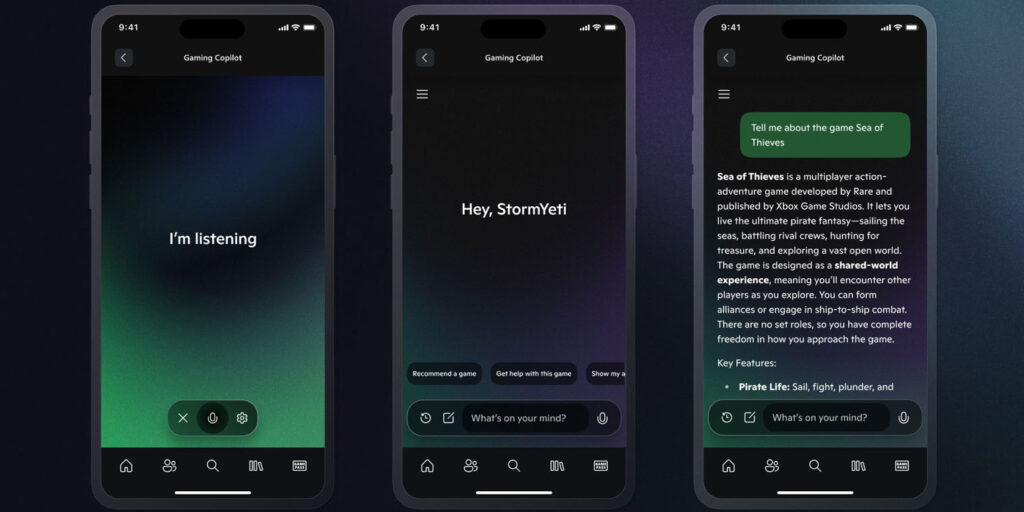
For gamers not sure where to begin, here are a few suggestions to get started – and remember, users can type prompts in chat or speak directly with Copilot using voice.
Ask Questions About a Specific Game
“Hey Copilot, can you remind me what materials I need to craft a sword in Minecraft?”
[While playing South of Midnight] “I’m stuck on Rougarou right now. Can you give me some tips on how to beat this boss?”
“What’s my gamerscore and can you give me some tips to raise it?”
Ask For Game Recommendations
“Hey Copilot, what should I play tonight?”
“I love horror movies. Any suggestions for what game I should play?”
“I’m looking for a new RPG. Can you recommend something that came out on Xbox recently?”
Ask About Play History or Account
“Hey Copilot, what’s the rarest achievement you can get in Avowed?”
“What was the last achievement I got in Starfield?”
“When does my Game Pass subscription renew?”
When you ask Copilot a question, it sources your player activity on Xbox alongside public sources of information from the Bing search engine for its response. Xbox is working hard to bring deeper personalization, richer game assistance such as proactive coaching, and many more features to Copilot for Gaming (Beta) at a later date.
How to Try Copilot for Gaming (Beta)
This early preview of Copilot for Gaming in the beta version of the Xbox app for mobile is available in English for players aged 18 and older in the U.S., Australia, New Zealand, Japan, Singapore, and other regions.
As Xbox explores new ideas and continues to experiment, feedback will be critical in helping the company shape these experiences and ensuring that they’re truly aligned with player needs and preferences.
Players who already have the beta version of the Xbox app for mobile downloaded on their iOS or Android device can begin providing feedback on Copilot for Gaming (Beta) directly by selecting “Give Feedback” under “More Options” in the top left corner of the app, or by simply marking any incorrect responses from Copilot with a “thumbs up” or “thumbs down” in the chat.
Android users can download the beta version of the Xbox app for mobile in the Google Play Store. If gamers have an iOS device and don’t already have the beta version of the Xbox app for mobile downloaded, don’t worry – early testing for Copilot for Gaming (Beta) will also be coming soon to Game Bar on Windows PC, and there are plans to make it available more widely in the Xbox app for mobile in the future.